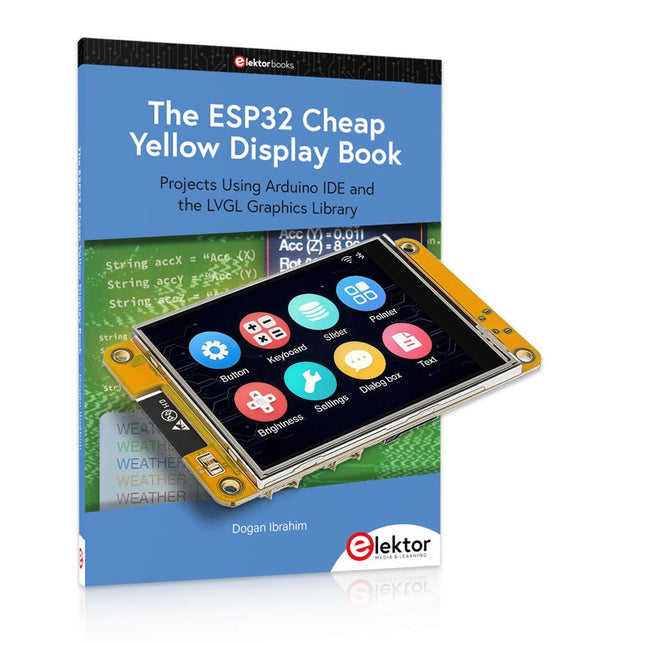
Über 40 vollständig getestete ESP32-Projekte mit Arduino IDE und der LVGL-Grafikbibliothek
Dieses Bundle enthält das ESP32 Cheap Yellow Display (CYD) – ein kompaktes Entwicklungsboard, das einen Standard-ESP32-Mikrocontroller mit einem 320 x 240 Pixel großen TFT-Farbdisplay kombiniert. Das Board verfügt außerdem über mehrere Anschlüsse für GPIO, serielle Kommunikation (TX/RX), Strom und Masse. Das integrierte Display ist ein großer Vorteil und ermöglicht die Erstellung komplexer, grafikbasierter Projekte ohne externe LCDs oder Displays.
Das Begleitbuch stellt die Hardware und die integrierten Anschlüsse des CYD-Boards detailliert vor. Es bietet eine Reihe von Projekten für Anfänger und Fortgeschrittene, die mit der beliebten Arduino IDE 2.0 entwickelt wurden. Sowohl grundlegende Grafikfunktionen als auch die leistungsstarke LVGL-Grafikbibliothek werden behandelt, und praktische Projekte veranschaulichen jeden Ansatz.
Alle enthaltenen Projekte wurden vollständig getestet und sind sofort einsatzbereit. Das Buch enthält Blockdiagramme, Schaltpläne, vollständige Codelisten und Schritt-für-Schritt-Erklärungen. Mit der LVGL-Bibliothek können Leser moderne, vollfarbige grafische Benutzeroberflächen mit Widgets wie Schaltflächen, Beschriftungen, Schiebereglern, Kalendern, Tastaturen, Diagrammen, Tabellen, Menüs, Animationen und mehr erstellen.
ESP32 Cheap Yellow Display Board
Dieses Entwicklungsboard (auch bekannt als "Cheap Yellow Display") wird vom ESP-WROOM-32 angetrieben, einem Dual-Core-MCU mit integrierten Wi-Fi- und Bluetooth-Funktionen. Es arbeitet mit einer Hauptfrequenz von bis zu 240 MHz, mit 520 KB SRAM, 448 KB ROM und einem 4 MB Flash-Speicher. Das Board verfügt über ein 2,8" Display mit einer Auflösung von 240x320 und Resistive Touch.
Darüber hinaus enthält die Platine einen Steuerkreis für die Hintergrundbeleuchtung, einen Schaltkreis für die Berührungssteuerung, einen Schaltkreis für die Lautsprecheransteuerung, einen lichtempfindlichen Schaltkreis und einen RGB-LED-Steuerschaltkreis. Es bietet außerdem einen TF-Kartensteckplatz, eine serielle Schnittstelle, eine DHT11-Schnittstelle für Temperatur- und Feuchtigkeitssensoren und zusätzliche E/A-Anschlüsse.
Das Modul unterstützt die Entwicklung in Arduino IDE, ESP-IDE, MicroPython und Mixly.
Anwendungen
Bildübertragung für Smart Home-Gerät
Drahtlose Überwachung
Intelligente Landwirtschaft
QR-Funkerkennung
Signal des drahtlosen Positionierungssystems
Und andere IoT-Anwendungen
Technische Daten
Mikrocontroller
ESP-WROOM-32 (Dual-Core-MCU mit integriertem WLAN und Bluetooth)
Frequenz
Bis zu 240 MHz (Rechenleistung bis zu 600 DMIPS)
SRAM
520 KB
ROM
448 KB
Flash
4 MB
Betriebsspannung
5 V
Stromverbrauch
ca. 115 mA
Display
2,8" TFT-Farbbildschirm (240 x 320)
Touch
Resistive Touch
Treiberchip
ILI9341
Abmessungen
50 x 86 mm
Gewicht
50 g
Downloads
GitHub
Dieses Bundle enthält:
The ESP32 Cheap Yellow Display Book (Einzelpreis: 35 €)
ESP32 Cheap Yellow Display Board (Einzelpreis: 25 €)
1x ESP32 Dev-Board mit 2,8" Display und Acrylgehäuse
1x Touch-Stift
1x Verbindungskabel
1x USB-Kabel
The Arduino Uno is an open-source microcontroller development system encompassing hardware, an Integrated Development Environment (IDE), and a vast number of libraries. It is supported by an enormous community of programmers, electronic engineers, enthusiasts, and academics. The libraries in particular really smooth Arduino programming and reduce programming time. What’s more, the libraries greatly facilitate testing your programs since most come fully tested and working.
The Raspberry Pi 4 can be used in many applications such as audio and video media devices. It also works in industrial controllers, robotics, games, and in many domestic and commercial applications. The Raspberry Pi 4 also offers Wi-Fi and Bluetooth capability which makes it great for remote and Internet-based control and monitoring applications.
This book is about using both the Raspberry Pi 4 and the Arduino Uno in PID-based automatic control applications. The book starts with basic theory of the control systems and feedback control. Working and tested projects are given for controlling real-life systems using PID controllers. The open-loop step time response, tuning the PID parameters, and the closed-loop time response of the developed systems are discussed together with the block diagrams, circuit diagrams, PID controller algorithms, and the full program listings for both the Raspberry Pi and the Arduino Uno.
The projects given in the book aim to teach the theory and applications of PID controllers and can be modified easily as desired for other applications. The projects given for the Raspberry Pi 4 should work with all other models of Raspberry Pi family.
The book covers the following topics:
Open-loop and closed-loop control systems
Analog and digital sensors
Transfer functions and continuous-time systems
First-order and second-order system time responses
Discrete-time digital systems
Continuous-time PID controllers
Discrete-time PID controllers
ON-OFF temperature control with Raspberry Pi and Arduino Uno
PID-based temperature control with Raspberry Pi and Arduino Uno
PID-based DC motor control with Raspberry Pi and Arduino Uno
PID-based water level control with Raspberry Pi and Arduino Uno
PID-based LED-LDR brightness control with Raspberry Pi and Arduino Uno
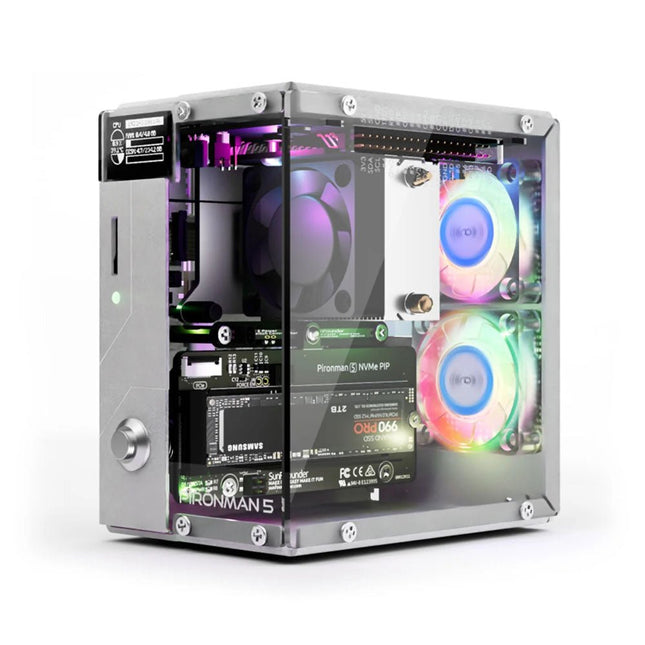
Verbessern Sie Ihren Raspberry Pi 5 mit dem Pironman 5, der aus robustem Aluminium, hervorragender Kühlung, NVMe M.2 SSD-Unterstützung, OLED-Display, RGB-Beleuchtung, Standard-HDMI-Anschlüssen x2 und einem sicheren Netzschalter besteht. Es ist perfekt für NAS, Home Assistant, Medien- und Game Center. Der Pironman 5 ist nicht nur ein Gehäuse, sondern ein Upgrade, das Ihren Raspberry Pi 5 in ein leistungsstarkes, effizientes und elegantes Gerät verwandelt.
Der Pironman 5 enthält das Pi 5 NVMe PIP (PCIe Peripheral Board), eine PCIe-Adapterplatine, die speziell für NVMe-Solid-State-Laufwerke entwickelt wurde. Dieses Board unterstützt vier Größen von NVMe-SSDs: 2230, 2242, 2260 und 2280, die alle in einem M.2-M Key-Steckplatz installiert werden können. Die Verbindung ist für Gen 2.0-Geschwindigkeiten (5 GT/Sek.) zertifiziert, kann jedoch für eine schnellere Leistung auf Gen 3.0 (10 GT/Sek.) erzwungen werden.
Erweiterbarer NVMe M.2 SSD-Steckplatz
Steigern Sie die Leistung Ihres Raspberry Pi 5 mit dem NVMe M.2 SSD-Steckplatz des Pironman 5, der mehrere Größen (2230, 2242, 2260, 2280) für mehr Speicher und schnellere Systemreaktionen unterstützt.
Erweitertes Kühlsystem
Halten Sie Ihren Raspberry Pi 5 kühl und stilvoll mit dem Tower-Kühler und den zwei RGB-Lüftern des Pironman 5, der mit Staubfiltern für einen langlebigen, wartungsarmen Betrieb ausgestattet ist.
OLED-Display für sofortige Einblicke
Der Pironman 5 verfügt über ein 0,96" OLED-Display, das sofortige Updates zu CPU- und RAM-Auslastung, Temperatur, IP-Adresse und mehr bietet.
Verbesserte Funktionalität und Sicherheit
Der Pironman 5 sichert Ihren Raspberry Pi 5 mit Funktionen wie sicherem Herunterfahren, anpassbaren RGB-LEDs, HDMI-Anschlüssen, einem IR-Empfänger und einem externen GPIO-Extender und verbessert so die Funktionalität und Konnektivität.
Features
Raspberry Pi 5 Mini-PC
0,96-Zoll-OLED-Display, das CPU-Auslastung, Temperatur, Festplattennutzung, IP-Adresse, RAM-Auslastung usw. des Raspberry Pi anzeigt.
Der Tower-Kühler kann einen Pi mit 100% CPU-Last auf 39°C bei 25°C Raumtemperatur kühlen.
2 RGB-Lüfter mit GPIO-Steuerung
1 PWM-Lüfter am Tower Cooler wird vom Raspberry Pi-System gesteuert.
Unterstützt vier (PCIe Gen 2.0 / PCIe Gen 3.0) NVMe M.2 SSD-Größen: 2230, 2242, 2260 und 2280.
4 adressierbare WS2812 RGB-LEDs beleuchten das gesamte Gehäuse mit einem coolen Lichteffekt
IR-Empfänger für Multimedia-Center wie Kodi oder Volumio
Retro-Einschaltknopf aus Metall für sicheres Ausschalten
Externer GPIO-Extender mit Pin-Namensschild für einfachen Zugriff
Ausgestattet mit einem federbelasteten Sockel zum einfachen Entfernen der Karte
Aluminium-Hauptgehäuse mit durchsichtiger Acryl-Seitenwand
Verfügt über zwei Standard-HDMI-Anschlüsse
Downloads
Dokumentation
Die ZD-915 ist eine digitale Entlötstation mit ESD-Schutz und LCD-Bildschirm, der sowohl den Ist- als auch des Sollwert anzeigt. Diese Entlötstation hat eine hohe Leistung in einem kompakten und robusten Gehäuse und macht das Entlöten einfach, da sie mit einer Hand bedient werden kann.
Der ZD-915 verfügt über eine Lötpistole, in der sich ein Filter befindet, der angesaugtes Material auffängt, sodass Sie nur die Filter austauschen müssen, um fortzufahren. Außerdem befindet sich in der Spitze ein Temperatursensor, damit Temperaturschwankungen schnell aufgefangen werden können.
Features
Die Temperatur lässt sich einfach durch einfache Auf-/Ab-Tasten einstellen.
140 W temperaturgeregelte Lötstation mit einstellbarem Bereich von 160°C bis 480°C.
Die Entlötstation ist speziell für das bleifreie Entlöten ausgelegt.
An der Seite der Station befindet sich eine typische Halterung mit Schwamm.
Ein beleuchteter Ein-/Ausschalter befindet sich ebenfalls auf der Vorderseite.
Technische Daten
Station
Spannungsversorgung
220-240 V
Leistungsaufnahme
140 W
Vakuumdruck
600 mm HG
Entlötpistole
Leistungsaufnahme
24 V AC 80 WAufheizleistung 130 W
Temperatur
160-480 °C
Heizelement
Keramikheizung
Lieferumfang
1x ZD-915 Entlötstation
2x Ersatzlötspitze
3x Reinigungsnadel für Entlötspitzen
1x Ersatzfilter für Entlötpistole
1x Handbuch
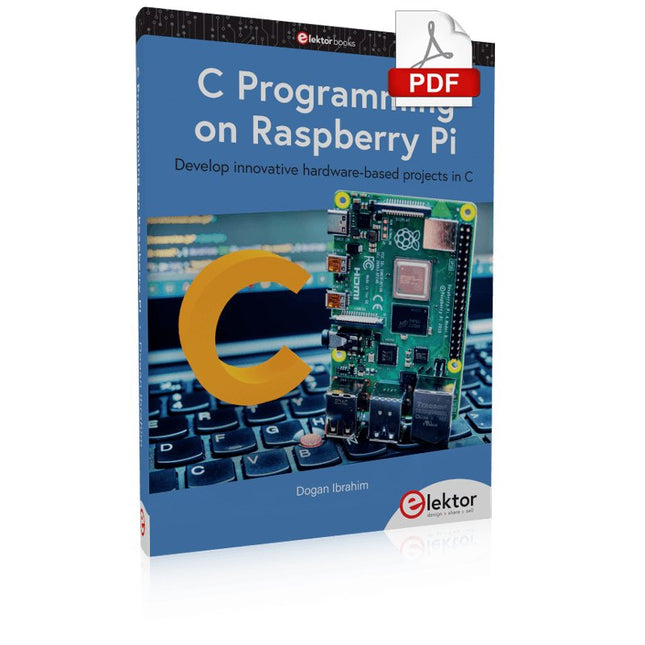
Develop innovative hardware-based projects in C
The Raspberry Pi has traditionally been programmed using Python. Although this is a very powerful language, many programmers may not be familiar with it. C on the other hand is perhaps the most commonly used programming language and all embedded microcontrollers can be programmed using it.
The C language is taught in most technical colleges and universities and almost all engineering students are familiar with using it with their projects. This book is about using the Raspberry Pi with C to develop a range of hardware-based projects. Two of the most popular C libraries, wiringPi and pigpio are used.
The book starts with an introduction to C and most students and newcomers will find this chapter invaluable. Many projects are provided in the book, including using Wi-Fi and Bluetooth to establish communication with smartphones.
Many sensor and hardware-based projects are included. Both wiringPi and pigpio libraries are used in all projects. Complete program listings are given with full explanations. All projects have been fully tested and work.
The following hardware-based projects are provided in the book:
Using sensors
Using LCDs
I²C and SPI buses
Serial communication
Multitasking
External and timer interrupts
Using Wi-Fi
Webservers
Communicating with smartphones
Using Bluetooth
Sending data to the cloud
Program listings of all Raspberry Pi projects developed in this book are available on the Elektor website. Readers can download and use these programs in their projects. Alternatively, they can customize them to suit their applications.
This book details the use of the Arduino Uno and the Raspberry Pi 4 in practical CAN bus based projects. Using either the Arduino Uno or the Raspberry Pi with off-the-shelf CAN bus interface modules considerably ease developing, debugging, and testing CAN bus based projects.
This book is written for students, practicing engineers, enthusiasts, and for everyone else wanting to learn more about the CAN bus and its applications. The book assumes that the reader has some knowledge of basic electronics. Knowledge of the C and Python programming languages and programming the Arduino Uno using its IDE and Raspberry Pi will be useful, especially if the reader intends to develop microcontroller-based projects using the CAN bus.
The book should be a useful source of reference material for anyone interested in finding answers to questions such as:
What bus systems are available for the automotive industry?
What are the principles of the CAN bus?
How can I create a physical CAN bus?
What types of frames (or data packets) are available in a CAN bus system?
How can errors be detected in a CAN bus system and how dependable is a CAN bus system?
What types of CAN bus controllers exist?
How do I use the MCP2515 CAN bus controller?
How do I create 2-node Arduino Uno-based CAN bus projects?
How do I create 3-node Arduino Uno-based CAN bus projects?
How do I set the acceptance masks and acceptance filters?
How do I analyze data on the CAN bus?
How do I create 2-node Raspberry Pi-based CAN bus projects?
How do I create 3-node Raspberry Pi-based CAN bus projects?
Program, build, and master over 50 projects with MicroPython and the RP2040 microprocessor The Raspberry Pi Pico is a high-performance microcontroller module designed especially for physical computing. Microcontrollers differ from single-board computers, like the Raspberry Pi 4, in not having an operating system. The Raspberry Pi Pico can be programmed to run a single task very efficiently within real-time control and monitoring applications requiring speed. The ‘Pico’ as we call it, is based on the fast, efficient, and low-cost dual-core ARM Cortex-M0+ RP2040 microcontroller chip running at up to 133 MHz and sporting 264 KB of SRAM, and 2 MB of Flash memory. Besides its large memory, the Pico has even more attractive features including a vast number of GPIO pins, and popular interface modules like ADC, SPI, I²C, UART, and PWM. To cap it all, the chip offers fast and accurate timing modules, a hardware debug interface, and an internal temperature sensor. The Raspberry Pi Pico is easily programmed using popular high-level languages such as MicroPython and or C/C++. This book is an introduction to using the Raspberry Pi Pico microcontroller in conjunction with the MicroPython programming language. The Thonny development environment (IDE) is used in all the projects described. There are over 50 working and tested projects in the book, covering the following topics: Installing the MicroPython on Raspberry Pi Pico using a Raspberry Pi or a PC Timer interrupts and external interrupts Analogue-to-digital converter (ADC) projects Using the internal temperature sensor and external temperature sensor chips Datalogging projects PWM, UART, I²C, and SPI projects Using Wi-Fi and apps to communicate with smartphones Using Bluetooth and apps to communicate with smartphones Digital-to-analogue converter (DAC) projects All projects given in the book have been fully tested and are working. Only basic programming and electronics experience is required to follow the projects. Brief descriptions, block diagrams, detailed circuit diagrams, and full MicroPython program listings are given for all projects described. Readers can find the program listings on the Elektor web page created to support the book.
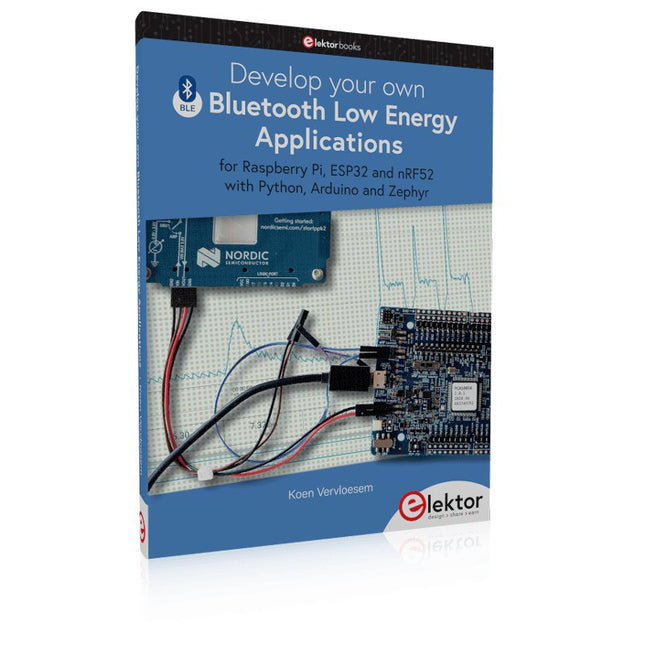
For Raspberry Pi, ESP32 and nRF52 with Python, Arduino and Zephyr
Bluetooth Low Energy (BLE) radio chips are ubiquitous from Raspberry Pi to light bulbs. BLE is an elaborate technology with a comprehensive specification, but the basics are quite accessible.
A progressive and systematic approach will lead you far in mastering this wireless communication technique, which is essential for working in low power scenarios.
In this book, you’ll learn how to:
Discover BLE devices in the neighborhood by listening to their advertisements.
Create your own BLE devices advertising data.
Connect to BLE devices such as heart rate monitors and proximity reporters.
Create secure connections to BLE devices with encryption and authentication.
Understand BLE service and profile specifications and implement them.
Reverse engineer a BLE device with a proprietary implementation and control it with your own software.
Make your BLE devices use as little power as possible.
This book shows you the ropes of BLE programming with Python and the Bleak library on a Raspberry Pi or PC, with C++ and NimBLE-Arduino on Espressif’s ESP32 development boards, and with C on one of the development boards supported by the Zephyr real-time operating system, such as Nordic Semiconductor's nRF52 boards.
Starting with a very little amount of theory, you’ll develop code right from the beginning. After you’ve completed this book, you’ll know enough to create your own BLE applications.
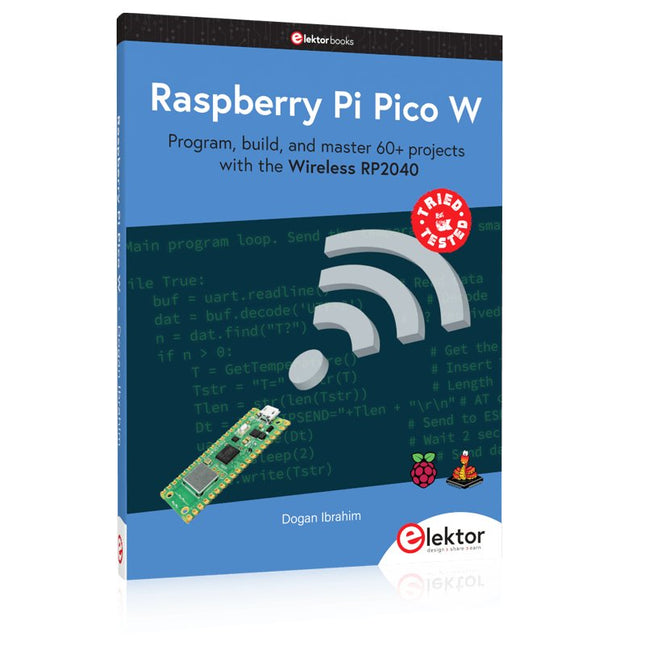
Program, build, and master 60+ projects with the Wireless RP2040
The Raspberry Pi Pico and Pico W are based on the fast, efficient, and low-cost dual-core ARM Cortex M0+ RP2040 microcontroller chip running at up to 133 MHz and sporting 264 KB of SRAM and 2 MB of Flash memory. Besides spacious memory, the Pico and Pico W offer many GPIO pins, and popular peripheral interface modules like ADC, SPI, I²C, UART, PWM, timing modules, a hardware debug interface, and an internal temperature sensor.
The Raspberry Pi Pico W additionally includes an on-board Infineon CYW43439 Bluetooth and Wi-Fi chipset. At the time of writing this book, the Bluetooth firmware was not yet available. Wi-Fi is however fully supported at 2.4 GHz using the 802.11b/g/n protocols.
This book is an introduction to using the Raspberry Pi Pico W in conjunction with the MicroPython programming language. The Thonny development environment (IDE) is used in all of the 60+ working and tested projects covering the following topics:
Installing the MicroPython on Raspberry Pi Pico using a Raspberry Pi or a PC
Timer interrupts and external interrupts
Analogue-to-digital converter (ADC) projects
Using the internal temperature sensor and external sensor chips
Using the internal temperature sensor and external temperature sensor chips
Datalogging projects
PWM, UART, I²C, and SPI projects
Using Bluetooth, WiFi, and apps to communicate with smartphones
Digital-to-analogue converter (DAC) projects
All projects are tried & tested. They can be implemented on both the Raspberry Pi Pico and Raspberry Pi Pico W, although the Wi-Fi-based subjects will run on the Pico W only. Basic programming and electronics experience are required to follow the projects. Brief descriptions, block diagrams, detailed circuit diagrams, and full MicroPython program listings are given for all projects.
The Arduino Uno is an open-source microcontroller development system encompassing hardware, an Integrated Development Environment (IDE), and a vast number of libraries. It is supported by an enormous community of programmers, electronic engineers, enthusiasts, and academics. The libraries in particular really smooth Arduino programming and reduce programming time. What’s more, the libraries greatly facilitate testing your programs since most come fully tested and working.
The Raspberry Pi 4 can be used in many applications such as audio and video media devices. It also works in industrial controllers, robotics, games, and in many domestic and commercial applications. The Raspberry Pi 4 also offers Wi-Fi and Bluetooth capability which makes it great for remote and Internet-based control and monitoring applications.
This book is about using both the Raspberry Pi 4 and the Arduino Uno in PID-based automatic control applications. The book starts with basic theory of the control systems and feedback control. Working and tested projects are given for controlling real-life systems using PID controllers. The open-loop step time response, tuning the PID parameters, and the closed-loop time response of the developed systems are discussed together with the block diagrams, circuit diagrams, PID controller algorithms, and the full program listings for both the Raspberry Pi and the Arduino Uno.
The projects given in the book aim to teach the theory and applications of PID controllers and can be modified easily as desired for other applications. The projects given for the Raspberry Pi 4 should work with all other models of Raspberry Pi family.
The book covers the following topics:
Open-loop and closed-loop control systems
Analog and digital sensors
Transfer functions and continuous-time systems
First-order and second-order system time responses
Discrete-time digital systems
Continuous-time PID controllers
Discrete-time PID controllers
ON-OFF temperature control with Raspberry Pi and Arduino Uno
PID-based temperature control with Raspberry Pi and Arduino Uno
PID-based DC motor control with Raspberry Pi and Arduino Uno
PID-based water level control with Raspberry Pi and Arduino Uno
PID-based LED-LDR brightness control with Raspberry Pi and Arduino Uno
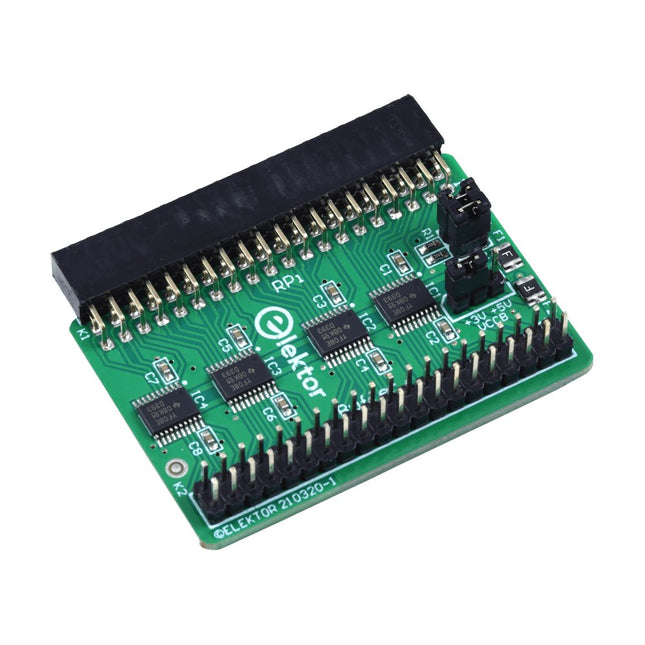
Wenn Sie regelmäßig mit dem Raspberry Pi experimentieren und eine Vielzahl von externer Hardware über die Stiftleiste an den GPIO-Port anschließen, haben Sie in der Vergangenheit vielleicht schon einige Schäden verursacht. Das Elektor Raspberry Pi Buffer Board ist dazu da, dies zu verhindern! Das Board ist kompatibel mit Raspberry Pi Zero, Zero 2 (W), 3, 4, 5, 400 und 500.
Alle 26 GPIOs sind mit bidirektionalen Spannungswandlern gepuffert, um den Raspberry Pi beim Experimentieren mit neuen Schaltungen zu schützen. Die Platine ist dafür vorgesehen, auf der Rückseite des Raspberry Pi 400/500 eingesetzt zu werden. Der Stecker zum Anschluss an den Raspberry Pi ist eine rechtwinklige 40-polige Buchse (2x20). Die Platine ist nur ein wenig breiter. An die Pufferausgangsbuchse kann ein 40-poliges Flachbandkabel mit entsprechenden 2x20-Steckern angeschlossen werden, um z. B. mit einer Schaltung auf einem Breadboard oder einer Platine zu experimentieren.
Die Schaltung verwendet 4x TXS0108E ICs von Texas Instruments. Die Platine lässt sich auch auf einem Raspberry Pi aufstellen.
Downloads
Schematics
Layout
Jan Didden gründete im Jahr 2010 Linear Audio und veröffentlichte zwischen 2010 und 2017 14 Bände. Jeder 200-seitige Band enthält im Durchschnitt 10 Artikel von Experten aus dem Bereich Audio, Akustik und Instrumentierung. Egal, ob Sie an Röhrenverstärkern, Solid-State-Geräten, Lautsprecherdesign, Kondensator- und Widerstandsverzerrungen oder Verzerrungsmessungen interessiert sind, hier finden Sie hilfreiche Ratschläge und interessante Diskussionen. Von Anfänger- bis Fortgeschrittenen-Level, für den Audio-Professionellen oder den ernsthaften Hobbyisten, diese ExpertCollection wird Ihr Verständnis vertiefen und neue Perspektiven zu gängigen Problemen bieten.
Bonusmaterial, das in dieser Sammlung enthalten ist, besteht aus einer 5-teiligen YouTube-Serie über negative Rückkopplung im Zusammenhang mit Audio, die vom renommierten Autor Jan Didden erstellt wurde, sowie neun weiteren wegweisenden Audio-Artikeln und -Präsentationen.
Wenn Sie sich ernsthaft für Audio, Akustik und Instrumentierung interessieren, dürfen Sie das nicht verpassen! Das veröffentlichte Material ist indexiert und vollständig durchsuchbar und wird für viele Jahre eine fast grenzenlose Ressource darstellen.
Sie können mehr über die Autoren von Linear Audio und das Inhaltsverzeichnis jedes Bandes auf linearaudio.net lesen.
ANT500 von Great Scott Gadgets ist eine Teleskopantenne für den Betrieb von 75 MHz bis 1 GHz. Ihre Gesamtlänge ist von 20 cm bis 88 cm konfigurierbar. ANT500 ist aus rostfreiem Stahl gefertigt und verfügt über einen SMA-Stecker, eine drehbare Welle und einen verstellbaren Winkel.
ANT500 ist eine 50-Ohm-Antenne für allgemeine Zwecke. Sie ist die perfekt Einstiegsantenne für die Verwendung mit HackRF One/Pro.
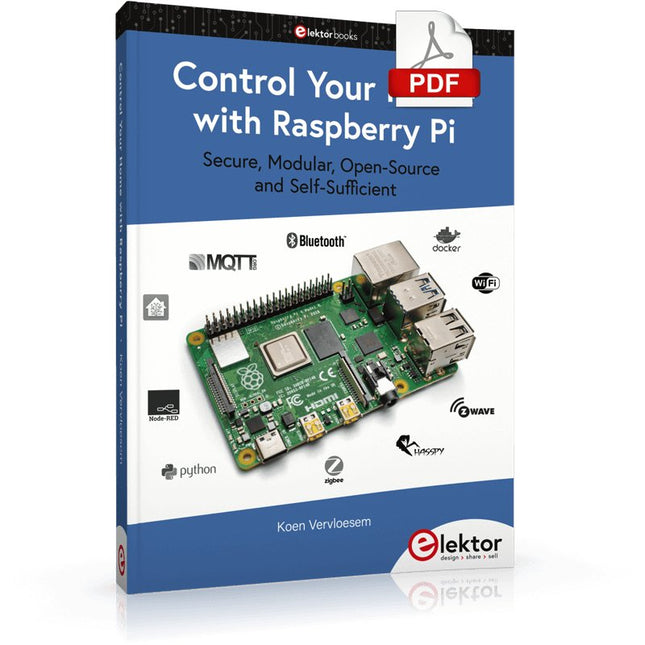
Secure, Modular, Open-Source and Self-Sufficient
Ever since the Raspberry Pi was introduced, it has been used by enthusiasts to automate their homes. The Raspberry Pi is a powerful computer in a small package, with lots of interfacing options to control various devices. This book shows you how you can automate your home with a Raspberry Pi. You’ll learn how to use various wireless protocols for home automation, such as Bluetooth, 433.92 MHz radio waves, Z-Wave, and Zigbee. Soon you’ll automate your home with Python, Node-RED, and Home Assistant, and you’ll even be able to speak to your home automation system. All this is done securely, with a modular system, completely open-source, without relying on third-party services. You’re in control of your home, and no one else.
At the end of this book, you can install and configure your Raspberry Pi as a highly flexible home automation gateway for protocols of your choice, and link various services with MQTT to make it your own system. This DIY (do it yourself) approach is a bit more laborious than just installing an off-the-shelf home automation system, but in the process, you can learn a lot, and in the end, you know exactly what’s running your house and how to tweak it. This is why you were interested in the Raspberry Pi in the first place, right?
Turn your Raspberry Pi into a reliable gateway for various home automation protocols.
Make your home automation setup reproducible with Docker Compose.
Secure all your network communication with TLS.
Create a video surveillance system for your home.
Automate your home with Python, Node-RED, Home Assistant and AppDaemon.
Securely access your home automation dashboard from remote locations.
Use fully offline voice commands in your own language.
Download the software and view the errata for the book on GitHub.
Untersuchen Sie Ihre Schaltkreise mit hoher Präzision und löten Sie auch kleinste SMDs und Bauteile problemlos!
Features
Das multifunktionale digitale HDMI-Mikroskop bietet Full HD, komfortable Kopffreiheit, verbesserte Ergonomie und mehrere Ausgangssignale mit unterschiedlichen Auflösungen.
Der Neigungswinkel des breiten LCD-Monitors ist einstellbar.
Fernbedienung im Lieferumfang inbegriffen.
Kann als eigenständiges Gerät verwendet werden.
Technische Daten
Bildschirmgröße
7 Zoll (17,8 cm)
Bildsensor
4 MP
Videoausgang
UHD 2880x2160 (24fps)FHD 1920x1080 (60fps/30fps)HD 1280x720 (120fps)
Videoformat
MP4
Vergrößerung
Bis zu 270-fach (27" HDMI-Monitor)
Bildauflösung
Max. 12 MP (4032x3024)
Bildformat
JPG
Fokusbereich
Min. 5 cm
Bildrate
Max. 120fps (unter 600 Lux Helligkeit & HDP120)
Videoschnittstelle
HDMI
Speichermedium
microSD-Karte (bis zu 32 GB)
Stromversorgung
5 V DC
Beleuchtung
2 LEDs mit Standfuß
Abmessungen
20 x 12 x 19 cm
Lieferumfang
1x Andonstar AD407 Digital-Mikroskop
1x Metallstativ mit 2 LEDs
1x Optische Halterung
1x UV-Filter
1x IR-Fernbedienung
1x Schalterkabel
1x Netzadapter
1x HDMI-Kabel
2x Schrauben
1x Schraubendreher
1x Handbuch
Downloads
Manual
Modellvergleich
AD407
AD407 Pro
AD409
AD409 Pro-ES
Bildschirmgröße
7 Zoll (17,8 cm)
7 Zoll (17,8 cm)
10,1 Zoll (25,7 cm)
10,1 Zoll (25,7 cm)
Bildsensor
4 MP
4 MP
4 MP
4 MP
Videoausgang
2160p
2160p
2160p
2160p
Schnittstellen
HDMI
HDMI
USB, HDMI, WiFi
USB, HDMI, WiFi
Videoformat
MP4
MP4
MP4
MP4
Vergrößerung
Bis zu 270x
Bis zu 270x
Bis zu 300x
Bis zu 300x
Bildauflösung
Max. 4032x3024
Max. 4032x3024
Max. 4032x3024
Max. 4032x3024
Bildformat
JPG
JPG
JPG
JPG
Fokusabstand
Min. 5 cm
Min. 5 cm
Min. 5 cm
Min. 5 cm
Bildrate
Max. 120f/s
Max. 120f/s
Max. 120f/s
Max. 120f/s
Speichermedium
microSD-Karte
microSD-Karte
microSD-Karte
microSD-Karte
PC-Unterstützung
Nein
Nein
Windows
Windows
Mobile Konnektivität
Nein
Nein
WiFi + Messung
WiFi + Messung
Stromversorgung
5 V DC
5 V DC
5 V DC
5 V DC
Beleuchtung
2 LEDs mit Standfuß
2 LEDs mit Standfuß
2 LEDs mit Standfuß
2 LEDs mit Standfuß
Endoskop
Nein
Nein
Nein
Ja
Abmessungen
20 x 12 x 19 cm
20 x 18 x 32 cm
18 x 20 x 30 cm
18 x 20 x 32 cm
Gewicht
1,6 kg
2,1 kg
2,2 kg
2,5 kg
Der FNIRSI LCR-ST1 ist ein kompakter, multifunktionaler und intelligenter LCR-Tester, der automatische Messungen von Widerstand, Kapazität, Induktivität, Diodentests und Durchgangsprüfung unterstützt.
Sein 1,14" Farbdisplay kombiniert mit einer praktischen magnetischen Adsorptionsfunktion erhöht die Benutzerfreundlichkeit, während der eingebaute 250 mAh-Lithium-Akku für langanhaltende Leistung sorgt. Das Gerät unterstützt drei Frequenzbereiche (100 Hz, 1 kHz und 10 kHz) und bietet RMS-Testpegel von 0,3 V und 0,6 V für vielseitige Testanwendungen.
Das einzigartige pinzettenförmige Design des LCR-ST1 ist ideal für heikle Aufgaben auf engstem Raum und ermöglicht eine schnelle und genaue Prüfung elektronischer Komponenten. Sein geringes Gewicht und sein tragbares Design machen es zu einem unschätzbar wertvollen Werkzeug sowohl für den Feld- als auch für den Laboreinsatz.
Ganz gleich, ob Sie ein erfahrener Ingenieur sind oder gerade erst in die Elektronik einsteigen, der LCR-ST1 liefert zuverlässige und genaue Messergebnisse, sodass Sie Ihre Aufgaben effizienter und präziser erledigen können.
Features
Bietet 3 Testfrequenzen (100 Hz, 1 kHz, 10 kHz) und 2 Testspannungspegel
Verfügt über eine automatische Komponentenidentifikation für schnellere und zuverlässigere Messungen
Hochauflösendes 1,14" Farbdisplay für klare Anzeigen
Unterstützt die automatische Datenaufzeichnung und -speicherung
Pinzettenspitzen bestehen aus vergoldetem Messing für verbesserte Haltbarkeit und Leitfähigkeit
Technische Daten
Widerstandsbereich
10 mΩ – 10 MΩ
Kapazitätsbereich
1 pF – 22 mF
Induktivitätsbereich
1 μh – 10 H
Diode
Einschaltspannung 0,7 V
Frequenztest
100 Hz, 1k Hz, 10 KHz
Einstufungstest
0,3 V, 0,6 V RMS
Parameteranzeige
ESR, D-Wert, Q-Wert, Z-Wert, X-Wert
Display
1,14" HD-Farbbildschirm
Ladeschnittstelle
USB-C, 5 V/1 A
Stromversorgung
Eingebauter 250 mAh Lithium-Akku
Automatische Erkennungsmessung
Ja
Austauschbarer Pinzettenkopf
Ja
Automatische Abschaltung
Ja
Datenspeicherung
Ja
Verlaufsdatensatz
Zum Anzeigen und Exportieren mit dem PC verbinden
Abmessungen
28 x 19 x 150 mm
Gewicht
41 g
Lieferumfang
1x LCR-ST1 SMD-Pinzette
2x Hakenspitzen
1x Magnetischer Patch
1x USB-Kabel
1x Aufbewahrungstasche
1x Manual
Downloads
Manual
Firmware V1.6
An Introduction to Circuit Simulation
LTspice, developed by Analog Devices, is a powerful, fast, and free SPICE simulator, schematic capture, and waveform viewer with a large database of components supported by SPICE models from all over the world. Drawing a schematic in LTspice is easy and fast. Thanks to its powerful graphing features, you can visualize the voltages and currents in a circuit, and also the power consumption of its components and much more.
This book is about learning to design and simulate electronic circuits using LTspice. Among others, the following topics are treated:
DC and AC circuits
Signal diodes and Zener diodes
Transistor circuits including oscillators
Thyristor/SCR, diac, and triac circuits
Operational amplifier circuits including oscillators
The 555 timer IC
Filters
Voltage regulators
Optocouplers
Waveform generation
Digital logic simulation including the 74HC family
SPICE modeling LTspice is a powerful electronic circuit simulation tool with many features and possibilities. Covering them all in detail is not possible in a book of this size. Therefore, this book presents the most common topics like DC and AC circuit analysis, parameter sweeping, transfer functions, oscillators, graphing, etc. Although this book is an introduction to LTspice, it covers most topics of interest to people engaged in electronic circuit simulation.
The book is aimed at electronic/electrical engineers, students, teachers, and hobbyists. Many tested simulation examples are given in the book. Readers do not need to have any computer programming skills, but it will help if they are familiar with basic electronic circuit design and operation principles. Readers who want to dive deeper can find many detailed tutorials, articles, videos, design files, and SPICE circuit models on the Internet.
All the simulation examples used in the book are available as files at the webpage of this book. Readers can use these example circuits for learning or modify them for their own applications.
Projects with Arduino, ESPHome, Home Assistant, and Raspberry Pi & Co.
This e-book contains various example projects, beginning with an introduction to electronics. It also explains how to install Home Assistant on a Raspberry Pi, how to use indoor climate sensors for temperature and humidity, how to implement the MQTT protocol and other interfaces, and how to use ESPHome to integrate sensors and actuators into Home Assistant. Numerous video tutorials complement the book.
Fundamentals of electrical engineering
The book begins with an introduction to electrical engineering. You will learn the basics of voltage, current, resistors, diodes and transistors.
Arduino and microcontrollers
A complete section is dedicated to the Arduino Uno. You will get to know the structure, write your first programs and work on practical examples.
Home Assistant and automation
You will learn how to set up Home Assistant on a Raspberry Pi and how to use automations, scenes and devices. In addition, Zigbee, MQTT and ESP-NOW – important technologies for home automation – will be discussed.
ESP8266, ESP32 and ESP32-CAM
The popular ESP microcontrollers are covered in detail. A theoretical introduction is followed by practical projects that show you how to get the most out of these devices.
Sensors and actuators
The book explains the functionality and application of numerous sensors such as temperature and humidity sensors, motion detectors and RFID readers. For actuators, stepper motors, e-ink displays, servo motors and much more are covered. There are practical application examples for all devices.
ESPHome
This chapter shows you how to integrate sensors and actuators into Home Assistant without any programming effort. You will be guided step by step through the setup with ESPHome.
LEDs and lighting technology
In this chapter, you will learn about different types of LEDs and how they can be used. The basics of lighting technology are also explained.
Node-RED
A whole chapter is dedicated to Node-RED. You will learn the basics of this powerful tool and be guided step by step through its setup and use.
Integrated Circuits (ICs)
In electronics, there are numerous ICs that make our lives easier. You will get to know the most important ones and apply your knowledge in practical projects.
Professional programming
Advanced topics such as the correct use of buttons, the use of interrupts and the use of an NTP server for time synchronisation are covered in detail in this chapter.
Downloads
GitHub
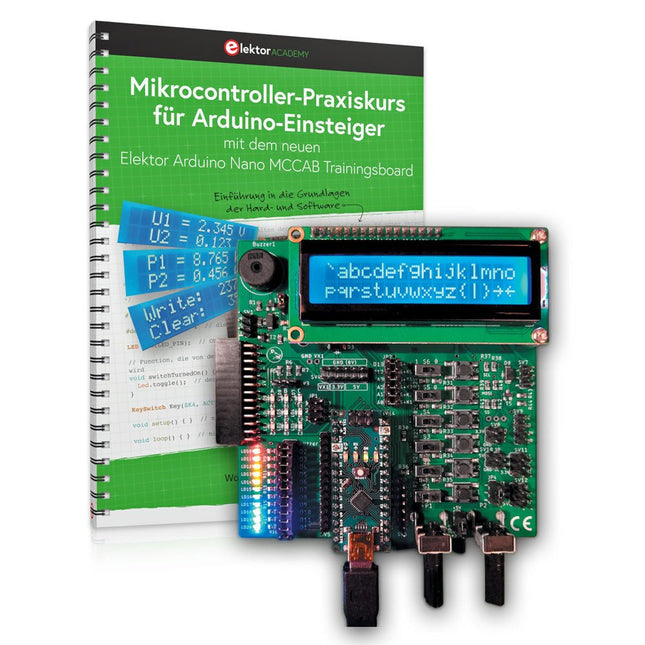
Mit dem Elektor Arduino Nano Trainingsboard (MCCAB) eigene Projekte realisieren
Der Mikrocontroller ist das wohl faszinierendste Teilgebiet der Elektronik, denn aufgrund der Vielzahl von Funktionen, die er auf seinem Chip vereinigt, ist er für den Entwickler ein universelles Multi-Tool zur Realisierung seiner Projekte. Praktisch jedes Gerät des täglichen Gebrauchs wird heute von einem Mikrocontroller gesteuert. Für einen elektronischen Laien blieb es aufgrund der Komplexität bisher allerdings ein Wunschtraum, eigene Ideen mit einem Mikrocontroller zu realisieren. Das Arduino-Konzept hat den Einsatz von Mikrocontrollern weitgehend vereinfacht, sodass jetzt auch Laien eigene Elektronik-Ideen mit einem Mikrocontroller verwirklichen können.
Buch & Hardware im Bundle: 'Learning by Doing'
Dieses im Bundle mitgelieferte Buch (im großen A4-Format) zeigt, wie man auch ohne große Erfahrung in Elektronik und Programmiersprachen eigene Projekte mit einem Mikrocontroller realisieren kann. Es ist ein Mikrocontroller-Praxiskurs für Einsteiger, denn nach einem Überblick über die Interna des Mikrocontrollers und einer Einführung in die Programmiersprache C liegt der Schwerpunkt des Kurses auf den praktischen Übungen. Der Leser eignet sich die erforderlichen Kenntnisse durch 'Learning by Doing' an: in dem umfangreichen Praxisteil mit 12 Projekten und 46 Übungen wird das im vorderen Teil des Buches Gelernte mit vielen Beispielen unterlegt. Die Übungen sind dabei so aufgebaut, dass der Bearbeiter eine Aufgabenstellung erhält, die er mit seinem im Theorieteil des Buches aufgebauten Wissen löst. Für jede Übung gibt es anschließend eine ausführlich erklärte und kommentierte Musterlösung, die dem Bearbeiter bei Problemen weiterhilft und die er mit seiner eigenen Lösung vergleichen kann.
Arduino IDE
In der Arduino IDE, einer Software-Entwicklungsumgebung, die kostenlos auf den eigenen PC heruntergeladen werden kann und die das gesamte Softwarepaket enthält, das für ein eigenes Mikrocontroller-Projekt benötigt wird, schreibt der Bearbeiter mit dem Editor der IDE seine Programme („Apps“) in der Programmiersprache C. Der in die Arduino IDE integrierte Compiler übersetzt sie in die Bits und Bytes, die der Mikrocontroller versteht und die dann über ein USB-Kabel in den Speicher des Mikrocontrollers auf dem Elektor Arduino Nano Trainingsboard (MCCAB) geladen werden.
Externe Sensoren, Motoren oder Baugruppen abfragen oder steuern
Das Elektor Arduino Nano Trainingsboard (MCCAB) enthält neben einem Mikrocontrollermodul Arduino Nano alle für die Übungen benötigten Bauteile wie Leuchtdioden, Schalter, Taster, akustische Signalgeber usw. Auch externe Sensoren, Motoren oder Baugruppen können mit diesem Mikrocontroller-Übungssystem abgefragt oder gesteuert werden.
Technische Daten (Arduino Nano Trainingsboard MCCAB)
Stromversorgung
Über die USB-Verbindung des zur Erstellung der Programme sowieso angeschlossenen PCs oder ein externes Netzteil (nicht im Lieferumfang enthalten)
Betriebsspannung
+5 Vcc
Eingangsspannung
Alle Eingänge
0 V bis +5 V
VX1 und VX2
+8 V bis +12 V (nur bei Verwendung eines externen Netzteils)
Mikrocontrollermodul
Arduino Nano
Hardwareperipherie
LCD
2x16 Zeichen
Potenziometer P1 & P2
JP3: Auswahl der Betriebsspannung von P1 & P2
Verteiler
SV4: Verteiler für die BetriebsspannungenSV5, SV6: Verteiler für die Ein-/Ausgänge des Mikrocontrollers
Schalter und Taster
RESET-Taster auf dem Arduino Nano-Modul6x Tastschalter K1 … K66x Schiebeschalter S1 … S6JP2: Verbindung der Schalter mit den Eingängen des Mikrocontrollers
Summer
Piezo-Summer Buzzer1 mit Steckbrücke auf JP6
Leuchtanzeigen
LED L auf dem Arduino Nano-Modul, verbunden mit GPIO D1311x LED: Zustandsanzeige für die Ein-/AusgängeJP6: Verbindung der LEDs LD10 … LD20 mit den GPIOs D2 … D12
Serielle SchnittstellenSPI & I²C
JP4: Auswahl des Signals an Pin X der SPI-Steckerleiste SV12SV9 bis SV12: SPI-Interface (3,3 V/5 V) bzw. I²C-Interface
Schaltausgang für externe Geräte
SV1, SV7: Schaltausgang (maximal +24 V/160 mA, extern zugeführt)SV2: 2x13 Pins zum Anschluss externer Module
3x3 LED-Matrix (9 rote LEDs)
SV3: Spalten der 3x3 LED-Matrix (Ausgänge D6 … D8)JP1: Verbindung der Reihen mit den GPIOs D3 … D5
Software
Library MCCABLib
Steuerung der Hardware-Komponenten (Schalter, Taster, Leuchtdioden, 3x3 LED-Matrix, Summer) auf dem MCCAB Trainingsboard
Betriebstemperatur
bis +40 °C
Abmessungen
100 x 100 x 20 mm
Technische Daten (Arduino Nano)
Mikrocontroller
ATmega328P
Architektur
AVR
Betriebsspannung
5 V
Flashspeicher
32 KB, davon 2 KB vom Bootloader belegt
SRAM
2 KB
Taktfrequenz
16 MHz
Analoge IN-Pins
8
EEPROM
1 KB
DC-Strom pro I/O-Pin
40 mA an einem I/O-Pin, insgesamt maximal 200 mA an allen Pins gemeinsam
Eingangsspannung
7-12 V
Digitale I/O-Pins
22 (6 davon sind PWM-fähig)
PWM-Ausgänge
6
Stromverbrauch
19 mA
Abmessungen
18 x 45 mm
Gewicht
7 g
Lieferumfang
Elektor Arduino Nano MCCAB Trainingsboard
Arduino Nano
Buch: Mikrocontroller-Praxiskurs für Arduino-Einsteiger
Book: Logic Analyzers in Practice
Step-by-step instructions guide you through the analysis of modern protocols such as I²C, SPI, UART, RS-232, NeoPixel, WS28xx, HD44780 and 1-Wire. With the help of numerous experimental circuits based on the Raspberry Pi Pico, Arduino Uno and the Bus Pirate, you will learn the practical application of popular USB logic analyzers.
All the experimental circuits presented in this book have been fully tested and are fully functional. The necessary program listings are included – no special programming or electronics knowledge is required for these circuits. The programming languages used are MicroPython and C along with the development environments Thonny and Arduino IDE.
This book uses several models of flexible and widely available USB logic analyzers and shows the strengths and weaknesses of each price range.
You will learn about the criteria that matter for your work and be able to find the right device for you.
Whether Arduino, Raspberry Pi or Raspberry Pi Pico, the example circuits shown allow you to get started quickly with protocol analysis and can also serve as a basis for your own experiments.
After reading this book, you will be familiar with all the important terms and contexts, conduct your own experiments, analyze protocols independently, culminating in a comprehensive knowledge set of digital signals and protocols.
USB Logic Analyzer (8-ch, 24 MHz)
This USB Logic Analyzer is an 8-channel logic analyzer with each input dual purposed for analog data recording. It is perfect for debugging and analyzing signals like I²C, UART, SPI, CAN and 1-Wire. It operates by sampling a digital input connected to a device under test (DUT) at a high sample rate. The connection to the PC is via USB.
Specifications
Channels
8 digital channels
Maximum sampling rate
24 MHz
Maximum input voltage
0 V ~ 5 V
Operating temperature
0°C ~ 70°C
Input impedance
1 MΩ || 10 pF
Supported protocols
I²C, SPI, UART, CAN, 1-Wire, etc.
PC connection
USB
Dimensions
55 x 28 x 14 mm
Downloads
Software
This bundle contains:
Book 'Logic Analyzers in Practice' (normal price: €35)
USB Logic Analyzer (8-ch, 24 MHz) (normal price: €20)
USB Cable
Jumper Wire Ribbon Cable
Program, build, and master over 60 projects with Python
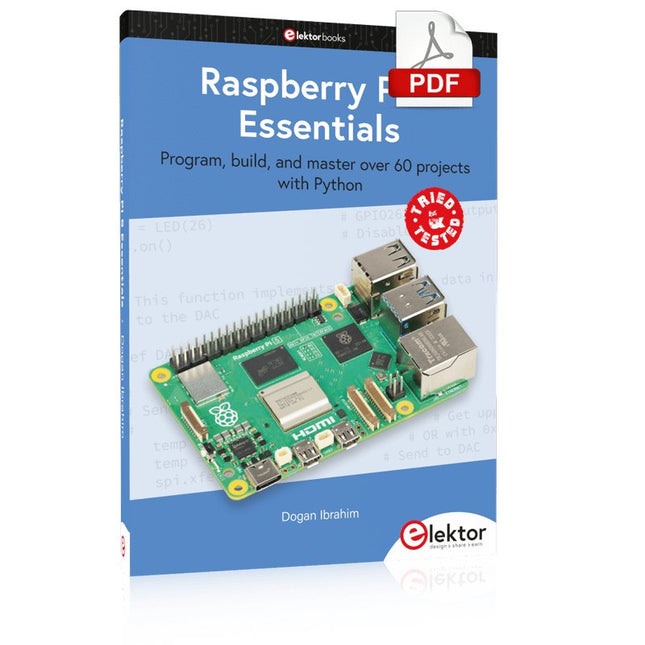
The Raspberry Pi 5 is the latest single-board computer from the Raspberry Pi Foundation. It can be used in many applications, such as in audio and video media centers, as a desktop computer, in industrial controllers, robotics, and in many domestic and commercial applications. In addition to the well-established features found in other Raspberry Pi computers, the Raspberry Pi 5 offers Wi-Fi and Bluetooth (classic and BLE), which makes it a perfect match for IoT as well as in remote and Internet-based control and monitoring applications. It is now possible to develop many real-time projects such as audio digital signal processing, real-time digital filtering, real-time digital control and monitoring, and many other real-time operations using this tiny powerhouse.
The book starts with an introduction to the Raspberry Pi 5 computer and covers the important topics of accessing the computer locally and remotely. Use of the console language commands as well as accessing and using the desktop GUI are described with working examples. The remaining parts of the book cover many Raspberry Pi 5-based hardware projects using components and devices such as
LEDs and buzzers
LCDs
Ultrasonic sensors
Temperature and atmospheric pressure sensors
The Sense HAT
Camera modules
Example projects are given using Wi-Fi and Bluetooth modules to send and receive data from smartphones and PCs, and sending real-time temperature and atmospheric pressure data to the cloud.
All projects given in the book have been fully tested for correct operation. Only basic programming and electronics experience are required to follow the projects. Brief descriptions, block diagrams, detailed circuit diagrams, and full Python program listings are given for all projects described.
Hands-on in more than 50 projects
STM32 Nucleo family of processors are manufactured by STMicroelectronics. These are low-cost ARM microcontroller development boards. This book is about developing projects using the popular STM32CubeIDE software with the Nucleo-L476RG development board. In the early Chapters of the book the architecture of the Nucleo family is briefly described.
The book covers many projects using most features of the Nucleo-L476RG development board where the full software listings for the STM32CubeIDE are given for each project together with extensive descriptions. The projects range from simple flashing LEDs to more complex projects using modules, devices, and libraries such as GPIO, ADC, DAC, I²C, SPI, LCD, DMA, analogue inputs, power management, X-CUBE-MEMS1 library, DEBUGGING, and others. In addition, several projects are given using the popular Nucleo Expansion Boards. These Expansion Boards plug on top of the Nucleo development boards and provide sensors, relays, accelerometers, gyroscopes, Wi-Fi, and many others. Using an expansion board together with the X-CUBE-MEMS1 library simplifies the task of project development considerably.
All the projects in the book have been tested and are working. The following sub-headings are given for each project: Project Title, Description, Aim, Block Diagram, Circuit Diagram, and Program Listing for the STM32CubeIDE.
In this book you will learn about
STM32 microcontroller architecture;
the Nucleo-L476RG development board in projects using the STM32CubeIDE integrated software development tool;
external and internal interrupts and DMA;
DEBUG, a program developed using the STM32CubeIDE;
the MCU in Sleep, Stop, and in Standby modes;
Nucleo Expansion Boards with the Nucleo development boards.
What you need
a PC with Internet connection and a USB port;
STM32CubeIDE software (available at STMicroelectronics website free of charge)
the project source files, available from the book’s webpage hosted by Elektor;
Nucleo-L476RG development board;
simple electronic devices such as LEDs, temperature sensor, I²C and SPI chips, and a few more;
Nucleo Expansion Boards (optional).
Der FNIRSI HRM-10 ist ein tragbarer, hochpräziser Batterie-Innenwiderstands- und Spannungstester. Dieses Gerät bietet echte Vierleitermessung und ist sowohl auf Genauigkeit als auch auf Benutzerfreundlichkeit ausgelegt. Es misst automatisch gleichzeitig Innenwiderstands- und Spannungswerte und zeigt die Ergebnisse auf dem HD-Farbdisplay an. Benutzer haben die Möglichkeit, Spannungs- und Widerstandsbereiche manuell an ihre Bedürfnisse anzupassen. Das Gerät verfügt außerdem über einen Sortiermodus, der anhand vom Benutzer festgelegter Schwellenwerte automatisch die guten und schlechten Batterien filtert. Darüber hinaus unterstützt es die Speicherung historischer Daten und ermöglicht den Export von Messdatensätzen im Tabellenformat.
Features
Hohe Messgenauigkeit
Tabellarischer Datenexport
Messergebnisse automatisch auswerten
8 Schwellenwerteinstellungen
HD-Farbdisplay
Klappständer
1000 mAh Lithiumbatterie
Technische Daten
Spannung
Widerstand
Messbereich
0-100 V (DC)
0-200 Ω
Genauigkeit
±0,5%
±0,5%
Ausrüstung
Automatisch, 1 V, 10 V, 100 V
Automatisch, 20 mΩ, 200 mΩ, 2 Ω, 20 Ω, 200 Ω
Frequenz des Gerätetestsignals
1 kHz (AC)
Wiederaufladbar
USB-C (5 V/1 A)
Eingebauter Akku
1000 mAh Lithiumbatterie
Benutzerkalibrierung
Ja
Sortiermodus
Ja
Verlaufsdatensatz
Ja
Aufgezeichneter Datenexport
Ja
Arbeitsumgebung
–10°C bis +45°C, relative Luftfeuchtigkeit <80%
Speicherumgebung
–20°C bis +80°C, relative Luftfeuchtigkeit <80%
Abmessungen
158,7 x 80,5 x 28,4 mm
Gewicht
225 g
Lieferumfang
1x FNIRSI HRM-10 Innenwiderstandstester
1x Clip-Testleitung
1x USB-C Datenkabel
1x Manual
Downloads
Manual
Firmware V0.3