With the availability of free and open source C/C++ compilers today, you might wonder why someone would be interested in assembler language. What is so compelling about the RISC-V Instruction Set Architecture (ISA)? How does RISC-V differ from existing architectures? And most importantly, how do we gain experience with the RISC-V without a major investment? Is there affordable hardware available?
The availability of the Espressif ESP32-C3 chip provides a way to get hands-on experience with RISC-V. The open sourced QEMU emulator adds a 64-bit experience in RISC-V under Linux. These are just two ways for the student and enthusiast alike to explore RISC-V in this book.
The projects in this book are boiled down to the barest essentials to keep the assembly language concepts clear and simple. In this manner you will have “aha!” moments rather than puzzling about something difficult. The focus in this book is about learning how to write RISC-V assembly language code without getting bogged down. As you work your way through this tutorial, you’ll build up small demonstration programs to be run and tested. Often the result is some simple printed messages to prove a concept. Once you’ve mastered these basic concepts, you will be well equipped to apply assembly language in larger projects.
The FRDM-MCXN947 is a compact and versatile development board designed for rapid prototyping with MCX N94 and N54 microcontrollers. It features industry-standard headers for easy access to the MCU's I/Os, integrated open-standard serial interfaces, external flash memory, and an onboard MCU-Link debugger.
Technische Daten
Microcontroller
MCX-N947 Dual Arm Cortex-M33 cores @ 150 MHz each with optimized performance efficiency, up to 2 MB dual-bank flash with optional full ECC RAM, External flash
Accelerators: Neural Processing Unit, PowerQuad, Smart DMA, etc.
Memory Expansion
*DNP Micro SD card socket
Connectivity
Ethernet Phy and connector
HS USB-C connectors
SPI/I²C/UART connector (PMOD/mikroBUS, DNP)
WiFi connector (PMOD/mikroBUS, DNP)
CAN-FD transceiver
Debug
On-board MCU-Link debugger with CMSIS-DAP
JTAG/SWD connector
Sensor
P3T1755 I³C/I²C Temp Sensor, Touch Pad
Expansion Options
Arduino Header (with FRDM expansion rows)
FRDM Header
FlexIO/LCD Header
SmartDMA/Camera Header
Pmod *DNP
mikroBUS
User Interface
RGB user LED, plus Reset, ISP, Wakeup buttons
Lieferumfang
1x FRDM-MCXN947 Development Board
1x USB-C Cable
1x Quick Start Guide
Downloads
Datasheet
Block diagram
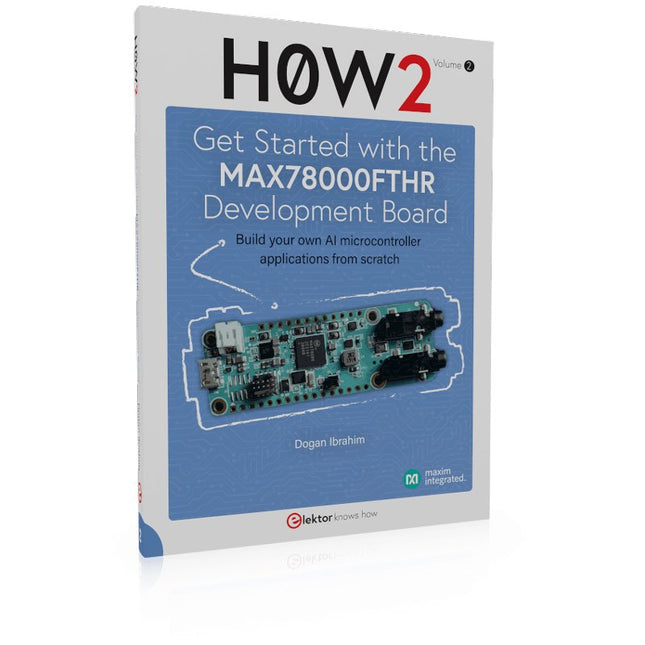
Build your own AI microcontroller applications from scratch
The MAX78000FTHR from Maxim Integrated is a small development board based on the MAX78000 MCU. The main usage of this board is in artificial intelligence applications (AI) which generally require large amounts of processing power and memory. It marries an Arm Cortex-M4 processor with a floating-point unit (FPU), convolutional neural network (CNN) accelerator, and RISC-V core into a single device. It is designed for ultra-low power consumption, making it ideal for many portable AI-based applications.
This book is project-based and aims to teach the basic features of the MAX78000FTHR. It demonstrates how it can be used in various classical and AI-based projects. Each project is described in detail and complete program listings are provided. Readers should be able to use the projects as they are, or modify them to suit their applications. This book covers the following features of the MAX78000FTHR microcontroller development board:
Onboard LEDs and buttons
External LEDs and buttons
Using analog-to-digital converters
I²C projects
SPI projects
UART projects
External interrupts and timer interrupts
Using the onboard microphone
Using the onboard camera
Convolutional Neural Network
Build your own AI microcontroller applications from scratch
The MAX78000FTHR from Maxim Integrated is a small development board based on the MAX78000 MCU. The main usage of this board is in artificial intelligence applications (AI) which generally require large amounts of processing power and memory. It marries an Arm Cortex-M4 processor with a floating-point unit (FPU), convolutional neural network (CNN) accelerator, and RISC-V core into a single device. It is designed for ultra-low power consumption, making it ideal for many portable AI-based applications.
This book is project-based and aims to teach the basic features of the MAX78000FTHR. It demonstrates how it can be used in various classical and AI-based projects. Each project is described in detail and complete program listings are provided. Readers should be able to use the projects as they are, or modify them to suit their applications. This book covers the following features of the MAX78000FTHR microcontroller development board:
Onboard LEDs and buttons
External LEDs and buttons
Using analog-to-digital converters
I²C projects
SPI projects
UART projects
External interrupts and timer interrupts
Using the onboard microphone
Using the onboard camera
Convolutional Neural Network
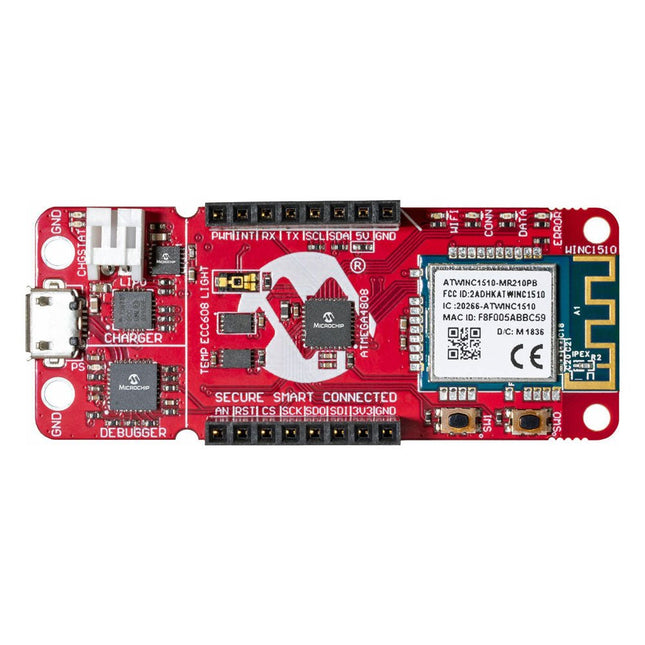
Das AVR-IoT WA-Entwicklungsboard kombiniert einen leistungsstarken ATmega4808 AVR MCU, einen ATECC608A CryptoAuthentication™ Secure Element IC und den vollständig zertifizierten ATWINC1510 Wi-Fi-Netzwerkcontroller – was die einfachste und effektivste Möglichkeit bietet, Ihre eingebettete Anwendung mit Amazon Web Services zu verbinden ( AWS). Das Board verfügt außerdem über einen integrierten Debugger und erfordert keine externe Hardware zum Programmieren und Debuggen der MCU.
Im Auslieferungszustand ist auf der MCU ein Firmware-Image vorinstalliert, mit dem Sie mithilfe der integrierten Temperatur- und Lichtsensoren schnell eine Verbindung zur AWS-Plattform herstellen und Daten an diese senden können. Sobald Sie bereit sind, Ihr eigenes benutzerdefiniertes Design zu erstellen, können Sie mithilfe der kostenlosen Softwarebibliotheken in Atmel START oder MPLAB Code Configurator (MCC) ganz einfach Code generieren.
Das AVR-IoT WA-Board wird von zwei preisgekrönten integrierten Entwicklungsumgebungen (IDEs) unterstützt – Atmel Studio und Microchip MPLAB X IDE – und gibt Ihnen die Freiheit, mit der Umgebung Ihrer Wahl Innovationen zu entwickeln.
Merkmale
ATmega4808 Mikrocontroller
Vier Benutzer-LEDs
Zwei mechanische Tasten
mikroBUS-Header-Footprint
TEMT6000 Lichtsensor
MCP9808 Temperatursensor
ATECC608A CryptoAuthentication™-Gerät
WINC1510 WiFi-Modul
Onboard-Debugger
Auto-ID zur Platinenidentifizierung in Atmel Studio und Microchip MPLAB
Eine grüne Betriebs- und Status-LED auf der Platine
Programmieren und Debuggen
Virtueller COM-Port (CDC)
Zwei DGI GPIO-Leitungen
USB- und batteriebetrieben
Integriertes Li-Ion/LiPo-Akkuladegerät
Lernen Sie, wie Sie den ESP32-Mikrocontroller und die MicroPython-Programmierung in Ihren zukünftigen Projekten einsetzen können!
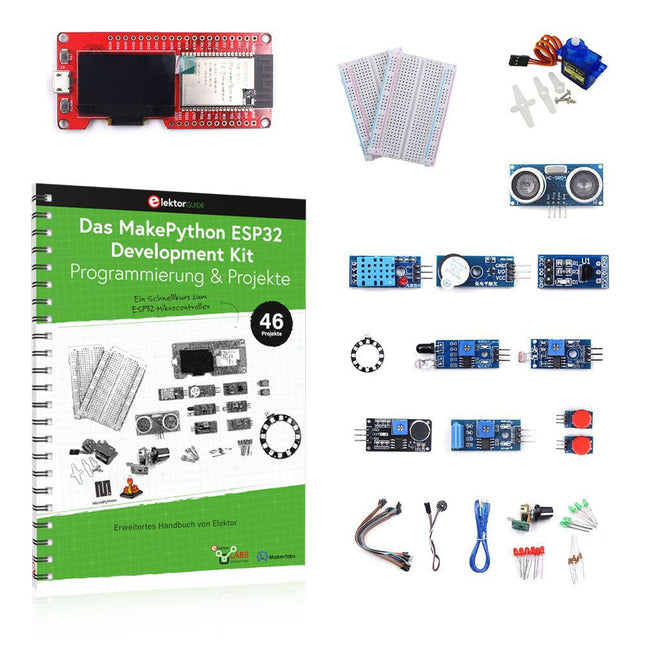
Das Projektbuch – geschrieben von Dogan Ibrahim – enthält viele Software- und Hardware-basierte Projekte, die speziell für das MakePython ESP32 Development Kit entwickelt wurden. Das Kit wird mit verschiedenen LEDs, Sensoren und Aktoren geliefert. Ziel des Kits ist es, grundlegende Kenntnisse für die Erstellung von IoT-Projekten zu erwerben.
Die in diesem Buch vorgestellten Projekte sind umfassend getestet und funktionsfähig und verwenden alle mitgelieferten Komponenten. Für jedes Projekt gibt es im Buch ein Blockdiagramm, einen Schaltplan, ein vollständiges Programmlisting und eine komplette Programmbeschreibung.
Lieferumfang des Kits
1x MakePython ESP32-Entwicklungsboard mit LCD
1x Ultraschall-Entfernungsmodul
1x Temperatur- und Feuchtigkeitssensor
1x Buzzer-Modul
1x DS18B20-Modul
1x Infrarotmodul
1x Potentiometer
1x WS2812-Modul
1x Schallsensor
1x Vibrationssensor
1x Lichtempfindliches Widerstandsmodul
1x Pulssensor
1x Servomotor
1x USB-Kabel
2x Taste
2x Steckplatine
45x Schaltdraht
10x Widerstand 330R
10x LED (Rot)
10x LED (Grün)
1x Projektbuch (Deutsch, 213 Seiten)
46 Projekte im Buch
LED-Projekte
Blinkende LED
Blinkendes SOS
Blinkende LED – mit einem Timer
Abwechselnd blinkende LEDs
Tastersteuerung
Ändern der LED-Blinkrate durch Taster-Interrupts
Laufschrift-LEDs
Binär zählende LEDs
Weihnachtsbeleuchtung (zufällig blinkende 8 LEDs)
Elektronischer Würfel
Glücklicher Tag der Woche
Pulsweitenmodulation (PWM) Projekte
Erzeugt eine 1000-Hz-PWM-Wellenform mit 50% Tastverhältnis
Steuerung der LED-Helligkeit
Messung der Frequenz und des Tastverhältnisses einer PWM-Wellenform
Melodie-Macher
Einfache elektronische Orgel
Steuerung eines Servomotors
Servomotor DS18B20 Thermometer
Analog-Digital-Wandler (ADC) Projekte
Spannungsmesser
Aufzeichnung der analogen Eingangsspannung
ESP32 interner Temperatursensor
Ohmmeter
Lichtempfindliches Widerstandsmodul
Digital-Analog-Wandler (DAC) Projekte
Erzeugung von Festspannungen
Erzeugen eines Sägezahnsignals
Erzeugen eines Dreieckssignals
Arbiträre periodische Wellenform
Generierung eines Sinussignals
Erzeugung eines genauen Sinussignals mit Hilfe von Timer-Interrupts
Verwendung des OLED-Displays
Sekundenzähler
Ereigniszähler
DS18B20 OLED-basiertes Digitalthermometer
ON-OFF Temperaturregler
Messung der Temperatur und Luftfeuchtigkeit
Ultraschall-Entfernungsmessung
Höhe einer Person (Stadiometer)
Messung der Herzfrequenz (Puls)
Andere mit dem Kit gelieferte Sensoren
Alarm bei Diebstahl
Tonaktiviertes Licht
Infrarot-Hindernisvermeidung mit Summton
WS2812 RGB-LED-Ring
Zeitstempel für Temperatur- und Luftfeuchtigkeitswerte
Netzwerk-Programmierung
WLAN-Scanner
Fernsteuerung über den Internetbrowser (mit einem Smartphone oder PC) – Webserver
Speichern von Temperatur- und Luftfeuchtigkeitsdaten in der Cloud
Low-Power-Betrieb
Aufwecken des Prozessors mit einem Timer
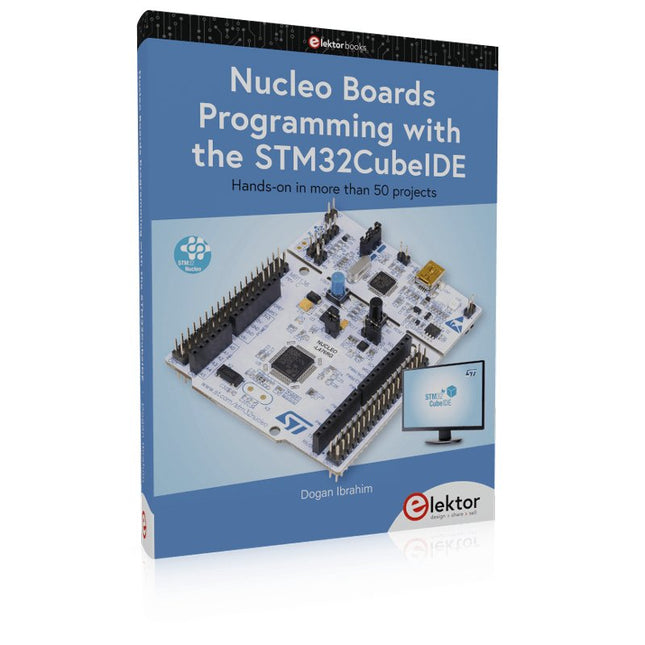
Hands-on in more than 50 projects
STM32 Nucleo family of processors are manufactured by STMicroelectronics. These are low-cost ARM microcontroller development boards. This book is about developing projects using the popular STM32CubeIDE software with the Nucleo-L476RG development board. In the early Chapters of the book the architecture of the Nucleo family is briefly described.
The book covers many projects using most features of the Nucleo-L476RG development board where the full software listings for the STM32CubeIDE are given for each project together with extensive descriptions. The projects range from simple flashing LEDs to more complex projects using modules, devices, and libraries such as GPIO, ADC, DAC, I²C, SPI, LCD, DMA, analogue inputs, power management, X-CUBE-MEMS1 library, DEBUGGING, and others. In addition, several projects are given using the popular Nucleo Expansion Boards. These Expansion Boards plug on top of the Nucleo development boards and provide sensors, relays, accelerometers, gyroscopes, Wi-Fi, and many others. Using an expansion board together with the X-CUBE-MEMS1 library simplifies the task of project development considerably.
All the projects in the book have been tested and are working. The following sub-headings are given for each project: Project Title, Description, Aim, Block Diagram, Circuit Diagram, and Program Listing for the STM32CubeIDE.
In this book you will learn about
STM32 microcontroller architecture;
the Nucleo-L476RG development board in projects using the STM32CubeIDE integrated software development tool;
external and internal interrupts and DMA;
DEBUG, a program developed using the STM32CubeIDE;
the MCU in Sleep, Stop, and in Standby modes;
Nucleo Expansion Boards with the Nucleo development boards.
What you need
a PC with Internet connection and a USB port;
STM32CubeIDE software (available at STMicroelectronics website free of charge)
the project source files, available from the book’s webpage hosted by Elektor;
Nucleo-L476RG development board;
simple electronic devices such as LEDs, temperature sensor, I²C and SPI chips, and a few more;
Nucleo Expansion Boards (optional).
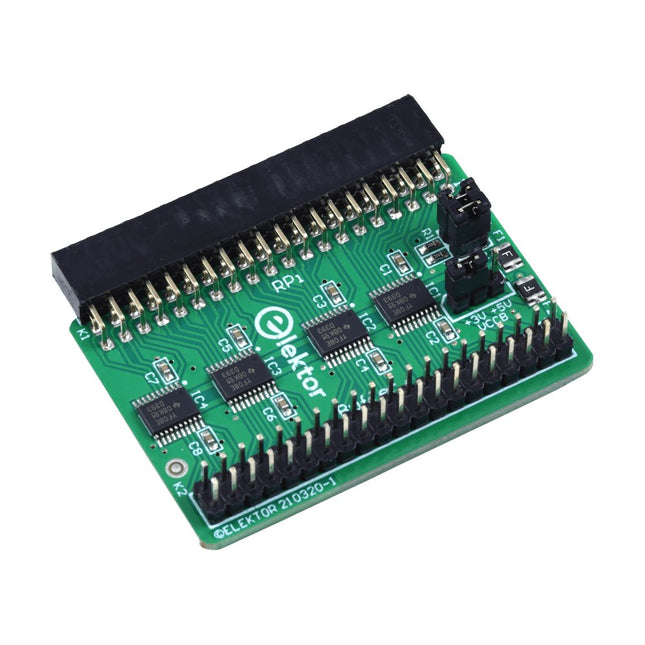
Wenn Sie regelmäßig mit dem Raspberry Pi experimentieren und eine Vielzahl von externer Hardware über die Stiftleiste an den GPIO-Port anschließen, haben Sie in der Vergangenheit vielleicht schon einige Schäden verursacht. Das Elektor Raspberry Pi Buffer Board ist dazu da, dies zu verhindern! Das Board ist kompatibel mit Raspberry Pi Zero, Zero 2 (W), 3, 4, 5, 400 und 500.
Alle 26 GPIOs sind mit bidirektionalen Spannungswandlern gepuffert, um den Raspberry Pi beim Experimentieren mit neuen Schaltungen zu schützen. Die Platine ist dafür vorgesehen, auf der Rückseite des Raspberry Pi 400/500 eingesetzt zu werden. Der Stecker zum Anschluss an den Raspberry Pi ist eine rechtwinklige 40-polige Buchse (2x20). Die Platine ist nur ein wenig breiter. An die Pufferausgangsbuchse kann ein 40-poliges Flachbandkabel mit entsprechenden 2x20-Steckern angeschlossen werden, um z. B. mit einer Schaltung auf einem Breadboard oder einer Platine zu experimentieren.
Die Schaltung verwendet 4x TXS0108E ICs von Texas Instruments. Die Platine lässt sich auch auf einem Raspberry Pi aufstellen.
Downloads
Schematics
Layout
Merkmale
Eingebaute USB-zu-Seriell-Schnittstelle
Eingebaute PCB-Antenne
Angetrieben durch Pineseed BL602 SoC mit Pinenut-Modell: 12S-Stempel
2 MB Flash
USB-C-Anschluss
Geeignet für Steckbrett-BIY-Projekte
An Bord befinden sich drei Farb-LEDs
Abmessungen: 25,4 x 44,0 mm
Hinweis: USB-Kabel ist nicht im Lieferumfang enthalten.
STM32 Nucleo family of processors are manufactured by STMicroelectronics. These are low-cost ARM microcontroller development boards. This book is about developing projects using the popular Nucleo development board. In the early chapters of the book, the architecture of the Nucleo family is briefly described.
Software development tools that can be used with the Nucleo boards such as the Mbed, Keil MDK, TrueSTUDIO, and the System Workbench are described briefly in later Chapters.
The book covers many projects using most features of the STM32 Nucleo development boards where the full software listings for Mbed and System Workbench are given for every project. The projects range from simple flashing LEDs to more complex projects using modules and devices such as GPIO, ADC, DAC, I²C, LCD, analog inputs and others.
In addition, several projects are given using the Nucleo Expansion Boards, including popular expansion boards such as solid-state relay, MEMS and environmental sensors, DC motor driver, Wi-Fi, and stepper motor driver.
These Expansion Boards plug on top of the Nucleo development boards and simplify the task of project development considerably.
Features of this book
Learn the architecture of the STM32 microcontrollers
Learn how to use the Nucleo development board in projects using Mbed and System Workbench Toolchains
Learn how to use the Nucleo Expansion Boards with the Nucleo development boards
Update
The Mbed compiler has been replaced with two software packages: The Mbed Studio and Keil Studio Cloud. Both of these software packages are free of charge and are available on the Internet. If you need assistance using the Keil Studio Cloud, please download the Guide below.
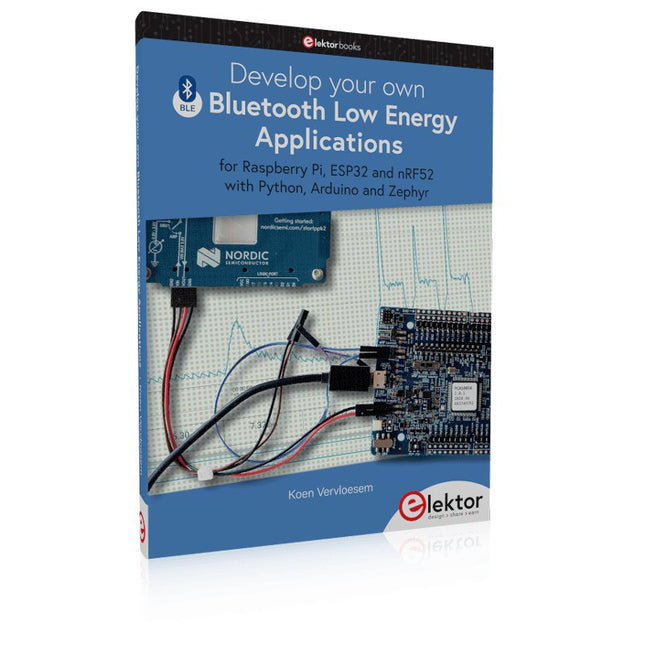
For Raspberry Pi, ESP32 and nRF52 with Python, Arduino and Zephyr
Bluetooth Low Energy (BLE) radio chips are ubiquitous from Raspberry Pi to light bulbs. BLE is an elaborate technology with a comprehensive specification, but the basics are quite accessible.
A progressive and systematic approach will lead you far in mastering this wireless communication technique, which is essential for working in low power scenarios.
In this book, you’ll learn how to:
Discover BLE devices in the neighborhood by listening to their advertisements.
Create your own BLE devices advertising data.
Connect to BLE devices such as heart rate monitors and proximity reporters.
Create secure connections to BLE devices with encryption and authentication.
Understand BLE service and profile specifications and implement them.
Reverse engineer a BLE device with a proprietary implementation and control it with your own software.
Make your BLE devices use as little power as possible.
This book shows you the ropes of BLE programming with Python and the Bleak library on a Raspberry Pi or PC, with C++ and NimBLE-Arduino on Espressif’s ESP32 development boards, and with C on one of the development boards supported by the Zephyr real-time operating system, such as Nordic Semiconductor's nRF52 boards.
Starting with a very little amount of theory, you’ll develop code right from the beginning. After you’ve completed this book, you’ll know enough to create your own BLE applications.
Hands-on in more than 50 projects
STM32 Nucleo family of processors are manufactured by STMicroelectronics. These are low-cost ARM microcontroller development boards. This book is about developing projects using the popular STM32CubeIDE software with the Nucleo-L476RG development board. In the early Chapters of the book the architecture of the Nucleo family is briefly described.
The book covers many projects using most features of the Nucleo-L476RG development board where the full software listings for the STM32CubeIDE are given for each project together with extensive descriptions. The projects range from simple flashing LEDs to more complex projects using modules, devices, and libraries such as GPIO, ADC, DAC, I²C, SPI, LCD, DMA, analogue inputs, power management, X-CUBE-MEMS1 library, DEBUGGING, and others. In addition, several projects are given using the popular Nucleo Expansion Boards. These Expansion Boards plug on top of the Nucleo development boards and provide sensors, relays, accelerometers, gyroscopes, Wi-Fi, and many others. Using an expansion board together with the X-CUBE-MEMS1 library simplifies the task of project development considerably.
All the projects in the book have been tested and are working. The following sub-headings are given for each project: Project Title, Description, Aim, Block Diagram, Circuit Diagram, and Program Listing for the STM32CubeIDE.
In this book you will learn about
STM32 microcontroller architecture;
the Nucleo-L476RG development board in projects using the STM32CubeIDE integrated software development tool;
external and internal interrupts and DMA;
DEBUG, a program developed using the STM32CubeIDE;
the MCU in Sleep, Stop, and in Standby modes;
Nucleo Expansion Boards with the Nucleo development boards.
What you need
a PC with Internet connection and a USB port;
STM32CubeIDE software (available at STMicroelectronics website free of charge)
the project source files, available from the book’s webpage hosted by Elektor;
Nucleo-L476RG development board;
simple electronic devices such as LEDs, temperature sensor, I²C and SPI chips, and a few more;
Nucleo Expansion Boards (optional).