Computer Vision ist das wohl spannendste Gebiet der Bildverarbeitung und die Zahl der Anwendungen in der Robotik, Automatisierungstechnik und Qualitätssicherung nimmt stetig zu. Leider gestaltet sich der Zugang zu diesem Forschungsbereich bisher nicht einfach. Interessierte müssen sich zunächst durch viele Bücher, Publikationen und Software-Bibliotheken arbeiten.Mit dem vorliegenden Buch dagegen fällt der Einstieg leicht. Die theoretisch fundierten Inhalte sind gut verständlich dargestellt und werden durch viele Beispiele aus der Praxis ergänzt. Die abgedruckten und online verfügbaren Implementierungen sind in der Programmiersprache C/C++ mit der am Lehrstuhl entwickelten, plattformunabhängigen Open-Source-Bibliothek IVT erstellt. Die Verwendung der IVT ist dabei keine Voraussetzung, erleichtert jedoch wesentlich den Einstieg und ermöglicht schnell erste eigene Entwicklungen.Die Autorenschaft setzt sich aus Mitarbeitern des Lehrstuhls von Herrn Prof. Dr.-Ing. Rüdiger Dillmann am Institut für Technische Informatik (ITEC) der Universität Karlsruhe (TH) zusammen, die in vielen Forschungs- und Industrieprojekten umfangreiche Erfahrung in der Bildverarbeitung sammeln konnten und auch in der Lehre gelernt haben, dieses Wissen weiterzugeben.Im Grundlagenteil des Buches werden u. a. behandelt: Beleuchtung, Optik, Kameratechnik, Übertragungsstandards, Kamerakalibrierung, Bildaufbereitung, Segmentierung, Filter, Korrelation und Stereosehen.Im Praxisteil wird die effiziente Implementierung der Algorithmen vermittelt, gefolgt von vielen interessanten und erprobten Anwendungen wie Barcode-Leser, Stereokamerasystem, Sicherheitstechnik, Objekterkennung, 3D-Scannen, 3D-Tracking und vieles mehr.Mehr Infos:http://wwwiaim.ira.uka.de/computer-vision/
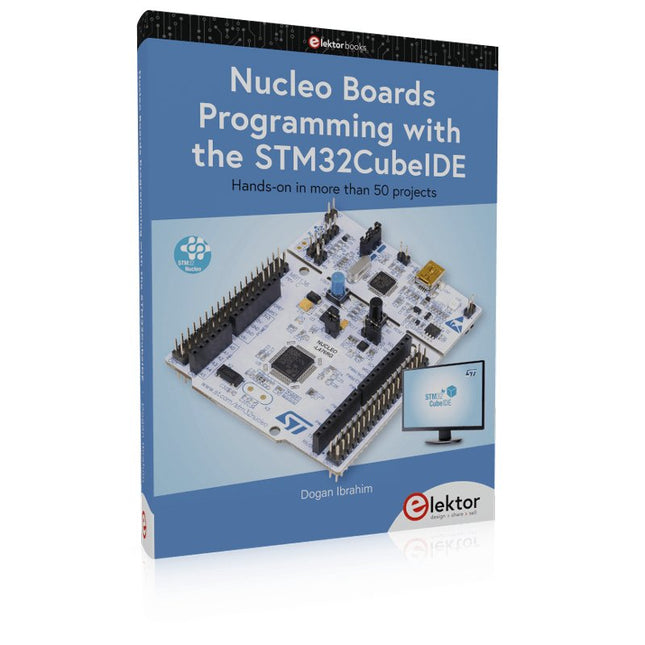
Hands-on in more than 50 projects
STM32 Nucleo family of processors are manufactured by STMicroelectronics. These are low-cost ARM microcontroller development boards. This book is about developing projects using the popular STM32CubeIDE software with the Nucleo-L476RG development board. In the early Chapters of the book the architecture of the Nucleo family is briefly described.
The book covers many projects using most features of the Nucleo-L476RG development board where the full software listings for the STM32CubeIDE are given for each project together with extensive descriptions. The projects range from simple flashing LEDs to more complex projects using modules, devices, and libraries such as GPIO, ADC, DAC, I²C, SPI, LCD, DMA, analogue inputs, power management, X-CUBE-MEMS1 library, DEBUGGING, and others. In addition, several projects are given using the popular Nucleo Expansion Boards. These Expansion Boards plug on top of the Nucleo development boards and provide sensors, relays, accelerometers, gyroscopes, Wi-Fi, and many others. Using an expansion board together with the X-CUBE-MEMS1 library simplifies the task of project development considerably.
All the projects in the book have been tested and are working. The following sub-headings are given for each project: Project Title, Description, Aim, Block Diagram, Circuit Diagram, and Program Listing for the STM32CubeIDE.
In this book you will learn about
STM32 microcontroller architecture;
the Nucleo-L476RG development board in projects using the STM32CubeIDE integrated software development tool;
external and internal interrupts and DMA;
DEBUG, a program developed using the STM32CubeIDE;
the MCU in Sleep, Stop, and in Standby modes;
Nucleo Expansion Boards with the Nucleo development boards.
What you need
a PC with Internet connection and a USB port;
STM32CubeIDE software (available at STMicroelectronics website free of charge)
the project source files, available from the book’s webpage hosted by Elektor;
Nucleo-L476RG development board;
simple electronic devices such as LEDs, temperature sensor, I²C and SPI chips, and a few more;
Nucleo Expansion Boards (optional).
The FRDM-MCXN947 is a compact and versatile development board designed for rapid prototyping with MCX N94 and N54 microcontrollers. It features industry-standard headers for easy access to the MCU's I/Os, integrated open-standard serial interfaces, external flash memory, and an onboard MCU-Link debugger.
Technische Daten
Microcontroller
MCX-N947 Dual Arm Cortex-M33 cores @ 150 MHz each with optimized performance efficiency, up to 2 MB dual-bank flash with optional full ECC RAM, External flash
Accelerators: Neural Processing Unit, PowerQuad, Smart DMA, etc.
Memory Expansion
*DNP Micro SD card socket
Connectivity
Ethernet Phy and connector
HS USB-C connectors
SPI/I²C/UART connector (PMOD/mikroBUS, DNP)
WiFi connector (PMOD/mikroBUS, DNP)
CAN-FD transceiver
Debug
On-board MCU-Link debugger with CMSIS-DAP
JTAG/SWD connector
Sensor
P3T1755 I³C/I²C Temp Sensor, Touch Pad
Expansion Options
Arduino Header (with FRDM expansion rows)
FRDM Header
FlexIO/LCD Header
SmartDMA/Camera Header
Pmod *DNP
mikroBUS
User Interface
RGB user LED, plus Reset, ISP, Wakeup buttons
Lieferumfang
1x FRDM-MCXN947 Development Board
1x USB-C Cable
1x Quick Start Guide
Downloads
Datasheet
Block diagram
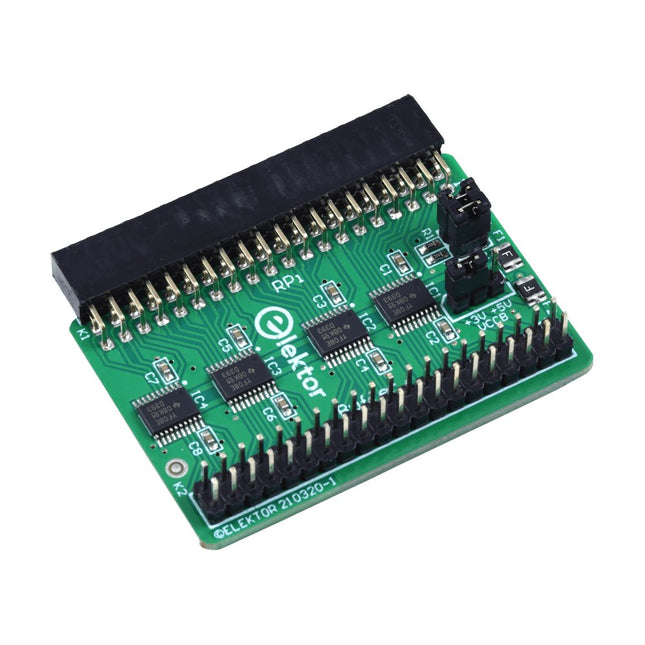
Wenn Sie regelmäßig mit dem Raspberry Pi experimentieren und eine Vielzahl von externer Hardware über die Stiftleiste an den GPIO-Port anschließen, haben Sie in der Vergangenheit vielleicht schon einige Schäden verursacht. Das Elektor Raspberry Pi Buffer Board ist dazu da, dies zu verhindern! Das Board ist kompatibel mit Raspberry Pi Zero, Zero 2 (W), 3, 4, 5, 400 und 500.
Alle 26 GPIOs sind mit bidirektionalen Spannungswandlern gepuffert, um den Raspberry Pi beim Experimentieren mit neuen Schaltungen zu schützen. Die Platine ist dafür vorgesehen, auf der Rückseite des Raspberry Pi 400/500 eingesetzt zu werden. Der Stecker zum Anschluss an den Raspberry Pi ist eine rechtwinklige 40-polige Buchse (2x20). Die Platine ist nur ein wenig breiter. An die Pufferausgangsbuchse kann ein 40-poliges Flachbandkabel mit entsprechenden 2x20-Steckern angeschlossen werden, um z. B. mit einer Schaltung auf einem Breadboard oder einer Platine zu experimentieren.
Die Schaltung verwendet 4x TXS0108E ICs von Texas Instruments. Die Platine lässt sich auch auf einem Raspberry Pi aufstellen.
Downloads
Schematics
Layout
Merkmale
Eingebaute USB-zu-Seriell-Schnittstelle
Eingebaute PCB-Antenne
Angetrieben durch Pineseed BL602 SoC mit Pinenut-Modell: 12S-Stempel
2 MB Flash
USB-C-Anschluss
Geeignet für Steckbrett-BIY-Projekte
An Bord befinden sich drei Farb-LEDs
Abmessungen: 25,4 x 44,0 mm
Hinweis: USB-Kabel ist nicht im Lieferumfang enthalten.
STM32 Nucleo family of processors are manufactured by STMicroelectronics. These are low-cost ARM microcontroller development boards. This book is about developing projects using the popular Nucleo development board. In the early chapters of the book, the architecture of the Nucleo family is briefly described.
Software development tools that can be used with the Nucleo boards such as the Mbed, Keil MDK, TrueSTUDIO, and the System Workbench are described briefly in later Chapters.
The book covers many projects using most features of the STM32 Nucleo development boards where the full software listings for Mbed and System Workbench are given for every project. The projects range from simple flashing LEDs to more complex projects using modules and devices such as GPIO, ADC, DAC, I²C, LCD, analog inputs and others.
In addition, several projects are given using the Nucleo Expansion Boards, including popular expansion boards such as solid-state relay, MEMS and environmental sensors, DC motor driver, Wi-Fi, and stepper motor driver.
These Expansion Boards plug on top of the Nucleo development boards and simplify the task of project development considerably.
Features of this book
Learn the architecture of the STM32 microcontrollers
Learn how to use the Nucleo development board in projects using Mbed and System Workbench Toolchains
Learn how to use the Nucleo Expansion Boards with the Nucleo development boards
Update
The Mbed compiler has been replaced with two software packages: The Mbed Studio and Keil Studio Cloud. Both of these software packages are free of charge and are available on the Internet. If you need assistance using the Keil Studio Cloud, please download the Guide below.
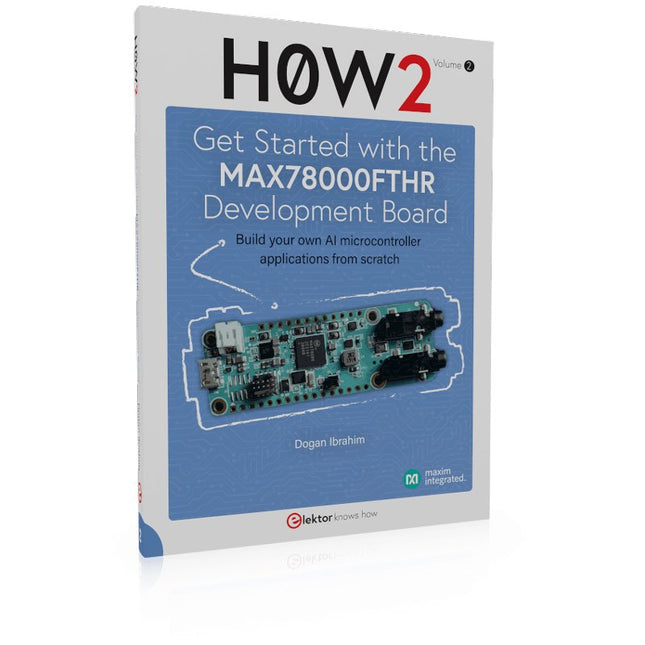
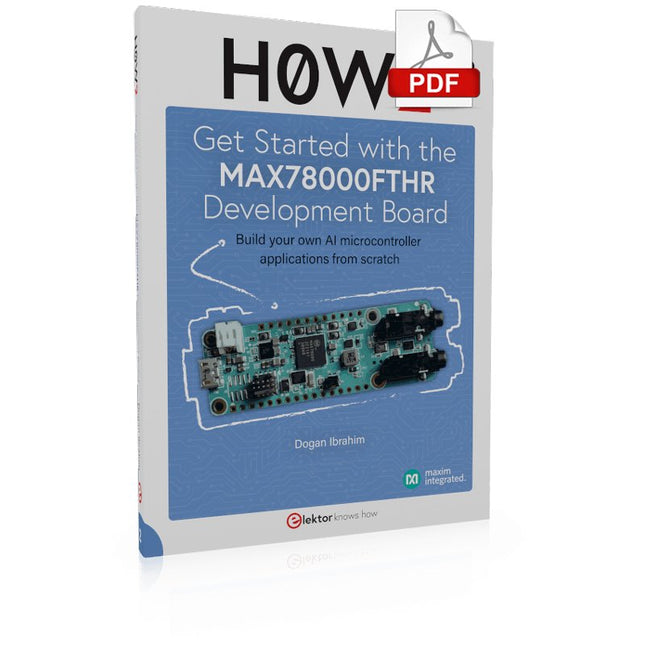
Build your own AI microcontroller applications from scratch
The MAX78000FTHR from Maxim Integrated is a small development board based on the MAX78000 MCU. The main usage of this board is in artificial intelligence applications (AI) which generally require large amounts of processing power and memory. It marries an Arm Cortex-M4 processor with a floating-point unit (FPU), convolutional neural network (CNN) accelerator, and RISC-V core into a single device. It is designed for ultra-low power consumption, making it ideal for many portable AI-based applications.
This book is project-based and aims to teach the basic features of the MAX78000FTHR. It demonstrates how it can be used in various classical and AI-based projects. Each project is described in detail and complete program listings are provided. Readers should be able to use the projects as they are, or modify them to suit their applications. This book covers the following features of the MAX78000FTHR microcontroller development board:
Onboard LEDs and buttons
External LEDs and buttons
Using analog-to-digital converters
I²C projects
SPI projects
UART projects
External interrupts and timer interrupts
Using the onboard microphone
Using the onboard camera
Convolutional Neural Network
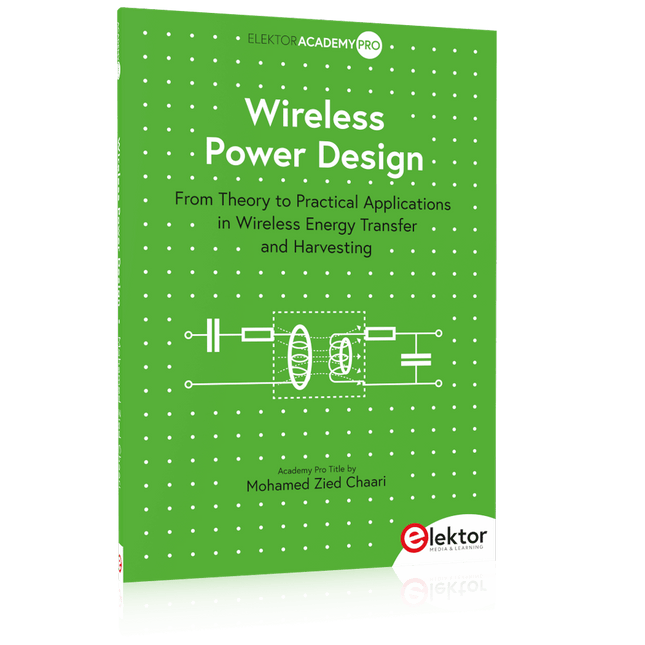
From Theory to Practical Applications in Wireless Energy Transfer and Harvesting
Wireless power transmission has gained significant global interest, particularly with the rise of electric vehicles and the Internet of Things (IoT). It’s a technology that allows the transfer of electricity without physical connections, offering solutions for everything from powering small devices over short distances to long-range energy transmission for more complex systems.
Wireless Power Design provides a balanced mix of theoretical knowledge and practical insights, helping you explore the potential of wireless energy transfer and harvesting technologies. The book presents a series of hands-on projects that cover various aspects of wireless power systems, each accompanied by detailed explanations and parameter listings.
The following five projects guide you through key areas of wireless power:
Project 1: Wireless Powering of Advanced IoT Devices
Project 2: Wireless Powered Devices on the Frontline – The Future and Challenges
Project 3: Wireless Powering of Devices Using Inductive Technology
Project 4: Wireless Power Transmission for IoT Devices
Project 5: Charging Robot Crawler Inside the Pipeline
These projects explore different aspects of wireless power, from inductive charging to wireless energy transmission, offering practical solutions for real-world applications. The book includes projects that use simulation tools like CST Microwave Studio and Keysight ADS for design and analysis, with a focus on practical design considerations and real-world implementation techniques.
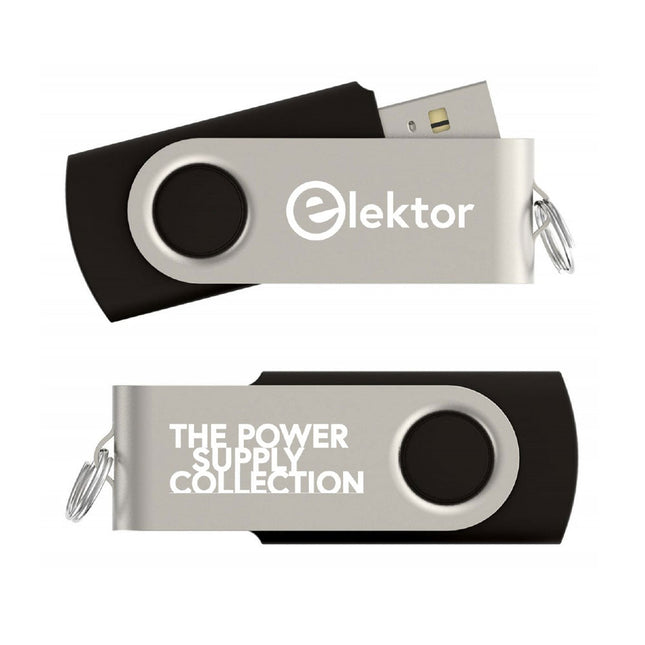
Mehr als 200 Stromversorgungslösungen fürs Zuhause
Dieser USB-Stick enthält über 200 verschiedene Stromversorgungsschaltungen aus den Elektor Jahrgängen 2001-2022. Mit der Artikelsuchfunktion können Sie Volltextinhalte durchsuchen. Die Ergebnisse werden immer als vorformatierte PDF-Dokumente angezeigt.
Highlights
Cuk-Konverter
Automatische Batterieumschaltung
Batteriespannungs-LED
Digitales Tischnetzteil
Lithium-Ionen-Ladegerät
Solarzellen-Ladegerät
Elektronische Sicherung
Hochspannungsregler
Netzteil für USB-Geräte
Aufwärtswandler für LEDs
Batteriemanagement
und vieles mehr...
Auf dem Stick finden Sie auch einen Ordner mit zusätzlichem Material wie Platinenlayouts, Gerber-Dateien und Software.
Build your own AI microcontroller applications from scratch
The MAX78000FTHR from Maxim Integrated is a small development board based on the MAX78000 MCU. The main usage of this board is in artificial intelligence applications (AI) which generally require large amounts of processing power and memory. It marries an Arm Cortex-M4 processor with a floating-point unit (FPU), convolutional neural network (CNN) accelerator, and RISC-V core into a single device. It is designed for ultra-low power consumption, making it ideal for many portable AI-based applications.
This book is project-based and aims to teach the basic features of the MAX78000FTHR. It demonstrates how it can be used in various classical and AI-based projects. Each project is described in detail and complete program listings are provided. Readers should be able to use the projects as they are, or modify them to suit their applications. This book covers the following features of the MAX78000FTHR microcontroller development board:
Onboard LEDs and buttons
External LEDs and buttons
Using analog-to-digital converters
I²C projects
SPI projects
UART projects
External interrupts and timer interrupts
Using the onboard microphone
Using the onboard camera
Convolutional Neural Network
Dieses Board ermöglicht es dem Raspberry Pi Pico (angeschlossen über die Stiftleiste), zwei Motoren gleichzeitig mit voller Vorwärts-, Rückwärts- und Stoppsteuerung anzutreiben, was es ideal für Pico-gesteuerte Buggy-Projekte macht. Alternativ kann die Platine auch zum Betrieb eines Schrittmotors verwendet werden. Die Platine ist mit dem Motortreiber-IC DRV8833 ausgestattet, der über einen integrierten Kurzschluss-, Überstrom- und Wärmeschutz verfügt.
Die Platine hat 4 externe Anschlüsse für GPIO-Pins und eine 3-V- und GND-Versorgung vom Pico. Dies ermöglicht zusätzliche IO-Optionen für Ihre Buggy-Bauten, die vom Pico gelesen oder gesteuert werden können. Außerdem gibt es einen Ein/Aus-Schalter und eine Power-Status-LED, so dass Sie auf einen Blick sehen können, ob das Board eingeschaltet ist, und Ihre Batterien schonen können, wenn Ihr Projekt nicht in Gebrauch ist.
Um die Motortreiberplatine verwenden zu können, muss der Pico über eine verlötete Stiftleiste verfügen und fest in den Stecker eingesteckt werden. Die Platine erzeugt eine geregelte Stromversorgung, die in den 40-poligen Stecker eingespeist wird, um den Pico mit Strom zu versorgen, so dass dieser nicht direkt mit Strom versorgt werden muss. Die Motortreiberplatine wird entweder über Schraubklemmen oder einen Servostecker versorgt.
Kitronik hat ein Micro-Python Modul und Beispielcode entwickelt, um die Verwendung des Motor Driver Boards mit dem Pico zu unterstützen. Dieser Code ist im GitHub Repo verfügbar.
Merkmale
Ein kompaktes und dennoch funktionsreiches Board, das als Herzstück Ihrer Raspberry Pi Pico Roboter-Buggy-Projekte entwickelt wurde.
Die Platine kann 2 Motoren gleichzeitig mit voller Vorwärts-, Rückwärts- und Stoppsteuerung antreiben.
Sie enthält den Motortreiber-IC DRV8833, der über einen integrierten Kurzschluss-, Überstrom- und Überhitzungsschutz verfügt.
Darüber hinaus verfügt die Platine über einen Ein/Aus-Schalter und eine Power-Status-LED.
Die Stromversorgung der Platine erfolgt über einen Klemmenleistenanschluss.
Die 3V- und GND-Pins sind ebenfalls herausgebrochen, so dass externe Geräte mit Strom versorgt werden können.
Programmieren Sie es mit MicroPython über einen Editor wie den Thonny-Editor.
Abmessungen: 63 mm (L) x 35 mm (B) x 11,6 mm (H)
Download
Datenblatt
Hands-on in more than 50 projects
STM32 Nucleo family of processors are manufactured by STMicroelectronics. These are low-cost ARM microcontroller development boards. This book is about developing projects using the popular STM32CubeIDE software with the Nucleo-L476RG development board. In the early Chapters of the book the architecture of the Nucleo family is briefly described.
The book covers many projects using most features of the Nucleo-L476RG development board where the full software listings for the STM32CubeIDE are given for each project together with extensive descriptions. The projects range from simple flashing LEDs to more complex projects using modules, devices, and libraries such as GPIO, ADC, DAC, I²C, SPI, LCD, DMA, analogue inputs, power management, X-CUBE-MEMS1 library, DEBUGGING, and others. In addition, several projects are given using the popular Nucleo Expansion Boards. These Expansion Boards plug on top of the Nucleo development boards and provide sensors, relays, accelerometers, gyroscopes, Wi-Fi, and many others. Using an expansion board together with the X-CUBE-MEMS1 library simplifies the task of project development considerably.
All the projects in the book have been tested and are working. The following sub-headings are given for each project: Project Title, Description, Aim, Block Diagram, Circuit Diagram, and Program Listing for the STM32CubeIDE.
In this book you will learn about
STM32 microcontroller architecture;
the Nucleo-L476RG development board in projects using the STM32CubeIDE integrated software development tool;
external and internal interrupts and DMA;
DEBUG, a program developed using the STM32CubeIDE;
the MCU in Sleep, Stop, and in Standby modes;
Nucleo Expansion Boards with the Nucleo development boards.
What you need
a PC with Internet connection and a USB port;
STM32CubeIDE software (available at STMicroelectronics website free of charge)
the project source files, available from the book’s webpage hosted by Elektor;
Nucleo-L476RG development board;
simple electronic devices such as LEDs, temperature sensor, I²C and SPI chips, and a few more;
Nucleo Expansion Boards (optional).