
Suchergebnisse für "squink OR multilayer OR pcb OR printer"
-

Voltera Voltera V-One Desktop-Platinendrucker
Lötpastendosierung und Reflow in einem Der Voltera V-One erstellt zweilagige Prototyp-Leiterplatten auf Ihrem Schreibtisch. Gerber-Dateien gehen rein, gedruckte Leiterplatten kommen raus. Der Dispenser trägt eine leitfähige Tinte auf Silberbasis auf und druckt Ihre Schaltung direkt vor Ihren Augen. Die Bestückung traditioneller und additiver Leiterplatten ist mit den Lotpastendosier- und Reflowfunktionen des V-One einfach. Montieren Sie einfach Ihre Platine auf dem Druckbett und importieren Sie Ihre Gerber-Datei in die Voltera-Software. Keine Schablonen mehr erforderlich Die Software von Voltera ist so konzipiert, dass sie leicht zu verstehen ist. Vom Importieren Ihrer Gerber-Dateien bis zum Drücken des Druckknopfes führt Sie die Software sicher durch jeden Schritt. Kompatibel mit EAGLE, Altium, KiCad, Mentor Graphics, Cadence, DipTrace, Upverter. Lieferumfang V-One Platinendrucker V-One Dispenser V-One Sonde Düsenset Spitzenkappen 3 x 4" FR1 Substratset 2 x 3" FR1 Substratset Substratklemmen Rändelschraubenset Hello World Kit Lötdraht Pinzette Netzteil Netzadapter Kabel Benutzerhandbuch Downloads Specifications V-One Software User Manuals Safety Datasheets Technical Datasheets Voltera CAM file for EAGLE Substrates and Templates Mehr Infos Frequently Asked Questions More from the Voltera community Technische Daten Druckspezifikationen Mindestspurbreite 0,2 mm Mindestpassivgröße 1005 Minimaler Pin-zu-Pin-Abstand (leitfähige Tinte) 0,8 mml Mindestabstand zwischen den Pins (Lötpaste) 0,5 mml Widerstand 12 mΩ/sq @ 70 um Höhe Substratmaterial FR4 Max. Plattenstärke 3 mm Lötspezifikationen Lötpastenlegierung Sn42/Bi57.6/Ag0.4 Lötdrahtlegierung SnBiAg1 Lötkolbentemperatur 180-210°C Druckbett Druckbereich 135 x 113,5 mm Max. Heizbetttemperatur 240 °C Rampenrate des beheizten Betts ~2°C/s Abmessungen/Gewicht Abmessungen 390 x 257 x 207 mm (L x W x H) Gewicht 7 kg Systemvoraussetzungen Kompatible Betriebssysteme Windows 7 oder höher, MacOS 10.11 oder höher Kompatibles Dateiformat Gerber Verbindungstyp Kabelgebundenes USB Zertifizierung EN 61326-1:2013 EMC-Anforderungen IEC 61010-1 Sicherheitsanforderungen CE-Kennzeichnung Wird an den Voltera V-One-Druckern angebracht, die an europäische Kunden geliefert werden. Entwickelt und hergestellt in Kanada. Mehr technische Informationen Quickstart Explore Flexible Printed Electronics on the V-One Voltera V-One Capabilities Reel Voltera V-One PCB Printer Walkthrough Unpacking the V-One V-One: Solder Paste Dispensing and Reflow All-in-One Voltera @ Stanford University's Bao Research Group: Robotic Skin and Stretchable Sensors Voltera @ Princeton: The Future of Aerospace Innovation
€ 5.499,00€ 4.949,00
Mitglieder identisch
-
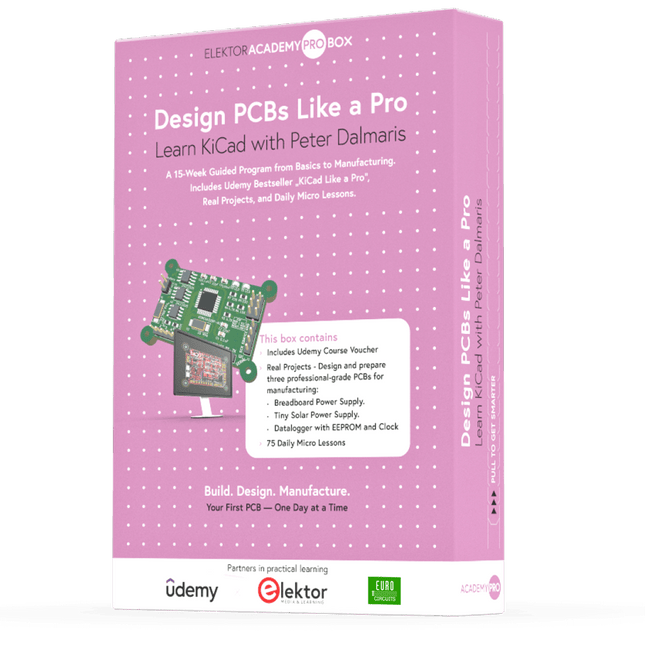
Elektor Academy Pro Design PCBs Like a Pro
KiCad lernen mit Peter Dalmaris Die Academy Pro Box "Design PCBs like a Pro" bietet ein umfassendes, strukturiertes Schulungsprogramm im PCB-Design, das Online-Lernen mit praktischer Anwendung kombiniert. Das 15-wöchige Programm basiert auf Peter Dalmaris’ KiCad-Kurs und integriert Videolektionen, gedruckte Materialien (2 Bücher) und praktische Projekte. So stellen die Teilnehmer sicher, dass sie nicht nur die Theorie verstehen, sondern auch die Fähigkeiten entwickeln, diese in der Praxis anzuwenden. Im Gegensatz zu Standardkursen bietet die Academy Pro Box einen geführten Lernpfad mit wöchentlichen Meilensteinen und physischen Komponenten zum Entwerfen, Testen und Produzieren funktionsfähiger PCBs. Dieser Ansatz fördert ein intensiveres Lernerlebnis und eine bessere Wissensspeicherung. Die Box ist ideal für Ingenieure, Studierende und Fachleute, die praktische PCB-Design-Kenntnisse mit Open-Source-Tools erwerben möchten. Mit der zusätzlichen Option, ihr Abschlussprojekt fertigstellen zu lassen, schließen die Teilnehmer das Programm mit echten Ergebnissen ab – bereit zum Einsatz, Testen oder zur Weiterentwicklung. Learn by doing Fähigkeiten aufbauen. Echte Leiterplatten entwerfen. Gerber-Dateien erstellen. Ihre erste Bestellung aufgeben. Dies ist nicht nur ein Kurs – es ist ein komplettes Projekt von der Idee bis zum Produkt. Was Sie lernen/erhalten Grundkenntnisse der KiCad-Tools Sicherheit beim Entwurf eigener Leiterplatten Eine vollständig herstellbare Leiterplatte – von Ihnen selbst erstellt Was ist in der Box (Kurs)? Beide Bände von „KiCad Like a Pro“ (im Wert von 105 €) Vol 1: Fundamentals and Projects Vol 2: Advanced Projects and Recipes Gutscheincode für den erfolgreichen KiCad 9-Onlinekurs von Peter Dalmaris auf Udemy mit über 20 Stunden Videotraining. Sie erstellen drei komplette Designprojekte: Breadboard-Stromversorgung Winzige Solarstromversorgung Datenlogger mit EEPROM und Uhr Gutschein von Eurocircuits für die Herstellung von Leiterplatten (im Wert von 85 € exkl. MwSt.) Lernmaterial (dieser Box) 15-wöchiges Lernprogramm ▶ Klicken Sie hier zum Öffnen Week 1: Setup, Fundamentals, and First Steps in PCB Design Week 2: Starting Your First PCB Project – Schematic Capture Week 3: PCB Layout – From Netlist to Board Design Week 4: Design Principles, Libraries, and Workflow Week 5: Your First Real-World PCB Project Week 6: Custom Libraries – Symbols, Footprints, and Workflow Week 7: Advanced Tools – Net Classes, Rules, Zones, Routing Week 8: Manufacturing Files, BOMs, and PCB Ordering Week 9: Advanced Finishing Techniques – Graphics, Refinement, and Production Quality Week 10: Tiny Solar Power Supply – From Schematic to Layout Week 11: Tiny Solar Power Supply – PCB Layout and Production Prep Week 12: ESP32 Clone Project – Schematic Design and Layout Prep Week 13: ESP32 Clone – PCB Layout and Manufacturing Prep Week 14: Final Improvements and Advanced Features Week 15: Productivity Tools, Simulation, and Automation KiCad-Kurs mit 18 Lektionen auf Udemy (von Peter Dalmaris) ▶ Klicken Sie hier zum Öffnen Introduction Getting started with PCB design Getting started with KiCad Project: A hands-on tour of KiCad (Schematic Design) Project: A hands-on tour of KiCad (Layout) Design principles and PCB terms Design workflow and considerations Fundamental KiCad how-to: Symbols and Eeschema Fundamental KiCad how-to: Footprints and Pcbnew Project: Design a simple breadboard power supply PCB Project: Tiny Solar Power Supply Project: MCU datalogger with build-in 512K EEPROM and clock Recipes KiCad 9 new features and improvements Legacy (from previous versions of KiCad) KiCad 7 update (Legacy) (Legacy) Gettings started with KiCad Bonus lecture Über den Autor Dr. Peter Dalmaris, PhD, ist Pädagoge, Elektroingenieur und Maker. Er erstellt Online-Videokurse zum Thema DIY-Elektronik und ist Autor mehrerer Fachbücher. Seit 2013 ist er Chief Tech Explorer bei Tech Explorations, dem von ihm in Sydney (Australien) gegründeten Unternehmen. Seine Mission ist es, Technologie zu erforschen und die Welt zu bilden. Was ist Elektor Academy Pro? Elektor Academy Pro bietet maßgeschneiderte Lernlösungen für Fachkräfte, Ingenieurteams und technische Experten in der Elektronik- und Embedded-Systems-Branche. Sie unterstützt Einzelpersonen und Organisationen dabei, ihr praktisches Know-how zu vertiefen, ihre Skills gezielt auszubauen und dank hochwertiger Inhalte und praxisnaher Tools stets einen Schritt voraus zu sein. Von realen Projekten und spezialisierten Kursen bis hin zu fundierten technischen Insights – Elektor versetzt Ingenieure in die Lage, aktuelle Herausforderungen der Branche erfolgreich zu meistern. Unser Bildungsportfolio umfasst Academy-Bücher, Pro-Boxen, Webinare, Konferenzen und B2B-Fachmagazine – alles mit Blick auf praxisnahe Weiterbildung und berufliches Wachstum. Ob Ingenieur, F&E-Spezialist oder technischer Entscheider: Elektor Academy Pro schlägt die Brücke zwischen Theorie und Praxis – und hilft Ihnen, neue Technologien zu beherrschen und Innovationen in Ihrem Unternehmen gezielt voranzutreiben.
€ 199,95€ 164,95
Mitglieder identisch
-

Phoenix Contact PCB Connector - 14 pos. push-in spring connection
Mit diesem 14-poligen MonoDAQ-kompatiblen Anschluss kann der Benutzer Testvorrichtungen erstellen, wiederverwenden und archivieren, anstatt den mit dem MonoDAQ ausgestatteten Anschluss jedes Mal neu zu verkabeln, wenn eine Messung oder ein Test wiederholt werden muss. Hilft dem Benutzer beim Aufbau einer Bibliothek mit Plug-and-Play-Testaufbauten. Merkmale Zeitsparender Steckanschluss, kein Werkzeug erforderlich Eine definierte Kontaktkraft sorgt dafür, dass der Kontakt dauerhaft stabil bleibt Intuitive Bedienung durch farbcodierten Betätigungshebel Bedienung und Leiteranschluss aus einer Richtung ermöglichen die Integration in die Gerätefront Alle notwendigen technischen Daten finden Sie hier .
€ 8,95€ 3,58
Mitglieder identisch
-

Niimbot Niimbot D110 Etikettendrucker
Der auf Thermodirekttechnologie basierende Niimbot D110 Etikettendrucker ermöglicht das Drucken ohne Tinte, Toner oder Farbbänder, was ihn im Vergleich zu herkömmlichen Druckern zu einer kostengünstigen Lösung macht. Durch seine kompakte Größe und sein geringes Gewicht lässt er sich leicht transportieren und passt problemlos in jede Tasche. Dank der Bluetooth-Konnektivität und dem eingebautem 1500-mAh-Akku können Sie mit diesem kabellosen Mini-Drucker aus einer Entfernung von bis zu 10 Metern drucken und sind somit auch unterwegs flexibel, egal ob Sie von Ihrem Smartphone oder Tablet aus drucken. Die "Niimbot"-App (verfügbar für iOS und Android) bietet eine Vielzahl von kostenlosen Vorlagen für die individuelle Gestaltung der Etiketten. Technische Daten Modell D110_M (verbesserte Version 2024) Material ABS Auflösung 203 DPI Druckgeschwindigkeit 30-60 mm/s Druckbreite 12-15 mm Drucktechnologie Thermisch Betriebstemperatur 5°C ~ 45°C Batteriekapazität 1500 mAh Ladeschnittstelle USB-C Ladezeit 2 Stunden Verbindung Bluetooth 4.0 Drahtlose Entfernung 10 m Abmessungen 98 x 76 x 30 mm Gewicht 149 g Lieferumfang 1x Niimbot D110 Etikettendrucker 1x Etikettenrolle (12 x 40 mm) 1x USB-Kabel 1x Manual Downloads iOS App Android App
€ 29,95€ 11,98
Mitglieder identisch
-
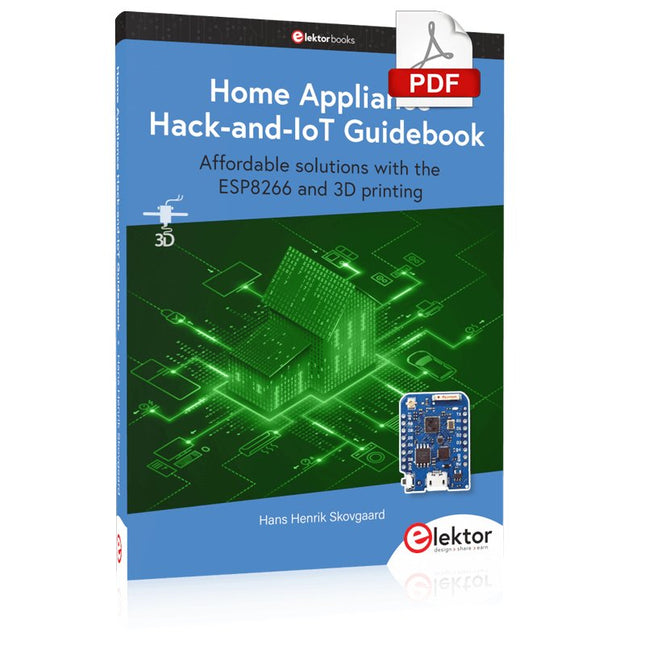
Elektor Digital Home Appliance Hack-and-IoT Guidebook (E-book)
Affordable solutions with the ESP8266 and 3D printing If you are looking for a small yet powerful IoT device, you are likely to come across the ESP8266 and compatible products on the market today. One of these, the Wemos/Lolin D1 Mini Pro board strikes a remarkable balance between cost and performance. A small and very affordable prototype board, the D1 Mini Pro stands out with its WiFi functionality and a 16-Mbytes flash memory for easy creation of a flash file system. In addition, there are sufficient input and output pins (only one analog input though) to support PWM, I²C, and One-Wire systems to mention but a few. The book describes the operation, modding, construction, and programming of home appliances including a colorful smart home accessory, a refrigerator/greenhouse controller, an AC powerline monitor, a door lock monitor, and an IKEA Trådfri controller. As a benefit, all firmware developed for these DIY, "IoT-ized" devices can be updated over-the-air (OTA). For most of the designs in the book, a small printed circuit board (PCB) and an enclosure are presented so readers can have a finished and attractive-looking product. Readers having – or with access to! – a 3D printer can "print" the suggested enclosures at home or in a shop. Some of the constructions benefit from a Raspberry Pi configured as a gateway or cms server. This is also described in detail with all the necessary configuring. You don’t need to be an expert but the prerequisites to successful replication of the projects include basic skills with PC software including the ability to surf the Internet. In terms of hardware, you should be comfortable with soldering and generally assembling the PCBs presented in the book. All custom software written for the IoT devices, the PCB layouts, and 3D print files described in the book are available for free downloading.
€ 34,95
Mitglieder € 27,96
-

Elektor Digital KiCad Like A Pro – Advanced Projects and Recipes (E-book)
Mastering PCB design with real-world projects This book builts on KiCad Like a Pro – Fundamentals and Projects and aims to help you practice your new KiCad skills by challenging you in a series of real-world projects. The projects are supported by a comprehensive set of recipes with detailed instructions on how to achieve a variety of simple and complex tasks. Design the PCBs for a solar power supply, an LED matrix array, an Arduino-powered datalogger, and a custom ESP32 board. Understand the finer details of the interactive router, how to manage KiCad project teams with Git, how to use an autorouter on 2 and 4-layer PCBs, and much more. KiCad 8 is a modern, cross-platform application suite built around schematic and design editors. This stable and mature PCB tool is a perfect fit for electronic engineers and makers. With KiCad 8, you can create PCBs of any complexity and size without the constraints associated with the commercial packages. Here are the most significant improvements and features in KiCad 8, both over and under the hood: Modern user interface, completely redesigned from earlier versions Improved and customizable electrical and design rule checkers Theme editor allowing you to fully customize the look of KiCad on your screen Ability to import projects from Eagle, CADSTART, and more An improved and tightly integrated SPICE circuit simulator Autorouting with the Freerouting plugin Filters define which elements of a layout are selectable Enhanced interactive router helps you draw single tracks and differential pairs with precision New or enhanced tools to draw tracks, measure distances, tune track lengths, etc. Enhanced tool for creating filled zones A customizable coordinate system facilitates data exchange with other CAD applications Realistic ray-tracing capable 3D viewer Differential pair routing Rich repositories of symbol, footprint, and 3D shape libraries Python scripting API for programmatic customization and extensions Improved footprint wizard for fast custom footprints
€ 39,95
Mitglieder € 31,96
-

Elektor Publishing KiCad Like A Pro – Fundamentals and Projects
Getting started with the world’s best open-source PCB tool The latest iteration of KiCad, the world’s best free-to-use Printed Circuit Board tool, is packed with features usually found only in expensive commercial CAD tools. This modern, cross-platform application suite built around schematic and design editors, with auxiliary applications is a stable and mature PCB tool. KiCad 8 is a perfect fit for electronic engineers and makers. Here are the most significant improvements and features in KiCad 8, both over and under the hood: Modern user interface, completely redesigned from earlier versions Improved and customizable electrical and design rule checkers Theme editor allowing you to customize KiCad on your screen Ability to import projects from Eagle, CADSTART, and more Python scripting API Improved integrated SPICE circuit simulator Multi-sheet schematics Filters define selectable elements Enhanced interactive router helps you draw single tracks and differential pairs with precision New or enhanced tools to draw tracks, measure distances, tune track lengths, etc. Advanced interactive router Built-in bill of materials generator Realistic ray-tracing capable 3D viewer Customizable teardrops Plug-in manager for quick installation of themes, libraries and functionalities such as autorouters and BOM generators This book will teach you to use KiCad through a practical approach. It will help you become productive quickly and start designing your own boards. Example projects illustrate the basic features of KiCad, even if you have no prior knowledge of PCB design. The author describes the entire workflow from schematic entry to the intricacies of finalizing the files for PCB production and offers sound guidance on the process. Further full-fledged projects, of incremental difficulty, will be presented in a second book, together with a variety of advanced recipes.
€ 54,95
Mitglieder € 49,46
-

Elektor Digital Build Your Own Multifunctional 4-Axis CNC Machine (E-book)
Plot, Cut, Drill, Mill and Laser with the Z99 This book covers the construction, hardware, software, and operation of the Z99 – CNC machine. This is a multifunctional 4-axis machine for home construction. The capabilities of the Z99 machine include: large-format schematic plotting PCB plotting with etch-resist pens schematic plotting with conductive-ink pens letter cutting out of vinyl paper cutting PCB/substrate drilling PCB/substrate milling text milling laser engraving laser cutting of solder paste masks By making the support software available as freeware, readers of the book are challenged and encouraged to develop new applications for the Z99. The machine would not be of much use if the user has no option to create suitable files for the designs in mind. A large part of this book is dedicated to creating source files in a variety of freeware software packages, including Inkscape, DesignSpark PCB, KiCad, and FlatCAM. The book is also useful for readers keen to comprehend and then master the basic structure of HPGL, Gerber, Drill, and G-code files, as well as to have a go at deciphering them using software.
€ 29,95
Mitglieder € 23,96


-
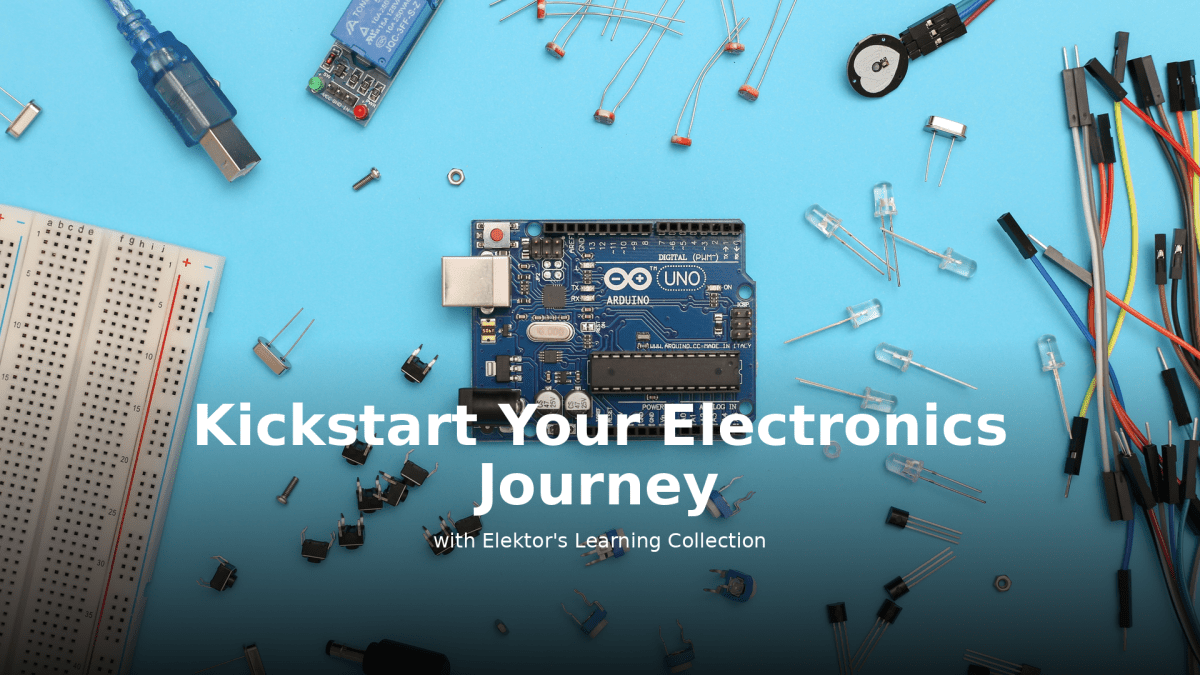
, von Lobna Belarbi Beginnen Sie Ihre Elektronik-Ausbildung mit der Elektor Learning Collection
Egal, ob Sie neu in der Elektronik sind oder Ihre Embedded-Kenntnisse auf das nächste Level bringen möchten – die Elektor Learning Collection bietet fachkundig zusammengestellte...
-

, von Clemens Valens Das Andonstar AD210, ein erschwingliches Digitalmikroskop mit einem 10,1"-Display
Das Andonstar AD210 ist ein Einsteigermodell unter den Digitalmikroskopen mit einem großen 10,1″ Display. Es richtet sich vor allem an Elektroniklabore, wo es z.B. für...
-

, von Clemens Valens Review: Die Desktop-CNC- und Graviermaschine Anet 4540
Wie 3D-Drucker und Lasergraviermaschinen haben auch CNC-Maschinen sich inzwischen etabliert. Während sie früher Tausende von Euro gekostet haben, sind heute CNC-Maschinen der Einstiegsklasse wie die...
-
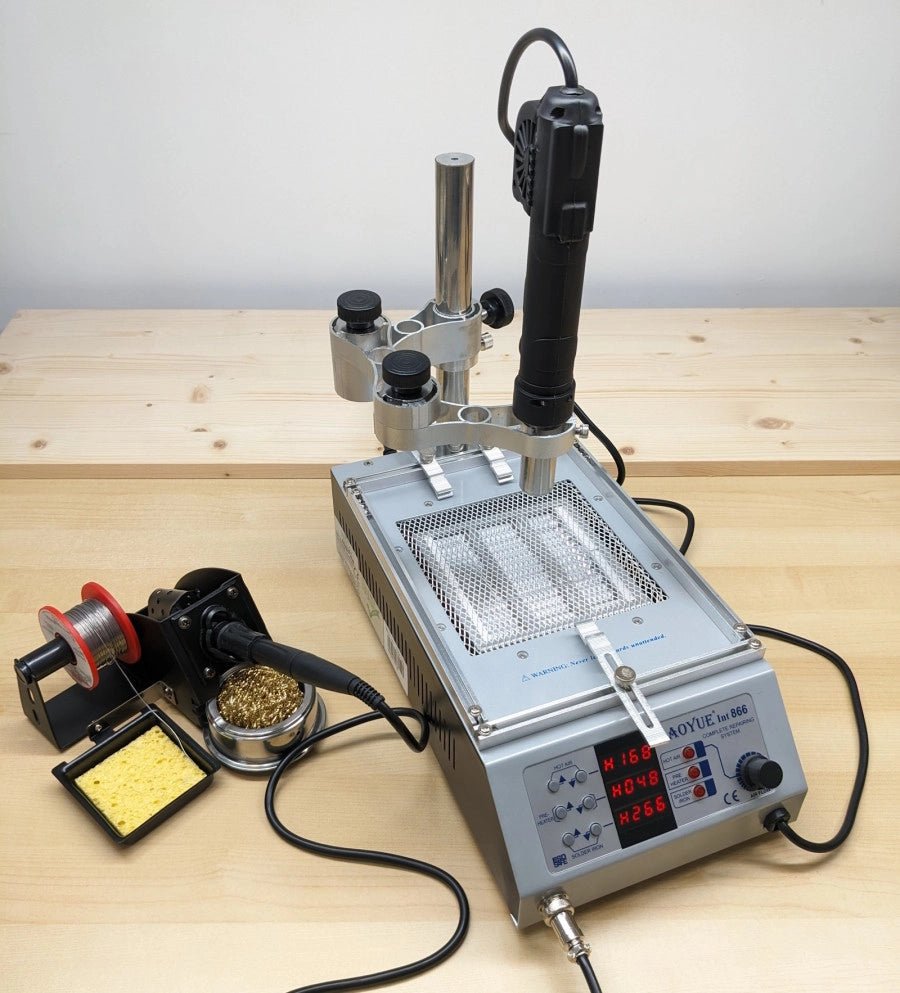
, von Jean-François Simon Aoyue 866 Rework Station (Review)
Entdecken Sie die Aoyue 866 Rework Station, ihre vielfältigen Funktionen und ihr Zubehör in diesem ausführlichen Testbericht. Diese Rework-Station vereint eine Heißluftstation, einen Leiterplattenvorwärmer und...


