
Suchergebnisse für "red OR pitaya OR for OR test OR and OR measurement"
-

Elektor Digital Red Pitaya for Test and Measurement (E-book)
The Red Pitaya (STEMlab) is a credit card-sized, open-source test and measurement board that can be used to replace most measurement instruments used in electronics laboratories. With a single click, the board can transform into a web-based oscilloscope, spectrum analyser, signal generator, LCR meter, Bode plotter, and microcontroller. The Red Pitaya (STEMlab) can replace the many pieces of expensive measurement equipment found at professional research organisations and teaching laboratories. The device, that based on Linux, includes an FPGA, digital signal processing (DSP), dual core ARM Cortex processor, signal acquisition and generation circuitry, micro USB socket, microSD card slot, RJ45 socket for Ethernet connection, and USB socket – all powered from an external mains adaptor. This book is an introduction to electronics. It aims to teach the principles and applications of basic electronics by carrying out real experiments using the Red Pitaya (STEMlab). The book includes many chapters on basic electronics and teaches the theory and use of electronic components including resistors, capacitors, inductors, diodes, transistors, and operational amplifiers in electronic circuits. Many fun and interesting Red Pitaya (STEMlab) experiments are included in the book. The book also makes an introduction to visual programming environment. The book is written for college level and first year university students studying electrical or electronic engineering.
€ 29,95
Mitglieder: € 26,96
-

Elektor Digital Experimenting with Red Pitaya STEMlab Gen 2 (E-book)
Practical Projects and Programs With Experimenting with Red Pitaya STEMlab Gen 2, Red Pitaya goes beyond a versatile board. It becomes a powerful laboratory instrument for precision measurement, analysis, and control. From the fundamentals of electronic project development, monitoring, control, and design to testing, this book walks you step-by-step through everything you need to know to harness the full potential of Red Pitaya hardware and software. The book presents real-time, FPGA-based projects that are developed on a PC using the Vivado environment, then transferred to the Red Pitaya for execution and testing. You will learn about enhanced performance, expanded I/O capabilities, improved FPGA features, and advanced connectivity options that open up new frontiers for precision measurement, monitoring, and control in your embedded applications. Inside the book you will discover: A deep dive into Red Pitaya architecture and hardware design Electronic experiments using Red Pitaya for measurement and monitoring Hands-on projects using the Python programming language Practical guidance for FPGA programming using Red Pitaya Red Pitaya FPGA projects using the Verilog HDL under Vivado IDE Practical design of electronic projects including measurement and testing Step-by-step examples that bridge theory and real-world implementation Whether you are designing your own electronic circuits, developing signal analysis tools, or creating real-time control or monitoring systems, this book provides you the knowledge and confidence you need to fully learn and customize the Red Pitaya platform.
€ 32,95
Mitglieder: € 29,66
-

Elektor Publishing Experimenting with Red Pitaya STEMlab Gen 2
Practical Projects and Programs With Experimenting with Red Pitaya STEMlab Gen 2, Red Pitaya goes beyond a versatile board. It becomes a powerful laboratory instrument for precision measurement, analysis, and control. From the fundamentals of electronic project development, monitoring, control, and design to testing, this book walks you step-by-step through everything you need to know to harness the full potential of Red Pitaya hardware and software. The book presents real-time, FPGA-based projects that are developed on a PC using the Vivado environment, then transferred to the Red Pitaya for execution and testing. You will learn about enhanced performance, expanded I/O capabilities, improved FPGA features, and advanced connectivity options that open up new frontiers for precision measurement, monitoring, and control in your embedded applications. Inside the book you will discover: A deep dive into Red Pitaya architecture and hardware design Electronic experiments using Red Pitaya for measurement and monitoring Hands-on projects using the Python programming language Practical guidance for FPGA programming using Red Pitaya Red Pitaya FPGA projects using the Verilog HDL under Vivado IDE Practical design of electronic projects including measurement and testing Step-by-step examples that bridge theory and real-world implementation Whether you are designing your own electronic circuits, developing signal analysis tools, or creating real-time control or monitoring systems, this book provides you the knowledge and confidence you need to fully learn and customize the Red Pitaya platform.
€ 39,95€ 32,95Bestpreis
-

Red Pitaya Red Pitaya STEMlab 125-14 PRO Gen 2 Starter Kit (inkl. Buch)
Dieses Bundle enthält das Red Pitaya STEMlab 125-14 PRO Gen 2 Starter Kit und das neue Buch "Experimenting with Red Pitaya STEMlab Gen 2". Das Red Pitaya STEMlab 125-14 PRO Gen 2 Starter Kit ist eine leistungsstarke und flexible Plattform für Signalverarbeitung, Datenerfassung und elektronische Messanwendungen. Dieses Kit wurde für Ingenieure, Entwickler, Forscher und Dozenten konzipiert und bietet alles, was für den Einstieg in die Entwicklung fortschrittlicher Mess- und Steuerungssysteme erforderlich ist. Das Herzstück des Kits ist das STEMlab 125-14 PRO Gen 2-Board, eine verbesserte und ultraleichte Entwicklungsplatine. Angetrieben vom Xilinx Zynq-7010 SoC mit 512 MB RAM kombiniert es die Programmierbarkeit eines FPGAs mit der Rechenleistung eines ARM-Prozessors, um leistungsstarke Messtechnik und kundenspezifische Signalverarbeitungslösungen zu ermöglichen. Das Board bietet eine 14-Bit-ADC- und DAC-Auflösung, eine Abtastrate von 125 MS/s, einen Eingangsbereich von ±20 V und eine Bandbreite von bis zu 60 MHz. Dank seines verbesserten rauscharmen analogen Frontends, der USB-C-Konnektivität und des kompakten Designs eignet es sich für anspruchsvolle Anwendungen wie HF-Entwicklung, Radarsysteme, Photonikforschung, Software-Defined Radio (SDR) und industrielle Automatisierung. Das Starter Kit enthält alles notwendige Zubehör für den sofortigen Einsatz: eine microSD-Karte mit vorinstalliertem Betriebssystem, ein Netzteil, ein Ethernet-Kabel für den Fernzugriff, zwei 100-MHz-Oszilloskop-Messspitzen sowie SMA-zu-BNC-Adapter für flexible Signalanschlüsse. Das Red Pitaya STEMlab 125-14 PRO Gen 2 Starter Kit ist eine hervorragende Plattform für Rapid Prototyping, FPGA-Entwicklung, Messtechnik und fortgeschrittene Elektronikversuche. Features 14-Bit-ADC- und DAC-Auflösung Abtastrate: 125 MS/s Eingangsspannungsbereich: ±20 V Bandbreite: Bis zu 60 MHz Xilinx Zynq-7010 SoC (FPGA + ARM-Prozessor) 512 MB RAM Rauscharme analoge Front- und Backends Anwendungen HF-Entwicklung und -Test Radar- und drahtlose Systeme Software Defined Radio (SDR) Photonik und optische Forschung Industrielle Automatisierungs- und Steuerungssysteme Signalanalyse und -instrumentierung Schnelles Prototyping elektronischer Bauteile Messsysteme Technische Daten Prozessor Dual-Core ARM Cortex-A9 FPGA AMD Xilinx Zynq-7010 SoC RAM 512 MB (4 Gb) Speicher microSD-Karte (bis zu 32 GB) Betriebssystem Linux-basiertes Red Pitaya OS ADC-Auflösung 14 Bit DAC Auflösung 14 Bit Bandbreite 60 MHz (DC) Abtastrate 125 MS/s Analoge Eingangskanäle 2 Analoge Ausgangskanäle 2 Eingangsspannungsbereich ±1 V (LV) / ±20 V (HV) Eingangsimpedanz 1 MΩ / 10 pF Ausgangsspannungsbereich ±1 V Ethernet 1x Gigabit Ethernet (RJ45) USB 2x USB-C 2.0 (für Stromversorgung und Konsole) Digitale Ein-/Ausgänge 16x GPIO (3,3 V) Kommunikationsschnittstellen I²C, SPI, UART, CAN Stromversorgung 5 V/3 A über USB-C Abmessungen 106,8 x 60,0 x 17,9 mm Lieferumfang 1x Red Pitaya STEMlab 125-14 PRO Gen 2 Board 2x 100-MHz-Oszilloskop-Tastköpfe 2x SMA-zu-BNC-Adapter 1x microSD-Karte mit vorinstalliertem Betriebssystem 1x USB-C-Netzteil 1x Ethernet-Kabel Downloads Documentation Schematics Buch: Experimenting with Red Pitaya STEMlab Gen 2 Mit diesem neuen Buch geht Red Pitaya über ein vielseitiges Board hinaus – es wird zu einem leistungsstarken Laborinstrument für präzise Messungen, Analysen und Steuerungen. Von den Grundlagen der Entwicklung elektronischer Projekte über Überwachung, Regelung und Design bis hin zu Tests führt Sie dieses Buch Schritt für Schritt durch alles, was Sie wissen müssen, um das volle Potenzial der Red Pitaya-Hardware und -Software auszuschöpfen. Das Buch stellt Echtzeitprojekte auf FPGA-Basis vor, die auf einem PC mit der Vivado-Umgebung entwickelt und anschließend zur Ausführung und zum Testen auf die Red Pitaya übertragen werden. Sie lernen mehr über gesteigerte Leistung, erweiterte I/O-Möglichkeiten, verbesserte FPGA-Funktionen sowie fortschrittliche Konnektivitätsoptionen, die neue Möglichkeiten für präzise Messungen, Überwachung und Steuerung in Ihren Embedded-Anwendungen eröffnen. Im Buch entdecken Sie: Einen tiefgehenden Einblick in die Red Pitaya-Architektur und das Hardware-Design Elektronische Experimente mit Red Pitaya für Mess- und Überwachungsanwendungen Praxisnahe Projekte mit der Programmiersprache Python Praktische Anleitungen zur FPGA-Programmierung mit Red Pitaya Red Pitaya FPGA-Projekte mit Verilog HDL in der Vivado IDE Die praxisorientierte Entwicklung elektronischer Projekte inklusive Messung und Tests Schritt-für-Schritt-Beispiele, die Theorie und reale Umsetzung miteinander verbinden Ganz gleich, ob Sie eigene elektronische Schaltungen entwerfen, Werkzeuge zur Signalanalyse entwickeln oder Echtzeit-Steuerungs- und Überwachungssysteme erstellen – dieses Buch vermittelt Ihnen das nötige Wissen und die Sicherheit, um die Red Pitaya-Plattform vollständig zu verstehen und individuell anzupassen.
€ 799,00
Bestpreis
-

FNIRSI FNIRSI LC1020E Hochpräzisions-LCR-Meter
Das FNIRSI LC1020E Hochpräzisions-LCR-Meter mit ESR-Tester ist eine tragbare und intelligente Lösung zum Testen elektronischer Bauteile und bietet eine Grundgenauigkeit von bis zu 0,3%. Es eignet sich ideal für Ingenieure, Techniker und Maker. Das Gerät unterstützt L/Q-, C/D- und R/D-Messungen unter Verwendung von seriellen und parallelen Ersatzschaltbildmodellen und verfügt über ein 2,8-Zoll-TFT-Farbdisplay. Mit voreingestellten Schwellenwerten und audiovisuellen Warnmeldungen ermöglicht es eine schnelle Pass/Fail-Bewertung und eignet sich somit perfekt für Serientests und die Qualitätskontrolle. Da es Testfrequenzen bis zu 100 kHz unterstützt, ist es gut für die Hochfrequenzanalyse von Induktivitäten, Kondensatoren und Widerständen geeignet. Features Genauigkeit von ±0,05% bei einer Auflösung von 4,5 Stellen Automatische R/L/C-Erkennung für schnelle Messungen 5 Prüf-Frequenzen (100 Hz–100 kHz) und 3 Spannungspegel (0,1–0,6 V) Doppelte Anzeige: L/C/R/Z + X/D/Q/θ/ESR Sortiermodus & Vorspannung für Serienprüfungen Zwei Anschlüsse (3-/5-polig) mit 4-Leiter-Kelvin-Unterstützung Datenhaltefunktion und Protokollierung für einen effizienten Arbeitsablauf Kompakt, wiederaufladbar (3000 mAh) – ideal für den Einsatz im Labor und vor Ort Technische Daten Allgemeines Prüffrequenz 100 Hz, 120 Hz, 1 kHz, 10 kHz, 100 kHz Grundgenauigkeit 0,3% Display 2,8 Zoll TFT-LCD-Display Anzeigestellen Hauptparameter: 4,5 Stellen Nebenparameter: 4,5 Stellen Messparameter Hauptparameter: AUTO/R/C/L/Z Sekundärparameter: X/D/Q/θ/ESR Messbereich L: 0–100 H C: 0–100 mF R: 0–10 M Interne Vorspannung 0,0 V, 0,5 V Prüfspannung 0,1 V, 0,3 V, 0,6 V Kalibrierungsfunktionen Leerlaufkalibrierung, Kurzschlusskalibrierung Vergleichsfunktion Dient zur Berechnung des relativen Fehlers zwischen dem Messwert des Bauteils und dem Nennwert, wird als Prozentsatz angezeigt und liefert Filterergebnisse, Nennwerte und Toleranz können eingestellt werden, wobei der Toleranzbereich von 0,1% bis 99,9% einstellbar ist Funktionsprotokoll Prüft, ob die gemessenen Bauteildaten den eingestellten Nennwert und die Toleranz erfüllen, und zeichnet die Anzahl der erfolgreichen und fehlgeschlagenen Messungen auf Konfiguration der Testanschlüsse Dreipolig, Fünfpolig Ausgangsimpedanz 100 Ω Schnittstelle USB-C (virtueller serieller Anschluss) Sonstiges Spracheinstellungen, Bildschirmhelligkeit, Toneinstellungen, Automatische Abschaltung, Kalibrierungseinstellungen, Systeminformationen Akku 3000 mAh Lithium-Akku Abmessungen 18,5 x 8,5 x 3,5 cm Gewicht 680 g Kapazität (C) Bereich: 1mF-100mF 100 Hz: 5% ±5 digits 1 kHz: 3% ±5 digits 10 kHz: / 100 kHz: / Bereich: 1uF-1mF 100 Hz: 1% ±4 digits 1 kHz: 0,5% ±5 digits 10 kHz: 2% ±5 digits 100 kHz: 3% ±4 digits Bereich: 1nF-1uF 100 Hz: / 1 kHz: 0,3% ±2 digits 10 kHz: 0,4% ±2 digits 100 kHz: 1% ±4 digits Bereich: 1pF-1nF 100 Hz: / 1 kHz: 2% ±2 digits 10 kHz: 1,5% ±2 digits 100 kHz: 2% ±4 digits Induktivität (L) Bereich: 1H-100H 100 Hz: 2% ±5 digits 1 kHz: 2% ±5 digits 10 kHz: / 100 kHz: / Bereich: 1mH-1H 100 Hz: 0,4% ±5 digits 1 kHz: 0,3% ±2 digits 10 kHz: 0,4% ±3 digits 100 kHz: 2,5% ±5 digits Bereich: 10uH-1mH 100 Hz: 3% ±5 digits 1 kHz: 0,5% ±4 digits 10 kHz: 0,5% ±3 digits 100 kHz: 1,5% ±5 digits Bereich: 1uH-10uH 100 Hz: / 1 kHz: 2% ±5 digits 10 kHz: 2% ±5 digits 100 kHz: 4% ±5 digits Widerstand (R) Bereich: 1MΩ-10MΩ 100 Hz: 5% ±4 digits 1 kHz: 3% ±3 digits 10 kHz: / 100 kHz: / Bereich: 1KΩ-1MΩ 100 Hz: 0,4% ±4 digits 1 kHz: 0,2% ±2 digits 10 kHz: 0,3% ±3 digits 100 kHz: 0,6% ±5 digits Bereich: 1Ω-1KΩ 100 Hz: 1,5% ±4 digits 1 kHz: 0,3% ±2 digits 10 kHz: 0,3% ±3 digits 100 kHz: 0,6% ±5 digits Bereich: 10mΩ-1Ω 100 Hz: 4% ±4 digits 1 kHz: 2% ±5 digits 10 kHz: 2% ±5 digits 100 kHz: 5% ±5 digits Lieferumfang 1x FNIRSI LC1020E LCR-Messgerät 1x Kelvin-Messklemme 2x Messleitungen (1x schwarz, 1x rot) 1x Kurzschlussplatte 1x USB-C Kabel 1x Manual Downloads Manual Firmware V1.1
€ 84,95€ 69,95Bestpreis
-

QuantAsylum QuantAsylum QA403 24-Bit Audio-Analyzer
Der QA403 ist QuantAsylum's Audio-Analyzer der vierten Generation. Der QA403 erweitert die Funktionalität des QA402 mit verbesserter Rausch- und Verzerrungsleistung sowie einem flacheren Frequenzgang an den Bandkanten. Die kompakte Größe des QA403 bedeutet, dass Sie ihn fast überall hin mitnehmen können. Features 24-Bit ADC/DAC Bis zu 192 kS/s Vollständig vom PC isoliert Differenzielle Eingabe/Ausgabe Stromversorgung über USB Eingebauter Dämpfer Schnelles Booten und treiberlos Der QA403 ist ein treiberloses USB-Gerät, das heißt, er ist sofort nach dem Einstecken einsatzbereit. Die Software ist kostenlos und die Hardware lässt sich schnell und einfach von einem Gerät auf das nächste übertragen. Wenn Sie also ins Werk fahren müssen, um ein Problem zu beheben, oder den QA403 mit nach Hause nehmen möchten, um von zu Hause aus zu arbeiten, können Sie das ohne Probleme tun. No-Cal Entwurf Der QA403 wird mit einer Werkskalibrierung in seinem Flash-Speicher geliefert, die eine gleichbleibende Leistung von Gerät zu Gerät gewährleistet. In Ihrer Produktionslinie können Sie einen weiteren QA403 installieren und sicher sein, dass die Messwerte des einen Geräts mit denen des nächsten Geräts übereinstimmen werden. Es ist nicht zu erwarten, dass eine Neukalibrierung in regelmäßigen Abständen erforderlich sein wird. Messungen Die Durchführung grundlegender Messungen ist schnell und einfach. Mit wenigen Klicks können Sie den Frequenzgang, den THD(+N), die Verstärkung, den SNR und mehr Ihres zu prüfenden Geräts ermitteln. Dynamischer Bereich Der QA403 bietet 8 Verstärkungsbereiche am Eingang (0 bis +42 dBV in 6 Schritten) und 4 Verstärkungsbereiche am Ausgang (-12 bis +18 dBV in 10 dB-Schritten). Dies gewährleistet eine gleichbleibende Leistung über einen sehr großen Bereich von Eingangs- und Ausgangspegeln. Der maximale AC-Eingang des QA403 beträgt +32 dBV = 40 Vrms. Der maximale Gleichstrompegel beträgt ±40 V, und der maximale ACPEAK + DC = ±56 V. Einfache Programmierbarkeit Der QA403 unterstützt eine REST-Schnittstelle, die die Automatisierung von Messungen in nahezu jeder Sprache, die Sie sich vorstellen können, erleichtert. Von Python über C++ bis hin zu Visual Basic – wenn Sie wissen, wie man eine Webseite in Ihrer Lieblingssprache lädt, können Sie den QA403 fernsteuern. Die Messungen sind schnell und reaktionsschnell, wobei normalerweise Dutzende von Befehlen pro Sekunde verarbeitet werden. Isoliert und USB-betrieben Der QA403 ist vom PC isoliert, d. h. Sie messen Ihren Prüfling und sind nicht auf der Suche nach einer Phantom-Masseschleife. Der QA403 wird, wie fast alle unsere Geräte, über USB mit Strom versorgt. Wenn Sie das Gerät aus der Ferne einrichten, packen Sie einfach einen Hub mit Stromanschluss in Ihre Tasche, und Ihr gesamter Testaufbau kann mit einem Minimum an Kabeln ausgeführt werden. Auf Wiedersehen Soundkarte, Hallo QA403 Haben Sie es satt, eine Soundkarte zum Laufen zu bringen? Der Kalibrierungs-Albtraum? Das Fehlen von Verstärkungsstufen? Der begrenzte Antrieb? Sind Sie es leid, sich mit den festen Eingangsbereichen herumzuschlagen? Die Sorge, dass Sie sie mit zu viel DC oder AC zerstören könnten? Genervt von den Masseschleifen? Aus diesem Grund hat QuantAsylum den QA403 entwickelt. Technische Daten Gehäuse-Material Pulverbeschichtetes Aluminium (2 mm dicke Frontplatte, 1,6 mm dicke Ober-/Unterseite) Abmessungen 177 x 44 x 97 mm (B x H x T) Gewicht 435 g Downloads Datasheet Manual GitHub
€ 799,00
Bestpreis
-

FNIRSI FNIRSI DPOS350P (4-in-1) 2-Kanal Tablet-Oszilloskop (350 MHz) + Signalgenerator + Frequenzganganalyzer + Spektrum Analyzer
2 Kanäle • 350 MHz • 1 GSa/s • 50.000 wfm/s • 7 Zoll Touchscreen Das FNIRSI DPOS350P ist ein elegantes 4-in-1-Kraftpaket im Tablet-Format! Dieses kompakte und tragbare Gerät bietet umfangreiche Funktionen: Es vereint ein 2-Kanal Oszilloskop (350 MHz), einen Signalgenerator (50 MHz), einen Frequenzganganalyzer (50 MHz) und einen Spektrum-Analyzer (200 kHz–350 MHz) in einem Gerät. Ob in Forschung und Entwicklung, Fehlersuche oder Feldtests – das DPOS350P bietet Ihnen die Werkzeuge, die Sie zum präzisen und klaren Messen, Generieren, Analysieren und Visualisieren elektronischer Signale benötigen. Der reaktionsschnelle, hochauflösende Touchscreen und die intuitiven Bedienelemente machen die Signalanalyse schnell, flexibel und effizient. Features Leistungsstarke Multifunktionsintegration 350 MHz 2-Kanal-Oszilloskop mit 1 GSa/s Echtzeit-Abtastung 50 MHz Signalgenerator mit 14 Standard- und benutzerdefinierten Wellenformen Spektrumanalysator (200 kHz–350 MHz): Ideal für EMI, HF und HF-Tests Frequenzganganalysator (FRA) bis 50 MHz Hochleistungs-Wellenformerfassung 50.000 wfm/s Bildwiederholrate für klare Signale in Echtzeit 350 MHz Bandbreite (Einzelkanalmodus) Erkennt seltene und unwahrscheinliche Anomalien Scharfes Display & Reibungsloser Betrieb 7-Zoll-IPS-Touchscreen (Auflösung 1024 x 600 Pixel) Umschalten zwischen Graustufen- und Farbtemperaturanzeige Einfache Bedienung in verschiedenen Testumgebungen Zuverlässig, geschützt und schnell ladend Hochspannungsschutz bis 400 V Schnellladen mit QC 18 W (vollständige Ladung in 2 Stunden) Für stabilen Langzeitbetrieb konzipiert Datenspeicherung und -export Speichern Sie bis zu 500 Wellenformaufzeichnungen + 90 Screenshots USB-Export für einfache Berichterstellung und Offline-Analyse Technische Daten Allgemein Display 7 Zoll (IPS, voller Betrachtungswinkel) Auflösung 1024 x 600 Pixel Interaktionsmodus Kapazitiver Touchscreen Gesamtstromverbrauch 10 W Einschaltkonfiguration 5 Voreinstellungen Laden QC 18 W, 12 V/1,5 A (USB-C) Akku 3,7 V, 8000 mAh Lithium-Akku Akkulaufzeit ca. 3 Stunden Betrieb, 5 Stunden Standby Wärmeableitung Luftkühlung Erweiterungsschnittstelle USB-Datenanschluss Automatische Abschaltung 15-60 Minuten / Aus Firmware-Upgrade Unterstützung für ISO-Image-Upgrades Sprachen Englisch / Portugiesisch / Russisch / Chinesisch Abmessungen 190 x 128 x 37 mm Oszilloskop Analogkanäle 2 Analogbandbreite 350 MHz Anstiegszeit 1 ns Echtzeit-Abtastrate 1 GSa/s Speichertiefe 60 Kpts Eingangsimpedanz 1 MΩ / 14 pF Zeitbasis Bereich 5 ns ~ 50 s Rollzeitbasis 50 ms ~ 50 s Vertikale Empfindlichkeit 2 mV ~ 20 V (1X) Vertikaler Bereich 16 mV ~ 160 V (1X) DC-Genauigkeit ±2% Zeitgenauigkeit ±0,01% Eingangskopplung DC / AC Sondendämpfung 1x / 10x / 100x Hardware-Bandbreitenlimit 150 M / 20 M Hochauflösender Modus 8-16 Bit Parametermessungen 12 Typen Cursormessung Zeit, Periode, Frequenz, Pegel, Spannung Triggererkennung Digitaler Trigger Triggerkanal CH1 / CH2 Triggermodus Auto / Einzeln / Normal Triggerflanke Rising edge / Falling edge Triggerunterdrückung L1 ~ L3 Triggerpegel Manuell / Automatisch 10% ~ 90% Screenshot-Speicher 90 Bilder Wellenform-Speicher 500 Gruppen Hintergrundraster Ein-/Ausblenden Wellenform-Bewegung Grobeinstellung/Feineinstellung Überspannungsschutz Spannungsfestigkeit 400 V Wellenform-Helligkeit Einstellbar Einfache FFT-Anzeige Ja Digitale Fluoreszenz Ja Farbtemperaturanzeige Ja X-Y-Modus Ja ZOOM-Zeitbasis Ja Automatische Justierung per Tastendruck Ja Nullrückstellung per Tastendruck Ja Daten Browser Ja Signalgenerator Wellenformtypen 14 Standardfunktionen + erfasste Wellenform Frequenz 0-50 MHz (nur Sinuswelle, andere Wellenformen bis 10M/5M/3M) Amplitude 0–5 VPP Offset -2,5 V ~ +2,5 V Tastverhältnis 0,1-99,9% Frequenz Auflösung 1 Hz Amplitudenauflösung 1 mV Offsetauflösung 1 mV Tastverhältnisauflösung 0,1% Anpassbare erfasste Wellenform 500 Gruppen Frequenzganganalyzer (FRA) Frequenz des Anregungssignals 100 Hz ~ 50 MHz Amplitude des Anregungssignals 0~5 VPP Offset des Anregungssignals -2,5 V ~ +2,5 V Anzahl der Anregungsfrequenzen 20~500 Cursormessung Frequenz / Verstärkung / Phase Betrieb Modus Einzeln / Zyklisch Systemkalibrierung Ja Spektrum Analyzer Konvertierungsmethode FFT FFT-Länge 4K ~ 32K Frequenzbereich 200 KHz ~ 350 MHz Pegelbereich -60 dBmV ~ +260 dBmV Cursormessung Frequenz / Amplitude Markierungsparameter Maximale Energie-Oberschwingungen Wasserfalldiagramm Ja 3D-Wasserfalldiagramm Ja Automatische Anpassung Ja Systemkalibrierung Ja Lieferumfang 1x FNIRSI DPOS350P (4-in-1) 2x 350 MHz Tastköpfe 1x QC 18 W Schnellladegerät (EU) 1x USB-Datenkabel 1x Krokodilklemme 1x Aufbewahrungstasche 1x Manual Downloads Manual Firmware
€ 309,00€ 259,00Bestpreis
-

FNIRSI FNIRSI 2D15P (3-in-1) 2-Kanal Oszilloskop (100 MHz) + Multimeter + Signalgenerator
Das FNIRSI 2D15P ist ein kompaktes 3-in-1 Prüfgerät, das ein 2-Kanal-Oszilloskop, ein True-RMS-Multimeter und einen Funktionsgenerator in einem Gerät vereint. Mit einem 4,3-Zoll-kapazitiven Touchscreen, 100 MHz Bandbreite, 500 MSa/s Abtastrate und einer Aufnahmegeschwindigkeit von bis zu 1200 Bildern pro Sekunde eignet es sich ideal für schnelle Fehlersuche, Signalanalyse und Elektroniktests. Features Zweikanal-Eingang (100 MHz Einkanal, 50 MHz Zweikanalbetrieb) Wählbare Speichertiefen Bandbreitenbegrenzung: 20 MHz Graustufen- und Farbtemperaturvisualisierung Mathematische Operationen (Addition, Subtraktion, Multiplikation, Division usw.) XY-Modus und unendliche Nachleuchtdauer Cursorfunktion und 13 automatische Messungen Auto / Normal / Single Triggermodi True-RMS-Multimeter (19.999 Counts) 10-MHz-DDS-Signalgenerator Technische Daten Allgemein Display 4,3" IPS-Touchscreen (kapazitiv) Bedienung Touch + Drehknopf + Tasten Laden USB-C (12 V/1 A Fast Charging) Akku 5000 mAh Lithium-Akku Abmessungen 19,6 x 12,9 x 5,7 cm Gewicht 1,1 kg Oszilloskop Kanäle 2 Analoge Bandbreite 100 MHz Abtastrate 500 MSa/s Speichertiefe 10 kΩ, 100 kΩ, 1 MΩ Eingangsimpedanz 1 MΩ Zeitbasisbereich 5 ns – 50 s Vertikale Empfindlichkeit 10 mV – 10 V/div Maximale Eingangsspannung 800 V (x10-Sonde) Triggermodus Auto, Normal, Single Triggertyp Ansteigend, Abfallend, Beide Flanken Kopplung AC/DC Nachlaufzeit min / 2s / 5s / 10s / 20s / 50s / ∞ Mathematik Operationen Ja Wellenformerfassung Ja Wellenformexport Ja Cursormessung Ja Multimeter Gleichspannung 1.9999V / 19.999V / 199.99V / 1000V Wechselspannung 1.9999V / 19.999V / 199.99V / 750.0V Gleichstrom 19.999mA / 199.99mA / 1.9999A / 9.999A Wechselstrom 19.999mA / 199.99mA / 1.9999A / 9.999A Widerstand 19.999MΩ / 1.9999MΩ / 199.99KΩ / 19.999KΩ / 1.9999KΩ / 199.99Ω Kapazität 999.9uF / 99.99uF / 9.999uF / 999.9nF / 99.99nF / 9.999nF / 9.999mF / 99.99mF Diode Ja Durchgang Ja Signalgenerator Kanäle 1 Frequenz 0–10 MHz Amplitude 0,1–3,0 Vpp Tastverhältnis 0–100% Lieferumfang 1x FNIRSI 2D15P Oszilloskop 2x P6100 Oszilloskop-Tastköpfe 1x Multimeter-Sonde 1x Krokodilklemmensonde 1x USB-Datenkabel 1x Manual Downloads Manual Firmware V2.7.0.7
€ 209,00€ 179,95Bestpreis
-

Uni-Trend UNI-T UT622E LCR-Meter
Das tragbare LCR-Meter UT622E zeichnet sich durch leistungsstarke Funktionen, hohe Genauigkeit, hohe Geschwindigkeit und lange Standby-Zeit aus. Mit einem klaren und intuitiven 2,8-Zoll-TFT-LCD-Display, einem wiederaufladbaren Akku mit großer Kapazität und einer Testfrequenz von 100 kHz kann das Messgerät bei jeder Gelegenheit für dauerhaft genaue und bequeme Messungen verwendet werden. Es eignet sich für die Messung und Prüfung von Induktivität, Kapazität und Widerstand in Labors, Produktionslinien, Wartungsstellen usw. Features Max. Testfrequenz: 100 kHz Genauigkeit: 0,1% Anzeigeanzahl: 99999 Max. Testrate: 20 mal/s DCR: Ja Konnektivität: Mini-USB Display: 2,8" TFT-LCD Technische Daten Testfrequenz 100 Hz, 120 Hz, 1 kHz, 10 kHz, 100 kHz Teststufe 0,1 Vrms, 0,3 Vrms, 1 Vrms Ausgangsimpedanz 100 Ω Messparameter Primär: L/C/R/Z/DCRSekundär: D/Q/Θ/ESR DSR-Geschwindigkeitstest Schnell (20 Mal/s), mittel (5 Mal/s) oder langsam (2 Mal/s) Bereich Auto/Hold Toleranzbereich 1%~20% Äquivalenter Modus Serie/Parallel Verbindung wird gelöscht Unterbrechung/Kurzschluss Sicherung der Testanschlüsse 0,1 A/250 V Kommunikationsschnittstelle Mini-USB MAX Lesewert der Primärparameter 99999 MIN-Auflösung 0,0001 Maximale Genauigkeit 0,10% L 0,00 µH~99,999 H C 0,00 pF~99,999 mF Z/R 0,0000 Ω~9,9999 MΩ ESR 0,0000 Ω~999,99 Ω D 0,0000~9,9999 Q 0,0000~99999 Θ -179,9°~179,9° DCR 0,01 mΩ~20,000 MΩ Stromversorgung 3,7 V/1800 mAh Lithium-Polymer-Akku Display 2,8-Zoll-TFT-LCD (320 x 240) Abmessungen 93 x 192 x 44 mm Gewicht 420 g Lieferumfang UT622E LCR-Meter Kurzschluss auf der Platine Kelvin-Messleitungen mit vier Anschlüssen USB-Kabel Manual Downloads Datasheet Manual Software
€ 320,11
-

Elektor Zenerdioden-Tester
Der Elektor Zenerdioden-Tester ist im Wesentlichen eine Konstantstromquelle, die in Stufen von 1 bis 50 mA geschaltet werden kann. Er kann verwendet werden, um Z-Dioden bis zu maximal 54 V zu testen. Dank eines 60-V-Step-up-Wandlers kann das Gerät mit den üblichen 5 bis 12 V versorgt werden. Das Prinzip dieses Testers ist einfach. Eine Z-Diode oder ein anderes DUT (device under test, also ein Prüfling, wie z. B. eine LED) wird über eine einstellbare Stromquelle vorgespannt. Die Spannung über dem DUT kann mit einem Multimeter gemessen werden. Die Spannung der meisten (kleinen) Z-Dioden ist bei einem Strom von 5 mA spezifiziert. Je nach Anwendung kann auch die Spannung bei anderen Strömen interessant sein. Deshalb stehen sechs Stromeinstellungen zur Verfügung: 1, 2, 5, 10, 20 und 50 mA. LEDs sind häufig bei einem Strom von 20 mA spezifiziert. Getestet werden kann: Ob eine Z-Diode defekt ist (Kurzschluss oder hochohmig). Ob eine Z-Diode die korrekte Z-Spannung aufweist. Wie sich eine Z-Spannung bei unterschiedlichen Strömen verändert. Welche exakte Spannung an einer integrierten Spannungsreferenz anliegt. Ob sich LEDs in einer Reihenschaltung in ihrer Helligkeit unterscheiden (daher der Strom von 20 mA). Wie hoch die Stromverstärkung bei unterschiedlichen Basisströmen in (Leistungs-)Transistoren ist. Das Kit enthält alle in der Stückliste aufgeführten Teile, einschließlich Platine und Gehäuse. Technische Daten Versorgungsspannung 5…12 V/2 A (USB-C) Versorgungsstrom (Itest = 50 mA) 1,1 A bei 5 V / 412 mA bei 12 V Wählbare Ströme 1, 2, 5, 10, 20 und 50 mA Max. Prüfspannung >54 V bei Itest ≥1 mA Max. Ausgangsspannung 60 V bei Itest = 0 mA Spannungsbegrenzung bei 5 V 4,5 V bei Itest = 1 mA / 5,18 V bei Itest = 50 mA Gehäuseabmessungen 110 x 82 x 44 mm Platinengröße 105,4 x 67,3 mm Anschlüsse 4-mm-Bananenbuchsen für Multimeter 2-mm-Bananenbuchsen für Prüfklemmen USB-C-Buchse für die Spannungsversorgung Lieferumfang Widerstände R1 = 3.3 kΩ, 600 mW, 1% R2 = 0.15 Ω, 1 W, 5%, LS 12.7 mm, ø 3.5 mm R3, R8 = 180 Ω, 600 mW, 1% R4, R6, R16 = 1 kΩ, 600 mW, 1% R5, R19 = 47 kΩ, 600 mW, 1% R7 = 3.9 kΩ, 1 W, 5%, LS 12.7 mm, ø 3.5 mm R9, R10, R12 = 10 kΩ, 600 mW, 1% R11, R13 = 100 Ω, 600 mW 1% R14 = 249 Ω, 600 mW, 1% R15 = 499 Ω, 600 mW, 1% R17 = 2.49 kΩ, 250 mW, 1% R18 = 4.99 kΩ, 250 mW, 1% Kondensatoren C1 = 470 uF / 35 V, 20%, Ir = 1.86 A, ø 12.5 mm, LS 5 mm, ESR = 0.038 Ω (Panasonic EEUTP1V471) C2 = 1 uF / 100 V, 10%, X7R, LS 5 mm C3 = 2.2 nF / 50 V, 10%, X7R, LS 5 mm C4, C7 = 100 nF / 100 V, 10%, X7R, LS 5 mm C5 = 100 uF / 100 V, 20%, ø 14 mm max., LS 5 mm C6 = 1 nF / 100 V, 10%, X7R, LS 5 mm Induktor L1 = 100 uH, Irms = 2.4 A, Isat = 3.5 A, 0.09 Ω, radial, pitch 2.5/5/10 mm, ø 14 mm max. (Kemet SBC8-101-242) Halbleiter D1 = MUR120G, DO-41 D2, D4 = STPS3150RL, DO-201AD D3 = Z-diode, 18 V, 1.3 W (BZX85C18) D5 = Z-diode, 5.1 V, 0.5 W (1N5231B) LED1 = LED in pushbutton S1 LED2 = LED, green, 3 mm IC1 = MC34063, DIP-8 IC2 = LM4040BIZ-5.0/NOPB, TO-92 (TO-226AA-3) IC3 = TL051CP, DIP-8 T1 = BC327.25, TO-92 T2 = STP40NF10L, TO-220 T3 = IRF9510PBF, TO-220 T4 = 2N7000, TO-92 Sonstiges K1, K2, S1, S3 = 2-way screw terminal block, LS 3.5 mm, max. 1.5 mm² connected to K1 = USB-C socket, 30 V/3 A, chassis mounted, wired, 9 x 16 mm connected to K2 = Banana Connector, 2 mm, Socket, 60 VDC, Panel Mount, red (Multicomp 24.102.1) connected to K2 = Banana Connector, 2 mm, Socket, 60 VDC, Panel Mount, black (Multicomp 24.102.2) Test clip, red, 30 VAC/60 VDC (Hirschmann 931467101) Test clip, black, 30 VAC/60 VDC (Hirschmann 931467100) S1 = Pushbutton, panel mount, SPST-NO, 30 DC/100 mA, with red LED S2 = Rotary Switch, 6 position, 2 pole, 30°, 250 V/150 mA S3 = Toggle switch, panel mount, SPDT, solder lugs, 28 VDC T2, T3 = Heat sink, 15°C/W, FK 214 SA-CB Enclosure Hammond 1591XXSSBK, ABS, 110 x 82 x 44 mm Knob for S2, round shaft 6 mm, ø 21 mm, with indicator line (Multicomp CP-LB21-6-6D) 4 x Self-tapping screw #4-1/4", carbon steel, pan head Banana plug, red, 2 mm, 60 VDC (Multicomp 25.205.1) Banana plug, black, 2 mm, 60 VDC (Multicomp 25.205.2) Banana socket, black 4 mm, panel mount Banana socket, red 4 mm, panel mount for LED1, LED2 = Pin header, 1 x 2, vertical, pitch 2.54 mm for LED1, LED2 = Pin socket, 1 x 2, vertical, pitch 2.54 mm for T2, T3 = M3 screw, 10 mm, steel, pan head 2 x M3 washer, plain, steel 4 x M3 nut for IC1, IC3 = DIP-8 socket Wire, black, 0.25 mm² (24 AWG), stranded 14 x 0.15 mm, 1 m Wire, red, 0.25 mm² (24 AWG), stranded 14 x 0.15 mm, 1 m PCB 250772-1 v1.1 Links Artikel Elektor Labs
€ 99,95€ 79,95Bestpreis


-
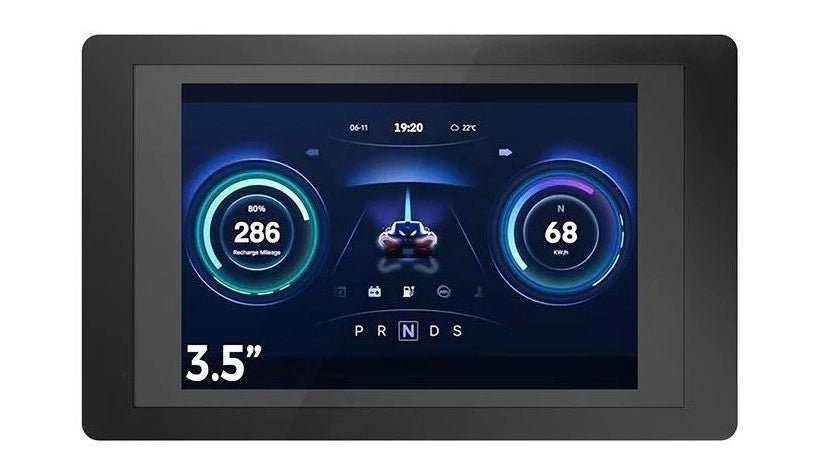
, von Johan van den Brande ESP32 Terminal (Review)
Das Elecrow ESP32 Terminal ist ein ESP32-S3 betriebenes mobiles Gerät mit einem 3,5 Zoll 480 × 320 TFT kapazitiven Touchdisplay und einer Vielzahl von Anwendungsmöglichkeiten....
-
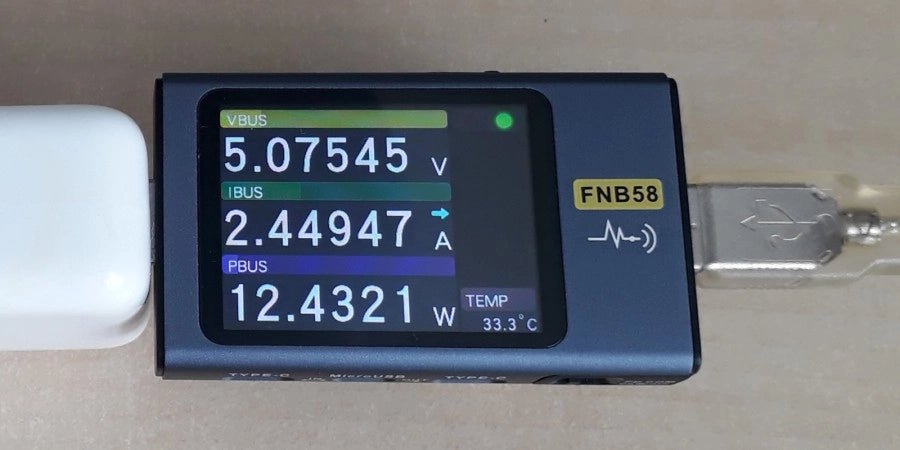
, von Jean-François Simon Fnirsi FNB58 USB-Tester (Review)
Der Fnirsi FNB58 ist ein vielseitiger USB-Tester für Spannungs-, Strom- und Energiemessungen mit vielen fortschrittlichen Funktionen. Probieren wir ihn aus!
