
Suchergebnisse für "pimoroni OR maker OR essentials OR 50 OR colorful OR leds OR resistors"
-

Pimoroni Pimoroni Pirate Audio: Kopfhörerverstärker für Raspberry Pi
Mit dem Pirate Audio Headphone Amp können Sie eine kompakte, tragbare Wiedergabeeinheit für lokale Audiodateien (MP3, FLAC usw.) oder zum Streamen von Musikdiensten wie Spotify erstellen. Um Ihnen den Einstieg zu erleichtern, hat Pimoroni Plugins für Mopidy entwickelt, mit denen Sie wunderschöne Albumcover anzeigen, Ihre Titel abspielen/pausieren und die Lautstärke anpassen können. Der DAC und der Kopfhörerverstärker liefern Ihnen kristallklaren, digital verstärkten Sound über Ihre verkabelten Kopfhörer. Pirate Audio ist eine Reihe von All-in-One-Audio-Boards für Raspberry Pi mit hochwertigem digitalen Audio, einem gestochen scharfen IPS-Display für Albumcover, taktilen Tasten für die Wiedergabesteuerung und einer benutzerdefinierten Pirate Audio Software und Installationsprogramm, um die Einrichtung zum Kinderspiel zu machen. Features Verstärktes digitales Audio (24-Bit / 192 kHz) über I2S PAM8908 Kopfhörerverstärker-Chip Low-Gain / High-Gain-Schalter (High-Gain erhöht um 12 dB) PCM5100A DAC-Chip 3,5-mm-Stereobuchse 1,3-Zoll-IPS-Farb-LCD (240x240px) (ST7789 Treiber) Vier taktilen Tasten Mini HAT-Formatplatine Vollständig montiert Kompatibel mit allen Raspberry Pi-Modellen mit 40-Pin-Header Abmessungen: 65x30,5x9,5 mm Software Die Pirate Audio Software und das Installationsprogramm installieren die Python-Bibliothek für das LCD, konfigurieren den I2S-Audio- und SPI-Bus und installieren anschließend Mopidy und die benutzerdefinierten Pirate Audio-Plugins, um Albumcover und Titelinformationen anzuzeigen und die Tasten zur Wiedergabesteuerung zu verwenden. So starten Sie: Erstellen Sie eine SD-Karte mit der neuesten Version von Raspberry Pi OS. Verbinden Sie sich mit Wi-Fi oder einem kabelgebundenen Netzwerk. Öffnen Sie ein Terminal und geben Sie Folgendes ein:git clone https://github.com/pimoroni/pirate-audiocd pirate-audio/mopidysudo ./install.sh Starten Sie Ihren Pi neu Downloads PAM8908 Datenblatt PCM5100A Datenblatt Pirate Audio Software
€ 26,95€ 17,95
Mitglieder identisch
-
Pimoroni Pimoroni Raspberry Pi Pico Breakout Garten Basis
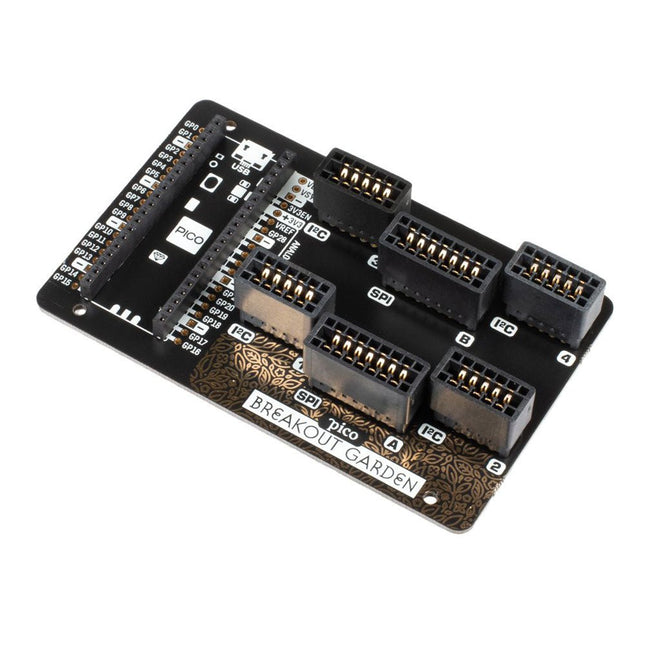
Die Pico Breakout Garden Base befindet sich unter Ihrem Pico und ermöglicht den Anschluss von bis zu sechs unserer umfangreichen Auswahl an Pimoroni-Breakouts. Sei es Umgebungssensoren, mit denen Sie die Temperatur und Luftfeuchtigkeit in Ihrem Büro im Auge behalten, eine ganze Reihe kleiner Bildschirme für wichtige Benachrichtigungen und Anzeigen und natürlich LEDs. Scrollen Sie nach unten für eine Liste der Breakouts, die derzeit mit unseren C++/MicroPython-Bibliotheken kompatibel sind! Neben einem beschrifteten Landebereich für Ihren Pico gibt es auch einen vollständigen Satz herausgebrochener Pico-Anschlüsse für den Fall, dass Sie noch mehr Sensoren, Kabel und Schaltkreise anschließen müssen. Wir haben einige Gummifüße eingebaut, um die Basis schön stabil zu halten und zu verhindern, dass sie Ihren Schreibtisch zerkratzt, oder es gibt M2,5-Befestigungslöcher an den Ecken, damit Sie sie bei Bedarf auf einer festen Oberfläche festschrauben können. Bei den sechs stabilen schwarzen Steckplätzen handelt es sich um Kantenverbinder, die die Breakouts mit den Pins Ihres Pico verbinden. Es gibt zwei Steckplätze für SPI-Breakouts und vier Steckplätze für I²C-Breakouts. Da es sich bei I²C um einen Bus handelt, können Sie mehrere I²C-Geräte gleichzeitig verwenden, vorausgesetzt, sie haben nicht die gleiche I²C-Adresse (wir haben dafür gesorgt, dass alle unsere Breakouts unterschiedliche Adressen haben, und wir drucken sie auf der Rückseite auf). die Ausbrüche, damit sie leicht zu finden sind). Breakout Garden ist nicht nur eine praktische Möglichkeit, Ihrem Pico Funktionalität hinzuzufügen, sondern ist auch sehr nützlich für Prototyping-Projekte, ohne dass komplizierte Verkabelungen, Lötarbeiten oder Steckbretter erforderlich sind, und Sie können Ihr Setup jederzeit erweitern oder ändern. Merkmale Sechs stabile Kantensteckplätze für Breakouts 4x I²C-Steckplätze (5 Pins) 2x SPI-Steckplatz (7 Pins) Landebereich mit Buchsenleisten für Raspberry Pi Pico 0,1-Zoll-Raster, 5- oder 7-polige Steckverbinder Ausgebrochene Stifte Verpolungsschutz (in Breakouts integriert) Zu 99 % montiert – nur noch die Füße aufkleben! Kompatibel mit Raspberry Pi Pico
€ 17,95€ 7,18
Mitglieder identisch
-
Pimoroni Pimoroni Breakout Garden für Raspberry Pi (I²C)
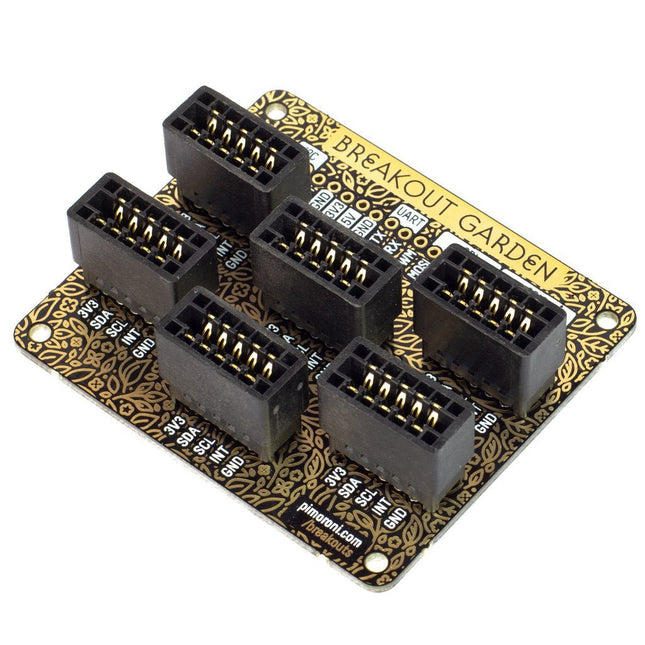
Dank seiner sechs stabilen Steckplätze ermöglicht Breakout Garden den Benutzern das einfache Plug-and-Play mit verschiedenen kleinen Breakout-Boards. Stecken Sie einfach ein oder mehrere Boards in die Steckplätze im Breakout Garden HAT und schon kann es losgehen. Die Mini-Breakouts fühlen sich in den Edge-Connector-Steckplätzen sicher genug an und es ist sehr unwahrscheinlich, dass sie herausfallen. An der Oberseite des Breakout Garden befinden sich eine Reihe nützlicher Pins, mit denen Sie andere Geräte anschließen und in Ihr Projekt integrieren können. Dank des Verpolungsschutzes müssen Sie sich keine Sorgen machen, wenn Sie eine Platine falsch herum einsetzen. Es spielt auch keine Rolle, welchen Steckplatz Sie für jeden Breakout verwenden, da die I²C-Adresse des Breakouts von der Software erkannt wird und diese korrekt erkennt, falls Sie sie verschieben. Merkmale Sechs stabile Kantensteckplätze für Pimoroni-Breakouts 0,1-Zoll-Raster, 5-polige Anschlüsse Ausgebrochene Stifte (1 × 10 Streifen- oder Stiftleiste im Lieferumfang enthalten) Im Lieferumfang sind Abstandshalter (M2,5, 10 mm Höhe) enthalten, um Ihren Breakout Garden sicher zu halten Verpolungsschutz (in Breakouts integriert) Platine im HAT-Format Kompatibel mit Raspberry Pi 3 B+, 3, 2, B+, A+, Zero und Zero W Es wird empfohlen, die mitgelieferten Abstandshalter zu verwenden, um Breakout Garden an Ihrem Raspberry Pi zu befestigen. Software Breakout Garden erfordert keine eigene Software, aber jeder von Ihnen verwendete Breakout benötigt eine Python-Bibliothek. Auf der Breakout Garden GitHub-Seite finden Sie ein automatisches Installationsprogramm, das die entsprechende Software für einen bestimmten Breakout installiert. Es gibt auch einige Beispiele, die Ihnen zeigen, was Sie sonst noch mit Breakout Garden machen können.
€ 19,95€ 7,98
Mitglieder identisch
-

Cytron Cytron Maker Line Sensor
Maker Line ist ein Zeilensensor mit einem Array aus 5 IR-Sensoren, der Linien mit einer Breite von 13 mm bis 30 mm verfolgen kann. Auch die Sensorkalibrierung wird vereinfacht. Es ist nicht mehr nötig, das Potentiometer für jeden einzelnen IR-Sensor einzustellen. Sie müssen nur die Kalibrierungstaste 2 Sekunden lang drücken, um in den Kalibrierungsmodus zu wechseln. Anschließend müssen Sie das Sensorarray über die Linie bewegen, die Taste erneut drücken und schon kann es losgehen. Die Kalibrierungsdaten werden im EEPROM gespeichert und bleiben auch nach dem Ausschalten des Sensors erhalten. Die Kalibrierung muss daher nur einmal durchgeführt werden, es sei denn, die Sensorhöhe, Linienfarbe oder Hintergrundfarbe hat sich geändert. Maker Line unterstützt auch zwei Ausgänge: 5 x digitale Ausgänge für den Zustand jedes Sensors unabhängig voneinander, was einem herkömmlichen IR-Sensor ähnelt, aber Sie profitieren von der einfachen Kalibrierung, und auch ein analoger Ausgang, dessen Spannung die Linienposition darstellt. Der analoge Ausgang bietet auch eine höhere Auflösung im Vergleich zu einzelnen digitalen Ausgängen. Dies ist besonders nützlich, wenn beim Bau eines Linienverfolgungsroboters mit PID-Steuerung eine hohe Genauigkeit erforderlich ist. Features Betriebsspannung: DC 3,3 V und 5 V kompatibel (mit Verpolungsschutz) Empfohlene Linienbreite: 13 mm bis 30 mm Wählbare Linienfarbe (hell oder dunkel) Erfassungsabstand (Höhe): 4 mm bis 40 mm (Vcc = 5 V, schwarze Linie auf weißer Oberfläche) Sensor-Aktualisierungsrate: 200 Hz Einfacher Kalibrierungsprozess Duale Ausgabetypen: 5 x digitale Ausgänge repräsentieren jeden IR-Sensorstatus, 1 x analoger Ausgang repräsentiert die Zeilenposition. Unterstützt eine breite Palette von Controllern wie Arduino, Raspberry Pi usw. Downloads Datenblatt Tutorial: Einen kostengünstigen Linienverfolgungsroboter bauen
€ 14,95€ 5,98
Mitglieder identisch
-

Elektor Publishing LTspice Essentials
An Introduction to Circuit Simulation LTspice, developed by Analog Devices, is a powerful, fast, and free SPICE simulator, schematic capture, and waveform viewer with a large database of components supported by SPICE models from all over the world. Drawing a schematic in LTspice is easy and fast. Thanks to its powerful graphing features, you can visualize the voltages and currents in a circuit, and also the power consumption of its components and much more. This book is about learning to design and simulate electronic circuits using LTspice. Among others, the following topics are treated: DC and AC circuits Signal diodes and Zener diodes Transistor circuits including oscillators Thyristor/SCR, diac, and triac circuits Operational amplifier circuits including oscillators The 555 timer IC Filters Voltage regulators Optocouplers Waveform generation Digital logic simulation including the 74HC family SPICE modeling LTspice is a powerful electronic circuit simulation tool with many features and possibilities. Covering them all in detail is not possible in a book of this size. Therefore, this book presents the most common topics like DC and AC circuit analysis, parameter sweeping, transfer functions, oscillators, graphing, etc. Although this book is an introduction to LTspice, it covers most topics of interest to people engaged in electronic circuit simulation. The book is aimed at electronic/electrical engineers, students, teachers, and hobbyists. Many tested simulation examples are given in the book. Readers do not need to have any computer programming skills, but it will help if they are familiar with basic electronic circuit design and operation principles. Readers who want to dive deeper can find many detailed tutorials, articles, videos, design files, and SPICE circuit models on the Internet. All the simulation examples used in the book are available as files at the webpage of this book. Readers can use these example circuits for learning or modify them for their own applications.
€ 39,95
Mitglieder € 35,96
-
Elektor Publishing Raspberry Pi 5 Essentials
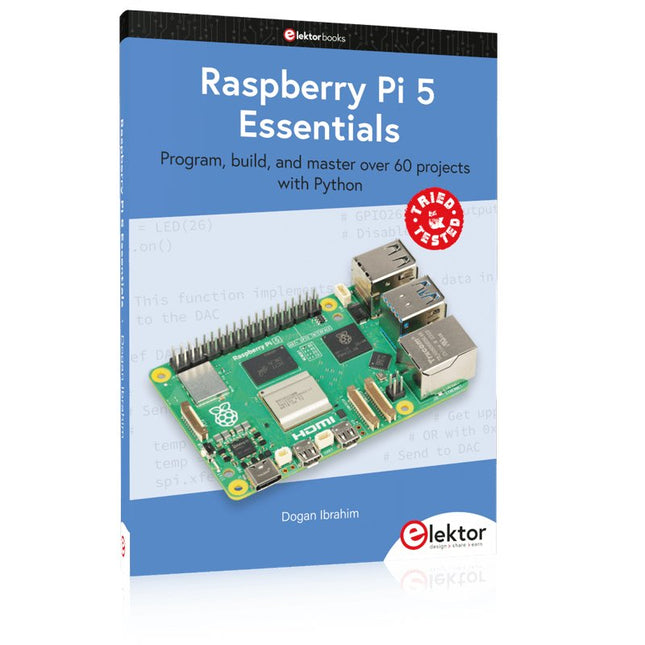
Program, build, and master over 60 projects with Python The Raspberry Pi 5 is the latest single-board computer from the Raspberry Pi Foundation. It can be used in many applications, such as in audio and video media centers, as a desktop computer, in industrial controllers, robotics, and in many domestic and commercial applications. In addition to the well-established features found in other Raspberry Pi computers, the Raspberry Pi 5 offers Wi-Fi and Bluetooth (classic and BLE), which makes it a perfect match for IoT as well as in remote and Internet-based control and monitoring applications. It is now possible to develop many real-time projects such as audio digital signal processing, real-time digital filtering, real-time digital control and monitoring, and many other real-time operations using this tiny powerhouse. The book starts with an introduction to the Raspberry Pi 5 computer and covers the important topics of accessing the computer locally and remotely. Use of the console language commands as well as accessing and using the desktop GUI are described with working examples. The remaining parts of the book cover many Raspberry Pi 5-based hardware projects using components and devices such as LEDs and buzzers LCDs Ultrasonic sensors Temperature and atmospheric pressure sensors The Sense HAT Camera modules Example projects are given using Wi-Fi and Bluetooth modules to send and receive data from smartphones and PCs, and sending real-time temperature and atmospheric pressure data to the cloud. All projects given in the book have been fully tested for correct operation. Only basic programming and electronics experience are required to follow the projects. Brief descriptions, block diagrams, detailed circuit diagrams, and full Python program listings are given for all projects described.
€ 39,95
Mitglieder € 35,96
-

Elektor Digital LTspice Essentials (E-book)
An Introduction to Circuit Simulation LTspice, developed by Analog Devices, is a powerful, fast, and free SPICE simulator, schematic capture, and waveform viewer with a large database of components supported by SPICE models from all over the world. Drawing a schematic in LTspice is easy and fast. Thanks to its powerful graphing features, you can visualize the voltages and currents in a circuit, and also the power consumption of its components and much more. This book is about learning to design and simulate electronic circuits using LTspice. Among others, the following topics are treated: DC and AC circuits Signal diodes and Zener diodes Transistor circuits including oscillators Thyristor/SCR, diac, and triac circuits Operational amplifier circuits including oscillators The 555 timer IC Filters Voltage regulators Optocouplers Waveform generation Digital logic simulation including the 74HC family SPICE modeling LTspice is a powerful electronic circuit simulation tool with many features and possibilities. Covering them all in detail is not possible in a book of this size. Therefore, this book presents the most common topics like DC and AC circuit analysis, parameter sweeping, transfer functions, oscillators, graphing, etc. Although this book is an introduction to LTspice, it covers most topics of interest to people engaged in electronic circuit simulation. The book is aimed at electronic/electrical engineers, students, teachers, and hobbyists. Many tested simulation examples are given in the book. Readers do not need to have any computer programming skills, but it will help if they are familiar with basic electronic circuit design and operation principles. Readers who want to dive deeper can find many detailed tutorials, articles, videos, design files, and SPICE circuit models on the Internet. All the simulation examples used in the book are available as files at the webpage of this book. Readers can use these example circuits for learning or modify them for their own applications.
€ 32,95
Mitglieder € 26,36
-
Elektor Digital LEDs 4 (PDF)
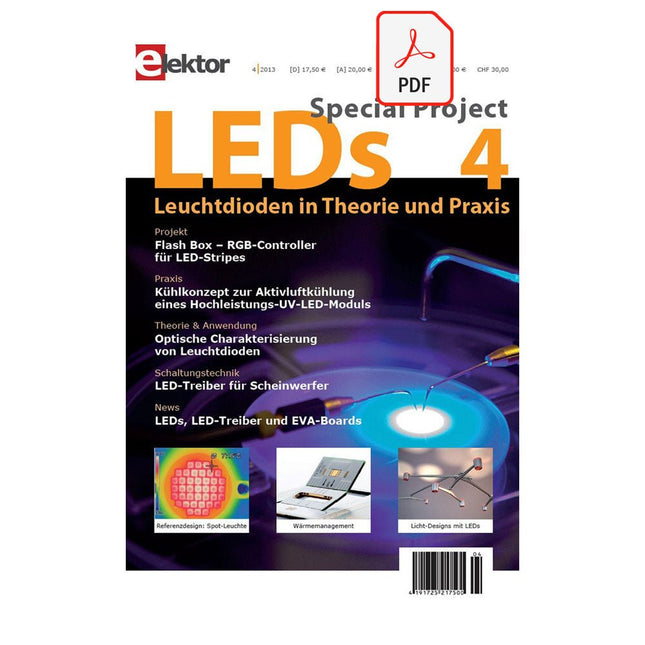
Inhalt Praxis Flash Box – Projekt: RGB-Controller für LED-Stripes LED-Module für Spot-Leuchten à la Zhaga – Referenzdesign: Zhaga-kompatibles LED-Modul auf Basis der Cree XLamp XB-D LUVLED II – Optimierung eines Kühlkonzeptes zur Aktivluftkühlung eines Hochleistungs-UV-LED-Moduls Lumen-Pumpe – HB-LEDs für Niedervolt-Systeme mit Li-Ion-Batterien Bei Licht besehen – Licht-Design mit LEDs Qualitätssicherung – Optische Charakterisierung von Leuchtdioden LED-Treiber für Scheinwerfer – Synchroner Buck-Boost-Schaltregler für LED-Frontscheinwerfer Theorie & Anwendung LEDs am TRIAC-Dimmer – LED-Treiber für isolierte Offline-LED-Beleuchtungen ohne Optokoppler Kalte Platte – Platinentechnik ermöglicht effizientes Wärmemanagement und mehrdimensionale LED-Lichtgestaltung Abweichler – Kolorimetrie und Binning-Grundlagen Info Marktübersicht – LED-Hersteller, LED-Treiber-Hersteller Licht mit LEDs: kreatives Leuchten-Design Plädoyer für LED-Arrays – Multichip-LED-Module für ein flexibleres Leuchtendesign Zugeschnittene Lichtleistung – Optogan X10 Chip-on-Board-System Mid-Power LEDs im Aufwind – Trends bei Seoul Semiconductor für LEDs der Allgemeinbeleuchtung Aktuell – Treiber, LEDs, Entwicklungs-Boards
€ 17,50
Mitglieder € 15,75
-
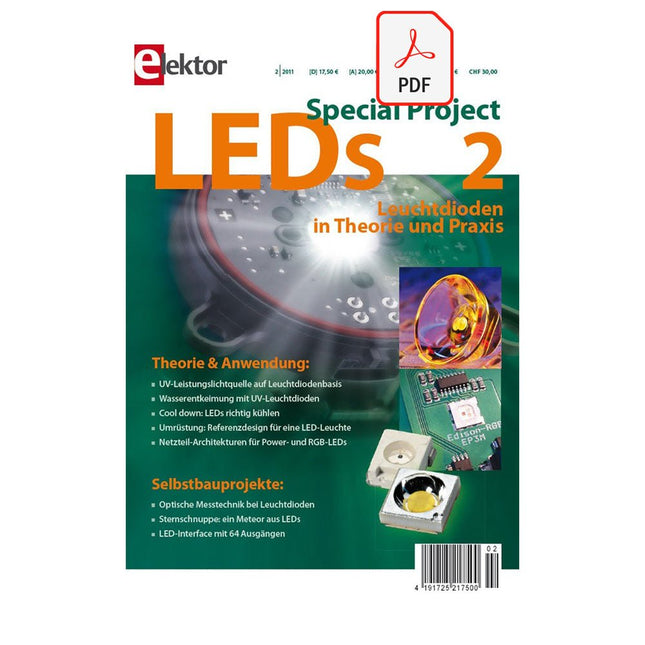
Elektor Digital LEDs 2 (PDF)
Inhalt: Theorie & Anwendung UV-Leistungslichtquelle auf Leuchtdiodenbasis Wasserentkeimung mit UV-Leuchtdioden Cool down: LEDs richtig kühlen Umrüstung: Referenzdesign für eine LED-Leuchte Netzteil-Architekturen für Power- und RGB-LEDs Selbstbauprojekte Optische Messtechnik bei Leuchtdioden Sternschnuppe: ein Meteor aus LEDs LED-Interface mit 64 Ausgängen
€ 17,50
Mitglieder € 15,75
-

Elektor Publishing FPGA Programming and Hardware Essentials
Kick off with the MAX1000 and VHDPlus Ready to Master FPGA Programming? In this guide, we’re diving into the world of Field Programmable Gate Arrays (FPGAs) – a configurable integrated circuit that can be programmed after manufacturing. Imagine bringing your ideas to life, from simple projects to complete microcontroller systems! Meet the MAX1000: a compact and budget-friendly FPGA development board packed with features like memory, user LEDs, push-buttons, and flexible I/O ports. It’s the ideal starting point for anyone wanting to learn about FPGAs and Hardware Description Languages (HDLs). In this book, you’ll get hands-on with the VHDPlus programming language – a simpler version of VHDL. We’ll work on practical projects using the MAX1000, helping you gain the skills and confidence to unleash your creativity. Get ready for an exciting journey! You’ll explore a variety of projects that highlight the true power of FPGAs. Let’s turn your ideas into reality and embark on your FPGA adventure – your journey starts now! Exciting Projects You’ll Find in This Book Arduino-Driven BCD to 7-Segment Display Decoder Use an Arduino Uno R4 to supply BCD data to the decoder, counting from 0 to 9 with a one-second delay Multiplexed 4-Digit Event Counter Create an event counter that displays the total count on a 4-digit display, incrementing with each button press PWM Waveform with Fixed Duty Cycle Generate a PWM waveform at 1 kHz with a fixed duty cycle of 50% Ultrasonic Distance Measurement Measure distances using an ultrasonic sensor, displaying the results on a 4-digit 7-segment LED Electronic Lock Build a simple electronic lock using combinational logic gates with push buttons and an LED output Temperature Sensor Monitor ambient temperature with a TMP36 sensor and display the readings on a 7-segment LED Downloads Software
€ 39,95
Mitglieder € 35,96
-
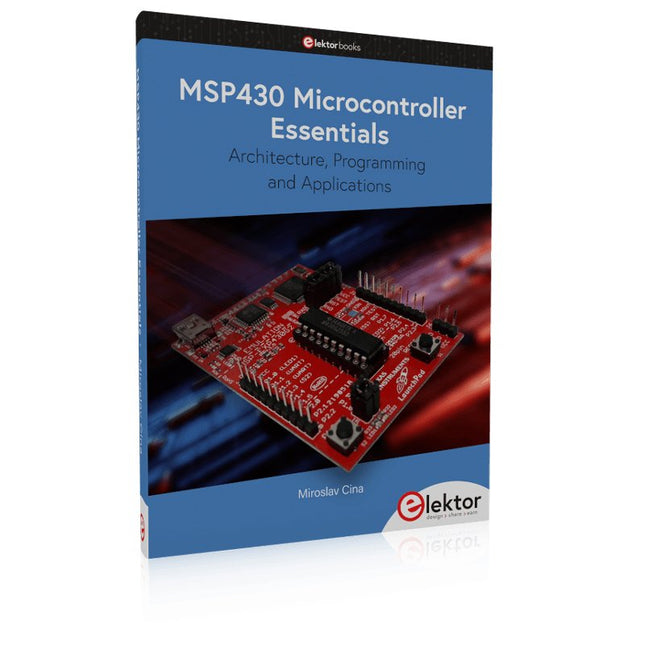
Elektor Publishing MSP430 Microcontroller Essentials
Architecture, Programming and Applications The MSP430 is a popular family of microcontrollers from Texas Instruments. In this book we will work with the smallest type, which is the powerful MSP430G2553. We will look at the capabilities of this microcontroller in detail, as it is well-suited for self-made projects because it is available in a P-DIP20 package. We will take a closer look at the microcontroller and then build, step by step, some interesting applications, including a 'Hello World' blinking LED and a nice clock application, which can calculate the day of the week based on the date. You also will learn how to create code for the MSP microcontroller in assembler. In addition to that, we will work with the MSP-Arduino IDE, which makes it quite easy to create fast applications without special in-depth knowledge of the microcontrollers. All the code used in the book is available for download from the Elektor website.
€ 39,95
Mitglieder € 35,96
-
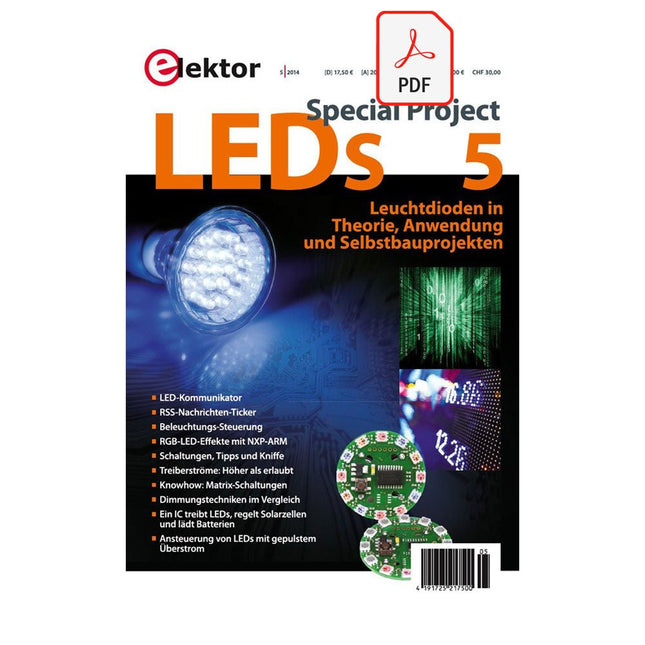
Elektor Digital LEDs 5 (PDF)
Inhalt Praxis LED-KommunikatorDesign-Studie: Verwendung von handelsüblichen LEDs zur bidirektionalen Kommunikation Nachrichten-Ticker Bau eines Internet-News-Tickers ALS es Licht wurde Controller steuert Beleuchtungseinrichtungen nach Umgebungshelligkeit und Uhrzeit BULI - Button-Lichtspiele Effekte mit LED2812 und Cortex-M0+ Theorie & Anwendung DesignCorner: Schaltungen, Tipps und Kniffe- Posistor gegen den Hitzetod- High-Brightness-LEDs an Niedervolt-Stromversorgungen betreiben- Derating mit PTC-Thermistoren in LED-Treiberschaltungen- Der Umgang mit LED-Strings- LED-Treiber für unterschiedliche Wandler-Topologien- LED-Konstantstromtreiber in Schaltreglertechnik Grenzen überschreiten Ansteuerung von LEDs mit gepulstem Überstrom Ansteuerung von LED-Matrixschaltungen MultitalentController treibt LEDs, regelt Solarzellen und lädt Batterien Dimmungstechniken für LEDs Info OLED – Die FlächenlichtquelleZum Entwicklungsstand der organischen Leuchtdiode 400 LED-Lampen auf dem Prüfstand Über dem LimitLEDs mit höheren Treiberströmen ansteuern AktuellNeue LEDs, LED-Lampen, Treiber, Netzteile, Zubehör und Entwicklungs-Tools
€ 17,50
Mitglieder € 15,75


