
Suchergebnisse für "hobby OR creek OR third OR hand"
-

Elektor Publishing Hands-on Microcontroller Course for Advanced Arduino Users
32 new Projects, Practical Examples and Exercises with the Elektor Arduino Nano MCCAB Training Board Electronics and microcontroller technology offer the opportunity to be creative. This practical microcontroller course provides you with the chance to bring your own Arduino projects and experience such moments of success. Ideally, everything works as you imagined when you switch it on for the first time. In practice, however, things rarely work as expected. At that point, you need knowledge to efficiently search for and find the reason for the malfunction. In this book for advanced users, we delve deep into the world of microcontrollers and the Arduino IDE to learn new procedures and details, enabling you to successfully tackle and solve even more challenging situations. With this book, the author gives the reader the necessary tools to create projects independently and also to be able to find errors quickly. Instead of just offering ready-made solutions, he explains the background, the hardware used, and any tools required. He sets tasks in which the reader contributes their own creativity and writes the Arduino sketch themselves. If you don’t have a good idea and get stuck, there is, of course, a suggested solution for every project and every task, along with the corresponding software, which is commented on and explained in detail in the book. This practical course will teach you more about the inner workings of the Arduino Nano and its microcontroller. You will get to know hardware modules that you can use to realize new and interesting projects. You will familiarize yourself with software methods such as ‘state machines,’ which can often be used to solve problems more easily and clearly. The numerous practical projects and exercise sketches are once again realized on the Arduino Nano MCCAB Training Board, which you may already be familiar with from the course book ‘Microcontrollers Hands-on Course for Arduino Starters’, and which contains all the hardware peripherals and operating elements we need for the input/output operations of our sketches. Readers who do not yet own the Arduino Nano MCCAB Training Board can purchase the required hardware separately, or alternatively, build it on a breadboard.
€ 49,95
Mitglieder: € 44,96
-

Elektor Digital SDR Hands-on Book (E-book)
The short-wave technique has a very particular appeal: It can easily bridge long distances. By reflecting short-wave signals off the conductive layers of the ionosphere, they can be received in places beyond the horizon and therefore can reach anywhere on earth. Although technology is striving for ever higher frequencies, and radio is usually listened to on FM, DAB+, satellite or the Internet, modern means of transmission require extensive infrastructure and are extremely vulnerable. In the event of a global power outage, there is nothing more important than the short-wave. Amateur radio is not only a hobby, it’s also an emergency radio system! Elektor’s SDR-Shield is a versatile shortwave receiver up to 30 MHz. Using an Arduino and the appropriate software, radio stations, morse signals, SSB stations, and digital signals can be received. In this book, successful author and enthusiastic radio amateur, Burkhard Kainka describes the modern practice of software defined radio using the Elektor SDR Shield. He not only imparts a theoretical background but also explains numerous open source software tools.
€ 29,95
Mitglieder: € 23,96
-
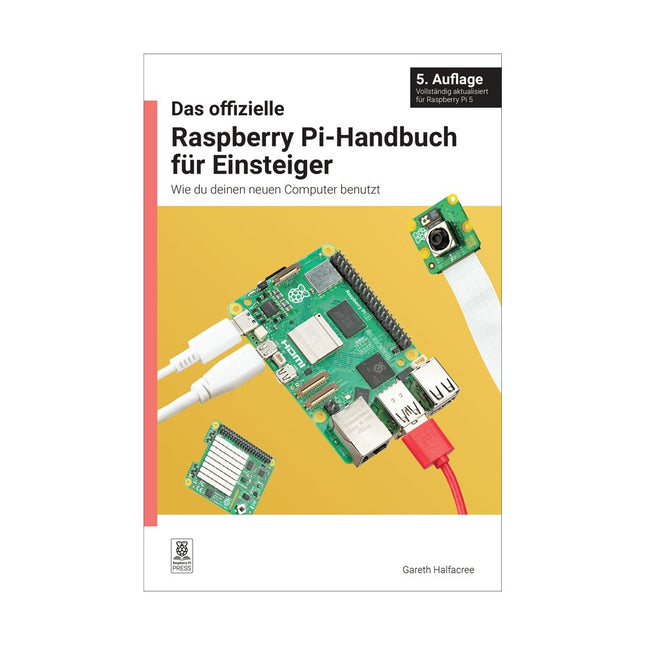
Raspberry Pi Foundation Das offizielle Raspberry Pi-Handbuch für Einsteiger (5. Auflage)
Vollständiger Treiber für Raspberry Pi 5 Raspberry Pi ist ein kleiner, intelligenterer, in Großbritannien hergestellter Computer, der volles Potenzial steckt. Der Raspberry Pi basiert auf einem energieeffizienten Prozessor der Desktop-Klasse und soll Ihnen dabei helfen, das Programmieren zu lernen, herauszufinden, wie ein Computer funktioniert, und Ihre eigenen erstaunlichen Dinge zu bauen. Dieses Buch wurde geschrieben, um Ihnen zu zeigen, wie einfach der Einstieg ist. Lernen Sie, wie Sie: Richten Sie Ihren Raspberry Pi ein, installieren Sie sein Betriebssystem und beginnen Sie mit der Nutzung dieses voll funktionsfähigen Computers. Starten Sie Codierungsprojekte mit Schritt-für-Schritt-Anleitungen für die Programmiersprachen Scratch 3, Python und MicroPython. Experimentieren Sie mit der Verbindung elektronischer Komponenten und haben Sie Spaß beim Erstellen erstaunlicher Projekte. Neu in der 5. Auflage: Aktualisiert für die neuesten Raspberry Pi-Computer: Raspberry Pi 5 und Raspberry Pi Zero 2 W. Deckt das neueste Raspberry Pi-Betriebssystem ab. Enthält ein neues Kapitel über den Raspberry Pi Pico. Downloads GitHub
€ 24,95€ 9,98
Bestpreis
-
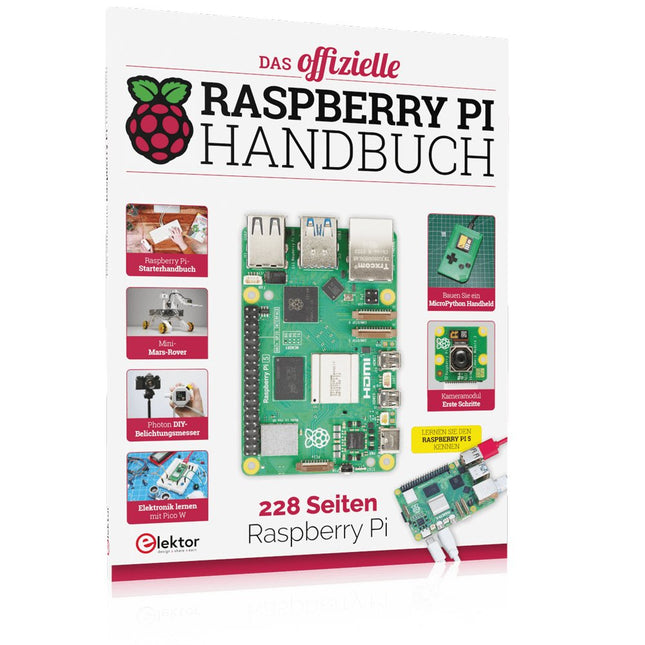
Elektor Publishing Das offizielle Raspberry Pi Handbuch
Von den Machern von MagPi, dem offiziellen Raspberry Pi Magazin Starten Sie jetzt mit dem Raspberry Pi 5, dem neuesten und besten Minicomputer von Raspberry Pi – und lernen Sie, mit diesem unglaublichen Computer zu programmieren und Projekte zu erstellen. In diesem Buch finden Sie außerdem jede Menge kreative Ideen und Tipps, die Sie mit dem Raspberry Pi 4, dem Raspberry Pi Zero 2 W und dem Raspberry Pi Pico W umsetzen können. Mit den neuesten Reviews, Tutorials, Projekten, Anleitungen und mehr ist dies Ihre ultimative Ressource für den Raspberry Pi! 228 Seiten über Raspberry Pi Alles, was Sie über den Raspberry Pi 5 wissen müssen Erste Schritte für jeden Raspberry Pi Viel Spaß mit Elektronik und dem Pico W Inspirierende Projekte für Ihre nächste Bauidee Lernen Sie MicroPython, indem Sie ein Handheld bauen Erste Schritte mit dem Raspberry Pi Kamera Modul Künstliche Intelligenz: Bauen Sie Ihren eigenen GPT Chatbot
€ 34,80
Bestpreis
-
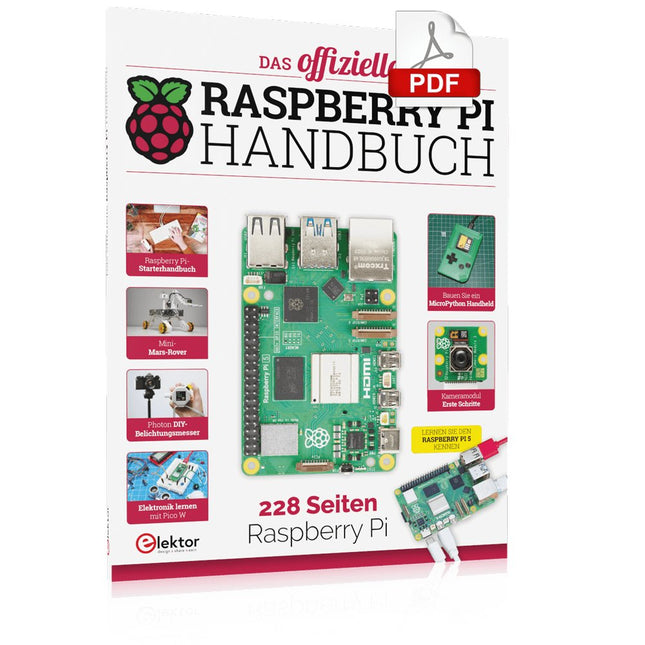
Elektor Digital Das offizielle Raspberry Pi Handbuch (PDF)
Von den Machern von MagPi, dem offiziellen Raspberry Pi Magazin Starten Sie jetzt mit dem Raspberry Pi 5, dem neuesten und besten Minicomputer von Raspberry Pi – und lernen Sie, mit diesem unglaublichen Computer zu programmieren und Projekte zu erstellen. In diesem Buch finden Sie außerdem jede Menge kreative Ideen und Tipps, die Sie mit dem Raspberry Pi 4, dem Raspberry Pi Zero 2 W und dem Raspberry Pi Pico W umsetzen können. Mit den neuesten Reviews, Tutorials, Projekten, Anleitungen und mehr ist dies Ihre ultimative Ressource für den Raspberry Pi! 228 Seiten über Raspberry Pi Alles, was Sie über den Raspberry Pi 5 wissen müssen Erste Schritte für jeden Raspberry Pi Viel Spaß mit Elektronik und dem Pico W Inspirierende Projekte für Ihre nächste Bauidee Lernen Sie MicroPython, indem Sie ein Handheld bauen Erste Schritte mit dem Raspberry Pi Kamera Modul Künstliche Intelligenz: Bauen Sie Ihren eigenen GPT Chatbot
€ 29,80
Mitglieder: € 23,84
-
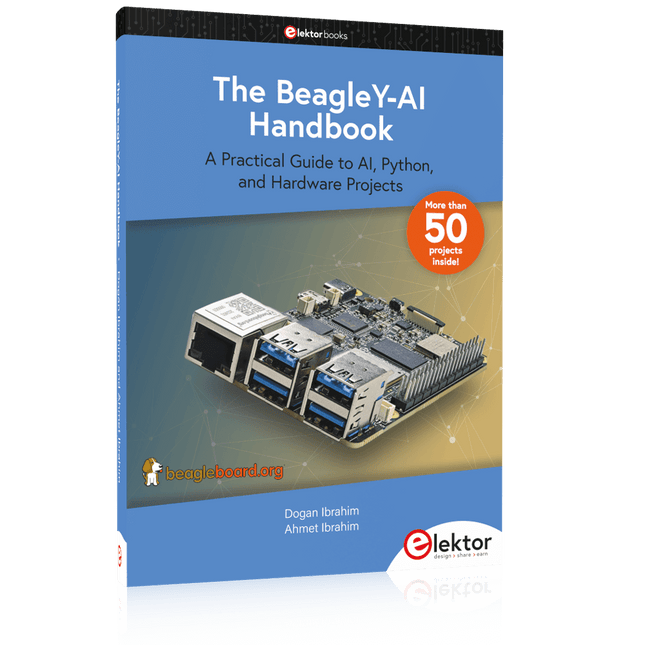
Elektor Publishing The BeagleY-AI Handbook
A Practical Guide to AI, Python, and Hardware Projects Welcome to your BeagleY-AI journey! This compact, powerful, and affordable single-board computer is perfect for developers and hobbyists. With its dedicated 4 TOPS AI co-processor and a 1.4 GHz Quad-core Cortex-A53 CPU, the BeagleY-AI is equipped to handle both AI applications and real-time I/O tasks. Powered by the Texas Instruments AM67A processor, it offers DSPs, a 3D graphics unit, and video accelerators. Inside this handbook, you‘ll find over 50 hands-on projects that cover a wide range of topics—from basic circuits with LEDs and sensors to an AI-driven project. Each project is written in Python 3 and includes detailed explanations and full program listings to guide you. Whether you‘re a beginner or more advanced, you can follow these projects as they are or modify them to fit your own creative ideas. Here’s a glimpse of some exciting projects included in this handbook: Morse Code Exerciser with LED or BuzzerType a message and watch it come to life as an LED or buzzer translates your text into Morse code. Ultrasonic Distance MeasurementUse an ultrasonic sensor to measure distances and display the result in real time. Environmental Data Display & VisualizationCollect temperature, pressure, and humidity readings from the BME280 sensor, and display or plot them on a graphical interface. SPI – Voltmeter with ADCLearn how to measure voltage using an external ADC and display the results on your BeagleY-AI. GPS Coordinates DisplayTrack your location with a GPS module and view geographic coordinates on your screen. BeagleY-AI and Raspberry Pi 4 CommunicationDiscover how to make your BeagleY-AI and Raspberry Pi communicate over a serial link and exchange data. AI-Driven Object Detection with TensorFlow LiteSet up and run an object detection model using TensorFlow Lite on the BeagleY-AI platform, with complete hardware and software details provided.
€ 44,95
Mitglieder: € 40,46
-

Elektor Digital The BeagleY-AI Handbook (E-book)
A Practical Guide to AI, Python, and Hardware Projects Welcome to your BeagleY-AI journey! This compact, powerful, and affordable single-board computer is perfect for developers and hobbyists. With its dedicated 4 TOPS AI co-processor and a 1.4 GHz Quad-core Cortex-A53 CPU, the BeagleY-AI is equipped to handle both AI applications and real-time I/O tasks. Powered by the Texas Instruments AM67A processor, it offers DSPs, a 3D graphics unit, and video accelerators. Inside this handbook, you‘ll find over 50 hands-on projects that cover a wide range of topics—from basic circuits with LEDs and sensors to an AI-driven project. Each project is written in Python 3 and includes detailed explanations and full program listings to guide you. Whether you‘re a beginner or more advanced, you can follow these projects as they are or modify them to fit your own creative ideas. Here’s a glimpse of some exciting projects included in this handbook: Morse Code Exerciser with LED or BuzzerType a message and watch it come to life as an LED or buzzer translates your text into Morse code. Ultrasonic Distance MeasurementUse an ultrasonic sensor to measure distances and display the result in real time. Environmental Data Display & VisualizationCollect temperature, pressure, and humidity readings from the BME280 sensor, and display or plot them on a graphical interface. SPI – Voltmeter with ADCLearn how to measure voltage using an external ADC and display the results on your BeagleY-AI. GPS Coordinates DisplayTrack your location with a GPS module and view geographic coordinates on your screen. BeagleY-AI and Raspberry Pi 4 CommunicationDiscover how to make your BeagleY-AI and Raspberry Pi communicate over a serial link and exchange data. AI-Driven Object Detection with TensorFlow LiteSet up and run an object detection model using TensorFlow Lite on the BeagleY-AI platform, with complete hardware and software details provided.
€ 34,95
Mitglieder: € 27,96
-

Elektor Digital Das offizielle ESP32-Handbuch (PDF)
Die chinesische Firma Espressif Systems hat den neuen Mikrocontroller ESP32 entwickelt, das Nachfolgemodell des ESP8266-WiFi-Chips. Zusätzlich zu allen ESP8266-Funktionen stellt der ESP32 nun Bluetooth-Funk, einen größeren SRAM-Datenspeicher, mehr GPIOs, mehr Schnittstellen, einen Touch-Sensor, einen Temperatursensor, höhere CPU-Geschwindigkeit, einen CAN-Bus, ADCs mit höherer Auflösung, DACs und Sicherheitsfunktionen bereit. Der ESP32 ist Arduino-kompatibel. Dieses Buch ist eine Einführung in den ESP32-Prozessor und beschreibt die wichtigsten Hardware- und Software-Features dieses Chips. Das Hauptziel des Buches ist es, dem Leser zu vermitteln, wie man ESP32-Hard- und Software in praktischen Projekten einsetzt, vor allem durch Verwendung des hochmodernen ESP32-Entwicklungsboards. Im Buch sind viele einfache, grundlegende und weitere Projekte mittlerer Schwierigkeit auf Basis des Entwicklungsboards ESP32 DevKitC samt der beliebten Arduino-IDE und der Programmiersprache MicroPython enthalten. Die Projekte sind nach aufsteigender Komplexität organisiert.
€ 32,80
Mitglieder: € 26,24
-

Sensepeek Sensepeek 6023 SQ350 (350 MHz Freihand-Oszilloskopsonde)
Die Freihandsonden der SQ-Serie von Sensepeek haben einen niedrigeren Schwerpunkt, was sie im Vergleich zur ursprünglichen Freihandsonde der SP-Serie noch stabiler macht. Alle Sonden der SQ-Serie sind außerdem isoliert und können wie jede herkömmliche Sonde in der Hand verwendet werden, ihr volles Potenzial wird jedoch bei freihändigen Messungen genutzt. Die Oszilloskopsonden der SQ-Serie umfassen außerdem mehr Erdungsoptionen, verfügen über einen Sondenspitzenschutz, ein längeres Kabel und unterstützen Oszilloskope mit automatischer Skalierung (10:1). Alle beliebten Funktionen der freihändigen Messung, der austauschbaren Prüfnadel mit feiner Gewindespitze und der farbcodierten Kabelhalter sowie des minimalistischen Designs bleiben erhalten und machen herkömmliche Handsonden überflüssig. Sowohl Länge als auch Gewicht der SQ-Sonden sind perfekt ausbalanciert für die Verwendung mit PCBite-PCB-Haltern und Grundplatten, die für die Freisprechfunktion unerlässlich sind. Features Passiver 10:1-Tastkopf mit Unterstützung für Oszilloskope mit automatischer Skalierung Gefederte Prüfnadel für Feinabstandsmessungen Mehrere Bodenoptionen Farbcodierte Kabelhalter Schutz der Sondenspitze Isoliert, kann in der Hand verwendet werden Verbesserter Sondenhalter für freihändige Messungen bei Verwendung mit PCBite-Leiterplattenhaltern Lieferumfang 1x SQ350 350 MHz Sonde mit federnder Prüfnadel 1x SQ-Sondenhalter für freihändige Messungen 1x Prüfhaken mit abnehmbaren Kabeln (5 cm und 10 cm) für bequemen Erdungsanschluss 1x Krokodilkabel für bequemen Erdungsanschluss 1x Standard-Erdungsfeder für Handmessungen bei Nennbandbreite 1x Einzigartige Erdungsfeder für völlig freihändige Messungen bei Nennbandbreite 1x Set farbcodierte Kabelhalter (4 Farben) 1x Tastspitzenschutz 1x Zusätzliche Prüfnadel Downloads Benutzerhandbuch SQXX0 Rev1.1
€ 105,91
-

Sensepeek Sensepeek 6024 SQ500 (500 MHz Freihand-Oszilloskopsonde)
Die SQ-Serie von handsfreien Sonden von Sensepeek hat aufgrund ihres niedrigeren Schwerpunkts eine noch höhere Stabilität im Vergleich zur ursprünglichen SP-Serie von handsfreien Sonden. Alle Sonden der SQ-Serie sind auch isoliert und können wie jede herkömmliche Sonde von Hand gehalten werden, aber ihr volles Potenzial wird bei handsfreier Messung genutzt. Die SQ-Serie von Oszilloskop-Sonden bietet auch mehr Erdungsoptionen, hat eine Probe-Spitzen-Schutzabdeckung, ein längeres Kabel und unterstützt Oszilloskope mit automatischer Skalierung (10:1). Alle beliebten Funktionen der handsfreien Messung, auswechselbare feinrastergefederte Testnadeln, farbcodierte Kabelhalter und das minimalistische Design bleiben erhalten, um herkömmliche und handgehaltene Sonden überflüssig zu machen. Sowohl die Länge als auch das Gewicht der SQ-Sonden sind perfekt ausbalanciert, um mit den PCBite-PCB-Haltern und der Basisplatte verwendet zu werden, die für die handsfreie Funktion unerlässlich sind. Features Passive 10:1-Sonde mit Unterstützung für Oszilloskope mit automatischer Skalierung Federbelastete Testnadel für Feinrastermessungen Mehrere Erdungsoptionen Farbcodierte Kabelhalter Probe-Spitzen-Schutzabdeckung Isoliert, kann von Hand gehalten werden Verbesserter Sondenhalter für handsfreie Messungen bei Verwendung von PCBite-PCB-Haltern Lieferumfang 1x SQ500 500 MHz Sonde mit gefederter Testnadel 1x SQ-Sondenhalter für handsfreie Messungen 1x Testhaken mit abnehmbaren Kabeln (5 cm & 10 cm) für eine bequeme Erdungsverbindung 1x Alligator-Kabel für eine bequeme Erdungsverbindung 1x Standard-Erdungsfeder für handgehaltene Messungen bei Nennbandbreite 1x Einzigartige Erdungsfeder für vollständig handsfreie Messungen bei Nennbandbreite 1x Set farbcodierter Kabelhalter (4 Farben) 1x Probe-Spitzen-Schutzabdeckung 1x Zusätzliche Testnadel Downloads Benutzerhandbuch SQXX0 Rev1.1
€ 129,71
-

Sensepeek Sensepeek 6014 SQ200 (200 MHz Freihand-Oszilloskopsonde)
Die SQ-Serie von freihändigen Sonden von Sensepeek hat einen niedrigeren Schwerpunkt, was sie im Vergleich zur ursprünglichen SP-Serie von freihändigen Sonden noch stabiler macht. Alle Sonden der SQ-Serie sind außerdem isoliert und können wie herkömmliche Sonden von Hand verwendet werden, aber ihr volles Potenzial entfaltet sich bei freihändiger Messung. Features Die SQ-Serie von freihändigen Sonden von Sensepeek hat einen niedrigeren Schwerpunkt, was sie im Vergleich zur ursprünglichen SP-Serie von freihändigen Sonden noch stabiler macht. Alle Sonden der SQ-Serie sind ebenfalls isoliert und können wie herkömmliche Sonden von Hand verwendet werden, aber ihr volles Potenzial entfaltet sich bei freihändiger Messung. Die SQ-Serie von Oszilloskopsonden bietet auch mehr Erdungsoptionen, hat einen Sondenspitzen-Schutz, ein längeres Kabel und unterstützt Oszilloskope mit automatischer Skalierung (10:1). Alle beliebten Funktionen der freihändigen Messung, austauschbare Testnadeln mit feinem Pitch, farbcodierte Kabelhalter und das minimalistische Design werden beibehalten, um herkömmliche Sonden in normaler Größe und von Hand zu verwenden. Sowohl die Länge als auch das Gewicht der SQ-Sonden sind perfekt ausbalanciert, um mit den PCBite PCB-Haltern und der Basisplatte verwendet zu werden, was für die freihändige Funktion unerlässlich ist. Lieferumfang 1x SQ200 200 MHz Sonde mit fein gepitchter Testnadel 1x SQ-Sondenhalter für freihändige Messung 1x Testhaken mit abnehmbaren Kabeln (5 cm & 10 cm) für bequeme Erdungsverbindung 1x Alligator-Kabel für bequeme Erdungsverbindung 1x Standard-Erdungsfeder für Handmessungen bei nominalem Frequenzbereich 1x Einzigartige Erdungsfeder für vollständig freihändige Messungen bei nominalem Frequenzbereich 1x Satz farbcodierter Kabelhalter (4 Farben) 1x Sondenspitzen-Schutz 1x Extra Testnadel Downloads Benutzerhandbuch SQXX0 Rev1.2
€ 81,16


-
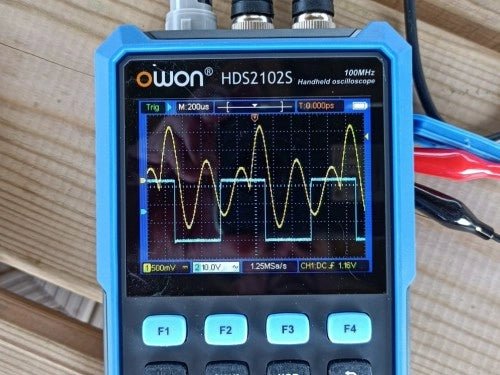
, von Clemens Valens Review: Owon HDS2102S Handheld 2-Kanal 100-MHz-Oszilloskop, Multimeter & Signalgenerator
[Gesponsert] Das Owon HDS2102S ist ein Handgerät, das ein Zwei-Kanal-Oszilloskop, ein Multimeter und einen Arbiträr-/Signalgenerator in sich vereint. Das Oszilloskop hat eine Bandbreite von 100...
