
Products
-

Elektor Digital RISC-V Assembly Language Programming using ESP32-C3 and QEMU (E-book)
With the availability of free and open source C/C++ compilers today, you might wonder why someone would be interested in assembler language. What is so compelling about the RISC-V Instruction Set Architecture (ISA)? How does RISC-V differ from existing architectures? And most importantly, how do we gain experience with the RISC-V without a major investment? Is there affordable hardware available? The availability of the Espressif ESP32-C3 chip provides a way to get hands-on experience with RISC-V. The open sourced QEMU emulator adds a 64-bit experience in RISC-V under Linux. These are just two ways for the student and enthusiast alike to explore RISC-V in this book. The projects in this book are boiled down to the barest essentials to keep the assembly language concepts clear and simple. In this manner you will have “aha!” moments rather than puzzling about something difficult. The focus in this book is about learning how to write RISC-V assembly language code without getting bogged down. As you work your way through this tutorial, you’ll build up small demonstration programs to be run and tested. Often the result is some simple printed messages to prove a concept. Once you’ve mastered these basic concepts, you will be well equipped to apply assembly language in larger projects.
€ 34,95
Mitglieder: € 31,46
-

Elektor Digital PID-based Practical Digital Control with Raspberry Pi and Arduino Uno (E-book)
The Arduino Uno is an open-source microcontroller development system encompassing hardware, an Integrated Development Environment (IDE), and a vast number of libraries. It is supported by an enormous community of programmers, electronic engineers, enthusiasts, and academics. The libraries in particular really smooth Arduino programming and reduce programming time. What’s more, the libraries greatly facilitate testing your programs since most come fully tested and working. The Raspberry Pi 4 can be used in many applications such as audio and video media devices. It also works in industrial controllers, robotics, games, and in many domestic and commercial applications. The Raspberry Pi 4 also offers Wi-Fi and Bluetooth capability which makes it great for remote and Internet-based control and monitoring applications. This book is about using both the Raspberry Pi 4 and the Arduino Uno in PID-based automatic control applications. The book starts with basic theory of the control systems and feedback control. Working and tested projects are given for controlling real-life systems using PID controllers. The open-loop step time response, tuning the PID parameters, and the closed-loop time response of the developed systems are discussed together with the block diagrams, circuit diagrams, PID controller algorithms, and the full program listings for both the Raspberry Pi and the Arduino Uno. The projects given in the book aim to teach the theory and applications of PID controllers and can be modified easily as desired for other applications. The projects given for the Raspberry Pi 4 should work with all other models of Raspberry Pi family. The book covers the following topics: Open-loop and closed-loop control systems Analog and digital sensors Transfer functions and continuous-time systems First-order and second-order system time responses Discrete-time digital systems Continuous-time PID controllers Discrete-time PID controllers ON-OFF temperature control with Raspberry Pi and Arduino Uno PID-based temperature control with Raspberry Pi and Arduino Uno PID-based DC motor control with Raspberry Pi and Arduino Uno PID-based water level control with Raspberry Pi and Arduino Uno PID-based LED-LDR brightness control with Raspberry Pi and Arduino Uno
€ 32,95
Mitglieder: € 29,66
-

Elektor Publishing PID-based Practical Digital Control with Raspberry Pi and Arduino Uno
The Arduino Uno is an open-source microcontroller development system encompassing hardware, an Integrated Development Environment (IDE), and a vast number of libraries. It is supported by an enormous community of programmers, electronic engineers, enthusiasts, and academics. The libraries in particular really smooth Arduino programming and reduce programming time. What’s more, the libraries greatly facilitate testing your programs since most come fully tested and working. The Raspberry Pi 4 can be used in many applications such as audio and video media devices. It also works in industrial controllers, robotics, games, and in many domestic and commercial applications. The Raspberry Pi 4 also offers Wi-Fi and Bluetooth capability which makes it great for remote and Internet-based control and monitoring applications. This book is about using both the Raspberry Pi 4 and the Arduino Uno in PID-based automatic control applications. The book starts with basic theory of the control systems and feedback control. Working and tested projects are given for controlling real-life systems using PID controllers. The open-loop step time response, tuning the PID parameters, and the closed-loop time response of the developed systems are discussed together with the block diagrams, circuit diagrams, PID controller algorithms, and the full program listings for both the Raspberry Pi and the Arduino Uno. The projects given in the book aim to teach the theory and applications of PID controllers and can be modified easily as desired for other applications. The projects given for the Raspberry Pi 4 should work with all other models of Raspberry Pi family. The book covers the following topics: Open-loop and closed-loop control systems Analog and digital sensors Transfer functions and continuous-time systems First-order and second-order system time responses Discrete-time digital systems Continuous-time PID controllers Discrete-time PID controllers ON-OFF temperature control with Raspberry Pi and Arduino Uno PID-based temperature control with Raspberry Pi and Arduino Uno PID-based DC motor control with Raspberry Pi and Arduino Uno PID-based water level control with Raspberry Pi and Arduino Uno PID-based LED-LDR brightness control with Raspberry Pi and Arduino Uno
€ 39,95
Mitglieder: € 35,96
-

Sensepeek Sensepeek 6005 enthält 4x SQ10-Sonden inklusive Testkabel.
Die SQ-Serie der handsfree PCBite-Sonden von Sensepeek ist isoliert, wird mit farbcodierten Kabelhaltern geliefert und hat einen niedrigeren Schwerpunkt, was sie im Vergleich zur ursprünglichen SP-Serie der Sonden noch stabiler macht. Alle beliebten Funktionen der berührungslosen Messung, des austauschbaren Feinraster-Federkugelteststifts und des minimalistischen Designs wurden beibehalten, um herkömmliche Sonden in Standardgröße und Handheld-Sonden überflüssig zu machen. Funktionen Alle berührungslosen Sonden von Sensepeek ermöglichen schnelle Messungen oder lange Trigger-Sitzungen. Kein Löten von Drähten zur Verbindung Ihrer Sonde oder komplizierte Werkzeuge zum Einrichten mehr erforderlich. Positionieren Sie einfach die Sonde auf einem beliebigen Prüfpunkt oder Bauteil im Signalpfad und lassen Sie sie los. Spart Zeit und Frustration bei Entwicklung, Verifizierung und Reparaturen. Das minimalistische Design und die federbelastete Testnadel ermöglichen gleichzeitige Messungen an eng beieinander liegenden Komponenten und benachbarten Signalen. Sowohl die Länge als auch das Gewicht der SQ-Sonden sind perfekt ausbalanciert und können mit den PCBite-PCB-Haltern und der Basisplatte verwendet werden, was für die berührungslose Funktion unerlässlich ist. Der Sondenhalter ist mit einem starken Magneten in der Basis ausgestattet, wie bei allen PCBite-Sonden und -Haltern, was das Platzieren und Neupositionieren der Sonde erleichtert. Die SQ-Serie von Sonden kann auch ohne den Sondenhalter von Hand verwendet werden, da sie über einen isolierten Griff verfügen, ihr volles Potenzial wird jedoch bei der berührungslosen Messung genutzt. Im Lieferumfang enthalten 4x SQ10-Sonden und Pin-Testnadeln (schwarz) 2x Banane-zu-Dupont-Testdrähte (rot/schwarz) 5x Dupont-zu-Dupont-Testdrähte 1x Satz Kabelhalter (4 Farben) 4x zusätzliche Testnadeln Downloads Benutzerhandbuch
€ 105,91
-

Sensepeek Sensepeek 6003 PCBite Kit inkl. 4x SQ10-Tastkopf und Prüfkabel
Die freihändigen PCBite-Tastköpfe der SQ-Serie von Sensepeek sind isoliert, werden mit farbcodierten Kabelhaltern geliefert und haben einen niedrigeren Schwerpunkt, wodurch sie im Vergleich zu den Sonden der ursprünglichen SP-Serie noch stabiler sind. Alle beliebten Funktionen der freihändigen Messung, die austauschbare Prüfnadel mit feiner Steigung und das minimalistische Design werden beibehalten, um herkömmliche und handgehaltene Sonden überflüssig zu machen. Features Alle freihändigen Tastköpfe von Sensepeek machen sofortige Messungen oder lange Triggersitzungen zum Kinderspiel. Keine Lötdrähte mehr zum Anschließen Ihres Tastkopfs oder komplizierte Werkzeuge zum Einrichten, sondern einfach die Sondennadel auf einem beliebigen Testpunkt oder einer beliebigen Komponente im Signalpfad positionieren und loslassen. Spart Zeit und Frust bei der Entwicklung, Überprüfung und Reparatur. Das minimalistische Design und die federbelastete Prüfnadel ermöglichen die gleichzeitige Messung von Fine-Pitch-Komponenten und nahegelegenen Signalen. Sowohl Länge als auch Gewicht der SQ-Tastköpfe sind perfekt ausbalanciert, um mit den mitgelieferten PCB-Haltern und der Grundplatte verwendet zu werden, was ein Muss für die Freisprechfunktion ist. Der Sondenhalter wird wie alle PCBite-tastköpfe und -Halter mit einem starken Magneten in der Basis geliefert, wodurch die Tastköpfe leicht zu platzieren und neu zu positionieren ist. Die Tastköpfe der SQ-Serie können ohne den Sondenhalter in der Hand verwendet werden, da sie einen isolierten Griff haben, aber ihr volles Potenzial wird beim Freihandmessen genutzt. Eine Seite der mitgelieferten Grundplatte ist matt und die andere hochglanzpoliert. Die hochglanzpolierte Oberfläche macht es einfach, Komponenten auf der Unterseite der Leiterplatte zu sehen. Für zusätzlichen Schutz während der Messung kann die mitgelieferte Isolierabdeckung auf einer der Oberflächen montiert werden. Lieferumfang 4x PCBite Platinenhalter 1x Satz gelbe Isolierscheiben für die Platinenhalter 1x große Grundplatte (A4) 1x Isolierabdeckung für die Bodenplatte (A4) 1x Mikrofasertuch 4x SQ10 Tastköpfe und Prüfnadeln mit Stiftspitze (schwarz) 2x Bananen-zu-Dupont-Prüfkabel (rot/schwarz) 5x Dupont-zu-Dupont-Prüfkabel 1x Kabelhalter-Set (4 Farben) 4x Extra Testnadeln Downloads User guide (PCBite kit) User guide (SQ10 probes)
€ 177,31
-

Sensepeek Sensepeek 6012 PCBite Kit inklusive 2x SQ10 Sonde für ein DMM
Die SQ-Serie der berührungslosen PCBite-Sonden von Sensepeek ist isoliert, wird mit farbcodierten Kabelhaltern geliefert und hat einen niedrigeren Schwerpunkt, was sie im Vergleich zur ursprünglichen SP-Serie der Sonden noch stabiler macht. Alle beliebten Funktionen der berührungslosen Messung, austauschbare feinrastende Testnadeln und das minimalistische Design werden beibehalten, um herkömmliche Proben in Standardgröße und handgehaltene Sonden überflüssig zu machen. Features Alle berührungslosen Sonden von Sensepeek ermöglichen schnelle Messungen oder lange Trigger-Sessions. Kein Löten von Drähten, um Ihre Sonde anzuschließen, oder komplizierte Werkzeuge zur Einrichtung erforderlich. Platzieren Sie einfach die Probennadel an einem beliebigen Prüfpunkt oder Bauteil im Signalfad und lassen Sie sie los. Spart Zeit und Frustration bei Entwicklung, Überprüfung und Reparaturen. Das minimalistische Design und die federbelastete Testnadel ermöglichen gleichzeitige Messungen an feinrastenden Komponenten und benachbarten Signalen. Sowohl die Länge als auch das Gewicht der SQ-Sonden sind perfekt ausbalanciert, um sie mit den PCBite-PCB-Haltern und der Basisplatte zu verwenden, die für die berührungslose Funktion unerlässlich sind. Der Sondenhalter hat einen leistungsstarken Magneten in der Basis, wie bei allen PCBite-Sonden und -Haltern, wodurch die Sonde einfach platziert und neu positioniert werden kann. Die SQ-Serie der Sonden kann auch handgehalten ohne den Sondenhalter verwendet werden, da sie über einen isolierten Griff verfügen. Ihr volles Potenzial wird jedoch bei berührungsloser Messung genutzt. Lieferumfang 4x PCBite Platinenhalter 2x SQ10-Sonden und Prüfnadeln mit Stiftspitze (rot/schwarz) 2x Bananen-zu-Dupont-Testkabel (rot/schwarz) 1x Große Grundplatte (A4) 1x Isolierabdeckung für die Grundplatte (A4) 1x Satz gelbe Isolierscheiben für die Leiterplattenhalter 1x Satz Kabelhalter (rot/schwarz) 2x Zusätzliche Testnadeln 1x Mikrofasertuch Downloads User Guide (PCBite Kit) User Guide (SQ10)
€ 124,95
-

Sensepeek Sensepeek 6011 2x SQ10-Sonde für DMM (rot/schwarz)
Die SQ-Serie der berührungslosen PCBite-Sonden von Sensepeek ist isoliert, wird mit farbcodierten Kabelhaltern geliefert und hat einen niedrigeren Schwerpunkt, was sie im Vergleich zur ursprünglichen SP-Serie der Sonden noch stabiler macht. Alle beliebten Funktionen der berührungslosen Messung, austauschbare feinrastende Testnadeln und das minimalistische Design werden beibehalten, um herkömmliche Sonden in Standardgröße und handgehaltene Sonden überflüssig zu machen. Features Alle berührungslosen Sonden von Sensepeek ermöglichen schnelle Messungen oder lange Trigger-Sessions. Kein Löten von Drähten, um Ihre Sonde anzuschließen, oder komplizierte Werkzeuge zur Einrichtung erforderlich. Platzieren Sie einfach die Probennadel an einem beliebigen Prüfpunkt oder Bauteil im Signalpfad und lassen Sie sie los. Spart Zeit und Frustration bei Entwicklung, Verifizierung und Reparaturen. Das minimalistische Design und die federbelastete Testnadel ermöglichen gleichzeitige Messungen an feinrastenden Komponenten und benachbarten Signalen. Sowohl die Länge als auch das Gewicht der SQ-Sonden sind perfekt ausbalanciert, um sie mit PCBite PCB-Haltern und Basisplatte zu verwenden, was für die berührungslose Funktion unerlässlich ist. Der Sondenhalter verfügt über einen leistungsstarken Magneten in der Basis, wie bei allen PCBite-Sonden und -Haltern, wodurch die Sonde einfach platziert und neu positioniert werden kann. Die SQ-Serie der Sonden kann auch ohne den Sondenhalter von Hand verwendet werden, da sie über einen isolierten Griff verfügen. Ihr volles Potenzial wird jedoch bei berührungsloser Messung ausgeschöpft. Lieferumfang 2x SQ10-Sonden und Stift-Tastnadeln (rot/schwarz) 2x Banane zu Dupont-Testkabel (rot/schwarz) 1x Satz Kabelhalter (rot/schwarz) 2x zusätzliche Testnadeln Downloads Benutzerhandbuch
€ 53,55
-

Sensepeek Sensepeek 4021 isolierte XL-Basisplatte
Komponenten werden von Jahr zu Jahr immer kleiner und feinere Abstände sind gefragt. Gleichzeitig kann es jedoch sein, dass Ihre Leiterplatten größer geworden sind oder die Anzahl der miteinander verbundenen Leiterplatten oder die Anzahl der benötigten berührungslosen PCBite-Sonden zur Prüfung Ihres Designs zugenommen haben, was zu Platzmangel auf unseren kleineren Basisplatten führen kann. Funktionen Mit einer Größe von 297 x 420 mm (DIN A3) bietet die extragroße Basisplatte Platz für die meisten Leiterplatten und viele berührungslose PCBite-Sonden für Messungen, bei denen mehr Kanäle benötigt werden als verfügbar sind. Wenn Sie also mehr Platz, zusätzlichen Schutz oder einfach nur Ordnung auf Ihrer Arbeitsfläche wünschen, ist dieses Zubehör perfekt geeignet. Entwickelt für den Einsatz mit Sensepeeks magnetischer PCBite-Produktlinie, einschließlich Leiterplattenhaltern, berührungslosen Sonden und Vergrößerungsglas. Im Lieferumfang enthalten 1x XL-Basisplatte (DIN A3) mit vormontierter Isolierabdeckung
€ 70,21
-

Elektor Publishing Arduino & Co – Measure, Control, and Hack
Clever Tricks with ATmega328 Pro Mini Boards With a simple Pro Mini board and a few other components, projects that 20 or 30 years ago were unthinkable (or would have cost a small fortune) are realized easily and affordably in this book: From simple LED effects to a full battery charging and testing station that will put a rechargeable through its paces, there’s something for everyone. All the projects are based on the ATmega328 microcontroller, which offers endless measuring, switching, and control options with its 20 input and output lines. For example, with a 7-segment display and a few resistors, you can build a voltmeter or an NTC-based thermometer. The Arduino platform offers the perfect development environment for programming this range of boards. Besides these very practical projects, the book also provides the necessary knowledge for you to create projects based on your own ideas. How to measure, and what? Which transistor is suitable for switching a certain load? When is it better to use an IC? How do you switch mains voltage? Even LilyPad-based battery-operated projects are discussed in detail, as well as many different motors, from simple DC motors to stepper motors. Sensors are another exciting topic: For example, a simple infrared receiver that can give disused remote controls a new lease on life controlling your home, and a tiny component that can actually measure the difference in air pressure between floor and table height!
€ 39,95
Mitglieder: € 35,96
-

Elektor Digital Kickstart to Arduino Nano (E-book)
Get Cracking with the Arduino Nano V3, Nano Every, and Nano 33 IoT The seven chapters in this book serve as the first step for novices and microcontroller enthusiasts wishing to make a head start in Arduino programming. The first chapter introduces the Arduino platform, ecosystem, and existing varieties of Arduino Nano boards. It also teaches how to install various tools needed to get started with Arduino Programming. The second chapter kicks off with electronic circuit building and programming around your Arduino. The third chapter explores various buses and analog inputs. In the fourth chapter, you get acquainted with the concept of pulse width modulation (PWM) and working with unipolar stepper motors. In the fifth chapter, you are sure to learn about creating beautiful graphics and basic but useful animation with the aid of an external display. The sixth chapter introduces the readers to the concept of I/O devices such as sensors and the piezo buzzer, exploring their methods of interfacing and programming with the Arduino Nano. The last chapter explores another member of Arduino Nano family, Arduino Nano 33 IoT with its highly interesting capabilities. This chapter employs and deepens many concepts learned from previous chapters to create interesting applications for the vast world of the Internet of Things. The entire book follows a step-by-step approach to explain concepts and the operation of things. Each concept is invariably followed by a to-the-point circuit diagram and code examples. Next come detailed explanations of the syntax and the logic used. By closely following the concepts, you will become comfortable with circuit building, Arduino programming, the workings of the code examples, and the circuit diagrams presented. The book also has plenty of references to external resources wherever needed. An archive file (.zip) comprising the software examples and Fritzing-style circuit diagrams discussed in the book may be downloaded free of charge below.
€ 29,95
Mitglieder: € 26,96
-
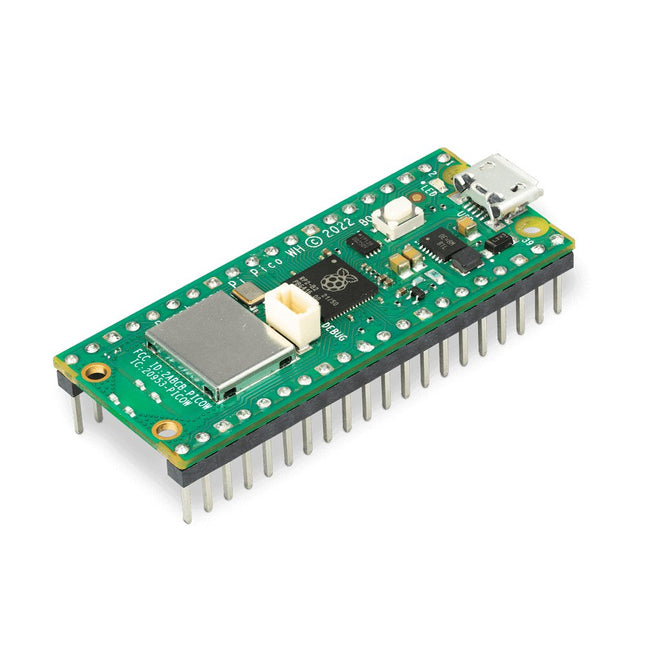
Raspberry Pi Foundation Raspberry Pi Pico WH
Raspberry Pi Pico W ist ein Mikrocontroller-Board, das auf dem Mikrocontroller-Chip Raspberry Pi RP2040 basiert. Der Mikrocontroller-Chip RP2040 ("Raspberry Silicon") bietet einen Dual-Core-ARM-Cortex-M0+-Prozessor (133 MHz), 256 KB RAM, 30 GPIO-Pins und viele andere Schnittstellenoptionen. Darüber hinaus gibt es 2 MB integrierten QSPI-Flash-Speicher für Code- und Datenspeicherung. Raspberry Pi Pico W wurde als kostengünstige und dennoch flexible Plattform für RP2040 mit einer drahtlosen 2,4-GHz-Schnittstelle unter Verwendung eines Infineon CYW43439 entwickelt. Die Funkschnittstelle wird über SPI mit dem RP2040 verbunden. Features von Pico WH RP2040-Mikrocontroller mit 2 MB Flash-Speicher Integrierte 2,4-GHz-Single-Band-Wireless-Schnittstellen (802.11n) Micro-USB-B-Anschluss für Strom und Daten (und zur Neuprogrammierung des Flash) 40-polige 21 x 51 mm 'DIP'-Stil, 1 mm dicke PCB mit 0,1" Durchgangslochstiften, auch mit Randkerben Bietet 26 multifunktionale 3,3-V-Universal-I/O (GPIO) 23 GPIO sind rein digital, wobei drei auch ADC-fähig sind Kann als Modul auf der Oberfläche montiert werden 3-poliger ARM Serial Wire Debug (SWD) Port Einfache, aber hochflexible Stromversorgungsarchitektur Verschiedene Optionen zur einfachen Stromversorgung des Geräts über Micro-USB, externe Netzteile oder Batterien Hohe Qualität, niedrige Kosten, hohe Verfügbarkeit Umfassendes SDK, Softwarebeispiele und Dokumentation Features von RP2040-Mikrocontroller Dual-Core-Cortex M0+ mit bis zu 133 MHz On-Chip-PLL ermöglicht eine variable Kernfrequenz 264 kByte Multibank-Hochleistungs-SRAM Externer Quad-SPI-Flash mit eXecute In Place (XIP) und 16 KB On-Chip-Cache Hochleistungs-Full-Crossbar-Busgewebe On-Board USB1.1 (Gerät oder Host) 30 Multifunktions-Allzweck-I/O (vier können für ADC verwendet werden) 1,8-3,3 V I/O-Spannung 12-Bit 500 ksps Analog-Digital-Wandler (ADC) Verschiedene digitale Peripheriegeräte 2x UART, 2x I²C, 2x SPI, 16x PWM-Kanäle 1 Timer mit 4 Alarmen, 1 Echtzeituhr 2x programmierbare I/O-Blöcke (PIO), insgesamt 8 Zustandsmaschinen Flexible, benutzerprogrammierbare Hochgeschwindigkeits-I/O Kann Schnittstellen wie SD-Karte und VGA emulieren Hinweis: Raspberry Pi Pico W I/O-Spannung ist auf 3,3 V festgelegt. Downloads Datasheet Specifications of 3-pin Debug Connector
-
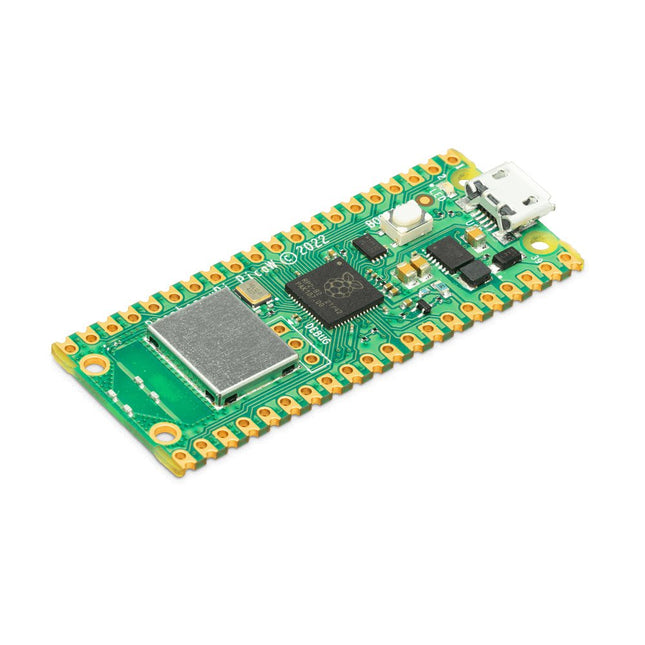
Raspberry Pi Foundation Raspberry Pi Pico W
Raspberry Pi Pico W ist ein Mikrocontroller-Board, das auf dem Mikrocontroller-Chip Raspberry Pi RP2040 basiert. Der Mikrocontroller-Chip RP2040 ("Raspberry Silicon") bietet einen Dual-Core-ARM-Cortex-M0+-Prozessor (133 MHz), 256 KB RAM, 30 GPIO-Pins und viele andere Schnittstellenoptionen. Darüber hinaus gibt es 2 MB integrierten QSPI-Flash-Speicher für Code- und Datenspeicherung. Raspberry Pi Pico W wurde als kostengünstige und dennoch flexible Plattform für RP2040 mit einer drahtlosen 2,4-GHz-Schnittstelle unter Verwendung eines Infineon CYW43439 entwickelt. Die Funkschnittstelle wird über SPI mit dem RP2040 verbunden. Features von Pico W RP2040-Mikrocontroller mit 2 MB Flash-Speicher Integrierte 2,4-GHz-Single-Band-Wireless-Schnittstellen (802.11n) Micro-USB-B-Anschluss für Strom und Daten (und zur Neuprogrammierung des Flash) 40-polige 21 x 51 mm 'DIP'-Stil, 1 mm dicke PCB mit 0,1" Durchgangslochstiften, auch mit Randkerben Bietet 26 multifunktionale 3,3-V-Universal-I/O (GPIO) 23 GPIO sind rein digital, wobei drei auch ADC-fähig sind Kann als Modul auf der Oberfläche montiert werden 3-poliger ARM Serial Wire Debug (SWD) Port Einfache, aber hochflexible Stromversorgungsarchitektur Verschiedene Optionen zur einfachen Stromversorgung des Geräts über Micro-USB, externe Netzteile oder Batterien Hohe Qualität, niedrige Kosten, hohe Verfügbarkeit Umfassendes SDK, Softwarebeispiele und Dokumentation Features von RP2040-Mikrocontroller Dual-Core-Cortex M0+ mit bis zu 133 MHz On-Chip-PLL ermöglicht eine variable Kernfrequenz 264 kByte Multibank-Hochleistungs-SRAM Externer Quad-SPI-Flash mit eXecute In Place (XIP) und 16 KB On-Chip-Cache Hochleistungs-Full-Crossbar-Busgewebe On-Board USB1.1 (Gerät oder Host) 30 Multifunktions-Allzweck-I/O (vier können für ADC verwendet werden) 1,8-3,3 V I/O-Spannung 12-Bit 500 ksps Analog-Digital-Wandler (ADC) Verschiedene digitale Peripheriegeräte 2x UART, 2x I²C, 2x SPI, 16x PWM-Kanäle 1 Timer mit 4 Alarmen, 1 Echtzeituhr 2x programmierbare I/O-Blöcke (PIO), insgesamt 8 Zustandsmaschinen Flexible, benutzerprogrammierbare Hochgeschwindigkeits-I/O Kann Schnittstellen wie SD-Karte und VGA emulieren Hinweis: Raspberry Pi Pico W I/O-Spannung ist auf 3,3 V festgelegt. Downloads Datasheet Specifications of 3-pin Debug Connector
-

Raspberry Pi Foundation Raspberry Pi Pico H
Raspberry Pi Pico ist ein günstiges, leistungsstarkes Mikrocontroller-Board und gleichzeitig das erste Produkt, das auf dem von Raspberry Pi selbst entwickelten Chip basiert. Der RP2040-Mikrocontroller-Chip ("Raspberry Silicon") verfügt über einen Dual-Core-ARM-Cortex-M0+ Prozessor, der mit 133 MHz getaktet ist, 256 KB RAM, 30 GPIO-Pins und viele weitere Schnittstellenoptionen. Dazu kommen 2 MB on-board QSPI-Flashspeicher für Code- und Datenspeicherung. Technische Daten RP2040-Mikrocontroller-Chip, entwickelt von Raspberry Pi in Großbritannien Dual-Core ARM Cortex M0+ Prozessor mit flexiblem Takt von bis zu 133 MHz 264 kB SRAM und 2 MB on-board Flash-Speicher Gegossenes Modul ermöglicht direktes Löten auf Trägerplatinen USB 1.1 Host- und Device-Unterstützung Stromsparende Sleep- und Dormant-Modi Drag-and-Drop-Programmierung mit Massenspeicher über USB 26x multifunktions-GPIO-Pins 2x SPI, 2x I²C, 2x UART, 3x 12-bit ADC, 16x steuerbare PWM-Kanäle Genaue Uhr und Timer auf dem Chip Temperatursensor Beschleunigte Fließkomma-Bibliotheken auf dem Chip 8x programmierbare IO (PIO) Zustandsautomaten für eigene Peripherie H-Version des Raspberry Pi Pico mit bereits angelöteten Pinheadern und 3-Pin Debug-Anschluss Downloads Specifications of 3-pin Debig Connector
-

Elektor Digital Develop your own Bluetooth Low Energy Applications (E-book)
For Raspberry Pi, ESP32 and nRF52 with Python, Arduino and Zephyr Bluetooth Low Energy (BLE) radio chips are ubiquitous from Raspberry Pi to light bulbs. BLE is an elaborate technology with a comprehensive specification, but the basics are quite accessible. A progressive and systematic approach will lead you far in mastering this wireless communication technique, which is essential for working in low power scenarios. In this book, you’ll learn how to: Discover BLE devices in the neighborhood by listening to their advertisements. Create your own BLE devices advertising data. Connect to BLE devices such as heart rate monitors and proximity reporters. Create secure connections to BLE devices with encryption and authentication. Understand BLE service and profile specifications and implement them. Reverse engineer a BLE device with a proprietary implementation and control it with your own software. Make your BLE devices use as little power as possible. This book shows you the ropes of BLE programming with Python and the Bleak library on a Raspberry Pi or PC, with C++ and NimBLE-Arduino on Espressif’s ESP32 development boards, and with C on one of the development boards supported by the Zephyr real-time operating system, such as Nordic Semiconductor's nRF52 boards. Starting with a very little amount of theory, you’ll develop code right from the beginning. After you’ve completed this book, you’ll know enough to create your own BLE applications.
€ 32,95
Mitglieder: € 29,66
-
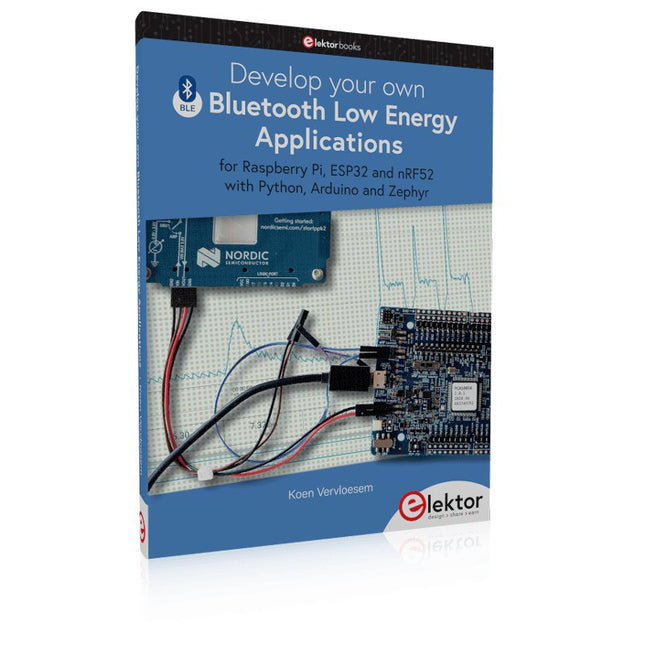
Elektor Publishing Develop your own Bluetooth Low Energy Applications
For Raspberry Pi, ESP32 and nRF52 with Python, Arduino and Zephyr Bluetooth Low Energy (BLE) radio chips are ubiquitous from Raspberry Pi to light bulbs. BLE is an elaborate technology with a comprehensive specification, but the basics are quite accessible. A progressive and systematic approach will lead you far in mastering this wireless communication technique, which is essential for working in low power scenarios. In this book, you’ll learn how to: Discover BLE devices in the neighborhood by listening to their advertisements. Create your own BLE devices advertising data. Connect to BLE devices such as heart rate monitors and proximity reporters. Create secure connections to BLE devices with encryption and authentication. Understand BLE service and profile specifications and implement them. Reverse engineer a BLE device with a proprietary implementation and control it with your own software. Make your BLE devices use as little power as possible. This book shows you the ropes of BLE programming with Python and the Bleak library on a Raspberry Pi or PC, with C++ and NimBLE-Arduino on Espressif’s ESP32 development boards, and with C on one of the development boards supported by the Zephyr real-time operating system, such as Nordic Semiconductor's nRF52 boards. Starting with a very little amount of theory, you’ll develop code right from the beginning. After you’ve completed this book, you’ll know enough to create your own BLE applications.
€ 39,95
Mitglieder: € 35,96
-

Andonstar Andonstar AD1605 4K HDMI Digital-Mikroskop
Das Andonstar AD1605 4K Digital-Mikroskop verfügt über einen 14-Megapixel-HD-Sensor, einen übergroßen Metallsockel und eine verstellbare Halterung. Mit dem 4K-Ultra-HD-Bildsensor können Sie hochwertige Bilder aufnehmen und ultraklare Videos aufnehmen. Dieses 4K-Digitalmikroskop besitzt eine bis zu 150-fache Vergrößerung. Mit einer Standfußgröße von 37,5 x 25 x 47 cm bietet es eine große Arbeitsfläche, die sich ideal für Montage, Inspektion, Schulung, Echtzeitanzeige, Bilderfassung und Videodokumentation eignet. Damit können Sie die Lötstelle einer Leiterplatte oder die winzige Struktur von Münzen, Schmuck, Textilien, Haut, Insekten usw. überprüfen. Features 14-Megapixel-HD-Sensor für klare Bilder in hoher Qualität Hohe Schärfentiefe für scharfe und klare Bilder Überdimensionierter Metallsockel für viel Arbeitsfläche Großer Fokusbereich von 5 bis 29 cm Verstellbarer Metallbügel zum einfachen Einstellen von Vergrößerung und Objektabstand Bildaufnahme & Videoaufzeichnungsfunktion zur bequemen Dokumentation der Arbeit UV-Filter zum Schutz der Linse vor Öl, Hitze, Schmutz oder Staub beim Löten oder Reparieren IR-Fernbedienung für einfache Bedienung und Vermeidung von Erschütterungen des Mikroskops bei der Tastenwiedergabe Speicherkarte mit bis zu 32 GB Speicherplatz (nicht im Lieferumfang enthalten) Anwendungen Telefonreparatur PCB-Prüfung Pflanzen & Insekten Kunst & Kunsthandwerk/Miniatur Drucke/Textilien Montagelinie Antike Authentifizierung Schmuckbewertung Uhrenreparatur DIY Technische Daten Bildsensor 14 MP Videoausgang 3840x2160 (30fps)2560x1440 (24fps)1920x1080 (60fps/30fps) Videoformat MP4 Vergrößerung Bis zu 150-fach (29" HDMI-Monitor) Bildauflösung Max. 12 MP (4032x3024) Bildformat JPG Fokusbereich 5-29 cm Bildrate Max. 60fps Videoschnittstelle HDMI Speichermedium microSD-Karte (bis zu 32 GB) PC-Unterstützung Nein Stromversorgung 5 V DC Beleuchtung 2 LEDs mit Standfuß Standfußgröße 37,5 x 25 x 47 cm Gewicht 5,5 kg Lieferumfang 1x Andonstar AD1605 Digital-Mikroskop 1x Metallstativ 1x UV-Filter 1x IR-Fernbedienung 1x Schalterkabel 1x Netzadapter 1x Handbuch
€ 399,00€ 339,00Bestpreis
-

Sensepeek Sensepeek 4020 PCBite 3-fach Lupe
Die PCBite Lupe (Premium-Verarbeitungsqualität aus CNC-gefrästem Aluminium) vergrößert Ihr Produkt und macht es einfacher, während des Lötens, der Fehlersuche und der Messungen zu sehen. Besonders nützlich bei der Platzierung von PCBite Freihand-Tastköpfen auf Fine Pitch SMD-Komponenten während der Messungen. Kantenlose Linse mit 3-facher Vergrößerung für bessere Sicht auf die Arbeitsfläche und AR-Beschichtung (Antireflexionsbeschichtung) zur Verringerung von Reflexionen durch nahe Lichtquellen. Optimiertes Design, Vergrößerung und Brennpunkt für die Verwendung zusammen mit den PCBite Leiterplattenhaltern und Grundplatten, die in allen PCBite Kits enthalten sind. Kann auch in der Hand gehalten werden, aber nicht eigenständig ohne eine Metalloberfläche als Basis. An der Unterseite des Lupenfußes befindet sich ein starker Magnet, der in seiner Stärke perfekt ausbalanciert ist. Eine reibungsarme Bodenkappe schützt den Magneten und die Grundplatte, so dass die Lupe leicht gleiten kann, wenn sie neu positioniert oder von der Grundplatte entfernt wird. Die reibungsbasierte Einstellung der Linsenneigung und -drehung macht lästige und komplizierte Stellschrauben überflüssig.
€ 70,21
-

Elektor Digital MSP430 Microcontroller Essentials (E-book)
Architecture, Programming and Applications The MSP430 is a popular family of microcontrollers from Texas Instruments. In this book we will work with the smallest type, which is the powerful MSP430G2553. We will look at the capabilities of this microcontroller in detail, as it is well-suited for self-made projects because it is available in a P-DIP20 package. We will take a closer look at the microcontroller and then build, step by step, some interesting applications, including a 'Hello World' blinking LED and a nice clock application, which can calculate the day of the week based on the date. You also will learn how to create code for the MSP microcontroller in assembler. In addition to that, we will work with the MSP-Arduino IDE, which makes it quite easy to create fast applications without special in-depth knowledge of the microcontrollers. All the code used in the book is available for download from the Elektor website.
€ 32,95
Mitglieder: € 29,66
-
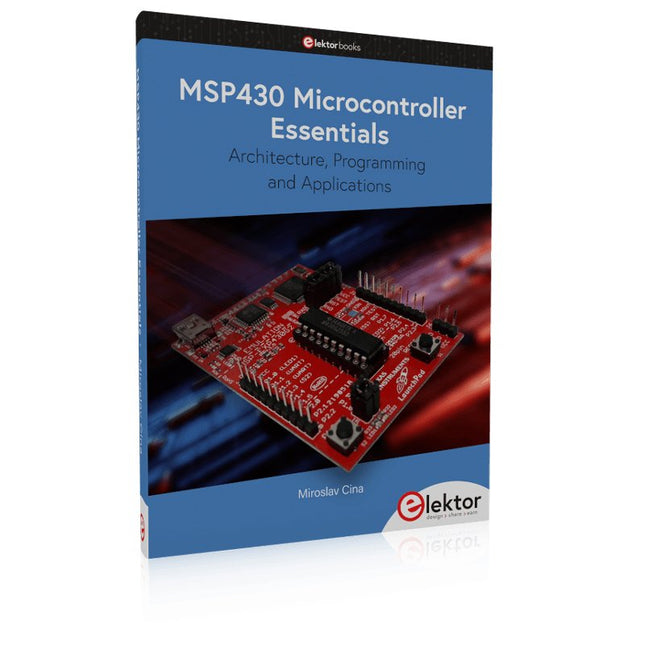
Elektor Publishing MSP430 Microcontroller Essentials
Architecture, Programming and Applications The MSP430 is a popular family of microcontrollers from Texas Instruments. In this book we will work with the smallest type, which is the powerful MSP430G2553. We will look at the capabilities of this microcontroller in detail, as it is well-suited for self-made projects because it is available in a P-DIP20 package. We will take a closer look at the microcontroller and then build, step by step, some interesting applications, including a 'Hello World' blinking LED and a nice clock application, which can calculate the day of the week based on the date. You also will learn how to create code for the MSP microcontroller in assembler. In addition to that, we will work with the MSP-Arduino IDE, which makes it quite easy to create fast applications without special in-depth knowledge of the microcontrollers. All the code used in the book is available for download from the Elektor website.
€ 39,95
Mitglieder: € 35,96
-

Elektor Digital Kickstart to Python 3 (E-book)
An Ultra-Rapid Programming Course This book serves as the very first step to for novices to learn Python programming. The book is divided into ten chapters. In the first chapter, readers are introduced to the basics of Python. It has the detailed instructions for installation on various platforms such as macOS, Windows, FreeBSD, and Linux. It also covers the other aspects of Python programming such as IDEs and Package Manager. The second chapter is where the readers get an opportunity to have a detailed hands-on with Python programming. It covers a group of built-in data structures popularly known as Python Collections. The third chapter covers the important concepts of strings, functions, and recursion. The fourth chapter focuses on the Object-Oriented Programming with Python. The fifth chapter discusses most commonly used custom data structures such as stack and queue. The sixth chapter spurs the creativity of the readers with Python’s Turtle graphics library. The seventh chapter explores animations and game development using the Pygame library. The eighth chapter covers handling data stored in a variety of file formats. The ninth chapter covers the area of Image processing with Wand library in Python. The tenth and the final chapter presents an array of assorted handy topics in Python. The entire book follows a step-by-step approach. The explanation of the topic is always followed by a detailed code example. The code examples are also explained in suitable detail and they are followed by the output in the form of text or screenshot wherever possible. Readers will become comfortable with Python programming language by closely following the concepts and the code examples in this book. The book also has references to external resources for readers to explore further. A download of the software code, and links to tutorial videos can be found on the Elektor website.
€ 29,95
Mitglieder: € 26,96
-
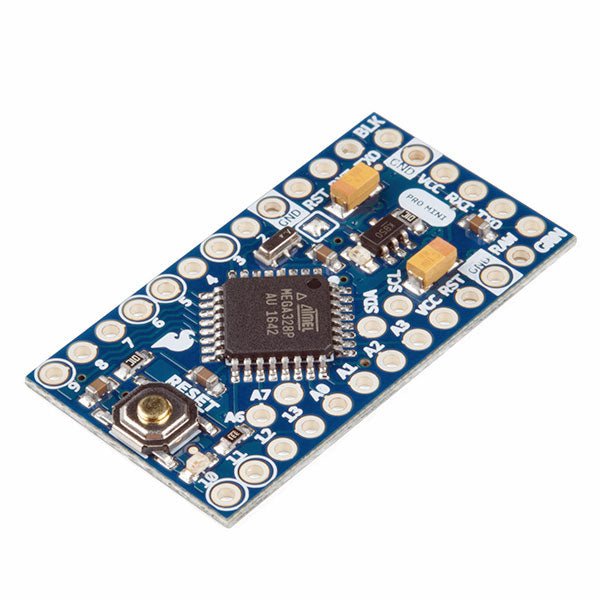
SparkFun SparkFun Arduino Pro Mini 328 (5 V, 16 MHz)
Der Arduino Pro Mini ist ein Mikrocontroller-Board auf Basis des ATmega328P. Es hat 14 digitale Eingangs-/Ausgangs-Pins (von denen 6 als PWM-Ausgänge verwendet werden können), 6 analoge Eingänge, einen On-Board-Resonator, eine Reset-Taste und Löcher für die Montage von Stiftleisten. Eine sechspolige Stiftleiste kann mit einem FTDI-Kabel oder einem SparkFun-Breakout-Board verbunden werden, um die Platine über USB mit Strom zu versorgen und mit ihr zu kommunizieren. Der Arduino Pro Mini ist für die semi-permanente Installation in Objekten oder Ausstellungen gedacht. Die Platine wird ohne vormontierte Stiftleisten geliefert, was die Verwendung verschiedener Arten von Steckern oder das direkte Anlöten von Drähten ermöglicht. Das Pin-Layout ist mit dem Arduino Mini kompatibel. Technische Daten Microcontroller ATmega328P Board Stromversorgung 5-12 V Schaltung Betriebsspannung 5 V Digitale E/A-Pins 14 PWM Pins 6 UART 1 SPI 1 I²C 1 Analogeingangs-Pins 6 Externe Interrupts 2 DC-Strom pro I/O-Pin 40 mA Flash Memory 32 KB, davon 2 KB vom Bootloader verwendet SRAM 2 KB EEPROM 1 KB Taktgeschwindigkeit 16 MHz Abmessungen 18 x 33.3 mm Downloads Eagle files Schematics
€ 14,95€ 7,95Bestpreis
-
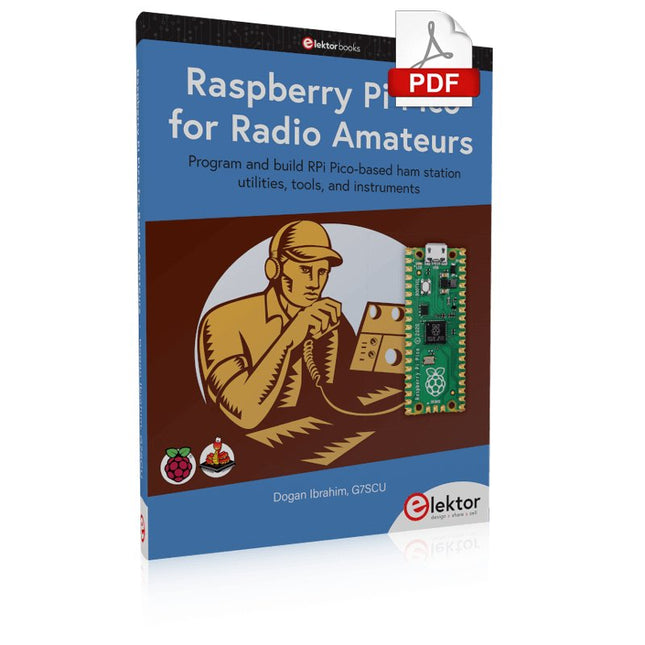
Elektor Digital Raspberry Pi Pico for Radio Amateurs (E-book)
Program and build RPi Pico-based ham station utilities, tools, and instruments Although much classical HF and mobile equipment is still in use by large numbers of amateurs, the use of computers and digital techniques has now become very popular among amateur radio operators. Nowadays, anyone can purchase a €5 Raspberry Pi Pico microcontroller board and develop many amateur radio projects using the “Pico” and some external components. This book is aimed at amateur radio enthusiasts, Electronic Engineering students, and anyone interested in learning to use the Raspberry Pi Pico to shape their electronic projects. The book is suitable for beginners in electronics as well as for those with wide experience. Step-by-step installation of the MicroPython programming environment is described. Some knowledge of the Python programming language is helpful to be able to comprehend and modify the projects given in the book. The book introduces the Raspberry Pi Pico and gives examples of many general-purpose, software-only projects that familiarize the reader with the Python programming language. In addition to the software-only projects tailored to the amateur radio operator, Chapter 6 in particular presents over 36 hardware-based projects for “hams”, including: Station mains power on/off control Radio station clock GPS based station geographical coordinates Radio station temperature and humidity Various waveform generation methods using software and hardware (DDS) Frequency counter Voltmeter / ammeter / ohmmeter / capacitance meter RF meter and RF attenuators Morse code exercisers RadioStation Click board Raspberry Pi Pico based FM radio Using Bluetooth and Wi-Fi with Raspberry Pi Pico Radio station security with RFID Audio amplifier module with rotary encoder volume control Morse decoder Using the FS1000A TX-RX modules to communicate with Arduino
€ 32,95
Mitglieder: € 29,66
-
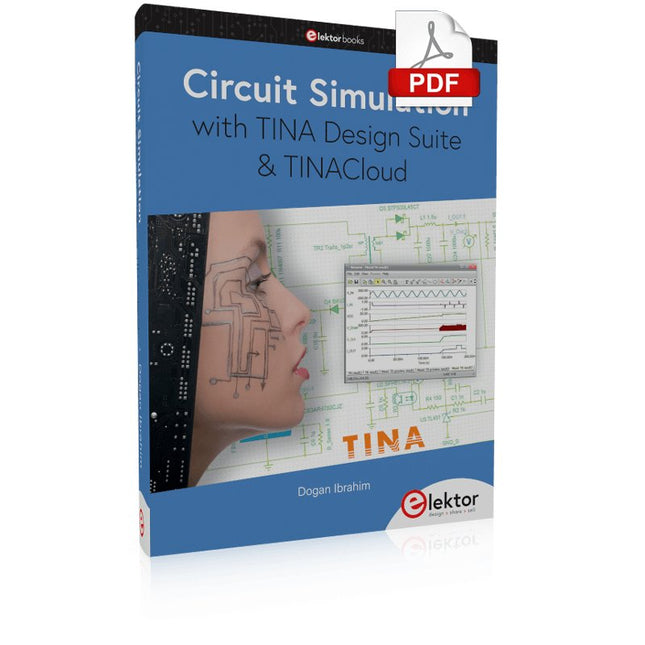
Elektor Digital Circuit Simulation with TINA Design Suite & TINACloud (E-book)
TINA Design Suite is a professional, powerful and affordable circuit simulator. It is a circuit designer and PCB design software package for analysing, designing, and real-time testing of analogue, digital, IBIS, VHDL, Verilog, Verilog AMS, SystemC, MCU, and mixed electronic circuits and their PCB layouts. In this book, top-selling Elektor author, Prof. Dr. Dogan Ibrahim aims to teach the design and analysis of electrical and electronic circuits and develop PCB boards using both TINA and TINACloud. The book is aimed at electrical/electronic engineers, undergraduate electronic/electrical engineering students at technical colleges and universities, postgraduate and research students, teachers, and hobbyists. Many tested and working simulation examples are provided covering most fields of analogue and digital electrical/electronic engineering. These include AC and DC circuits, diodes, zener diodes, transistor circuits, operational amplifiers, ladder diagrams, 3-phase circuits, mutual inductance, rectifier circuits, oscillators, active and passive filter circuits, digital logic, VHDL, MCUs, switch-mode power supplies, PCB design, Fourier series, and spectrum. Readers do not need to have any programming experience unless they wish to simulate complex MCU circuits.
€ 39,95
Mitglieder: € 35,96
-

Elektor Digital PLC Programming with the Raspberry Pi and the OpenPLC Project (E-book)
ModbusRTU and ModbusTCP examples with the Arduino Uno and ESP8266 Introduction to PLC programming with OpenPLC, the first fully open source Programmable Logic Controller on the Raspberry Pi, and Modbus examples with Arduino Uno and ESP8266 PLC programming is very common in industry and home automation. This book describes how the Raspberry Pi 4 can be used as a Programmable Logic Controller. Before taking you into the programming, the author starts with the software installation on the Raspberry Pi and the PLC editor on the PC, followed by a description of the hardware. You'll then find interesting examples in the different programming languages complying with the IEC 61131-3 standard. This manual also explains in detail how to use the PLC editor and how to load and execute the programs on the Raspberry Pi. All IEC languages are explained with examples, starting with LD (Ladder Diagram) over ST (Structured Control Language) to SFC (Special Function Chart). All examples can be downloaded from the author's website. Networking gets thorough attention too. The Arduino Uno and the ESP8266 are programmed as ModbusRTU or ModbusTCP modules to get access to external peripherals, reading sensors and switching electrical loads. I/O circuits complying with the 24 V industry standard may also be of interest for the reader. The book ends with an overview of commands for ST and LD. After reading the book, the reader will be able to create his own controllers with the Raspberry Pi.
€ 32,95
Mitglieder: € 29,66


