
Branded
-

Elektor Digital KiCad Like A Pro (E-book Bundle)
Dieses Bundle enthält beide Bände von "KiCad Like a Pro" (4. Ausgabe 2024). In Fundamentals and Projects (Einzelpreis: 39,95 €) lernen Sie den praktischen Umgang mit KiCad kennen, sodass Sie schnell produktiv werden und mit dem Entwurf Ihrer eigenen Boards beginnen können. Mit Advanced Projects and Recipes (Einzelpreis: 34,95 €) können Sie Ihre neuen KiCad-Kenntnisse üben, indem Sie sich selbst mit einer Reihe realer Projekte herausfordern. Die neueste Version von KiCad, dem weltweit besten kostenlosen PCB-Tool, ist vollgepackt mit Funktionen, die normalerweise nur in teuren kommerziellen CAD-Tools zu finden sind. Diese moderne, plattformübergreifende Anwendungssuite, die auf Schaltplan- und Designeditoren mit Zusatzanwendungen basiert, ist ein stabiles und ausgereiftes PCB-Tool. KiCad 8 ist perfekt für Elektronikingenieure und -hersteller geeignet. Hier sind die wichtigsten Verbesserungen und Funktionen in KiCad 8, sowohl über als auch unter der Haube: Moderne Benutzeroberfläche, im Vergleich zu früheren Versionen komplett neu gestaltet Verbesserte und anpassbare Prüffunktionen für elektrische und Designregeln Designeditor, mit dem Sie KiCad auf Ihrem Bildschirm anpassen können Möglichkeit zum Importieren von Projekten aus Eagle, CADSTART und mehr Python-Skripting-API Verbesserter integrierter SPICE-Schaltkreissimulator Mehrblatt-Schaltpläne Filter definieren auswählbare Elemente Verbesserter interaktiver Router hilft Ihnen, einzelne Spuren und Differenzialpaare präzise zu zeichnen Neue oder verbesserte Tools zum Zeichnen von Spuren, Messen von Entfernungen, Anpassen von Spurlängen usw. Erweiterte interaktive Router Integrierter Stücklistengenerator Realistischer Raytracing-fähiger 3D-Viewer Anpassbare Teardrops Plug-in-Manager für die schnelle Installation von Designs, Bibliotheken und Funktionen wie Autoroutern und Stücklistengeneratoren Das erste Buch KiCad Like A Pro – Fundamentals and Projects bringt Ihnen den Umgang mit KiCad durch einen praktischen Ansatz bei. Es wird Ihnen helfen, schnell produktiv zu werden und mit dem Entwurf Ihrer eigenen Platinen zu beginnen. Beispielprojekte veranschaulichen die grundlegenden Funktionen von KiCad, auch wenn Sie keine Vorkenntnisse im PCB-Design haben. Der Autor beschreibt den gesamten Arbeitsablauf von der Schaltplaneingabe bis zu den Feinheiten der Fertigstellung der Dateien für die PCB-Produktion und bietet fundierte Anleitungen für den Prozess. Das zweite Buch KiCad Like A Pro – Advanced Projects and Recipes hilft Ihnen, Ihre neuen KiCad-Kenntnisse zu üben, indem es Sie in einer Reihe realer Projekte herausfordert. Die Projekte werden durch einen umfassenden Satz von Rezepten mit detaillierten Anweisungen zur Erledigung einer Vielzahl einfacher und komplexer Aufgaben unterstützt. Entwerfen Sie die Platine für eine Solarstromversorgung, ein LED-Matrix-Array, einen Arduino-betriebenen Datenlogger und eine benutzerdefinierte ESP32-Platine. Lernen Sie die Feinheiten des interaktiven Routers kennen, erfahren Sie, wie Sie KiCad-Projektteams mit Git verwalten, wie Sie einen Autorouter auf 2- und 4-lagigen Platinen verwenden und vieles mehr.
€ 84,95€ 69,95Bestpreis
-
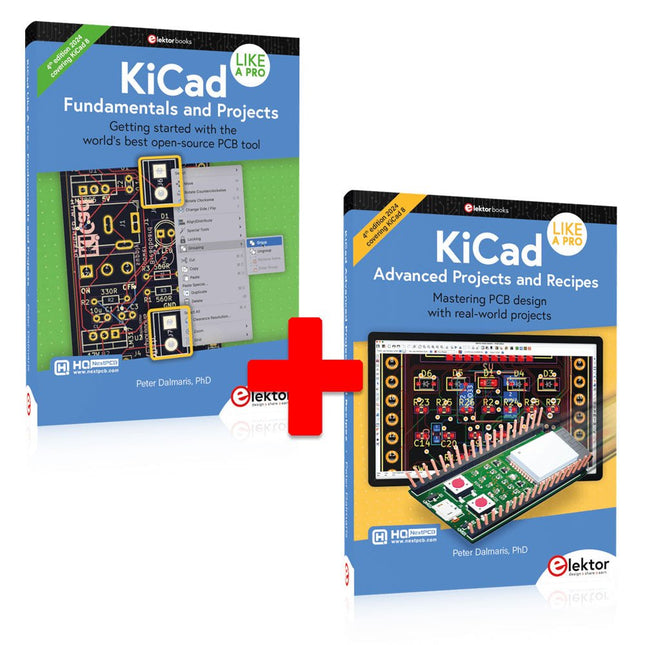
Elektor Bundles KiCad Like A Pro (Bundle)
Dieses Bundle enthält beide Bände von "KiCad Like a Pro" (4. Ausgabe 2024). In Fundamentals and Projects (Einzelpreis: 49,95 €) lernen Sie den praktischen Umgang mit KiCad kennen, sodass Sie schnell produktiv werden und mit dem Entwurf Ihrer eigenen Boards beginnen können. Mit Advanced Projects and Recipes (Einzelpreis: 44,95 €) können Sie Ihre neuen KiCad-Kenntnisse üben, indem Sie sich selbst mit einer Reihe realer Projekte herausfordern. Die neueste Version von KiCad, dem weltweit besten kostenlosen PCB-Tool, ist vollgepackt mit Funktionen, die normalerweise nur in teuren kommerziellen CAD-Tools zu finden sind. Diese moderne, plattformübergreifende Anwendungssuite, die auf Schaltplan- und Designeditoren mit Zusatzanwendungen basiert, ist ein stabiles und ausgereiftes PCB-Tool. KiCad 8 ist perfekt für Elektronikingenieure und -hersteller geeignet. Hier sind die wichtigsten Verbesserungen und Funktionen in KiCad 8, sowohl über als auch unter der Haube: Moderne Benutzeroberfläche, im Vergleich zu früheren Versionen komplett neu gestaltet Verbesserte und anpassbare Prüffunktionen für elektrische und Designregeln Designeditor, mit dem Sie KiCad auf Ihrem Bildschirm anpassen können Möglichkeit zum Importieren von Projekten aus Eagle, CADSTART und mehr Python-Skripting-API Verbesserter integrierter SPICE-Schaltkreissimulator Mehrblatt-Schaltpläne Filter definieren auswählbare Elemente Verbesserter interaktiver Router hilft Ihnen, einzelne Spuren und Differenzialpaare präzise zu zeichnen Neue oder verbesserte Tools zum Zeichnen von Spuren, Messen von Entfernungen, Anpassen von Spurlängen usw. Erweiterte interaktive Router Integrierter Stücklistengenerator Realistischer Raytracing-fähiger 3D-Viewer Anpassbare Teardrops Plug-in-Manager für die schnelle Installation von Designs, Bibliotheken und Funktionen wie Autoroutern und Stücklistengeneratoren Das erste Buch KiCad Like A Pro – Fundamentals and Projects bringt Ihnen den Umgang mit KiCad durch einen praktischen Ansatz bei. Es wird Ihnen helfen, schnell produktiv zu werden und mit dem Entwurf Ihrer eigenen Platinen zu beginnen. Beispielprojekte veranschaulichen die grundlegenden Funktionen von KiCad, auch wenn Sie keine Vorkenntnisse im PCB-Design haben. Der Autor beschreibt den gesamten Arbeitsablauf von der Schaltplaneingabe bis zu den Feinheiten der Fertigstellung der Dateien für die PCB-Produktion und bietet fundierte Anleitungen für den Prozess. Das zweite Buch KiCad Like A Pro – Advanced Projects and Recipes hilft Ihnen, Ihre neuen KiCad-Kenntnisse zu üben, indem es Sie in einer Reihe realer Projekte herausfordert. Die Projekte werden durch einen umfassenden Satz von Rezepten mit detaillierten Anweisungen zur Erledigung einer Vielzahl einfacher und komplexer Aufgaben unterstützt. Entwerfen Sie die Platine für eine Solarstromversorgung, ein LED-Matrix-Array, einen Arduino-betriebenen Datenlogger und eine benutzerdefinierte ESP32-Platine. Lernen Sie die Feinheiten des interaktiven Routers kennen, erfahren Sie, wie Sie KiCad-Projektteams mit Git verwalten, wie Sie einen Autorouter auf 2- und 4-lagigen Platinen verwenden und vieles mehr.
-
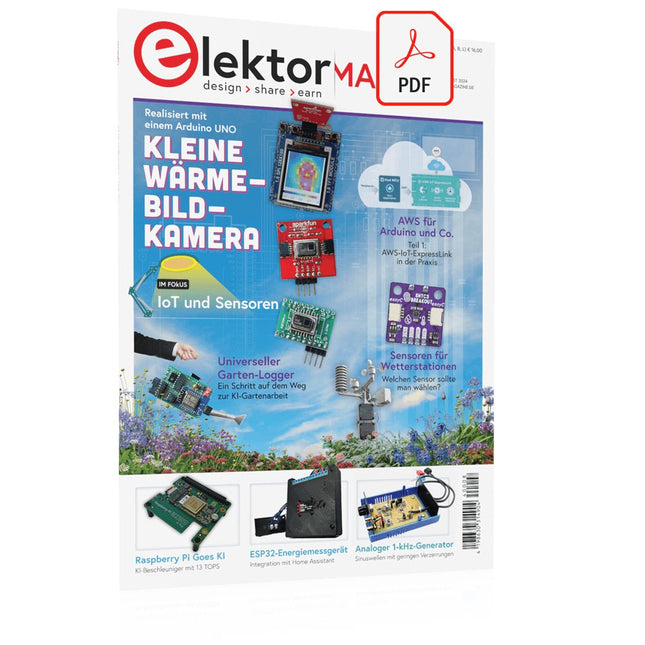
Elektor Digital Elektor 07-08/2024 (PDF)
Diese Ausgabe steht allen GOLD- und GREEN-Mitgliedern auf der ElektorMagazine-Website zum Download bereit! Sie sind noch kein Mitglied? Hier klicken! Kleine WärmebildkameraRealisiert mit einem Arduino UNO Projekt-Update #3: Energiemessgerät mit ESP32Integration und Test mit Home Assistant 2024: Eine Odyssee in die KIVerbessern der Objekterkennung: Nutzung verfeinerter Techniken Raspberry Pi Goes KINeues Kit enthält M.2-HAT mit KI-Beschleuniger Sensoren für WetterstationenWelchen Sensor sollte man wählen? KI-gestützter WasserzählerTeil 1: Bringen Sie Ihren alten Zähler ins IoT! Ein GSM-AlarmNutzung der GSM-Technologie für die Fernüberwachung von Garagen Low-Power-Thread-Geräte optimiert und getestetNiedriger Energiebedarf ... Niedrige Leistung? Aus dem Leben gegriffenDer Gender-Gap Nebelkammer selbstgebautUnsichtbare Strahlung sichtbar machen SparkFun Thing Plus MatterEin vielseitiges Matter-basiertes IoT-Entwicklungsboard IoT-RetrofittingRS232-Geräte fit für Industrie 4.0 machen IoT mit 8-Bit-Mikrocontrollern Technologie als Motor der NachhaltigkeitNeuerungen führen zu Energieeffizienz in vielen Applikationen AWS für Arduino und Co.Teil 1: AWS-IoT-ExpressLink in der Praxis Luftstromdetektor (nur) mit ArduinoKeine externen Sensoren erforderlich! WasserleckdetektorVerbunden mit der Arduino-Cloud QuarzeBemerkenswerte Bauteile Universeller Garten-LoggerEin Schritt auf dem Weg zur KI-gestützten Gartenarbeit Analoger 1-kHz-GeneratorSinuswellen mit geringen Verzerrungen Miletus: Web-Apps offline nutzenSystem- und Gerätezugriff inklusive Von 4G zu 5GIst es wirklich so einfach? Aller Anfang...muss nicht schwer sein: Der Ausgleich
€ 11,90
-

Elektor Digital KiCad Like A Pro – Advanced Projects and Recipes (E-book)
Mastering PCB design with real-world projects This book builts on KiCad Like a Pro – Fundamentals and Projects and aims to help you practice your new KiCad skills by challenging you in a series of real-world projects. The projects are supported by a comprehensive set of recipes with detailed instructions on how to achieve a variety of simple and complex tasks. Design the PCBs for a solar power supply, an LED matrix array, an Arduino-powered datalogger, and a custom ESP32 board. Understand the finer details of the interactive router, how to manage KiCad project teams with Git, how to use an autorouter on 2 and 4-layer PCBs, and much more. KiCad 8 is a modern, cross-platform application suite built around schematic and design editors. This stable and mature PCB tool is a perfect fit for electronic engineers and makers. With KiCad 8, you can create PCBs of any complexity and size without the constraints associated with the commercial packages. Here are the most significant improvements and features in KiCad 8, both over and under the hood: Modern user interface, completely redesigned from earlier versions Improved and customizable electrical and design rule checkers Theme editor allowing you to fully customize the look of KiCad on your screen Ability to import projects from Eagle, CADSTART, and more An improved and tightly integrated SPICE circuit simulator Autorouting with the Freerouting plugin Filters define which elements of a layout are selectable Enhanced interactive router helps you draw single tracks and differential pairs with precision New or enhanced tools to draw tracks, measure distances, tune track lengths, etc. Enhanced tool for creating filled zones A customizable coordinate system facilitates data exchange with other CAD applications Realistic ray-tracing capable 3D viewer Differential pair routing Rich repositories of symbol, footprint, and 3D shape libraries Python scripting API for programmatic customization and extensions Improved footprint wizard for fast custom footprints
€ 39,95
Mitglieder: € 35,96
-

Elektor Publishing KiCad Like A Pro – Advanced Projects and Recipes
Mastering PCB design with real-world projects This book builts on KiCad Like a Pro – Fundamentals and Projects and aims to help you practice your new KiCad skills by challenging you in a series of real-world projects. The projects are supported by a comprehensive set of recipes with detailed instructions on how to achieve a variety of simple and complex tasks. Design the PCBs for a solar power supply, an LED matrix array, an Arduino-powered datalogger, and a custom ESP32 board. Understand the finer details of the interactive router, how to manage KiCad project teams with Git, how to use an autorouter on 2 and 4-layer PCBs, and much more. KiCad 8 is a modern, cross-platform application suite built around schematic and design editors. This stable and mature PCB tool is a perfect fit for electronic engineers and makers. With KiCad 8, you can create PCBs of any complexity and size without the constraints associated with the commercial packages. Here are the most significant improvements and features in KiCad 8, both over and under the hood: Modern user interface, completely redesigned from earlier versions Improved and customizable electrical and design rule checkers Theme editor allowing you to fully customize the look of KiCad on your screen Ability to import projects from Eagle, CADSTART, and more An improved and tightly integrated SPICE circuit simulator Autorouting with the Freerouting plugin Filters define which elements of a layout are selectable Enhanced interactive router helps you draw single tracks and differential pairs with precision New or enhanced tools to draw tracks, measure distances, tune track lengths, etc. Enhanced tool for creating filled zones A customizable coordinate system facilitates data exchange with other CAD applications Realistic ray-tracing capable 3D viewer Differential pair routing Rich repositories of symbol, footprint, and 3D shape libraries Python scripting API for programmatic customization and extensions Improved footprint wizard for fast custom footprints
-

Elektor Digital KiCad Like A Pro – Fundamentals and Projects (E-book)
Getting started with the world’s best open-source PCB tool The latest iteration of KiCad, the world’s best free-to-use Printed Circuit Board tool, is packed with features usually found only in expensive commercial CAD tools. This modern, cross-platform application suite built around schematic and design editors, with auxiliary applications is a stable and mature PCB tool. KiCad 8 is a perfect fit for electronic engineers and makers. Here are the most significant improvements and features in KiCad 8, both over and under the hood: Modern user interface, completely redesigned from earlier versions Improved and customizable electrical and design rule checkers Theme editor allowing you to customize KiCad on your screen Ability to import projects from Eagle, CADSTART, and more Python scripting API Improved integrated SPICE circuit simulator Multi-sheet schematics Filters define selectable elements Enhanced interactive router helps you draw single tracks and differential pairs with precision New or enhanced tools to draw tracks, measure distances, tune track lengths, etc. Advanced interactive router Built-in bill of materials generator Realistic ray-tracing capable 3D viewer Customizable teardrops Plug-in manager for quick installation of themes, libraries and functionalities such as autorouters and BOM generators This book will teach you to use KiCad through a practical approach. It will help you become productive quickly and start designing your own boards. Example projects illustrate the basic features of KiCad, even if you have no prior knowledge of PCB design. The author describes the entire workflow from schematic entry to the intricacies of finalizing the files for PCB production and offers sound guidance on the process. Further full-fledged projects, of incremental difficulty, will be presented in a second book, together with a variety of advanced recipes.
€ 44,95
Mitglieder: € 40,46
-

Elektor Publishing KiCad Like A Pro – Fundamentals and Projects
Getting started with the world’s best open-source PCB tool The latest iteration of KiCad, the world’s best free-to-use Printed Circuit Board tool, is packed with features usually found only in expensive commercial CAD tools. This modern, cross-platform application suite built around schematic and design editors, with auxiliary applications is a stable and mature PCB tool. KiCad 8 is a perfect fit for electronic engineers and makers. Here are the most significant improvements and features in KiCad 8, both over and under the hood: Modern user interface, completely redesigned from earlier versions Improved and customizable electrical and design rule checkers Theme editor allowing you to customize KiCad on your screen Ability to import projects from Eagle, CADSTART, and more Python scripting API Improved integrated SPICE circuit simulator Multi-sheet schematics Filters define selectable elements Enhanced interactive router helps you draw single tracks and differential pairs with precision New or enhanced tools to draw tracks, measure distances, tune track lengths, etc. Advanced interactive router Built-in bill of materials generator Realistic ray-tracing capable 3D viewer Customizable teardrops Plug-in manager for quick installation of themes, libraries and functionalities such as autorouters and BOM generators This book will teach you to use KiCad through a practical approach. It will help you become productive quickly and start designing your own boards. Example projects illustrate the basic features of KiCad, even if you have no prior knowledge of PCB design. The author describes the entire workflow from schematic entry to the intricacies of finalizing the files for PCB production and offers sound guidance on the process. Further full-fledged projects, of incremental difficulty, will be presented in a second book, together with a variety of advanced recipes.
-

Elektor Digital LTspice Essentials (E-book)
An Introduction to Circuit Simulation LTspice, developed by Analog Devices, is a powerful, fast, and free SPICE simulator, schematic capture, and waveform viewer with a large database of components supported by SPICE models from all over the world. Drawing a schematic in LTspice is easy and fast. Thanks to its powerful graphing features, you can visualize the voltages and currents in a circuit, and also the power consumption of its components and much more. This book is about learning to design and simulate electronic circuits using LTspice. Among others, the following topics are treated: DC and AC circuits Signal diodes and Zener diodes Transistor circuits including oscillators Thyristor/SCR, diac, and triac circuits Operational amplifier circuits including oscillators The 555 timer IC Filters Voltage regulators Optocouplers Waveform generation Digital logic simulation including the 74HC family SPICE modeling LTspice is a powerful electronic circuit simulation tool with many features and possibilities. Covering them all in detail is not possible in a book of this size. Therefore, this book presents the most common topics like DC and AC circuit analysis, parameter sweeping, transfer functions, oscillators, graphing, etc. Although this book is an introduction to LTspice, it covers most topics of interest to people engaged in electronic circuit simulation. The book is aimed at electronic/electrical engineers, students, teachers, and hobbyists. Many tested simulation examples are given in the book. Readers do not need to have any computer programming skills, but it will help if they are familiar with basic electronic circuit design and operation principles. Readers who want to dive deeper can find many detailed tutorials, articles, videos, design files, and SPICE circuit models on the Internet. All the simulation examples used in the book are available as files at the webpage of this book. Readers can use these example circuits for learning or modify them for their own applications.
€ 32,95
Mitglieder: € 29,66
-

Elektor Publishing LTspice Essentials
An Introduction to Circuit Simulation LTspice, developed by Analog Devices, is a powerful, fast, and free SPICE simulator, schematic capture, and waveform viewer with a large database of components supported by SPICE models from all over the world. Drawing a schematic in LTspice is easy and fast. Thanks to its powerful graphing features, you can visualize the voltages and currents in a circuit, and also the power consumption of its components and much more. This book is about learning to design and simulate electronic circuits using LTspice. Among others, the following topics are treated: DC and AC circuits Signal diodes and Zener diodes Transistor circuits including oscillators Thyristor/SCR, diac, and triac circuits Operational amplifier circuits including oscillators The 555 timer IC Filters Voltage regulators Optocouplers Waveform generation Digital logic simulation including the 74HC family SPICE modeling LTspice is a powerful electronic circuit simulation tool with many features and possibilities. Covering them all in detail is not possible in a book of this size. Therefore, this book presents the most common topics like DC and AC circuit analysis, parameter sweeping, transfer functions, oscillators, graphing, etc. Although this book is an introduction to LTspice, it covers most topics of interest to people engaged in electronic circuit simulation. The book is aimed at electronic/electrical engineers, students, teachers, and hobbyists. Many tested simulation examples are given in the book. Readers do not need to have any computer programming skills, but it will help if they are familiar with basic electronic circuit design and operation principles. Readers who want to dive deeper can find many detailed tutorials, articles, videos, design files, and SPICE circuit models on the Internet. All the simulation examples used in the book are available as files at the webpage of this book. Readers can use these example circuits for learning or modify them for their own applications.
€ 39,95
Mitglieder: € 35,96
-
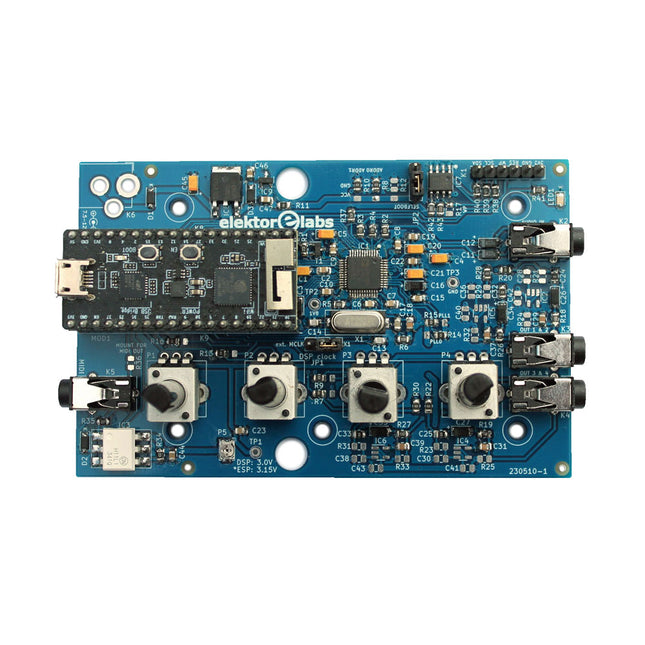
Elektor Labs Elektor Audio DSP FX Processor (Neue Revision)
Der Elektor Audio DSP FX Processor kombiniert einen ESP32-Mikrocontroller und einen ADAU1701 Audio DSP von Analog Devices. Neben einem vom Benutzer programmierbaren DSP-Kern verfügt der ADAU1701 über hochwertige integrierte Analog-Digital- und Digital-Analog-Wandler und verfügt über einen I²S-Port. Dadurch eignet es sich als hochwertiges Audio-Interface für den ESP32. Programme für den ESP32 können mit Arduino, Platform IO, CMake oder durch die Verwendung des Espressif IDF auf andere Weise erstellt werden. Programme für die Audio-DSPs ADAU7101 werden mit dem kostenlosen visuellen Programmiertool SigmaStudio durch Ziehen und Ablegen vordefinierter Algorithmusblöcke auf einer Leinwand erstellt. Anwendungen Bluetooth/Wi-Fi-Audiosink (z. B. Lautsprecher) & Quelle Gitarreneffektpedal (Stomp-Box) Musiksynthesizer Sound-/Funktionsgenerator Programmierbarer Crossover-Filter für Lautsprecher Erweiterter Audioeffektprozessor (Hall, Chorus, Pitch-Shifting usw.) Mit dem Internet verbundenes Audiogerät DSP-Experimentierplattform Drahtloses MIDI MIDI-zu-CV-Konverter und viele mehr... Technische Daten ADAU1701 28-/56-Bit, 50-MIPS digitaler Audioprozessor, der Abtastraten von bis zu 192 kHz unterstützt ESP32 32-Bit-Dual-Core-Mikrocontroller mit Wi-Fi 802.11b/g/n und Bluetooth 4.2 BR/EDR und BLE 2x 24-Bit-Audioeingänge (2 V RMS, 20 kΩ) 4x 24-Bit-Audioausgänge (0,9 V RMS, 600 Ω) 4x Steuerpotentiometer MIDI Ein- und Ausgang I²C-Erweiterungsport Multi-Mode-Betrieb Stromversorgung: 5 V DC USB oder 7,5-12 V DC (Hohlbuchse, mittlerer Pin ist GND) Stromverbrauch (Durchschnitt): 200 mA Lieferumfang 1x ESP32 Audio DSP FX Prozessor Board (montiert) 1x ESP32-PICO-KIT 2x Jumper 2x 18-Pin Header (female) 4x 10 KB Potentiometer Downloads Documentation GitHub
€ 99,95€ 84,95Bestpreis
-

Elektor Bundles Raspberry Pi 5 RTL-SDR V4 (Bundle)
Programmieren und bauen Sie Amateurfunkstationen mit Raspberry Pi-basierten Tools und Messgeräten! Der verbesserte RTL-SDR V4 ermöglicht den Empfang von Funksignalen zwischen 500 kHz und 1,75 GHz von Stationen, die verschiedene Bänder nutzen, darunter MW/SW/LW-Rundfunk, Amateurfunk, Betriebsfunk, Flugsicherung, PMR, SRD, ISM, CB, Wettersatelliten und Radioastronomie. Das Buch Raspberry Pi 5 for Radio Amateurs beschreibt ausführlich den Einsatz des RTL-SDR-Kits mit Hilfe eines Raspberry Pi 5. Dieses Bundle enthält: RTL-SDR V4 (inkl. Dipolantennen-Set) (Einzelpreis: 75 €) Raspberry Pi 5 for Radio Amateurs (Einzelpreis: 40 €) RTL-SDR V4 (Software Defined Radio) mit Dipolantennen-Set RTL-SDR ist ein erschwinglicher Dongle, der als computergestützter Radioscanner für den Empfang von Live-Radiosignalen zwischen 500 kHz und 1,75 GHz in Ihrer Umgebung verwendet werden kann. Der RTL-SDR V4 bietet eine Reihe von Verbesserungen, darunter die Verwendung des R828D-Tunerchips, einen dreifachen Eingangsfilter, einen Notch-Filter, verbesserte Komponententoleranzen, einen temperaturkompensierten Oszillator (TCXO) mit 1 PPM, einen SMA-F-Anschluss, ein Aluminiumgehäuse mit passiver Kühlung, eine Bias-Tee-Schaltung, eine verbesserte Stromversorgung und einen eingebauten HF-Aufwärtswandler. RTL-SDR V4 wird mit dem tragbaren Dipolantennen-Set geliefert. Es eignet sich hervorragend für Einsteiger, da es terrestrischen und Satellitenempfang ermöglicht, sich einfach im Freien montieren lässt und für den mobilen und vorübergehenden Einsatz im Freien konzipiert ist. Features Verbesserter HF-Empfang: V4 verwendet jetzt einen integrierten Aufwärtswandler anstelle einer direkten Abtastschaltung. Dies bedeutet keine Nyquist-Faltung von Signalen um 14,4 MHz mehr, verbesserte Empfindlichkeit und einstellbare Verstärkung auf HF. Wie beim V3 bleibt der untere Abstimmbereich bei 500 kHz und ein sehr starker Empfang erfordert möglicherweise immer noch eine Dämpfung/Filterung am vorderen Ende. Verbesserte Filterung: Der V4 nutzt den R828D-Tuner-Chip, der über drei Eingänge verfügt. Der SMA-Eingang wurde als Triplex-Eingang in drei Bänder umgewandelt: HF, VHF und UHF. Dies sorgt für eine gewisse Isolierung zwischen den drei Bändern, was bedeutet, dass Störungen außerhalb des Bandes durch starke Rundfunksender weniger wahrscheinlich zu Desensibilisierung oder Bildgebung führen. Verbesserte Filterung x2: Zusätzlich zum Triplexing kann auch der offene Drain-Pin am R828D verwendet werden, der das Hinzufügen einfacher Kerbfilter für gängige Interferenzbänder wie Broadcast AM, Broadcast FM ermöglicht und die DAB-Bänder. Diese dämpfen nur um ein paar dB, können aber dennoch helfen. Verbessertes Phasenrauschen bei starken Signalen: Aufgrund eines verbesserten Netzteildesigns wurde das Phasenrauschen durch Netzteilrauschen deutlich reduziert. Weniger Wärme: Ein weiterer Vorteil der verbesserten Stromversorgung ist der geringere Stromverbrauch und die geringere Wärmeentwicklung im Vergleich zum V3. Lieferumfang 1x RTL-SDR V4 Dongle (R828D RTL2832U 1PPM TCXO SMA) 2x 23 cm bis 1 m Teleskopantenne 2x 5 cm bis 13 cm Teleskopantenne 1x Dipolantennenfuß mit 60 cm RG174 1x 3 m RG174-Verlängerungskabel 1x Flexible Stativhalterung 1x Saugnapfhalterung Downloads Datasheet User Guide Quick Start Guide SDR# User Guide Dipole Antenna Guide Buch: Raspberry Pi 5 for Radio Amateurs Die RTL-SDR-Geräte (V3 und V4) sind bei Funkamateuren wegen ihrer sehr niedrigen Kosten und umfangreichen Funktionen sehr beliebt. Ein Basissystem kann aus einem USB-basierten RTL-SDR-Gerät (Dongle) mit einer geeigneten Antenne, einem Raspberry Pi 5-Computer, einem USB-basierten externen Audio-Eingangs-Ausgangs-Adapter und einer auf dem Raspberry Pi 5-Computer installierten Software bestehen. Mit einem solch bescheidenen Aufbau ist es möglich, Signale von etwa 24 MHz bis über 1,7 GHz zu empfangen. Dieses Buch richtet sich an Funkamateure und Studenten der Elektrotechnik sowie an alle, die lernen möchten, wie man den Raspberry Pi 5 zum Bau elektronischer Projekte verwendet. Das Buch ist sowohl für Anfänger als auch für erfahrene Leser geeignet. Gewisse Kenntnisse der Programmiersprache Python sind erforderlich, um die im Buch vorgestellten Projekte zu verstehen und eventuell zu verändern. Zu jedem Projekt gibt es neben einer ausführlichen Beschreibung auch ein Blockschaltbild, einen Schaltplan und ein komplettes Python-Programmlisting. Die folgenden beliebten RTL-SDR-Programme werden ausführlich besprochen und mit Schritt-für-Schritt-Anleitungen für den praktischen Einsatz auf einem Raspberry Pi 5 versehen: SimpleFM GQRX SDR++ CubicSDR RTL-SDR Server Dump1090 FLDIGI Quick RTL_433 aldo xcwcp GPredict TWCLOCK CQRLOG klog Morse2Ascii PyQSO Welle.io Ham Clock CHIRP xastir qsstv flrig XyGrib FreeDV Qtel (EchoLink) XDX (DX-Cluster) WSJT-X Die Anwendung der Programmiersprache Python auf der neuesten Raspberry Pi 5-Plattform schließt die Verwendung der Programme in diesem Buch auf älteren Versionen von Raspberry Pi-Computern aus.
-

Elektor Digital Elektor 05-06/2024 (PDF)
Diese Ausgabe steht allen GOLD- und GREEN-Mitgliedern auf der ElektorMagazine-Website zum Download bereit! Sie sind noch kein Mitglied? Hier klicken! STM32 Wireless Innovation Design Contest – Die Gewinner stehen fest In-Circuit LC-MeterEine Prototyp-Studie Das modulare DC-Leistungsmessgerät AmpVoltTeil 1: Platine zur Messung von Strömen bis 5 A und Spannungen bis 50 V embedded world 2024 Reparatur von elektronischen GerätenWerkzeuge, Techniken und Tipps Aller Anfang ...muss nicht schwer sein: Wir setzen die Verstärkertheorie fort! Ein einfacher DDS-SignalgeneratorDirekte Digitale Synthese in ihrer reinsten Form Sparkplug im ÜberblickEine Spezifikation für MQTT-Daten Bemerkenswerte BauteileZeile für Zeile: CRTCs Radargesteuerte BeleuchtungAutomatisches Treppenhauslicht mit Anwesenheitsdetektion Digitale Wasserwaage und aktive Stroboskop-Scheibe für PlattenspielerFeinabstimmung Ihres Plattenspielers mit nur einem Gerät Open Source und seine Bedeutung für die Elektronikindustrie (2) M12-Rundsteckverbinder mit A-KodierungErste Wahl für industrielle Anwendungen Arduino-MesslaborEin 8-in-1-Test- und Messgerät für das heimische Elektroniklabor Soundkarte als Betrag/Phase-Impedanz-AnalysatorFür Frequenzen von 100 Hz bis 90 kHz pH-Wert-Messung mit dem Arduino UNO R4Überprüfen Sie die Qualität Ihres Wassers Aus dem Leben gegriffenStartrampe für Pangpong-Popöchen Digitales Speicheroszilloskop FNIRSI 1014DGute Leistung für knappe Budgets 2024: Eine Odyssee in die KIWie man die Objekterkennung zum Laufen bringt 10-MHz-ReferenzgeneratorHochgenau, mit Verteiler und galvanischer Trennung Projekt-Update #2: Energiemessgerät mit ESP32Einige Weiterentwicklungen Projekt 2.0Korrekturen, Updates und Leserbriefe Ein Interview mit Eben Upton, Geschäftsführer von Raspberry PiDer Raspberry Pi 5 und darüber hinaus
€ 11,90
-

Elektor Digital Aktive und passive Filter (PDF)
Grundlagen und Simulation mit Multisim Analoge Filterschaltungen bilden die schaltungstechnischen Grundlagen in der Elektronik, Messtechnik, Nachrichtentechnik, Computertechnik usw. Die Bauelemente Widerstand, Kondensator und Spule sind die Grundlagen der passiven Filtertechnik. Filter haben Einfluss auf die Signalamplitude, die Signalform (zeitlicher Verlauf) und Signallaufzeit (Signalverlauf). Mit diesen Voraussetzungen werden Zweipole, Vierpole, Hoch- und Tiefpässe behandelt. Daraus resultieren Frequenz- und Phasengang, Dämpfung, Bandpass, Bandsperre und Doppel-T-Filter. Der Operationsverstärker arbeitet als Verstärker in der aktiven Filtertechnik. Erklärt werden in diesem Buch auch aktive Hoch- und Tiefpassfilter der 1., 2., 3. und höherer Ordnung, Unterschiede zwischen Gauß-, Bessel-, Butterworth- und Tschebyscheff-Funktionen, aktive Bandpass- und Bandsperrfilter, Allpassfilter und Universalfilter. Dieses Buch basiert auf dem bekannten Programm Multisim und Spice. Damit lassen sich alle Versuche simulieren.
€ 39,80
Mitglieder: € 35,82
-

Elektor Publishing Aktive und passive Filter
Grundlagen und Simulation mit Multisim Analoge Filterschaltungen bilden die schaltungstechnischen Grundlagen in der Elektronik, Messtechnik, Nachrichtentechnik, Computertechnik usw. Die Bauelemente Widerstand, Kondensator und Spule sind die Grundlagen der passiven Filtertechnik. Filter haben Einfluss auf die Signalamplitude, die Signalform (zeitlicher Verlauf) und Signallaufzeit (Signalverlauf). Mit diesen Voraussetzungen werden Zweipole, Vierpole, Hoch- und Tiefpässe behandelt. Daraus resultieren Frequenz- und Phasengang, Dämpfung, Bandpass, Bandsperre und Doppel-T-Filter. Der Operationsverstärker arbeitet als Verstärker in der aktiven Filtertechnik. Erklärt werden in diesem Buch auch aktive Hoch- und Tiefpassfilter der 1., 2., 3. und höherer Ordnung, Unterschiede zwischen Gauß-, Bessel-, Butterworth- und Tschebyscheff-Funktionen, aktive Bandpass- und Bandsperrfilter, Allpassfilter und Universalfilter. Dieses Buch basiert auf dem bekannten Programm Multisim und Spice. Damit lassen sich alle Versuche simulieren.
€ 49,80
Bestpreis
-

Elektor Digital Entwurf und Bau von linearen Stromversorgungssystemen (für kleine und große Leistungen) (PDF)
Aus der Reihe "Stromversorgung ohne Stress" (Band 4) Renaissance der linearen Stromversorgungen Mittlerweile gibt es fast nur noch Schaltnetzteile. Da diese rauschen und stören, sind sie nicht für alle Einsatzzwecke die beste Wahl. Ursache sind durch den Schaltbetrieb erzeugte Hochfrequenzschwingungen, die in die Netzleitung und die Umgebung strahlen. Lineare Netzteile liefern Gleichspannungen von höchster Qualität. Über Brummen und Rauschen braucht man sich wenig Sorgen zu machen. Auch der Aufbau ist im Vergleich zu Schaltnetzteilen unkritisch. Wenn man überhaupt von Nachteilen bei linearen Netzteilen sprechen kann, wäre nur das höhere Gewicht zu nennen. Lineare Stromversorgungen sind auch einfach zu verstehen, können aus Standard-Bauteilen aufgebaut werden, sind leicht zu modifizieren und reparaturfähig und damit nachhaltig. In diesem Buch geht es um den Entwurf und den Bau von linearen Stromversorgungssystemen für kleine und große Leistungen. Aber auch Randthemen wie die lineare Steuerung von Verbrauchern und Kompromissen aus Kombinationen von Schaltnetzteil und linearem Netzteil oder Hilfsschaltungen wie lineare Lasten sind Bestandteil des Buches. Bei dieser Gelegenheit gibt es ausreichend Raum für die Besprechung der Grundlagen, der technischen Details, der Fallstricke und von Tipps und Tricks.
€ 32,80
Mitglieder: € 29,52
-
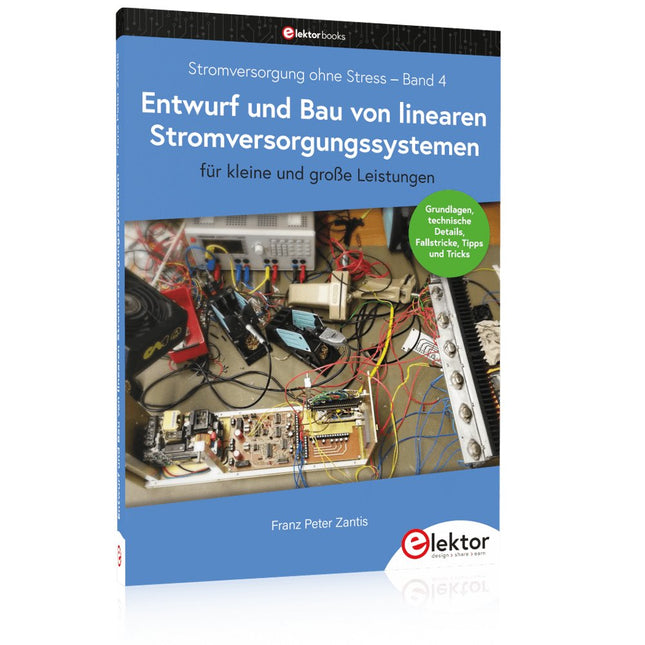
Elektor Publishing Entwurf und Bau von linearen Stromversorgungssystemen (für kleine und große Leistungen)
Aus der Reihe "Stromversorgung ohne Stress" (Band 4) Renaissance der linearen Stromversorgungen Mittlerweile gibt es fast nur noch Schaltnetzteile. Da diese rauschen und stören, sind sie nicht für alle Einsatzzwecke die beste Wahl. Ursache sind durch den Schaltbetrieb erzeugte Hochfrequenzschwingungen, die in die Netzleitung und die Umgebung strahlen. Lineare Netzteile liefern Gleichspannungen von höchster Qualität. Über Brummen und Rauschen braucht man sich wenig Sorgen zu machen. Auch der Aufbau ist im Vergleich zu Schaltnetzteilen unkritisch. Wenn man überhaupt von Nachteilen bei linearen Netzteilen sprechen kann, wäre nur das höhere Gewicht zu nennen. Lineare Stromversorgungen sind auch einfach zu verstehen, können aus Standard-Bauteilen aufgebaut werden, sind leicht zu modifizieren und reparaturfähig und damit nachhaltig. In diesem Buch geht es um den Entwurf und den Bau von linearen Stromversorgungssystemen für kleine und große Leistungen. Aber auch Randthemen wie die lineare Steuerung von Verbrauchern und Kompromissen aus Kombinationen von Schaltnetzteil und linearem Netzteil oder Hilfsschaltungen wie lineare Lasten sind Bestandteil des Buches. Bei dieser Gelegenheit gibt es ausreichend Raum für die Besprechung der Grundlagen, der technischen Details, der Fallstricke und von Tipps und Tricks.
€ 39,80
Bestpreis
-

Elektor Digital Building Wireless Sensor Networks with OpenThread (E-book)
Developing CoAP applications for Thread networks with Zephyr This book will guide you through the operation of Thread, the setup of a Thread network, and the creation of your own Zephyr-based OpenThread applications to use it. You’ll acquire knowledge on: The capture of network packets on Thread networks using Wireshark and the nRF Sniffer for 802.15.4. Network simulation with the OpenThread Network Simulator. Connecting a Thread network to a non-Thread network using a Thread Border Router. The basics of Thread networking, including device roles and types, as well as the diverse types of unicast and multicast IPv6 addresses used in a Thread network. The mechanisms behind network discovery, DNS queries, NAT64, and multicast addresses. The process of joining a Thread network using network commissioning. CoAP servers and clients and their OpenThread API. Service registration and discovery. Securing CoAP messages with DTLS, using a pre-shared key or X.509 certificates. Investigating and optimizing a Thread device’s power consumption. Once you‘ve set up a Thread network with some devices and tried connecting and disconnecting them, you’ll have gained a good insight into the functionality of a Thread network, including its self-healing capabilities. After you’ve experimented with all code examples in this book, you’ll also have gained useful programming experience using the OpenThread API and CoAP.
€ 32,95
Mitglieder: € 29,66
-
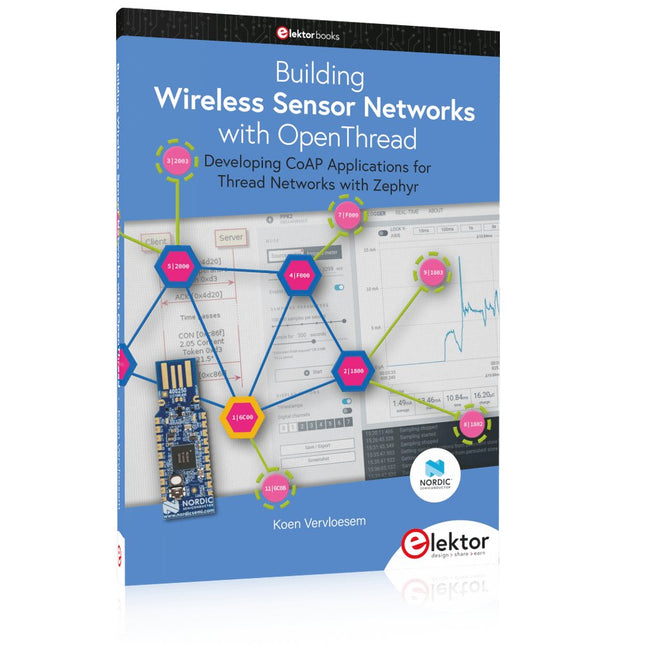
Elektor Publishing Building Wireless Sensor Networks with OpenThread
Developing CoAP applications for Thread networks with Zephyr This book will guide you through the operation of Thread, the setup of a Thread network, and the creation of your own Zephyr-based OpenThread applications to use it. You’ll acquire knowledge on: The capture of network packets on Thread networks using Wireshark and the nRF Sniffer for 802.15.4. Network simulation with the OpenThread Network Simulator. Connecting a Thread network to a non-Thread network using a Thread Border Router. The basics of Thread networking, including device roles and types, as well as the diverse types of unicast and multicast IPv6 addresses used in a Thread network. The mechanisms behind network discovery, DNS queries, NAT64, and multicast addresses. The process of joining a Thread network using network commissioning. CoAP servers and clients and their OpenThread API. Service registration and discovery. Securing CoAP messages with DTLS, using a pre-shared key or X.509 certificates. Investigating and optimizing a Thread device’s power consumption. Once you‘ve set up a Thread network with some devices and tried connecting and disconnecting them, you’ll have gained a good insight into the functionality of a Thread network, including its self-healing capabilities. After you’ve experimented with all code examples in this book, you’ll also have gained useful programming experience using the OpenThread API and CoAP.
€ 39,95
Mitglieder: € 35,96
-

Elektor Digital Raspberry Pi 5 for Radio Amateurs (E-book)
Program and Build Raspberry Pi 5 Based Ham Station Utilities with the RTL-SDR The RTL-SDR devices (V3 and V4) have gained popularity among radio amateurs because of their very low cost and rich features. A basic system may consist of a USB based RTL-SDR device (dongle) with a suitable antenna, a Raspberry Pi 5 computer, a USB based external audio input-output adapter, and software installed on the Raspberry Pi 5 computer. With such a modest setup, it is possible to receive signals from around 24 MHz to over 1.7 GHz. This book is aimed at amateur radio enthusiasts and electronic engineering students, as well as at anyone interested in learning to use the Raspberry Pi 5 to build electronic projects. The book is suitable for both beginners through experienced readers. Some knowledge of the Python programming language is required to understand and eventually modify the projects given in the book. A block diagram, a circuit diagram, and a complete Python program listing is given for each project, alongside a comprehensive description. The following popular RTL-SDR programs are discussed in detail, aided by step-by-step installation guides for practical use on a Raspberry Pi 5: SimpleFM GQRX SDR++ CubicSDR RTL-SDR Server Dump1090 FLDIGI Quick RTL_433 aldo xcwcp GPredict TWCLOCK CQRLOG klog Morse2Ascii PyQSO Welle.io Ham Clock CHIRP xastir qsstv flrig XyGrib FreeDV Qtel (EchoLink) XDX (DX-Cluster) WSJT-X The application of the Python programming language on the latest Raspberry Pi 5 platform precludes the use of the programs in the book from working on older versions of Raspberry Pi computers.
€ 32,95
Mitglieder: € 29,66
-
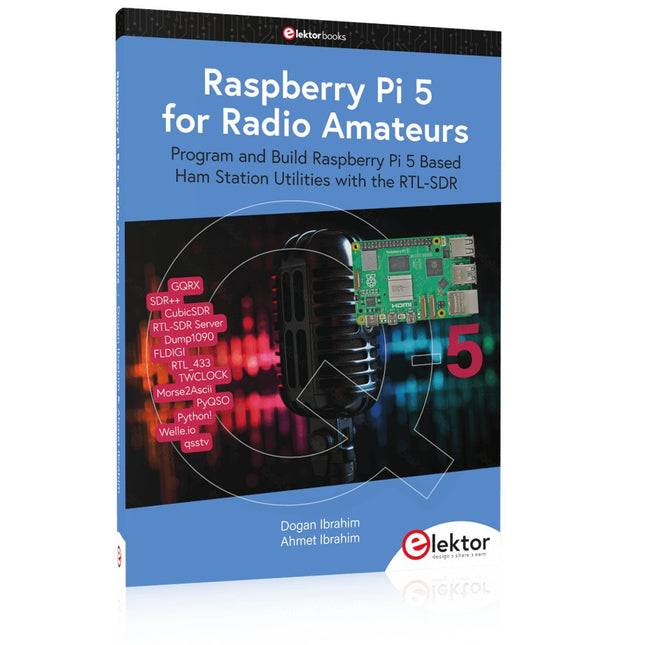
Elektor Publishing Raspberry Pi 5 for Radio Amateurs
Program and Build Raspberry Pi 5 Based Ham Station Utilities with the RTL-SDR The RTL-SDR devices (V3 and V4) have gained popularity among radio amateurs because of their very low cost and rich features. A basic system may consist of a USB based RTL-SDR device (dongle) with a suitable antenna, a Raspberry Pi 5 computer, a USB based external audio input-output adapter, and software installed on the Raspberry Pi 5 computer. With such a modest setup, it is possible to receive signals from around 24 MHz to over 1.7 GHz. This book is aimed at amateur radio enthusiasts and electronic engineering students, as well as at anyone interested in learning to use the Raspberry Pi 5 to build electronic projects. The book is suitable for both beginners through experienced readers. Some knowledge of the Python programming language is required to understand and eventually modify the projects given in the book. A block diagram, a circuit diagram, and a complete Python program listing is given for each project, alongside a comprehensive description. The following popular RTL-SDR programs are discussed in detail, aided by step-by-step installation guides for practical use on a Raspberry Pi 5: SimpleFM GQRX SDR++ CubicSDR RTL-SDR Server Dump1090 FLDIGI Quick RTL_433 aldo xcwcp GPredict TWCLOCK CQRLOG klog Morse2Ascii PyQSO Welle.io Ham Clock CHIRP xastir qsstv flrig XyGrib FreeDV Qtel (EchoLink) XDX (DX-Cluster) WSJT-X The application of the Python programming language on the latest Raspberry Pi 5 platform precludes the use of the programs in the book from working on older versions of Raspberry Pi computers.
€ 39,95
Mitglieder: € 35,96
-

Elektor Digital Coding Modbus TCP/IP for Arduino (E-book)
Example projects with Node-RED, MQTT, WinCC SCADA, Blynk, and ThingSpeak This comprehensive guide unlocks the power of Modbus TCP/IP communication with Arduino. From the basics of the Modbus protocol right up to full implementation in Arduino projects, the book walks you through the complete process with lucid explanations and practical examples. Learn how to set up Modbus TCP/IP communication with Arduino for seamless data exchange between devices over a network. Explore different Modbus functions and master reading and writing registers to control your devices remotely. Create Modbus client and server applications to integrate into your Arduino projects, boosting their connectivity and automation level. With detailed code snippets and illustrations, this guide is perfect for beginners and experienced Arduino enthusiasts alike. Whether you‘re a hobbyist looking to expand your skills or a professional seeking to implement Modbus TCP/IP communication in your projects, this book provides all the knowledge you need to harness the full potential of Modbus with Arduino. Projects covered in the book: TCP/IP communication between two Arduino Uno boards Modbus TCP/IP communication within the Node-RED environment Combining Arduino, Node-RED, and Blynk IoT cloud Interfacing Modbus TCP/IP with WinCC SCADA to control sensors Using MQTT protocol with Ethernet/ESP8266 Connecting to ThingSpeak IoT cloud using Ethernet/ESP8266
€ 32,95
Mitglieder: € 29,66
-
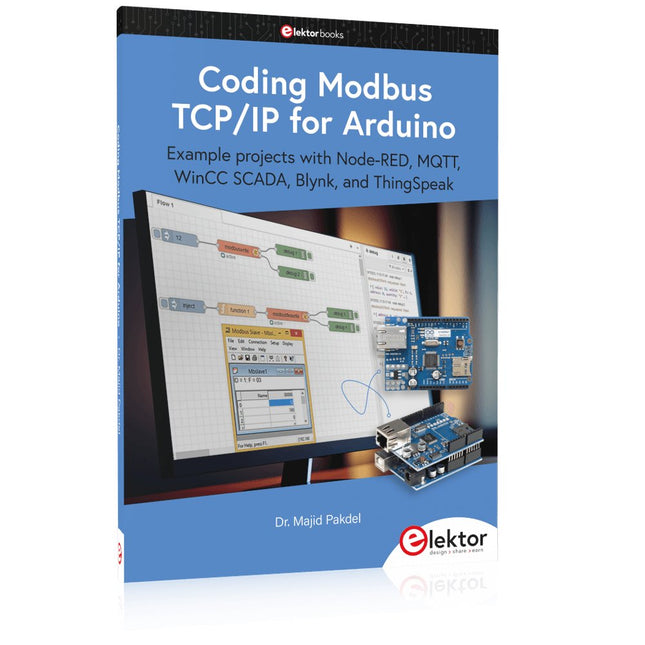
Elektor Publishing Coding Modbus TCP/IP for Arduino
Example projects with Node-RED, MQTT, WinCC SCADA, Blynk, and ThingSpeak This comprehensive guide unlocks the power of Modbus TCP/IP communication with Arduino. From the basics of the Modbus protocol right up to full implementation in Arduino projects, the book walks you through the complete process with lucid explanations and practical examples. Learn how to set up Modbus TCP/IP communication with Arduino for seamless data exchange between devices over a network. Explore different Modbus functions and master reading and writing registers to control your devices remotely. Create Modbus client and server applications to integrate into your Arduino projects, boosting their connectivity and automation level. With detailed code snippets and illustrations, this guide is perfect for beginners and experienced Arduino enthusiasts alike. Whether you‘re a hobbyist looking to expand your skills or a professional seeking to implement Modbus TCP/IP communication in your projects, this book provides all the knowledge you need to harness the full potential of Modbus with Arduino. Projects covered in the book: TCP/IP communication between two Arduino Uno boards Modbus TCP/IP communication within the Node-RED environment Combining Arduino, Node-RED, and Blynk IoT cloud Interfacing Modbus TCP/IP with WinCC SCADA to control sensors Using MQTT protocol with Ethernet/ESP8266 Connecting to ThingSpeak IoT cloud using Ethernet/ESP8266
-
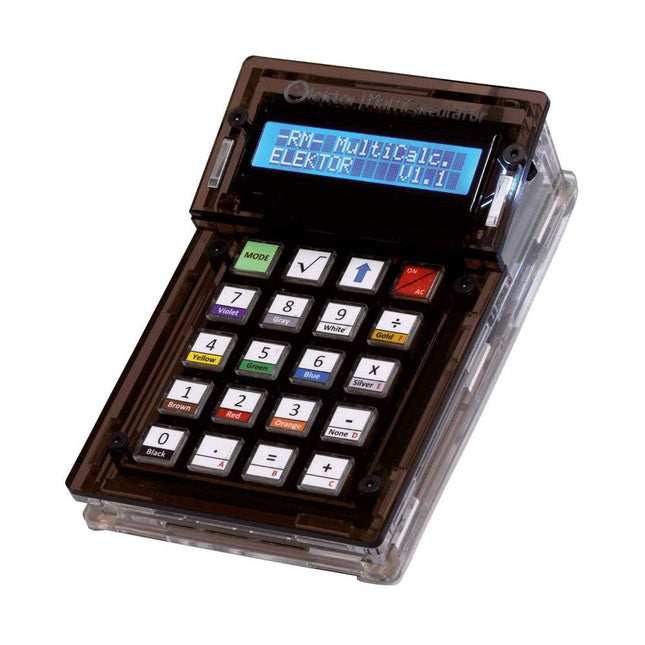
Elektor Labs Elektor Arduino MultiCalculator
Das Elektor MultiCalculator Kit ist ein Arduino-basierter Multifunktionsrechner, der über einfache Berechnungen hinausgeht. Es bietet 22 Funktionen, darunter Licht- und Temperaturmessung, Differenztemperaturanalyse und NEC-IR-Fernbedienungsdekodierung. Der Elektor MultiCalculator ist ein praktisches Werkzeug für den Einsatz in Ihren Projekten oder für Bildungszwecke. Das Kit enthält ein Pro Mini-Modul als Recheneinheit. Die Platine lässt sich mithilfe von Durchgangslochkomponenten einfach zusammenbauen. Das Gehäuse besteht aus 11 Acrylplatten und Montagematerial für eine einfache Montage. Darüber hinaus ist das Gerät mit einem 16x2 alphanumerischen LCD, 20 Tasten und Temperatursensoren ausgestattet. Der Elektor MultiCalculator ist über einen 6-Wege-PCB-Header mit der Arduino-IDE programmierbar. Der Rechner kann mit einem Programmieradapter programmiert werden und wird über USB-C mit Strom versorgt. Betriebsmodi Rechner 4-Ring-Widerstandscode 5-Ring-Widerstandscode Konvertierung von Dezimalzahlen in Hexadezimalzahlen und Zeichen (ASCII) Konvertierung von Hexadezimalzahlen in Dezimalzahlen und Zeichen (ASCII) Dezimal-zu-Binär- und Zeichen-Konvertierung (ASCII) Binär-zu-Dezimal- und Hexadezimal-Konvertierung Berechnung von Hz, nF und kapazitiver Reaktanz (XC) Hz, µH, Berechnung der induktiven Reaktanz (XL) Widerstandsberechnung zweier parallel geschalteter Widerstände Widerstandsberechnung zweier in Reihe geschalteter Widerstände Berechnung des unbekannten Parallelwiderstands Temperaturmessung Differenztemperaturmessung T1&T2 und Delta (δ) Lichtmessung Stoppuhr mit Rundenzeitfunktion Artikelzähler NEC IR-Fernbedienungsdekodierung AWG-Umwandlung (American Wire Gauge) Würfeln Startnachricht personalisieren Temperaturkalibrierung Technische Daten Menüsprachen: Englisch, Niederländisch Abmessungen: 92 x 138 x 40 mm Bauzeit: ca. 5 Stunden Lieferumfang Leiterplatten- und Durchgangslochkomponenten Vorgeschnittene Acrylplatten mit allen mechanischen Teilen Pro Mini Mikrocontroller-Modul (ATmega328/5 V/16 MHz) Programmieradapter Wasserdichte Temperatursensoren USB-C Kabel Downloads Software
€ 49,95
Mitglieder: € 44,96
-

Elektor Digital Home Automation and Electronics for Starters (E-book)
Projects with Arduino, ESPHome, Home Assistant, and Raspberry Pi & Co. This e-book contains various example projects, beginning with an introduction to electronics. It also explains how to install Home Assistant on a Raspberry Pi, how to use indoor climate sensors for temperature and humidity, how to implement the MQTT protocol and other interfaces, and how to use ESPHome to integrate sensors and actuators into Home Assistant. Numerous video tutorials complement the book. Fundamentals of electrical engineering The book begins with an introduction to electrical engineering. You will learn the basics of voltage, current, resistors, diodes and transistors. Arduino and microcontrollers A complete section is dedicated to the Arduino Uno. You will get to know the structure, write your first programs and work on practical examples. Home Assistant and automation You will learn how to set up Home Assistant on a Raspberry Pi and how to use automations, scenes and devices. In addition, Zigbee, MQTT and ESP-NOW – important technologies for home automation – will be discussed. ESP8266, ESP32 and ESP32-CAM The popular ESP microcontrollers are covered in detail. A theoretical introduction is followed by practical projects that show you how to get the most out of these devices. Sensors and actuators The book explains the functionality and application of numerous sensors such as temperature and humidity sensors, motion detectors and RFID readers. For actuators, stepper motors, e-ink displays, servo motors and much more are covered. There are practical application examples for all devices. ESPHome This chapter shows you how to integrate sensors and actuators into Home Assistant without any programming effort. You will be guided step by step through the setup with ESPHome. LEDs and lighting technology In this chapter, you will learn about different types of LEDs and how they can be used. The basics of lighting technology are also explained. Node-RED A whole chapter is dedicated to Node-RED. You will learn the basics of this powerful tool and be guided step by step through its setup and use. Integrated Circuits (ICs) In electronics, there are numerous ICs that make our lives easier. You will get to know the most important ones and apply your knowledge in practical projects. Professional programming Advanced topics such as the correct use of buttons, the use of interrupts and the use of an NTP server for time synchronisation are covered in detail in this chapter. Downloads GitHub
€ 59,95
Bestpreis


