
Branded
-

Elektor Publishing PID-based Practical Digital Control with Raspberry Pi and Arduino Uno
The Arduino Uno is an open-source microcontroller development system encompassing hardware, an Integrated Development Environment (IDE), and a vast number of libraries. It is supported by an enormous community of programmers, electronic engineers, enthusiasts, and academics. The libraries in particular really smooth Arduino programming and reduce programming time. What’s more, the libraries greatly facilitate testing your programs since most come fully tested and working. The Raspberry Pi 4 can be used in many applications such as audio and video media devices. It also works in industrial controllers, robotics, games, and in many domestic and commercial applications. The Raspberry Pi 4 also offers Wi-Fi and Bluetooth capability which makes it great for remote and Internet-based control and monitoring applications. This book is about using both the Raspberry Pi 4 and the Arduino Uno in PID-based automatic control applications. The book starts with basic theory of the control systems and feedback control. Working and tested projects are given for controlling real-life systems using PID controllers. The open-loop step time response, tuning the PID parameters, and the closed-loop time response of the developed systems are discussed together with the block diagrams, circuit diagrams, PID controller algorithms, and the full program listings for both the Raspberry Pi and the Arduino Uno. The projects given in the book aim to teach the theory and applications of PID controllers and can be modified easily as desired for other applications. The projects given for the Raspberry Pi 4 should work with all other models of Raspberry Pi family. The book covers the following topics: Open-loop and closed-loop control systems Analog and digital sensors Transfer functions and continuous-time systems First-order and second-order system time responses Discrete-time digital systems Continuous-time PID controllers Discrete-time PID controllers ON-OFF temperature control with Raspberry Pi and Arduino Uno PID-based temperature control with Raspberry Pi and Arduino Uno PID-based DC motor control with Raspberry Pi and Arduino Uno PID-based water level control with Raspberry Pi and Arduino Uno PID-based LED-LDR brightness control with Raspberry Pi and Arduino Uno
€ 39,95
Mitglieder: € 35,96
-
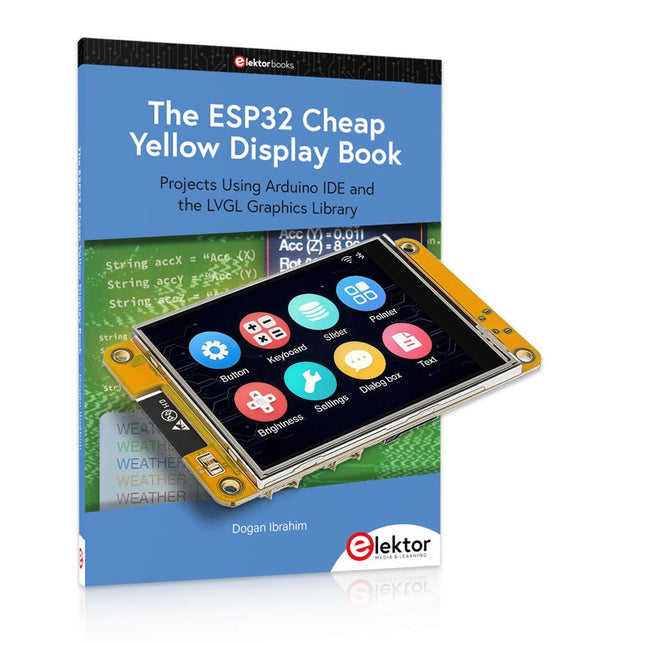
Elektor Bundles The ESP32 Cheap Yellow Display Bundle
Über 40 vollständig getestete ESP32-Projekte mit Arduino IDE und der LVGL-Grafikbibliothek Dieses Bundle enthält das ESP32 Cheap Yellow Display (CYD) – ein kompaktes Entwicklungsboard, das einen Standard-ESP32-Mikrocontroller mit einem 320 x 240 Pixel großen TFT-Farbdisplay kombiniert. Das Board verfügt außerdem über mehrere Anschlüsse für GPIO, serielle Kommunikation (TX/RX), Strom und Masse. Das integrierte Display ist ein großer Vorteil und ermöglicht die Erstellung komplexer, grafikbasierter Projekte ohne externe LCDs oder Displays. Das Begleitbuch stellt die Hardware und die integrierten Anschlüsse des CYD-Boards detailliert vor. Es bietet eine Reihe von Projekten für Anfänger und Fortgeschrittene, die mit der beliebten Arduino IDE 2.0 entwickelt wurden. Sowohl grundlegende Grafikfunktionen als auch die leistungsstarke LVGL-Grafikbibliothek werden behandelt, und praktische Projekte veranschaulichen jeden Ansatz. Alle enthaltenen Projekte wurden vollständig getestet und sind sofort einsatzbereit. Das Buch enthält Blockdiagramme, Schaltpläne, vollständige Codelisten und Schritt-für-Schritt-Erklärungen. Mit der LVGL-Bibliothek können Leser moderne, vollfarbige grafische Benutzeroberflächen mit Widgets wie Schaltflächen, Beschriftungen, Schiebereglern, Kalendern, Tastaturen, Diagrammen, Tabellen, Menüs, Animationen und mehr erstellen. ESP32 Cheap Yellow Display Board Dieses Entwicklungsboard (auch bekannt als "Cheap Yellow Display") wird vom ESP-WROOM-32 angetrieben, einem Dual-Core-MCU mit integrierten Wi-Fi- und Bluetooth-Funktionen. Es arbeitet mit einer Hauptfrequenz von bis zu 240 MHz, mit 520 KB SRAM, 448 KB ROM und einem 4 MB Flash-Speicher. Das Board verfügt über ein 2,8" Display mit einer Auflösung von 240x320 und Resistive Touch. Darüber hinaus enthält die Platine einen Steuerkreis für die Hintergrundbeleuchtung, einen Schaltkreis für die Berührungssteuerung, einen Schaltkreis für die Lautsprecheransteuerung, einen lichtempfindlichen Schaltkreis und einen RGB-LED-Steuerschaltkreis. Es bietet außerdem einen TF-Kartensteckplatz, eine serielle Schnittstelle, eine DHT11-Schnittstelle für Temperatur- und Feuchtigkeitssensoren und zusätzliche E/A-Anschlüsse. Das Modul unterstützt die Entwicklung in Arduino IDE, ESP-IDE, MicroPython und Mixly. Anwendungen Bildübertragung für Smart Home-Gerät Drahtlose Überwachung Intelligente Landwirtschaft QR-Funkerkennung Signal des drahtlosen Positionierungssystems Und andere IoT-Anwendungen Technische Daten Mikrocontroller ESP-WROOM-32 (Dual-Core-MCU mit integriertem WLAN und Bluetooth) Frequenz Bis zu 240 MHz (Rechenleistung bis zu 600 DMIPS) SRAM 520 KB ROM 448 KB Flash 4 MB Betriebsspannung 5 V Stromverbrauch ca. 115 mA Display 2,8" TFT-Farbbildschirm (240 x 320) Touch Resistive Touch Treiberchip ILI9341 Abmessungen 50 x 86 mm Gewicht 50 g Downloads GitHub Dieses Bundle enthält: The ESP32 Cheap Yellow Display Book (Einzelpreis: 35 €) ESP32 Cheap Yellow Display Board (Einzelpreis: 25 €) 1x ESP32 Dev-Board mit 2,8" Display und Acrylgehäuse 1x Touch-Stift 1x Verbindungskabel 1x USB-Kabel
€ 59,95€ 49,95Bestpreis
-
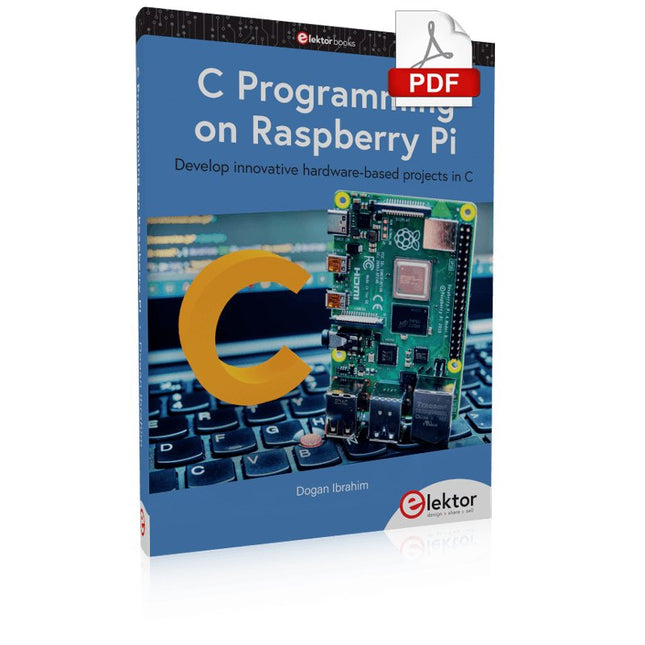
Elektor Digital C Programming on Raspberry Pi (E-book)
Develop innovative hardware-based projects in C The Raspberry Pi has traditionally been programmed using Python. Although this is a very powerful language, many programmers may not be familiar with it. C on the other hand is perhaps the most commonly used programming language and all embedded microcontrollers can be programmed using it. The C language is taught in most technical colleges and universities and almost all engineering students are familiar with using it with their projects. This book is about using the Raspberry Pi with C to develop a range of hardware-based projects. Two of the most popular C libraries, wiringPi and pigpio are used. The book starts with an introduction to C and most students and newcomers will find this chapter invaluable. Many projects are provided in the book, including using Wi-Fi and Bluetooth to establish communication with smartphones. Many sensor and hardware-based projects are included. Both wiringPi and pigpio libraries are used in all projects. Complete program listings are given with full explanations. All projects have been fully tested and work. The following hardware-based projects are provided in the book: Using sensors Using LCDs I²C and SPI buses Serial communication Multitasking External and timer interrupts Using Wi-Fi Webservers Communicating with smartphones Using Bluetooth Sending data to the cloud Program listings of all Raspberry Pi projects developed in this book are available on the Elektor website. Readers can download and use these programs in their projects. Alternatively, they can customize them to suit their applications.
€ 32,95
Mitglieder: € 29,66
-

Elektor Publishing The CAN Bus Companion
This book details the use of the Arduino Uno and the Raspberry Pi 4 in practical CAN bus based projects. Using either the Arduino Uno or the Raspberry Pi with off-the-shelf CAN bus interface modules considerably ease developing, debugging, and testing CAN bus based projects. This book is written for students, practicing engineers, enthusiasts, and for everyone else wanting to learn more about the CAN bus and its applications. The book assumes that the reader has some knowledge of basic electronics. Knowledge of the C and Python programming languages and programming the Arduino Uno using its IDE and Raspberry Pi will be useful, especially if the reader intends to develop microcontroller-based projects using the CAN bus. The book should be a useful source of reference material for anyone interested in finding answers to questions such as: What bus systems are available for the automotive industry? What are the principles of the CAN bus? How can I create a physical CAN bus? What types of frames (or data packets) are available in a CAN bus system? How can errors be detected in a CAN bus system and how dependable is a CAN bus system? What types of CAN bus controllers exist? How do I use the MCP2515 CAN bus controller? How do I create 2-node Arduino Uno-based CAN bus projects? How do I create 3-node Arduino Uno-based CAN bus projects? How do I set the acceptance masks and acceptance filters? How do I analyze data on the CAN bus? How do I create 2-node Raspberry Pi-based CAN bus projects? How do I create 3-node Raspberry Pi-based CAN bus projects?
€ 39,95
Mitglieder: € 35,96
-

Elektor Publishing Raspberry Pi Pico Essentials
Program, build, and master over 50 projects with MicroPython and the RP2040 microprocessor The Raspberry Pi Pico is a high-performance microcontroller module designed especially for physical computing. Microcontrollers differ from single-board computers, like the Raspberry Pi 4, in not having an operating system. The Raspberry Pi Pico can be programmed to run a single task very efficiently within real-time control and monitoring applications requiring speed. The ‘Pico’ as we call it, is based on the fast, efficient, and low-cost dual-core ARM Cortex-M0+ RP2040 microcontroller chip running at up to 133 MHz and sporting 264 KB of SRAM, and 2 MB of Flash memory. Besides its large memory, the Pico has even more attractive features including a vast number of GPIO pins, and popular interface modules like ADC, SPI, I²C, UART, and PWM. To cap it all, the chip offers fast and accurate timing modules, a hardware debug interface, and an internal temperature sensor. The Raspberry Pi Pico is easily programmed using popular high-level languages such as MicroPython and or C/C++. This book is an introduction to using the Raspberry Pi Pico microcontroller in conjunction with the MicroPython programming language. The Thonny development environment (IDE) is used in all the projects described. There are over 50 working and tested projects in the book, covering the following topics: Installing the MicroPython on Raspberry Pi Pico using a Raspberry Pi or a PC Timer interrupts and external interrupts Analogue-to-digital converter (ADC) projects Using the internal temperature sensor and external temperature sensor chips Datalogging projects PWM, UART, I²C, and SPI projects Using Wi-Fi and apps to communicate with smartphones Using Bluetooth and apps to communicate with smartphones Digital-to-analogue converter (DAC) projects All projects given in the book have been fully tested and are working. Only basic programming and electronics experience is required to follow the projects. Brief descriptions, block diagrams, detailed circuit diagrams, and full MicroPython program listings are given for all projects described. Readers can find the program listings on the Elektor web page created to support the book.
€ 39,95
Mitglieder: € 35,96
-
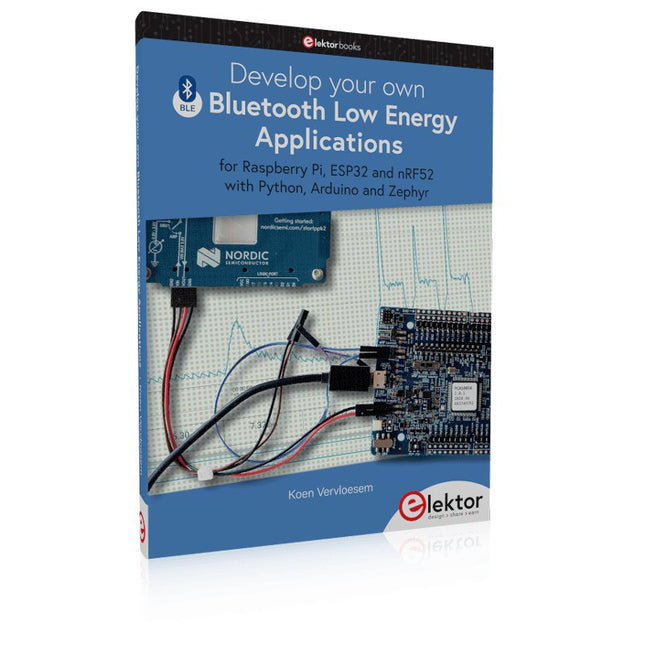
Elektor Publishing Develop your own Bluetooth Low Energy Applications
For Raspberry Pi, ESP32 and nRF52 with Python, Arduino and Zephyr Bluetooth Low Energy (BLE) radio chips are ubiquitous from Raspberry Pi to light bulbs. BLE is an elaborate technology with a comprehensive specification, but the basics are quite accessible. A progressive and systematic approach will lead you far in mastering this wireless communication technique, which is essential for working in low power scenarios. In this book, you’ll learn how to: Discover BLE devices in the neighborhood by listening to their advertisements. Create your own BLE devices advertising data. Connect to BLE devices such as heart rate monitors and proximity reporters. Create secure connections to BLE devices with encryption and authentication. Understand BLE service and profile specifications and implement them. Reverse engineer a BLE device with a proprietary implementation and control it with your own software. Make your BLE devices use as little power as possible. This book shows you the ropes of BLE programming with Python and the Bleak library on a Raspberry Pi or PC, with C++ and NimBLE-Arduino on Espressif’s ESP32 development boards, and with C on one of the development boards supported by the Zephyr real-time operating system, such as Nordic Semiconductor's nRF52 boards. Starting with a very little amount of theory, you’ll develop code right from the beginning. After you’ve completed this book, you’ll know enough to create your own BLE applications.
€ 39,95
Mitglieder: € 35,96
-
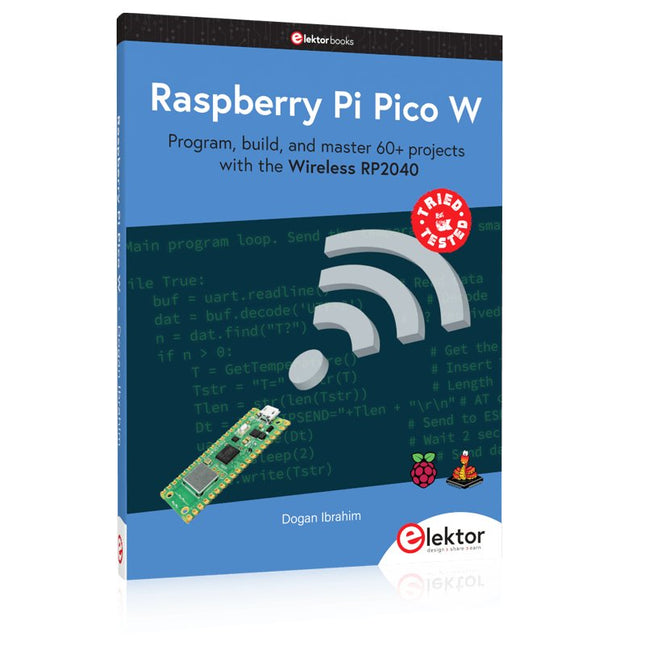
Elektor Publishing Raspberry Pi Pico W (Book)
Program, build, and master 60+ projects with the Wireless RP2040 The Raspberry Pi Pico and Pico W are based on the fast, efficient, and low-cost dual-core ARM Cortex M0+ RP2040 microcontroller chip running at up to 133 MHz and sporting 264 KB of SRAM and 2 MB of Flash memory. Besides spacious memory, the Pico and Pico W offer many GPIO pins, and popular peripheral interface modules like ADC, SPI, I²C, UART, PWM, timing modules, a hardware debug interface, and an internal temperature sensor. The Raspberry Pi Pico W additionally includes an on-board Infineon CYW43439 Bluetooth and Wi-Fi chipset. At the time of writing this book, the Bluetooth firmware was not yet available. Wi-Fi is however fully supported at 2.4 GHz using the 802.11b/g/n protocols. This book is an introduction to using the Raspberry Pi Pico W in conjunction with the MicroPython programming language. The Thonny development environment (IDE) is used in all of the 60+ working and tested projects covering the following topics: Installing the MicroPython on Raspberry Pi Pico using a Raspberry Pi or a PC Timer interrupts and external interrupts Analogue-to-digital converter (ADC) projects Using the internal temperature sensor and external sensor chips Using the internal temperature sensor and external temperature sensor chips Datalogging projects PWM, UART, I²C, and SPI projects Using Bluetooth, WiFi, and apps to communicate with smartphones Digital-to-analogue converter (DAC) projects All projects are tried & tested. They can be implemented on both the Raspberry Pi Pico and Raspberry Pi Pico W, although the Wi-Fi-based subjects will run on the Pico W only. Basic programming and electronics experience are required to follow the projects. Brief descriptions, block diagrams, detailed circuit diagrams, and full MicroPython program listings are given for all projects.
€ 44,95
Bestpreis
-
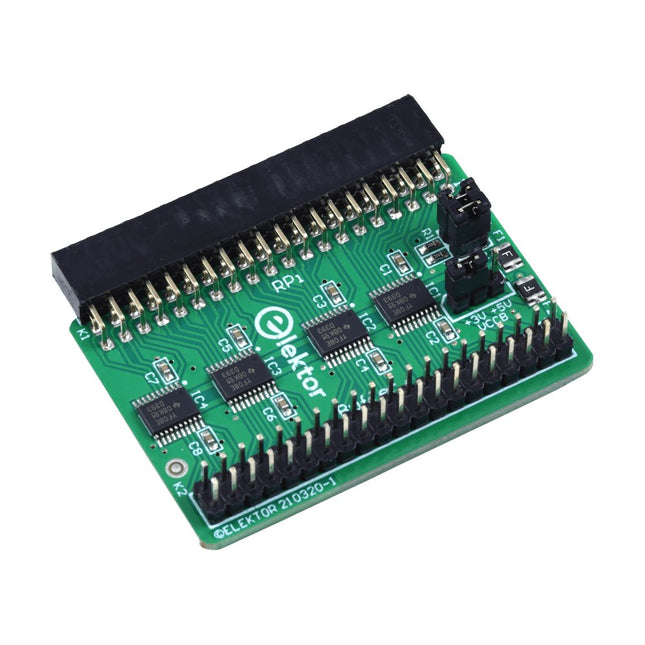
Elektor Labs Elektor Raspberry Pi Buffer Board
Wenn Sie regelmäßig mit dem Raspberry Pi experimentieren und eine Vielzahl von externer Hardware über die Stiftleiste an den GPIO-Port anschließen, haben Sie in der Vergangenheit vielleicht schon einige Schäden verursacht. Das Elektor Raspberry Pi Buffer Board ist dazu da, dies zu verhindern! Das Board ist kompatibel mit Raspberry Pi Zero, Zero 2 (W), 3, 4, 5, 400 und 500. Alle 26 GPIOs sind mit bidirektionalen Spannungswandlern gepuffert, um den Raspberry Pi beim Experimentieren mit neuen Schaltungen zu schützen. Die Platine ist dafür vorgesehen, auf der Rückseite des Raspberry Pi 400/500 eingesetzt zu werden. Der Stecker zum Anschluss an den Raspberry Pi ist eine rechtwinklige 40-polige Buchse (2x20). Die Platine ist nur ein wenig breiter. An die Pufferausgangsbuchse kann ein 40-poliges Flachbandkabel mit entsprechenden 2x20-Steckern angeschlossen werden, um z. B. mit einer Schaltung auf einem Breadboard oder einer Platine zu experimentieren. Die Schaltung verwendet 4x TXS0108E ICs von Texas Instruments. Die Platine lässt sich auch auf einem Raspberry Pi aufstellen. Downloads Schematics Layout
€ 34,95
Mitglieder: € 31,46
-

Elektor Digital PID-based Practical Digital Control with Raspberry Pi and Arduino Uno (E-book)
The Arduino Uno is an open-source microcontroller development system encompassing hardware, an Integrated Development Environment (IDE), and a vast number of libraries. It is supported by an enormous community of programmers, electronic engineers, enthusiasts, and academics. The libraries in particular really smooth Arduino programming and reduce programming time. What’s more, the libraries greatly facilitate testing your programs since most come fully tested and working. The Raspberry Pi 4 can be used in many applications such as audio and video media devices. It also works in industrial controllers, robotics, games, and in many domestic and commercial applications. The Raspberry Pi 4 also offers Wi-Fi and Bluetooth capability which makes it great for remote and Internet-based control and monitoring applications. This book is about using both the Raspberry Pi 4 and the Arduino Uno in PID-based automatic control applications. The book starts with basic theory of the control systems and feedback control. Working and tested projects are given for controlling real-life systems using PID controllers. The open-loop step time response, tuning the PID parameters, and the closed-loop time response of the developed systems are discussed together with the block diagrams, circuit diagrams, PID controller algorithms, and the full program listings for both the Raspberry Pi and the Arduino Uno. The projects given in the book aim to teach the theory and applications of PID controllers and can be modified easily as desired for other applications. The projects given for the Raspberry Pi 4 should work with all other models of Raspberry Pi family. The book covers the following topics: Open-loop and closed-loop control systems Analog and digital sensors Transfer functions and continuous-time systems First-order and second-order system time responses Discrete-time digital systems Continuous-time PID controllers Discrete-time PID controllers ON-OFF temperature control with Raspberry Pi and Arduino Uno PID-based temperature control with Raspberry Pi and Arduino Uno PID-based DC motor control with Raspberry Pi and Arduino Uno PID-based water level control with Raspberry Pi and Arduino Uno PID-based LED-LDR brightness control with Raspberry Pi and Arduino Uno
€ 32,95
Mitglieder: € 29,66
-
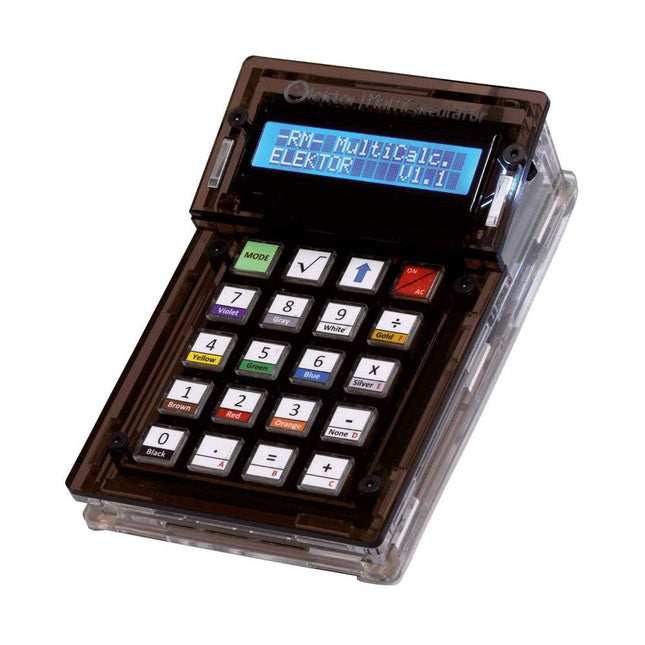
Elektor Labs Elektor Arduino MultiCalculator
Das Elektor MultiCalculator Kit ist ein Arduino-basierter Multifunktionsrechner, der über einfache Berechnungen hinausgeht. Es bietet 22 Funktionen, darunter Licht- und Temperaturmessung, Differenztemperaturanalyse und NEC-IR-Fernbedienungsdekodierung. Der Elektor MultiCalculator ist ein praktisches Werkzeug für den Einsatz in Ihren Projekten oder für Bildungszwecke. Das Kit enthält ein Pro Mini-Modul als Recheneinheit. Die Platine lässt sich mithilfe von Durchgangslochkomponenten einfach zusammenbauen. Das Gehäuse besteht aus 11 Acrylplatten und Montagematerial für eine einfache Montage. Darüber hinaus ist das Gerät mit einem 16x2 alphanumerischen LCD, 20 Tasten und Temperatursensoren ausgestattet. Der Elektor MultiCalculator ist über einen 6-Wege-PCB-Header mit der Arduino-IDE programmierbar. Der Rechner kann mit einem Programmieradapter programmiert werden und wird über USB-C mit Strom versorgt. Betriebsmodi Rechner 4-Ring-Widerstandscode 5-Ring-Widerstandscode Konvertierung von Dezimalzahlen in Hexadezimalzahlen und Zeichen (ASCII) Konvertierung von Hexadezimalzahlen in Dezimalzahlen und Zeichen (ASCII) Dezimal-zu-Binär- und Zeichen-Konvertierung (ASCII) Binär-zu-Dezimal- und Hexadezimal-Konvertierung Berechnung von Hz, nF und kapazitiver Reaktanz (XC) Hz, µH, Berechnung der induktiven Reaktanz (XL) Widerstandsberechnung zweier parallel geschalteter Widerstände Widerstandsberechnung zweier in Reihe geschalteter Widerstände Berechnung des unbekannten Parallelwiderstands Temperaturmessung Differenztemperaturmessung T1&T2 und Delta (δ) Lichtmessung Stoppuhr mit Rundenzeitfunktion Artikelzähler NEC IR-Fernbedienungsdekodierung AWG-Umwandlung (American Wire Gauge) Würfeln Startnachricht personalisieren Temperaturkalibrierung Technische Daten Menüsprachen: Englisch, Niederländisch Abmessungen: 92 x 138 x 40 mm Bauzeit: ca. 5 Stunden Lieferumfang Leiterplatten- und Durchgangslochkomponenten Vorgeschnittene Acrylplatten mit allen mechanischen Teilen Pro Mini Mikrocontroller-Modul (ATmega328/5 V/16 MHz) Programmieradapter Wasserdichte Temperatursensoren USB-C Kabel Downloads Software
€ 49,95
Mitglieder: € 44,96
-

Elektor Classics The Complete Linear Audio Library (USB-Stick)
Jan Didden gründete im Jahr 2010 Linear Audio und veröffentlichte zwischen 2010 und 2017 14 Bände. Jeder 200-seitige Band enthält im Durchschnitt 10 Artikel von Experten aus dem Bereich Audio, Akustik und Instrumentierung. Egal, ob Sie an Röhrenverstärkern, Solid-State-Geräten, Lautsprecherdesign, Kondensator- und Widerstandsverzerrungen oder Verzerrungsmessungen interessiert sind, hier finden Sie hilfreiche Ratschläge und interessante Diskussionen. Von Anfänger- bis Fortgeschrittenen-Level, für den Audio-Professionellen oder den ernsthaften Hobbyisten, diese ExpertCollection wird Ihr Verständnis vertiefen und neue Perspektiven zu gängigen Problemen bieten. Bonusmaterial, das in dieser Sammlung enthalten ist, besteht aus einer 5-teiligen YouTube-Serie über negative Rückkopplung im Zusammenhang mit Audio, die vom renommierten Autor Jan Didden erstellt wurde, sowie neun weiteren wegweisenden Audio-Artikeln und -Präsentationen. Wenn Sie sich ernsthaft für Audio, Akustik und Instrumentierung interessieren, dürfen Sie das nicht verpassen! Das veröffentlichte Material ist indexiert und vollständig durchsuchbar und wird für viele Jahre eine fast grenzenlose Ressource darstellen. Sie können mehr über die Autoren von Linear Audio und das Inhaltsverzeichnis jedes Bandes auf linearaudio.net lesen.
€ 149,95€ 74,95Bestpreis
-
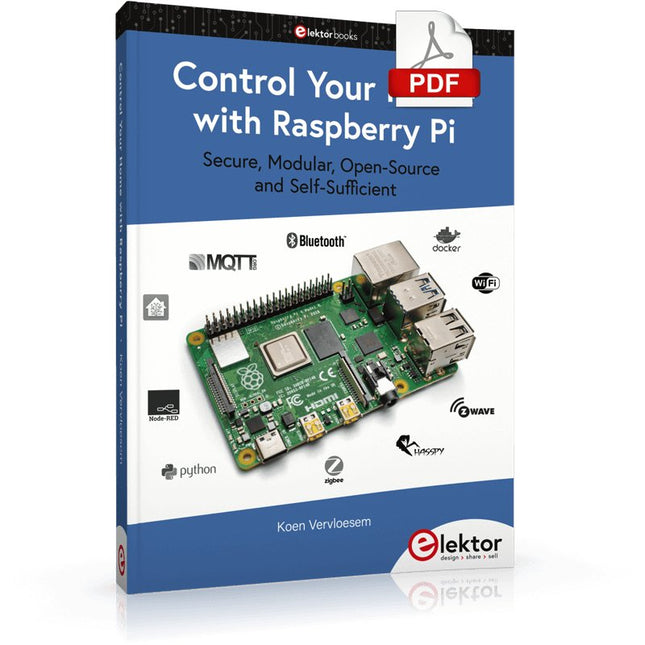
Elektor Digital Control Your Home with Raspberry Pi (E-book)
Secure, Modular, Open-Source and Self-Sufficient Ever since the Raspberry Pi was introduced, it has been used by enthusiasts to automate their homes. The Raspberry Pi is a powerful computer in a small package, with lots of interfacing options to control various devices. This book shows you how you can automate your home with a Raspberry Pi. You’ll learn how to use various wireless protocols for home automation, such as Bluetooth, 433.92 MHz radio waves, Z-Wave, and Zigbee. Soon you’ll automate your home with Python, Node-RED, and Home Assistant, and you’ll even be able to speak to your home automation system. All this is done securely, with a modular system, completely open-source, without relying on third-party services. You’re in control of your home, and no one else. At the end of this book, you can install and configure your Raspberry Pi as a highly flexible home automation gateway for protocols of your choice, and link various services with MQTT to make it your own system. This DIY (do it yourself) approach is a bit more laborious than just installing an off-the-shelf home automation system, but in the process, you can learn a lot, and in the end, you know exactly what’s running your house and how to tweak it. This is why you were interested in the Raspberry Pi in the first place, right? Turn your Raspberry Pi into a reliable gateway for various home automation protocols. Make your home automation setup reproducible with Docker Compose. Secure all your network communication with TLS. Create a video surveillance system for your home. Automate your home with Python, Node-RED, Home Assistant and AppDaemon. Securely access your home automation dashboard from remote locations. Use fully offline voice commands in your own language. Download the software and view the errata for the book on GitHub.
€ 34,95
Mitglieder: € 31,46
-

Elektor Bundles Raspberry Pi 5 RTL-SDR V4 (Bundle)
Programmieren und bauen Sie Amateurfunkstationen mit Raspberry Pi-basierten Tools und Messgeräten! Der verbesserte RTL-SDR V4 ermöglicht den Empfang von Funksignalen zwischen 500 kHz und 1,75 GHz von Stationen, die verschiedene Bänder nutzen, darunter MW/SW/LW-Rundfunk, Amateurfunk, Betriebsfunk, Flugsicherung, PMR, SRD, ISM, CB, Wettersatelliten und Radioastronomie. Das Buch Raspberry Pi 5 for Radio Amateurs beschreibt ausführlich den Einsatz des RTL-SDR-Kits mit Hilfe eines Raspberry Pi 5. Dieses Bundle enthält: RTL-SDR V4 (inkl. Dipolantennen-Set) (Einzelpreis: 75 €) Raspberry Pi 5 for Radio Amateurs (Einzelpreis: 40 €) RTL-SDR V4 (Software Defined Radio) mit Dipolantennen-Set RTL-SDR ist ein erschwinglicher Dongle, der als computergestützter Radioscanner für den Empfang von Live-Radiosignalen zwischen 500 kHz und 1,75 GHz in Ihrer Umgebung verwendet werden kann. Der RTL-SDR V4 bietet eine Reihe von Verbesserungen, darunter die Verwendung des R828D-Tunerchips, einen dreifachen Eingangsfilter, einen Notch-Filter, verbesserte Komponententoleranzen, einen temperaturkompensierten Oszillator (TCXO) mit 1 PPM, einen SMA-F-Anschluss, ein Aluminiumgehäuse mit passiver Kühlung, eine Bias-Tee-Schaltung, eine verbesserte Stromversorgung und einen eingebauten HF-Aufwärtswandler. RTL-SDR V4 wird mit dem tragbaren Dipolantennen-Set geliefert. Es eignet sich hervorragend für Einsteiger, da es terrestrischen und Satellitenempfang ermöglicht, sich einfach im Freien montieren lässt und für den mobilen und vorübergehenden Einsatz im Freien konzipiert ist. Features Verbesserter HF-Empfang: V4 verwendet jetzt einen integrierten Aufwärtswandler anstelle einer direkten Abtastschaltung. Dies bedeutet keine Nyquist-Faltung von Signalen um 14,4 MHz mehr, verbesserte Empfindlichkeit und einstellbare Verstärkung auf HF. Wie beim V3 bleibt der untere Abstimmbereich bei 500 kHz und ein sehr starker Empfang erfordert möglicherweise immer noch eine Dämpfung/Filterung am vorderen Ende. Verbesserte Filterung: Der V4 nutzt den R828D-Tuner-Chip, der über drei Eingänge verfügt. Der SMA-Eingang wurde als Triplex-Eingang in drei Bänder umgewandelt: HF, VHF und UHF. Dies sorgt für eine gewisse Isolierung zwischen den drei Bändern, was bedeutet, dass Störungen außerhalb des Bandes durch starke Rundfunksender weniger wahrscheinlich zu Desensibilisierung oder Bildgebung führen. Verbesserte Filterung x2: Zusätzlich zum Triplexing kann auch der offene Drain-Pin am R828D verwendet werden, der das Hinzufügen einfacher Kerbfilter für gängige Interferenzbänder wie Broadcast AM, Broadcast FM ermöglicht und die DAB-Bänder. Diese dämpfen nur um ein paar dB, können aber dennoch helfen. Verbessertes Phasenrauschen bei starken Signalen: Aufgrund eines verbesserten Netzteildesigns wurde das Phasenrauschen durch Netzteilrauschen deutlich reduziert. Weniger Wärme: Ein weiterer Vorteil der verbesserten Stromversorgung ist der geringere Stromverbrauch und die geringere Wärmeentwicklung im Vergleich zum V3. Lieferumfang 1x RTL-SDR V4 Dongle (R828D RTL2832U 1PPM TCXO SMA) 2x 23 cm bis 1 m Teleskopantenne 2x 5 cm bis 13 cm Teleskopantenne 1x Dipolantennenfuß mit 60 cm RG174 1x 3 m RG174-Verlängerungskabel 1x Flexible Stativhalterung 1x Saugnapfhalterung Downloads Datasheet User Guide Quick Start Guide SDR# User Guide Dipole Antenna Guide Buch: Raspberry Pi 5 for Radio Amateurs Die RTL-SDR-Geräte (V3 und V4) sind bei Funkamateuren wegen ihrer sehr niedrigen Kosten und umfangreichen Funktionen sehr beliebt. Ein Basissystem kann aus einem USB-basierten RTL-SDR-Gerät (Dongle) mit einer geeigneten Antenne, einem Raspberry Pi 5-Computer, einem USB-basierten externen Audio-Eingangs-Ausgangs-Adapter und einer auf dem Raspberry Pi 5-Computer installierten Software bestehen. Mit einem solch bescheidenen Aufbau ist es möglich, Signale von etwa 24 MHz bis über 1,7 GHz zu empfangen. Dieses Buch richtet sich an Funkamateure und Studenten der Elektrotechnik sowie an alle, die lernen möchten, wie man den Raspberry Pi 5 zum Bau elektronischer Projekte verwendet. Das Buch ist sowohl für Anfänger als auch für erfahrene Leser geeignet. Gewisse Kenntnisse der Programmiersprache Python sind erforderlich, um die im Buch vorgestellten Projekte zu verstehen und eventuell zu verändern. Zu jedem Projekt gibt es neben einer ausführlichen Beschreibung auch ein Blockschaltbild, einen Schaltplan und ein komplettes Python-Programmlisting. Die folgenden beliebten RTL-SDR-Programme werden ausführlich besprochen und mit Schritt-für-Schritt-Anleitungen für den praktischen Einsatz auf einem Raspberry Pi 5 versehen: SimpleFM GQRX SDR++ CubicSDR RTL-SDR Server Dump1090 FLDIGI Quick RTL_433 aldo xcwcp GPredict TWCLOCK CQRLOG klog Morse2Ascii PyQSO Welle.io Ham Clock CHIRP xastir qsstv flrig XyGrib FreeDV Qtel (EchoLink) XDX (DX-Cluster) WSJT-X Die Anwendung der Programmiersprache Python auf der neuesten Raspberry Pi 5-Plattform schließt die Verwendung der Programme in diesem Buch auf älteren Versionen von Raspberry Pi-Computern aus.
€ 114,95€ 99,95Bestpreis
-

Elektor Publishing LTspice Essentials
An Introduction to Circuit Simulation LTspice, developed by Analog Devices, is a powerful, fast, and free SPICE simulator, schematic capture, and waveform viewer with a large database of components supported by SPICE models from all over the world. Drawing a schematic in LTspice is easy and fast. Thanks to its powerful graphing features, you can visualize the voltages and currents in a circuit, and also the power consumption of its components and much more. This book is about learning to design and simulate electronic circuits using LTspice. Among others, the following topics are treated: DC and AC circuits Signal diodes and Zener diodes Transistor circuits including oscillators Thyristor/SCR, diac, and triac circuits Operational amplifier circuits including oscillators The 555 timer IC Filters Voltage regulators Optocouplers Waveform generation Digital logic simulation including the 74HC family SPICE modeling LTspice is a powerful electronic circuit simulation tool with many features and possibilities. Covering them all in detail is not possible in a book of this size. Therefore, this book presents the most common topics like DC and AC circuit analysis, parameter sweeping, transfer functions, oscillators, graphing, etc. Although this book is an introduction to LTspice, it covers most topics of interest to people engaged in electronic circuit simulation. The book is aimed at electronic/electrical engineers, students, teachers, and hobbyists. Many tested simulation examples are given in the book. Readers do not need to have any computer programming skills, but it will help if they are familiar with basic electronic circuit design and operation principles. Readers who want to dive deeper can find many detailed tutorials, articles, videos, design files, and SPICE circuit models on the Internet. All the simulation examples used in the book are available as files at the webpage of this book. Readers can use these example circuits for learning or modify them for their own applications.
€ 39,95
Mitglieder: € 35,96
-

Elektor Digital Home Automation and Electronics for Starters (E-book)
Projects with Arduino, ESPHome, Home Assistant, and Raspberry Pi & Co. This e-book contains various example projects, beginning with an introduction to electronics. It also explains how to install Home Assistant on a Raspberry Pi, how to use indoor climate sensors for temperature and humidity, how to implement the MQTT protocol and other interfaces, and how to use ESPHome to integrate sensors and actuators into Home Assistant. Numerous video tutorials complement the book. Fundamentals of electrical engineering The book begins with an introduction to electrical engineering. You will learn the basics of voltage, current, resistors, diodes and transistors. Arduino and microcontrollers A complete section is dedicated to the Arduino Uno. You will get to know the structure, write your first programs and work on practical examples. Home Assistant and automation You will learn how to set up Home Assistant on a Raspberry Pi and how to use automations, scenes and devices. In addition, Zigbee, MQTT and ESP-NOW – important technologies for home automation – will be discussed. ESP8266, ESP32 and ESP32-CAM The popular ESP microcontrollers are covered in detail. A theoretical introduction is followed by practical projects that show you how to get the most out of these devices. Sensors and actuators The book explains the functionality and application of numerous sensors such as temperature and humidity sensors, motion detectors and RFID readers. For actuators, stepper motors, e-ink displays, servo motors and much more are covered. There are practical application examples for all devices. ESPHome This chapter shows you how to integrate sensors and actuators into Home Assistant without any programming effort. You will be guided step by step through the setup with ESPHome. LEDs and lighting technology In this chapter, you will learn about different types of LEDs and how they can be used. The basics of lighting technology are also explained. Node-RED A whole chapter is dedicated to Node-RED. You will learn the basics of this powerful tool and be guided step by step through its setup and use. Integrated Circuits (ICs) In electronics, there are numerous ICs that make our lives easier. You will get to know the most important ones and apply your knowledge in practical projects. Professional programming Advanced topics such as the correct use of buttons, the use of interrupts and the use of an NTP server for time synchronisation are covered in detail in this chapter. Downloads GitHub
€ 59,95
Bestpreis
-
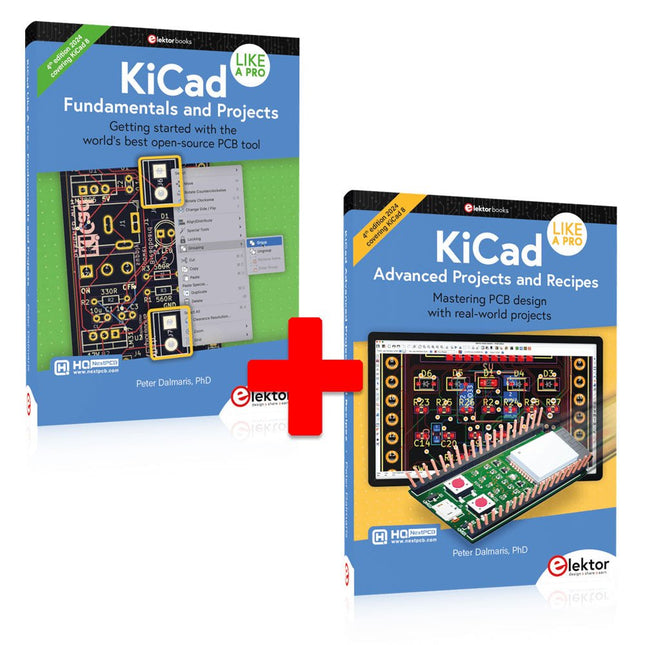
Elektor Bundles KiCad Like A Pro (Bundle)
Dieses Bundle enthält beide Bände von "KiCad Like a Pro" (4. Ausgabe 2024). In Fundamentals and Projects (Einzelpreis: 49,95 €) lernen Sie den praktischen Umgang mit KiCad kennen, sodass Sie schnell produktiv werden und mit dem Entwurf Ihrer eigenen Boards beginnen können. Mit Advanced Projects and Recipes (Einzelpreis: 44,95 €) können Sie Ihre neuen KiCad-Kenntnisse üben, indem Sie sich selbst mit einer Reihe realer Projekte herausfordern. Die neueste Version von KiCad, dem weltweit besten kostenlosen PCB-Tool, ist vollgepackt mit Funktionen, die normalerweise nur in teuren kommerziellen CAD-Tools zu finden sind. Diese moderne, plattformübergreifende Anwendungssuite, die auf Schaltplan- und Designeditoren mit Zusatzanwendungen basiert, ist ein stabiles und ausgereiftes PCB-Tool. KiCad 8 ist perfekt für Elektronikingenieure und -hersteller geeignet. Hier sind die wichtigsten Verbesserungen und Funktionen in KiCad 8, sowohl über als auch unter der Haube: Moderne Benutzeroberfläche, im Vergleich zu früheren Versionen komplett neu gestaltet Verbesserte und anpassbare Prüffunktionen für elektrische und Designregeln Designeditor, mit dem Sie KiCad auf Ihrem Bildschirm anpassen können Möglichkeit zum Importieren von Projekten aus Eagle, CADSTART und mehr Python-Skripting-API Verbesserter integrierter SPICE-Schaltkreissimulator Mehrblatt-Schaltpläne Filter definieren auswählbare Elemente Verbesserter interaktiver Router hilft Ihnen, einzelne Spuren und Differenzialpaare präzise zu zeichnen Neue oder verbesserte Tools zum Zeichnen von Spuren, Messen von Entfernungen, Anpassen von Spurlängen usw. Erweiterte interaktive Router Integrierter Stücklistengenerator Realistischer Raytracing-fähiger 3D-Viewer Anpassbare Teardrops Plug-in-Manager für die schnelle Installation von Designs, Bibliotheken und Funktionen wie Autoroutern und Stücklistengeneratoren Das erste Buch KiCad Like A Pro – Fundamentals and Projects bringt Ihnen den Umgang mit KiCad durch einen praktischen Ansatz bei. Es wird Ihnen helfen, schnell produktiv zu werden und mit dem Entwurf Ihrer eigenen Platinen zu beginnen. Beispielprojekte veranschaulichen die grundlegenden Funktionen von KiCad, auch wenn Sie keine Vorkenntnisse im PCB-Design haben. Der Autor beschreibt den gesamten Arbeitsablauf von der Schaltplaneingabe bis zu den Feinheiten der Fertigstellung der Dateien für die PCB-Produktion und bietet fundierte Anleitungen für den Prozess. Das zweite Buch KiCad Like A Pro – Advanced Projects and Recipes hilft Ihnen, Ihre neuen KiCad-Kenntnisse zu üben, indem es Sie in einer Reihe realer Projekte herausfordert. Die Projekte werden durch einen umfassenden Satz von Rezepten mit detaillierten Anweisungen zur Erledigung einer Vielzahl einfacher und komplexer Aufgaben unterstützt. Entwerfen Sie die Platine für eine Solarstromversorgung, ein LED-Matrix-Array, einen Arduino-betriebenen Datenlogger und eine benutzerdefinierte ESP32-Platine. Lernen Sie die Feinheiten des interaktiven Routers kennen, erfahren Sie, wie Sie KiCad-Projektteams mit Git verwalten, wie Sie einen Autorouter auf 2- und 4-lagigen Platinen verwenden und vieles mehr.
€ 104,95€ 89,95Bestpreis
-
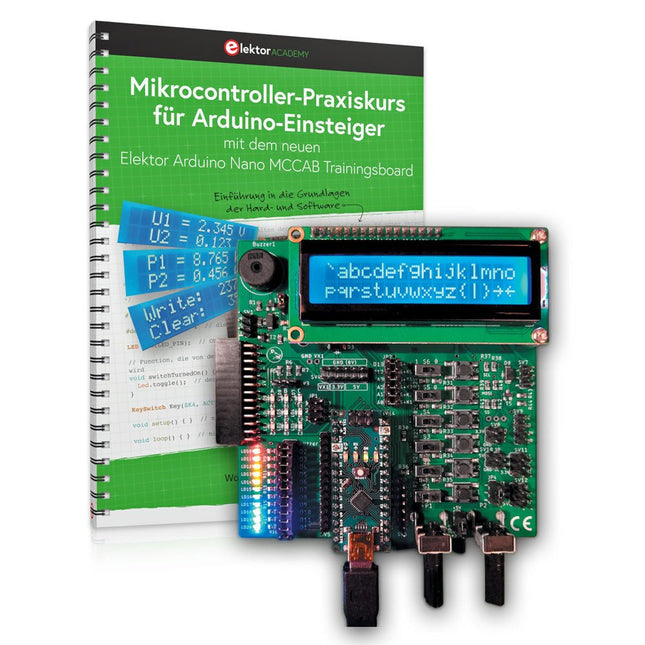
Elektor Bundles Mikrocontroller-Praxiskurs für Arduino-Einsteiger (Bundle)
Mit dem Elektor Arduino Nano Trainingsboard (MCCAB) eigene Projekte realisieren Der Mikrocontroller ist das wohl faszinierendste Teilgebiet der Elektronik, denn aufgrund der Vielzahl von Funktionen, die er auf seinem Chip vereinigt, ist er für den Entwickler ein universelles Multi-Tool zur Realisierung seiner Projekte. Praktisch jedes Gerät des täglichen Gebrauchs wird heute von einem Mikrocontroller gesteuert. Für einen elektronischen Laien blieb es aufgrund der Komplexität bisher allerdings ein Wunschtraum, eigene Ideen mit einem Mikrocontroller zu realisieren. Das Arduino-Konzept hat den Einsatz von Mikrocontrollern weitgehend vereinfacht, sodass jetzt auch Laien eigene Elektronik-Ideen mit einem Mikrocontroller verwirklichen können. Buch & Hardware im Bundle: 'Learning by Doing' Dieses im Bundle mitgelieferte Buch (im großen A4-Format) zeigt, wie man auch ohne große Erfahrung in Elektronik und Programmiersprachen eigene Projekte mit einem Mikrocontroller realisieren kann. Es ist ein Mikrocontroller-Praxiskurs für Einsteiger, denn nach einem Überblick über die Interna des Mikrocontrollers und einer Einführung in die Programmiersprache C liegt der Schwerpunkt des Kurses auf den praktischen Übungen. Der Leser eignet sich die erforderlichen Kenntnisse durch 'Learning by Doing' an: in dem umfangreichen Praxisteil mit 12 Projekten und 46 Übungen wird das im vorderen Teil des Buches Gelernte mit vielen Beispielen unterlegt. Die Übungen sind dabei so aufgebaut, dass der Bearbeiter eine Aufgabenstellung erhält, die er mit seinem im Theorieteil des Buches aufgebauten Wissen löst. Für jede Übung gibt es anschließend eine ausführlich erklärte und kommentierte Musterlösung, die dem Bearbeiter bei Problemen weiterhilft und die er mit seiner eigenen Lösung vergleichen kann. Arduino IDE In der Arduino IDE, einer Software-Entwicklungsumgebung, die kostenlos auf den eigenen PC heruntergeladen werden kann und die das gesamte Softwarepaket enthält, das für ein eigenes Mikrocontroller-Projekt benötigt wird, schreibt der Bearbeiter mit dem Editor der IDE seine Programme („Apps“) in der Programmiersprache C. Der in die Arduino IDE integrierte Compiler übersetzt sie in die Bits und Bytes, die der Mikrocontroller versteht und die dann über ein USB-Kabel in den Speicher des Mikrocontrollers auf dem Elektor Arduino Nano Trainingsboard (MCCAB) geladen werden. Externe Sensoren, Motoren oder Baugruppen abfragen oder steuern Das Elektor Arduino Nano Trainingsboard (MCCAB) enthält neben einem Mikrocontrollermodul Arduino Nano alle für die Übungen benötigten Bauteile wie Leuchtdioden, Schalter, Taster, akustische Signalgeber usw. Auch externe Sensoren, Motoren oder Baugruppen können mit diesem Mikrocontroller-Übungssystem abgefragt oder gesteuert werden. Technische Daten (Arduino Nano Trainingsboard MCCAB) Stromversorgung Über die USB-Verbindung des zur Erstellung der Programme sowieso angeschlossenen PCs oder ein externes Netzteil (nicht im Lieferumfang enthalten) Betriebsspannung +5 Vcc Eingangsspannung Alle Eingänge 0 V bis +5 V VX1 und VX2 +8 V bis +12 V (nur bei Verwendung eines externen Netzteils) Mikrocontrollermodul Arduino Nano Hardwareperipherie LCD 2x16 Zeichen Potenziometer P1 & P2 JP3: Auswahl der Betriebsspannung von P1 & P2 Verteiler SV4: Verteiler für die BetriebsspannungenSV5, SV6: Verteiler für die Ein-/Ausgänge des Mikrocontrollers Schalter und Taster RESET-Taster auf dem Arduino Nano-Modul6x Tastschalter K1 … K66x Schiebeschalter S1 … S6JP2: Verbindung der Schalter mit den Eingängen des Mikrocontrollers Summer Piezo-Summer Buzzer1 mit Steckbrücke auf JP6 Leuchtanzeigen LED L auf dem Arduino Nano-Modul, verbunden mit GPIO D1311x LED: Zustandsanzeige für die Ein-/AusgängeJP6: Verbindung der LEDs LD10 … LD20 mit den GPIOs D2 … D12 Serielle SchnittstellenSPI & I²C JP4: Auswahl des Signals an Pin X der SPI-Steckerleiste SV12SV9 bis SV12: SPI-Interface (3,3 V/5 V) bzw. I²C-Interface Schaltausgang für externe Geräte SV1, SV7: Schaltausgang (maximal +24 V/160 mA, extern zugeführt)SV2: 2x13 Pins zum Anschluss externer Module 3x3 LED-Matrix (9 rote LEDs) SV3: Spalten der 3x3 LED-Matrix (Ausgänge D6 … D8)JP1: Verbindung der Reihen mit den GPIOs D3 … D5 Software Library MCCABLib Steuerung der Hardware-Komponenten (Schalter, Taster, Leuchtdioden, 3x3 LED-Matrix, Summer) auf dem MCCAB Trainingsboard Betriebstemperatur bis +40 °C Abmessungen 100 x 100 x 20 mm Technische Daten (Arduino Nano) Mikrocontroller ATmega328P Architektur AVR Betriebsspannung 5 V Flashspeicher 32 KB, davon 2 KB vom Bootloader belegt SRAM 2 KB Taktfrequenz 16 MHz Analoge IN-Pins 8 EEPROM 1 KB DC-Strom pro I/O-Pin 40 mA an einem I/O-Pin, insgesamt maximal 200 mA an allen Pins gemeinsam Eingangsspannung 7-12 V Digitale I/O-Pins 22 (6 davon sind PWM-fähig) PWM-Ausgänge 6 Stromverbrauch 19 mA Abmessungen 18 x 45 mm Gewicht 7 g Lieferumfang Elektor Arduino Nano MCCAB Trainingsboard Arduino Nano Buch: Mikrocontroller-Praxiskurs für Arduino-Einsteiger
€ 139,95€ 119,95Bestpreis
-

Elektor Bundles Logic Analyzers in Practice (Bundle)
Book: Logic Analyzers in Practice Step-by-step instructions guide you through the analysis of modern protocols such as I²C, SPI, UART, RS-232, NeoPixel, WS28xx, HD44780 and 1-Wire. With the help of numerous experimental circuits based on the Raspberry Pi Pico, Arduino Uno and the Bus Pirate, you will learn the practical application of popular USB logic analyzers. All the experimental circuits presented in this book have been fully tested and are fully functional. The necessary program listings are included – no special programming or electronics knowledge is required for these circuits. The programming languages used are MicroPython and C along with the development environments Thonny and Arduino IDE. This book uses several models of flexible and widely available USB logic analyzers and shows the strengths and weaknesses of each price range. You will learn about the criteria that matter for your work and be able to find the right device for you. Whether Arduino, Raspberry Pi or Raspberry Pi Pico, the example circuits shown allow you to get started quickly with protocol analysis and can also serve as a basis for your own experiments. After reading this book, you will be familiar with all the important terms and contexts, conduct your own experiments, analyze protocols independently, culminating in a comprehensive knowledge set of digital signals and protocols. USB Logic Analyzer (8-ch, 24 MHz) This USB Logic Analyzer is an 8-channel logic analyzer with each input dual purposed for analog data recording. It is perfect for debugging and analyzing signals like I²C, UART, SPI, CAN and 1-Wire. It operates by sampling a digital input connected to a device under test (DUT) at a high sample rate. The connection to the PC is via USB. Specifications Channels 8 digital channels Maximum sampling rate 24 MHz Maximum input voltage 0 V ~ 5 V Operating temperature 0°C ~ 70°C Input impedance 1 MΩ || 10 pF Supported protocols I²C, SPI, UART, CAN, 1-Wire, etc. PC connection USB Dimensions 55 x 28 x 14 mm Downloads Software This bundle contains: Book 'Logic Analyzers in Practice' (normal price: €35) USB Logic Analyzer (8-ch, 24 MHz) (normal price: €20) USB Cable Jumper Wire Ribbon Cable
€ 54,95€ 44,95Bestpreis
-
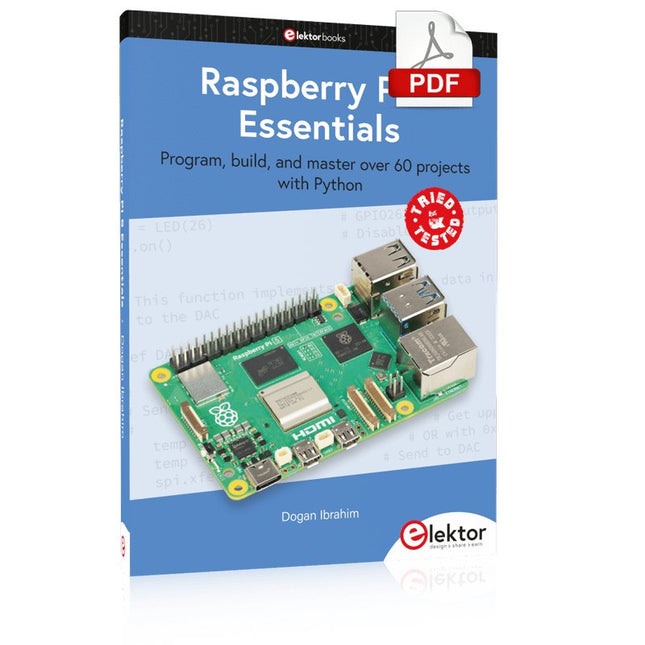
Elektor Digital Raspberry Pi 5 Essentials (E-book)
Program, build, and master over 60 projects with Python The Raspberry Pi 5 is the latest single-board computer from the Raspberry Pi Foundation. It can be used in many applications, such as in audio and video media centers, as a desktop computer, in industrial controllers, robotics, and in many domestic and commercial applications. In addition to the well-established features found in other Raspberry Pi computers, the Raspberry Pi 5 offers Wi-Fi and Bluetooth (classic and BLE), which makes it a perfect match for IoT as well as in remote and Internet-based control and monitoring applications. It is now possible to develop many real-time projects such as audio digital signal processing, real-time digital filtering, real-time digital control and monitoring, and many other real-time operations using this tiny powerhouse. The book starts with an introduction to the Raspberry Pi 5 computer and covers the important topics of accessing the computer locally and remotely. Use of the console language commands as well as accessing and using the desktop GUI are described with working examples. The remaining parts of the book cover many Raspberry Pi 5-based hardware projects using components and devices such as LEDs and buzzers LCDs Ultrasonic sensors Temperature and atmospheric pressure sensors The Sense HAT Camera modules Example projects are given using Wi-Fi and Bluetooth modules to send and receive data from smartphones and PCs, and sending real-time temperature and atmospheric pressure data to the cloud. All projects given in the book have been fully tested for correct operation. Only basic programming and electronics experience are required to follow the projects. Brief descriptions, block diagrams, detailed circuit diagrams, and full Python program listings are given for all projects described.
€ 32,95
Mitglieder: € 29,66
-
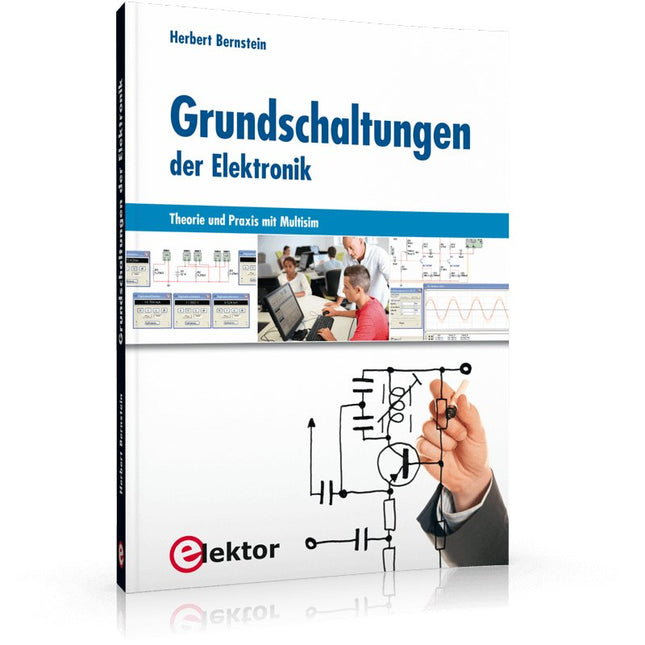
Elektor Publishing Grundschaltungen der Elektronik
Dieses Buch ist ein Nachschlagewerk mit praxisorientierten Fakten und ausführlichen Erklärungen. Der Autor hat selbst für komplexe Vorgänge oder Formeln praktische kurze Erklärungen und Näherungsrechnungen entwickelt, ohne die Darstellungen zu simplifizieren. Als Ausgangspunkt wurde das Simulationsprogramm Multisim gewählt, das zahlreiche Bauelemente und umfangreiche Messinstrumente zur Verfügung stellt. Damit hat man ein praxisnahes Fachbuch und Nachschlagewerk für Schule, Studium und Weiterbildung im Beruf. Das Buch ist in sechs Kapitel gegliedert: Messgeräte: Arbeiten mit Multimeter, Funktionsgenerator und Zweikanal-Oszilloskop Dioden: Einweg-, Brückengleichrichter, Schalter, Spannungsbegrenzer, Z-Diode, Leuchtdioden, 7-Segment-, Bargraf-Anzeige und Optokoppler Verstärkerschaltungen: Kleinsignalverstärker, ein- und zweistufige Verstärker, Leistungsverstärker für A-, B- und AB-Betrieb, Wechselstromverstärker, Differenzverstärker, FET-Verstärker und Arbeiten mit dem Operationsverstärker Transistoren: Als Schalter eingesetzt, Schaltungen mit komplementären Transistoren, astabile und monostabile Kippschaltung, Flipflops Signalgeneratoren: Rechteckgenerator, Sägezahngenerator, Dreieck-Rechteck-Generator, Sinusgenerator, LC-Oszillator, Phasenschiebergenerator, Wien-Robinson-Generator, Oszillator mit Quarz Impulsformer mit Schmitt-Trigger und Komparator: Schmitt-Trigger mit Transistoren und FET, Dämmerungsschalter, Temperaturüberwachung, TTL-Baustein 74132, Amplitudenbegrenzer, Differenzier- und Integrierschaltung Der in mehrere Hauptkapitel gegliederte Inhalt ist so aufbereitet, dass Nachschlagen und Finden der gewünschten Themen sehr einfach ist. Neben den passiven Bauelementen (Widerständen, Kondensatoren und Spulen) nehmen die Halbleiterelemente (Dioden, Transistoren und Feldeffekttransistoren) sowie Operationsverstärker und digitale Schaltkreise einen breiten Raum ein.
€ 49,00
Bestpreis
-

Elektor Digital Nucleo Boards Programming with the STM32CubeIDE (E-book)
Hands-on in more than 50 projects STM32 Nucleo family of processors are manufactured by STMicroelectronics. These are low-cost ARM microcontroller development boards. This book is about developing projects using the popular STM32CubeIDE software with the Nucleo-L476RG development board. In the early Chapters of the book the architecture of the Nucleo family is briefly described. The book covers many projects using most features of the Nucleo-L476RG development board where the full software listings for the STM32CubeIDE are given for each project together with extensive descriptions. The projects range from simple flashing LEDs to more complex projects using modules, devices, and libraries such as GPIO, ADC, DAC, I²C, SPI, LCD, DMA, analogue inputs, power management, X-CUBE-MEMS1 library, DEBUGGING, and others. In addition, several projects are given using the popular Nucleo Expansion Boards. These Expansion Boards plug on top of the Nucleo development boards and provide sensors, relays, accelerometers, gyroscopes, Wi-Fi, and many others. Using an expansion board together with the X-CUBE-MEMS1 library simplifies the task of project development considerably. All the projects in the book have been tested and are working. The following sub-headings are given for each project: Project Title, Description, Aim, Block Diagram, Circuit Diagram, and Program Listing for the STM32CubeIDE. In this book you will learn about STM32 microcontroller architecture; the Nucleo-L476RG development board in projects using the STM32CubeIDE integrated software development tool; external and internal interrupts and DMA; DEBUG, a program developed using the STM32CubeIDE; the MCU in Sleep, Stop, and in Standby modes; Nucleo Expansion Boards with the Nucleo development boards. What you need a PC with Internet connection and a USB port; STM32CubeIDE software (available at STMicroelectronics website free of charge) the project source files, available from the book’s webpage hosted by Elektor; Nucleo-L476RG development board; simple electronic devices such as LEDs, temperature sensor, I²C and SPI chips, and a few more; Nucleo Expansion Boards (optional).
€ 39,95
Mitglieder: € 35,96
-

Elektor Publishing PLC Programming with the Raspberry Pi and the OpenPLC Project
ModbusRTU and ModbusTCP examples with the Arduino Uno and ESP8266 Introduction to PLC programming with OpenPLC, the first fully open source Programmable Logic Controller on the Raspberry Pi, and Modbus examples with Arduino Uno and ESP8266 PLC programming is very common in industry and home automation. This book describes how the Raspberry Pi 4 can be used as a Programmable Logic Controller. Before taking you into the programming, the author starts with the software installation on the Raspberry Pi and the PLC editor on the PC, followed by a description of the hardware. You'll then find interesting examples in the different programming languages complying with the IEC 61131-3 standard. This manual also explains in detail how to use the PLC editor and how to load and execute the programs on the Raspberry Pi. All IEC languages are explained with examples, starting with LD (Ladder Diagram) over ST (Structured Control Language) to SFC (Special Function Chart). All examples can be downloaded from the author's website. Networking gets thorough attention too. The Arduino Uno and the ESP8266 are programmed as ModbusRTU or ModbusTCP modules to get access to external peripherals, reading sensors and switching electrical loads. I/O circuits complying with the 24 V industry standard may also be of interest for the reader. The book ends with an overview of commands for ST and LD. After reading the book, the reader will be able to create his own controllers with the Raspberry Pi.
€ 39,95
Mitglieder: € 35,96
-

The Elektor RF & Communications Collection (USB-Stick)
Dieser USB-Stick enthält eine Auswahl von mehr als 350 Artikeln über HF, Funk und Kommunikation, die im Elektor-Magazin veröffentlicht wurden. Der Inhalt besteht sowohl aus Hintergrundartikeln als auch aus Projekten zu den folgenden Themen: Grundlegende funkbezogene Schaltungen sowie komplexere Schaltungen wie Filter, Oszillatoren und Verstärker. Entwurf, Konstruktion und Theorie von Antennen zum effizienten Senden und Empfangen von Funksignalen. Entwurf und Analyse von RF-Schaltungen einschließlich Filtern, Mischern, PLLs und Frequenzsynthesizern. Werkzeuge und Techniken zur Vorhersage der Ausbreitungswege von Funkwellen und zur Messung der RF-Signalstärke. Techniken zur Verarbeitung digitaler Signale in HF-Systemen, einschließlich Modulations- und Demodulationsverfahren. Projekte zu Funkempfängern, AM, FM, SSB, CW, DRM, DAB, DAB+, Software Defined Radio und mehr. Projekte zu Wi-Fi, Bluetooth, LoRaWAN und mehr. Sie können die Artikelsuchfunktion nutzen, um bestimmte Inhalte im Volltext zu finden. Die Ergebnisse werden immer als vorformatierte PDF-Dokumente angezeigt. Mit Adobe Reader können Sie die Artikel durchblättern und mit der integrierten Suchfunktion von Adobe Reader nach einzelnen Wörtern und Ausdrücken suchen.
€ 49,95€ 39,95Bestpreis
-
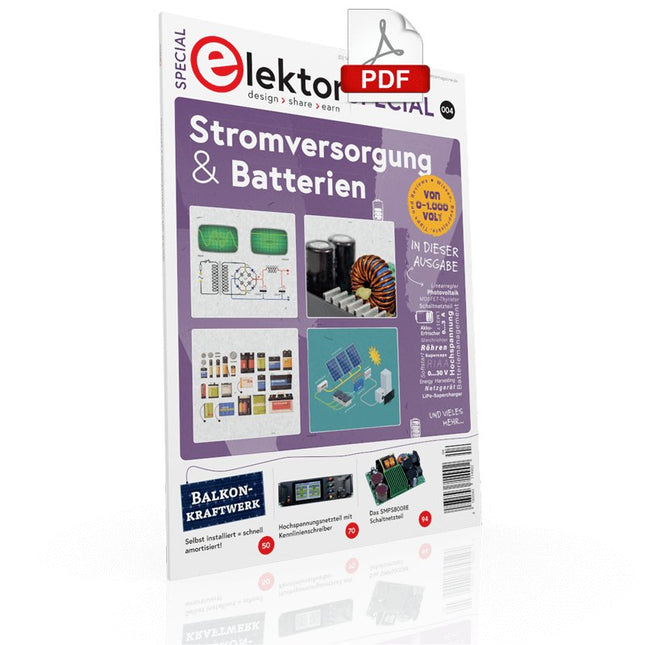
Elektor Digital Elektor Special: Stromversorgung & Batterien (PDF)
Der einfache „Stromversorgung“ genannte Schaltungsteil wird sowohl bei der Entwicklung als auch bei der Reparatur von Elektronik enorm unterschätzt. Dabei ist die Vielfalt bei Netzteilen oder neudeutsch „PSU“ enorm. Es gibt sie in den unterschiedlichsten Ausführungen: mit Gleich- oder Wechselspannung, als Generator, Akku oder Batterie, als Solar-Panel, extern oder eingebaut, linear oder „geschaltet“ – um nur einige zu nennen. Auch die Leistungsbereiche sind enorm: von Nano-Ampere bis Kilo-Ampere – dasselbe gilt für Spannungen. Bei der konkreten Umsetzung kann man zwischen ICs oder diskreten Bauteilen, zwischen fertigem Gerät bzw. Modul oder der Realisierung aus selbstverlöteten Bauteilen wählen. Dieses Special deckt die wichtigsten Merkmale und Gestaltungsaspekte von Stromversorgungen ab. Inhalt Grundlagen Batteriemanagement Was man beim Einsatz von (Lithium-)Akkus beachten muss. Festspannungsnetzgerät mit Linearregler Das beste Ergebnis gleich nach den Batterien. Lichtenergie sammeln Wie man ein Solarmodul für ein Energy-Harvesting-Projekt verwenden kann. Netzbetriebene Versorgungsgeräte Basisschaltungen und Tipps für Transformatoren, Gleichrichtung, Siebung und Stabilisierung. Sanftanlauf Der hohe Einstrompuls sollte vermieden werden. Steuerbarer Gleichrichter Einige Vorschläge, um die Verlustleistung im Längsregler möglichst gering zu halten. Komponenten Arbeitsblatt: Spannungsreglerserie LM117 / LM217 / LM317 Superkondensatoren Bewertungen Labornetzteil-Kit Joy-iT RD6006 Elektronische Last Siglent SDL1020X-E Projekte Balkon-Kraftwerk Selbst installiert = schnell amortisiert! DIY-LiPo-Kompressor-Kit Vom Prototyp zum Massenmarkt. Doppelanoden-MOSFET-Thyristor Schneller und effizienter als herkömmliche SCRs. Batterie-Entsafter Nicht wegwerfen, ausquetschen! Hochspannungsnetzteil mit Kennlinienschreiber Spannungen bis 400 V einstellen und Kennlinien für Röhren und Transistoren erstellen. Hochspannungsnetzteil Für RIAA-Röhrenvorverstärker und andere Anwendungen. Mikroversorgung Eine Laborstromversorgung für universelle Anwendungen. Phantom-Speisung mit geschalteten Kondensatoren Spannungsverdreifachung mit zwei ICs. Das SMPS800RE Schaltnetzteil für den Elektor Fortissimo-100 Zuverlässig, leicht und unkompliziert. Weicher Start Schont das Netzgerät und die Last. UniLab 2 Geschaltetes Labornetzteil 0…30 V/3 A Tipps Softstart für Step-Down-Schaltregler Stromabschaltung mit minimalen Verlusten Powerbank-Geheimnisse Künstliche Masse Akku-Erfrischer Akkupack-Entlader Parallelschaltung von Spannungsreglern
€ 11,90
Mitglieder: € 10,71


