PCBite ist die Komplettlösung für den Umgang mit Ihrer Leiterplatte während der Entwicklungsphase. Starke Magnete zusammen mit einer rostfreien Grundplatte machen das System flexibel, mobil und benutzerfreundlich.
Der Halter kann leicht neu positioniert werden, um Leiterplatten unterschiedlicher Form und Größe zu handhaben. Die Sonden sind stabil und dennoch flexibel und eignen sich für sofortige Messungen oder den völlig freihändigen Betrieb zusammen mit Ihrem Multimeter oder Ihrem bevorzugten Werkzeug.
Inbegriffen
4x PCBite-Halter
2x Bananen-zu-DuPont-Testkabel rot/schwarz
2x SP10-Sonde mit rot/schwarzem Sondenkopf und Prüfnadeln mit Stiftspitze
2x zusätzliche Testnadel mit Kronenspitze
1x Satz gelbe Isolierscheiben
1x große Grundplatte (A4)
1x Mikrofasertuch
Downloads
Benutzerhandbuch
Die SQ-Serie der handsfree PCBite-Sonden von Sensepeek ist isoliert, wird mit farbcodierten Kabelhaltern geliefert und hat einen niedrigeren Schwerpunkt, was sie im Vergleich zur ursprünglichen SP-Serie der Sonden noch stabiler macht. Alle beliebten Funktionen der berührungslosen Messung, des austauschbaren Feinraster-Federkugelteststifts und des minimalistischen Designs wurden beibehalten, um herkömmliche Sonden in Standardgröße und Handheld-Sonden überflüssig zu machen.
Funktionen
Alle berührungslosen Sonden von Sensepeek ermöglichen schnelle Messungen oder lange Trigger-Sitzungen.
Kein Löten von Drähten zur Verbindung Ihrer Sonde oder komplizierte Werkzeuge zum Einrichten mehr erforderlich. Positionieren Sie einfach die Sonde auf einem beliebigen Prüfpunkt oder Bauteil im Signalpfad und lassen Sie sie los.
Spart Zeit und Frustration bei Entwicklung, Verifizierung und Reparaturen.
Das minimalistische Design und die federbelastete Testnadel ermöglichen gleichzeitige Messungen an eng beieinander liegenden Komponenten und benachbarten Signalen.
Sowohl die Länge als auch das Gewicht der SQ-Sonden sind perfekt ausbalanciert und können mit den PCBite-PCB-Haltern und der Basisplatte verwendet werden, was für die berührungslose Funktion unerlässlich ist.
Der Sondenhalter ist mit einem starken Magneten in der Basis ausgestattet, wie bei allen PCBite-Sonden und -Haltern, was das Platzieren und Neupositionieren der Sonde erleichtert.
Die SQ-Serie von Sonden kann auch ohne den Sondenhalter von Hand verwendet werden, da sie über einen isolierten Griff verfügen, ihr volles Potenzial wird jedoch bei der berührungslosen Messung genutzt.
Im Lieferumfang enthalten
4x SQ10-Sonden und Pin-Testnadeln (schwarz)
2x Banane-zu-Dupont-Testdrähte (rot/schwarz)
5x Dupont-zu-Dupont-Testdrähte
1x Satz Kabelhalter (4 Farben)
4x zusätzliche Testnadeln
Downloads
Benutzerhandbuch
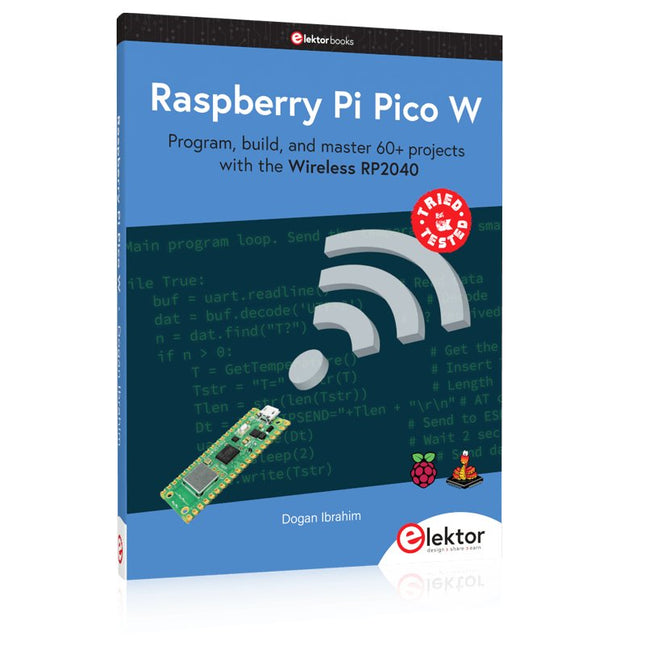
Program, build, and master 60+ projects with the Wireless RP2040
The Raspberry Pi Pico and Pico W are based on the fast, efficient, and low-cost dual-core ARM Cortex M0+ RP2040 microcontroller chip running at up to 133 MHz and sporting 264 KB of SRAM and 2 MB of Flash memory. Besides spacious memory, the Pico and Pico W offer many GPIO pins, and popular peripheral interface modules like ADC, SPI, I²C, UART, PWM, timing modules, a hardware debug interface, and an internal temperature sensor.
The Raspberry Pi Pico W additionally includes an on-board Infineon CYW43439 Bluetooth and Wi-Fi chipset. At the time of writing this book, the Bluetooth firmware was not yet available. Wi-Fi is however fully supported at 2.4 GHz using the 802.11b/g/n protocols.
This book is an introduction to using the Raspberry Pi Pico W in conjunction with the MicroPython programming language. The Thonny development environment (IDE) is used in all of the 60+ working and tested projects covering the following topics:
Installing the MicroPython on Raspberry Pi Pico using a Raspberry Pi or a PC
Timer interrupts and external interrupts
Analogue-to-digital converter (ADC) projects
Using the internal temperature sensor and external sensor chips
Using the internal temperature sensor and external temperature sensor chips
Datalogging projects
PWM, UART, I²C, and SPI projects
Using Bluetooth, WiFi, and apps to communicate with smartphones
Digital-to-analogue converter (DAC) projects
All projects are tried & tested. They can be implemented on both the Raspberry Pi Pico and Raspberry Pi Pico W, although the Wi-Fi-based subjects will run on the Pico W only. Basic programming and electronics experience are required to follow the projects. Brief descriptions, block diagrams, detailed circuit diagrams, and full MicroPython program listings are given for all projects.
Das Andonstar AD407 Pro Mikroskop ist für verschiedene Anwendungen wie das Löten von SMDs oder Reparaturarbeiten geeignet. Das Mikroskop hat ein großes verstellbares 7" LCD-Display und wird mit einer Fernbedienung geliefert. Im Vergleich zum AD407 bietet das AD407 Pro einen extra-hohen Ständer, der das Löten von Bauteilen noch einfacher macht.
Technische Daten
Bildschirmgröße
7 Zoll (17,8 cm)
Bildsensor
4 MP
Videoausgang
UHD 2880x2160 (24fps)FHD 1920x1080 (60fps/30fps)HD 1280x720 (120fps)
Videoformat
MP4
Vergrößerung
Bis zu 300-fach (27" HDMI-Monitor)
Bildauflösung
Max. 12 MP (4032x3024)
Bildformat
JPG
Fokusbereich
Min. 5 cm
Bildrate
Max. 120fps
Videoschnittstelle
HDMI
Speichermedium
microSD-Karte (bis zu 64 GB)
Stromversorgung
5 V DC
Beleuchtung
2 LEDs mit Standfuß
Abmessungen
20 x 18 x 32 cm
Lieferumfang
1x Andonstar AD407 Pro Digital-Mikroskop
1x Metallstativ mit 2 LEDs
1x UV-Filter (bereits im Objektiv montiert)
1x IR-Fernbedienung
1x Schalterkabel
1x Netzadapter
1x Schraubenschlüssel
2x Metallclips
1x HDMI-Kabel
1x Manual
Downloads
Manual
Modellvergleich
AD407
AD407 Pro
AD409
AD409 Pro-ES
Bildschirmgröße
7 Zoll (17,8 cm)
7 Zoll (17,8 cm)
10,1 Zoll (25,7 cm)
10,1 Zoll (25,7 cm)
Bildsensor
4 MP
4 MP
4 MP
4 MP
Videoausgang
2160p
2160p
2160p
2160p
Schnittstellen
HDMI
HDMI
USB, HDMI, WiFi
USB, HDMI, WiFi
Videoformat
MP4
MP4
MP4
MP4
Vergrößerung
Bis zu 270x
Bis zu 270x
Bis zu 300x
Bis zu 300x
Bildauflösung
Max. 4032x3024
Max. 4032x3024
Max. 4032x3024
Max. 4032x3024
Bildformat
JPG
JPG
JPG
JPG
Fokusabstand
Min. 5 cm
Min. 5 cm
Min. 5 cm
Min. 5 cm
Bildrate
Max. 120f/s
Max. 120f/s
Max. 120f/s
Max. 120f/s
Speichermedium
microSD-Karte
microSD-Karte
microSD-Karte
microSD-Karte
PC-Unterstützung
Nein
Nein
Windows
Windows
Mobile Konnektivität
Nein
Nein
WiFi + Messung
WiFi + Messung
Stromversorgung
5 V DC
5 V DC
5 V DC
5 V DC
Beleuchtung
2 LEDs mit Standfuß
2 LEDs mit Standfuß
2 LEDs mit Standfuß
2 LEDs mit Standfuß
Endoskop
Nein
Nein
Nein
Ja
Abmessungen
20 x 12 x 19 cm
20 x 18 x 32 cm
18 x 20 x 30 cm
18 x 20 x 32 cm
Gewicht
1,6 kg
2,1 kg
2,2 kg
2,5 kg
AI in Practice
Dive into the fascinating world of robotics and automation!
This Elektor Special shows you how to build your own robots with creativity, a little know-how, and affordable technology. From your first DIY project with Arduino or Raspberry Pi to intelligent systems with AI – this issue makes modern robotics understandable and accessible.
Discover practical instructions, inspiring projects, and exciting insights into the maker scene. Learn how experimentation, community, and openness give rise to true innovation – and why robotics is so much more than just a technical hobby.
Contents
Imagination turns into reality
Arduino-controlled Drawing Robot
GalaxyRVR Mars Rover Kit for Arduino
YDLIDAR X4Pro Lidar
xHuskyLens AI Camera
DOF Robot Arm with Raspberry Pi Pico
Manufacturing Robots with Fischertechnik
Pneumatic Industrial Robot
Why Do We Keep Building Robot Dogs?
Elektor Mini-Wheelie
Robot Vehicles and Autonomous Driving
Practical Low-Cost Methods for Reliable PCB Production
This book explains how to carry out reliable SMD assembly using affordable tools and small-scale equipment. It follows the complete workflow step by step, including tool selection, solder paste handling, stencil use, component placement, reflow methods, inspection, and rework.
The focus is on bench-level and small-lab production rather than industrial assembly lines. It shows practical methods for building single and double-sided SMD boards with repeatable results.
Topics include solder paste and flux, temperature profiles, hot air and hotplate techniques, small reflow ovens, inspection methods, and defect correction. Checklists and example workflows are included to help reduce errors and improve consistency.
Key features:
Tools and supplies for SMD assembly and rework
Solder paste types, storage, and handling
Stencils and paste application methods
Pick and place workflow and component orientation
Temperature profiles and reflow methods
Hot air, hotplate, and reflow oven processes
Inspection and quality control
Common defects such as tombstoning and solder bridges
Practical rework and component replacement
Bench-level professional workflows and checklists
This book is designed as a practical bench reference for anyone who wants to assemble and troubleshoot their own SMD boards with reliable results.
Elektor GREEN and GOLD members can download their digital edition here.
Not a member yet? Click here.
A Current Source for Testing (Z-)DiodesChecking Z-Diodes from 1 to 54 V @ 1 to 50 mA
ESD Strap TesterA Bench Tool with Pass, Borderline, and Fail Indication
Power Supply Transient Response TesterA Repeatable Step-Load Generator for Bench Power Supplies
Euclidean Sequencer Without a MicrocontrollerTrigger Patterns and CV Sequences with Simple CMOS Logic
LED Flashing Light for Gates and More with an Audible Alert
Need PCBs? The Elektor PCB Service Has You Covered.
Toothbrush TimerUsing a Tiny PIC
A Contactless Magnetic Combination LockWith the AS5600 Rotary Position Sensor
Low-Noise Battery-Powered PreamplifierFor Dynamic Microphones
The Arduino Nano TestLabMeasurement, Control, and Regulation
Rhythmic Bass LightEmphasize the Rhythm of Your Music
Low-Cut FilterNo Risk of Audio Feedback on Your System
Precise 1 Hz Square Wave Generator for BreadboardsA Reliable CMOS-Based Clock Source
555 Upside DownDuty Cycles Down to Zero
From Halfgeleidergids to Circuit Specials65 Years of Electronics Innovation
Electrical IsolationCAN Interface with Digital Isolator and Power Module
SpongillatorA Sponge-Based Oscillator
True Random Number GeneratorWith Integrated Chi-Square Test
3D Viewer for HTML pagesSimple, and Almost Without Code
Programming with TLScriptA Scripting Language for Measurement, Testing, and Control
Circuit Design: Tips from Experts
FeedbackWhat Is It and Why Is It Important?
One Board, Endless Ideas: Arduino UNO QFrom Retro Gaming to Real-Time Environmental Monitoring
How to Fix a Donut Antenna
Standby KillerA Real On/Off Switch for Your TV
Battery TestingMeasuring Batteries with the Arduino Nano
Power Supply for Audio Power AmplifiersA Good Power Supply Without Mains Hum
Prototyping Boards for RFFast Setups with DIY Prototyping Boards
T3 Surge ProtectionA Type 3 Spike Suppressor for Your Sensitive Equipment
IoT Room Thermostat BoardWith ESP32-C3/S3-Based Xiao MCU module
From Rigid to SmartFlexible and Printed Electronics — Between Vision and Industrial Reality
Learn to Build Intelligent Embedded Systems
Build smarter embedded systems with Arduino UNO Q. This book gives you the tools, knowledge, and confidence to turn ideas into intelligent, working solutions using the Arduino UNO Q platform. Discover how to build intelligent embedded systems with the Arduino UNO Q and AI.
Unlock the full potential of the Arduino UNO Q, a next-generation platform that combines the real-time power of the STM32U585 microcontroller with the flexibility of a Qualcomm Dragonwing QRB2210 microprocessor.
Learn how to rapidly prototype real-world applications using the Arduino IDE for low-level embedded control and Python in Arduino App Lab for high-level development.
Build confidence through hands-on projects that guide you step by step from basic board features to complete working systems.
Explore ready-to-use, AI based Arduino App Lab examples and see how they can jump-start your development and reduce time to deployment.
Step into the world of Edge AI with a clear, practical introduction to Edge Impulse Studio—no prior AI experience required.
Follow a complete, real-world workflow to create a Keyword Spotting AI application, covering data collection, model training, optimization, and on-device inference using the Edge Impulse Studio.
Bridge the gap between embedded systems and machine learning and learn how to bring intelligence directly onto your hardware.
Perfect for embedded engineers, educators, students, and makers looking to stay ahead in AI-enabled product development.
Untersuchen Sie Ihre Schaltkreise mit hoher Präzision und löten Sie auch kleinste SMDs und Bauteile problemlos!
Features
Das multifunktionale digitale HDMI-Mikroskop bietet Full HD, komfortable Kopffreiheit, verbesserte Ergonomie und mehrere Ausgangssignale mit unterschiedlichen Auflösungen.
Der Neigungswinkel des breiten LCD-Monitors ist einstellbar.
Fernbedienung im Lieferumfang inbegriffen.
Kann als eigenständiges Gerät verwendet werden.
Technische Daten
Bildschirmgröße
7 Zoll (17,8 cm)
Bildsensor
4 MP
Videoausgang
UHD 2880x2160 (24fps)FHD 1920x1080 (60fps/30fps)HD 1280x720 (120fps)
Videoformat
MP4
Vergrößerung
Bis zu 270-fach (27" HDMI-Monitor)
Bildauflösung
Max. 12 MP (4032x3024)
Bildformat
JPG
Fokusbereich
Min. 5 cm
Bildrate
Max. 120fps (unter 600 Lux Helligkeit & HDP120)
Videoschnittstelle
HDMI
Speichermedium
microSD-Karte (bis zu 32 GB)
Stromversorgung
5 V DC
Beleuchtung
2 LEDs mit Standfuß
Abmessungen
20 x 12 x 19 cm
Lieferumfang
1x Andonstar AD407 Digital-Mikroskop
1x Metallstativ mit 2 LEDs
1x Optische Halterung
1x UV-Filter
1x IR-Fernbedienung
1x Schalterkabel
1x Netzadapter
1x HDMI-Kabel
2x Schrauben
1x Schraubendreher
1x Handbuch
Downloads
Manual
Modellvergleich
AD407
AD407 Pro
AD409
AD409 Pro-ES
Bildschirmgröße
7 Zoll (17,8 cm)
7 Zoll (17,8 cm)
10,1 Zoll (25,7 cm)
10,1 Zoll (25,7 cm)
Bildsensor
4 MP
4 MP
4 MP
4 MP
Videoausgang
2160p
2160p
2160p
2160p
Schnittstellen
HDMI
HDMI
USB, HDMI, WiFi
USB, HDMI, WiFi
Videoformat
MP4
MP4
MP4
MP4
Vergrößerung
Bis zu 270x
Bis zu 270x
Bis zu 300x
Bis zu 300x
Bildauflösung
Max. 4032x3024
Max. 4032x3024
Max. 4032x3024
Max. 4032x3024
Bildformat
JPG
JPG
JPG
JPG
Fokusabstand
Min. 5 cm
Min. 5 cm
Min. 5 cm
Min. 5 cm
Bildrate
Max. 120f/s
Max. 120f/s
Max. 120f/s
Max. 120f/s
Speichermedium
microSD-Karte
microSD-Karte
microSD-Karte
microSD-Karte
PC-Unterstützung
Nein
Nein
Windows
Windows
Mobile Konnektivität
Nein
Nein
WiFi + Messung
WiFi + Messung
Stromversorgung
5 V DC
5 V DC
5 V DC
5 V DC
Beleuchtung
2 LEDs mit Standfuß
2 LEDs mit Standfuß
2 LEDs mit Standfuß
2 LEDs mit Standfuß
Endoskop
Nein
Nein
Nein
Ja
Abmessungen
20 x 12 x 19 cm
20 x 18 x 32 cm
18 x 20 x 30 cm
18 x 20 x 32 cm
Gewicht
1,6 kg
2,1 kg
2,2 kg
2,5 kg
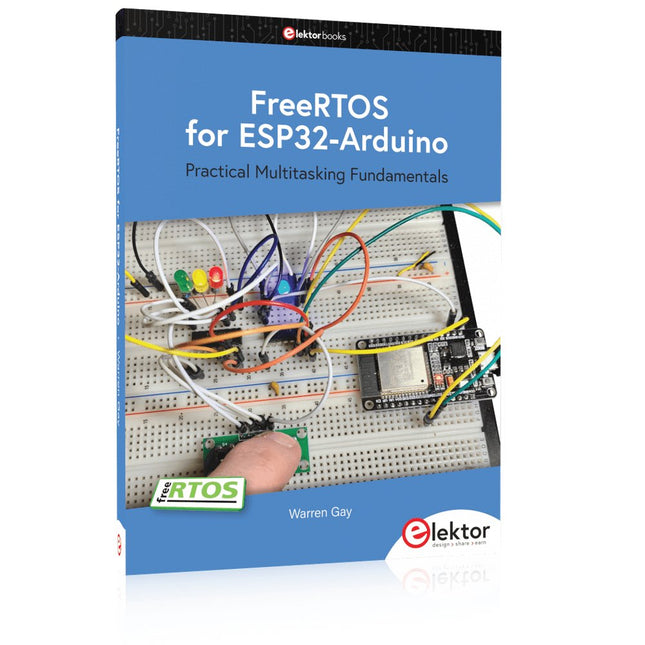
Practical Multitasking Fundamentals
Programming embedded systems is difficult because of resource constraints and limited debugging facilities. Why develop your own Real-Time Operating System (RTOS) as well as your application when the proven FreeRTOS software is freely available? Why not start with a validated foundation?
Every software developer knows that you must divide a difficult problem into smaller ones to conquer it. Using separate preemptive tasks and FreeRTOS communication mechanisms, a clean separation of functions is achieved within the entire application. This results in safe and maintainable designs.
Practicing engineers and students alike can use this book and the ESP32 Arduino environment to wade into FreeRTOS concepts at a comfortable pace. The well-organized text enables you to master each concept before starting the next chapter. Practical breadboard experiments and schematics are included to bring the lessons home. Experience is the best teacher.
Each chapter includes exercises to test your knowledge. The coverage of the FreeRTOS Application Programming Interface (API) is complete for the ESP32 Arduino environment. You can apply what you learn to other FreeRTOS environments, including Espressif’s ESP-IDF. The source code is available from GitHub. All of these resources put you in the driver’s seat when it is time to develop your next uber-cool ESP32 project.
What you will learn:
How preemptive scheduling works within FreeRTOS
The Arduino startup “loopTask”
Message queues
FreeRTOS timers and the IDLE task
The semaphore, mutex, and their differences
The mailbox and its application
Real-time task priorities and its effect
Interrupt interaction and use with FreeRTOS
Queue sets
Notifying tasks with events
Event groups
Critical sections
Task local storage
The gatekeeper task