
Suchergebnisse für "elektor or 01 or 02 or 2015 or de"
-

Elektor Digital Mastering Microcontrollers Helped by Arduino (3rd Edition) | E-book
Third, extended and revised edition with AVR Playground and Elektor Uno R4 Arduino boards have become hugely successful. They are simple to use and inexpensive. This book will not only familiarize you with the world of Arduino but it will also teach you how to program microcontrollers in general. In this book theory is put into practice on an Arduino board using the Arduino programming environment. Some hardware is developed too: a multi-purpose shield to build some of the experiments from the first 10 chapters on; the AVR Playground, a real Arduino-based microcontroller development board for comfortable application development, and the Elektor Uno R4, an Arduino Uno R3 on steroids. The author, an Elektor Expert, provides the reader with the basic theoretical knowledge necessary to program any microcontroller: inputs and outputs (analog and digital), interrupts, communication busses (RS-232, SPI, I²C, 1-wire, SMBus, etc.), timers, and much more. The programs and sketches presented in the book show how to use various common electronic components: matrix keyboards, displays (LED, alphanumeric and graphic color LCD), motors, sensors (temperature, pressure, humidity, sound, light, and infrared), rotary encoders, piezo buzzers, pushbuttons, relays, etc. This book will be your first book about microcontrollers with a happy ending! This book is for you if you are a beginner in microcontrollers, an Arduino user (hobbyist, tinkerer, artist, etc.) wishing to deepen your knowledge,an Electronics Graduate under Undergraduate student or a teacher looking for ideas. Thanks to Arduino the implementation of the presented concepts is simple and fun. Some of the proposed projects are very original: Money Game Misophone (a musical fork) Car GPS Scrambler Weather Station DCF77 Decoder Illegal Time Transmitter Infrared Remote Manipulator Annoying Sound Generator Italian Horn Alarm Overheating Detector PID Controller Data Logger SVG File Oscilloscope 6-Channel Voltmeter All projects and code examples in this book have been tried and tested on an Arduino Uno board. They should also work with the Arduino Mega and every other compatible board that exposes the Arduino shield extension connectors. Please note For this book, the author has designed a versatile printed circuit board that can be stacked on an Arduino board. The assembly can be used not only to try out many of the projects presented in this book but also allows for new exercises that in turn provide the opportunity to discover new techniques. Also available is a kit of parts including the PCB and all components. With this kit you can build most of the circuits described in the book and more. Datasheets Active Components Used (.PDF file): ATmega328 (Arduino Uno) ATmega2560 (Arduino Mega 2560) BC547 (bipolar transistor, chapters 7, 8, 9) BD139 (bipolar power transistor, chapter 10) BS170 (N-MOS transistor, chapter 8) DCF77 (receiver module, chapter 9) DS18B20 (temperature sensor, chapter 10) DS18S20 (temperature sensor, chapter 10) HP03S (pressure sensor, chapter 8) IRF630 (N-MOS power transistor, chapter 7) IRF9630 (P-MOS power transistor, chapter 7) LMC6464 (quad op-amp, chapter 7) MLX90614 (infrared sensor, chapter 10) SHT11 (humidity sensor, chapter 8) TS922 (dual op-amp, chapter 9) TSOP34836 (infrared receiver, chapter 9) TSOP1736 (infrared receiver, chapter 9) MPX4115 (analogue pressure sensor, chapter 11) MCCOG21605B6W-SPTLYI (I²C LCD, chapter 12) SST25VF016B (SPI EEPROM, chapter 13) About the author Clemens Valens, born in the Netherlands, lives in France since 1997. Manager at Elektor Labs and Webmaster of ElektorLabs, in love with electronics, he develops microcontroller systems for fun, and sometimes for his employer too. Polyglot—he is fluent in C, C++, PASCAL, BASIC and several assembler dialects—Clemens spends most of his time on his computer while his wife, their two children and two cats try to attract his attention (only the cats succeed). Visit the author’s website: www.polyvalens.com.Authentic testimony of Hervé M., one of the first readers of the book:'I almost cried with joy when this book made me understand things in only three sentences that seemed previously completely impenetrable.'
€ 34,95
Mitglieder: € 31,46
-
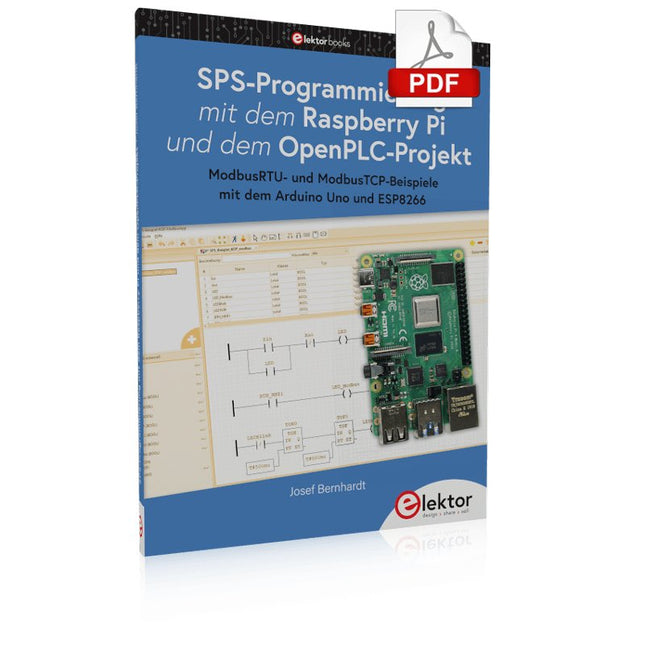
Elektor Digital SPS-Programmierung mit dem Raspberry Pi und dem OpenPLC-Projekt (PDF)
Einführung in die SPS-Programmierung mit dem Open-Source-Projekt auf dem Raspberry Pi und Modbus-Beispiele mit dem Arduino Uno und ESP8266 Die SPS-Programmierung ist heute in der Industrie und in der Hausautomation sehr weit verbreitet. In diesem Buch beschreibt der Autor, wie der Raspberry Pi 4 als SPS eingesetzt werden kann. Angefangen mit der Softwareinstallation auf dem Raspberry Pi und dem SPS-Editor auf dem PC geht es nach einer Beschreibung der Hardware an das Programmieren. Es folgen interessante Beispiele nach IEC 61131-3 in den verschiedenen Programmiersprachen. Ausführlich wird auch erklärt, wie der SPS-Editor benutzt wird und wie die Programme auf den Raspberry Pi geladen und ausgeführt werden. Angefangen mit der Programmierung mit KOP (Kontaktplan) über ST (Structured Control Language) bis zu AS (Special Function Chart) werden alle IEC-Sprachen mit Beispielen behandelt. Diese können auf der Website des Autors heruntergeladen werden. Auch die Vernetzung kommt nicht zu kurz. Der Arduino Uno und der ESP8266 werden als ModbusRTU- bzw. ModbusTCP-Module programmiert, um Zugriff auf externe Peripherie zu erhalten. Damit ist es möglich, Sensoren einzulesen und Verbraucher zu schalten. Interessant dürften auch E/A-Schaltungen sein, die dem 24V-Industriestandard entsprechen. Befehlsübersichten für ST und KOP runden das Buch ab. Nach dem Durcharbeiten des Buches ist der Leser in der Lage, eigene SPS-Steuerungen mit dem Raspberry Pi zu verwirklichen.
€ 32,80
Mitglieder: € 29,52
-

Elektor Digital Red Pitaya for Test and Measurement (E-book)
The Red Pitaya (STEMlab) is a credit card-sized, open-source test and measurement board that can be used to replace most measurement instruments used in electronics laboratories. With a single click, the board can transform into a web-based oscilloscope, spectrum analyser, signal generator, LCR meter, Bode plotter, and microcontroller. The Red Pitaya (STEMlab) can replace the many pieces of expensive measurement equipment found at professional research organisations and teaching laboratories. The device, that based on Linux, includes an FPGA, digital signal processing (DSP), dual core ARM Cortex processor, signal acquisition and generation circuitry, micro USB socket, microSD card slot, RJ45 socket for Ethernet connection, and USB socket – all powered from an external mains adaptor. This book is an introduction to electronics. It aims to teach the principles and applications of basic electronics by carrying out real experiments using the Red Pitaya (STEMlab). The book includes many chapters on basic electronics and teaches the theory and use of electronic components including resistors, capacitors, inductors, diodes, transistors, and operational amplifiers in electronic circuits. Many fun and interesting Red Pitaya (STEMlab) experiments are included in the book. The book also makes an introduction to visual programming environment. The book is written for college level and first year university students studying electrical or electronic engineering.
€ 29,95
Mitglieder: € 26,96
-

Elektor Digital Consumer Electronics Repair, Reuse and Recycling (E-book)
A Combat Guide against E-waste and Throwawayism This book is for anyone who enjoys tinkering with analog and digital hardware electronics. Regardless of the sophistication of your workspace, only basic tools are required to achieve truly satisfying results. It is intended as a reference guide among other hardware repair publications you may have in your library. However, the book goes a step further than most other repair guides in addressing issues in the modern era of discarded electronics called e-waste. E-waste should be put to good use. Producing anything new requires not just precious resources and labor, but also energy to make and deliver it to global retail shelves. Your talents and love of electronics can be put to good use by rescuing and resurrecting at least selected units from this endless stream of e-waste. Examples include either restoring through repair, or salvaging reusable electronic and mechanical components for your next project. Smart tips are provided throughout the book, and much information is tabulated for easy reference. The book expands age-old repair and hacking techniques applied for repair on the workbench into clever methods and applications to achieve effective results with discarded or “non-servicable” electronic consumer products. The final chapter provides real-life examples using all of the previously discussed content in a summarized form for each example repair type.
€ 32,95
Mitglieder: € 29,66
-

Elektor Digital Visual Basic for Electronics Engineering Applications (E-book)
The PC has long-time outgrown its function as a pure computer and has become an all-purpose machine. This book is targeted towards those people that want to control existing or self-built hardware from their computer. Using Visual Basic as Rapid Application Development tool we will take you on a journey to unlock the world beyond the connectors of the PC. After familiarising yourself with Visual Basic, its development environment and the toolset it offers, items such as serial communications, printer ports, bit-banging, protocol emulation, ISA, USB and Ethernet interfacing and the remote control of test-equipment over the GPIB bus, are covered in extent. Each topic is accompanied by clear, ready to run code, and where necessary, schematics are provided that will get your projects up to speed in no time. This book will show you advanced things like: using tools like Debug to find hardware addresses, setting up remote communication using TCP/IP and UDP sockets and even writing your own internet servers. Or how about connecting your own block of hardware over USB or Ethernet and controlling it from Visual Basic. Other things like internet-program communication, DDE and the new graphics interface of Windows XP are covered as well. All examples are ready to compile using Visual Basic 5.0, 6.0, NET or 2005. Extensive coverage is given on the differences between what could be called Visual Basic Classic and Visual basic .NET / 2005.
€ 39,95
Mitglieder: € 35,96
-

Elektor Digital Experimenting with Red Pitaya STEMlab Gen 2 (E-book)
Practical Projects and Programs With Experimenting with Red Pitaya STEMlab Gen 2, Red Pitaya goes beyond a versatile board. It becomes a powerful laboratory instrument for precision measurement, analysis, and control. From the fundamentals of electronic project development, monitoring, control, and design to testing, this book walks you step-by-step through everything you need to know to harness the full potential of Red Pitaya hardware and software. The book presents real-time, FPGA-based projects that are developed on a PC using the Vivado environment, then transferred to the Red Pitaya for execution and testing. You will learn about enhanced performance, expanded I/O capabilities, improved FPGA features, and advanced connectivity options that open up new frontiers for precision measurement, monitoring, and control in your embedded applications. Inside the book you will discover: A deep dive into Red Pitaya architecture and hardware design Electronic experiments using Red Pitaya for measurement and monitoring Hands-on projects using the Python programming language Practical guidance for FPGA programming using Red Pitaya Red Pitaya FPGA projects using the Verilog HDL under Vivado IDE Practical design of electronic projects including measurement and testing Step-by-step examples that bridge theory and real-world implementation Whether you are designing your own electronic circuits, developing signal analysis tools, or creating real-time control or monitoring systems, this book provides you the knowledge and confidence you need to fully learn and customize the Red Pitaya platform.
€ 32,95
Mitglieder: € 29,66
-

iFixit iFixit iOpener Toolkit
Elektronikgeräte mit verklebten Displays und Akkus sind immer stärker im Umlauf. Die Versiegelung schützt zwar vor Schmutz und Wasser, erschwert aber ein einfaches Öffnen des Gerätes – und damit auch jede Reparatur. Tschüss, Klebebefestigung: Mit dem iOpener Kleber lösen Bis jetzt, denn mit dem iOpener löst du problemlos und schnell Klebeverbindungen, ohne das Risiko, mit einer Heißluftpistole und zu viel Hitze dein Gerät zu beschädigen. Entwickelt wurde er zunächst zum Öffnen von Apple iPads, eignet sich aber auch für Tablets von Samsung, Smartphones von Sony und jedem anderen Hersteller, der inzwischen lieber klebt, statt schraubt. Und so funktioniert es iOpener erhitzen und auflegen: Den iOpener erwärmst du ganz einfach in der Mikrowelle oder in einem Topf mit kochendem Wasser. Anschließend positionierst du ihn auf der Kante deines Elektronikgeräts. Die Wärme löst den Klebstoff, ohne dein Gadget in Mitleidenschaft zu ziehen, sodass du ein Opening Pick zwischen Display und Gehäuse klemmen kannst. Danach wiederholst du den Vorgang für alle weiteren verklebten Stellen, denn der iOpener ist beliebig oft wiederverwendbar. Klebstoffreste mit Opening Tools entfernen: Mit den richtigen Werkzeugen kannst du dein Gerät nun mühelos öffnen. Die Opening Picks sind scharf genug, um Klebestreifen zu durchtrennen. Mit einem Opening Tool hebelst du abschließend das Gehäuse deines Gerätes auf oder hebst ein Display mit einem Saugheber oder iSclack ab. Ein Muss für Elektronikreparaturen Den nervigsten Teil einer Reparatur hast du damit schon hinter dir – so wird der Rest fast schon zum Selbstläufer. Ob Einsteiger oder Fachmann – der iOpener gehört in jeden Werkzeugkoffer, denn leichter lässt sich Kleber nicht lösen. Deine Vorteile auf einen Blick Löst Klebebefestigungen zielgerichtet Unkompliziert in der Mikrowelle oder kochendem Wasser zu erhitzen Wiederverwendbar Auf Wunsch mit zusätzlichen Öffnungswerkzeugen Inhalt aus lebensmittelechtem Glycerin Schont Geldbeutel und Umwelt Lieferumfang iOpener Spudger (Spatel) iFixit Öffnungswerkzeug 6x Fixit Opening Pick (Plektrum) iFixit Battery Isolation Pick Plastikkarten Saugheber Gebogene Pinzette Schraubendreher aus Kunststoff mit magnetischem Bithalter (4 mm), gummierter Griffzone und Drehkappe Präzisions-Bits (4 mm) in folgenden Größen: Kreuzschlitz (Phillips) #00 Schlitz 2.5 mm
€ 24,54
-

Elektor Publishing Experimenting with Red Pitaya STEMlab Gen 2
Practical Projects and Programs With Experimenting with Red Pitaya STEMlab Gen 2, Red Pitaya goes beyond a versatile board. It becomes a powerful laboratory instrument for precision measurement, analysis, and control. From the fundamentals of electronic project development, monitoring, control, and design to testing, this book walks you step-by-step through everything you need to know to harness the full potential of Red Pitaya hardware and software. The book presents real-time, FPGA-based projects that are developed on a PC using the Vivado environment, then transferred to the Red Pitaya for execution and testing. You will learn about enhanced performance, expanded I/O capabilities, improved FPGA features, and advanced connectivity options that open up new frontiers for precision measurement, monitoring, and control in your embedded applications. Inside the book you will discover: A deep dive into Red Pitaya architecture and hardware design Electronic experiments using Red Pitaya for measurement and monitoring Hands-on projects using the Python programming language Practical guidance for FPGA programming using Red Pitaya Red Pitaya FPGA projects using the Verilog HDL under Vivado IDE Practical design of electronic projects including measurement and testing Step-by-step examples that bridge theory and real-world implementation Whether you are designing your own electronic circuits, developing signal analysis tools, or creating real-time control or monitoring systems, this book provides you the knowledge and confidence you need to fully learn and customize the Red Pitaya platform.
€ 39,95€ 32,95Bestpreis
-
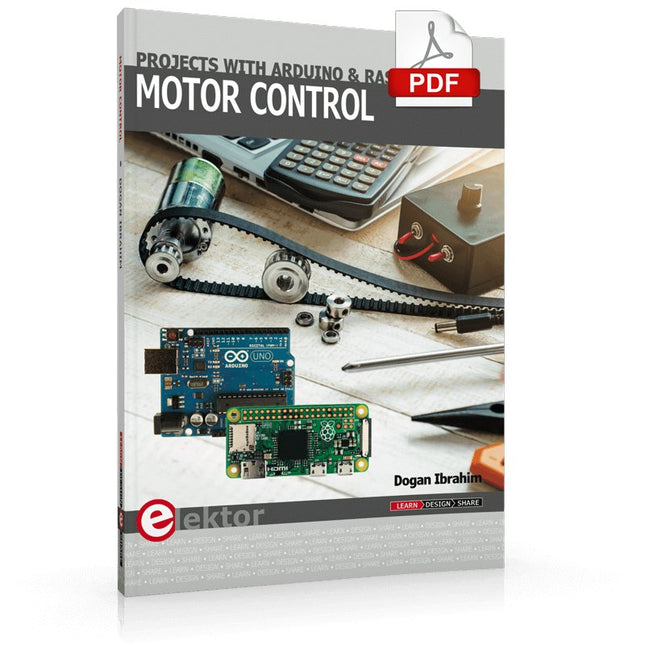
Elektor Digital Motor Control - Projects with Arduino & Raspberry Pi (E-book)
This book is about DC electric motors and their use in Arduino and Raspberry Pi Zero W based projects. The book includes many tested and working projects where each project has the following sub-headings: Title of the project Description of the project Block diagram Circuit diagram Project assembly Complete program listing of the project Full description of the program The projects in the book cover the standard DC motors, stepper motors, servo motors, and mobile robots. The book is aimed at students, hobbyists, and anyone else interested in developing microcontroller based projects using the Arduino Uno or the Raspberry Pi Zero W. One of the nice features of this book is that it gives complete projects for remote control of a mobile robot from a mobile phone, using the Arduino Uno as well as the Raspberry Pi Zero W development boards. These projects are developed using Wi-Fi as well as the Bluetooth connectivity with the mobile phone. Readers should be able to move a robot forward, reverse, turn left, or turn right by sending simple commands from a mobile phone. Full program listings of all the projects as well as the detailed program descriptions are given in the book. Users should be able to use the projects as they are presented, or modify them to suit to their own needs.
€ 29,95
Mitglieder: € 26,96
-
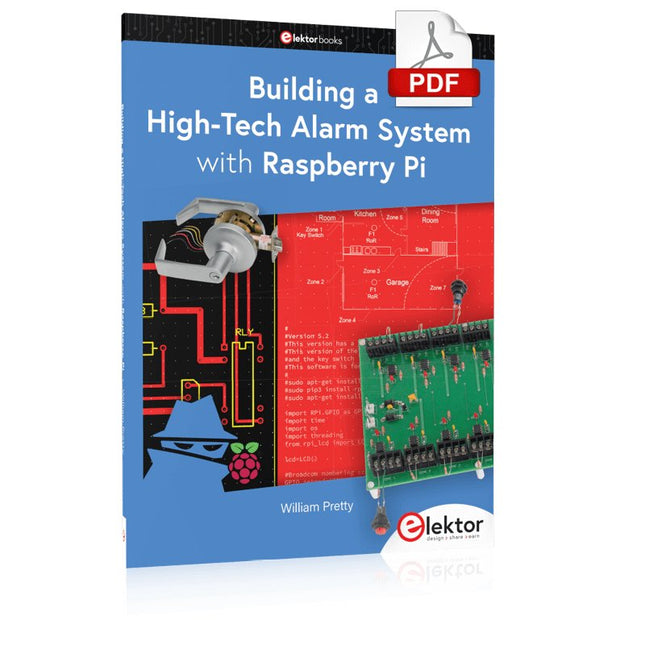
Elektor Digital Building a High-Tech Alarm System with Raspberry Pi (E-book)
This book discusses the basic components of any alarm system. All alarm systems have two basic functions. First, they monitor their environment looking for a change such as a door or window opening or someone moving about in the room. Second, they alert the legal owner or user to this change. The system described in this book uses a scanning type software to detect intruders. It behaves like a guard dog, pacing up and down the fence line on the lookout for either an intruder or a familiar person. If you have an alarm key, you can disarm the system and enter. With the scanning method, the software is easy to write and explain. It can scan eight alarm zones plus two special fire zones in about one second. You don’t have to be an electrical engineer to install an alarm system, just a decent carpenter, painter, and plasterer! Because this alarm system runs on 12 volts, you don’t have to be a licensed electrician either to install it. The alarm system presented here uses Python software on the Raspberry Pi combined with some elementary electronic circuits. The code described in the book, as well as CAD files and a bill of materials for the alarm panel, are available for free downloading. The book provides the reader with examples of typical configurations coming straight from the author‘s experience. After reviewing the hardware components typically used in common alarm systems, the author shows how to plan one yourself. To implement a modular alarm, no matter if it is for a single house or for a business or restaurant, the book shows how to skillfully combine a Raspberry Pi with small auxiliary electronic circuits. These are not installation instructions but food for thought that will enable readers to find a solution to their needs.
€ 24,95
Mitglieder: € 22,46
-

Siglent Siglent SDM3045X True RMS Multimeter
Das Siglent SDM3045X ist ein 4½-stelliges Digital-Multimeter (66000 Zähler, Abtastrate 150 Sa/s) mit Doppelanzeige und eignet sich besonders gut für die Anforderungen hochpräziser, multifunktionaler und automatischer Messungen. Mit seinem großen 4,3" (10,9 cm) TFT-Farbdisplay (480x272 Pixel) ist die Menüführung sehr intuitiv zu bedienen und sehr gut lesbar. Features Echte 4½-stellige (66000 Zähler) Messwertauflösung Bis zu 150 rdgs/s Messgeschwindigkeit True-RMS-Wechselspannungs- und Wechselstrommessung 1 GB NAND-Flash-Größe, Massenspeicher-Konfigurationsdateien und Datendateien Eingebaute Kaltanschlusskompensation für Thermoelement Mit einfacher, bequemer und flexibler PC-Software: EasyDMM Standardschnittstelle: USB-Gerät, USB-Host, LAN USB & LAN-Remote-Schnittstellen unterstützen den gemeinsamen SCPI-Befehlssatz. Kompatibel mit anderen beliebten DMMs auf dem Markt. Anwendungsfelder Forschungslabor Entwicklungslabor Erkennung und Wartung Kalibrierlabor Automatischer Produktionstest Messfunktionen Gleichspannung: 600 mV – 1000 V Gleichstrom: 600 μA – 10 A Wechselspannung: True-RMS, 600 mV – 750 V Wechselstrom: True-RMS, 60 mA – 10 A 2/4-Draht-Widerstand: 600 Ω – 100 MΩ Kapazität: 2 nF – 10000 μF Durchgangstest: Bereich ist auf 2 kΩ festgelegt. Diodentest: Einstellbarer Bereich beträgt 0-4 V. Frequenzmessung: 20 Hz – 500 KHz Periodenmessung: 2 μs – 0,05 s Temperatur: Unterstützung für TC- und RTD-Sensor Max, Min, Durchschnitt, Standardabweichung, dBm/dB, relative Messung, Pass/Fail, Histogramm, Trenddiagramm Technische Daten Gleichspannung 200 mV, 2 V, 20 V, 200 V, 1000 V Gleichstrom 200 μA, 2 mA, 20 mA, 200 mA, 2 A, 10 A Wechselspannung True-RMS, 200 mV, 2 V, 20 V, 200 V, 750 V Wechselstrom True-RMS, 20 mA, 200 mA, 2 A, 10 A 2/4-Leiter-Widerstand 200 Ω, 2 K, 20 K, 200 K, 2 M, 10 M, 100 MΩ Kapazität 2 nF, 20 nF, 200 nF, 2 μF, 20 μF, 200 μF, 10000 μF Konnektivitätstest Bereich fest 2 KΩ Diodentest Bereich fest 2 V Häufigkeit 20 Hz ~ 1 MHz Zeitraum 1 μs ~ 0,05 s Temperatur Unterstützt Thermoelement, RTD-Temperatursensor Maximale Eingangsspannung 1000 V Konfigurationsschnittstelle USB-Gerät, USB-Host, LAN Lieferumfang 1x Siglent SDM3065X Multimeter 1x USB-Kabel 2x Multimetersonde 1x Netzkabel 1x Quick Start Guide Downloads User Manual Datasheet Remote Manual Service Manual
€ 435,33
Bestpreis
-

Raspberry Pi Foundation FPC Kamera-Kabel für Raspberry Pi 5 (300 mm)
Der Raspberry Pi 5 verfügt über zwei vierspurige MIPI-Anschlüsse, von denen jeder entweder eine Kamera oder ein Display unterstützen kann. Diese Anschlüsse verwenden dasselbe 22-polige "Mini"-FPC-Format mit 0,5 mm Raster wie das Compute Module Development Kit und erfordern Adapterkabel für den Anschluss an die 15-poligen "Standard"-Anschlüsse mit 1 mm Raster an aktuellen Raspberry Pi Kamera- und Display-Produkten. Diese Mini-zu-Standard-Adapterkabel für Kameras und Displays (beachten Sie, dass ein Kamerakabel nicht mit einem Display verwendet werden sollte und umgekehrt) sind in den Längen 200 mm, 300 mm und 500 mm erhältlich.
€ 2,95€ 1,18Bestpreis


