
Suchergebnisse für "raspberry or pi or pico or microcontroller or board or with or pre or soldered or headers"
-

Elektor Labs Elektor Arduino Nano MCCAB Trainingsboard
Das Elektor Arduino Nano MCCAB Trainingsboard enthält alle Bauteile (inkl. Arduino Nano), die für die Übungen des "Mikrocontroller-Praxiskurs für Arduino-Einsteiger" benötigt werden wie Leuchtdioden, Schalter, Taster, akustische Signalgeber usw. Auch externe Sensoren, Motoren oder Baugruppen können mit diesem Mikrocontroller-Übungssystem abgefragt oder gesteuert werden. Technische Daten (Arduino Nano Trainingsboard MCCAB) Stromversorgung Über die USB-Verbindung des zur Erstellung der Programme sowieso angeschlossenen PCs oder ein externes Netzteil (nicht im Lieferumfang enthalten) Betriebsspannung +5 Vcc Eingangsspannung Alle Eingänge 0 V bis +5 V VX1 und VX2 +8 V bis +12 V (nur bei Verwendung eines externen Netzteils) Mikrocontrollermodul Arduino Nano Hardwareperipherie LCD 2x16 Zeichen Potenziometer P1 & P2 JP3: Auswahl der Betriebsspannung von P1 & P2 Verteiler SV4: Verteiler für die BetriebsspannungenSV5, SV6: Verteiler für die Ein-/Ausgänge des Mikrocontrollers Schalter und Taster RESET-Taster auf dem Arduino Nano-Modul6x Tastschalter K1 … K66x Schiebeschalter S1 … S6JP2: Verbindung der Schalter mit den Eingängen des Mikrocontrollers Summer Piezo-Summer Buzzer1 mit Steckbrücke auf JP6 Leuchtanzeigen LED L auf dem Arduino Nano-Modul, verbunden mit GPIO D1311x LED: Zustandsanzeige für die Ein-/AusgängeJP6: Verbindung der LEDs LD10 … LD20 mit den GPIOs D2 … D12 Serielle SchnittstellenSPI & I²C JP4: Auswahl des Signals an Pin X der SPI-Steckerleiste SV12SV9 bis SV12: SPI-Interface (3,3 V/5 V) bzw. I²C-Interface Schaltausgang für externe Geräte SV1, SV7: Schaltausgang (maximal +24 V/160 mA, extern zugeführt)SV2: 2x13 Pins zum Anschluss externer Module 3x3 LED-Matrix (9 rote LEDs) SV3: Spalten der 3x3 LED-Matrix (Ausgänge D6 … D8)JP1: Verbindung der Reihen mit den GPIOs D3 … D5 Software Library MCCABLib Steuerung der Hardware-Komponenten (Schalter, Taster, Leuchtdioden, 3x3 LED-Matrix, Summer) auf dem MCCAB Trainingsboard Betriebstemperatur bis +40 °C Abmessungen 100 x 100 x 20 mm Technische Daten (Arduino Nano) Mikrocontroller ATmega328P Architektur AVR Betriebsspannung 5 V Flashspeicher 32 KB, davon 2 KB vom Bootloader belegt SRAM 2 KB Taktfrequenz 16 MHz Analoge IN-Pins 8 EEPROM 1 KB DC-Strom pro I/O-Pin 40 mA an einem I/O-Pin, insgesamt maximal 200 mA an allen Pins gemeinsam Eingangsspannung 7-12 V Digitale I/O-Pins 22 (6 davon sind PWM-fähig) PWM-Ausgänge 6 Stromverbrauch 19 mA Abmessungen 18 x 45 mm Gewicht 7 g Lieferumfang 1x Elektor Arduino Nano Trainingsboard (MCCAB) 1x Arduino Nano
€ 69,95
Bestpreis
-
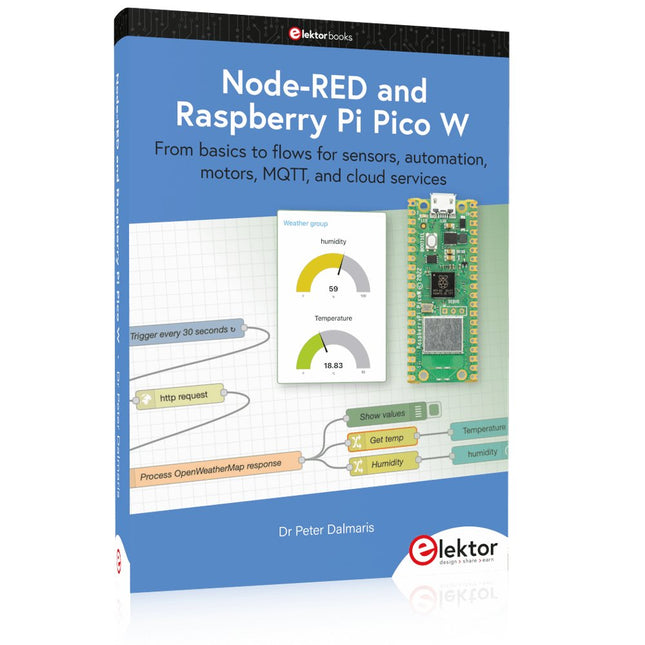
Elektor Publishing Node-RED and Raspberry Pi Pico W
From basics to flows for sensors, automation, motors, MQTT, and cloud services This book is a learning guide and a reference. Use it to learn Node-RED, Raspberry Pi Pico W, and MicroPython, and add these state-of-the-art tools to your technology toolkit. It will introduce you to virtual machines, Docker, and MySQL in support of IoT projects based on Node-RED and the Raspberry Pi Pico W. This book combines several elements into a platform that powers the development of modern Internet of Things applications. These elements are a flow-based server, a WiFi-enabled microcontroller, a high-level programming language, and a deployment technology. Combining these elements gives you the tools you need to create automation systems at any scale. From home automation to industrial automation, this book will help you get started. Node-RED is an open-source flow-based development tool that makes it easy to wire together devices, APIs, and online services. Drag and drop nodes to create a flowchart that turns on your lights at sunset or sends you an email when a sensor detects movement. Raspberry Pi Pico W is a version of the Raspberry Pi Pico with added 802.11n Wi-Fi capability. It is an ideal device for physical computing tasks and an excellent match to the Node-RED. Quick book facts Project-based learning approach. Assumes no prior knowledge of flow-based programming tools. Learn to use essential infrastructure tools in your projects, such as virtual machines, Docker, MySQL and useful web APIs such as Google Sheets and OpenWeatherMap. Dozens of mini-projects supported by photographs, wiring schematics, and source code. Get these from the book GitHub repository. Step-by-step instructions on everything. All experiments are based on the Raspberry Pi Pico W. A Wi-Fi network is required for all projects. Hardware (including the Raspberry Pi Pico W) is available as a kit. Downloads GitHub
€ 49,95
Mitglieder: € 44,96
-

Elektor Digital Elektor September/Oktober 2023 (PDF)
Der vollständige Download dieser Nummer ist für unsere GOLD- und GREEN-Mitglieder auf der Elektor Magazine- Site verfügbar! Nicht noch einmal Mitglied? Klicken Sie hier . Raspberry Pi Pico als Spektrumanalysator der FFT mit gut handelbarem Material linearer Spannungsregler ±40 V eine hochwertige Stromversorgung für den Leistungsverstärker Fortissimo-100 … und andere! Die Kommunikation ohne Mikrocontroller wird flexibel Das EEPROM bietet Möglichkeiten zur Netzwerkinstallation für Mikrocontroller ohne Kabel 5000 ? zu gewinnen! Nehmen Sie am STM32 Wireless Innovation Design Contest teil 2023: Die Odyssee der IA Starten Sie mit dem ChatGPT-Codeinterpreter LoRa, ein Schweizer Messer (1) das LoRa-Protokoll und seine Vorteile einstellbare Stromstärke mit integriertem Uhrengenerator Testen Sie Ihre Stromversorgung, Spannungswandler und Batterien die neuen Arduino UNO R4 Minima- und WiFi-Karten von logarithmischen Potentiometern das sind Exponentiale! Schnittstellenkarte für Motorsteuerung Ein BoB für einen 5 A Dauerläufermotor mit einer Größe von 3×3 mm über die Lebensgefahr der Elektronik Bietet eine Mobilfunkarchitektur ihnen den geringsten Nutzen für das Objekt-Internet (IdO)? Energieeffizienzmerkmale der LTE-M- und NB-IoT-Technologien für den Einsatz von Niedrigenergienetzen (LPWAN) Drahtlose Kommunikation in IoT-Systemen mithilfe von Arduino MKR-Modulen Kommunikationsnormen für Arduino-Module für IoT bereit für alternativen Strom in den magnetischen Komponenten Vermeiden Sie die Überhitzung der Induktivitäten! Optimieren Sie die Cloud-Bereitstellung mit maßgefertigten Geräten Matter-Implementierung: Was muss ich tun, um Matter-Geräte bereitzustellen? der YARD Stick One ein drahtloses Testwerkzeug für Frequenzen bis zu 1 GHz verriegeltes Relais Drôle de Composant, die Serie Bild Uhr? nimm die Pouls der Zeit Konzeption eines SDR-Sendezeitempfängers Sorgfaltspflichtrichtlinie „Weiter so“ ist nicht genug Starten mit elektronischem Spannungsverstärker Infrarot-Sensoren mit Arduino Pro Mini ein Projektauszug aus dem Buch „Arduino & Co.“ von Elektor Cloudbasierter Energierechner mit einem ESP32-Modul und einem Spannungs-/Stromsensor PZEM-004T Anleitung zur Bare-Metal-Programmierung (2) Präzisions-Timer, UART und Debugging Hexadoku
€ 10,95
-

Elektor Digital Elektor 07-08/2021 (PDF)
KOCHSHOW À LA ELEKTOR LORA MIT DEM RASPBERRY PI PICOViel Spaß mit MicroPython! WAS IST RISC-V?Warum die Industrie einen neuen Prozessorkern so spannend findet 60 JAHRE ELEKTORSommer-Projekte VIELSEITIGE SPANNUNGSVERSORGUNG FÜR BREADBOARDSPositive und negative 5-V-Ausgangsspannungen von USB RASPBERRY PI PICO ESSENTIALSEin Beispiel-Kapitel: WLAN mit dem Raspberry Pi Pico MAGNETISCHE LEVITATION AUF DIE EINFACHE ART PARALLAX PROPELLER 2Teil 3: Smart Pins und serielle Daten (UART) NUCLEO-BOARDS PROGRAMMIEREN MIT DER STM32CUBE-IDEEin Beispiel-Kapitel: FreeRTOS für die STM32 MCU VON ENTWICKLERN FÜR ENTWICKLERTipps & Tricks, Best Practice und andere nützliche Infos DIGITALE PINZETTE MINIWARE DT71 WEARABLE-WLAN GADGETESPHome wieder im Einsatz! ALLER ANFANG …muss nicht schwer sein! EINFACHE SKETCHES MIT DEM QWIIC-ÖKOSYSTEM JAVA AUF DEM RASPBERRY PITeil 2: Steuerung von GPIOs mit einem Spring-REST-Service RASPBERRY PI COMPUTE MODULE 4Ein Raspberry Pi für die Industrie PORTABLES AUTONOMES FEINSTAUBMESSGERÄT FÜR 2,5-ΜM-PARTIKELBehalten Sie Ihre Gesundheit im Auge AUS DER LEBEN GEGRIFFENDie Zukunft war in der Vergangenheit besser MICROPYTHON FÜR DEN ESP32 UND CO.Teil 1: Installation und erste Programme LADUNGSGEKOPPELTE BAUTEILE IN OSZILLOSKOPENBemerkenswerte Bauteile ESD – DER UNSICHTBARE BLITZZerfetzt Halbleiter wie ein Blitz einen Baum SOLARANLAGE FÜR MÄHROBOTERÖkologisch - preiswert - einfach! EUROPAS BEMÜHUNGEN, BIG TECH ZU ZÄHMEN HEXADOKUThe Original Elektorized Sudoku
€ 11,90
-

Elektor Digital Home Automation and Electronics for Starters (E-book)
Projects with Arduino, ESPHome, Home Assistant, and Raspberry Pi & Co. This e-book contains various example projects, beginning with an introduction to electronics. It also explains how to install Home Assistant on a Raspberry Pi, how to use indoor climate sensors for temperature and humidity, how to implement the MQTT protocol and other interfaces, and how to use ESPHome to integrate sensors and actuators into Home Assistant. Numerous video tutorials complement the book. Fundamentals of electrical engineering The book begins with an introduction to electrical engineering. You will learn the basics of voltage, current, resistors, diodes and transistors. Arduino and microcontrollers A complete section is dedicated to the Arduino Uno. You will get to know the structure, write your first programs and work on practical examples. Home Assistant and automation You will learn how to set up Home Assistant on a Raspberry Pi and how to use automations, scenes and devices. In addition, Zigbee, MQTT and ESP-NOW – important technologies for home automation – will be discussed. ESP8266, ESP32 and ESP32-CAM The popular ESP microcontrollers are covered in detail. A theoretical introduction is followed by practical projects that show you how to get the most out of these devices. Sensors and actuators The book explains the functionality and application of numerous sensors such as temperature and humidity sensors, motion detectors and RFID readers. For actuators, stepper motors, e-ink displays, servo motors and much more are covered. There are practical application examples for all devices. ESPHome This chapter shows you how to integrate sensors and actuators into Home Assistant without any programming effort. You will be guided step by step through the setup with ESPHome. LEDs and lighting technology In this chapter, you will learn about different types of LEDs and how they can be used. The basics of lighting technology are also explained. Node-RED A whole chapter is dedicated to Node-RED. You will learn the basics of this powerful tool and be guided step by step through its setup and use. Integrated Circuits (ICs) In electronics, there are numerous ICs that make our lives easier. You will get to know the most important ones and apply your knowledge in practical projects. Professional programming Advanced topics such as the correct use of buttons, the use of interrupts and the use of an NTP server for time synchronisation are covered in detail in this chapter. Downloads GitHub
€ 59,95
Bestpreis
-

Elektor Publishing Logic Analyzers in Practice
PC USB Logic Analyzers with Arduino, Raspberry Pi, and Co. Step-by-step instructions guide you through the analysis of modern protocols such as I²C, SPI, UART, RS-232, NeoPixel, WS28xx, HD44780 and 1-Wire. With the help of numerous experimental circuits based on the Raspberry Pi Pico, Arduino Uno and the Bus Pirate, you will learn the practical application of popular USB logic analyzers. All the experimental circuits presented in this book have been fully tested and are fully functional. The necessary program listings are included – no special programming or electronics knowledge is required for these circuits. The programming languages used are MicroPython and C along with the development environments Thonny and Arduino IDE. This book uses several models of flexible and widely available USB logic analyzers and shows the strengths and weaknesses of each price range. You will learn about the criteria that matter for your work and be able to find the right device for you. Whether Arduino, Raspberry Pi or Raspberry Pi Pico, the example circuits shown allow you to get started quickly with protocol analysis and can also serve as a basis for your own experiments. After reading this book, you will be familiar with all the important terms and contexts, conduct your own experiments, analyze protocols independently, culminating in a comprehensive knowledge set of digital signals and protocols.
€ 34,95
Mitglieder: € 31,46
-

Elektor Publishing Practical Microcontroller Cryptography
From Simple Ciphers to Secure Systems Understanding how to apply cryptography on modern microcontrollers is essential for building secure, reliable, and trustworthy systems. This book explains cryptography in the context of embedded hardware, from classical ciphers that illustrate core principles to modern techniques such as AES for practical high-security applications. By combining mathematical theory with real-world microcontroller implementations, readers learn not only how cryptography works, but also how to implement it effectively on systems with limited processing power and memory. The book is intended for students starting out in cryptography, hobbyists securing personal projects, and engineers looking for a structured guide to embedded security. The book covers these key topics in applied cryptography: Classical ciphers on Arduino Uno and Raspberry Pi Pico, with full programs: Spartan Scytale, Hebrew Atbash, Caesar, ROT13, Alberti Disk, Vigenère, Affine, Polybius, Playfair, Beaufort, Ottoman Codebook, and One-Time Pad. Hacking classical ciphers using microcontrollers, with examples. Pseudo-random (PRNG) and true random number generation (TRNG) on microcontrollers. Symmetric-key cryptography with full programs: DES and AES-128/256. Memory and speed constraints of cryptography on microcontrollers. Asymmetric cryptography: public/private keys, digital signatures, key distribution and derivation (KDF), RSA, and SHA-256 implementations. A complete secure communication program using RSA and AES-256. A glossary of commonly used cryptography terms.
€ 34,95
Mitglieder: € 31,46
-

JOY-iT Joy-Pi Note 2 (inkl. Raspberry Pi 5, 8 GB)
Das Joy-Pi Note 2 ist eine tragbare All-in-One-Plattform für Elektronik-Experimente und Lernzwecke, die vollständig mit dem Raspberry Pi 4 und 5 kompatibel ist. Durch die Kombination eines 11,6-Zoll-IPS-Displays, einer abnehmbaren kabellosen Tastatur sowie eines kompakten und robusten Gehäuses bietet es eine flexible Umgebung für Elektronikentwicklung, Programmierung und Bildung. Mit mehr als 45 praxisorientierten Kursen und Projekten unterstützt das Joy-Pi Note 2 das Lernen und Experimentieren in den Bereichen Python, Scratch, Robotik und IoT-Anwendungen. Die integrierte Lernplattform bietet Schritt-für-Schritt-Anleitungen und ist damit ideal für Einsteiger, Schüler, Lehrkräfte sowie erfahrene Maker geeignet. Das System verfügt über mehr als 22 integrierte Sensoren und Module – darunter Sensoren für Temperatur, Licht, Bewegung und Distanz sowie LED-Anzeigen und Motorschnittstellen. Zusätzliche Anschlussmöglichkeiten, wie USB-C und GPIO-Erweiterungsschnittstellen, ermöglichen es Nutzern, eigene Projekte zu entwickeln und zu testen. Dank der Unterstützung für den Raspberry Pi 5 profitiert das Joy-Pi Note 2 zudem von einer höheren Rechen- und Grafikleistung. Dies macht es zu einer vielseitigen Plattform für die Elektronikausbildung, das Prototyping und anspruchsvolle Experimente. Features Umfassendes Elektronik-Experimentier-Set All-in-One-Lern- und Experimentierplattform Kompatibel mit Raspberry Pi 4 & 5 Vorinstallierte interaktive Lernplattform Abnehmbare kabellose Tastatur Integriertes Aufbewahrungsfach für Powerbank und Zubehör Technische Daten Display 11,6"-LCD-Display Kamera 2 MP Lernplattform Über 45 Kurse & Projekte Displays 7-Segment-Anzeige, 16x2-Display, 1,8"-TFT-Display, 0,96"-OLED-Display, 8x8-RGB-Matrix Stromversorgung 5 V/5 A, USB-C Displays 7-Segment-Anzeige, 16x2-LCD-Modul, 8x8-RGB-Matrix Sensoren DHT-Temperatur- und Feuchtigkeitssensor, Neigungssensor, Bewegungssensor, Schallsensor, Berührungssensor, RFID-Modul, Lichtsensor, Ultraschallsensor Motoren Servo-Schnittstelle, Schrittmotor-Schnittstelle, Vibrationsmotor Steuerung Joystick, 4x4-Tastenmatrix, Umschalter für Raspberry Pi/PC-Verbindung, Empfindlichkeitsregler für Bewegungs- und Schallsensor, Helligkeitsregler für 16x2-LCD-Modul Sonstiges Relais, Lüfter, GPIO-Erweiterung, GPIO-LED-Anzeige, Breadboard, Erweiterungsschnittstellen für IO/ADC/I²C/UART, Infrarotsensor-Schnittstelle, Summer, Display-Treiber Zubehör RFID-Chip, RFID-Karte, Netzteil, Servomotor, Schrittmotor, Infrarot-Empfänger, Infrarot-Fernbedienung, Gleichstrommotor mit Lüfteraufsatz, Schraubendreher, microSD-Karte (32 GB), SD-Kartenleser, elektronisches Zubehör, kabellose Maus, kabellose Tastatur Abmessungen 291 x 190 x 46 mm Gewicht 1,3 kg Lieferumfang Joy-Pi Note 2 Notebook Raspberry Pi 5 (8 GB RAM) Zubehör USB-C Netzteil Schnellstart-Guide Downloads Joy-Pi website Datenblatt
€ 449,00
Bestpreis
-

Elektor Digital Het officiële Raspberry Pi Handboek (PDF)
Van de makers van MagPi, het officiële Raspberry Pi-magazine Ga aan de slag met Raspberry Pi 5, de nieuwste en beste in de Raspberry Pi-microcomputerlijn; leer programmeren en creeren met deze fantastische computer. Daarnaast zijn er nog genoeg dingen die je kunt doen met Raspberry Pi 4, Raspberry Pi Zero 2 W en Raspberry Pi Pico W in dit handboek. Met de nieuwste recensies, tutorials, projectpresentaties, handleidingen en nog veel meer is dit je ultieme bron voor Raspberry Pi! 228 pagina’s Raspberry Pi Alles wat je moet weten over de Raspberry Pi 5 Snelle en praktische gids voor elke Raspberry Pi Beleef serieus plezier met elektronica en de Pico W Inspirerende projecten voor uw volgende bouwidee Leer μPython door een “handheld” te bouwen Aan de slag met de Raspberry Pi Camera-module Kunstmatige Intelligentie; bouw je eigen GPT Chatbot
€ 29,95
Mitglieder: € 26,96
-
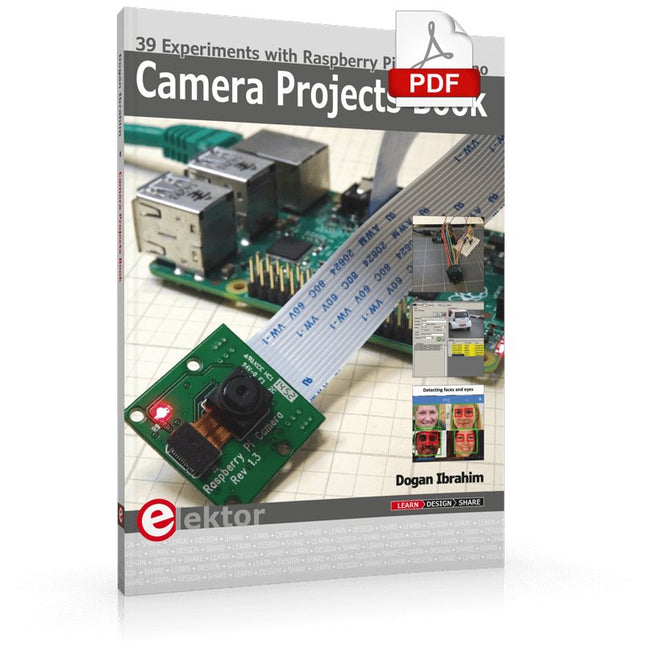
Elektor Digital Camera Projects Book (E-book)
39 Experiments with Raspberry Pi and Arduino This book is about Raspberry Pi 3 and Arduino camera projects. The book explains in simple terms and with tested and working example projects, how to configure and use a Raspberry Pi camera and USB based webcam in camera-based projects using a Raspberry Pi. Example projects are given to capture images, create timelapse photography, record video, use the camera and Raspberry Pi in security and surveillance applications, post images to Twitter, record wildlife, stream live video to YouTube, use a night camera, send pictures to smartphones, face and eye detection, colour and shape recognition, number plate recognition, barcode recognition and many more. Installation and use of popular image processing libraries and software including OpenCV, SimpleCV, and OpenALPR are explained in detail using a Raspberry Pi. The book also explains in detail how to use a camera on an Arduino development board to capture images and then save them on a microSD card. All projects given in this book have been fully tested and are working. Program listings for all Raspberry Pi and Arduino projects used in this book are available for download on the Elektor website.
€ 29,95
Mitglieder: € 26,96
-
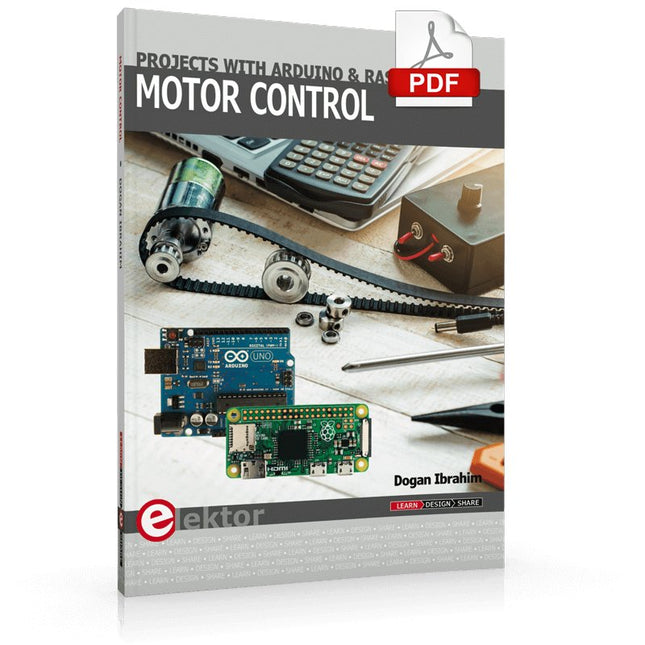
Elektor Digital Motor Control - Projects with Arduino & Raspberry Pi (E-book)
This book is about DC electric motors and their use in Arduino and Raspberry Pi Zero W based projects. The book includes many tested and working projects where each project has the following sub-headings: Title of the project Description of the project Block diagram Circuit diagram Project assembly Complete program listing of the project Full description of the program The projects in the book cover the standard DC motors, stepper motors, servo motors, and mobile robots. The book is aimed at students, hobbyists, and anyone else interested in developing microcontroller based projects using the Arduino Uno or the Raspberry Pi Zero W. One of the nice features of this book is that it gives complete projects for remote control of a mobile robot from a mobile phone, using the Arduino Uno as well as the Raspberry Pi Zero W development boards. These projects are developed using Wi-Fi as well as the Bluetooth connectivity with the mobile phone. Readers should be able to move a robot forward, reverse, turn left, or turn right by sending simple commands from a mobile phone. Full program listings of all the projects as well as the detailed program descriptions are given in the book. Users should be able to use the projects as they are presented, or modify them to suit to their own needs.
€ 29,95
Mitglieder: € 26,96
-

Elektor Digital Elektor March/April 2022 (PDF)
Build Your Own RISC-V ControllerFirst Steps with the NEORV32 RISC-V Softcore for Low-Cost FPGAs How to Use Arduino’s Serial PlotterPlotting Graphs With Arduino Is Easy CLUE from AdafruitA Smart Solution for IoT Projects Buffer Board for the Raspberry Pi 400Protect the I/Os Raspberry Pi RP2040 Boards Aplenty A Handbook on DIY Electronic Security and EspionageSRAM Heated or Deep-Frozen Component IdentificationTips & Tricks, Best Practices and Other Useful Information DIY Touchless Light Switch Starting out in ElectronicsMatching and Transforming What’s New in Embedded Development?Rust and Keeping IoT Deployments Updated Infographics How the Industrial and Automotive Sectors Will Benefit from 5G Moving Coil RelaysPeculiar Parts, the series HomeLab ToursEverything Revolves Around the Tools... Understanding the Neurons in Neural Networks (Part 4)Embedded Neurons Magnetic Levitation the Very Easy WayThe Third and Most Compact Version PLC Programming with the Raspberry Pi and the OpenPLC ProjectVisualization of PLC Programs with AdvancedHMI From Life's ExperiencePack Up and Leave Under Your RadarMicrocontrollers You Should Know About Monitor and Debug Over the AirA Solution for Arduino, ESP32 and Co. Portable Temperature- and Humidity-Measuring DeviceUsing Ready-Made Modules Lithium Battery Pack RepairSave Money + More Power! GUIs with PythonMeme-Generator Three Questions to Build OnWhy, What, and Who? HexadokuThe Original Elektorized Sudoku
€ 7,50


