
Suchergebnisse für "elektor or 11 or 12 or 2020 or de"
-

Elektor Digital Mastering the I²C Bus (E-book)
Mastering the I²C Bus takes you on an exploratory journey of the I²C Bus and its applications. Besides the Bus protocol, plenty of attention is given to the practical applications and designing a stable system. The most common I²C compatible chip classes are covered in detail. Two experimentation boards are available that allow for rapid prototype development. These boards are completed by a USB to I²C probe and a software framework to control I²C devices from your computer. All samples programs can be downloaded from the 'Attachments/Downloads' section on this page. Projects built on Board 1: USB to I²C Interface, PCA 9534 Protected Input, PCA 9534 Protected Output, PCA 9553 PWM LED Controller, 24xxx EEPROM Module, LM75 Temperature Sensor, PCA8563 Real-time Clock with Battery Backup, LCD and Keyboard Module, Bus Power Supply. Projects built on Board 2: Protected Input, Protected Output, LM75 Temperature Sensor, PCF8574 I/O Board, SAA1064 LED Display, PCA9544 Bus Expander, MCP40D17 Potentiometer, PCF8591 AD/DA, ADC121 A/D Converter, MCP4725 D/A Converter, 24xxx EEPROM Module.
€ 34,95
Mitglieder: € 31,46
-

Elektor Digital Reinigungsroboter selbstgebaut (PDF)
Robotertechnik ist in den letzten Jahren zunehmend in den Blick der Öffentlichkeit geraten. Nicht zuletzt aufgrund der immer häufiger werdenden Anwendungen im industriellen Bereich, im Spielzeugsektor und auch im Haushalt. Robotertechnik als Hobby ist besonders interessant und stellt eine außergewöhnliche Herausforderung dar, da dieses Hobby Fachgebiete wie Elektronik, Mechanik und Informatik verbindet. Es fördert daher in hohem Masse die Fähigkeit, vernetzt zu denken und komplexe, voneinander abhängige Sachverhalte zu erkennen. Roboter-Wettbewerbe – wie zum Beispiel die alljährlich ausgetragene Roboter-Fußball-Weltmeisterschaft – sind ein besonderes Highlight, übersteigen allerdings in den meisten Fällen die Möglichkeiten eines Hobbyisten bei weitem. Andererseits ist der Aufbau eines vorgefertigten Bausatzes oder gar der Betrieb eines fertigen Roboters keine echte Herausforderung und wird schnell langweilig, zumal diese Roboter in der Regel auch keine realen Aufgaben erfüllen können. Besonders beeindruckend ist es, wenn ein Roboter sich nicht nur mehr oder weniger geschickt umher bewegt, sondern dabei gleichzeitig noch das Zimmer reinigt. Dieses Buch stellt verschiedenste Möglichkeiten zum Selbstbau von Reinigungsrobotern vor; angefangen von einfachen mechanisch gesteuerten Wischrobotern bis hin zu komplexen, mikroprozessorgesteuerten Saugrobotern mit diversen Varianten der Hinderniserkennung. Dabei legt der Autor besonderen Wert auf die einfache und preiswerte Herstellung funktioneller Roboter.
€ 29,80
Mitglieder: € 26,82
-
Elektor Digital Mikrocontroller 5 (PDF)
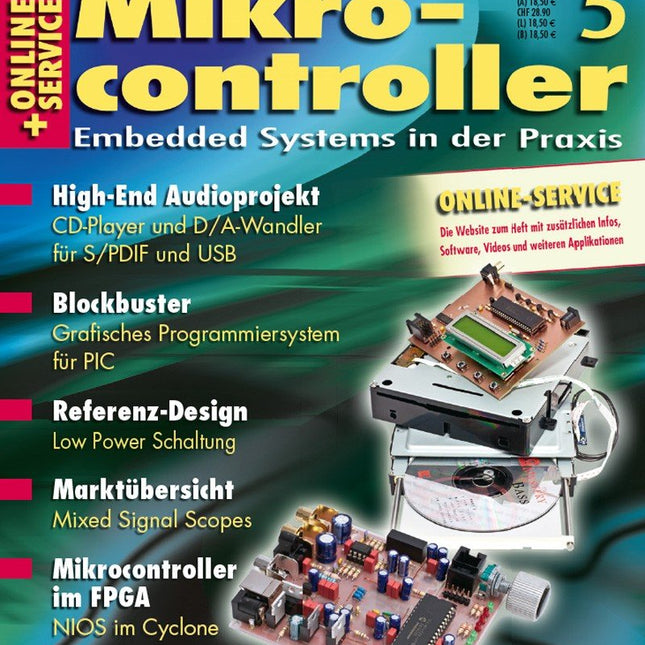
Praxis CD4you – Projekt: High-End CD-Player DAC4you – Digital-Analog-Wandler für S/PDIF und USB Blockbuster – Die Programmierung des PIC18F mit Funktionsblöcken Mikrocontroller richtig versorgt – Mittelwertstrombegrenzung Info SmartCHIP – Mikrocontroller im FPGA Sparschwein – Low Power Anwendungsbeispiel: Solar Reader Cumulonimbus – Cloud Computing für Embedded Systems mit Amazon Webservices MikroScopes – Marktübersicht Mixed Signal Oszilloskope Analog Audio mit digitalem FPGA – Programmierbare Logik für Audio-Anwendungen Längere Laufzeiten – Neue Intel Atom Prozessoren für Embedded-Anwendungen Kabel ade – Kontaktlose Energieversorgung mobiler Geräte durch induktive Nahfeldkopplung Weitere Hefte aus dieser Reihe: Mikrocontroller 7 (PDF) Mikrocontroller 6 (PDF) Mikrocontroller 4 (PDF) Mikrocontroller 3 (PDF) Mikrocontroller 2 (PDF) Mikrocontroller 1 (PDF)
€ 16,90
Mitglieder: € 15,21
-
Elektor Digital Mikrocontroller 7 als PDF (DE)
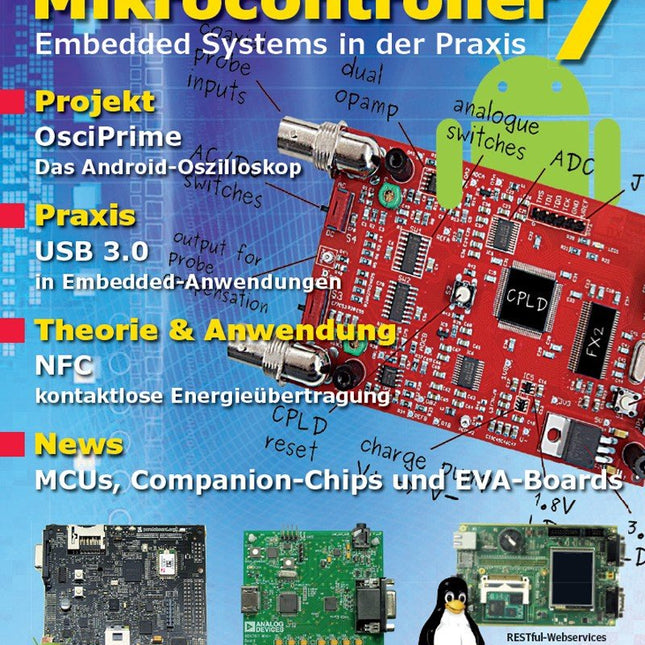
Inhalt: Praxis JellyScope – Open Source Android-Oszilloskop HDMI to VGA – USB-gespeister DVI/HDMI-zu-VGA-Wandler mit Audio-Extraction WEB-ArByter – Mit dem PicosG20 Embedded-Projekte per Smartphone steuern Aufsicht – USB-2.0 und 3.0 Port-Monitor mit MSP430 Nimm Zwei – Doppel-USB-Stromversorgung Know-how Gib dem Panda Android – Linaro Android auf dem PandaBoard installieren Leinen los – Drahtlose Ladestation Qi-konform entwickeln Info Prêt-à-porter – Marktübersicht Embedded-CPU-Module Der bessere Flash-Speicher – FRAM: Funktion, Qualität und Zuverlässigkeit Transit-Chip – LPC-800: 32-Bit-ARM im 8-Bit-Gewand Don't touch – E-Feld-basierte Gestensteuerung Aktuell – MCUs, Companion-Chips, Eva-Boards und Tools Weitere Hefte aus dieser Reihe: Mikrocontroller 6 (PDF) Mikrocontroller 5 (PDF) Mikrocontroller 4 (PDF) Mikrocontroller 3 (PDF) Mikrocontroller 2 (PDF) Mikrocontroller 1 (PDF)
€ 16,90
Mitglieder: € 15,21
-

Elektor Digital Arduino Compilation (EN) | E-book
This 233-page e-book is packed with Arduino ideas, explanations, tips, diagrams, programs, PCB layouts, and more – enough to provide days of informative, inspiring, and stimulating reading pleasure! The PDF document includes a table of contents with links to the individual projects, allowing you to easily navigate to the sections you’re most interested in. This way, you can quickly and effortlessly switch between projects and find exactly what you’re looking for.
€ 9,95
Mitglieder: € 8,96
-

Elektor Publishing Hands-on Microcontroller Course for Advanced Arduino Users
32 new Projects, Practical Examples and Exercises with the Elektor Arduino Nano MCCAB Training Board Electronics and microcontroller technology offer the opportunity to be creative. This practical microcontroller course provides you with the chance to bring your own Arduino projects and experience such moments of success. Ideally, everything works as you imagined when you switch it on for the first time. In practice, however, things rarely work as expected. At that point, you need knowledge to efficiently search for and find the reason for the malfunction. In this book for advanced users, we delve deep into the world of microcontrollers and the Arduino IDE to learn new procedures and details, enabling you to successfully tackle and solve even more challenging situations. With this book, the author gives the reader the necessary tools to create projects independently and also to be able to find errors quickly. Instead of just offering ready-made solutions, he explains the background, the hardware used, and any tools required. He sets tasks in which the reader contributes their own creativity and writes the Arduino sketch themselves. If you don’t have a good idea and get stuck, there is, of course, a suggested solution for every project and every task, along with the corresponding software, which is commented on and explained in detail in the book. This practical course will teach you more about the inner workings of the Arduino Nano and its microcontroller. You will get to know hardware modules that you can use to realize new and interesting projects. You will familiarize yourself with software methods such as ‘state machines,’ which can often be used to solve problems more easily and clearly. The numerous practical projects and exercise sketches are once again realized on the Arduino Nano MCCAB Training Board, which you may already be familiar with from the course book ‘Microcontrollers Hands-on Course for Arduino Starters’, and which contains all the hardware peripherals and operating elements we need for the input/output operations of our sketches. Readers who do not yet own the Arduino Nano MCCAB Training Board can purchase the required hardware separately, or alternatively, build it on a breadboard.
€ 49,95€ 39,95Bestpreis
-

Elektor Digital C Programming with Arduino (E-book)
Technology is constantly changing. New microcontrollers become available every year. The one thing that has stayed the same is the C programming language used to program these microcontrollers. If you would like to learn this standard language to program microcontrollers, then this book is for you! Arduino is the hardware platform used to teach the C programming language as Arduino boards are available worldwide and contain the popular AVR microcontrollers from Atmel. Atmel Studio is used as the development environment for writing C programs for AVR microcontrollers. It is a full-featured integrated development environment (IDE) that uses the GCC C software tools for AVR microcontrollers and is free to download. At a glance: Start learning to program from the very first chapter No programming experience is necessary Learn by doing – type and run the example programs A fun way to learn the C programming language Ideal for electronic hobbyists, students and engineers wanting to learn the C programming language in an embedded environment on AVR microcontrollers Use the free full-featured Atmel Studio IDE software for Windows Write C programs for 8-bit AVR microcontrollers as found on the Arduino Uno and MEGA boards Example code runs on Arduino Uno and Arduino MEGA 2560 boards and can be adapted to run on other AVR microcontrollers or boards Use the AVR Dragon programmer/debugger in conjunction with Atmel Studio to debug C programs
€ 39,95
Mitglieder: € 35,96
-

Elektor Digital Building Wireless Sensor Networks with OpenThread (E-book)
Developing CoAP applications for Thread networks with Zephyr This book will guide you through the operation of Thread, the setup of a Thread network, and the creation of your own Zephyr-based OpenThread applications to use it. You’ll acquire knowledge on: The capture of network packets on Thread networks using Wireshark and the nRF Sniffer for 802.15.4. Network simulation with the OpenThread Network Simulator. Connecting a Thread network to a non-Thread network using a Thread Border Router. The basics of Thread networking, including device roles and types, as well as the diverse types of unicast and multicast IPv6 addresses used in a Thread network. The mechanisms behind network discovery, DNS queries, NAT64, and multicast addresses. The process of joining a Thread network using network commissioning. CoAP servers and clients and their OpenThread API. Service registration and discovery. Securing CoAP messages with DTLS, using a pre-shared key or X.509 certificates. Investigating and optimizing a Thread device’s power consumption. Once you‘ve set up a Thread network with some devices and tried connecting and disconnecting them, you’ll have gained a good insight into the functionality of a Thread network, including its self-healing capabilities. After you’ve experimented with all code examples in this book, you’ll also have gained useful programming experience using the OpenThread API and CoAP.
€ 32,95
Mitglieder: € 29,66
-
Elektor Publishing FPGA Programming and Hardware Essentials
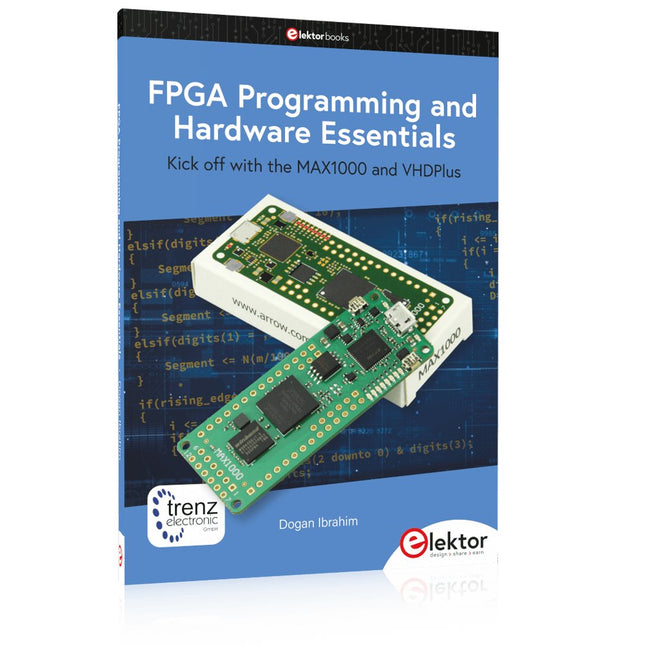
Kick off with the MAX1000 and VHDPlus Ready to Master FPGA Programming? In this guide, we’re diving into the world of Field Programmable Gate Arrays (FPGAs) – a configurable integrated circuit that can be programmed after manufacturing. Imagine bringing your ideas to life, from simple projects to complete microcontroller systems! Meet the MAX1000: a compact and budget-friendly FPGA development board packed with features like memory, user LEDs, push-buttons, and flexible I/O ports. It’s the ideal starting point for anyone wanting to learn about FPGAs and Hardware Description Languages (HDLs). In this book, you’ll get hands-on with the VHDPlus programming language – a simpler version of VHDL. We’ll work on practical projects using the MAX1000, helping you gain the skills and confidence to unleash your creativity. Get ready for an exciting journey! You’ll explore a variety of projects that highlight the true power of FPGAs. Let’s turn your ideas into reality and embark on your FPGA adventure – your journey starts now! Exciting Projects You’ll Find in This Book Arduino-Driven BCD to 7-Segment Display Decoder Use an Arduino Uno R4 to supply BCD data to the decoder, counting from 0 to 9 with a one-second delay Multiplexed 4-Digit Event Counter Create an event counter that displays the total count on a 4-digit display, incrementing with each button press PWM Waveform with Fixed Duty Cycle Generate a PWM waveform at 1 kHz with a fixed duty cycle of 50% Ultrasonic Distance Measurement Measure distances using an ultrasonic sensor, displaying the results on a 4-digit 7-segment LED Electronic Lock Build a simple electronic lock using combinational logic gates with push buttons and an LED output Temperature Sensor Monitor ambient temperature with a TMP36 sensor and display the readings on a 7-segment LED Downloads Software
€ 39,95
Mitglieder: € 35,96
-
SunFounder Pironman 5 NVMe M.2 SSD PCIe Mini-PC-Gehäuse für Raspberry Pi 5
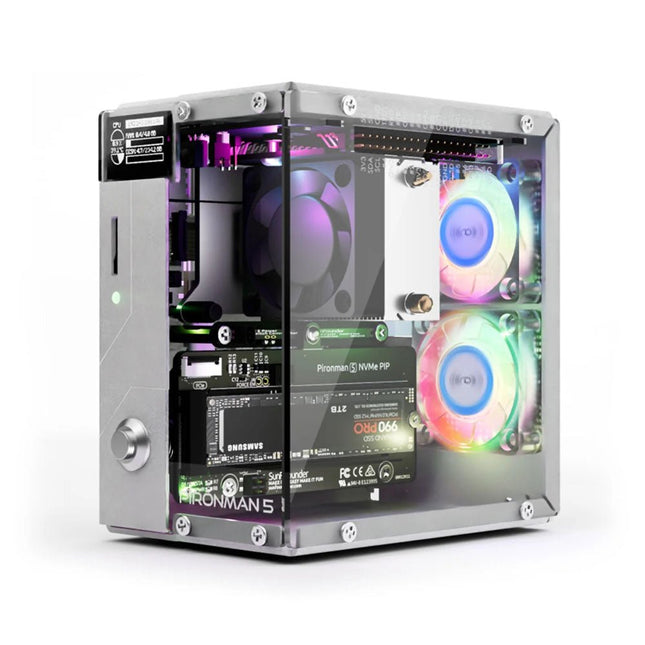
Verbessern Sie Ihren Raspberry Pi 5 mit dem Pironman 5, der aus robustem Aluminium, hervorragender Kühlung, NVMe M.2 SSD-Unterstützung, OLED-Display, RGB-Beleuchtung, Standard-HDMI-Anschlüssen x2 und einem sicheren Netzschalter besteht. Es ist perfekt für NAS, Home Assistant, Medien- und Game Center. Der Pironman 5 ist nicht nur ein Gehäuse, sondern ein Upgrade, das Ihren Raspberry Pi 5 in ein leistungsstarkes, effizientes und elegantes Gerät verwandelt. Der Pironman 5 enthält das Pi 5 NVMe PIP (PCIe Peripheral Board), eine PCIe-Adapterplatine, die speziell für NVMe-Solid-State-Laufwerke entwickelt wurde. Dieses Board unterstützt vier Größen von NVMe-SSDs: 2230, 2242, 2260 und 2280, die alle in einem M.2-M Key-Steckplatz installiert werden können. Die Verbindung ist für Gen 2.0-Geschwindigkeiten (5 GT/Sek.) zertifiziert, kann jedoch für eine schnellere Leistung auf Gen 3.0 (10 GT/Sek.) erzwungen werden. Erweiterbarer NVMe M.2 SSD-Steckplatz Steigern Sie die Leistung Ihres Raspberry Pi 5 mit dem NVMe M.2 SSD-Steckplatz des Pironman 5, der mehrere Größen (2230, 2242, 2260, 2280) für mehr Speicher und schnellere Systemreaktionen unterstützt. Erweitertes Kühlsystem Halten Sie Ihren Raspberry Pi 5 kühl und stilvoll mit dem Tower-Kühler und den zwei RGB-Lüftern des Pironman 5, der mit Staubfiltern für einen langlebigen, wartungsarmen Betrieb ausgestattet ist. OLED-Display für sofortige Einblicke Der Pironman 5 verfügt über ein 0,96" OLED-Display, das sofortige Updates zu CPU- und RAM-Auslastung, Temperatur, IP-Adresse und mehr bietet. Verbesserte Funktionalität und Sicherheit Der Pironman 5 sichert Ihren Raspberry Pi 5 mit Funktionen wie sicherem Herunterfahren, anpassbaren RGB-LEDs, HDMI-Anschlüssen, einem IR-Empfänger und einem externen GPIO-Extender und verbessert so die Funktionalität und Konnektivität. Features Raspberry Pi 5 Mini-PC 0,96-Zoll-OLED-Display, das CPU-Auslastung, Temperatur, Festplattennutzung, IP-Adresse, RAM-Auslastung usw. des Raspberry Pi anzeigt. Der Tower-Kühler kann einen Pi mit 100% CPU-Last auf 39°C bei 25°C Raumtemperatur kühlen. 2 RGB-Lüfter mit GPIO-Steuerung 1 PWM-Lüfter am Tower Cooler wird vom Raspberry Pi-System gesteuert. Unterstützt vier (PCIe Gen 2.0 / PCIe Gen 3.0) NVMe M.2 SSD-Größen: 2230, 2242, 2260 und 2280. 4 adressierbare WS2812 RGB-LEDs beleuchten das gesamte Gehäuse mit einem coolen Lichteffekt IR-Empfänger für Multimedia-Center wie Kodi oder Volumio Retro-Einschaltknopf aus Metall für sicheres Ausschalten Externer GPIO-Extender mit Pin-Namensschild für einfachen Zugriff Ausgestattet mit einem federbelasteten Sockel zum einfachen Entfernen der Karte Aluminium-Hauptgehäuse mit durchsichtiger Acryl-Seitenwand Verfügt über zwei Standard-HDMI-Anschlüsse Downloads Dokumentation
€ 79,95
Mitglieder: € 71,96
-

Elektor Digital Elektor Special: Raspberry Pi and Pico (PDF)
Contents Projects PicoVoiceVoice alienation and sound effects with the Raspberry Pi Pico Navigation with Vibration Feedback POV Display Pulse Width Modulation (PWM) with the Raspberry Pi Pico Wi-Fi with the Raspberry Pi Pico 'Hello World' from the Raspberry Pi Pico and RP2040A look at the Raspberry Pi Foundation’s first microcontroller Simple On-Off Temperature Controller with Raspberry Pi HAT Multitasking with the Raspberry PiShowcase: a traffic lights controller The Raspberry Pi Ruler GadgetFun with a time-of-flight sensor Raspberry Pi Buffer Board (Mk. 1)Never blow up the I/O again FM radio with RDSA top HAT project for the Raspberry Pi LoRa with the Raspberry Pi PicoFun with MicroPython! Tutorials Qt for the Raspberry Pi Raspberry Pi Pico Programmingwith MicroPython and Thonny Raspberry Pi Full StackRPi and RF24 at the heart of a sensor network Raspberry Pi Bash Command Cheat Sheet Community Java on the Raspberry PiAn interview with Frank Delporte Reviews Introducing the New Raspberry Pi Pico W, H, and WH Secure Boot Solution for Raspberry PiRetrofit security at a reasonable price Review: SmartPi – Smart Meter Extension for Raspberry Pi Review: The Enviro+ Raspberry Pi HATMeasuring environmental data with Raspberry Pi and the HAT Enviro+ Review: Meet the Raspberry Pi 4All new but still good? Raspberry Pi Gets a Fast 3.5' Touch DisplayMore power at no extra charge Book Launch: Raspberry Pi for Radio Amateurs
€ 11,95
Mitglieder: € 10,76
-
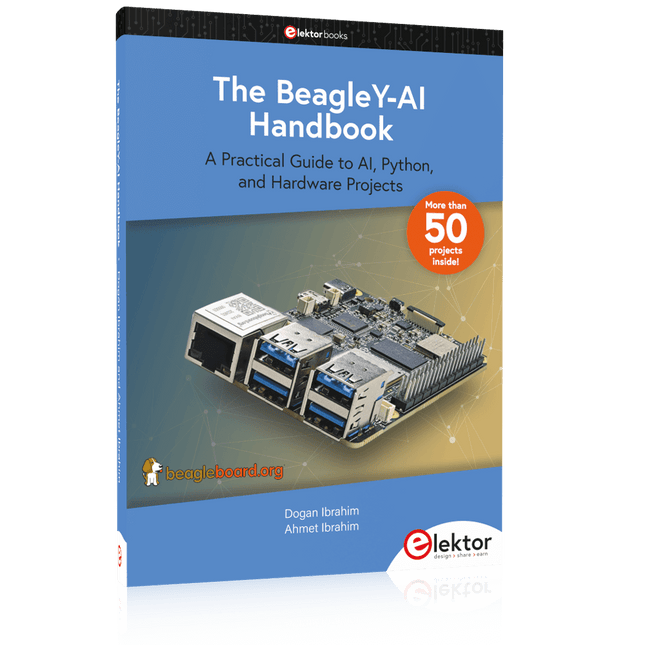
Elektor Publishing The BeagleY-AI Handbook
A Practical Guide to AI, Python, and Hardware Projects Welcome to your BeagleY-AI journey! This compact, powerful, and affordable single-board computer is perfect for developers and hobbyists. With its dedicated 4 TOPS AI co-processor and a 1.4 GHz Quad-core Cortex-A53 CPU, the BeagleY-AI is equipped to handle both AI applications and real-time I/O tasks. Powered by the Texas Instruments AM67A processor, it offers DSPs, a 3D graphics unit, and video accelerators. Inside this handbook, you‘ll find over 50 hands-on projects that cover a wide range of topics—from basic circuits with LEDs and sensors to an AI-driven project. Each project is written in Python 3 and includes detailed explanations and full program listings to guide you. Whether you‘re a beginner or more advanced, you can follow these projects as they are or modify them to fit your own creative ideas. Here’s a glimpse of some exciting projects included in this handbook: Morse Code Exerciser with LED or BuzzerType a message and watch it come to life as an LED or buzzer translates your text into Morse code. Ultrasonic Distance MeasurementUse an ultrasonic sensor to measure distances and display the result in real time. Environmental Data Display & VisualizationCollect temperature, pressure, and humidity readings from the BME280 sensor, and display or plot them on a graphical interface. SPI – Voltmeter with ADCLearn how to measure voltage using an external ADC and display the results on your BeagleY-AI. GPS Coordinates DisplayTrack your location with a GPS module and view geographic coordinates on your screen. BeagleY-AI and Raspberry Pi 4 CommunicationDiscover how to make your BeagleY-AI and Raspberry Pi communicate over a serial link and exchange data. AI-Driven Object Detection with TensorFlow LiteSet up and run an object detection model using TensorFlow Lite on the BeagleY-AI platform, with complete hardware and software details provided.
€ 44,95
Mitglieder: € 40,46


