Vorübergehende Verzögerung bei der Lieferung von Unitree-Robotern
Wie viele andere Lieferanten erleben auch wir derzeit Verzögerungen bei der Lieferung von Unitree-Robotern. Eine Sendung unseres Lieferanten steckt derzeit im Zoll fest, was leider zu späteren Lieferungen bereits aufgegebener Bestellungen führt.
Wir arbeiten aktiv mit unserem Lieferanten daran, dieses Problem zu lösen, und erwarten in Kürze mehr Klarheit. Leider können wir derzeit jedoch keine festen Zusagen machen. Eine neue Lieferung ist bereits auf dem Weg, wird aber noch etwas Zeit in Anspruch nehmen. Da auch andere Lieferanten mit denselben Herausforderungen konfrontiert sind, ist ein Wechsel zu einem anderen Anbieter derzeit keine schnellere Lösung. Unsere oberste Priorität ist die Lieferung der bestehenden Bestellungen.
Falls Sie Fragen haben oder Ihre Bestellung aktualisieren möchten, zögern Sie bitte nicht, unseren Kundenservice zu kontaktieren. Wir halten Sie über weitere Entwicklungen auf dem Laufenden.
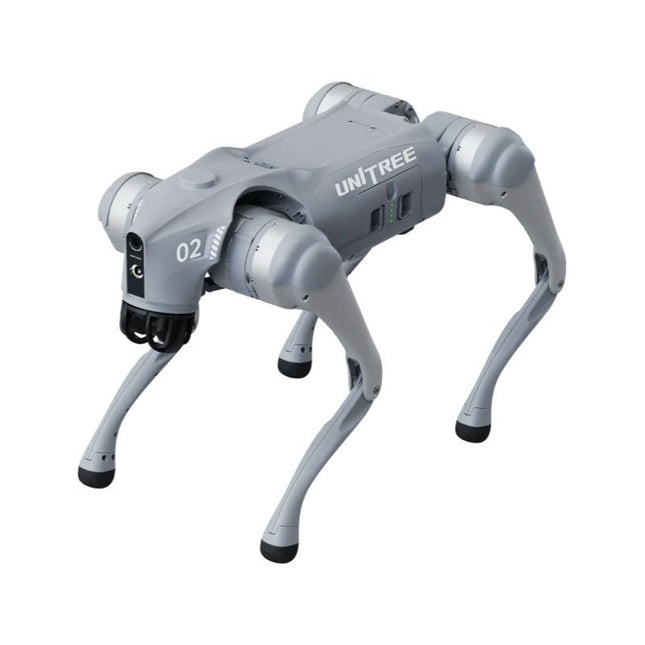
Die Unitree Go2-Serie besteht aus vierbeinigen Robotern für die Forschung und Entwicklung. Entwicklung autonomer Systeme in den Bereichen Mensch-Roboter-Interaktion (HRI), SLAM & Transport. Aufgrund der vier Beine und des 12DOF kann dieser Roboter eine Vielzahl unterschiedlicher Gelände bewältigen. Der Go2 verfügt über einen perfektionierten Antrieb & Power-Management-System, das eine Geschwindigkeit (je nach Ausführung) von bis zu 3,7 m/s oder 11,88 km/h bei einer Betriebszeit von bis zu 4 Stunden ermöglicht. Darüber hinaus verfügen die Motoren über ein Drehmoment von 45 N.m am Körper/Oberschenkel und an den Knien, was auch Sprünge oder Backflips ermöglicht.
Features
Super-Erkennungssystem: 4D LIDAR L1
Maximale Laufgeschwindigkeit: ca. 5 m/s
Spitzengelenkdrehmoment: ca. 45 Nm
Wireless-Modul: WiFi 6/Bluetooth/4G
Extrem lange Akkulaufzeit: ca. 2-4 Stunden
Intelligentes Side-Follow-System: ISS 2.0
Technische Daten
Tracking-Modul: Ferngesteuertes oder automatisches Tracking
Frontkamera: Bildübertragungsauflösung 1280 x 720, Sichtfeld 120°, Ultraweitwinkelobjektiv sorgt für satte Klarheit
Frontlampe: Erhellt den Weg vor Ihnen hell
4D LiDAR L1: 360°x90° omnidirektionales Ultraweitwinkel-Scannen ermöglicht automatisches Ausweichen mit kleinem toten Winkel und stabilen Betrieb
12 Kniegelenkmotoren: Stark und kraftvoll, schön und einfach, Brandy neues visuelles Erlebnis
Intercom-Mikrofon: Effektive Kommunikation ohne Szenario-Einschränkungen
Selbstaufrollender Gurt: Einfaches Tragen und Laden von Gegenständen
Stabiler, leistungsfähiger mit fortschrittlichen Geräten: 3D LiDAR, 4G-ESIM-Karte, WiFi 6 mit Dualband, Bluetooth 5.2 für stabile Verbindung und Fernsteuerung
Leistungsstarker Rechenkern: Motion Controller, Hochleistungs-ARM-Prozessor, verbesserter Al-Algorithmus-Prozessor, externes ORIN NX/NANO
Intelligenter Akku: Standard 8000-mAh-Akku, langlebiger 15000-mAh-Akku, Schutz vor Übertemperatur, Überladung und Kurzschluss.
Lautsprecher für die Musikwiedergabe: Hören Sie Musik nach Lust und Laune
Unitree Go2-Varianten
Der Go2 überzeugt nicht nur durch seine technischen Fähigkeiten, sondern auch durch ein modernes und schlankes Design, das ihm einen futuristischen Look verleiht und ihn zu einem echten Hingucker macht. Der Go2 Air ist speziell für Demos und Präsentationen konzipiert. Mit seinen Grundmerkmalen bietet es eine solide Grundlage, um die Bewegungsfähigkeiten und Funktionalität eines vierbeinigen Roboters zu demonstrieren. Wichtig: Der Go2 Air wird ohne Controller geliefert. Dies kann optional erworben werden.
Mit einer leistungsstarken 8-Core-Hochleistungs-CPU bieten Pro und Edu beeindruckende Rechenleistung, die für komplexe Aufgaben und anspruchsvolle Berechnungen erforderlich ist. Dies ermöglicht eine schnellere und effizientere Datenverarbeitung und macht den Pro und Edu zu einem zuverlässigen Partner für Ihre Projekte.
Ab der Edu-Version ist der Go2 programmierbar und eröffnet endlose Möglichkeiten für die Entwicklung und Erforschung eigener Robotikanwendungen. Der Go2 ist außerdem in der Lage, eine Stufenhöhe von bis zu 14 cm zu bewältigen. Dies macht es zu einem idealen Werkzeug für Forschung, Ausbildung und den Einstieg in die Welt der Robotik.
Der Go2 Edu wird mit einer Fernbedienung geliefert, die Ihnen eine einfache und intuitive Steuerung ermöglicht. Außerdem erhalten Sie eine Dockingstation mit beeindruckender Rechenleistung von 100 TOPS, die mit leistungsstarken KI-Algorithmen ausgestattet ist und Ihnen technischen Support bietet.
Go2 Edu ist mit einem leistungsstarken 15000 mAh-Akku ausgestattet, der ihm eine beeindruckende Laufzeit von bis zu 4 Stunden ermöglicht. Diese lange Betriebszeit ermöglicht es dem Roboter, längere Erkundungsmissionen durchzuführen und anspruchsvolle Aufgaben zu erledigen.
Modellvergleich
Air
Pro
Edu/Edu Plus
Abmessungen (stehend)
70 x 31 x 40 cm
70 x 31 x 40 cm
70 x 31 x 40 cm
Abmessungen (hockend)
76 x 31 x 20 cm
76 x 31 x 20 cm
76 x 31 x 20 cm
Material
Aluminiumlegierung + hochfester Kunststoff
Aluminiumlegierung + hochfester Kunststoff
Aluminiumlegierung + hochfester Kunststoff
Gewicht (mit Akku)
ca. 15 kg
ca. 15 kg
ca. 15 kg
Spannung
28~33,6 V
28~33,6 V
28~33,6 V
Spitzenleistung
ca. 3000 W
ca. 3000 W
ca. 3000 W
Nutzlast
≈7 kg (MAX ~ 10 kg)
≈8 kg (MAX ~ 10 kg)
≈8 kg (MAX ~ 12 kg)
Geschwindigkeit
0~2.5 m/s
0~3.5 m/s
0~3.7 m/s (MAX ~ 5 m/s)
Max. Steigfallhöhe
ca. 15 cm
ca. 16 cm
ca. 16 cm
Max. Steigwinkel
30°
40°
40°
Basisrechenleistung
N/A
8-Kern-Hochleistungs-CPU
8-Kern-Hochleistungs-CPU
Aluminium-Kniegelenkmotor
12 Satz
12 Satz
12 Satz
Gelenkinterne Schaltung (Knie)
✓
✓
✓
Joint Heat Pipe Kühler
✓
✓
✓
Bewegungsbereich
Körper: −48~48°
Körper: −48~48°
Körper: −48~48°
Oberschenkel: −200°~90°
Oberschenkel: −200°~90°
Oberschenkel: −200°~90°
Schaft: −156°~−48°
Schaft: −156°~−48°
Schaft: −156°~−48°
Max. Drehmoment
N/A
ca. 45 N.m
ca. 45 N.m
Super-Weitwinkel 3D-LiDAR
✓
✓
✓
Wireless Vektorpositionierungs-Tracking-Modul
N/A
✓
✓
HD-Weitwinkelkamera
✓
✓
✓
Fußende-Kraftsensor
N/A
N/A
✓
Grundlegende Aktion
✓
✓
✓
Auto-Skalierband
N/A
✓
N/A
Aktualisiertes intelligentes OTA
✓
✓
✓
RTT 2.0 Bildübertragung
✓
✓
✓
App Basic Fernsteuerung
✓
✓
✓
App-Daten anzeigen
✓
✓
✓
App Grafisches Programm
✓
✓
✓
Frontlampe (3 W)
✓
✓
✓
WiFi 6 mit Dualband
✓
✓
✓
Bluetooth 5.2/4.2/2.1
✓
✓
✓
4G-Modul
N/A
CN/GB
CN/GB
Sprachunktion
N/A
✓
✓
Musikwiedergabe
N/A
✓
✓
ISS 2.0 Intelligentes Side-Follow-System
N/A
✓
✓
Intelligente Erkennung und Vermeidung
✓
✓
✓
Sekundäre Entwicklung
N/A
N/A
✓
Manuelle Steuerung
Optional
Optional
✓
Modul mit hoher Rechenleistung
N/A
N/A
Edu: 40 TOPS Rechenleistung
Edu Plus: 100 TOPS Rechenleistung
NVIDIA Jetson Orin (optional)
Intelligente Batterie
Standard (8000 mAh)
Standard (8000 mAh)
Lange Lebensdauer (15000 mAh)
Akkulaufzeit
1-2 Stunden
1-2 Stunden
2-4 Stunden
Ladegerät
Standard (33,6 V, 3,5 A)
Standard (33,6 V, 3,5 A)
Schnellladung (33,6 V, 9 A)
Lieferumgang
1x Unitree Go2 Pro
1x Unitree Go2 Akku (8000 mAh)
Downloads
Documentation
iOS/Android apps
GitHub
The Seeed Studio RF Explorer 3G Combo is a handheld digital spectrum analyzer and an affordable tool for working across a wide range of popular frequency bands. It is based on a highly integrated frequency synthesizer and a double-balanced mixer, providing high performance, compact dimensions, low power consumption, and excellent value.
Designed for both indoor and outdoor use, the RF Explorer 3G Combo can also be connected to a PC via a standard Mini-USB 2.0 connector for additional functionality.
This model combines a WSUB1G base unit with an RFEMWSUB3G expansion module, supplied fully assembled and tested. It features two SMA connectors and includes two antennas: a dual-band 144/430 MHz telescopic antenna for sub-GHz frequencies and a helical whip antenna for the 2.4 GHz band. Additional frequency-specific antennas may be required for optimal performance in certain supported frequency ranges.
This combination provides the wide frequency coverage of the WSUB3G module together with the high sensitivity and fast response of the WSUB1G unit in the commonly used sub-1 GHz frequency range.
Features
Pocket size and light weight
Solid aluminum metal case
Includes a transport EVA carry case for RF Explorer
Spectrum Analyzer mode with Peak Max and Hold, Normal, Overwrite and Averaging modes
Lifetime free firmware upgrades available, open to community requested features
High capacity Lipo for 16+ hours of continuous run, rechargeable by USB
Windows PC client Open Source
Can be extended with internal Expansion Modules for additional band and functionality
Wide band coverage to all popular RF frequencies, starting at 15 MHz and going up to 2.7 GHz. This includes very interesting frequency areas such as 2 m HAM radio, all VHF and UHF, FM radio, GPS, WiFi and WiMax, Bluetooth, etc.
Firmware: RF Explorer 3G Combo is delivered with upgraded firmware v1.09. Note some of the features and operation accuracy will be improved in upcoming free firmware revisions.
Technische Daten
Battery
Lithium Cells / Batteries contained in equipment UN3481 - PI967
Frequency band
15-2700 MHz
Frequency span
112 KHz - 600 MHz
Graphics LCD
128 x 64 pixels, great visibility outdoors
PC Windows client
Supports Windows (32 and 64 bits)
Backlight
For great indoor visibility
2 standard SMA 50 ohms connector,
One for Sub-GHz wideband Nagoya NA-773 telescopic antenna included and another 2.4 GHz one for 15-2700 MHz band with helical antenna included.
Amplitude resolution
0.5 dBm
Dynamic range
Left SMA port (WSUB1G)
-115 dBm to 0 dBm
Right SMA port (WSUB3G)
-110 dBm to -10 dBm
Absolute Max input power
Left SMA port (WSUB1G)
+5 dBm
Right SMA port (WSUB3G)
+30 dBm
Average noise level (typical)
-110 dBm
Frequency stability and accuracy (typical)
±10 ppm
Amplitude stability and accuracy (typical)
±6 dBm
Frequency resolution
1 KHz
Resolution bandwidth (RBW)
Automatic 3 KHz to 600 KHz
Weight
185 g
Dimensions
113 x 70 x 25 mm
Lieferumfang
Seeed Studio RF Explorer 3G Combo Spectrum Analyzer
Nagoya NA-773 wideband telescopic antenna
2.4 GHz band antenna
EVA Case
Dokumentation
For more info and to get started with your RF Explorer, visit the start page.
For questions and support, please visit https://support.rf-explorer.com
The Controller Area Network (CAN) was originally developed to be used as a vehicle data bus system in passenger cars. Today, CAN controllers are available from over 20 manufacturers, and CAN is finding applications in other fields, such as medical, aerospace, process control, automation, and so on.
This book is written for students, for practising engineers, for hobbyists, and for everyone else who may be interested to learn more about the CAN bus and its applications.
The aim of this book is to teach you the basic principles of CAN networks and in addition the development of microcontroller based projects using the CAN bus. In summary, this book enables the reader to:
Learn the theory of the CAN bus used in automotive industry
Learn the principles, operation, and programming of microcontrollers
Design complete microcontroller based projects using the C language
Develop complete real CAN bus projects using microcontrollers
Learn the principles of OBD systems used to debug vehicle electronics
You will learn how to design microcontroller based CAN bus nodes, build a CAN bus, develop high-level programs, and then exchange data in real-time over the bus. You will also learn how to build microcontroller hardware and interface it to LEDs, LCDs, and A/D converters.
The book assumes that the reader has some knowledge on basic electronics. Knowledge of the C programming language will be useful in later chapters of the book, and familiarity with at least one member of the PIC series of microcontrollers will be an advantage, especially if the reader intends to develop microcontroller based projects using the CAN bus.
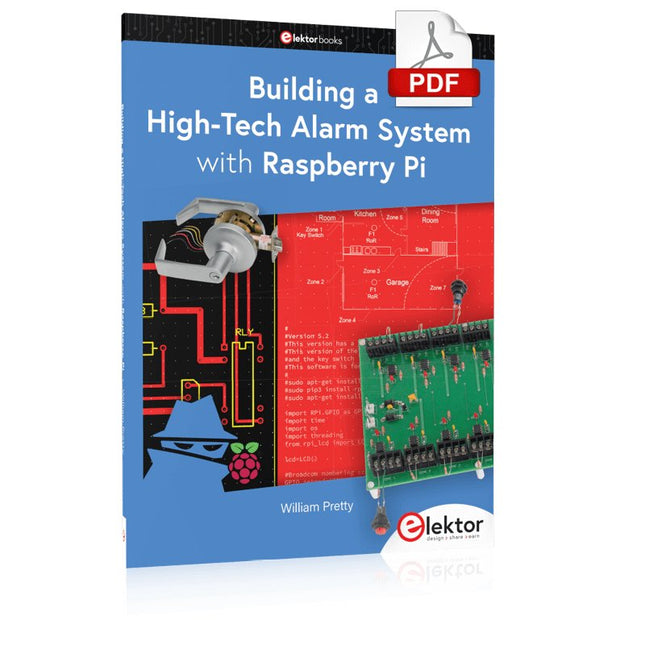
This book discusses the basic components of any alarm system.
All alarm systems have two basic functions. First, they monitor their environment looking for a change such as a door or window opening or someone moving about in the room. Second, they alert the legal owner or user to this change. The system described in this book uses a scanning type software to detect intruders. It behaves like a guard dog, pacing up and down the fence line on the lookout for either an intruder or a familiar person. If you have an alarm key, you can disarm the system and enter.
With the scanning method, the software is easy to write and explain. It can scan eight alarm zones plus two special fire zones in about one second.
You don’t have to be an electrical engineer to install an alarm system, just a decent carpenter, painter, and plasterer! Because this alarm system runs on 12 volts, you don’t have to be a licensed electrician either to install it. The alarm system presented here uses Python software on the Raspberry Pi combined with some elementary electronic circuits. The code described in the book, as well as CAD files and a bill of materials for the alarm panel, are available for free downloading. The book provides the reader with examples of typical configurations coming straight from the author‘s experience. After reviewing the hardware components typically used in common alarm systems, the author shows how to plan one yourself.
To implement a modular alarm, no matter if it is for a single house or for a business or restaurant, the book shows how to skillfully combine a Raspberry Pi with small auxiliary electronic circuits. These are not installation instructions but food for thought that will enable readers to find a solution to their needs.
40+ Projects using Arduino, Raspberry Pi and ESP32
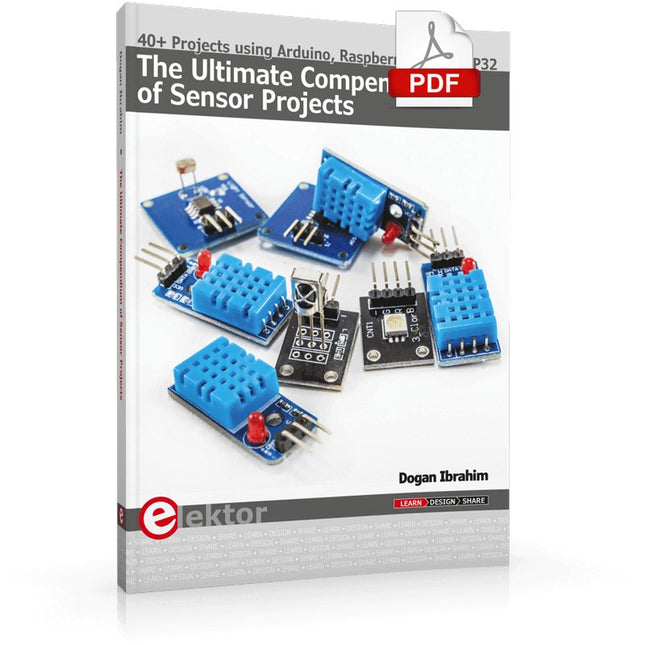
This book is about developing projects using the sensor-modules with Arduino Uno, Raspberry Pi and ESP32 microcontroller development systems. More than 40 different sensors types are used in various projects in the book. The book explains in simple terms and with tested and fully working example projects, how to use the sensors in your project. The projects provided in the book include the following:
Changing LED brightness
RGB LEDs
Creating rainbow colours
Magic wand
Silent door alarm
Dark sensor with relay
Secret key
Magic light cup
Decoding commercial IR handsets
Controlling TV channels with IT sensors
Target shooting detector
Shock time duration measurement
Ultrasonic reverse parking
Toggle lights by clapping hands
Playing melody
Measuring magnetic field strength
Joystick musical instrument
Line tracking
Displaying temperature
Temperature ON/OFF control
Mobile phone-based Wi-Fi projects
Mobile phone-based Bluetooth projects
Sending data to the Cloud
The projects have been organized with increasing levels of difficulty. Readers are encouraged to tackle the projects in the order given. A specially prepared sensor kit is available from Elektor. With the help of this hardware, it should be easy and fun to build the projects in this book.
Analogue Electronics and Microcontrollers Projects
Hobbyist electronics can be a fun way to learn new skills that can be helpful to your career. Those who understand the basics of electronics can design their own circuits and projects. However, before you run, you need to learn to walk.
It all starts with analogue electronics. You should be familiar with the simple components and circuits and understand their basic behaviors and the issues you may encounter. The best way to do this is through real experiments. Theory alone is not enough. This book offers a large number of practical entry-level circuits, with which everyone can gain the basic experience.
Through the widespread introduction of microcontrollers, a new chapter in electronics has begun. Microcontrollers are now performing more and more tasks that were originally solved using discrete components and conventional ICs. Starting out has become easier and easier thanks to platforms including Bascom, Arduino, micro:bit. The book introduces numerous manageable microcontroller applications. It?s now a case of less soldering and more programming.
Dieses Buch wendet sich in erster Linie an alle, die sich auf dem Gebiet der Physik in irgendeiner Art von Ausbildung befinden (z. B. Schüler, Studenten, Praktikanten, Auszubildende) oder selbst in der Ausbildung tätig sind.
Der Autor zeigt anschaulich, wie man die unterschiedlichsten, physikalischen Experimente mit modernen Hilfsmitteln wie zum Beispiel der Arduino-Plattform sinnvoll ergänzen kann.
Als eine Art „modernes Messinstrument“ ermöglicht es der Arduino unter anderem, die Messergebnisse auch in einer Excel-Tabelle darzustellen.
Die gezeigten Experimente lassen sich, obwohl sie ein geringes Maß an handwerklichem Geschick erfordern, auch bequem zuhause durchführen. Damit soll das Buch vor allem bei Jugendlichen ein Interesse am interessanten, sinnvollen und lehrreichen Einsatz von Mikroprozessoren wecken, der auch im Hobby-Bereich stattfinden kann.
Sicherheit steht beim Experimentieren natürlich an erster Stelle: Licht, Wärme und Elektrizität sind unverzichtbar für unser heutiges Leben, aber diese Energien bergen auch Gefahren. Handeln Sie daher bitte stets nach dem Motto: Erst denken, dann machen!
Nicht nur Anfänger auf dem Gebiet der Hobby-Elektronik werden an diesem handlichen, praxisbezogenen und leicht verständlichen Buch Gefallen finden.
Schrittweise Einführung in das praktische Schaltungsdesign
Der Einstieg in die Elektronik ist nicht so schwierig, wie man vielleicht denkt. Mit diesem Buch werden die wichtigsten Konzepte der Elektrotechnik und Elektronik auf spielerische Weise erkundet, indem verschiedene Experimente durchgeführt und Schaltungen simuliert werden. Es vermittelt Elektronik praxisnah, ohne in komplexen Fachjargon oder lange Berechnungen einzutauchen. Dadurch werden schon bald eigene Projekte ermöglicht.
Es sind keine Vorkenntnisse in Elektronik erforderlich; lediglich einige grundlegende Algebra-Kenntnisse werden in wenigen einfachen Berechnungen verwendet. Viele getestete und funktionierende Projekte und Simulationen werden vorgestellt, um mit dem Aufbau elektronischer Schaltungen vertraut zu werden. Für problemloses Experimentieren – ohne die Gefahr, etwas zu beschädigen – werden zudem frühzeitig auch softwarebasierte Schaltungssimulationen vorgestellt.
Lernziele:
Konzepte von Spannung, Strom und Leistung
Wechselstrom (AC) und Gleichstrom (DC)
Grundlegende Lampenschaltungen mit Schaltern
Passive Bauteile: Widerstände, Kondensatoren und Induktivitäten
RC- und RCL-Schaltungen und Elektromagnetismus
Lautsprecher, Relais, Summer und Transformatoren
Aktive Bauteile: Dioden und LEDs, Bipolartransistoren und MOSFETs
Transistorbasierte Schaltungen
Optokoppler-Schaltungen
Astabile und monostabile Multivibratoren
Verwendung des 555-Timer-ICs
Operationsverstärkertechnik
Digitale Logik
Beispiele: Verstärker, Oszillatoren, Filter und Sensoren
Test- und Messwerkzeuge
Mikrocontroller: Arduino Uno, ESP32, Raspberry Pi Pico und Raspberry Pi
Datenblätter lesen und Auswahl von Komponenten
EMV & EMI sowie Normen & Vorschriften
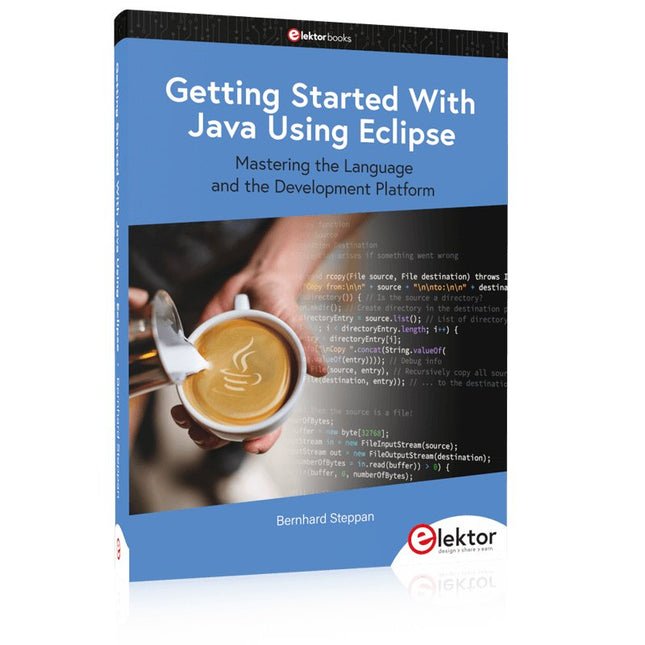
Mastering the Language and the Development Platform
Many people would like to learn Java but getting started is not easy since programming with Java requires at least two things: mastering the programming language and the development environment. With the help of many examples, this book shows how the language is structured. In addition, it employs the Eclipse development environment as an example of a powerful tool to teach developing Java programs.
In Basics, the first part of the book, you acquire your Java and Eclipse basic knowledge. This part lays the programming foundations, gives you an overview of Java technology, and shows you what is special about object-oriented programming.
In the second part called Java Language, everything revolves around the subtleties of the Java language and this is where the first small Java applications are created, aided by a fine blend of the knowledge part and practical exercises.
Java Technology is both the name and the focus of the third part which also introduces you to the rules to observe when programming, what class libraries are and what advantages they have. In addition, you will learn how to test programs, what algorithms are, and how to program them.
The fourth part, Java Projects, enables you to apply all the previous elements in an application with a graphical user interface. The project shows how to develop a larger application piece by piece with the Eclipse development environment. The Appendix concludes with a section on frequent errors that can occur when working with Eclipse, and a Glossary.
Clever Tricks with ATmega328 Pro Mini Boards
With a simple Pro Mini board and a few other components, projects that 20 or 30 years ago were unthinkable (or would have cost a small fortune) are realized easily and affordably in this book: From simple LED effects to a full battery charging and testing station that will put a rechargeable through its paces, there’s something for everyone.
All the projects are based on the ATmega328 microcontroller, which offers endless measuring, switching, and control options with its 20 input and output lines. For example, with a 7-segment display and a few resistors, you can build a voltmeter or an NTC-based thermometer. The Arduino platform offers the perfect development environment for programming this range of boards.
Besides these very practical projects, the book also provides the necessary knowledge for you to create projects based on your own ideas. How to measure, and what? Which transistor is suitable for switching a certain load? When is it better to use an IC? How do you switch mains voltage? Even LilyPad-based battery-operated projects are discussed in detail, as well as many different motors, from simple DC motors to stepper motors.
Sensors are another exciting topic: For example, a simple infrared receiver that can give disused remote controls a new lease on life controlling your home, and a tiny component that can actually measure the difference in air pressure between floor and table height!