
Suchergebnisse für "programming with stm32"
-
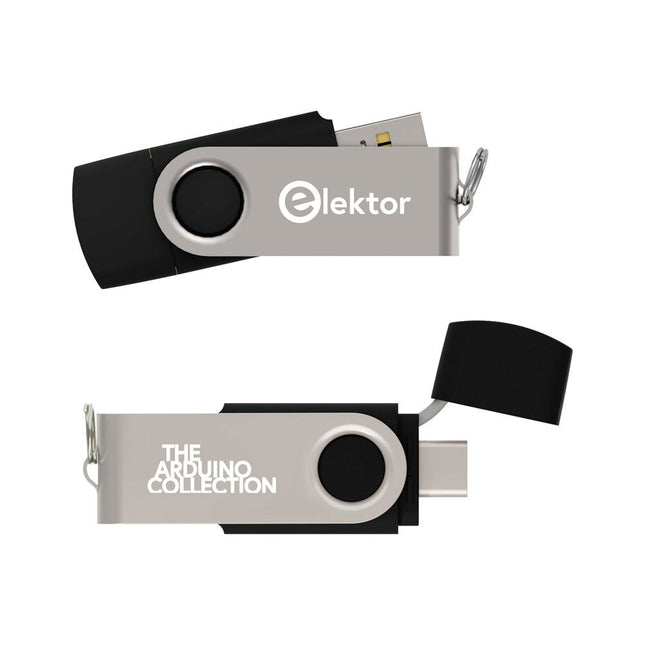
Elektor Classics The Elektor Arduino Collection (USB-Stick)
Dieser USB-Stick enthält eine Auswahl von über 300 Arduino-bezogenen Artikeln, die im Elektor-Magazin veröffentlicht wurden. Der Inhalt umfasst sowohl Hintergrundartikel als auch Projekte zu folgenden Themen: Software- und Hardware-Entwicklung: Tutorials zur Arduino-Softwareentwicklung mit der Arduino IDE, Atmel Studio, verschiedenen Shields und grundlegenden Programmierkonzepten. Lernen: Das Mikrocontroller-Bootcamp bietet einen strukturierten Einstieg in die Programmierung eingebetteter Systeme. Datenerfassung und -messung: Projekte wie ein 16-Bit-Datenlogger, ein Drehbank-Tachometer und ein AC-Netzanalyzer ermöglichen die Erfassung und Analyse von Echtzeitsignalen. Drahtlose Kommunikation: Erfahren Sie, wie man drahtlose Netzwerke implementiert, eine Android-Schnittstelle erstellt und effektiv mit Mikrocontrollern kommuniziert. Robotik und Automatisierung: Lernen Sie den Arduino Nano Robot Controller, unterstützende Automatisierungs-Boards sowie diverse Arduino-Shields zur Funktionserweiterung kennen. Selbstbauprojekte: Einzigartige DIY-Projekte wie Laserprojektion, eine Numitron-Uhr mit Thermometer, ein ELF-Empfänger, Theremino-Module und Touch-LED-Schnittstellen zeigen kreative Einsatzmöglichkeiten auf. Egal, ob Sie Einsteiger oder erfahrener Maker sind – diese Sammlung ist eine wertvolle Ressource zum Lernen, Experimentieren und Erweitern der Möglichkeiten mit Arduino.
€ 49,95€ 34,95Bestpreis
-

Elektor Digital FPGA Programming and Hardware Essentials (E-book)
Kick off with the MAX1000 and VHDPlus Ready to Master FPGA Programming? In this guide, we’re diving into the world of Field Programmable Gate Arrays (FPGAs) – a configurable integrated circuit that can be programmed after manufacturing. Imagine bringing your ideas to life, from simple projects to complete microcontroller systems! Meet the MAX1000: a compact and budget-friendly FPGA development board packed with features like memory, user LEDs, push-buttons, and flexible I/O ports. It’s the ideal starting point for anyone wanting to learn about FPGAs and Hardware Description Languages (HDLs). In this book, you’ll get hands-on with the VHDPlus programming language – a simpler version of VHDL. We’ll work on practical projects using the MAX1000, helping you gain the skills and confidence to unleash your creativity. Get ready for an exciting journey! You’ll explore a variety of projects that highlight the true power of FPGAs. Let’s turn your ideas into reality and embark on your FPGA adventure – your journey starts now! Exciting Projects You’ll Find in This Book Arduino-Driven BCD to 7-Segment Display Decoder Use an Arduino Uno R4 to supply BCD data to the decoder, counting from 0 to 9 with a one-second delay Multiplexed 4-Digit Event Counter Create an event counter that displays the total count on a 4-digit display, incrementing with each button press PWM Waveform with Fixed Duty Cycle Generate a PWM waveform at 1 kHz with a fixed duty cycle of 50% Ultrasonic Distance Measurement Measure distances using an ultrasonic sensor, displaying the results on a 4-digit 7-segment LED Electronic Lock Build a simple electronic lock using combinational logic gates with push buttons and an LED output Temperature Sensor Monitor ambient temperature with a TMP36 sensor and display the readings on a 7-segment LED Downloads Software
€ 32,95
Mitglieder: € 29,66
-
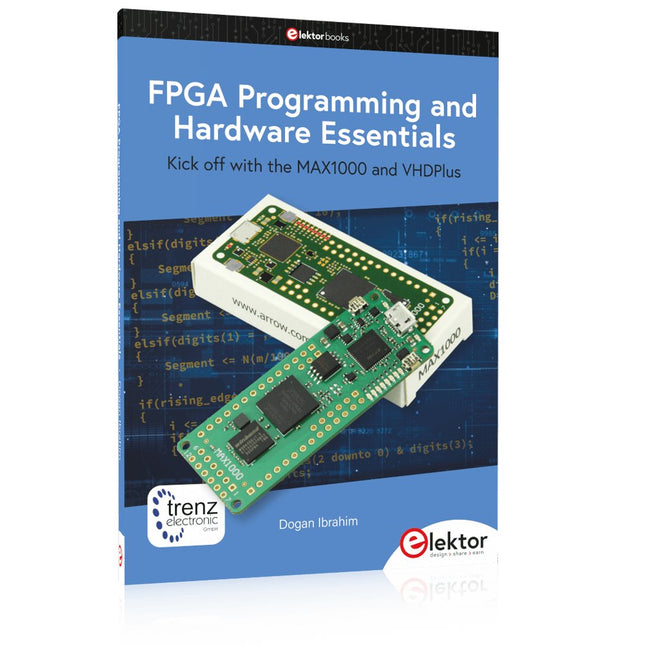
Elektor Publishing FPGA Programming and Hardware Essentials
Kick off with the MAX1000 and VHDPlus Ready to Master FPGA Programming? In this guide, we’re diving into the world of Field Programmable Gate Arrays (FPGAs) – a configurable integrated circuit that can be programmed after manufacturing. Imagine bringing your ideas to life, from simple projects to complete microcontroller systems! Meet the MAX1000: a compact and budget-friendly FPGA development board packed with features like memory, user LEDs, push-buttons, and flexible I/O ports. It’s the ideal starting point for anyone wanting to learn about FPGAs and Hardware Description Languages (HDLs). In this book, you’ll get hands-on with the VHDPlus programming language – a simpler version of VHDL. We’ll work on practical projects using the MAX1000, helping you gain the skills and confidence to unleash your creativity. Get ready for an exciting journey! You’ll explore a variety of projects that highlight the true power of FPGAs. Let’s turn your ideas into reality and embark on your FPGA adventure – your journey starts now! Exciting Projects You’ll Find in This Book Arduino-Driven BCD to 7-Segment Display Decoder Use an Arduino Uno R4 to supply BCD data to the decoder, counting from 0 to 9 with a one-second delay Multiplexed 4-Digit Event Counter Create an event counter that displays the total count on a 4-digit display, incrementing with each button press PWM Waveform with Fixed Duty Cycle Generate a PWM waveform at 1 kHz with a fixed duty cycle of 50% Ultrasonic Distance Measurement Measure distances using an ultrasonic sensor, displaying the results on a 4-digit 7-segment LED Electronic Lock Build a simple electronic lock using combinational logic gates with push buttons and an LED output Temperature Sensor Monitor ambient temperature with a TMP36 sensor and display the readings on a 7-segment LED Downloads Software
€ 39,95
Mitglieder: € 35,96
-

Elektor Digital Professional SMD Assembly (E-book)
Practical Low-Cost Methods for Reliable PCB Production This book explains how to carry out reliable SMD assembly using affordable tools and small-scale equipment. It follows the complete workflow step by step, including tool selection, solder paste handling, stencil use, component placement, reflow methods, inspection, and rework. The focus is on bench-level and small-lab production rather than industrial assembly lines. It shows practical methods for building single and double-sided SMD boards with repeatable results. Topics include solder paste and flux, temperature profiles, hot air and hotplate techniques, small reflow ovens, inspection methods, and defect correction. Checklists and example workflows are included to help reduce errors and improve consistency. Key features: Tools and supplies for SMD assembly and rework Solder paste types, storage, and handling Stencils and paste application methods Pick and place workflow and component orientation Temperature profiles and reflow methods Hot air, hotplate, and reflow oven processes Inspection and quality control Common defects such as tombstoning and solder bridges Practical rework and component replacement Bench-level professional workflows and checklists This book is designed as a practical bench reference for anyone who wants to assemble and troubleshoot their own SMD boards with reliable results.
€ 19,95
Mitglieder: € 17,96
-

Elektor Digital MSP430 Microcontroller Essentials (E-book)
Architecture, Programming and Applications The MSP430 is a popular family of microcontrollers from Texas Instruments. In this book we will work with the smallest type, which is the powerful MSP430G2553. We will look at the capabilities of this microcontroller in detail, as it is well-suited for self-made projects because it is available in a P-DIP20 package. We will take a closer look at the microcontroller and then build, step by step, some interesting applications, including a 'Hello World' blinking LED and a nice clock application, which can calculate the day of the week based on the date. You also will learn how to create code for the MSP microcontroller in assembler. In addition to that, we will work with the MSP-Arduino IDE, which makes it quite easy to create fast applications without special in-depth knowledge of the microcontrollers. All the code used in the book is available for download from the Elektor website.
€ 32,95
Mitglieder: € 29,66
-

Elektor Publishing PIO-Programmierung mit dem Raspberry Pi Pico
Praxisnahe Projekte, Profi-Tricks und eigene Anwendungen Dieses Buch führt Sie Schritt für Schritt in die faszinierende Welt der State Machines ein und zeigt, wie Sie Hardware direkt und effizient ansteuern können – jenseits klassischer CPU-gesteuerter Ansätze. In diesem Buch lernen Sie: LEDs und NeoPixel kreativ steuern: Blinken, Dimmen, Farbwechsel und komplexe Animationen Taster und Encoder zuverlässig auslesen und in Echtzeit in Ihre Projekte integrieren Analoge Eingänge (ADC) nutzen und Signale digital steuern Servos präzise ansteuern und Bewegungsabläufe automatisieren SPI mit PIO umsetzen, um Displays, Sensoren und Module anzusteuern Menüsysteme und Submenüs auf SPI-Displays realisieren, inklusive Navigation über mehrere Taster PWM, Signalgenerierung und Frequenzsteuerung für akustische oder visuelle Effekte Debugging-Strategien und Tipps, um Ihre PIO-Programme effizient zu entwickeln Alle Beispiele sind praxisnah, sofort umsetzbar und zuverlässig. Mit klaren Anleitungen, Hintergrundwissen und fertigen Codebeispielen lernen Sie, die PIO-Fähigkeiten des Pico maximal zu nutzen – egal ob für Maker-Projekte, Prototypen oder professionelle Anwendungen. Erleben Sie, wie Sie komplexe Hardwaresteuerung elegant mit dem Pico realisieren können – schneller, flexibler und leistungsfähiger als je zuvor.
€ 34,80
Bestpreis
-
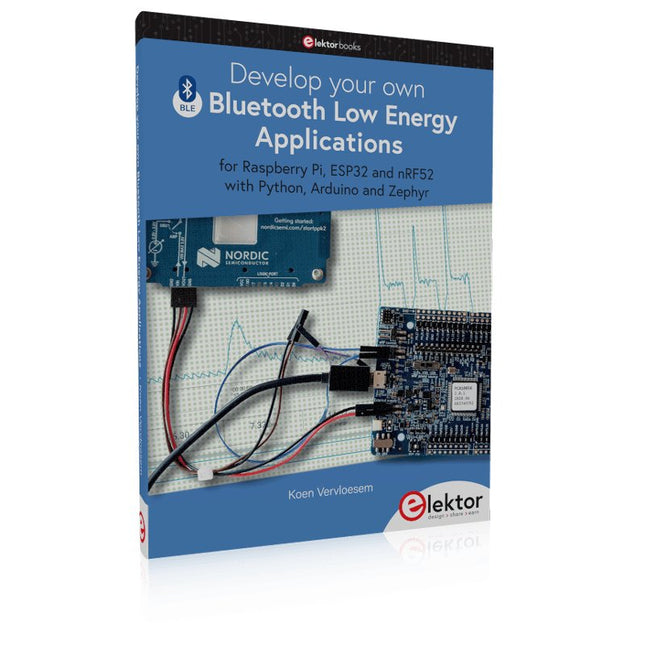
Elektor Publishing Develop your own Bluetooth Low Energy Applications
For Raspberry Pi, ESP32 and nRF52 with Python, Arduino and Zephyr Bluetooth Low Energy (BLE) radio chips are ubiquitous from Raspberry Pi to light bulbs. BLE is an elaborate technology with a comprehensive specification, but the basics are quite accessible. A progressive and systematic approach will lead you far in mastering this wireless communication technique, which is essential for working in low power scenarios. In this book, you’ll learn how to: Discover BLE devices in the neighborhood by listening to their advertisements. Create your own BLE devices advertising data. Connect to BLE devices such as heart rate monitors and proximity reporters. Create secure connections to BLE devices with encryption and authentication. Understand BLE service and profile specifications and implement them. Reverse engineer a BLE device with a proprietary implementation and control it with your own software. Make your BLE devices use as little power as possible. This book shows you the ropes of BLE programming with Python and the Bleak library on a Raspberry Pi or PC, with C++ and NimBLE-Arduino on Espressif’s ESP32 development boards, and with C on one of the development boards supported by the Zephyr real-time operating system, such as Nordic Semiconductor's nRF52 boards. Starting with a very little amount of theory, you’ll develop code right from the beginning. After you’ve completed this book, you’ll know enough to create your own BLE applications.
€ 39,95
Mitglieder: € 35,96
-

Elektor Digital Elektor July/August 2023 (PDF)
Elektor GREEN and GOLD members can download their digital edition here. Not a member yet? Click here. Rotary Dial Phone as Remote ControlTo Switch On the Lights, Dial 1; For the Coffee Maker, Dial 2 GPS-Based Speed MonitorNo More Speeding Tickets RGB Stroboscope with ArduinoA Colorful Adaptation of a Useful Instrument Wireless Emergency Push ButtonEnhanced Safety with LoRa Starting Out in ElectronicsFollow the Emitter Arbitrary, Independent Hysteresis Levels for Comparatorswith Simulations, Spreadsheets and Algebra ESP32-Based Impedance AnalyzerSimple, Low-Part-Count, and Inexpensive! HomeLab ToursEncouraging DIY The MCCAB Arduino Nano Training BoardAll-in-One Hardware for the “Microcontrollers Hands-On Course” From Life’s ExperienceModern Luddism Sensor 101: The DS18B20 Temperature SensorConnection to the 1-Wire Bus Is Matter the Thread to Save the Smart Home?New Standards to Simplify the Smart Home A Matter of CollaborationDeveloping with the Thing Plus Matter Board and Simplicity Studio Infographics: IoT and Sensors Matter, ExpressLink, Rainmaker — What Is This All About?Q&A with Amey Inamdar, Technical Marketing Director at Espressif Selecting Microcontroller Dev Kits for IoT and IIoT ApplicationsAn Introductory Guide Capacitors Do Not Always Behave Capacitively! An NTP Clock with CircuitPythonWhy Should You Use This Programming Language? Build a Cool IoT DisplayWith the Phambili Newt The HB100 Doppler Motion SensorTheory and Practice A Bare-Metal Programming Guide (Part 1)For STM32 and Other Controllers Siglent SDM3045X Multimeter Microprocessors for Embedded SystemsPeculiar Parts, the Series Microcontroller Documentation Explained (Part 3)Block Diagrams and More Low-Power LoRa Weather StationBuild a long-range weather station by yourself Transverter for the 70 cm Band Climate Calling EngineersMove Fast and Fix Things Hexadoku
€ 7,50
-

Elektor Bundles Arduino UNO Q (Bundle)
Dieses Bundle enthält das Arduino UNO Q (2 GB) und das Buch "Arduino UNO Q and AI". Das Arduino UNO Q ist das erste UNO-Board mit einer hybriden Dual-Brain-Architektur, die einen leistungsstarken Linux-Prozessor mit einem Echtzeit-Mikrocontroller kombiniert – und so fortschrittliche Rechenleistung und präzise Steuerung auf einem Board vereint. Angetrieben von einer Qualcomm Dragonwing QRB2210 MPU mit Debian Linux und einer STM32U585-MCU für Echtzeitaufgaben ist das UNO Q für Anwendungen der nächsten Generation konzipiert. Von Edge-Computing und KI bis hin zu Robotik und Automatisierung bietet es hohe Leistung, ohne dabei an Benutzerfreundlichkeit einzubüßen. Schließen Sie einfach Ihre Peripheriegeräte an und legen Sie los – es ist keine zusätzliche Hardware erforderlich. Features Dual-Core-Architektur: Linux-MPU + Echtzeit-MCU Qualcomm Dragonwing QRB2210 mit Debian-Linux-Unterstützung STM32U585-Mikrocontroller für deterministische Steuerung Führt Arduino-Sketches über Zephyr OS aus Ideal für KI-, IoT-, Robotik- und Industrieprojekte Technische Daten Mikroprozessor (MPU) Qualcomm Dragonwing QRB2210:Quad-Core Arm Cortex-A53 @ 2,0 GHzAdreno GPU 3D-Grafikbeschleuniger2× ISP (13 MP + 13 MP oder 25 MP) @ 30 fps Mikrocontroller (MCU) STM32U585Arm Cortex-M33 bis zu 160 MHz2 MB Flash-Speicher786 KB SRAM RAM 2 GB LPDDR4 Stromversorgung Über USB-C-Anschluss: max. 5 V bei 3 AEingangsspannung (VIN): 7–24 V Speicher 16 GB eMMC USB 1× USB-C-Anschluss mit Host-/Geräterollenumschaltung, Stromrollenumschaltung und Videoausgang Konnektivität Wi-Fi 5 (2,4/5 GHz) mit integrierter AntenneBluetooth 5.1 mit integrierter Antenne Schnittstellen I²C/I³CSPIPWMCANUARTPSSIGPIOJTAGADC Video Videoausgabe über USB-CMIPI-DSI-Pins am JMEDIA-Header Extra 4× RGB-LEDs (vom Benutzer steuerbar)8× 13 blaue LED-Matrix1× Qwiic-Anschluss (3,3 V, I²C)1× BenutzertasteJCTL: MPU-Ferndebugging Anschluss Audio Mikrofon-Eingang / Kopfhörer-Ausgang / Line-Ausgang am JMISC MPU-Betriebssystem Linux Debian OS mit Upstream-Unterstützung Echtzeit-Betriebssystem Arduino Core auf Zephyr OS Containerisierung Docker- und Docker Compose-Unterstützung Unterstützte Betriebssysteme für Arduino App Lab Windows: Windows 10 oder höher (64-Bit)macOS: macOS 11 oder höher (64-Bit)Linux: Ubuntu 22.04 oder höher und Debian Trixie (64-Bit) Abmessungen 68,85 × 53,34 mm (UNO-Formfaktor) Downloads Datasheet User Manual Pinout Schematics Buch: Arduino UNO Q and AI – Learn to Build Intelligent Embedded Systems Entwickeln Sie intelligentere Embedded-Systeme mit dem Arduino UNO Q. Dieses Buch vermittelt Ihnen die Werkzeuge, das Wissen und das Vertrauen, um Ideen in intelligente, funktionierende Lösungen mit der Arduino UNO Q-Plattform umzusetzen. Entdecken Sie, wie Sie intelligente Embedded-Systeme mit dem Arduino UNO Q und KI realisieren können. Schöpfen Sie das volle Potenzial des Arduino UNO Q aus – einer Next-Generation-Plattform, die die Echtzeit-Leistung des STM32U585-Mikrocontrollers mit der Flexibilität eines Qualcomm Dragonwing QRB2210-Mikroprozessors kombiniert. Lernen Sie, wie Sie reale Anwendungen schnell prototypisieren können – mit der Arduino IDE für Low-Level-Embedded-Steuerung und Python im Arduino App Lab für High-Level-Entwicklung. Gewinnen Sie Sicherheit durch praxisnahe Projekte, die Sie Schritt für Schritt von den grundlegenden Funktionen bis hin zu vollständig funktionsfähigen Systemen führen. Entdecken Sie sofort einsatzbereite, KI-basierte Arduino App Lab-Beispiele und erfahren Sie, wie diese Ihre Entwicklung beschleunigen und die Time-to-Market verkürzen können. Steigen Sie in die Welt der Edge AI ein – mit einer klaren und praxisorientierten Einführung in das Edge Impulse Studio, ganz ohne Vorkenntnisse im Bereich KI. Folgen Sie einem vollständigen, praxisnahen Workflow zur Entwicklung einer Keyword-Spotting-KI-Anwendung – von der Datenerfassung über das Training und die Optimierung bis hin zur On-Device-Inferenz mit dem Edge Impulse Studio. Schließen Sie die Lücke zwischen Embedded-Systemen und Machine Learning und lernen Sie, wie Sie Intelligenz direkt auf Ihre Hardware bringen. Ideal für Embedded-Entwickler, Lehrkräfte, Studierende und Maker, die bei der KI-gestützten Produktentwicklung einen Schritt voraus sein möchten. Dieses Bundle enthält: Arduino UNO Q (2 GB) (Einzelpreis: 50 €) Buch: Arduino UNO Q and AI (Einzelpreis: 35 €)
€ 84,95€ 74,95Bestpreis
-
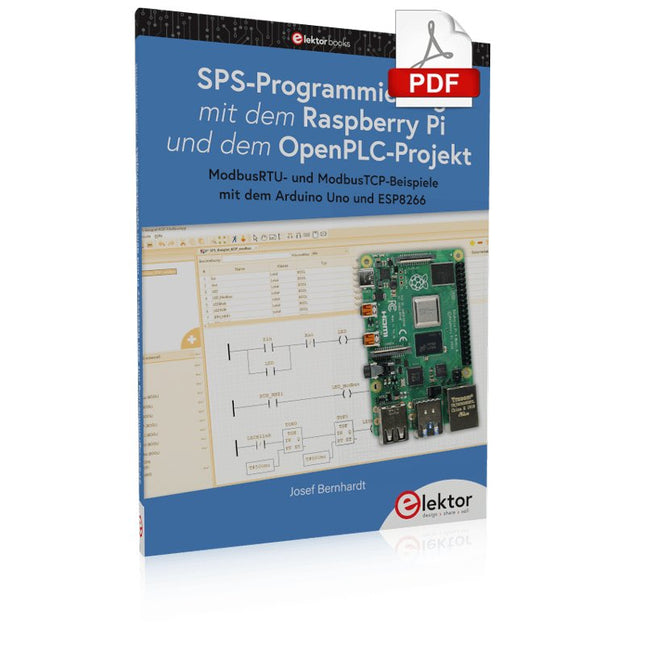
Elektor Digital SPS-Programmierung mit dem Raspberry Pi und dem OpenPLC-Projekt (PDF)
Einführung in die SPS-Programmierung mit dem Open-Source-Projekt auf dem Raspberry Pi und Modbus-Beispiele mit dem Arduino Uno und ESP8266 Die SPS-Programmierung ist heute in der Industrie und in der Hausautomation sehr weit verbreitet. In diesem Buch beschreibt der Autor, wie der Raspberry Pi 4 als SPS eingesetzt werden kann. Angefangen mit der Softwareinstallation auf dem Raspberry Pi und dem SPS-Editor auf dem PC geht es nach einer Beschreibung der Hardware an das Programmieren. Es folgen interessante Beispiele nach IEC 61131-3 in den verschiedenen Programmiersprachen. Ausführlich wird auch erklärt, wie der SPS-Editor benutzt wird und wie die Programme auf den Raspberry Pi geladen und ausgeführt werden. Angefangen mit der Programmierung mit KOP (Kontaktplan) über ST (Structured Control Language) bis zu AS (Special Function Chart) werden alle IEC-Sprachen mit Beispielen behandelt. Diese können auf der Website des Autors heruntergeladen werden. Auch die Vernetzung kommt nicht zu kurz. Der Arduino Uno und der ESP8266 werden als ModbusRTU- bzw. ModbusTCP-Module programmiert, um Zugriff auf externe Peripherie zu erhalten. Damit ist es möglich, Sensoren einzulesen und Verbraucher zu schalten. Interessant dürften auch E/A-Schaltungen sein, die dem 24V-Industriestandard entsprechen. Befehlsübersichten für ST und KOP runden das Buch ab. Nach dem Durcharbeiten des Buches ist der Leser in der Lage, eigene SPS-Steuerungen mit dem Raspberry Pi zu verwirklichen.
€ 32,80
Mitglieder: € 29,52
-

SEQURE SEQURE HT140 (2-in-1) SMD Löt- & Entlötpinzette
Das SEQURE HT140 ist ein äußerst vielseitiges 2-in-1 Lötwerkzeug, das die Funktionalität einer Heißpinzette und eines Lötkolbens vereint. Es wurde speziell für präzise SMD-Löt- und Entlötarbeiten entwickelt. Mit der unabhängigen Steuerung für einseitiges Heizen funktioniert es mit einer Standardspitze wie ein herkömmlicher Lötkolben. Bei beidseitiger Heizfunktion verwandelt es sich in eine Heißpinzette – perfekt für die effiziente und präzise Entnahme von SMD-Bauteilen. Features Betriebstemperatur: 50-500°C Unterstützt mehrere Stromeingänge: PD 3.1/3.0/2.0, QC 3.0/2.0 (5-28 V DC), LiPo-Akkus und Netzteile. Das HT140 kombiniert eine Heißpinzette und einen Lötkolben mit unabhängiger ein- oder beidseitiger Heizung. Verwenden Sie es als Lötkolben mit Spitze oder als Heißpinzette zum einfachen Entlöten von SMD-Bauteilen. Spannung und Stromstärke lassen sich je nach Stromquelle anpassen. Mit dualer Temperaturregelung, Voreinstellungen, schneller Temperaturerhöhung und Feineinstellung. 128 x 32 OLED-Bildschirm mit einstellbarer Helligkeit und Ausrichtung. Umschaltbar zwischen °C und °F. Hochpräzises Heizelement mit einer Genauigkeit von ±1%. Schmelzt Lot in nur 2 Sekunden. Intelligente Standby-, Ruhe- und Aktivierungsfunktionen verlängern die Lebensdauer der Lötspitze und steigern die Effizienz. Unterstützt Temperaturkalibrierung und -kompensation für präzises Arbeiten. Inklusive 1,5 m langem, hitzebeständigem PD 150 W Silikonkabel und robuster HT-Station aus Metall. Austauschbare Lötspitzen und einstellbare Winkel für verschiedene SMD-Lötaufgaben. Technische Daten Betriebsspannung 5-28 V DC Maximale Leistung 140 W Betriebstemperatur 50-500°C Zinnschmelzzeit 2 s Schnittstellentyp USB-C, DC5525 Stromversorgung PD 3.1/3.0/2.0, QC 3.0/2.0, 28 V DC max Display 128 x 32 OLED Firmware-Upgrade Ja Menüsprachen Englisch, Russisch, Chinesisch Abmessungen 160 x 27 x 17,5 mm Gewicht 50 g Lieferumfang 1x SEQURE HT140 Host 2x HT140-IS Konisch gebogene Entlötspitzen 1x HT-Station 1x Zubehörpaket 1x Aufbewahrungstasche 1x 65 W PD-Netzteil (EU, UK & US) 1x 24 W PD-Silikonkabel (1,5 m) 1x GND-Kabel-Zubehörsatz (1,8 m) Downloads Manual Firmware V1.04
€ 119,95€ 99,95Bestpreis
-

Elektor Publishing Raspberry Pi Pico Essentials
Program, build, and master over 50 projects with MicroPython and the RP2040 microprocessor The Raspberry Pi Pico is a high-performance microcontroller module designed especially for physical computing. Microcontrollers differ from single-board computers, like the Raspberry Pi 4, in not having an operating system. The Raspberry Pi Pico can be programmed to run a single task very efficiently within real-time control and monitoring applications requiring speed. The ‘Pico’ as we call it, is based on the fast, efficient, and low-cost dual-core ARM Cortex-M0+ RP2040 microcontroller chip running at up to 133 MHz and sporting 264 KB of SRAM, and 2 MB of Flash memory. Besides its large memory, the Pico has even more attractive features including a vast number of GPIO pins, and popular interface modules like ADC, SPI, I²C, UART, and PWM. To cap it all, the chip offers fast and accurate timing modules, a hardware debug interface, and an internal temperature sensor. The Raspberry Pi Pico is easily programmed using popular high-level languages such as MicroPython and or C/C++. This book is an introduction to using the Raspberry Pi Pico microcontroller in conjunction with the MicroPython programming language. The Thonny development environment (IDE) is used in all the projects described. There are over 50 working and tested projects in the book, covering the following topics: Installing the MicroPython on Raspberry Pi Pico using a Raspberry Pi or a PC Timer interrupts and external interrupts Analogue-to-digital converter (ADC) projects Using the internal temperature sensor and external temperature sensor chips Datalogging projects PWM, UART, I²C, and SPI projects Using Wi-Fi and apps to communicate with smartphones Using Bluetooth and apps to communicate with smartphones Digital-to-analogue converter (DAC) projects All projects given in the book have been fully tested and are working. Only basic programming and electronics experience is required to follow the projects. Brief descriptions, block diagrams, detailed circuit diagrams, and full MicroPython program listings are given for all projects described. Readers can find the program listings on the Elektor web page created to support the book.
€ 39,95
Mitglieder: € 35,96


