
Suchergebnisse für "raspberry OR pi OR zero OR 2 OR w OR bundle"
-

Elektor Academy Pro ESP32 by Example (Lernkurs)
Vollständiger ESP32-Mikrocontroller-Lernkurs mit speziell entwickelter MCU-Erweiterungsplatine, praxisorientierten Projekten und einem umfassenden Online-Guide – ideal, um Hardware, Programmierung und Konnektivität Schritt für Schritt zu erlernen. Praktische Einführung in eingebettete Systeme mit dem ESP32 Dieser Kurs richtet sich an Einsteiger in die Welt der eingebetteten Systeme, die einen strukturierten, beispielorientierten Einstieg suchen. Falls Sie sich bereits mit allgemeiner Elektronik oder Arduino-basierten Materialien beschäftigt haben, diese aber als zu allgemein oder zu wenig praxisnah empfunden haben, bietet dieser Kurs eine fokussiertere Alternative. Mit dem "ESP32 by Example Kit" (EEK) – einem kompakten und kostengünstigen Komponentensatz mit LEDs, Sensoren, einem OLED-Display und einem Bewegungsprozessor – arbeiten Sie während des gesamten Kurses mit einem einheitlichen Hardware-Setup. Nach dem Zusammenbau bleibt das EEK weitgehend unverändert, sodass Sie sich ganz auf das Lernen und Experimentieren konzentrieren können, ohne ständig neu konfigurieren zu müssen. Themen: Verstehen und Programmieren des ESP32-Mikrocontrollers Programmieren und Ausführen von Code mit der Arduino IIDE Erkunden von cyber-physischen Systemen, abschließend zur grundlegenden Drohnensteuerung Vorkenntnisse in Arduino oder Embedded-Entwicklung sind nicht erforderlich. Jeder Abschnitt enthält praktische Beispiele und Miniprojekte, die die wichtigsten Konzepte festigen und zu einer tiefergehenden Auseinandersetzung anregen. Am Ende des Kurses können Sie die Beispiele des Buches nicht nur nachvollziehen, sondern auch mit eigenen Ideen und Anwendungen erweitern. Ob Sie sich für Embedded-Programmierung, interaktive Systeme oder die Grundlagen der Drohnensteuerung interessieren – dieser Kurs bietet einen klaren und praxisorientierten Einstieg. Was Sie lernen werden Eingebettete Programmierung mit dem ESP32 mithilfe der Arduino IDE Echtzeit-Sensoreingabe und -steuerung über Tasten, LEDs und Displays Gestenbasierte Interaktion mit dem Bewegungssensor MPU6050 Integration von Bluetooth-Gamepads und Drohnensteuerungssimulation WLAN- und UDP-Netzwerke, lokale Webserver und NTP MQTT-Kommunikation mit Cloud-Plattformen wie AWS und Arduino IoT Aufbau und Bereitstellung voll funktionsfähiger IoT-Systeme Perfekt für Studierende und Autodidakten, die sich mit eingebetteten Systemen beschäftigen Bastler und IoT-Begeisterte, die ihre Hardwarekenntnisse verbessern möchten Lehrkräfte und Dozenten, die nach sofort einsetzbarem Unterrichtsmaterial suchen Entwickler, die über die Grundlagen von Raspberry Pi oder Arduino hinausgehen möchten Support, wenn Sie ihn brauchen Zugang zu Kursleitern über die Elektor Academy Hilfreiche Community-Foren und wichtige Dokumentation Was ist in der Box (Kurs)? Neues 384-seitiges Buch: "ESP32 by Example" (Wert: 45 €) Elektor ESP32 by Example Kit (EEK): Mikrocontroller-Erweiterungsplatine mit 6 LEDs und 6 Tasten + OLED-Display, MPU6050 3-Achsen Beschleunigungsmesser und Gyroskop-Modul (Wert: 40 €) Adafruit HUZZAH32 – ESP32 Feather MCU Board (Wert: 30 €) ESP32 Cheap Yellow Display Board (Wert: 25 €) DHT11 Feuchtigkeitssensor & Temperatursensor Breadboard Jumperkabel USB-C-Kabel Zugang zum vollständigen Kurs auf der Elektor Academy Pro Lernplattform Lehrvideos Herunterladbare Arduino-Projektdateien für jedes Modul Lernmaterial (dieser Box) ▶ Klicken Sie hier zum Öffnen Module 1 – Getting Started with the ESP32 & EEK Module 2 – Digital Output – LEDs and GPIO Module 3 – Switches and Input Handling Module 4 – EEK and PWM Module 5 – OLED and Display Output Module 6 – Motion Sensing with the MPU6050 Module 7 – Capstone Project (EEK in Action) Module 8 – WiFi and Web Control with ESP32 Module 9 – Cloud Concepts using EEK Module 10 – Hands-on: Arduino IoT Cloud and EEK Module 11 – BlueTooth and EEK GamePad Integration Module 12 – Why Drones? Module 13 – Drone Simulator Concepts Module 14 – Simple Drone Flight Control Module 15 – Real-Time Drone Flight Control Module 16 – Drone Control Mini-Projects Module 17 – Middleware and Python Scripting Module 18 – Python Applications for Drone Control Module 19 – Capstone EEK Control Project and Presentation Über den Autor Dr. Jim Solderitsch ist Dozent, Softwarearchitekt, Systementwickler und Cybersicherheitsforscher mit Schwerpunkt auf cyber-physischen Systemen. Derzeit ist er als Lehrbeauftragter für Informatik an der Villanova University in Pennsylvania tätig. Was ist Elektor Academy Pro? Elektor Academy Pro bietet maßgeschneiderte Lernlösungen für Fachkräfte, Ingenieurteams und technische Experten in der Elektronik- und Embedded-Systems-Branche. Sie unterstützt Einzelpersonen und Organisationen dabei, ihr praktisches Know-how zu vertiefen, ihre Skills gezielt auszubauen und dank hochwertiger Inhalte und praxisnaher Tools stets einen Schritt voraus zu sein. Von realen Projekten und spezialisierten Kursen bis hin zu fundierten technischen Insights – Elektor versetzt Ingenieure in die Lage, aktuelle Herausforderungen der Branche erfolgreich zu meistern. Unser Bildungsportfolio umfasst Academy-Bücher, Pro-Boxen, Webinare, Konferenzen und B2B-Fachmagazine – alles mit Blick auf praxisnahe Weiterbildung und berufliches Wachstum. Ob Ingenieur, F&E-Spezialist oder technischer Entscheider: Elektor Academy Pro schlägt die Brücke zwischen Theorie und Praxis – und hilft Ihnen, neue Technologien zu beherrschen und Innovationen in Ihrem Unternehmen gezielt voranzutreiben.
€ 219,00
Bestpreis
-
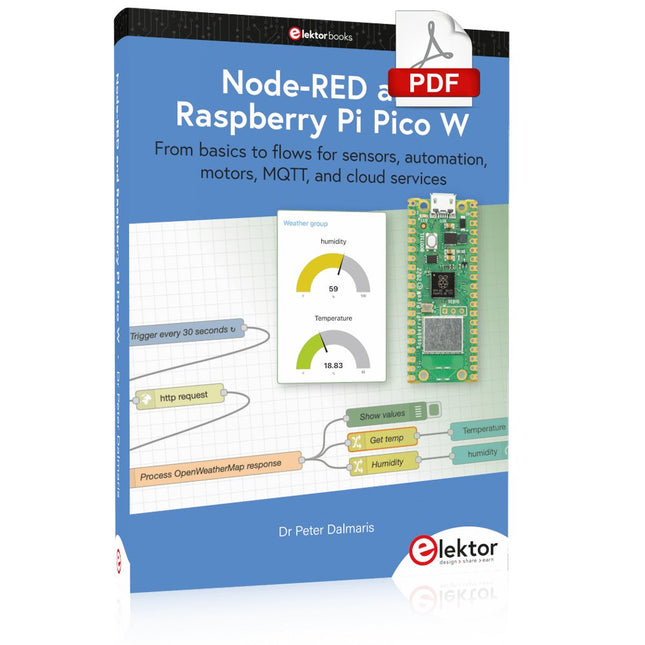
Elektor Digital Node-RED and Raspberry Pi Pico W (E-book)
From basics to flows for sensors, automation, motors, MQTT, and cloud services This book is a learning guide and a reference. Use it to learn Node-RED, Raspberry Pi Pico W, and MicroPython, and add these state-of-the-art tools to your technology toolkit. It will introduce you to virtual machines, Docker, and MySQL in support of IoT projects based on Node-RED and the Raspberry Pi Pico W. This book combines several elements into a platform that powers the development of modern Internet of Things applications. These elements are a flow-based server, a WiFi-enabled microcontroller, a high-level programming language, and a deployment technology. Combining these elements gives you the tools you need to create automation systems at any scale. From home automation to industrial automation, this book will help you get started. Node-RED is an open-source flow-based development tool that makes it easy to wire together devices, APIs, and online services. Drag and drop nodes to create a flowchart that turns on your lights at sunset or sends you an email when a sensor detects movement. Raspberry Pi Pico W is a version of the Raspberry Pi Pico with added 802.11n Wi-Fi capability. It is an ideal device for physical computing tasks and an excellent match to the Node-RED. Quick book facts Project-based learning approach. Assumes no prior knowledge of flow-based programming tools. Learn to use essential infrastructure tools in your projects, such as virtual machines, Docker, MySQL and useful web APIs such as Google Sheets and OpenWeatherMap. Dozens of mini-projects supported by photographs, wiring schematics, and source code. Get these from the book GitHub repository. Step-by-step instructions on everything. All experiments are based on the Raspberry Pi Pico W. A Wi-Fi network is required for all projects. Hardware (including the Raspberry Pi Pico W) is available as a kit. Downloads GitHub
€ 39,95
Mitglieder: € 35,96
-

Elektor Bundles Microcontrollers Hands-on Course for Arduino Starters (Bundle)
Realize your own projects with the Elektor Arduino Nano MCCAB Training Board The microcontroller is probably the most fascinating subfield of electronics. Due to the multitude of functions, it combines on its chip, it is a universal multi-tool for developers to realize their projects. Practically every device of daily use today is controlled by a microcontroller. However, for an electronic layman, realizing his own ideas with a microcontroller has so far remained a pipe dream due to its complexity. The Arduino concept has largely simplified the use of microcontrollers, so that now even laymen can realize their own electronics ideas with a microcontroller. Book & Hardware in the Bundle: 'Learning by Doing' This book, which is included in the bundle, shows how you can realize your own projects with a microcontroller even without much experience in electronics and programming languages. It is a microcontrollers hands-on course for starters, because after an overview of the internals of the microcontroller and an introduction to the programming language C, the focus of the course is on the practical exercises. The reader acquires the necessary knowledge by 'learning by doing': in the extensive practical section with 12 projects and 46 exercises, what is learned in the front part of the book is underpinned with many examples. The exercises are structured in such a way that the user is given a task to solve using the knowledge built up in the theoretical part of the book. Each exercise is followed by a sample solution that is explained and commented on in detail, which helps the user to solve problems and compare it with his own solution. Arduino IDE The Arduino IDE is a software development environment that can be downloaded for free to your own PC and that contains the entire software package needed for your own microcontroller projects. You write your programs ('apps') with the IDE’s editor in the C programming language. You translate them into the bits and bytes that the microcontroller understands using the Arduino IDE's built-in compiler, and then load them into the microcontroller's memory on the Elektor Arduino MCCAB Nano Training Board via a USB cable. Query or control external sensors, motors or assemblies In addition to an Arduino Nano microcontroller module, the Elektor Arduino Nano MCCAB Training Board contains all the components required for the exercises, such as light-emitting diodes, switches, pushbuttons, acoustic signal transmitters, etc. External sensors, motors or assemblies can also be queried or controlled with this microcontroller training system. Specifications (Arduino Nano MCCAB Training Board) Power Supply Via the USB connection of the connected PC or an external power supply unit (not included) Operating Voltage +5 Vcc Input Voltage All inputs 0 V to +5 V VX1 and VX2 +8 V to +12 V (only when using an external power supply) Hardware periphery LCD 2x16 characters Potentiometer P1 & P2 JP3: selection of operating voltage of P1 & P2 Distributor SV4: Distributor for the operating voltagesSV5, SV6: Distributor for the inputs/outputs of the microcontroller Switches and buttons RESET button on the Arduino Nano module 6x pushbutton switches K1 ... K6 6x slide switches S1 ... S6 JP2: Connection of the switches with the inputs of the microcontroller Buzzer Piezo buzzer Buzzer1 with jumper on JP6 Indicator lights 11 x LED: Status indicator for the inputs/outputs LED L on the Arduino Nano module, connected to GPIO D13 JP6: Connection of LEDs LD10 ... LD20 with GPIOs D2 ... D12 Serial interfacesSPI & I²C JP4: Selection of the signal at pin X of the SPI connector SV12 SV9 to SV12: SPI interface (3.3 V/5 V) or I²C interface Switching output for external devices SV1, SV7: Switching output (maximum +24 V/160 mA, externally supplied) SV2: 2x13 pins for connection of external modules 3x3 LED matrix(9 red LEDs) SV3: Columns of the 3x3 LED matrix (outputs D6 ... D8) JP1: Connection of the rows with the GPIOs D3 ... D5 Software Library MCCABLib Control of hardware components (switches, buttons, LEDs, 3x3 LED matrix, buzzer) on the MCCAB Training Board Operating Temperature Up to +40 °C Dimensions 100 x 100 x 20 mm Specifications (Arduino Nano) Microcontroller ATmega328P Architecture AVR Operating Voltage 5 V Flash Memory 32 KB, of which 2 KB used by bootloader SRAM 2 KB Clock Speed 16 MHz Analog IN Pins 8 EEPROM 1 KB DC Current per I/O Pins 40 mA on one I/O pin, total maximum 200 mA on all pins together Input Voltage 7-12 V Digital I/O Pins 22 (6 of which are PWM) PWM Output 6 Power Consumption 19 mA Dimensions 18 x 45 mm Weight 7 g Included Elektor Arduino Nano MCCAB Training Board Arduino Nano Book: Microcontrollers Hands-on Course for Arduino Starters
€ 139,95€ 119,95Bestpreis
-

Elektor 09-10/2026 (DE)
Diese Ausgabe steht allen GOLD- und GREEN-Mitgliedern auf der ElektorMagazine-Website zum Download bereit! Sie sind noch kein Mitglied? Hier klicken! Der ESP-BLASTEine Mini-Raketendrohne mit ESP32, die über 100 km/h erreicht Wireless Workshop (1)Freigeschaltetes Funkmodul: 433-MHz-CC1101-Sub-GHz-Transceiver AM-Sendermit Rechteck-/Sinuswellengenerator auf Raspberry Pi Pico STM32Cube Innovations ChallengeTreten Sie mit Ihrem besten STM32C5-Design an CoffeeCallerWie ein langer Flur zu einer maßgefertigten Mesh-Netzwerk-Platine führte AudiotronicsKlirrfaktor Elektor ist 65Projekte aus früheren September/Oktober-Ausgaben Geräteortung durch Bluetooth Channel SoundingZentimetergenaue Entfernungsmessung im IoT der nächsten Generation 2026: Eine KI-OdysseeQuantencomputing ist nicht die nächste GPU Cloud-Schutz durch Edge-Sicherheit Erste Erfahrungen mit dem HackRF ProPraktische Tests mit der neuen SDR-Hardware Herausforderung ElektromobilitätEffiziente Lötlösungen für moderne Fahrzeugtechnik Modem-Update von GPRS/2G auf LTE/4Gam Beispiel einer Funk-Alarmzentrale Loop-Antenne mit RF BricksTeil 1: Kurzwellen-Antenne mit einstellbarer Richtwirkung im Selbstbau Internetradio-zu-AM-KonverterVerwendung eines ESP32-S3 als Sender Projekt 2.0 mioty – ein ÜberblickLPWAN à la Fraunhofer Werkbank-WeisheitPraktische Tipps von Experten Walter, das kompakte IoT-ModulTeil 2: Zugriff auf Wetter- und Datendienste
€ 15,90
-

Elektor Digital Raspberry Pi Pico W en un tournemain (PDF)
Maîtrise de la puce RP2040 avec plus de 60 projets à réaliser et à programmer Les cartes Raspberry Pi Pico et Pico W sont animées par un microcontrôleur ARM Cortex M0+ RP2040 à double coeur, rapide, efficace et peu coûteux, qui fonctionne jusqu'à 133 MHz et dispose de 264 Ko de SRAM et de 2 Mo de mémoire Flash. Outre une vaste mémoire, le Pico et le Pico W disposent de nombreuses broches GPIO et d'interfaces telles que CA/N, SPI, I²C, UART, MLI, de fonctions de temporisation, d'une interface de débogage matériel et d'un capteur de température interne. La carte Raspberry Pi Pico W comporte en plus une puce CYW43439 Bluetooth et Wi-Fi d'Infineon. Au moment de la rédaction de ce livre, le micrologiciel Bluetooth pour le Pico W n'était pas encore disponible. Le Wi-Fi à 2,4 GHz est toutefois entièrement pris en charge avec les protocoles 802.11b/g/n. Ce livre est une introduction à l'utilisation du Raspberry Pi Pico W avec le langage de programmation MicroPython. Les quelque soixante projets testés et opérationnels sont présentés à l'aide de l'environnement de développement intégré (EDI) Thonny. Les sujets abordés sont nombreux : Installation de MicroPython sur le Raspberry Pi Pico depuis un PC Interruptions de l'horloge et interruptions externes Convertisseur analogique-numérique (CA/N) Capteurs de température interne et externe Capteurs externes (pression, humidité, pouls, à ultrasons) Enregistrement de données MLI, UART, I²C et SPI Bluetooth, Wi-Fi et applis sur smarphone Convertisseur numérique-analogique (CN/A) Tous les projets ont été testés et éprouvés. Ils peuvent être mis en oeuvre sur le Raspberry Pi Pico ainsi que sur le Raspberry Pi Pico W. Toutefois les projets avec une liaison Wi-Fi ne fonctionnent que sur le Pico W. Une petite expérience en programmation et en électronique est nécessaire pour suivre les projets. De brèves descriptions, des schémas fonctionnels, des schémas détaillés du câblage des montages et des listings MicroPython complets sont fournis pour tous les projets.
€ 34,95
Mitglieder: € 31,46
-
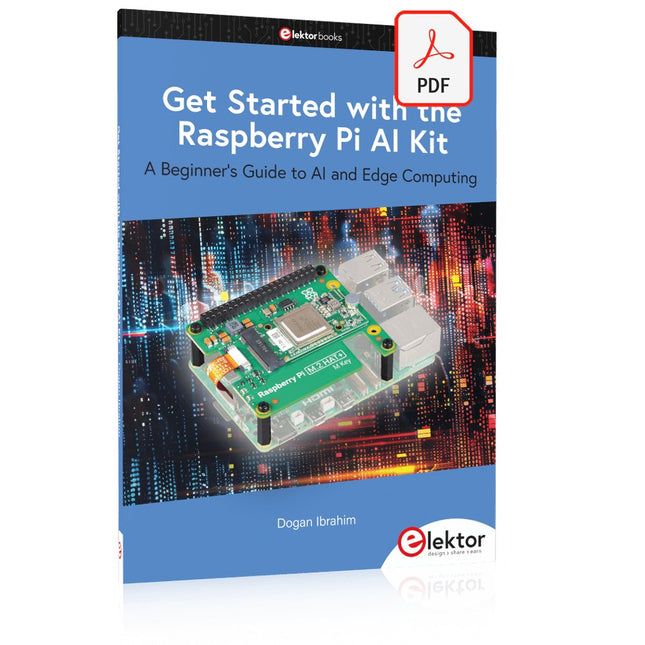
Elektor Digital Get Started with the Raspberry Pi AI Kit (E-book)
A Beginner's Guide to AI and Edge Computing Artificial Intelligence (AI) is now part of our daily lives. With companies developing low-cost AI-powered hardware into their products, it is now becoming a reality to purchase AI accelerator hardware at comparatively very low costs. One such hardware accelerator is the Hailo module which is fully compatible with the Raspberry Pi 5. The Raspberry Pi AI Kit is a cleverly designed hardware as it bundles an M.2-based Hailo-8L accelerator with the Raspberry Pi M.2 HAT+ to offer high speed inferencing on the Raspberry Pi 5. Using the Raspberry Pi AI Kit, you can build complex AI-based vision applications, running in real-time, such as object detection, pose estimation, instance segmentation, home automation, security, robotics, and many more neural network-based applications. This book is an introduction to the Raspberry Pi AI Kit, and it is aimed to provide some help to readers who are new to the kit and wanting to run some simple AI-based visual models on their Raspberry Pi 5 computers. The book is not meant to cover the detailed process of model creation and compilation, which is done on an Ubuntu computer with massive disk space and 32 GB memory. Examples of pre-trained and custom object detection are given in the book. Two fully tested and working projects are given in the book. The first project explains how a person can be detected and how an LED can be activated after the detection, and how the detection can be acknowledged by pressing an external button. The second project illustrates how a person can be detected, and how this information can be passed to a smart phone over a Wi-Fi link, as well as how the detection can be acknowledged by sending a message from the smartphone to your Raspberry Pi 5.
€ 29,95
Mitglieder: € 26,96
-
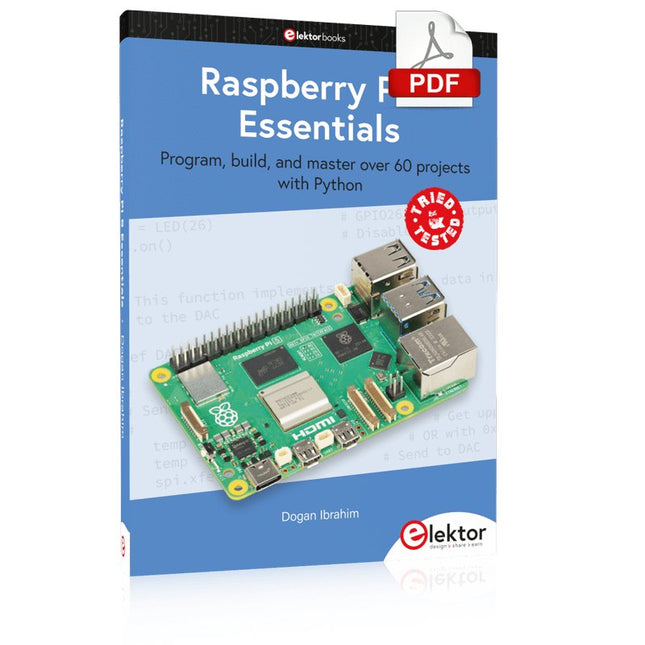
Elektor Digital Raspberry Pi 5 Essentials (E-book)
Program, build, and master over 60 projects with Python The Raspberry Pi 5 is the latest single-board computer from the Raspberry Pi Foundation. It can be used in many applications, such as in audio and video media centers, as a desktop computer, in industrial controllers, robotics, and in many domestic and commercial applications. In addition to the well-established features found in other Raspberry Pi computers, the Raspberry Pi 5 offers Wi-Fi and Bluetooth (classic and BLE), which makes it a perfect match for IoT as well as in remote and Internet-based control and monitoring applications. It is now possible to develop many real-time projects such as audio digital signal processing, real-time digital filtering, real-time digital control and monitoring, and many other real-time operations using this tiny powerhouse. The book starts with an introduction to the Raspberry Pi 5 computer and covers the important topics of accessing the computer locally and remotely. Use of the console language commands as well as accessing and using the desktop GUI are described with working examples. The remaining parts of the book cover many Raspberry Pi 5-based hardware projects using components and devices such as LEDs and buzzers LCDs Ultrasonic sensors Temperature and atmospheric pressure sensors The Sense HAT Camera modules Example projects are given using Wi-Fi and Bluetooth modules to send and receive data from smartphones and PCs, and sending real-time temperature and atmospheric pressure data to the cloud. All projects given in the book have been fully tested for correct operation. Only basic programming and electronics experience are required to follow the projects. Brief descriptions, block diagrams, detailed circuit diagrams, and full Python program listings are given for all projects described.
€ 32,95
Mitglieder: € 29,66
-

Elektor Digital Raspberry Pi Pico Essentials (E-book)
Program, build, and master over 50 projects with MicroPython and the RP2040 microprocessor The Raspberry Pi Pico is a high-performance microcontroller module designed especially for physical computing. Microcontrollers differ from single-board computers, like the Raspberry Pi 4, in not having an operating system. The Raspberry Pi Pico can be programmed to run a single task very efficiently within real-time control and monitoring applications requiring speed. The ‘Pico’ as we call it, is based on the fast, efficient, and low-cost dual-core ARM Cortex-M0+ RP2040 microcontroller chip running at up to 133 MHz and sporting 264 KB of SRAM, and 2 MB of Flash memory. Besides its large memory, the Pico has even more attractive features including a vast number of GPIO pins, and popular interface modules like ADC, SPI, I²C, UART, and PWM. To cap it all, the chip offers fast and accurate timing modules, a hardware debug interface, and an internal temperature sensor. The Raspberry Pi Pico is easily programmed using popular high-level languages such as MicroPython and or C/C++. This book is an introduction to using the Raspberry Pi Pico microcontroller in conjunction with the MicroPython programming language. The Thonny development environment (IDE) is used in all the projects described. There are over 50 working and tested projects in the book, covering the following topics: Installing the MicroPython on Raspberry Pi Pico using a Raspberry Pi or a PC Timer interrupts and external interrupts Analogue-to-digital converter (ADC) projects Using the internal temperature sensor and external temperature sensor chips Datalogging projects PWM, UART, I²C, and SPI projects Using Wi-Fi and apps to communicate with smartphones Using Bluetooth and apps to communicate with smartphones Digital-to-analogue converter (DAC) projects All projects given in the book have been fully tested and are working. Only basic programming and electronics experience is required to follow the projects. Brief descriptions, block diagrams, detailed circuit diagrams, and full MicroPython program listings are given for all projects described. Readers can find the program listings on the Elektor web page created to support the book.
€ 32,95
Mitglieder: € 29,66
-

FNIRSI FNIRSI DPOS350P (4-in-1) 2-Kanal Tablet-Oszilloskop (350 MHz) + Signalgenerator + Frequenzganganalyzer + Spektrum Analyzer
2 Kanäle • 350 MHz • 1 GSa/s • 50.000 wfm/s • 7 Zoll Touchscreen Das FNIRSI DPOS350P ist ein elegantes 4-in-1-Kraftpaket im Tablet-Format! Dieses kompakte und tragbare Gerät bietet umfangreiche Funktionen: Es vereint ein 2-Kanal Oszilloskop (350 MHz), einen Signalgenerator (50 MHz), einen Frequenzganganalyzer (50 MHz) und einen Spektrum-Analyzer (200 kHz–350 MHz) in einem Gerät. Ob in Forschung und Entwicklung, Fehlersuche oder Feldtests – das DPOS350P bietet Ihnen die Werkzeuge, die Sie zum präzisen und klaren Messen, Generieren, Analysieren und Visualisieren elektronischer Signale benötigen. Der reaktionsschnelle, hochauflösende Touchscreen und die intuitiven Bedienelemente machen die Signalanalyse schnell, flexibel und effizient. Features Leistungsstarke Multifunktionsintegration 350 MHz 2-Kanal-Oszilloskop mit 1 GSa/s Echtzeit-Abtastung 50 MHz Signalgenerator mit 14 Standard- und benutzerdefinierten Wellenformen Spektrumanalysator (200 kHz–350 MHz): Ideal für EMI, HF und HF-Tests Frequenzganganalysator (FRA) bis 50 MHz Hochleistungs-Wellenformerfassung 50.000 wfm/s Bildwiederholrate für klare Signale in Echtzeit 350 MHz Bandbreite (Einzelkanalmodus) Erkennt seltene und unwahrscheinliche Anomalien Scharfes Display & Reibungsloser Betrieb 7-Zoll-IPS-Touchscreen (Auflösung 1024 x 600 Pixel) Umschalten zwischen Graustufen- und Farbtemperaturanzeige Einfache Bedienung in verschiedenen Testumgebungen Zuverlässig, geschützt und schnell ladend Hochspannungsschutz bis 400 V Schnellladen mit QC 18 W (vollständige Ladung in 2 Stunden) Für stabilen Langzeitbetrieb konzipiert Datenspeicherung und -export Speichern Sie bis zu 500 Wellenformaufzeichnungen + 90 Screenshots USB-Export für einfache Berichterstellung und Offline-Analyse Technische Daten Allgemein Display 7 Zoll (IPS, voller Betrachtungswinkel) Auflösung 1024 x 600 Pixel Interaktionsmodus Kapazitiver Touchscreen Gesamtstromverbrauch 10 W Einschaltkonfiguration 5 Voreinstellungen Laden QC 18 W, 12 V/1,5 A (USB-C) Akku 3,7 V, 8000 mAh Lithium-Akku Akkulaufzeit ca. 3 Stunden Betrieb, 5 Stunden Standby Wärmeableitung Luftkühlung Erweiterungsschnittstelle USB-Datenanschluss Automatische Abschaltung 15-60 Minuten / Aus Firmware-Upgrade Unterstützung für ISO-Image-Upgrades Sprachen Englisch / Portugiesisch / Russisch / Chinesisch Abmessungen 190 x 128 x 37 mm Oszilloskop Analogkanäle 2 Analogbandbreite 350 MHz Anstiegszeit 1 ns Echtzeit-Abtastrate 1 GSa/s Speichertiefe 60 Kpts Eingangsimpedanz 1 MΩ / 14 pF Zeitbasis Bereich 5 ns ~ 50 s Rollzeitbasis 50 ms ~ 50 s Vertikale Empfindlichkeit 2 mV ~ 20 V (1X) Vertikaler Bereich 16 mV ~ 160 V (1X) DC-Genauigkeit ±2% Zeitgenauigkeit ±0,01% Eingangskopplung DC / AC Sondendämpfung 1x / 10x / 100x Hardware-Bandbreitenlimit 150 M / 20 M Hochauflösender Modus 8-16 Bit Parametermessungen 12 Typen Cursormessung Zeit, Periode, Frequenz, Pegel, Spannung Triggererkennung Digitaler Trigger Triggerkanal CH1 / CH2 Triggermodus Auto / Einzeln / Normal Triggerflanke Rising edge / Falling edge Triggerunterdrückung L1 ~ L3 Triggerpegel Manuell / Automatisch 10% ~ 90% Screenshot-Speicher 90 Bilder Wellenform-Speicher 500 Gruppen Hintergrundraster Ein-/Ausblenden Wellenform-Bewegung Grobeinstellung/Feineinstellung Überspannungsschutz Spannungsfestigkeit 400 V Wellenform-Helligkeit Einstellbar Einfache FFT-Anzeige Ja Digitale Fluoreszenz Ja Farbtemperaturanzeige Ja X-Y-Modus Ja ZOOM-Zeitbasis Ja Automatische Justierung per Tastendruck Ja Nullrückstellung per Tastendruck Ja Daten Browser Ja Signalgenerator Wellenformtypen 14 Standardfunktionen + erfasste Wellenform Frequenz 0-50 MHz (nur Sinuswelle, andere Wellenformen bis 10M/5M/3M) Amplitude 0–5 VPP Offset -2,5 V ~ +2,5 V Tastverhältnis 0,1-99,9% Frequenz Auflösung 1 Hz Amplitudenauflösung 1 mV Offsetauflösung 1 mV Tastverhältnisauflösung 0,1% Anpassbare erfasste Wellenform 500 Gruppen Frequenzganganalyzer (FRA) Frequenz des Anregungssignals 100 Hz ~ 50 MHz Amplitude des Anregungssignals 0~5 VPP Offset des Anregungssignals -2,5 V ~ +2,5 V Anzahl der Anregungsfrequenzen 20~500 Cursormessung Frequenz / Verstärkung / Phase Betrieb Modus Einzeln / Zyklisch Systemkalibrierung Ja Spektrum Analyzer Konvertierungsmethode FFT FFT-Länge 4K ~ 32K Frequenzbereich 200 KHz ~ 350 MHz Pegelbereich -60 dBmV ~ +260 dBmV Cursormessung Frequenz / Amplitude Markierungsparameter Maximale Energie-Oberschwingungen Wasserfalldiagramm Ja 3D-Wasserfalldiagramm Ja Automatische Anpassung Ja Systemkalibrierung Ja Lieferumfang 1x FNIRSI DPOS350P (4-in-1) 2x 350 MHz Tastköpfe 1x QC 18 W Schnellladegerät (EU) 1x USB-Datenkabel 1x Krokodilklemme 1x Aufbewahrungstasche 1x Manual Downloads Manual Firmware
€ 259,00
Bestpreis
-

Elektor Digital PIO-Programmierung mit dem Raspberry Pi Pico (PDF)
Praxisnahe Projekte, Profi-Tricks und eigene Anwendungen Dieses Buch führt Sie Schritt für Schritt in die faszinierende Welt der State Machines ein und zeigt, wie Sie Hardware direkt und effizient ansteuern können – jenseits klassischer CPU-gesteuerter Ansätze. In diesem Buch lernen Sie: LEDs und NeoPixel kreativ steuern: Blinken, Dimmen, Farbwechsel und komplexe Animationen Taster und Encoder zuverlässig auslesen und in Echtzeit in Ihre Projekte integrieren Analoge Eingänge (ADC) nutzen und Signale digital steuern Servos präzise ansteuern und Bewegungsabläufe automatisieren SPI mit PIO umsetzen, um Displays, Sensoren und Module anzusteuern Menüsysteme und Submenüs auf SPI-Displays realisieren, inklusive Navigation über mehrere Taster PWM, Signalgenerierung und Frequenzsteuerung für akustische oder visuelle Effekte Debugging-Strategien und Tipps, um Ihre PIO-Programme effizient zu entwickeln Alle Beispiele sind praxisnah, sofort umsetzbar und zuverlässig. Mit klaren Anleitungen, Hintergrundwissen und fertigen Codebeispielen lernen Sie, die PIO-Fähigkeiten des Pico maximal zu nutzen – egal ob für Maker-Projekte, Prototypen oder professionelle Anwendungen. Erleben Sie, wie Sie komplexe Hardwaresteuerung elegant mit dem Pico realisieren können – schneller, flexibler und leistungsfähiger als je zuvor.
€ 29,80
Mitglieder: € 26,82
-
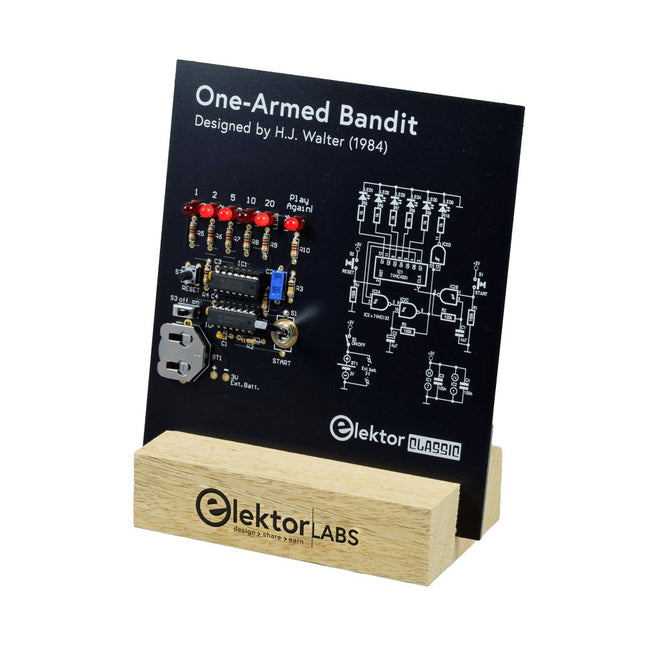
Elektor Labs Elektor Einarmiger Bandit
Ziehen Sie den Hebel nach unten, um die höchste Punktzahl zu erzielen!Dieser Elektor-Schaltungsklassiker aus dem Jahr 1984 zeigt eine spielerische Anwendung von Logik-ICs der CMOS-400x-Serie in Kombination mit LEDs, einer damals sehr beliebten Kombination. Das Projekt imitiert einen Spielautomaten mit rotierenden Ziffern.Das SpielUm das Spiel zu spielen, vereinbaren Sie zunächst die Anzahl der Runden. Spieler 1 betätigt den Schalthebel so lange wie gewünscht und lässt ihn los. Die LEDs zeigen dann die Punktzahl an, die sich aus der Summe der 50-20-10-5 aufleuchtenden Ziffern ergibt. Wenn die Play Again!-LED aufleuchtet, hat Spieler 1 eine weitere, „freie“ Runde. Wenn nicht, ist Spieler 2 am Zug. Die Spieler behalten ihre Punkte im Auge und der Spieler mit der höchsten Punktzahl gewinnt.FeaturesLEDs zeigen den Punktestand anMulti-Player und Play Again!Symbole des Elektor Heritage CircuitGetestet und geprüft von Elektor LabsEdukatives und geekiges ProjektNur Teile mit DurchgangslochLieferumfangPlatineAlle KomponentenHolzständerStücklisteWiderstände (5%, 250 mW)R1,R2,R3,R4 = 100kΩR5,R6,R7,R8,R9,R10 = 1kΩKondensatorenC1 = 4.7nF, 10%, 50V, 5mmC2 = 4.7μF, 10%, 63V, axialC3,C4 = 100nF, 10 %, 50V, Keramik X7R, 5mmHalbleiterLED1-LED6 = rot, 5mm (T1 3/4)IC1 = 74HC4024IC2 = 74HC132SonstigesS1 = Schalter, Kipphebel, 21-mm-Hebel, SPDT, tastendS2 = Schalter, taktil, 24V, 50mA, 6x6mmS3 = Schalter, Schieber, SPDTIC1,IC2 = IC-Sockel, DIP14BT1 = CR2032-Batteriehalteklammer für PlatinenmontageTischständerPCB 230098-1Nicht im Lieferumfang enthalten: BT1 = CR2032-Knopfzellenbatterie
€ 39,95€ 24,95Bestpreis
-

Elektor Digital Raspberry Pi 4 OR 5 AND Pico (E-book)
Cool Projects for Test, Measurement, and Control The Raspberry Pi has dominated the maker scene for many years. Freely accessible I/O pins have made it one of the most popular processor boards of all time. However, the classic Raspberry Pi has no analog inputs. Direct measurement of analog values is therefore not possible. Consequently, photodiodes, NTCs, Hall sensors, etc. cannot be read directly. In addition, the pins are connected directly to the exposed contacts, i.e. without a driver or protection circuit. This can quickly destroy the central controller and thus the entire Raspberry Pi. These problems can be elegantly solved with the Pico. As a front-end, it can easily handle a wide range of measurement tasks. In addition, the Pico is much cheaper than a classic Raspberry Pi 4 or 5. If a faulty circuit leads to the destruction of the Pico, this is relatively easy to handle. This makes the combination of a classic Raspberry Pi 4 or 5 and the Pico an ideal pair. The book introduces the broad and highly topical field of modern controller technology using the combined force of a Raspberry Pi 4 or 5 and a Raspberry Pi Pico. In addition to a detailed introduction to the operation and functionality of the controller boards themselves, the book also focuses on data acquisition and processing with digital processors. Especially the combination of both systems offers a wide range of interesting possibilities. Some practical projects from the contents: USB between Raspberry Pi 4 or 5 and Pico I²C Communication and Pico as an I²C device Voltmeter and Computer Thermometer Pico W as a Web Server and WLAN Scanner Frequency Meters and Generators OLED Displays on Raspberry Pi 4 or 5 and Pico Energy Saving Monitor Which Astronauts are in Orbit? Mini Monitor for Current Bitcoin Exchange Rate
€ 32,95
Mitglieder: € 29,66


