
Suchergebnisse für "elektor OR magazine OR fr OR mars OR avril OR 2021"
-

Elektor Digital Experimenting with Red Pitaya STEMlab Gen 2 (E-book)
Practical Projects and Programs With Experimenting with Red Pitaya STEMlab Gen 2, Red Pitaya goes beyond a versatile board. It becomes a powerful laboratory instrument for precision measurement, analysis, and control. From the fundamentals of electronic project development, monitoring, control, and design to testing, this book walks you step-by-step through everything you need to know to harness the full potential of Red Pitaya hardware and software. The book presents real-time, FPGA-based projects that are developed on a PC using the Vivado environment, then transferred to the Red Pitaya for execution and testing. You will learn about enhanced performance, expanded I/O capabilities, improved FPGA features, and advanced connectivity options that open up new frontiers for precision measurement, monitoring, and control in your embedded applications. Inside the book you will discover: A deep dive into Red Pitaya architecture and hardware design Electronic experiments using Red Pitaya for measurement and monitoring Hands-on projects using the Python programming language Practical guidance for FPGA programming using Red Pitaya Red Pitaya FPGA projects using the Verilog HDL under Vivado IDE Practical design of electronic projects including measurement and testing Step-by-step examples that bridge theory and real-world implementation Whether you are designing your own electronic circuits, developing signal analysis tools, or creating real-time control or monitoring systems, this book provides you the knowledge and confidence you need to fully learn and customize the Red Pitaya platform.
€ 32,95
Mitglieder: € 29,66
-

Elektor Digital Ontwerpen van Buizenversterkers (E-book)
Ook in deze tijd klinken buizenversterkers nog steeds fantastisch, misschien wel mooier dan ooit. Nu hebben we immers de beschikking over moderne materialen als ringkern uitgangstransformatoren, uiterst hoogwaardige weerstanden en condensatoren en vele soorten goed klinkend draad. Ook de moderne geluidsbronnen als de CD speler en de nieuwste hoogwaardige luidsprekers laten beter dan ooit horen hoe goed de buizenversterker weergeeft. Dit boek van Menno van der Veen kijkt niet alleen theoretisch naar buizenversterkers, maar vooral ook naar de ontwerpfase waarin besluiten moeten worden genomen over de doelen en eisen van de versterker. Hoe hangen deze samen met subjectieve en objectieve criteria? Welke schakelingen klinken vooral prachtig en waarom doen ze dat? Stel dat je een versterker gaat ontwikkelen en in de handel wilt brengen, tegen welke problemen loop je dan aan? En wat te zeggen van het belang en de betekenis van metingen? Zeggen ze nu iets of zeggen ze niets? Dankzij de grote rekenkracht van de computer kunnen we tegenwoordig dieper meten dan ooit. Hoe pas je deze technieken toe bij buizenversterkers? Tot nu toe waren metingen over frequentiebereik en vermogen en vervorming voldoende om een beeld van de eigenschappen van een versterker te geven. Maar zijn zulke metingen voldoende of moeten we gaan meten zoals ons oor waarneemt, met echte muzieksignalen in plaats van meettoontjes? De auteur schetst een toekomst waarbij meten aan de versterker de eigenschappen van ons horen moet volgen om tot nieuwe inzichten te komen. Dit boek is meer op de praktijk gericht dan op de theorie en heeft een beschouwend karakter, alsof de auteur van bovenaf naar de buizenversterker kijkt. Kenniselementen worden geïntegreerd en in een breed overzichtelijk kader geplaatst.
€ 29,95
Mitglieder: € 26,96
-

Elektor Digital Retrotronica (E-book)
50 maal 'elektronica van vroeger'. In het januarinummer 2005 van het elektronica-maandblad Elektor zag de rubriek 'Retrotronica' voor het eerst het licht. Onder supervisie van Elektor-redacteur Jan Buiting wordt sindsdien elke maand een stukje 'elektronica van vroeger' opgerakeld. Tegenwoordig worden de meeste elektronische schakelingen opgebouwd rond een microcontroller die het 'denkwerk' voor zijn rekening neemt. Nog niet zo heel lang geleden echter bestonden die dingen nog niet (of waren ze onbetaalbaar); niettemin slaagden de ontwerpers van toen er (naar huidige maatstaven) verbijsterend goed in om uiterst betrouwbaar en nauwkeurig werkende schakelingen en apparatuur te bouwen. Veel apparaten blijken, na jaren op een stoffige zolder of in een vochtige kelder te hebben gestaan, na een schoonmaakactie nog perfect te functioneren -- er is dus geen reden om de 'elektronica van vroeger' met een meewarige blik te bekijken; integendeel: het zijn vaak wondertjes van vernuft en vakmanschap! In dit boek hebben we 50 bijdragen uit de rubriek 'Retrotronica' voor u gebundeld - een must voor iedereen die geïnteresseerd is in 'oude' elektronica of in de geschiedenis van het maandblad Elektor (destijds Elektuur), aangezien enkele 'klassieke' Elektuur-schakelingen prominent aan bod komen!
€ 19,95
Mitglieder: € 17,96
-

Elektor Publishing LTspice Grundlagen
Eine Einführung in die Schaltungssimulation LTspice wurde von Mike Engelhardt entwickelt und gehört inzwischen zu Analog Devices. Es handelt sich dabei um ein Programm zur Schaltplanerstellung – einen leistungsstarken, schnellen und kostenlosen SPICE-Simulator sowie um ein Werkzeug zur Darstellung von Kurvenverläufen. Es bietet eine umfangreiche Bauteildatenbank, die weltweit durch SPICE-Modelle unterstützt wird. Mit LTspice kann man schnell und einfach Schaltpläne erstellen. Dank der leistungsfähigen grafischen Ausgabefunktionen lassen sich Spannungen und Ströme in einer Schaltung, die Leistungsaufnahme der Bauteile und viele weitere Parameter darstellen. Ziel dieses Buches ist es, den Entwurf und die Simulation elektronischer Schaltungen mit LTspice zu vermitteln. Es behandelt unter anderem folgende Themen: DC und AC-Schaltungen Kleinsignal- und Z-Dioden Transistorschaltungen inkl. Oszillatoren Tryristor-, Diac- und Triacschaltungen Operationsverstärkerschaltungen inkl. Oszillatoren Der 555 Timer-IC Filter Spannungsregler Optokoppler Erstellung von Spannungskurven Simulation von Logikschaltungen mit der 74HC-Familie SPICE-Modellierung LTspice ist ein äußerst vielseitiges Werkzeug zur Simulation elektronischer Schaltungen mit zahlreichen Funktionen und Anwendungsmöglichkeiten. Eine vollständige Behandlung aller Details würde jedoch den Rahmen dieses Buches sprengen. Daher konzentriert sich das Buch auf die gängigsten Themen wie DC- und AC-Analyse, Parametersweep, Übertragungsfunktionen, Oszillatoren, Diagramme und weitere grundlegende Anwendungen. Obwohl es sich um eine Einführung handelt, deckt dieses Buch dennoch die meisten Interessensgebiete all jener ab, die sich mit der Simulation elektronischer Schaltungen beschäftigen.
€ 39,80
Bestpreis
-

€ 29,95
Mitglieder: € 26,96
-

Elektor Bundles Microcontrollers Hands-on Course for Arduino Starters (Bundle)
Realize your own projects with the Elektor Arduino Nano MCCAB Training Board The microcontroller is probably the most fascinating subfield of electronics. Due to the multitude of functions, it combines on its chip, it is a universal multi-tool for developers to realize their projects. Practically every device of daily use today is controlled by a microcontroller. However, for an electronic layman, realizing his own ideas with a microcontroller has so far remained a pipe dream due to its complexity. The Arduino concept has largely simplified the use of microcontrollers, so that now even laymen can realize their own electronics ideas with a microcontroller. Book & Hardware in the Bundle: 'Learning by Doing' This book, which is included in the bundle, shows how you can realize your own projects with a microcontroller even without much experience in electronics and programming languages. It is a microcontrollers hands-on course for starters, because after an overview of the internals of the microcontroller and an introduction to the programming language C, the focus of the course is on the practical exercises. The reader acquires the necessary knowledge by 'learning by doing': in the extensive practical section with 12 projects and 46 exercises, what is learned in the front part of the book is underpinned with many examples. The exercises are structured in such a way that the user is given a task to solve using the knowledge built up in the theoretical part of the book. Each exercise is followed by a sample solution that is explained and commented on in detail, which helps the user to solve problems and compare it with his own solution. Arduino IDE The Arduino IDE is a software development environment that can be downloaded for free to your own PC and that contains the entire software package needed for your own microcontroller projects. You write your programs ('apps') with the IDE’s editor in the C programming language. You translate them into the bits and bytes that the microcontroller understands using the Arduino IDE's built-in compiler, and then load them into the microcontroller's memory on the Elektor Arduino MCCAB Nano Training Board via a USB cable. Query or control external sensors, motors or assemblies In addition to an Arduino Nano microcontroller module, the Elektor Arduino Nano MCCAB Training Board contains all the components required for the exercises, such as light-emitting diodes, switches, pushbuttons, acoustic signal transmitters, etc. External sensors, motors or assemblies can also be queried or controlled with this microcontroller training system. Specifications (Arduino Nano MCCAB Training Board) Power Supply Via the USB connection of the connected PC or an external power supply unit (not included) Operating Voltage +5 Vcc Input Voltage All inputs 0 V to +5 V VX1 and VX2 +8 V to +12 V (only when using an external power supply) Hardware periphery LCD 2x16 characters Potentiometer P1 & P2 JP3: selection of operating voltage of P1 & P2 Distributor SV4: Distributor for the operating voltagesSV5, SV6: Distributor for the inputs/outputs of the microcontroller Switches and buttons RESET button on the Arduino Nano module 6x pushbutton switches K1 ... K6 6x slide switches S1 ... S6 JP2: Connection of the switches with the inputs of the microcontroller Buzzer Piezo buzzer Buzzer1 with jumper on JP6 Indicator lights 11 x LED: Status indicator for the inputs/outputs LED L on the Arduino Nano module, connected to GPIO D13 JP6: Connection of LEDs LD10 ... LD20 with GPIOs D2 ... D12 Serial interfacesSPI & I²C JP4: Selection of the signal at pin X of the SPI connector SV12 SV9 to SV12: SPI interface (3.3 V/5 V) or I²C interface Switching output for external devices SV1, SV7: Switching output (maximum +24 V/160 mA, externally supplied) SV2: 2x13 pins for connection of external modules 3x3 LED matrix(9 red LEDs) SV3: Columns of the 3x3 LED matrix (outputs D6 ... D8) JP1: Connection of the rows with the GPIOs D3 ... D5 Software Library MCCABLib Control of hardware components (switches, buttons, LEDs, 3x3 LED matrix, buzzer) on the MCCAB Training Board Operating Temperature Up to +40 °C Dimensions 100 x 100 x 20 mm Specifications (Arduino Nano) Microcontroller ATmega328P Architecture AVR Operating Voltage 5 V Flash Memory 32 KB, of which 2 KB used by bootloader SRAM 2 KB Clock Speed 16 MHz Analog IN Pins 8 EEPROM 1 KB DC Current per I/O Pins 40 mA on one I/O pin, total maximum 200 mA on all pins together Input Voltage 7-12 V Digital I/O Pins 22 (6 of which are PWM) PWM Output 6 Power Consumption 19 mA Dimensions 18 x 45 mm Weight 7 g Included Elektor Arduino Nano MCCAB Training Board Arduino Nano Book: Microcontrollers Hands-on Course for Arduino Starters
€ 139,95
Mitglieder: € 125,96
-

Elektor Publishing ESP32 by Example
A Project-Based Introduction to Microcontrollers and Drone Control A Practical Introduction to Embedded Systems with the ESP32 This book is intended for readers who are new to embedded systems and looking for a structured, example-driven way to begin. If you’ve explored general-purpose electronics or Arduino-based resources but found them too broad or lacking in practical application, this guide offers a more focused alternative. With a small, affordable set of components – such as LEDs, sensors, an OLED screen and a motion sensor – you’ll build and work with the same hardware setup throughout the book. This allows you to focus on learning and experimenting without constant reconfiguration. Topics include: Understanding and programming the ESP32 microcontroller Using the Arduino IDE to write and deploy code Exploring cyber-physical systems, culminating in basic drone control No prior experience with Arduino or embedded development is required. Each section includes hands-on examples and mini-projects designed to reinforce core concepts and encourage deeper exploration. By the end, you’ll be equipped not only to reproduce the book’s examples, but also to extend them toward your own ideas and applications. Whether your interest is in learning embedded programming, building interactive systems, or exploring educational drone control, this book provides a clear and practical path to getting started.
€ 44,95
Mitglieder: € 40,46
-

€ 9,95
Mitglieder: € 8,96
-
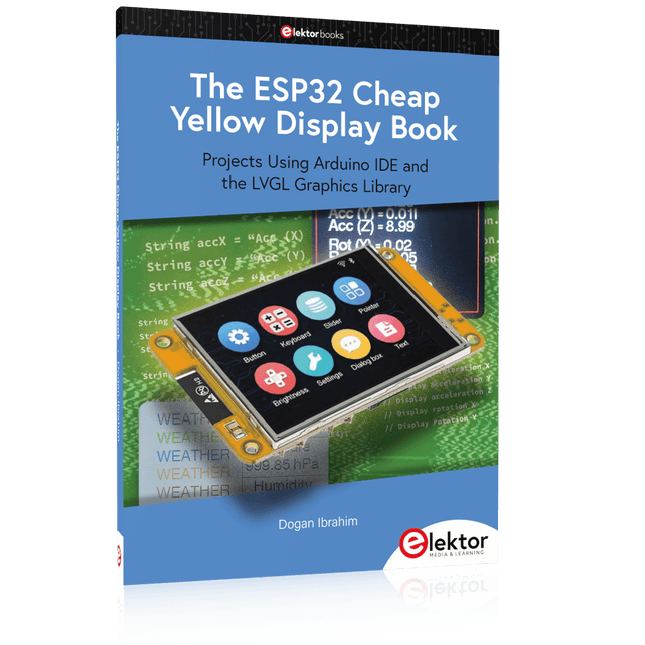
Elektor Publishing The ESP32 Cheap Yellow Display Book
Projects Using Arduino IDE and the LVGL Graphics Library The ESP32 is probably one of the most popular microcontrollers used by many people, including students, hobbyists, and professional engineers. Its low cost, coupled with rich features makes it a popular device to use in many projects. Recently, a board called the ESP32 Cheap Yellow Display (CYD for short) is available from its manufacturers. The board includes a standard ESP32 microcontroller together with a 320x240 pixel TFT display. Additionally, the board provides several connectors for interfaces such as GPIO, serial port (TX/RX), power and Ground. The inclusion of a TFT display is a real advantage as it enables users to design complex graphics-based projects without resorting to an external LCD or graphics displays. The book describes the basic hardware of the ESP32 CYD board and provides details of its on-board connectors. Many basic, simple, and intermediate-level projects are given in the book based on the ESP32 CYD, using the highly popular Arduino IDE 2.0 integrated development environment. The use of both the basic graphics functions and the use of the popular LVGL graphics library are discussed in the book and projects are given that use both types of approaches. All the projects given in the book have been tested and are working. The block diagram, circuit diagram, and the complete program listings and program descriptions of all the projects are given with explanations. Readers can use the LVGL graphics library to design highly popular eye-catching full-color graphics projects using widgets such as buttons, labels, calendars, keypads, keyboards, message boxes, spinboxes, sliders, charts, tables, menus, bars, switches, drop-down lists, animations, and many more widgets.
€ 34,95
Mitglieder: € 31,46
-
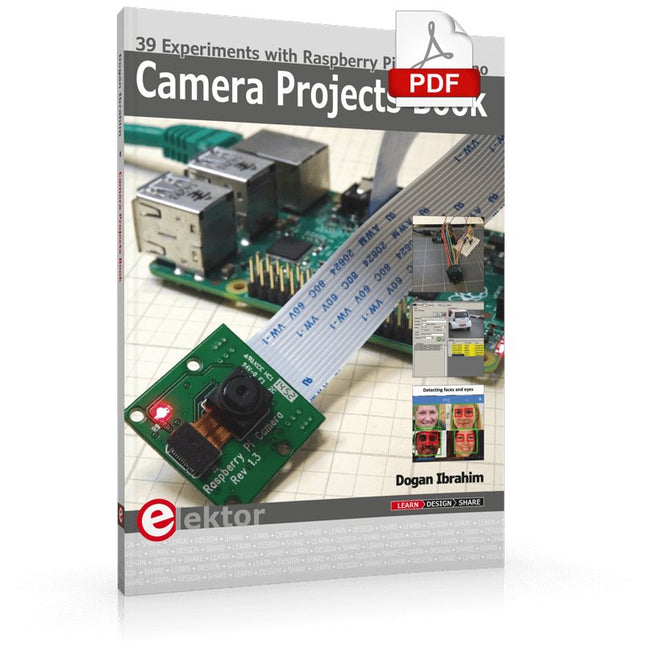
Elektor Digital Camera Projects Book (E-book)
39 Experiments with Raspberry Pi and Arduino This book is about Raspberry Pi 3 and Arduino camera projects. The book explains in simple terms and with tested and working example projects, how to configure and use a Raspberry Pi camera and USB based webcam in camera-based projects using a Raspberry Pi. Example projects are given to capture images, create timelapse photography, record video, use the camera and Raspberry Pi in security and surveillance applications, post images to Twitter, record wildlife, stream live video to YouTube, use a night camera, send pictures to smartphones, face and eye detection, colour and shape recognition, number plate recognition, barcode recognition and many more. Installation and use of popular image processing libraries and software including OpenCV, SimpleCV, and OpenALPR are explained in detail using a Raspberry Pi. The book also explains in detail how to use a camera on an Arduino development board to capture images and then save them on a microSD card. All projects given in this book have been fully tested and are working. Program listings for all Raspberry Pi and Arduino projects used in this book are available for download on the Elektor website.
€ 29,95
Mitglieder: € 26,96
-

Elektor Zenerdioden-Tester
Der Elektor Zenerdioden-Tester ist im Wesentlichen eine Konstantstromquelle, die in Stufen von 1 bis 50 mA geschaltet werden kann. Er kann verwendet werden, um Z-Dioden bis zu maximal 54 V zu testen. Dank eines 60-V-Step-up-Wandlers kann das Gerät mit den üblichen 5 bis 12 V versorgt werden. Das Prinzip dieses Testers ist einfach. Eine Z-Diode oder ein anderes DUT (device under test, also ein Prüfling, wie z. B. eine LED) wird über eine einstellbare Stromquelle vorgespannt. Die Spannung über dem DUT kann mit einem Multimeter gemessen werden. Die Spannung der meisten (kleinen) Z-Dioden ist bei einem Strom von 5 mA spezifiziert. Je nach Anwendung kann auch die Spannung bei anderen Strömen interessant sein. Deshalb stehen sechs Stromeinstellungen zur Verfügung: 1, 2, 5, 10, 20 und 50 mA. LEDs sind häufig bei einem Strom von 20 mA spezifiziert. Getestet werden kann: Ob eine Z-Diode defekt ist (Kurzschluss oder hochohmig). Ob eine Z-Diode die korrekte Z-Spannung aufweist. Wie sich eine Z-Spannung bei unterschiedlichen Strömen verändert. Welche exakte Spannung an einer integrierten Spannungsreferenz anliegt. Ob sich LEDs in einer Reihenschaltung in ihrer Helligkeit unterscheiden (daher der Strom von 20 mA). Wie hoch die Stromverstärkung bei unterschiedlichen Basisströmen in (Leistungs-)Transistoren ist. Das Kit enthält alle in der Stückliste aufgeführten Teile, einschließlich Platine und Gehäuse. Technische Daten Versorgungsspannung 5…12 V/2 A (USB-C) Versorgungsstrom (Itest = 50 mA) 1,1 A bei 5 V / 412 mA bei 12 V Wählbare Ströme 1, 2, 5, 10, 20 und 50 mA Max. Prüfspannung >54 V bei Itest ≥1 mA Max. Ausgangsspannung 60 V bei Itest = 0 mA Spannungsbegrenzung bei 5 V 4,5 V bei Itest = 1 mA / 5,18 V bei Itest = 50 mA Gehäuseabmessungen 110 x 82 x 44 mm Platinengröße 105,4 x 67,3 mm Anschlüsse 4-mm-Bananenbuchsen für Multimeter 2-mm-Bananenbuchsen für Prüfklemmen USB-C-Buchse für die Spannungsversorgung Lieferumfang Widerstände R1 = 3.3 kΩ, 600 mW, 1% R2 = 0.15 Ω, 1 W, 5%, LS 12.7 mm, ø 3.5 mm R3, R8 = 180 Ω, 600 mW, 1% R4, R6, R16 = 1 kΩ, 600 mW, 1% R5, R19 = 47 kΩ, 600 mW, 1% R7 = 3.9 kΩ, 1 W, 5%, LS 12.7 mm, ø 3.5 mm R9, R10, R12 = 10 kΩ, 600 mW, 1% R11, R13 = 100 Ω, 600 mW 1% R14 = 249 Ω, 600 mW, 1% R15 = 499 Ω, 600 mW, 1% R17 = 2.49 kΩ, 250 mW, 1% R18 = 4.99 kΩ, 250 mW, 1% Kondensatoren C1 = 470 uF / 35 V, 20%, Ir = 1.86 A, ø 12.5 mm, LS 5 mm, ESR = 0.038 Ω (Panasonic EEUTP1V471) C2 = 1 uF / 100 V, 10%, X7R, LS 5 mm C3 = 2.2 nF / 50 V, 10%, X7R, LS 5 mm C4, C7 = 100 nF / 100 V, 10%, X7R, LS 5 mm C5 = 100 uF / 100 V, 20%, ø 14 mm max., LS 5 mm C6 = 1 nF / 100 V, 10%, X7R, LS 5 mm Induktor L1 = 100 uH, Irms = 2.4 A, Isat = 3.5 A, 0.09 Ω, radial, pitch 2.5/5/10 mm, ø 14 mm max. (Kemet SBC8-101-242) Halbleiter D1 = MUR120G, DO-41 D2, D4 = STPS3150RL, DO-201AD D3 = Z-diode, 18 V, 1.3 W (BZX85C18) D5 = Z-diode, 5.1 V, 0.5 W (1N5231B) LED1 = LED in pushbutton S1 LED2 = LED, green, 3 mm IC1 = MC34063, DIP-8 IC2 = LM4040BIZ-5.0/NOPB, TO-92 (TO-226AA-3) IC3 = TL051CP, DIP-8 T1 = BC327.25, TO-92 T2 = STP40NF10L, TO-220 T3 = IRF9510PBF, TO-220 T4 = 2N7000, TO-92 Sonstiges K1, K2, S1, S3 = 2-way screw terminal block, LS 3.5 mm, max. 1.5 mm² connected to K1 = USB-C socket, 30 V/3 A, chassis mounted, wired, 9 x 16 mm connected to K2 = Banana Connector, 2 mm, Socket, 60 VDC, Panel Mount, red (Multicomp 24.102.1) connected to K2 = Banana Connector, 2 mm, Socket, 60 VDC, Panel Mount, black (Multicomp 24.102.2) Test clip, red, 30 VAC/60 VDC (Hirschmann 931467101) Test clip, black, 30 VAC/60 VDC (Hirschmann 931467100) S1 = Pushbutton, panel mount, SPST-NO, 30 DC/100 mA, with red LED S2 = Rotary Switch, 6 position, 2 pole, 30°, 250 V/150 mA S3 = Toggle switch, panel mount, SPDT, solder lugs, 28 VDC T2, T3 = Heat sink, 15°C/W, FK 214 SA-CB Enclosure Hammond 1591XXSSBK, ABS, 110 x 82 x 44 mm Knob for S2, round shaft 6 mm, ø 21 mm, with indicator line (Multicomp CP-LB21-6-6D) 4 x Self-tapping screw #4-1/4", carbon steel, pan head Banana plug, red, 2 mm, 60 VDC (Multicomp 25.205.1) Banana plug, black, 2 mm, 60 VDC (Multicomp 25.205.2) Banana socket, black 4 mm, panel mount Banana socket, red 4 mm, panel mount for LED1, LED2 = Pin header, 1 x 2, vertical, pitch 2.54 mm for LED1, LED2 = Pin socket, 1 x 2, vertical, pitch 2.54 mm for T2, T3 = M3 screw, 10 mm, steel, pan head 2 x M3 washer, plain, steel 4 x M3 nut for IC1, IC3 = DIP-8 socket Wire, black, 0.25 mm² (24 AWG), stranded 14 x 0.15 mm, 1 m Wire, red, 0.25 mm² (24 AWG), stranded 14 x 0.15 mm, 1 m PCB 250772-1 v1.1 Links Artikel Elektor Labs
€ 79,95
Bestpreis
-

Elektor Digital Meettechniek in de praktijk (E-book)
Meten is voor een praktiserend elektronicus even vanzelfsprekend als ademhalen. Of het nu om het ontwikkelen van nieuwe schakelingen gaat, de controle van elektronische apparaten tijdens de productiefase of om het foutzoeken in defecte apparatuur: meetapparaten zijn het belangrijkste gereedschap en worden voortdurend gebruikt. 'Weet wat je meet', luidt een bekende uitspraak. En zo is het maar net: om zichzelf geen rad voor ogen te draaien moet de elektronicus weten wat hij doet, moet hij de nauwkeurigheid van zijn meetapparatuur en vooral de voor- en nadelen van de toegepaste meetmethode kennen. En hier steekt dit boek de lezer de helpende hand toe: uitgaand van theoretische beschouwingen en definities van de belangrijkste begrippen van de meettechniek begeleidt het de lezer bij de reis van eenvoudige wijzerinstrumenten via multimeter en oscilloscoop tot en met FFT-analyzers en gespecialiseerde meetapparaten zoals audio-analyzers, geluidsdrukmeters, apparaat- en installatietesters.
€ 29,95
Mitglieder: € 26,96


