
Suchergebnisse für "develop OR and OR operate OR your OR lorawan OR iot OR nodes"
-
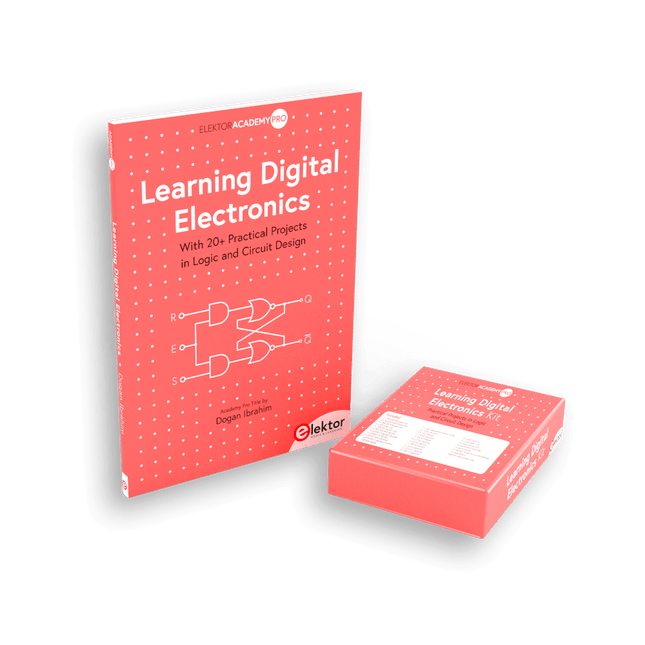
Elektor Bundles Learning Digital Electronics (Bundle)
Digitale Elektronik praxisnah meistern! Dieses Bundle enthält das Buch Learning Digital Electronics mit über 20 praktischen Projekten in Logik- und Schaltungsdesign sowie ein 100-teiliges Starterkit – damit Sie sofort mit dem Bau von Logikschaltungen, Zählern, Displays und mehr beginnen können. Learning Digital Electronics (Buch) Dieses Buch ist ein praktischer Leitfaden zur digitalen Elektronik und behandelt die wesentlichen Komponenten moderner digitaler Systeme: Zahlensysteme, Logikgatter, Boolesche Algebra, kombinatorische und sequentielle Logik und mehr. In über 20 strukturierten Projekten entwerfen und bauen Sie digitale Systeme mit realen Komponenten wie Logikgattern, Multiplexern, Decodern, Flip-Flops, Zählern und Schieberegistern. Die Projekte reichen von einfachen LED-Logikschaltungen bis hin zu digitalen Schlössern, Displaysystemen, Ampelsteuerungen und zeitbasierten Designs. Ausgewählte Projekte führen in die Verwendung von Tools wie CircuitVerse zur Schaltungssimulation ein, während mehrere Designs Logikbausteine der 74HC-Serie verwenden, die häufig im digitalen Hardware-Prototyping verwendet werden. Im Buch finden Sie: Klare Darstellung von Zahlensystemen und Binärarithmetik Grundlagen logischer Gatter und Implementierungen universeller Gatter Schritt-für-Schritt-Projekte mit Flipflops, Zählern und Registern Realwelt-Design mit Logikchips der 74HC-Serie Techniken zum Entwurf kombinatorischer und sequentieller Systeme Dieses Buch verfolgt einen designorientierten, anwendungsorientierten Ansatz für die digitale Elektronik – basierend auf funktionierenden Schaltungen, erprobter Logik und praktischen Experimenten. Learning Digital Electronics (Kit) Dieses Kit wurde speziell entwickelt, um das Buch "Learning Digital Electronics" zu ergänzen. Da alle benötigten Komponenten enthalten sind, können Sie jedes praktische Projekt im Buch direkt durchführen. Inhalt des Kits 2x 74HC08 UND-Gatter-Chip 2x 74HC00 NAND-Gatter-Chip 1x 74HC86 XOR-Gatter-Chip 1x 555 Timer-Chip 1x 74HC161 Zähler-Chip 1x 74HC164 Schieberegister 1x CD4511 7-Segment-Decoder 1x CD4027 JK Flip-Flop 1x BC337 NPN-Transistor 1x KPS-5161 7-Segment-Display mit gemeinsamer Kathode 1x Lichtabhängiger Widerstand (LDR) 4x 10 KΩ Widerstände 8x 1 KΩ Widerstand 2x 47 KΩ Widerstände 1x 100 KΩ Widerstand 4x 2,7 KΩ Widerstände 1x 5,6 KΩ Widerstand 1x 150 KΩ Widerstand 1x 10 μF Kondensator 2x 0,01 μF Kondensator 2x 100 nF Kondensator 8x Kleine rote LED 1x Kleine grüne LED 1x Kleine orangefarbene LED 4x Drucktastenschalter 1x Aktiv-Summer 1x Batteriehalter für 3x AA-Batterien (Batterien nicht im Lieferumfang enthalten) 1x Steckplatine 40x Male-to-male Jumperkabel (Länge: 200 mm)
€ 69,95€ 59,95Bestpreis
-
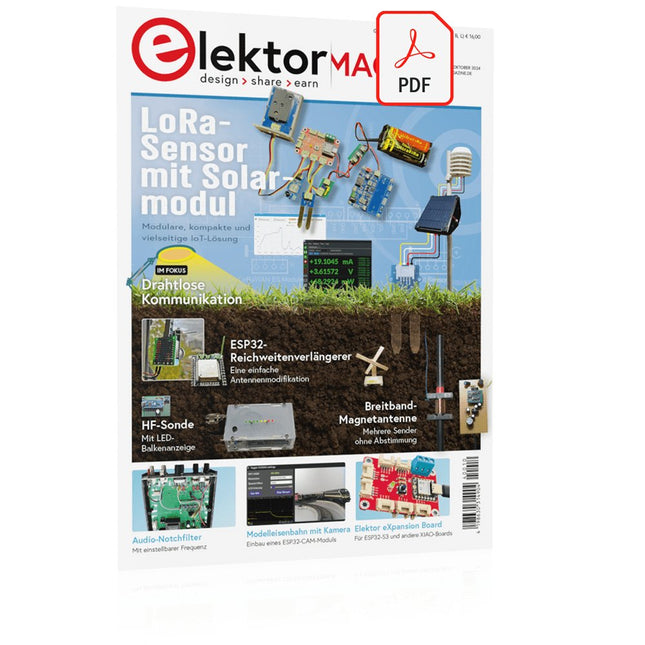
Elektor Digital Elektor 09-10/2024 (PDF)
Diese Ausgabe steht allen GOLD- und GREEN-Mitgliedern auf der ElektorMagazine-Website zum Download bereit! Sie sind noch kein Mitglied? Hier klicken! Ein autonomer SensorknotenLoRa-Datenübertragung und Solar-Stromversorgung Elektor eXpansion Board v1.0Für ESP32-S3 und andere XIAO-Controller-Boards Modelleisenbahn mit KameraEinbau eines ESP32-CAM-Moduls Breitband-Magnetantenne für LangwelleMehrere Sender ohne Abstimmung TensorFlow Lite auf kleinen MikrocontrollernEin (sehr) einsteigerfreundlicher Blickwinkel Ein Hub für RS-422 und RS-485Verdrahten Sie Ihre Geräte wie einen Stern HF-SondeMit LED-Balkenanzeige Aller Anfang...muss nicht schwer sein: mehr Verstärkerschaltungen MultiLayer-SegmentierungEin neuer Ansatz für adressierbare LED-Streifen Open VarioOpen-Source Multifunktions-Variometer für Gleitschirmflieger Aus dem Leben gegriffenÜber die Selbstverständlichkeit der Dinge KI-gestützter WasserzählerTeil 2: Firmware-Installation, Anwendung und Montage Intelligente LandwirtschaftML-basierte Schädlingserkennung mit IoT-Vernetzung Warum Anybus CompactCom die ideale Wahl für die industrielle Embedded-Kommunikation ist Kommunikationsstandard IQRFZuverlässigkeit für verlustbehaftete drahtlose Mesh-Netzwerke mit niedriger Rate Bau eines intelligenten AgrarrobotersWelche wesentlichen technischen Überlegungen und Herausforderungen müssen Entwickler von Agrarrobotern berücksichtigen? Audio-Notchfilter mit einstellbarer FrequenzUniverselle Lösung zur Unterdrückung von Frequenzen im Audiobereich Das System LeoINAGPSNützliche Einblicke in Ihr Elektrofahrzeug Solarbetriebener LoRa-KnotenEine modulare, kompakte und vielseitige IoT-Lösung AWS für Arduino und Co.Teil 2: Daten senden mit AWS-IoT-ExpressLink Projekt 2.0Korrekturen, Updates und Leserbriefe 2024: Eine Odyssee in die KIBeschleuniger: Desktop vs. Embedded, ein Blick auf einige Optionen ESP32-ReichweitenverlängererEine einfache Antennenmodifikation
€ 11,90
-

Elektor Bundles Learn Edge AI with Raspberry Pi
Mit diesem Praxis-Bundle können Sie echte Edge-AI-Anwendungen mit dem Raspberry Pi entwickeln Raspberry Pi AI HAT+ (13 TOPS) Das Raspberry Pi AI HAT+ ist eine Erweiterungsplatine für den Raspberry Pi 5, die einen integrierten Hailo AI-Beschleuniger enthält. Dieses Add-on bietet einen kostengünstigen, effizienten und leicht zugänglichen Ansatz für die Integration von leistungsstarken KI-Funktionen, mit Anwendungen in den Bereichen Prozesssteuerung, Sicherheit, Heimautomatisierung und Robotik. Das AI HAT+ wird über die PCIe Gen3-Schnittstelle des Raspberry Pi 5 angeschlossen. Wenn auf dem Raspberry Pi 5 eine aktuelle Version des Raspberry Pi OS läuft, erkennt es automatisch den integrierten Hailo-Beschleuniger und macht die neuronale Verarbeitungseinheit (NPU) für KI-Aufgaben verfügbar. Darüber hinaus unterstützen die im Raspberry Pi OS enthaltenen rpicam-apps Kameraanwendungen das KI-Modul nahtlos und nutzen die NPU automatisch für kompatible Nachbearbeitungsfunktionen. Raspberry Pi Camera Module 3 Raspberry Pi Camera Module 3 ist eine Kompaktkamera von Raspberry Pi. Es bietet einen IMX708 12-Megapixel-Sensor mit HDR und verfügt über einen Autofokus mit Phasenerkennung. Das Camera Module 3 ist in Standard- und Weitwinkelvarianten erhältlich, die beide mit oder ohne Infrarot-Sperrfilter erhältlich sind. Das Camera Module 3 kann sowohl Full-HD-Videos als auch Fotos aufnehmen und bietet einen HDR-Modus mit bis zu 3 MP. Sein Betrieb wird vollständig von der libcamera-Bibliothek unterstützt, einschließlich der schnellen Autofokus-Funktion des Camera Module 3: Dies macht es für Anfänger einfach zu bedienen und bietet gleichzeitig viel für fortgeschrittene Benutzer. Das Camera Module 3 ist mit allen Raspberry-Pi-Modellen kompatibel. Buch: Edge AI Made Practical – AI Projects for the Raspberry Pi with the AI HAT+ Edge-KI revolutioniert Alltagsgeräte, indem sie Intelligenz genau dort integriert, wo sie am wichtigsten ist: direkt in der Hardware. Dank On-Device-Inferenz kann eine Kamera Besucher sofort erkennen, ein Smartphone Sprache übersetzen, ohne Audio in die Cloud zu streamen, und ein Wearable Anomalien in Echtzeit erkennen – schnell, datenschutzfreundlich und zuverlässig, selbst wenn die Netzwerkverbindung ausfällt. Dieses Buch ist Ihr praktischer Leitfaden zum Bau solcher Systeme mit dem Raspberry Pi AI HAT+ und dem Hailo-8L-Beschleuniger. Sie beginnen mit den Grundlagen: Kernkonzepte von KI und maschinellem Lernen, Funktionsweise neuronaler Netze und die wesentlichen Unterschiede zwischen Edge AI und Cloud AI – sowie eine ehrliche Betrachtung ethischer Aspekte und zukünftiger Auswirkungen. Dieses Bundle enthält: Buch: Edge AI Made Practical Raspberry Pi AI HAT+ (13 TOPS) Raspberry Pi Camera Module 3 Aktiver Kühler für Raspberry Pi 5 FPC Display-Kabel für Raspberry Pi 5 (300 mm) Elektor Komponenten-Kit 40-poliger GPIO-Header Ampelmodul Rote LED, 5 V, mit integriertem Widerstand Gelbe LED, 5 V, mit integriertem Widerstand Grüne LED, 5 V, mit integriertem Widerstand Blaue LED, 5 V, mit integriertem Widerstand Steckbrett (400 Tie-Points) 10 Dupont-Drähte (male-female) DHT22-Sensormodul Servomotor Erforderlich Raspberry Pi 5
€ 169,95
Bestpreis
-

Elektor Digital Coding Modbus TCP/IP for Arduino (E-book)
Example projects with Node-RED, MQTT, WinCC SCADA, Blynk, and ThingSpeak This comprehensive guide unlocks the power of Modbus TCP/IP communication with Arduino. From the basics of the Modbus protocol right up to full implementation in Arduino projects, the book walks you through the complete process with lucid explanations and practical examples. Learn how to set up Modbus TCP/IP communication with Arduino for seamless data exchange between devices over a network. Explore different Modbus functions and master reading and writing registers to control your devices remotely. Create Modbus client and server applications to integrate into your Arduino projects, boosting their connectivity and automation level. With detailed code snippets and illustrations, this guide is perfect for beginners and experienced Arduino enthusiasts alike. Whether you‘re a hobbyist looking to expand your skills or a professional seeking to implement Modbus TCP/IP communication in your projects, this book provides all the knowledge you need to harness the full potential of Modbus with Arduino. Projects covered in the book: TCP/IP communication between two Arduino Uno boards Modbus TCP/IP communication within the Node-RED environment Combining Arduino, Node-RED, and Blynk IoT cloud Interfacing Modbus TCP/IP with WinCC SCADA to control sensors Using MQTT protocol with Ethernet/ESP8266 Connecting to ThingSpeak IoT cloud using Ethernet/ESP8266
€ 32,95
Mitglieder: € 29,66
-

Elektor Digital Arduino UNO Q and AI (E-book)
Learn to Build Intelligent Embedded Systems Build smarter embedded systems with Arduino UNO Q. This book gives you the tools, knowledge, and confidence to turn ideas into intelligent, working solutions using the Arduino UNO Q platform. Discover how to build intelligent embedded systems with the Arduino UNO Q and AI. Unlock the full potential of the Arduino UNO Q, a next-generation platform that combines the real-time power of the STM32U585 microcontroller with the flexibility of a Qualcomm Dragonwing QRB2210 microprocessor. Learn how to rapidly prototype real-world applications using the Arduino IDE for low-level embedded control and Python in Arduino App Lab for high-level development. Build confidence through hands-on projects that guide you step by step from basic board features to complete working systems. Explore ready-to-use, AI based Arduino App Lab examples and see how they can jump-start your development and reduce time to deployment. Step into the world of Edge AI with a clear, practical introduction to Edge Impulse Studio—no prior AI experience required. Follow a complete, real-world workflow to create a Keyword Spotting AI application, covering data collection, model training, optimization, and on-device inference using the Edge Impulse Studio. Bridge the gap between embedded systems and machine learning and learn how to bring intelligence directly onto your hardware. Perfect for embedded engineers, educators, students, and makers looking to stay ahead in AI-enabled product development.
€ 29,95
Mitglieder: € 26,96
-

Elektor Bundles Microcontrollers Hands-on Course for Arduino Starters (Bundle)
Realize your own projects with the Elektor Arduino Nano MCCAB Training Board The microcontroller is probably the most fascinating subfield of electronics. Due to the multitude of functions, it combines on its chip, it is a universal multi-tool for developers to realize their projects. Practically every device of daily use today is controlled by a microcontroller. However, for an electronic layman, realizing his own ideas with a microcontroller has so far remained a pipe dream due to its complexity. The Arduino concept has largely simplified the use of microcontrollers, so that now even laymen can realize their own electronics ideas with a microcontroller. Book & Hardware in the Bundle: 'Learning by Doing' This book, which is included in the bundle, shows how you can realize your own projects with a microcontroller even without much experience in electronics and programming languages. It is a microcontrollers hands-on course for starters, because after an overview of the internals of the microcontroller and an introduction to the programming language C, the focus of the course is on the practical exercises. The reader acquires the necessary knowledge by 'learning by doing': in the extensive practical section with 12 projects and 46 exercises, what is learned in the front part of the book is underpinned with many examples. The exercises are structured in such a way that the user is given a task to solve using the knowledge built up in the theoretical part of the book. Each exercise is followed by a sample solution that is explained and commented on in detail, which helps the user to solve problems and compare it with his own solution. Arduino IDE The Arduino IDE is a software development environment that can be downloaded for free to your own PC and that contains the entire software package needed for your own microcontroller projects. You write your programs ('apps') with the IDE’s editor in the C programming language. You translate them into the bits and bytes that the microcontroller understands using the Arduino IDE's built-in compiler, and then load them into the microcontroller's memory on the Elektor Arduino MCCAB Nano Training Board via a USB cable. Query or control external sensors, motors or assemblies In addition to an Arduino Nano microcontroller module, the Elektor Arduino Nano MCCAB Training Board contains all the components required for the exercises, such as light-emitting diodes, switches, pushbuttons, acoustic signal transmitters, etc. External sensors, motors or assemblies can also be queried or controlled with this microcontroller training system. Specifications (Arduino Nano MCCAB Training Board) Power Supply Via the USB connection of the connected PC or an external power supply unit (not included) Operating Voltage +5 Vcc Input Voltage All inputs 0 V to +5 V VX1 and VX2 +8 V to +12 V (only when using an external power supply) Hardware periphery LCD 2x16 characters Potentiometer P1 & P2 JP3: selection of operating voltage of P1 & P2 Distributor SV4: Distributor for the operating voltagesSV5, SV6: Distributor for the inputs/outputs of the microcontroller Switches and buttons RESET button on the Arduino Nano module 6x pushbutton switches K1 ... K6 6x slide switches S1 ... S6 JP2: Connection of the switches with the inputs of the microcontroller Buzzer Piezo buzzer Buzzer1 with jumper on JP6 Indicator lights 11 x LED: Status indicator for the inputs/outputs LED L on the Arduino Nano module, connected to GPIO D13 JP6: Connection of LEDs LD10 ... LD20 with GPIOs D2 ... D12 Serial interfacesSPI & I²C JP4: Selection of the signal at pin X of the SPI connector SV12 SV9 to SV12: SPI interface (3.3 V/5 V) or I²C interface Switching output for external devices SV1, SV7: Switching output (maximum +24 V/160 mA, externally supplied) SV2: 2x13 pins for connection of external modules 3x3 LED matrix(9 red LEDs) SV3: Columns of the 3x3 LED matrix (outputs D6 ... D8) JP1: Connection of the rows with the GPIOs D3 ... D5 Software Library MCCABLib Control of hardware components (switches, buttons, LEDs, 3x3 LED matrix, buzzer) on the MCCAB Training Board Operating Temperature Up to +40 °C Dimensions 100 x 100 x 20 mm Specifications (Arduino Nano) Microcontroller ATmega328P Architecture AVR Operating Voltage 5 V Flash Memory 32 KB, of which 2 KB used by bootloader SRAM 2 KB Clock Speed 16 MHz Analog IN Pins 8 EEPROM 1 KB DC Current per I/O Pins 40 mA on one I/O pin, total maximum 200 mA on all pins together Input Voltage 7-12 V Digital I/O Pins 22 (6 of which are PWM) PWM Output 6 Power Consumption 19 mA Dimensions 18 x 45 mm Weight 7 g Included Elektor Arduino Nano MCCAB Training Board Arduino Nano Book: Microcontrollers Hands-on Course for Arduino Starters
€ 139,95€ 119,95Bestpreis
-
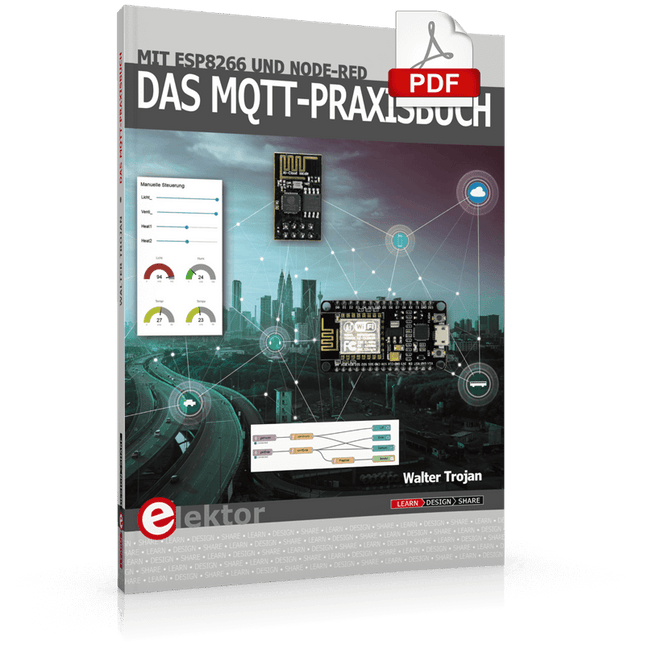
Elektor Digital Das MQTT-Praxisbuch (PDF)
MQTT ist ein leichtgewichtiges, ereignis- und nachrichtenorientiertes Protokoll zur effizienten und asynchronen Kommunikation zwischen Geräten auch über limitierte Netzwerke. Das bereits 1999 von IBM entwickelte Protokoll eignet sich heute in besonderer Weise für Internet-of-Things-Anwendungen. Im Gegensatz zu HTTP mit Request/Response-Verfahren ist bei MQTT eine Publish/Subscribe-Architektur umgesetzt. Es stehen mittlerweile zahlreiche MQTT-Broker und -Clients zur Verfügung. Aufgrund der Unterstützung durch die Eclipse Foundation, IBM und vieler anderer stehen zahlreiche Komponenten kostenlos im Internet zur Verfügung. Client-Bibliotheken gibt es für die unterschiedlichsten Plattformen und Programmiersprachen. Unterstützt werden u. a. die PC-Plattform mit Java und .Net sowie Arduino und Raspberry Pi. Das MQTT-Praxisbuch führt Schritt für Schritt in die praktische Arbeit mit diesem ressourcensparenden Protokoll ein. Dabei widmet der Autor Walter Trojan dem Thema IoT-Sicherheit ein ausführliches Kapitel. Anhand von abgeschlossenen Projekten zum Nachbauen stellt der Autor in beeindruckender Weise die praktische Bedeutung des MQTT-Protokolls in modernen IoT-Anwendungen dar: MQTT auf ESP8266 MQTT mit Arduino-IDE MQTT-Benchmarks MQTT auf dem Raspberry Pi Flow-Programmierung mit Node-RED Boss aller Automaten: openHAB Projekt Gewächshaus mit automatisierter Beleuchtung, Bewässerung, Temperaturregelung sowie Luft- und Erdfeuchtigkeitsmessung
€ 32,80
Mitglieder: € 29,52
-

Elektor Publishing Arduino UNO Q and AI
Learn to Build Intelligent Embedded Systems Build smarter embedded systems with Arduino UNO Q. This book gives you the tools, knowledge, and confidence to turn ideas into intelligent, working solutions using the Arduino UNO Q platform. Discover how to build intelligent embedded systems with the Arduino UNO Q and AI. Unlock the full potential of the Arduino UNO Q, a next-generation platform that combines the real-time power of the STM32U585 microcontroller with the flexibility of a Qualcomm Dragonwing QRB2210 microprocessor. Learn how to rapidly prototype real-world applications using the Arduino IDE for low-level embedded control and Python in Arduino App Lab for high-level development. Build confidence through hands-on projects that guide you step by step from basic board features to complete working systems. Explore ready-to-use, AI based Arduino App Lab examples and see how they can jump-start your development and reduce time to deployment. Step into the world of Edge AI with a clear, practical introduction to Edge Impulse Studio—no prior AI experience required. Follow a complete, real-world workflow to create a Keyword Spotting AI application, covering data collection, model training, optimization, and on-device inference using the Edge Impulse Studio. Bridge the gap between embedded systems and machine learning and learn how to bring intelligence directly onto your hardware. Perfect for embedded engineers, educators, students, and makers looking to stay ahead in AI-enabled product development.
€ 34,95
Mitglieder: € 31,46
-

Elektor Digital Elektor September/October 2024 (PDF)
Elektor GREEN and GOLD members can download their digital edition here. Not a member yet? Click here. An Autonomous Sensor NodeLoRa-Based Data Transmission and Power by Solar Cells Elektor eXpansion Board v1.0For ESP32-S3 and other XIAO controller boards Model Railroad with CameraInstalling an ESP32 CAM Module Broadband Magnetic Antenna for Long WaveMultiple Channels Without Tuning TensorFlow Lite on Small MicrocontrollersA (Very) Beginner’s Point of View A Hub for RS-422 and RS-485 DevicesWire Your Bus Like a Star RF ProbeWith LED Bar Graph Starting Out in Electronics……Reviews More Opamp Circuits Open VarioThe Open-Source Multifunction Variometer for Paragliding From Life’s ExperienceAbout Taking Things for Granted AI-Based Water Meter Reading (Part 2)Get Your Old Meter Onto the IoT! ML-Based Pest DetectionSmart Agriculture Device With IoT Connectivity Why Anybus CompactCom Is the Ideal Choice for Embedded Industrial Communication IQRF Communication StandardReliability for Lossy, Low-Rate Wireless Mesh Networks How to Build a Smart Agricultural RobotEssential Technical Considerations and Challenges Audio Notch Filter with Adjustable FrequencyUniversal Solution for Suppressing Frequencies in Audio Applications The LeoINAGPS SystemGets Useful Insights on Your Electric Vehicle Solar-Powered LoRa NodeA Modular, Compact, and Versatile IoT Solution AWS for Arduino and Co. (2)Sending Data Using AWS IoT ExpressLink Err-lectronicsCorrections, Updates, and Readers’ Letters 2024: An AI OdysseyDesktop Versus Embedded Accelerators: A Look at Some Options ESP32 Range ExtenderA Simple Antenna Modification
€ 7,50
-

Elektor Labs Elektor Arduino Nano MCCAB Trainingsboard
Das Elektor Arduino Nano MCCAB Trainingsboard enthält alle Bauteile (inkl. Arduino Nano), die für die Übungen des "Mikrocontroller-Praxiskurs für Arduino-Einsteiger" benötigt werden wie Leuchtdioden, Schalter, Taster, akustische Signalgeber usw. Auch externe Sensoren, Motoren oder Baugruppen können mit diesem Mikrocontroller-Übungssystem abgefragt oder gesteuert werden. Technische Daten (Arduino Nano Trainingsboard MCCAB) Stromversorgung Über die USB-Verbindung des zur Erstellung der Programme sowieso angeschlossenen PCs oder ein externes Netzteil (nicht im Lieferumfang enthalten) Betriebsspannung +5 Vcc Eingangsspannung Alle Eingänge 0 V bis +5 V VX1 und VX2 +8 V bis +12 V (nur bei Verwendung eines externen Netzteils) Mikrocontrollermodul Arduino Nano Hardwareperipherie LCD 2x16 Zeichen Potenziometer P1 & P2 JP3: Auswahl der Betriebsspannung von P1 & P2 Verteiler SV4: Verteiler für die BetriebsspannungenSV5, SV6: Verteiler für die Ein-/Ausgänge des Mikrocontrollers Schalter und Taster RESET-Taster auf dem Arduino Nano-Modul6x Tastschalter K1 … K66x Schiebeschalter S1 … S6JP2: Verbindung der Schalter mit den Eingängen des Mikrocontrollers Summer Piezo-Summer Buzzer1 mit Steckbrücke auf JP6 Leuchtanzeigen LED L auf dem Arduino Nano-Modul, verbunden mit GPIO D1311x LED: Zustandsanzeige für die Ein-/AusgängeJP6: Verbindung der LEDs LD10 … LD20 mit den GPIOs D2 … D12 Serielle SchnittstellenSPI & I²C JP4: Auswahl des Signals an Pin X der SPI-Steckerleiste SV12SV9 bis SV12: SPI-Interface (3,3 V/5 V) bzw. I²C-Interface Schaltausgang für externe Geräte SV1, SV7: Schaltausgang (maximal +24 V/160 mA, extern zugeführt)SV2: 2x13 Pins zum Anschluss externer Module 3x3 LED-Matrix (9 rote LEDs) SV3: Spalten der 3x3 LED-Matrix (Ausgänge D6 … D8)JP1: Verbindung der Reihen mit den GPIOs D3 … D5 Software Library MCCABLib Steuerung der Hardware-Komponenten (Schalter, Taster, Leuchtdioden, 3x3 LED-Matrix, Summer) auf dem MCCAB Trainingsboard Betriebstemperatur bis +40 °C Abmessungen 100 x 100 x 20 mm Technische Daten (Arduino Nano) Mikrocontroller ATmega328P Architektur AVR Betriebsspannung 5 V Flashspeicher 32 KB, davon 2 KB vom Bootloader belegt SRAM 2 KB Taktfrequenz 16 MHz Analoge IN-Pins 8 EEPROM 1 KB DC-Strom pro I/O-Pin 40 mA an einem I/O-Pin, insgesamt maximal 200 mA an allen Pins gemeinsam Eingangsspannung 7-12 V Digitale I/O-Pins 22 (6 davon sind PWM-fähig) PWM-Ausgänge 6 Stromverbrauch 19 mA Abmessungen 18 x 45 mm Gewicht 7 g Lieferumfang 1x Elektor Arduino Nano Trainingsboard (MCCAB) 1x Arduino Nano
€ 79,95€ 69,95Bestpreis
-

Elektor Publishing MIT App Inventor for AI and IoT
Build Smart Applications with Raspberry Pi, Arduino, and ESP32 Discover how easy and exciting mobile app development can be with MIT App Inventor. This hands-on guide takes you from basic concepts to building real-world mobile applications using a simple visual programming approach—no prior coding experience required. You will create IoT and AI-powered apps for Android devices and explore how App Inventor can also be used with iPhones and iPads. Connect your applications to platforms such as Arduino UNO R4 WiFi, ESP32, Raspberry Pi Pico (2)W and Raspberry Pi 5, enabling you to build smart, connected systems. Inside the book, you will learn how to: Build interactive apps using buttons, images, sound, and multimedia Create text-to-speech and speech-recognition applications Develop camera-based and location-aware (GPS) apps Design useful tools such as calculators and educational apps Work with smartphone sensors like accelerometers and light sensors Build AI-powered applications, including voice assistants and image-generation features Send and receive messages, and create communication-based apps Connect mobile apps to hardware using Wi-Fi and Bluetooth Control real devices such as LEDs, motors, and sensors Designed for beginners, students, and hobbyists, this book focuses on learning by doing. By the end, you will have the skills and confidence to create your own innovative applications that interact with both the digital and physical worlds. Start building and turning your ideas into reality.
€ 44,95
Mitglieder: € 40,46
-

Elektor Digital Elektor March/April 2022 (PDF)
Build Your Own RISC-V ControllerFirst Steps with the NEORV32 RISC-V Softcore for Low-Cost FPGAs How to Use Arduino’s Serial PlotterPlotting Graphs With Arduino Is Easy CLUE from AdafruitA Smart Solution for IoT Projects Buffer Board for the Raspberry Pi 400Protect the I/Os Raspberry Pi RP2040 Boards Aplenty A Handbook on DIY Electronic Security and EspionageSRAM Heated or Deep-Frozen Component IdentificationTips & Tricks, Best Practices and Other Useful Information DIY Touchless Light Switch Starting out in ElectronicsMatching and Transforming What’s New in Embedded Development?Rust and Keeping IoT Deployments Updated Infographics How the Industrial and Automotive Sectors Will Benefit from 5G Moving Coil RelaysPeculiar Parts, the series HomeLab ToursEverything Revolves Around the Tools... Understanding the Neurons in Neural Networks (Part 4)Embedded Neurons Magnetic Levitation the Very Easy WayThe Third and Most Compact Version PLC Programming with the Raspberry Pi and the OpenPLC ProjectVisualization of PLC Programs with AdvancedHMI From Life's ExperiencePack Up and Leave Under Your RadarMicrocontrollers You Should Know About Monitor and Debug Over the AirA Solution for Arduino, ESP32 and Co. Portable Temperature- and Humidity-Measuring DeviceUsing Ready-Made Modules Lithium Battery Pack RepairSave Money + More Power! GUIs with PythonMeme-Generator Three Questions to Build OnWhy, What, and Who? HexadokuThe Original Elektorized Sudoku
€ 7,50


