Program, build, and master over 50 projects with MicroPython and the RP2040 microprocessor The Raspberry Pi Pico is a high-performance microcontroller module designed especially for physical computing. Microcontrollers differ from single-board computers, like the Raspberry Pi 4, in not having an operating system. The Raspberry Pi Pico can be programmed to run a single task very efficiently within real-time control and monitoring applications requiring speed. The ‘Pico’ as we call it, is based on the fast, efficient, and low-cost dual-core ARM Cortex-M0+ RP2040 microcontroller chip running at up to 133 MHz and sporting 264 KB of SRAM, and 2 MB of Flash memory. Besides its large memory, the Pico has even more attractive features including a vast number of GPIO pins, and popular interface modules like ADC, SPI, I²C, UART, and PWM. To cap it all, the chip offers fast and accurate timing modules, a hardware debug interface, and an internal temperature sensor. The Raspberry Pi Pico is easily programmed using popular high-level languages such as MicroPython and or C/C++. This book is an introduction to using the Raspberry Pi Pico microcontroller in conjunction with the MicroPython programming language. The Thonny development environment (IDE) is used in all the projects described. There are over 50 working and tested projects in the book, covering the following topics: Installing the MicroPython on Raspberry Pi Pico using a Raspberry Pi or a PC Timer interrupts and external interrupts Analogue-to-digital converter (ADC) projects Using the internal temperature sensor and external temperature sensor chips Datalogging projects PWM, UART, I²C, and SPI projects Using Wi-Fi and apps to communicate with smartphones Using Bluetooth and apps to communicate with smartphones Digital-to-analogue converter (DAC) projects All projects given in the book have been fully tested and are working. Only basic programming and electronics experience is required to follow the projects. Brief descriptions, block diagrams, detailed circuit diagrams, and full MicroPython program listings are given for all projects described. Readers can find the program listings on the Elektor web page created to support the book.
Das FNIRSI DPS150 ist ein leistungsstarkes, einstellbares Gleichstromnetzteil, das über eine USB-C-Eingangsschnittstelle und mehrere Stromversorgungsmodi verfügt und eine präzise Einstellung der Ausgangsspannung (0-30 V) und des Ausgangsstroms (0-5 A) ermöglicht.
Es bietet einen effizienten, verbrauchsarmen und stabilen Ausgang und ist mit mehreren Sicherheitsschutzfunktionen ausgestattet, darunter Überspannung, Überstrom, Überlastung, Überhitzung und Verpolung. Es kann flexibel für die serielle Verbindung mehrerer Geräte eingesetzt werden, verfügt über eine umfangreiche und benutzerfreundliche Anzeige und Bedienung sowie ein kompaktes und tragbares Design und erfüllt verschiedene Anwendungsanforderungen.
Features
30 V, 5 A, 150 W variabler Gleichstrom mit 0,01 V, 0,001 A Präzision, CC/CV-Modi und <20 mV Welligkeit zum Schutz empfindlicher Elektronik.
Unterstützt PC-, QC- und DC-Eingänge mit programmierbaren Ausgängen und 6 voreingestellten Spannungs-/Stromeinstellungen.
Kompatibel mit 4 mm-Bananensteckern, U-förmigen Anschlüssen und Kupferdrähten für verschiedene Geräte.
8 Sicherheitsmechanismen, einschließlich Überspannungs-, Strom-, Kurzschluss- und Überhitzungsschutz.
2,8" HD-IPS-Bildschirm mit um 90° umklappbarer, numerischer und Kurvenanzeige für einfache Überwachung.
Kleines, platzsparendes Design für den Einsatz in Laboren, Reparaturen und Heimwerkerprojekten.
Technische Daten
Eingangsspannung
5~32 V DC
Eingangsstrom
100 mA-5 A
Ausgangsspannung
0-30 V
Ausgangsstrom
0~5 A
Ausgangsleistung
0-150 W
Eingabeweg
PD-Schnellladegerät
QC-Schnellladegerät
Powerbank
Gleichstromadapter
Betriebsumgebung
0-40°C
Regulierung laden
0,49%
Volllasteffizienz
96,30%
Display
2,8 Zoll (320 x 240)
Abmessungen
106 x 76 x 28 mm
Gewicht
178 g
Lieferumfang
1x DPS150 Netzteil
2x Krokodilklemmendrähte (schwarz und rot)
1x C2C PD Ladekabel
1x 100 W PD GaN Adapter (EU)
1x Micro-USB-Kabel
1x Manual
Downloads
Manual
Firmware V0.0.1
The author, Johan Basse Bergqvist, is an engineer, a musician, and an audiophile with a knack for building projects that produce the desired results. The combination of these skills leads to a uniquely valuable perspective on audio design that is routinely reflected in the book and passed on to the readers.
Several design projects are provided, 40 in total. The designs are explained, and the unique features or methods he uses are described in further detail. Each design includes detailed schematics and a complete parts list. Many of the projects also include layout documentation in the form of CAD photos of the PCB layouts. The range of projects is very diverse and includes something that will appeal to everyone. Stereo amplifiers, guitar and bass amplifiers, preamplifiers for phono, and microphones are all covered. Several variants for each type are included, and the power amplifier designs range from a few watts to several hundred watts, which meet almost any power level you might tackle.
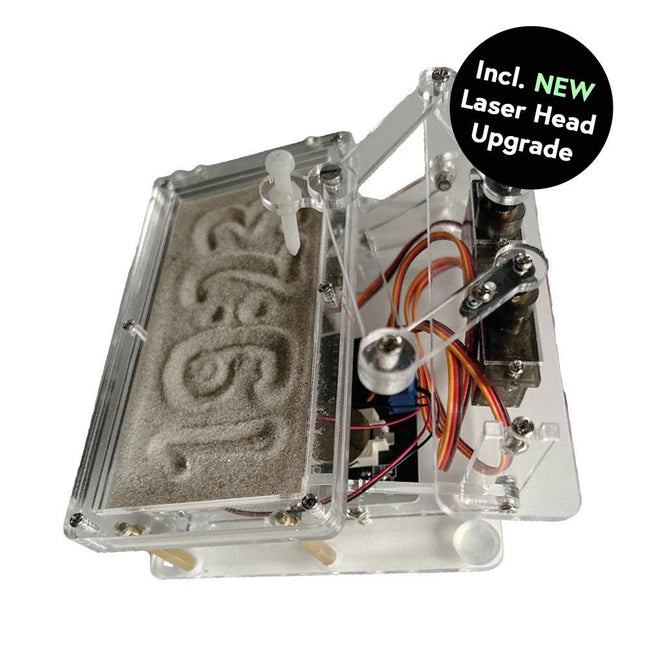
Dieses Bundle enthält die beliebte Elektor Sanduhr für Raspberry Pi Pico und das neue Elektor Laserkopf-Upgrade und bietet damit noch mehr Möglichkeiten zur Zeitanzeige. Sie können die aktuelle Uhrzeit nicht nur in Sand "gravieren", sondern sie jetzt auch alternativ auf eine im Dunkeln leuchtende Folie schreiben oder grüne Zeichnungen erstellen.
Inhalt des Bundles
Elektor Sanduhr für Raspberry Pi Pico (Einzelpreis: 50 €)
Elektor Laserkopf-Upgrade für Sanduhr (Einzelpreis: 35 €)
Elektor Sanduhr für Raspberry Pi Pico (Raspberry Pi-basierter Eyecatcher)
Eine handelsübliche Sanduhr zeigt nur, wie die Zeit verrinnt. Dagegen zeigt diese Raspberry Pi Pico-gesteuerte Sanduhr die genaue Uhrzeit an, indem die vier Ziffern für Stunde und Minute in die Sandschicht "eingraviert" werden. Nach einer einstellbaren Verzögerung wird der Sand durch zwei Vibrationsmotoren flachgedrückt und der Zyklus beginnt von vorne.
Das Herzstück der Sanduhr sind zwei Servomotoren, die über einen Pantographenmechanismus einen Schreibstift antreiben. Ein dritter Servomotor hebt den Stift auf und ab. Der Sandbehälter ist mit zwei Vibrationsmotoren ausgestattet, um den Sand zu glätten. Der elektronische Teil der Sanduhr besteht aus einem Raspberry Pi Pico und einer RTC/Treiberplatine mit Echtzeituhr, plus Treiberschaltungen für die Servomotoren.
Eine ausführliche Bauanleitung steht zum Download bereit.
Features
Abmessungen: 135 x 110 x 80 mm
Bauzeit: ca. 1,5 bis 2 Stunden
Lieferumfang
3x vorgeschnittene Acrylplatten mit allen mechanischen Teilen
3x Mini-Servomotoren
2x Vibrationsmotoren
1x Raspberry Pi Pico
1x RTC/Treiberplatine mit montierten Teilen
Muttern, Bolzen, Abstandshalter und Drähte für die Baugruppe
Feinkörniger weißer Sand
Elektor Laserkopf-Upgrade für Sanduhr
Der neue Elektor-Laserkopf verwandelt die Elektor Sanduhr in eine Uhr, die die Zeit auf eine im Dunkeln leuchtende Folie statt auf Sand schreibt. Neben der Anzeige der Zeit können damit auch flüchtige Zeichnungen erstellt werden. Der 5-mW-Laserpointer mit einer Wellenlänge von 405 nm erzeugt leuchtend grüne Zeichnungen auf der im Dunkeln leuchtenden Folie. Um optimale Ergebnisse zu erzielen, verwenden Sie das Kit in einem schwach beleuchteten Raum. Achtung: Schauen Sie niemals direkt in den Laserstrahl!
Der Bausatz enthält alle notwendigen Komponenten, es ist jedoch das Anlöten von drei Drähten erforderlich.
Hinweis: Dieses Kit ist auch mit der originalen Arduino-basierten Sanduhr aus dem Jahr 2017 kompatibel. Weitere Einzelheiten finden Sie unter Elektor 1-2/2017 und Elektor 1-2/2018.
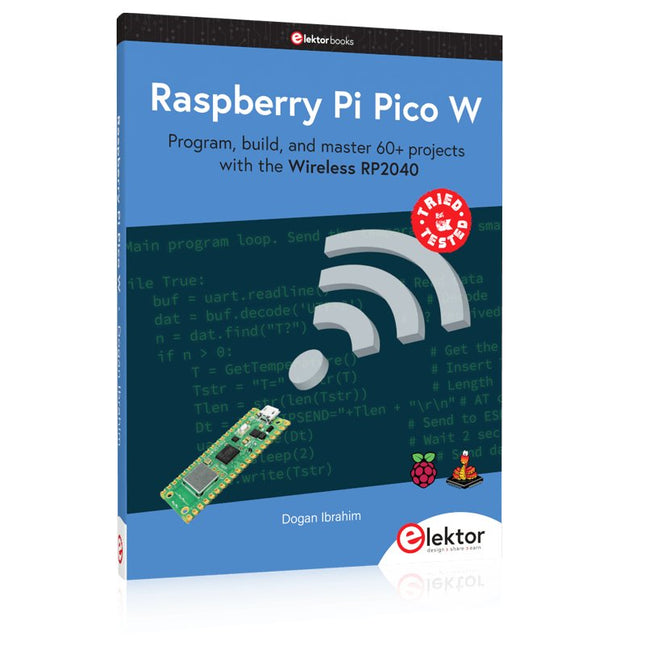
Program, build, and master 60+ projects with the Wireless RP2040
The Raspberry Pi Pico and Pico W are based on the fast, efficient, and low-cost dual-core ARM Cortex M0+ RP2040 microcontroller chip running at up to 133 MHz and sporting 264 KB of SRAM and 2 MB of Flash memory. Besides spacious memory, the Pico and Pico W offer many GPIO pins, and popular peripheral interface modules like ADC, SPI, I²C, UART, PWM, timing modules, a hardware debug interface, and an internal temperature sensor.
The Raspberry Pi Pico W additionally includes an on-board Infineon CYW43439 Bluetooth and Wi-Fi chipset. At the time of writing this book, the Bluetooth firmware was not yet available. Wi-Fi is however fully supported at 2.4 GHz using the 802.11b/g/n protocols.
This book is an introduction to using the Raspberry Pi Pico W in conjunction with the MicroPython programming language. The Thonny development environment (IDE) is used in all of the 60+ working and tested projects covering the following topics:
Installing the MicroPython on Raspberry Pi Pico using a Raspberry Pi or a PC
Timer interrupts and external interrupts
Analogue-to-digital converter (ADC) projects
Using the internal temperature sensor and external sensor chips
Using the internal temperature sensor and external temperature sensor chips
Datalogging projects
PWM, UART, I²C, and SPI projects
Using Bluetooth, WiFi, and apps to communicate with smartphones
Digital-to-analogue converter (DAC) projects
All projects are tried & tested. They can be implemented on both the Raspberry Pi Pico and Raspberry Pi Pico W, although the Wi-Fi-based subjects will run on the Pico W only. Basic programming and electronics experience are required to follow the projects. Brief descriptions, block diagrams, detailed circuit diagrams, and full MicroPython program listings are given for all projects.
Diese Ausgabe steht allen GOLD- und GREEN-Mitgliedern auf der ElektorMagazine-Website zum Download bereit!
Sie sind noch kein Mitglied? Hier klicken!
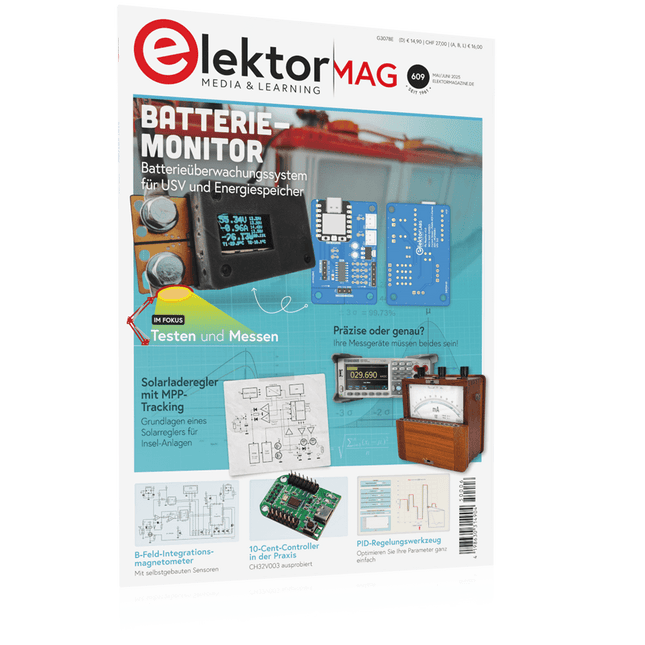
PbMonitor v1.0Ein Batterieüberwachungssystem für USV und Energiespeicher
Solarladeregler mit MPP-TrackingTeil 1: Grundlagen eines Solarreglers für Insel-Anlagen
B-Feld-Integrationsmagnetometer mit selbstgebauten Sensoren
Präzise, richtig oder genau?Ihre Messgeräte müssen alles sein!
AD7124 – Ein Präzisions-ADC in der PraxisHinweise für die Sensor-Signalaufbereitung
PID-RegelungswerkzeugOptimieren Sie ganz einfach Ihre Parameter
embedded world 2025
Aller Anfang ......muss nicht schwer sein: Klangeinstellung!
Academy Pro BoxBook + Online Course + Hardware
Milliohmmeter-AdapterNutzen Sie die Präzision Ihres Multimeters!
Der nächste Meilenstein bei HalbleiternWeiter in Richtung 1,4 nm
Steckverbinder in DurchstecktechnikDas Beste aus zwei Welten: THR
FrequenzzählerPortabel und mit automatischer GPS-Kalibrierung
Analoge MessgeräteBemerkenswerte Bauteile
Stand-alone-QuarztesterWie genau ist Ihre Taktquelle?
Preiswerter I²C-TesterSchließen Sie I²C-Chips direkt an Ihren PC an
Aus dem Leben gegriffenWer das Kleine nicht ehrt...
2025: Eine Odyssee in die KIDie transformativen Auswirkungen auf die Softwareentwicklung
Projekt 2.0Korrekturen, Updates und Leserbriefe
Standalone-MIDI-Synthesizer mit Raspberry PiTeil 2: Setup mit Intelligenz aufwerten
Nortonisierter Wien-Brücken-OszillatorKleine Änderungen führen zu bedeutenden Verbesserungen
10-Cent-Controller in der PraxisRISC-V-Mikrocontroller CH32V003 und MounRiver Studio ausprobiert
Audio-Player mit FPGA und EqualizerTeil 2: Lautstärkeregelung, erweitertes Mischen und ein Web-Interface
Elektronik lernen, entwickeln und verstehen – mit Elektor
Projekte, Fachwissen, Archiv-Zugriff und exklusive Rabatte – alles in einer Mitgliedschaft
Möchten Sie Elektronik lernen, eigene Schaltungen entwickeln und moderne Technologien besser verstehen? Das Elektor Magazin gehört seit 65 Jahren zu den führenden Informationsquellen für Elektronikingenieure, Entwickler, Start-ups und Unternehmen. Mit einer Elektor Green Mitgliedschaft sichern Sie sich:
✅ Jährlich 8 Ausgaben der internationalen Elektronik-Fachzeitschrift Elektor (PDF)
✅ Zugang zum Elektor-Archiv mit 65 Jahren Elektronik-Know-how
✅ Selbstbauprojekte, getestete Schaltungen, In-depth-Reviews und Tutorials
✅ Exklusive Mitgliederrabatte auf Elektor.de
Warum Elektor?
Seit 65 Jahren steht Elektor für fundiertes Elektronik-Wissen, praxisnahe Projekte und innovative Technologien.
Von Mikrocontrollern und Embedded Systems über Raspberry Pi, Arduino und ESP32 bis hin zu IoT, KI, Messtechnik, Audio, HF und Robotik deckt Elektor die wichtigsten Plattformen und Anwendungsfelder moderner Elektronik ab.
Egal, ob Sie Einsteiger, Maker oder Profi sind – mit Elektor bringen Sie Ihre Fähigkeiten auf das nächste Level.
Für wen ist die Mitgliedschaft?
Einsteiger – Starten Sie mit verständlichen Grundlagen und ersten Projekten in die Welt der Elektronik
Maker – Entdecken Sie neue Projekte, Ideen und Inspiration für Ihre eigenen Entwicklungen
Profis & Ingenieure – Bleiben Sie auf dem neuesten Stand moderner Technologien und vertiefen Sie Ihr Fachwissen
Ihre Vorteile auf einen Blick
Magazin (Digital) – Erhalten Sie jede Ausgabe digital direkt in Ihr Postfach
65 Jahre Elektronik-Wissen – Greifen Sie jederzeit auf das umfangreiche Elektor-Archiv zu
Praxis & Projekte – Setzen Sie eigene Ideen um, mit Anleitungen, Schaltungen und Tutorials
Exklusive Rabatte – Sparen Sie bei jedem Einkauf auf Elektor.de
Jetzt alle Elektor-Vorteile freischalten!
Free Mitgliedschaft
Green Mitgliedschaft
❌ 8× Elektor (Digitalausgabe) als PDF
✅ 8× Elektor (Digitalausgabe) als PDF
❌ 12 Monate Zugriff auf das gesamte Elektor-Archiv
✅ 12 Monate Zugriff auf das gesamte Elektor-Archiv
❌ Zugriff auf über 5.000 Gerber-Dateien
✅ Zugriff auf über 5.000 Gerber-Dateien
❌ 10% Mitgliederrabatt auf Elektor.de
✅ 10% Mitgliederrabatt auf Elektor.de
✅ Elektor jeden Freitagmorgen wöchentlich lesen
✅ Elektor jeden Freitagmorgen wöchentlich lesen
ℹ️ Lesen Sie Elektor lieber gedruckt? Hier erfahren Sie alles über die Elektor Gold-Mitgliedschaft (Print).
Program, build, and master over 50 projects with MicroPython and the RP2040 microprocessor The Raspberry Pi Pico is a high-performance microcontroller module designed especially for physical computing. Microcontrollers differ from single-board computers, like the Raspberry Pi 4, in not having an operating system. The Raspberry Pi Pico can be programmed to run a single task very efficiently within real-time control and monitoring applications requiring speed. The ‘Pico’ as we call it, is based on the fast, efficient, and low-cost dual-core ARM Cortex-M0+ RP2040 microcontroller chip running at up to 133 MHz and sporting 264 KB of SRAM, and 2 MB of Flash memory. Besides its large memory, the Pico has even more attractive features including a vast number of GPIO pins, and popular interface modules like ADC, SPI, I²C, UART, and PWM. To cap it all, the chip offers fast and accurate timing modules, a hardware debug interface, and an internal temperature sensor. The Raspberry Pi Pico is easily programmed using popular high-level languages such as MicroPython and or C/C++. This book is an introduction to using the Raspberry Pi Pico microcontroller in conjunction with the MicroPython programming language. The Thonny development environment (IDE) is used in all the projects described. There are over 50 working and tested projects in the book, covering the following topics: Installing the MicroPython on Raspberry Pi Pico using a Raspberry Pi or a PC Timer interrupts and external interrupts Analogue-to-digital converter (ADC) projects Using the internal temperature sensor and external temperature sensor chips Datalogging projects PWM, UART, I²C, and SPI projects Using Wi-Fi and apps to communicate with smartphones Using Bluetooth and apps to communicate with smartphones Digital-to-analogue converter (DAC) projects All projects given in the book have been fully tested and are working. Only basic programming and electronics experience is required to follow the projects. Brief descriptions, block diagrams, detailed circuit diagrams, and full MicroPython program listings are given for all projects described. Readers can find the program listings on the Elektor web page created to support the book.
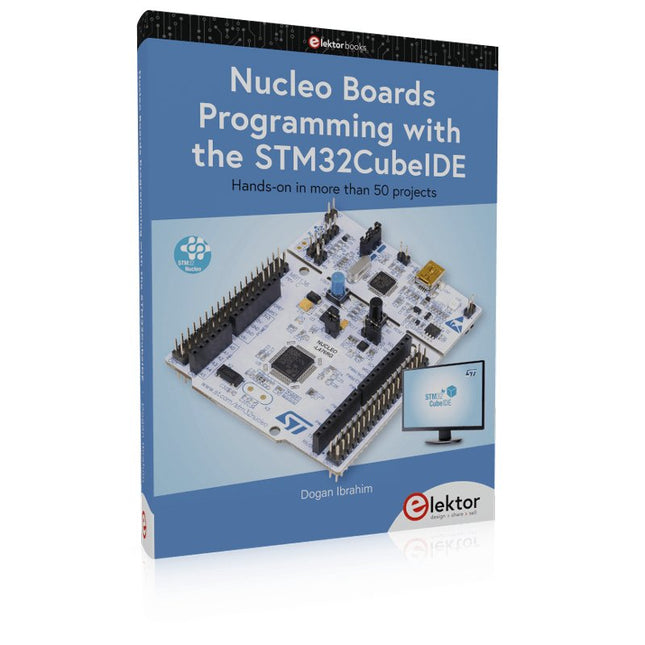
Hands-on in more than 50 projects
STM32 Nucleo family of processors are manufactured by STMicroelectronics. These are low-cost ARM microcontroller development boards. This book is about developing projects using the popular STM32CubeIDE software with the Nucleo-L476RG development board. In the early Chapters of the book the architecture of the Nucleo family is briefly described.
The book covers many projects using most features of the Nucleo-L476RG development board where the full software listings for the STM32CubeIDE are given for each project together with extensive descriptions. The projects range from simple flashing LEDs to more complex projects using modules, devices, and libraries such as GPIO, ADC, DAC, I²C, SPI, LCD, DMA, analogue inputs, power management, X-CUBE-MEMS1 library, DEBUGGING, and others. In addition, several projects are given using the popular Nucleo Expansion Boards. These Expansion Boards plug on top of the Nucleo development boards and provide sensors, relays, accelerometers, gyroscopes, Wi-Fi, and many others. Using an expansion board together with the X-CUBE-MEMS1 library simplifies the task of project development considerably.
All the projects in the book have been tested and are working. The following sub-headings are given for each project: Project Title, Description, Aim, Block Diagram, Circuit Diagram, and Program Listing for the STM32CubeIDE.
In this book you will learn about
STM32 microcontroller architecture;
the Nucleo-L476RG development board in projects using the STM32CubeIDE integrated software development tool;
external and internal interrupts and DMA;
DEBUG, a program developed using the STM32CubeIDE;
the MCU in Sleep, Stop, and in Standby modes;
Nucleo Expansion Boards with the Nucleo development boards.
What you need
a PC with Internet connection and a USB port;
STM32CubeIDE software (available at STMicroelectronics website free of charge)
the project source files, available from the book’s webpage hosted by Elektor;
Nucleo-L476RG development board;
simple electronic devices such as LEDs, temperature sensor, I²C and SPI chips, and a few more;
Nucleo Expansion Boards (optional).
Elektor GREEN and GOLD members can download their digital edition here.
Not a member yet? Click here.
PbMonitor v1.0A Battery-Monitoring System for UPS and Energy Storage Applications
Solar Charge Controller with MPPT (1)Basic Principles of a Solar Controller for Stand-Alone Systems
B-Field Integration Magnetometer With Home-Made Sensors
Precise or Accurate?Your Instruments Need to Be Both!
AD7124 A Precision ADC in PracticeFeatures for Sensor Signal Conditioning
PID Control ToolOptimize Your Parameters Easily
embedded world 2025
Starting Out in Electronics……Continues with Tone Control
Academy Pro BoxBook + Online Course + Hardware
Milliohmmeter AdapterUses the Precision of Your Multimeter
The Next Leap in SemiconductorsOnward Toward 1.4 nm
Through-Hole Technology ConnectorsThe Best of Two Worlds: THR
Frequency CounterPortable and Auto-Calibrating Via GPS
Analog MetersPeculiar Parts, the Series
Stand-Alone Crystal TesterHow Accurate Is Your Clock Source?
Low-Cost I²C TesterConnect I²C Devices Directly to Your PC
From Life’s ExperienceWho Doesn’t Honor the Small Things?
2025: An AI OdysseyThe Transformative Impact on Software Development
Err-lectronicsCorrections, Updates, and Readers’ Letters
Raspberry Pi Standalone MIDI Synthesizer (2)Enhancing Our Setup with Intelligence
Nortonized Wien Bridge OscillatorSmall Changes Yield Significant Improvements
Putting a $0.10 Controller to the TestThe CH32V003 RISC-V Microcontroller and MounRiver Studio in Practice
An FPGA-Based Audio Player with Equalizer (2)Adding Volume Control, Advanced Mixing, and a Web Interface
Practical Guide to Modular RF Design
Build Your Own Software-Defined Radio combines RF circuitry with hardware programming and PC-based signal processing. The e-book presents a modular approach to building a complete SDR system using RF Bricks – from the mechanical framework and RF modules to measurement tools, PC software, and FPGA implementations. Practical explanations guide readers through real signal paths, construction steps, and measurement routines, linking hardware and software into a flexible SDR platform.
Key topics include:
Mechanical setup: RF Brick template, chassis, and 19-inch module carrier
Bridges: USB isolator, I²C level shifter, I²C power switch, and practical examples
Signal-chain design with RF Bricks: antennas, band filters, NanoVNA work, preamplifiers, PLLs, demodulators, direct-conversion chains, multiband options, and narrowband bricks
RF measurement Bricks: single- and dual-tone sources, NPR methods, noise generators, notch filters, broadband amplifiers, and impedance bridges
Useful accessories: ATU-100 tuner, X-Phase QRM eliminator, and firmware notes
PC host software: SoapyAudio adjustments, GQRX, SDR++, and added functionality
GnuRadio elements: control blocks, SSB demodulation, GUI components, messaging, and filter handling
FPGA-based SDR: VHDL, toolchains, ADC/DAC blocks, oversampling, and a complete SSB/CW signal chain
With its modular structure and detailed working examples, this e-book offers a practical path to building and extending modern SDR systems.
Downloads
Software
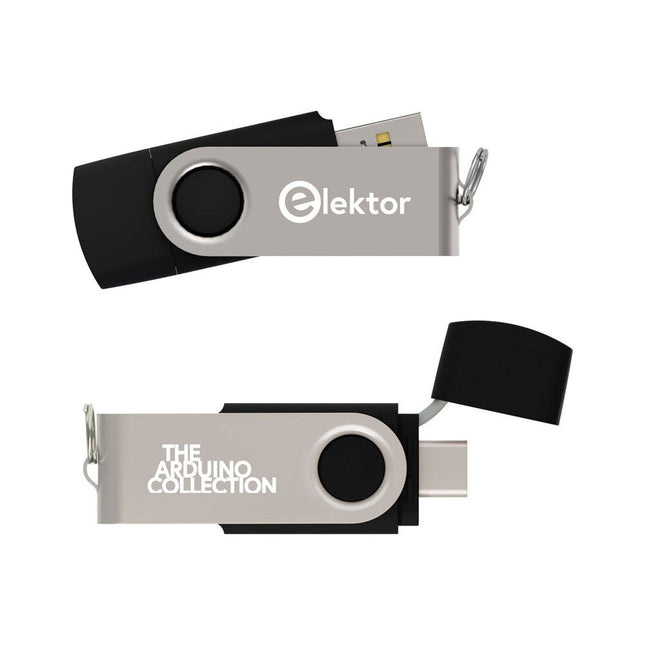
Dieser USB-Stick enthält eine Auswahl von über 300 Arduino-bezogenen Artikeln, die im Elektor-Magazin veröffentlicht wurden. Der Inhalt umfasst sowohl Hintergrundartikel als auch Projekte zu folgenden Themen:
Software- und Hardware-Entwicklung: Tutorials zur Arduino-Softwareentwicklung mit der Arduino IDE, Atmel Studio, verschiedenen Shields und grundlegenden Programmierkonzepten.
Lernen: Das Mikrocontroller-Bootcamp bietet einen strukturierten Einstieg in die Programmierung eingebetteter Systeme.
Datenerfassung und -messung: Projekte wie ein 16-Bit-Datenlogger, ein Drehbank-Tachometer und ein AC-Netzanalyzer ermöglichen die Erfassung und Analyse von Echtzeitsignalen.
Drahtlose Kommunikation: Erfahren Sie, wie man drahtlose Netzwerke implementiert, eine Android-Schnittstelle erstellt und effektiv mit Mikrocontrollern kommuniziert.
Robotik und Automatisierung: Lernen Sie den Arduino Nano Robot Controller, unterstützende Automatisierungs-Boards sowie diverse Arduino-Shields zur Funktionserweiterung kennen.
Selbstbauprojekte: Einzigartige DIY-Projekte wie Laserprojektion, eine Numitron-Uhr mit Thermometer, ein ELF-Empfänger, Theremino-Module und Touch-LED-Schnittstellen zeigen kreative Einsatzmöglichkeiten auf.
Egal, ob Sie Einsteiger oder erfahrener Maker sind – diese Sammlung ist eine wertvolle Ressource zum Lernen, Experimentieren und Erweitern der Möglichkeiten mit Arduino.