Raspberry Pi-basierter Eyecatcher
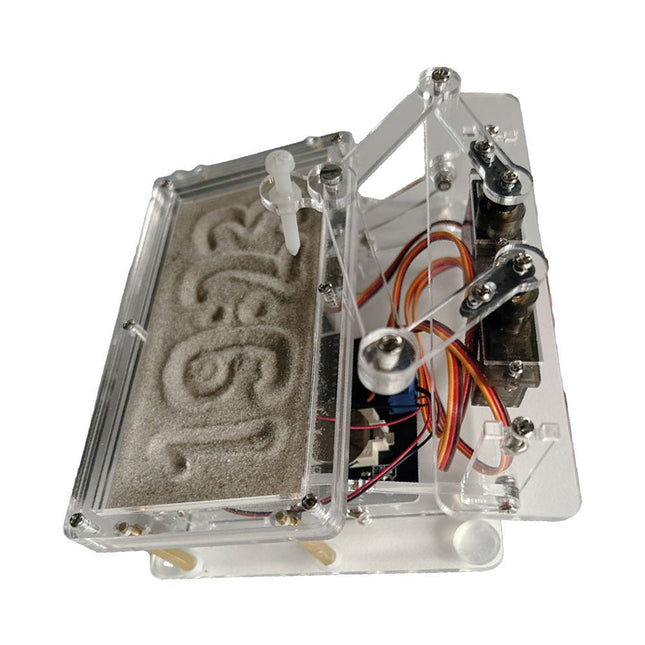
Eine handelsübliche Sanduhr zeigt nur, wie die Zeit verrinnt. Dagegen zeigt diese Raspberry Pi Pico-gesteuerte Sanduhr die genaue Uhrzeit an, indem die vier Ziffern für Stunde und Minute in die Sandschicht „eingraviert“ werden. Nach einer einstellbaren Verzögerung wird der Sand durch zwei Vibrationsmotoren flachgedrückt und der Zyklus beginnt von vorne.
Das Herzstück der Sanduhr sind zwei Servomotoren, die über einen Pantographenmechanismus einen Schreibstift antreiben. Ein dritter Servomotor hebt den Stift auf und ab. Der Sandbehälter ist mit zwei Vibrationsmotoren ausgestattet, um den Sand zu glätten. Der elektronische Teil der Sanduhr besteht aus einem Raspberry Pi Pico und einer RTC/Treiberplatine mit Echtzeituhr, plus Treiberschaltungen für die Servomotoren.
Eine ausführliche Bauanleitung steht zum Download bereit.
Features
Abmessungen: 135 x 110 x 80 mm
Bauzeit: ca. 1,5 bis 2 Stunden
Lieferumfang
3x vorgeschnittene Acrylplatten mit allen mechanischen Teilen
3x Mini-Servomotoren
2x Vibrationsmotoren
1x Raspberry Pi Pico
1x RTC/Treiberplatine mit montierten Teilen
Muttern, Bolzen, Abstandshalter und Drähte für die Baugruppe
Feinkörniger weißer Sand
Über 180 Projekte mit Raspberry Pi, Pico W, Arduino und ESP32
Dieses Bundle enthält das Universal Maker Sensor Kit mit zahlreichen Sensoren, Aktoren, Displays und Motoren. Es eignet sich perfekt für Umweltüberwachung, Smart-Home-Projekte, Robotik und Gamecontroller.
Das neue Elektor-Buch beschreibt die Entwicklung zahlreicher Projekte mit dem Kit und den beliebten Entwicklungsboards Raspberry Pi, Raspberry Pi Pico W, Arduino Uno und der ESP32-Familie. Sie können jedes dieser Entwicklungsboards für Ihre Projekte auswählen und die bereitgestellten Programme entweder unverändert verwenden oder an Ihre Anwendungen anpassen.
Dieses Bundle enthält:
Buch: Universal Maker Sensor Kit (Einzelpreis: 45 €)
Universal Maker Sensor Kit für Raspberry Pi, Pico W, Arduino, ESP32 (Einzelpreis: 70 €)
Buch: Universal Maker Sensor Kit
Lernen Sie, mehr als 35 Sensoren und Aktoren mit C++, Python und MicroPython zu verwenden
Dieses Buch enthält über 180 Projekte für alle vier wichtigen Entwicklungsboards (Arduino, Raspberry Pi, Pico W und ESP32). Je nach Entwicklungsboard sind Projekte in den Programmiersprachen C, Python oder MicroPython verfügbar.
Die Projekttitel, Kurzbeschreibungen, Schaltpläne und vollständigen Programmlisten sind zusammen mit ihren detaillierten Beschreibungen im Buch aufgeführt.
Universal Maker Sensor Kit (für Raspberry Pi, Pico W, Arduino, ESP32)
Entdecken Sie grenzenlose Kreativität mit dem Universal Maker Sensor Kit, das für Raspberry Pi, Pico W, Arduino und ESP32 entwickelt wurde. Dieses vielseitige Kit ist mit gängigen Entwicklungsplattformen kompatibel, darunter Arduino Uno R4 Minima/WiFi, Uno R3, Mega 2560, Raspberry Pi 5, 4, 3B+, 3B, Zero, Pico W und ESP32.
Mit über 35 Sensoren, Aktoren und Displays eignet es sich perfekt für Projekte von Umweltüberwachung und Smart-Home-Automatisierung bis hin zu Robotik und interaktivem Gaming. Schritt-für-Schritt-Tutorials in C/C++, Python und MicroPython führen Anfänger und erfahrene Maker gleichermaßen durch 169 spannende Projekte.
Features
Umfassende Kompatibilität: Vollständige Unterstützung für Arduino (Uno R3, Uno R4 Minima/WiFi, Mega 2560), Raspberry Pi (5, 4, 3B+, 3B, Zero, Pico W) und ESP32. Dies ermöglicht umfassende Flexibilität auf zahlreichen Entwicklungsplattformen. Enthält Anleitungen für 169 Projekte.
Umfassende Komponenten: Mehr als 35 Sensoren, Aktoren und Anzeigemodule für vielfältige Projekte wie Umweltüberwachung, Smart Home-Automatisierung, Robotik und interaktive Spielesteuerungen.
Ausführliche Tutorials: Klare Schritt-für-Schritt-Anleitungen für Arduino, Raspberry Pi, Pico W, ESP32 und alle enthaltenen Komponenten. Es stehen Tutorials in C/C++, Python und MicroPython zur Verfügung, die sowohl für Anfänger als auch für erfahrene Maker geeignet sind.
Für alle Kenntnisstufen geeignet: Bietet strukturierte Projekte, die Benutzer nahtlos vom Anfänger zum Fortgeschrittenen in Elektronik und Programmierung führen und so Kreativität und technisches Know-how fördern.
Lieferumfang des Kits
Breadboard
Tastenmodul
Kapazitives Bodenfeuchtemodul
Flammensensormodul
Gas-/Rauchsensormodul (MQ2)
Gyroskop & Beschleunigungssensormodul (MPU6050)
Hall-Sensormodul
Infrarot-Geschwindigkeitssensormodul
IR-Hindernisvermeidungssensormodul
Joystickmodul
PCF8591 ADC/DAC-Wandlermodul
Fotowiderstandsmodul
PIR-Bewegungssensormodul (HC-SR501)
Potentiometermodul
Pulsoximeter- und Herzfrequenzsensormodul (MAX30102)
Regentropfenerkennungsmodul
Echtzeituhrmodul (DS1302)
Drehgebermodul
Temperatursensormodul (DS18B20)
Temperatur- und Feuchtigkeitssensormodul (DHT11)
Temperatur, Luftfeuchtigkeit und Drucksensor (BMP280)
Time-of-Flight-Mikro-LIDAR-Distanzsensor (VL53L0X)
Berührungssensormodul
Ultraschallsensormodul (HC-SR04)
Vibrationssensormodul (SW-420)
Wasserstandssensormodul
I²C LCD 1602
OLED-Displaymodul (SSD1306)
RGB-LED-Modul
Ampelmodul
5-V-Relaismodul
Kreiselpumpe
L9110-Motortreibermodul
Passives Summermodul
Servomotor (SG90)
TT-Motor
ESP8266 Modul
JDY-31 Bluetooth-Modul
Stromversorgungsmodul
Dokumentation
Online-Tutorial
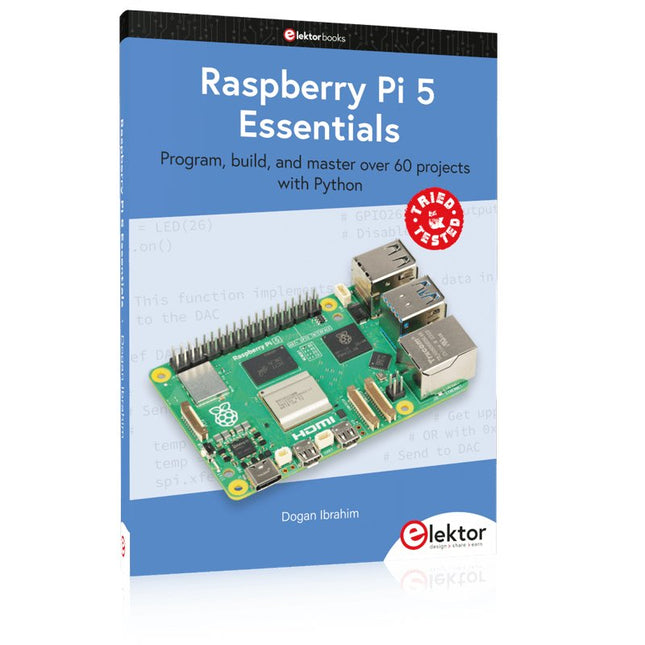
Program, build, and master over 60 projects with Python
The Raspberry Pi 5 is the latest single-board computer from the Raspberry Pi Foundation. It can be used in many applications, such as in audio and video media centers, as a desktop computer, in industrial controllers, robotics, and in many domestic and commercial applications. In addition to the well-established features found in other Raspberry Pi computers, the Raspberry Pi 5 offers Wi-Fi and Bluetooth (classic and BLE), which makes it a perfect match for IoT as well as in remote and Internet-based control and monitoring applications. It is now possible to develop many real-time projects such as audio digital signal processing, real-time digital filtering, real-time digital control and monitoring, and many other real-time operations using this tiny powerhouse.
The book starts with an introduction to the Raspberry Pi 5 computer and covers the important topics of accessing the computer locally and remotely. Use of the console language commands as well as accessing and using the desktop GUI are described with working examples. The remaining parts of the book cover many Raspberry Pi 5-based hardware projects using components and devices such as
LEDs and buzzers
LCDs
Ultrasonic sensors
Temperature and atmospheric pressure sensors
The Sense HAT
Camera modules
Example projects are given using Wi-Fi and Bluetooth modules to send and receive data from smartphones and PCs, and sending real-time temperature and atmospheric pressure data to the cloud.
All projects given in the book have been fully tested for correct operation. Only basic programming and electronics experience are required to follow the projects. Brief descriptions, block diagrams, detailed circuit diagrams, and full Python program listings are given for all projects described.
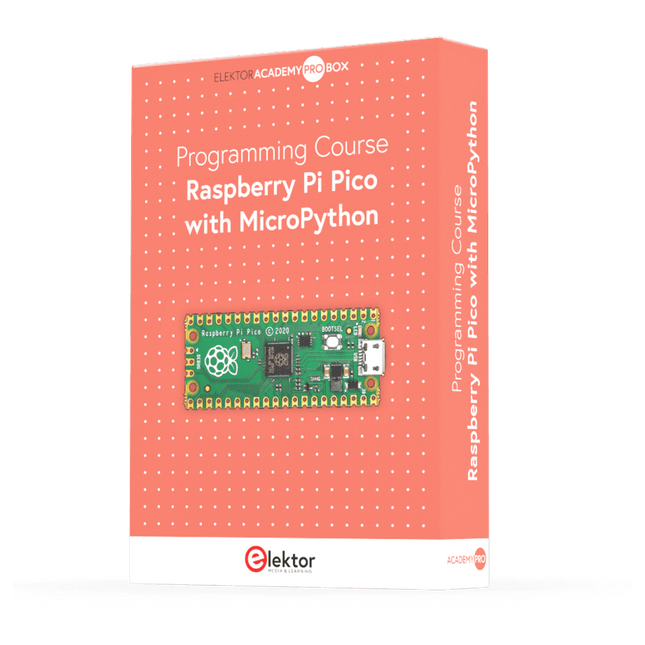
Dieser komplette Mikrocontroller-Programmierkurs auf Basis des Raspberry Pi Pico umfasst ein Lehrbuch, ein Komponenten-Kit, praxisnahe Projekte sowie einen umfassenden Online-Kurs mit Simulationen. Er eignet sich ideal für das schrittweise Erlernen der Embedded-Programmierung mit Arduino anhand eines praktischen, hands-on Ansatzes.
Eine praxisnahe Einführung in Embedded Systems mit dem Raspberry Pi Pico
Dieser Kurs richtet sich an Personen ohne Vorkenntnisse im Bereich Embedded Systems, die einen strukturierten und beispielbasierten Einstieg suchen.
Ein Kit bestehend aus LEDs und Widerständen, Schaltern, Sensoren und Aktoren, Displays, einem Breadboard und Kabeln sowie weiteren Komponenten ist enthalten. Diese werden im Kurs verwendet, um Beispielanwendungen zu veranschaulichen.
Vorkenntnisse mit Arduino oder Embedded-Entwicklung sind nicht erforderlich. Jeder Abschnitt enthält praktische Beispiele und Mini-Projekte, die wichtige Konzepte festigen und zur weiteren Vertiefung anregen. Am Ende des Kurses werden Sie nicht nur in der Lage sein, die Beispiele nachzuvollziehen, sondern auch eigene Ideen und Anwendungen umzusetzen.
Was werden Sie lernen?
Programmierung von Mikrocontrollern in MicroPython mit dem Raspberry Pi Pico unter Verwendung der Thonny IDE
Arbeiten mit digitalen Ein- und Ausgängen, Auslesen von Tastern und Encodern, Steuern von LEDs und Relais
Auslesen analoger Eingänge, Spannungen und analoger Sensoren
Erzeugung analoger Ausgangssignale und PWM
Verwendung serieller Kommunikation wie UART, I²C und SPI zur Steuerung von Displays und zum Auslesen digitaler Sensoren und SD-Karten
Zeitmanagement
Arbeiten mit Interrupts
Echtzeit-Sensordatenerfassung und Steuerung über Taster, LEDs und Displays
Steuerung von Aktoren wie Relais und Servomotoren
Für wen ist dieser Kurs geeignet?
Studierende und Selbstlerner im Bereich Embedded Systems
Makers und IoT-Enthusiasten, die ihre Hardware-Kenntnisse verbessern möchten
Lehrkräfte und Trainer, die sofort einsetzbares Unterrichtsmaterial suchen
Was ist im Lieferumfang enthalten?
Zugang zum vollständigen Kurs auf der Elektor Academy Pro-Lernplattform
Raspberry Pi Pico Mikrocontroller-Board (+ USB-Kabel)
Buch: Programming Microcontrollers in MicroPython
Downloadbare Projektdateien für jedes Modul
Komponenten-Set:
2× LED, rot, 5 mm
LED, grün, 5 mm
3× Widerstand, 470 Ω, 0,25 W
LDR
Potentiometer, 10 kΩ, linear
Taster
Drehencoder-Modul
Relaismodul
DHT22 Feuchtigkeits- und Temperatursensor
TM1637-kompatibles 4-stelliges 7-Segment-Display
MPU-6050 IMU mit Stiftleisten
SSD1306-kompatibles I²C OLED-Display
Micro-SD-Kartenadapter mit Stiftleiste
Buzzer
SG90 Mikro-Servo
ILI9341-kompatibles SPI 240×320 TFT-Display
20× Jumperkabel
Breadboard
Alle Programmierkurse (und Unterschiede im Inhalt)
Kurs
Arduino
Raspberry Pi Pico with Arduino C/C++
ESP32 with Arduino C/C++
Raspberry Pi Pico with MicroPython
ESP32 with MicroPython
Online-Kurs
Access to Arduino Course
Access to Pico with Arduino C/C++ Course
Access to ESP32 with Arduino C/C++ Course
Access to Pico with MicroPython Course
Access to ESP32 with MicroPython Course
Board
Uno R3
Raspberry Pi Pico
ESP32
Raspberry Pi Pico
ESP32
Buch
Programming Microcontrollers in C/C++ Using Arduino
Programming Microcontrollers in C/C++ Using Arduino
Programming Microcontrollers in C/C++ Using Arduino
Programming Microcontrollers in MicroPython
Programming Microcontrollers in MicroPython
Kit
40-teiliges Komponenten-Set
40-teiliges Komponenten-Set
40-teiliges Komponenten-Set
40-teiliges Komponenten-Set
40-teiliges Komponenten-Set
Program, build, and master over 50 projects with MicroPython and the RP2040 microprocessor The Raspberry Pi Pico is a high-performance microcontroller module designed especially for physical computing. Microcontrollers differ from single-board computers, like the Raspberry Pi 4, in not having an operating system. The Raspberry Pi Pico can be programmed to run a single task very efficiently within real-time control and monitoring applications requiring speed. The ‘Pico’ as we call it, is based on the fast, efficient, and low-cost dual-core ARM Cortex-M0+ RP2040 microcontroller chip running at up to 133 MHz and sporting 264 KB of SRAM, and 2 MB of Flash memory. Besides its large memory, the Pico has even more attractive features including a vast number of GPIO pins, and popular interface modules like ADC, SPI, I²C, UART, and PWM. To cap it all, the chip offers fast and accurate timing modules, a hardware debug interface, and an internal temperature sensor. The Raspberry Pi Pico is easily programmed using popular high-level languages such as MicroPython and or C/C++. This book is an introduction to using the Raspberry Pi Pico microcontroller in conjunction with the MicroPython programming language. The Thonny development environment (IDE) is used in all the projects described. There are over 50 working and tested projects in the book, covering the following topics: Installing the MicroPython on Raspberry Pi Pico using a Raspberry Pi or a PC Timer interrupts and external interrupts Analogue-to-digital converter (ADC) projects Using the internal temperature sensor and external temperature sensor chips Datalogging projects PWM, UART, I²C, and SPI projects Using Wi-Fi and apps to communicate with smartphones Using Bluetooth and apps to communicate with smartphones Digital-to-analogue converter (DAC) projects All projects given in the book have been fully tested and are working. Only basic programming and electronics experience is required to follow the projects. Brief descriptions, block diagrams, detailed circuit diagrams, and full MicroPython program listings are given for all projects described. Readers can find the program listings on the Elektor web page created to support the book.
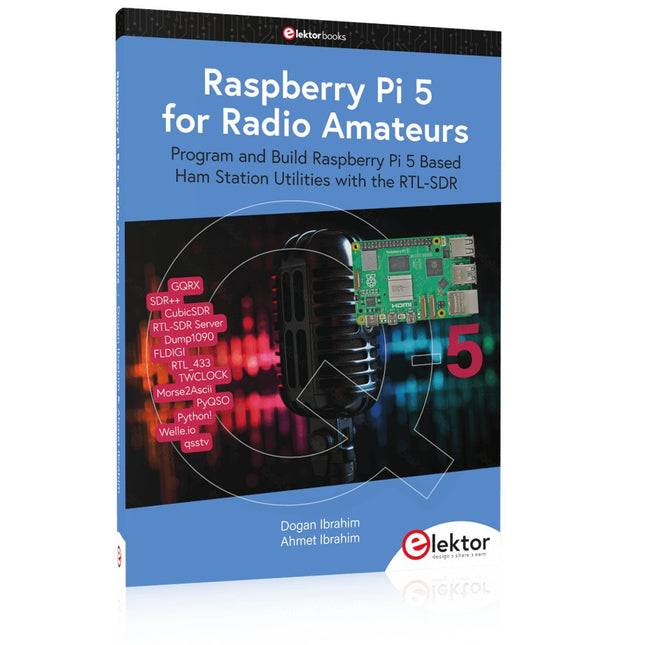
Program and Build Raspberry Pi 5 Based Ham Station Utilities with the RTL-SDR
The RTL-SDR devices (V3 and V4) have gained popularity among radio amateurs because of their very low cost and rich features. A basic system may consist of a USB based RTL-SDR device (dongle) with a suitable antenna, a Raspberry Pi 5 computer, a USB based external audio input-output adapter, and software installed on the Raspberry Pi 5 computer. With such a modest setup, it is possible to receive signals from around 24 MHz to over 1.7 GHz.
This book is aimed at amateur radio enthusiasts and electronic engineering students, as well as at anyone interested in learning to use the Raspberry Pi 5 to build electronic projects. The book is suitable for both beginners through experienced readers. Some knowledge of the Python programming language is required to understand and eventually modify the projects given in the book. A block diagram, a circuit diagram, and a complete Python program listing is given for each project, alongside a comprehensive description.
The following popular RTL-SDR programs are discussed in detail, aided by step-by-step installation guides for practical use on a Raspberry Pi 5:
SimpleFM
GQRX
SDR++
CubicSDR
RTL-SDR Server
Dump1090
FLDIGI
Quick
RTL_433
aldo
xcwcp
GPredict
TWCLOCK
CQRLOG
klog
Morse2Ascii
PyQSO
Welle.io
Ham Clock
CHIRP
xastir
qsstv
flrig
XyGrib
FreeDV
Qtel (EchoLink)
XDX (DX-Cluster)
WSJT-X
The application of the Python programming language on the latest Raspberry Pi 5 platform precludes the use of the programs in the book from working on older versions of Raspberry Pi computers.
Der Raspberry Pi 5 verfügt über zwei vierspurige MIPI-Anschlüsse, von denen jeder entweder eine Kamera oder ein Display unterstützen kann. Diese Anschlüsse verwenden dasselbe 22-polige "Mini"-FPC-Format mit 0,5 mm Raster wie das Compute Module Development Kit und erfordern Adapterkabel für den Anschluss an die 15-poligen "Standard"-Anschlüsse mit 1 mm Raster an aktuellen Raspberry Pi Kamera- und Display-Produkten.
Diese Mini-zu-Standard-Adapterkabel für Kameras und Displays (beachten Sie, dass ein Kamerakabel nicht mit einem Display verwendet werden sollte und umgekehrt) sind in den Längen 200 mm, 300 mm und 500 mm erhältlich.
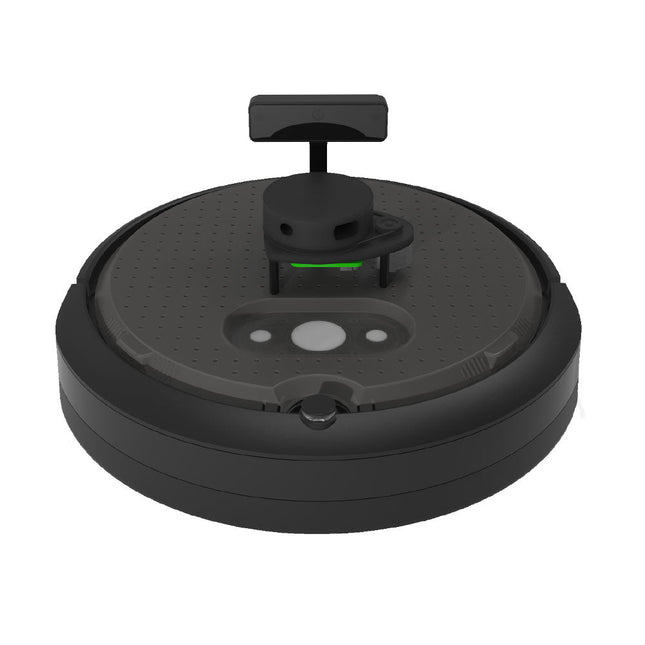
TurtleBot 4 ist die nächste Generation der weltweit beliebtesten Open-Source-Robotikplattform für Bildung und Forschung und bietet bessere Rechenleistung, bessere Sensoren und ein erstklassiges Benutzererlebnis zu einem erschwinglichen Preis.
TurtleBot 4 Lite ist mit einer mobilen iRobot Create 3-Basis, einem leistungsstarken Raspberry Pi 4 mit ROS 2, einer räumlichen KI-Stereokamera OAK-D, 2D LiDAR und mehr ausgestattet. Alle Komponenten wurden nahtlos integriert, um eine sofort einsatzbereite Entwicklungs- und Lernplattform zu bieten.
Technische Daten
Basisplattform
iRobot Create 3
Räder (Durchmesser)
72 mm
Bodenfreiheit
4,5 mm
Bordcomputer
Raspberry Pi 4 (4 GB)
Maximale Lineargeschwindigkeit
0,31 m/s im abgesicherten Modus0,46 m/s ohne abgesicherten Modus
Maximale Winkelgeschwindigkeit
1,90 rad/s
Maximale Nutzlast
9kg
Betriebszeit
2h 30m – 4h je nach Belastung
Ladezeit
2h 30m
Lidar
RPLIDAR A1M8
Kamera
OAK-D-Lite
Benutzerleistung
VBAT @1,9 A5 V @ Schwachstrom3,3 V @ Schwachstrom
USB-Erweiterung
2x USB 2.0 (Typ A)2x USB 3.0 (Typ A)
Programmierbare LEDs
Erstelle 3 Lichtringe
Tasten und Schalter
2x Create 3 User Buttons1x Create 3 Power Button
Batterie
26 Wh Lithium-Ionen (14,4 V nominal)
Ladestation
Inbegriffen
Größe (L x B x H)
342 x 339 x 192 mm
Gewicht
3,3 kg
Downloads
User Manual
Der Raspberry Pi 5 verfügt über zwei vierspurige MIPI-Anschlüsse, von denen jeder entweder eine Kamera oder ein Display unterstützen kann. Diese Anschlüsse verwenden dasselbe 22-polige "Mini"-FPC-Format mit 0,5 mm Raster wie das Compute Module Development Kit und erfordern Adapterkabel für den Anschluss an die 15-poligen "Standard"-Anschlüsse mit 1 mm Raster an aktuellen Raspberry Pi Kamera- und Display-Produkten.
Diese Mini-zu-Standard-Adapterkabel für Kameras und Displays (beachten Sie, dass ein Kamerakabel nicht mit einem Display verwendet werden sollte und umgekehrt) sind in den Längen 200 mm, 300 mm und 500 mm erhältlich.
Projects with Arduino Uno & Raspberry Pi with Examples for the MCP2515 CAN Bus Interface Module
This book details the use of the Arduino Uno and the Raspberry Pi 4 in practical CAN bus based projects. Using either the Arduino Uno or the Raspberry Pi with off-the-shelf CAN bus interface modules considerably ease developing, debugging, and testing CAN bus based projects.
This book is written for students, practicing engineers, enthusiasts, and for everyone else wanting to learn more about the CAN bus and its applications. The book assumes that the reader has some knowledge of basic electronics. Knowledge of the C and Python programming languages and programming the Arduino Uno using its IDE and Raspberry Pi will be useful, especially if the reader intends to develop microcontroller-based projects using the CAN bus.
The book should be a useful source of reference material for anyone interested in finding answers to questions such as:
What bus systems are available for the automotive industry?
What are the principles of the CAN bus?
How can I create a physical CAN bus?
What types of frames (or data packets) are available in a CAN bus system?
How can errors be detected in a CAN bus system and how dependable is a CAN bus system?
What types of CAN bus controllers exist?
How do I use the MCP2515 CAN bus controller?
How do I create 2-node Arduino Uno-based CAN bus projects?
How do I create 3-node Arduino Uno-based CAN bus projects?
How do I set the acceptance masks and acceptance filters?
How do I analyze data on the CAN bus?
How do I create 2-node Raspberry Pi-based CAN bus projects?
How do I create 3-node Raspberry Pi-based CAN bus projects?
Cool Projects for Test, Measurement, and Control
The Raspberry Pi has dominated the maker scene for many years. Freely accessible I/O pins have made it one of the most popular processor boards of all time. However, the classic Raspberry Pi has no analog inputs. Direct measurement of analog values is therefore not possible. Consequently, photodiodes, NTCs, Hall sensors, etc. cannot be read directly. In addition, the pins are connected directly to the exposed contacts, i.e. without a driver or protection circuit. This can quickly destroy the central controller and thus the entire Raspberry Pi.
These problems can be elegantly solved with the Pico. As a front-end, it can easily handle a wide range of measurement tasks. In addition, the Pico is much cheaper than a classic Raspberry Pi 4 or 5. If a faulty circuit leads to the destruction of the Pico, this is relatively easy to handle. This makes the combination of a classic Raspberry Pi 4 or 5 and the Pico an ideal pair.
The book introduces the broad and highly topical field of modern controller technology using the combined force of a Raspberry Pi 4 or 5 and a Raspberry Pi Pico. In addition to a detailed introduction to the operation and functionality of the controller boards themselves, the book also focuses on data acquisition and processing with digital processors. Especially the combination of both systems offers a wide range of interesting possibilities.
Some practical projects from the contents:
USB between Raspberry Pi 4 or 5 and Pico
I²C Communication and Pico as an I²C device
Voltmeter and Computer Thermometer
Pico W as a Web Server and WLAN Scanner
Frequency Meters and Generators
OLED Displays on Raspberry Pi 4 or 5 and Pico
Energy Saving Monitor
Which Astronauts are in Orbit?
Mini Monitor for Current Bitcoin Exchange Rate
This book details the use of the Arduino Uno and the Raspberry Pi 4 in practical CAN bus based projects. Using either the Arduino Uno or the Raspberry Pi with off-the-shelf CAN bus interface modules considerably ease developing, debugging, and testing CAN bus based projects.
This book is written for students, practicing engineers, enthusiasts, and for everyone else wanting to learn more about the CAN bus and its applications. The book assumes that the reader has some knowledge of basic electronics. Knowledge of the C and Python programming languages and programming the Arduino Uno using its IDE and Raspberry Pi will be useful, especially if the reader intends to develop microcontroller-based projects using the CAN bus.
The book should be a useful source of reference material for anyone interested in finding answers to questions such as:
What bus systems are available for the automotive industry?
What are the principles of the CAN bus?
How can I create a physical CAN bus?
What types of frames (or data packets) are available in a CAN bus system?
How can errors be detected in a CAN bus system and how dependable is a CAN bus system?
What types of CAN bus controllers exist?
How do I use the MCP2515 CAN bus controller?
How do I create 2-node Arduino Uno-based CAN bus projects?
How do I create 3-node Arduino Uno-based CAN bus projects?
How do I set the acceptance masks and acceptance filters?
How do I analyze data on the CAN bus?
How do I create 2-node Raspberry Pi-based CAN bus projects?
How do I create 3-node Raspberry Pi-based CAN bus projects?