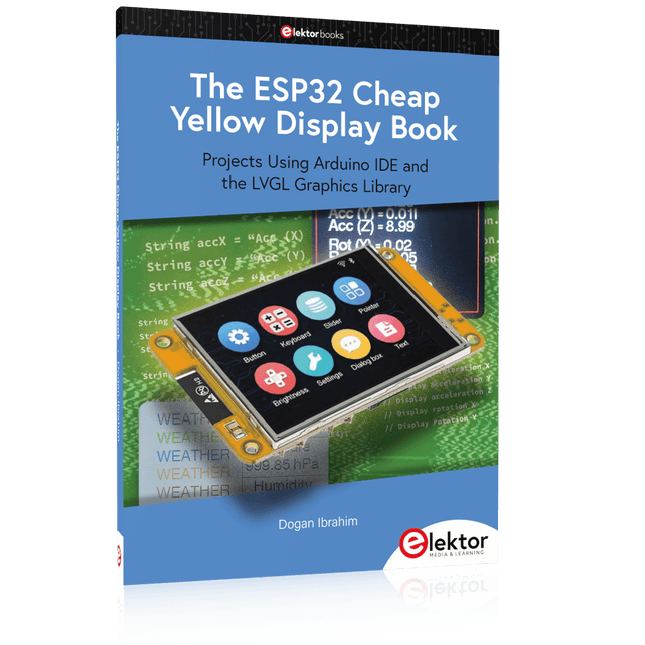
Projects Using Arduino IDE and the LVGL Graphics Library
The ESP32 is probably one of the most popular microcontrollers used by many people, including students, hobbyists, and professional engineers. Its low cost, coupled with rich features makes it a popular device to use in many projects. Recently, a board called the ESP32 Cheap Yellow Display (CYD for short) is available from its manufacturers. The board includes a standard ESP32 microcontroller together with a 320x240 pixel TFT display. Additionally, the board provides several connectors for interfaces such as GPIO, serial port (TX/RX), power and Ground. The inclusion of a TFT display is a real advantage as it enables users to design complex graphics-based projects without resorting to an external LCD or graphics displays.
The book describes the basic hardware of the ESP32 CYD board and provides details of its on-board connectors. Many basic, simple, and intermediate-level projects are given in the book based on the ESP32 CYD, using the highly popular Arduino IDE 2.0 integrated development environment. The use of both the basic graphics functions and the use of the popular LVGL graphics library are discussed in the book and projects are given that use both types of approaches.
All the projects given in the book have been tested and are working. The block diagram, circuit diagram, and the complete program listings and program descriptions of all the projects are given with explanations. Readers can use the LVGL graphics library to design highly popular eye-catching full-color graphics projects using widgets such as buttons, labels, calendars, keypads, keyboards, message boxes, spinboxes, sliders, charts, tables, menus, bars, switches, drop-down lists, animations, and many more widgets.
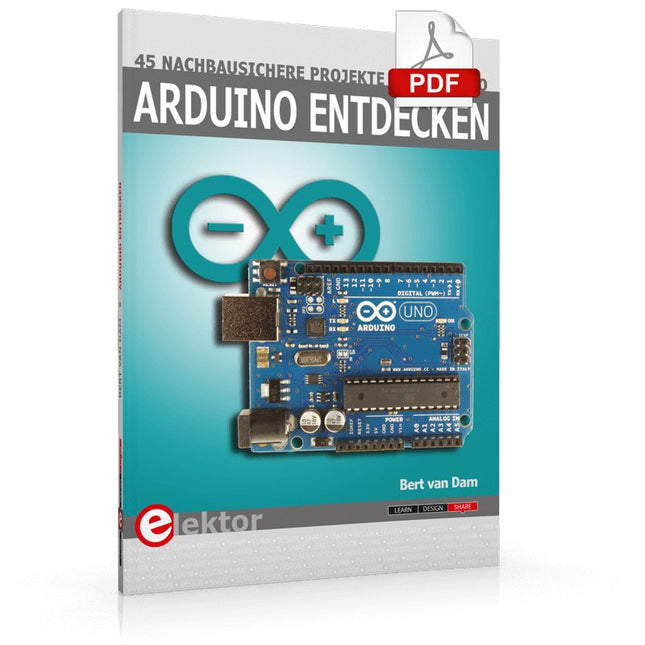
A Reference and User Guide for the Arduino Uno Hardware and Firmware
A manual providing up-to-date hardware information for the popular Arduino Uno, the easy to use open-source electronics platform used by hobbyists, makers, hackers, experimenters, educators and professionals.
Get all the information that you need on the hardware and firmware found on Arduino Uno boards in this handy reference and user guide.
ldeal for the workbench or desktop
Contains all of the Arduino Uno hardware information in one place
Covers Arduino / Genuino Uno revision 3 and earlier boards
Easily find hardware technical specifications with explanations
Pin reference chapter with interfacing examples
Diagrams and illustrations for easy reference to alternate pin functions and hardware connections
Learn to back up and restore firmware on the board, or load new firmware
Basic fault finding and repair procedures for Arduino Uno boards
Power supply circuits simplified and explained
Mechanical dimensions split into five easy to reference diagrams
Contains circuit diagrams, parts list and board layout reference to easily locate components
Elektor GREEN and GOLD members can download their digital edition here.
Not a member yet? Click here.
Low-Noise Lab Power Supply (1)A Quiet Source for Sensitive Circuits
STM32 Edge AI Contest 2025: The Winners
Batteries TodayTechnology and Differences in Lithium Batteries
Adjustable Electronic LoadStatic + Dynamic DC Load
Step-Down Converter from 48 V to 5 VThe Story of Circuit Development
Autonomous Sensor Node v2.0Part 2: Hardware Validation and Power Optimizations
VaristorsPeculiar Parts, the Series
Graphical Grid Frequency MeterMonitor Grid Quality
Starting Out in Electronics……Brings Its Own End
Peak Current Load SMD FerritesMore Resilient Against Current Peaks
Elektor Live! Expert Day 2025
Energy Harvesting Set to Accelerate IoT and IIoT Use CasesHow Energy Harvesting Frees IoT from the Grid
Fnirsi DPS-150Compact and Portable Power Supply and Converter
Adjustable USB-C Power SourceTurn Your USB-C Charger Into an Adjustable Power Supply
Simple Charger and Capacity TesterWith Two Cheap “Off-the-Shelf” Modules
Smart Color Detector with AI Voice and Playback
PbMonitor v2.0Introduction to the Updated Battery Monitoring System
A Fan for the Mini Reflow PlateSmart Modifications That Improve Results
From Life’s ExperienceThe Tsunami of Indulgence
Err-lectronicsCorrections, Updates, and Readers’ Letters
2026: An AI OdysseyWhen Models Start Dictating the Hardware
Precision Picoammeter (2)Assembling, Calibration, and Test
Wireless Device Poweringwith Inductive Technology
AI-Based Autonomous DrivingThe RDW’s Self Driving Challenge 2024
Sound Card as Signal GeneratorPC as DCF77 Test Transmitter
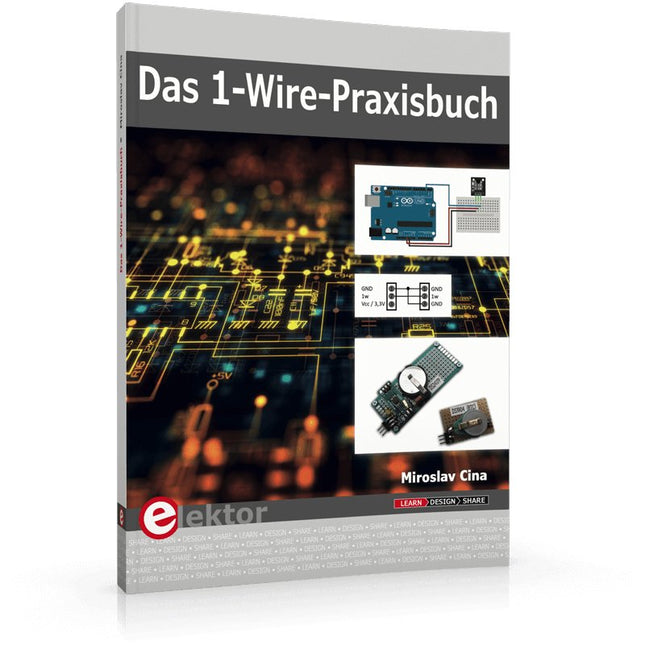
1-Wire ist die Bezeichnung für eine serielle Schnittstelle, die mit nur einer Datenader auskommt. Es ist ein Master-Multi-Slave-Kommunikationsprotokoll. Verfügbar sind integrierte Bausteine zur Temperaturmessung, Akkuüberwachung, Echtzeituhr und beispielsweise Hotelschließanlagen. Eine Besonderheit von 1-Wire-Geräten ist die Spannungsversorgung aus der Gegenstation, hierbei erfolgt die Versorgung der Slaves über die Datenleitung.
Der Leser erhält mit „Das 1-Wire-Praxisbuch“ eine umfassende Einführung in die 1-Wire-Technologie. Das Buch zeigt anhand praktischer Projekte zum Nachbauen, wie man verschiedene verfügbare 1-Wire-Chips in eigene Mikrocontroller-gesteuerte Anwendungen integrieren kann, und zwar mit Assembler-Software-Implementierungen für PIC-Mikrocontroller und mit Sketches für den Arduino.
Die 1-Wire-Technik kommt in dem Buch praxisnah bei einem elektronischen Schloss zum Einsatz, das von einem PIC-Mikrocontroller gesteuert wird. Ein weiteres Praxisprojekt erläutert Schritt für Schritt, wie beispielsweise eine ständige Temperaturmessung mit 1-Wire-Bausteinen möglich ist.
Mastering PCB design with real-world projects
This book builts on KiCad Like a Pro – Fundamentals and Projects and aims to help you practice your new KiCad skills by challenging you in a series of real-world projects. The projects are supported by a comprehensive set of recipes with detailed instructions on how to achieve a variety of simple and complex tasks. Design the PCBs for a solar power supply, an LED matrix array, an Arduino-powered datalogger, and a custom ESP32 board. Understand the finer details of the interactive router, how to manage KiCad project teams with Git, how to use an autorouter on 2 and 4-layer PCBs, and much more.
KiCad 8 is a modern, cross-platform application suite built around schematic and design editors. This stable and mature PCB tool is a perfect fit for electronic engineers and makers. With KiCad 8, you can create PCBs of any complexity and size without the constraints associated with the commercial packages.
Here are the most significant improvements and features in KiCad 8, both over and under the hood:
Modern user interface, completely redesigned from earlier versions
Improved and customizable electrical and design rule checkers
Theme editor allowing you to fully customize the look of KiCad on your screen
Ability to import projects from Eagle, CADSTART, and more
An improved and tightly integrated SPICE circuit simulator
Autorouting with the Freerouting plugin
Filters define which elements of a layout are selectable
Enhanced interactive router helps you draw single tracks and differential pairs with precision
New or enhanced tools to draw tracks, measure distances, tune track lengths, etc.
Enhanced tool for creating filled zones
A customizable coordinate system facilitates data exchange with other CAD applications
Realistic ray-tracing capable 3D viewer
Differential pair routing
Rich repositories of symbol, footprint, and 3D shape libraries
Python scripting API for programmatic customization and extensions
Improved footprint wizard for fast custom footprints
Elektor GREEN and GOLD members can download their digital edition here.
Not a member yet? Click here.
Accelerating IoT Innovation
A Color E-Ink Wi-Fi Picture Frame
ESP-Launchpad TutorialFrom Zero to Flashing in Minutes
ESP32 and ChatGPTOn the Way to a Self-Programming System…
Walkie-Talkie with ESP-NOWNot Quite Wi-Fi, Not Quite Bluetooth!
From Idea to Circuit with the ESP32-S3A Guide to Prototyping with Espressif Chips
AIoT Chip InnovationAn Interview With Espressif CEO Teo Swee-Ann
Simulate ESP32 with WokwiYour Project’s Virtual Twin
Trying Out the ESP32-S3-BOX-3A Comprehensive AIoT Development Platform
Electronics Workspace EssentialsInsights and Tips From Espressif Engineers
The ESP RainMaker StoryHow We Built “Your” IoT Cloud
Assembling the Elektor Cloc 2.0 KitAn Elektor Product Unboxed by Espressif
Unleashing the ESP32-P4The Next Era of Microcontrollers
Rust + EmbeddedA Development Power Duo
Who Are the Rust-Dacious Embedded Developers?How Espressif is Cultivating Embedded Rust for the ESP32
Espressif’s Series of SoCs
Building a PLC with Espressif SolutionsWith the Capabilities and Functionality of the ISOBUS Protocol
The ESP32-S3 VGA BoardBitluni’s Exciting Journey Into Product Design
Acoustic Fingerprinting on ESP32Song Recognition With Open-Source Project Olaf
Circular Christmas Tree 2023A High-Tech Way to Celebrate the Holiday Season
A Simpler and More Convenient LifeAn Amateur Project Based on the Espressif ESP8266 Module
How to Build IoT Apps without Software ExpertiseWith Blynk IoT Platform and Espressif Hardware
Building a Smart User Interface on ESP32
Quick & Easy IoT Development with M5Stack
Prototyping an ESP32-Based Energy Meter
A Value-Added Distributor for IoT and More
In-Depth Insights: Interview With Arduino on the Nano ESP32Alessandro Ranellucci and Martino Facchin Discuss Espressif Collaboration
Your AIoT Solution ProviderInsights From Espressif
Streamlining MCU Development With ESP-IDF Privilege Separation
An Open-Source Speech Recognition Server……and the ESP BOX
The Thinking EyeFacial Recognition and More Using the ESP32-S3-EYE
ESP32-C2-Based Coin Cell SwitchDesign and Performance Evaluation
The Smart Home Leaps Forward with MatterUnlocking Smart Home IoT Potential
Tech the Future: Where Is Smart Home IoT Headed?
Le téléchargement intégral de ce numéro est disponible pour nos membres GOLD et GREEN sur le site Elektor Magazine !
Pas encore membre ? Cliquez ici.
charge électronique pour les tests à haute intensitéde la nécessité à l'innovation
suppresseur de voixcircuit pour un karaoké instantané
sélecteur audio A/B avec réglage de gaincommuter de l'entrée micro à l'entrée ligne
optimiser la rechrage du LIR2032prenez soin de vos piles bouton
la détection tactile en toute simplicitéun guide de fabrication pour n'importe quel microcontrôleur
interrupteur universel à télécommandeune nouvelle vie pour les vieilles télécommandes
une boite à meuh avec un microcontrôleurproduire des sons amusants à l'aide d'un microcontrôleur
interface de batterie externe USB
alimenter les appareils à faible consommation avec des batteries externesune Solution pour les maintenir actives
mini-ampli audio de classe A avec sortie en courantpiloter les haut-parleurs en courant au lieu de tension
module pseudo-symétriqueCMRR élevé avec des liaisons audio asymétriques
chargeur automatique d'accu Ni-MHrechargez toutes vos batteries simultanément !
protection pour alimentation électrique basée sur un thyristor
lecteur d'empreintes digitalesdispositif utile d'identification
convertisseur de puissance DC-DC 3Aaméliorer vos sources de tension fixes
innovations de la plateforme Arduino Project Hubnouveaux projets de la communauté
contrôle à distance du chauffe-eaudétection de tension et de courant pour les lignes à courant alternatif
atténuateurs pour signaux audio (1)sélection par cavaliers
cure de jouvence pour votre vieux chargeur (1)ne le jetez pas, modernisez-le !
une carte pour « The Blue »circuit imprimé pour le potentiomètre motorisé d'Alps
référence 50 Hz à partir d'une tension secteur 60 Hzconversion de 50 Hz à 60 Hz
isolateurs numériquesréalisation facile de l’isolation galvanique
amplificateur mono Hi-Fi compact de 12 Wpetit mais puissant
générateur de rampe LM386
générateur triphaséavec Raspberry Pi Pico
ouverture de porte pour les personnes ayant des talents musicaux
classique d’Elektor : synthétiseur Surfgénérateur d’ambiance océanique relaxante (de Chhhh à Zzzz)
cure de jouvence pour votre vieux chargeur (2)ne le jetez pas, modernisez-le !
surveillance du courant d'une lampe
avec Raspberry Pi Pico
télégraphie infrarouge
Fnirsi SWM-10appareil portable de soudage par point intelligent pour réparer vos packs d’accumulateur
Codec audio stéréo pour ESP32 et Ciela mesure audio : pas de panique
techniques de soudure à l’étain
faites-le correctement dès maintenant !
atténuateurs pour signaux audio (2)
sélection par relais
alimentation USB-CDrawing Power from USB-C Power Adapters
trois circuits avec deux et trois puces 4017
comptez sur les 4017
composants actifs - la diode
un minuteur pour des délais ultra-Longs
réglez-le et oubliez-le !
Jack In & Jack Out
maillon d’E/S pour chaînes audio
alimenter un ESP32 à partir d'une seule cellule Li-ion
Hexadoku
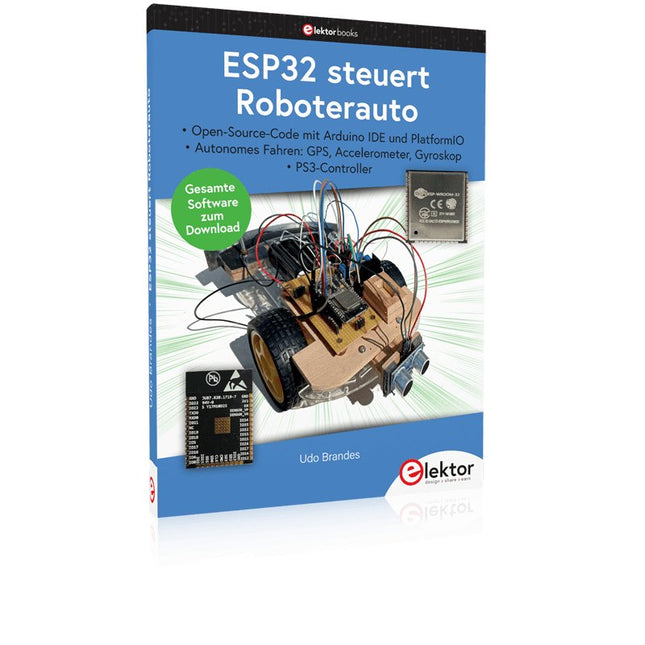
Open-Source-Code mit Arduino IDE und PlatformIO
Autonomes Fahren: GPS, Accelerometer, Gyroskop
PS3-Controller
Mikrocontroller wie der Arduino und Einplatinenrechner wie der Raspberry Pi haben sich zu beliebten Komponenten entwickelt. Dritter im Bunde ist der ESP32 der Firma Espressif. Mikrocontroller dieser Baureihe zeichnen sich durch eine Vielzahl implementierter Funktionen aus, die bei einem Arduino konventioneller Prägung mit einem Atmel-AVR-Mikrocontroller erst mit weiterer Hardware möglich sind. Prominentes Beispiel sind hier die WiFi- und Bluetooth-Funktionalitäten. Gegenüber einem Raspberry Pi zeichnen sie sich durch einen deutlich geringeren Preis aus.
Allgemeine Informationen für die Realisierung eines Roboterauto-Projekts mit dem ESP32 sind leicht zu finden. Dabei handelt es sich aber oft nur um Ausführungen zu einem Teilaspekt, ohne inhaltliche oder funktionale Abstimmung. So ist nicht nur die Beschaffung der benötigten Informationen mühselig und zeitaufwändig, sie kann auch außerordentlich fehlerträchtig sein.
Ansatzpunkt dieses Buches ist, diese Lücke zu schließen. Es geht auf verschiedene Möglichkeiten eines Chassis ein, vermittelt nötige Kenntnisse und führt schrittweise von einer einfachen Motorsteuerung zu einem komplexen sensor- und sprachgesteuerten Roboterauto. Hacks rund um GPS und eine PlayStation 3 runden die Sache ab.
Inhalt
Bei der Reihenfolge der Kapitel wurde versucht – beginnend bei der Darstellung von grundlegenden Informationen – über die Lösung einfacher Aufgaben zu etwas anspruchsvolleren Techniken zu führen.
Der Mikrocontroller ESP32
Die Software erstellen
Die Stromversorgung
Rund um die Hardware
Das Chassis
Der Gleichstrommotor
Kabellose Steuerung über WiFi
Mit Sensoren Hindernisse erkennen
Eine eigene Roboterauto-App
Servo und Lichtsensor
GPS
Accelerometer / Gyroskop
PS3-Controller
Roboterauto-App
Hinweis zur Software
Die Dateien haben das Suffix (.cpp). Grund ist die Entwicklung mit PlatformIO. Mit Copy & Paste sollten sie auch in der Arduino-IDE verwendet werden können.
Der vollständige Download dieser Nummer ist für unsere GOLD- und GREEN-Mitglieder auf der Elektor Magazine- Site verfügbar!
Nicht noch einmal Mitglied? Klicken Sie hier .
der Raspberry Pi 5 eine große Verbesserung durch den Kontakt zu seinem Vorgänger
Die IA in den Elektroniklabors Google Bard und Flux Copilot im Test
Erdungsgenerator Arduino Nano Nano + Code = Funktionsgenerator
Solar-Weihnachtsgirlande
USB Killer-Schlüsseldetektor Ich hoffe, Sie verhindern, dass Sie sterben
ein einfacher Kasten, erstellt mit einer CNC-gesteuerten Fräse mit Autodesk Fusion 360 im Personaleinsatz
Produktion von Karten in geringer Menge mit und ohne Montage
Vereinfachte IdO-Simulation mit Wokwi Entwickler Uri Shaked spricht über Design, Software und andere Dinge
Anleitung zur Bare-Metal-Programmierung (3) CMSIS-Tests, automatische Tests und Webserver
LoRa, ein Schweizer Messer (1) Material und Software
Konzeption und Konstruktion von MEMS-Mikrofonen
Werkzeuge zum Testen vor dem Schweißen Kostenlose 3D-Simulations- und Modellierungstools
neue Tools von Microchip! PICkit 5 und MPLAB ICD 5 sind jetzt verfügbar!
Schnelle Prototypenerstellung, flexibel und erweiterbar So beschleunigt Voltera NOVA die Innovation in tragbaren elektronischen Systemen
galvanische Isolierung Verwendung von Optokopplern zu Fototransistoren
die komplexe Lösung oder die Anybus-Lösung? ein in zwei Tagen implementiertes industrielles Ethernet, mehr als ein paar Monate
Ihre grundlegende DFM-Kontrollliste
Filamente für 3D-Druck Typen, Eigenschaften und Verwendung im Prototyp
Spezialisten für die Analyse der Wirksamkeit von Signalen der ELF-Bänder bis EHF die neuesten Echtzeit-Spektrum-Analysatoren der Serie SPECTRAN® V6 von Aaronia
DFM-Analysedefizite für flexible und starre Schaltkreise
Definieren einer SMT-Linie
Infografik: Prototyping und Produktion
den Industriesektor revolutionieren der Besitzer mobiler autonomer Roboter (AMR)
bereit, noch mehr Defizite zu überwinden Rohde & Schwarz präsentiert seine Oszilloskop-Familie der neuen Generation mit dem 8-Kanal-Modell der R&S MXO 5-Reihe
elektronisch starten ?Unterschiede verstärken
Mini-Plakette „Fusion “ für die Montage oder Reparatur kleiner CMS-Schaltkreise
Beginnen Sie nicht mit einem Prototyp, sondern eher mit einem „Pretotyp“! Überprüfen Sie, ob es einen Markt für Ihr Produkt gibt, bevor Sie es löten
2023: Die Odyssee der I.A. Unterstützung bei der Konzeption eines materiellen Projekts
Brüssel und die Innovation Unterstützung für fortschrittliche Technologien
In 35 Projects with the Raspberry Pi and Arduino
The Internet of Things (IoT) is a trend with a strong technological impulse. At home, we want to do everything on our tablets, from browsing Facebook to watching TV, from operating lights to keeping an eye on the temperature.
In 35 fun projects, this book will show you how to build your own Internet of Things system. We'll cover the hardware (primarily the Raspberry Pi and Arduino) and the software that makes control via Internet possible. We employ Wi-Fi and radio links so no requirement any longer to install cabling crisscross through your home.
Assuming the projects in the book are finished, you have a complete Internet of Things system that allows you to control and view of everything in your home. For example, if there's something in the mail box or the car is securely in the garage. Also, you can switch on the lights and the alarm from your couch. The crisp explanations allow the projects to be customized with ease, for example, to turn on your coffee machine or TV remotely. The index gives easy access to creative projects that can serve as an example, enabling you to do all the connecting to the IoT independently. All project software can be downloaded free of charge from the Elektor website.
In this unique book, Raspberry Pi, Arduino and HTML webpages with stylesheets and JavaScript come together in clearly-described, easy-to-build projects. This special book is an essential part of your collection!
Elektor GREEN and GOLD members can download their digital edition here.
Not a member yet? Click here.
PIO Programming on the Raspberry Pi PicoNine Instructions, Many Possibilities
Breaking AI Out of the BrowserUsing AI CLIs to Code, Compile, and Validate Embedded Projects
The Scrutiny DebuggerDebug, Visualize, and Test Embedded C/C++ Code
Sigfox Breakout Board (1)A Self-Built Radio BoB
Low-Noise Power Supply (2)Construction, Assembly, and Practical Implementation
Simple Signal Generator Using the RP2040Analog and Digital Signals for Around €10
Navigating the Future of Smart Homes with Matter and Edge AIAre Matter’s Latest Updates and the Rise of Edge AI Finally Giving Engineers the Tools to Build the Intelligent, Seamless Smart Homes Users Have Been Promised?
Differential Pressure SensorsPredictive Maintenance in HVAC-Systems
Security by DesignEngineering Fundamentals Limit Failure
Embedded Security Is No Longer Optional
CRA and PQC Are Rewriting Embedded Security PrioritiesWhy Even Small IoT and Industrial Firms Need an Upgrade Plan
embedded world 2026An Interview With Benedikt Weyerer, Executive Director of embedded world
Hands on with I3CUsing Hardware from ST and Microchip
The BLEnky ProjectRapid Prototyping of Bluetooth Low Energy Applications
Pulse Width ModulationFrom a Simple On/Off Thermostat to a Smoothed DC Analog Signal
AudiotronicsEar-Pleasing Electronics for DIY Construction
From Life’s ExperienceRead The F...ing Manual!
ESP32 Audio Transceiver Board (Part 4)Tuning the Clocks - And a Wired Option
2026: An AI OdysseyThe 2025 Vibe-Coding Hangover
Symmetrical DC LoadDC Load, Static or Dynamic, and Symmetrical
Counting Faces with MaixCAMAn Easy Way to Capture Audience Sizes