
Suchergebnisse für "sunfounder OR sensor OR kit OR v2 OR 0 OR for OR raspberry OR pi"
-

Elektor Digital Elektor May/June 2022 (PDF)
Your First Steps with an ESP32-C3 and the IoTA Wi-Fi Button and Relay IoT Cloud a la Arduino Dual Geiger-Müller Tube Arduino ShieldA High Sensitivity, Very Low-Power Radiation Sensor CO2 GuardA DIY Approach to Monitoring Air Quality MonkMakes Air Quality Kit for Raspberry PiMeasures Temperature and eCO2 Starting Out in ElectronicsWelcome to the Diode Tips & Tricks for Testing ComponentsNo Expensive Equipment Required Reducing the Power Consumption of Your Mole RepellerAn ATtiny13 Replaces a 555 Light Switch DeLuxA Solution for High-Precision Light-Controlled Switching The Challenges in Bringing IoT Solutions to MarketWorries Around Security, Scalability, and Competition Infographics 5-6/2022 Preferably Wired After AllTips for Developing a 1 Gbit/s Interface in an Industrial Environment Bringing Real-Time Object Detection to MCUs with Edge Impulse FOMO Traveling-Wave TubesPeculiar Parts, the Series Narrowband Internet of ThingsStandards, Coverage, Agreements, and Modules Dragino LPS8 Indoor GatewaySpeedy LoRaWAN Gateway Setup Explore ATtiny Microcontrollers Using C and Assembly LanguageSample Chapter: ATtiny I/O Ports Err-lectronicsCorrections, Updates and Readers’ Letters LoRa GPS Tracker UpdateReceive and Show Location Using a Raspberry Pi Circuit Simulation with TINA Design Suite & TINACloudSample Chapter: Sinusoidal Oscillators From Life’s ExperienceAssembly Line Work The WinUI Graphics Framework for Windows AppsA Small Demo Application GUIs with PythonWorst GUI of the world Off-Grid Solar SystemsElectrical Energy Independent of the Mains Grid The 10-Year SmartphoneRenew Your Expectations HexadokuThe Original Elektorized Sudoku
€ 7,50
-
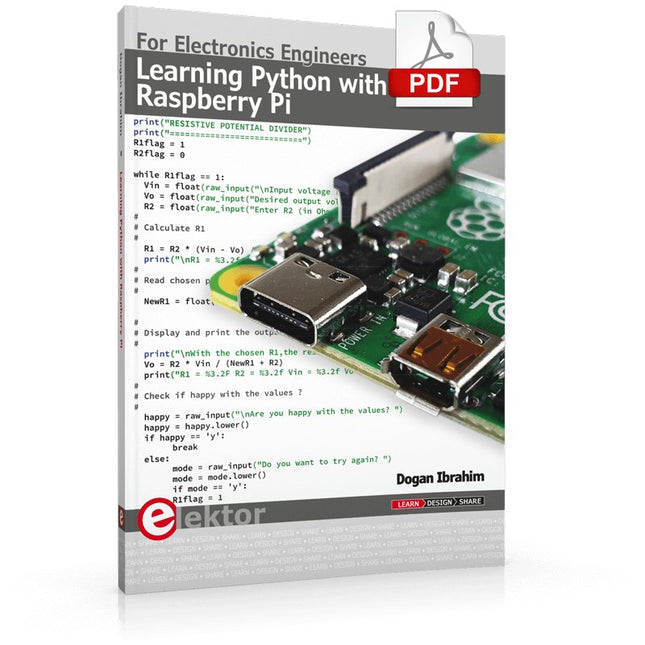
Elektor Digital Learning Python with Raspberry Pi (E-book)
This book is about teaching the Python programming language using the Raspberry Pi 4 computer. The book makes an introduction to Raspberry Pi 4 and then teaches Python with the topics: variables, strings, arrays, matrices, tuples, lists, dictionaries, user functions, flow of control, printing, keyboard input, graphics, GUI, object oriented programming and many more topics. The book is aimed for beginners, students, practising engineers, hobbyists, and for anyone else who may want to learn to program in Python. The book includes many example programs and case studies. All the example programs and case studies have been tested fully by the author and are all working. The example programs aim to teach the various programming concepts of Python. The case studies cover the use of Python in the analysis and design of electronic circuits. Some of the case study topics are: Resistor colour code identification Resistive potential divider circuits Resistive attenuator design Zener diode voltage regulator design RC and RLC transient circuits Circuit frequency response Saving data on external memory stick Mesh and node circuit analysis using matrices Resonance in RLC circuits Transistor Biasing analysis Transistor amplifier design Design of active filters Interfacing hardware with GPIO, I²C and SPI Using Wi-Fi with Python and TCP/IP and UDP programs Using Bluetooth from Python Full program listings of all the programs used in the book are available at the Elektor website of the book. Readers should be able just to copy and use these programs in their Raspberry Pi projects without any modifications.
€ 32,95
Mitglieder: € 29,66
-

Elektor Digital Elektor 03-04/2022 (PDF)
Mein eigener RISC-V-Controller Erste Schritte mit dem NEORV32 RISC-V Softcore für preiswerte FPGAs Wie man den Serien-Plotter der Arduino-IDE nutzt Einfaches Plotten von Kurven mit Arduino CLUE – ein Clou von Adafruit? Angriff auf den micro:bit Puffer-Board für den Raspberry Pi 400 Schützen Sie die I/Os! Kollektion Interessante Raspberry Pi RP2040 Boards Ein DIY-Handbuch zu elektronischer Sicherheit und E-Spionage SRAM erhitzt oder tiefgefroren Identifizierung von Bauteilen Tipps & Tricks, Best Practices und andere nützliche Informationen Ein Touch-Schalter ohne Touch Konzeption und Umsetzung eines berührungslosen Lichtschalters Aller Anfang... ist gar nicht schwer: Anpassen und Transformieren Was gibt's Neues in der Embedded-Entwicklung? Rust und die Aktualisierung von IoT-Implementierungen Infografiken Elektor Industry Neue Wege für Industrie und Automobilbranche mit 5G Drehspulenrelais Bemerkenswerte Bauteile Zutritt für Unbefugte verboten Alles dreht sich um die Werkzeuge... Die Neuronen in neuronalen Netzen verstehen Teil 4: Eingebettete Neuronen Magnetische Levitation auf die sehr sehr einfache Art Die dritte und kompakteste Version SPS-Programmierung mit dem Raspberry Pi und dem OpenPLC-Projekt Visualisierung von SPS-Programmen mit AdvancedHMI Aus dem Leben gegriffen Einpacken und weg damit Unter dem Radar Unbekannte Mikrocontroller, über die Sie Bescheid wissen sollten Drahtloses Monitoring und Debuggen Serielle Funk-Schnittstelle für Arduino, ESP32 und Co. Tragbares Temperatur- und Feuchtemessgerät Gebaut mit vorgefertigten Modulen Lithium-Akkus reparieren Geld sparen + mehr Power! GUIs mit Python Meme-Generator Die Drei Fragezeichen Warum? War? Wir sind? Hexadoku
€ 11,90
-

Elektor Bundles Microcontrollers Hands-on Course for Arduino Starters (Bundle)
Realize your own projects with the Elektor Arduino Nano MCCAB Training Board The microcontroller is probably the most fascinating subfield of electronics. Due to the multitude of functions, it combines on its chip, it is a universal multi-tool for developers to realize their projects. Practically every device of daily use today is controlled by a microcontroller. However, for an electronic layman, realizing his own ideas with a microcontroller has so far remained a pipe dream due to its complexity. The Arduino concept has largely simplified the use of microcontrollers, so that now even laymen can realize their own electronics ideas with a microcontroller. Book & Hardware in the Bundle: 'Learning by Doing' This book, which is included in the bundle, shows how you can realize your own projects with a microcontroller even without much experience in electronics and programming languages. It is a microcontrollers hands-on course for starters, because after an overview of the internals of the microcontroller and an introduction to the programming language C, the focus of the course is on the practical exercises. The reader acquires the necessary knowledge by 'learning by doing': in the extensive practical section with 12 projects and 46 exercises, what is learned in the front part of the book is underpinned with many examples. The exercises are structured in such a way that the user is given a task to solve using the knowledge built up in the theoretical part of the book. Each exercise is followed by a sample solution that is explained and commented on in detail, which helps the user to solve problems and compare it with his own solution. Arduino IDE The Arduino IDE is a software development environment that can be downloaded for free to your own PC and that contains the entire software package needed for your own microcontroller projects. You write your programs ('apps') with the IDE’s editor in the C programming language. You translate them into the bits and bytes that the microcontroller understands using the Arduino IDE's built-in compiler, and then load them into the microcontroller's memory on the Elektor Arduino MCCAB Nano Training Board via a USB cable. Query or control external sensors, motors or assemblies In addition to an Arduino Nano microcontroller module, the Elektor Arduino Nano MCCAB Training Board contains all the components required for the exercises, such as light-emitting diodes, switches, pushbuttons, acoustic signal transmitters, etc. External sensors, motors or assemblies can also be queried or controlled with this microcontroller training system. Specifications (Arduino Nano MCCAB Training Board) Power Supply Via the USB connection of the connected PC or an external power supply unit (not included) Operating Voltage +5 Vcc Input Voltage All inputs 0 V to +5 V VX1 and VX2 +8 V to +12 V (only when using an external power supply) Hardware periphery LCD 2x16 characters Potentiometer P1 & P2 JP3: selection of operating voltage of P1 & P2 Distributor SV4: Distributor for the operating voltagesSV5, SV6: Distributor for the inputs/outputs of the microcontroller Switches and buttons RESET button on the Arduino Nano module 6x pushbutton switches K1 ... K6 6x slide switches S1 ... S6 JP2: Connection of the switches with the inputs of the microcontroller Buzzer Piezo buzzer Buzzer1 with jumper on JP6 Indicator lights 11 x LED: Status indicator for the inputs/outputs LED L on the Arduino Nano module, connected to GPIO D13 JP6: Connection of LEDs LD10 ... LD20 with GPIOs D2 ... D12 Serial interfacesSPI & I²C JP4: Selection of the signal at pin X of the SPI connector SV12 SV9 to SV12: SPI interface (3.3 V/5 V) or I²C interface Switching output for external devices SV1, SV7: Switching output (maximum +24 V/160 mA, externally supplied) SV2: 2x13 pins for connection of external modules 3x3 LED matrix(9 red LEDs) SV3: Columns of the 3x3 LED matrix (outputs D6 ... D8) JP1: Connection of the rows with the GPIOs D3 ... D5 Software Library MCCABLib Control of hardware components (switches, buttons, LEDs, 3x3 LED matrix, buzzer) on the MCCAB Training Board Operating Temperature Up to +40 °C Dimensions 100 x 100 x 20 mm Specifications (Arduino Nano) Microcontroller ATmega328P Architecture AVR Operating Voltage 5 V Flash Memory 32 KB, of which 2 KB used by bootloader SRAM 2 KB Clock Speed 16 MHz Analog IN Pins 8 EEPROM 1 KB DC Current per I/O Pins 40 mA on one I/O pin, total maximum 200 mA on all pins together Input Voltage 7-12 V Digital I/O Pins 22 (6 of which are PWM) PWM Output 6 Power Consumption 19 mA Dimensions 18 x 45 mm Weight 7 g Included Elektor Arduino Nano MCCAB Training Board Arduino Nano Book: Microcontrollers Hands-on Course for Arduino Starters
€ 139,95€ 119,95Bestpreis
-

Elektor Digital MIT App Inventor for AI and IoT (E-book)
Build Smart Applications with Raspberry Pi, Arduino, and ESP32 Discover how easy and exciting mobile app development can be with MIT App Inventor. This hands-on guide takes you from basic concepts to building real-world mobile applications using a simple visual programming approach—no prior coding experience required. You will create IoT and AI-powered apps for Android devices and explore how App Inventor can also be used with iPhones and iPads. Connect your applications to platforms such as Arduino UNO R4 WiFi, ESP32, Raspberry Pi Pico (2)W and Raspberry Pi 5, enabling you to build smart, connected systems. Inside the book, you will learn how to: Build interactive apps using buttons, images, sound, and multimedia Create text-to-speech and speech-recognition applications Develop camera-based and location-aware (GPS) apps Design useful tools such as calculators and educational apps Work with smartphone sensors like accelerometers and light sensors Build AI-powered applications, including voice assistants and image-generation features Send and receive messages, and create communication-based apps Connect mobile apps to hardware using Wi-Fi and Bluetooth Control real devices such as LEDs, motors, and sensors Designed for beginners, students, and hobbyists, this book focuses on learning by doing. By the end, you will have the skills and confidence to create your own innovative applications that interact with both the digital and physical worlds. Start building and turning your ideas into reality.
€ 34,95
Mitglieder: € 31,46
-

Elektor Digital Elektor 01-02/2022 (PDF)
MOTORSTEUERUNG MIT H-BRÜCKEN Für DC-, Schritt- und bürstenlose Motoren DAS TEAM IM ELEKTOR-LABOR Unser Ansatz, unsere bevorzugten Werkzeuge und mehr RASPBERRY PI ALS KVM-FERNSTEUERUNG Die Software Pi-KVM im Elektor-Labor-Test Testbericht: IQAUDIO CODEC ZERO Eine Soundkarte für die Raspberry Pi Familie DAS PIKVM-PROJEKT UND SEINE LEHREN Ein Interview mit Maxim Devaev* (Entwickler von PiKVM) AUTONOMES FAHRZEUG MIT 2D-LIDAR ESP32 Pico interpretiert die Daten des Lidar-Moduls RASPBERRY PI ZERO 2 W Ein erfreuliches und notwendiges Update IMPRESSIONEN VOM WORLD ETHICAL ELECTRONICS FORUM 2021 MOTORSTEUERUNG Wie die Motorsteuerung weniger kompliziert wird GRÖSSERE ELEKTROMOTORE Prinzipien und Wissenswertes ESP32-C3: 32-BIT-RISC-EINKERNER Ein erstes Hands-on im Elektor-Labor SCHÜTZEN SIE SICH SELBST UND ANDERE! Hauptnetzschalter für den Labortisch selbst gebaut PROGRAMMIEREN IN PYTHON Nickname-Generator mit grafischer Benutzeroberfläche PRODUCTRONICA FAST FORWARD AWARD 2021: DIE PREISTRÄGER VIELSEITIGER SERVO-TESTER Servos ohne Datenblatt analysieren MODBUS ÜBER WLAN Teil 2: Software für das Modbus-TCP-WLAN-Modul NEURONEN IN NEURONALEN NETZEN VERSTEHEN Teil 3: Praktische Neuronen IM INNEREN EINES OPEN-SOURCE-PROZESSOREN Ein Beispiel-Kapitel: Lattice- und Xilinx-FPGAs im Vergleich ALLER ANFANG ... muss nicht schwer sein: Die Spule lässt uns nicht los! PROJEKT 2.0 Korrekturen, Updates und Leserbriefe FARBE ZU KLANG Wie man einen Farbsensor über I2C ausliest BATTLAB EINS Betriebsdauer von batteriebetriebenen Geräten messen und optimieren! EINFACHER ERDSCHLUSSPRÜFER Isolationstester für Netzspannungsinstallationen ARMUT UND ELEKTRONIK 1. Ziel für nachhaltige Entwicklung HEXADOKUS Das Original von Elektorized Sudoku
€ 11,90
-
Elektor Digital Multitasking with Raspberry Pi (E-book)
Multitasking and multiprocessing have become a very important topic in microcontroller-based systems, namely in complex commercial, domestic, and industrial automation applications. As the complexity of projects grows, more functionalities are demanded from the projects. Such projects require the use of multiple inter-related tasks running on the same system and sharing the available resources, such as the CPU, memory, and input-output ports. As a result of this, the importance of multitasking operations in microcontroller-based applications has grown steadily over the last few years. Many complex automation projects now make use of some form of a multitasking kernel. This book is project-based and its main aim is to teach the basic features of multitasking using the Python 3 programming language on Raspberry Pi. Many fully tested projects are provided in the book using the multitasking modules of Python. Each project is described fully and in detail. Complete program listings are given for each project. Readers should be able to use the projects as they are, or modify them to suit their own needs. The following Python multitasking modules have been described and used in the projects: Fork Thread Threading Subprocess Multiprocessing The book includes simple multitasking projects such as independently controlling multiple LEDs, to more complex multitasking projects such as on/off temperature control, traffic lights control, 2-digit, and 4-digit 7-segment LED event counter, reaction timer, stepper motor control, keypad based projects, car park controller, and many more. The fundamental multitasking concepts such as process synchronization, process communication, and memory sharing techniques have been described in projects concerning event flags, queues, semaphores, values, and so on.
€ 32,95
Mitglieder: € 29,66
-

Elektor Digital Elektor March/April 2026 (PDF) EN
Elektor GREEN and GOLD members can download their digital edition here. Not a member yet? Click here. PIO Programming on the Raspberry Pi PicoNine Instructions, Many Possibilities Breaking AI Out of the BrowserUsing AI CLIs to Code, Compile, and Validate Embedded Projects The Scrutiny DebuggerDebug, Visualize, and Test Embedded C/C++ Code Sigfox Breakout Board (1)A Self-Built Radio BoB Low-Noise Power Supply (2)Construction, Assembly, and Practical Implementation Simple Signal Generator Using the RP2040Analog and Digital Signals for Around €10 Navigating the Future of Smart Homes with Matter and Edge AIAre Matter’s Latest Updates and the Rise of Edge AI Finally Giving Engineers the Tools to Build the Intelligent, Seamless Smart Homes Users Have Been Promised? Differential Pressure SensorsPredictive Maintenance in HVAC-Systems Security by DesignEngineering Fundamentals Limit Failure Embedded Security Is No Longer Optional CRA and PQC Are Rewriting Embedded Security PrioritiesWhy Even Small IoT and Industrial Firms Need an Upgrade Plan embedded world 2026An Interview With Benedikt Weyerer, Executive Director of embedded world Hands on with I3CUsing Hardware from ST and Microchip The BLEnky ProjectRapid Prototyping of Bluetooth Low Energy Applications Pulse Width ModulationFrom a Simple On/Off Thermostat to a Smoothed DC Analog Signal AudiotronicsEar-Pleasing Electronics for DIY Construction From Life’s ExperienceRead The F...ing Manual! ESP32 Audio Transceiver Board (Part 4)Tuning the Clocks - And a Wired Option 2026: An AI OdysseyThe 2025 Vibe-Coding Hangover Symmetrical DC LoadDC Load, Static or Dynamic, and Symmetrical Counting Faces with MaixCAMAn Easy Way to Capture Audience Sizes
€ 9,50
-

Sensepeek Sensepeek 6003 PCBite Kit inkl. 4x SQ10-Tastkopf und Prüfkabel
Die freihändigen PCBite-Tastköpfe der SQ-Serie von Sensepeek sind isoliert, werden mit farbcodierten Kabelhaltern geliefert und haben einen niedrigeren Schwerpunkt, wodurch sie im Vergleich zu den Sonden der ursprünglichen SP-Serie noch stabiler sind. Alle beliebten Funktionen der freihändigen Messung, die austauschbare Prüfnadel mit feiner Steigung und das minimalistische Design werden beibehalten, um herkömmliche und handgehaltene Sonden überflüssig zu machen. Features Alle freihändigen Tastköpfe von Sensepeek machen sofortige Messungen oder lange Triggersitzungen zum Kinderspiel. Keine Lötdrähte mehr zum Anschließen Ihres Tastkopfs oder komplizierte Werkzeuge zum Einrichten, sondern einfach die Sondennadel auf einem beliebigen Testpunkt oder einer beliebigen Komponente im Signalpfad positionieren und loslassen. Spart Zeit und Frust bei der Entwicklung, Überprüfung und Reparatur. Das minimalistische Design und die federbelastete Prüfnadel ermöglichen die gleichzeitige Messung von Fine-Pitch-Komponenten und nahegelegenen Signalen. Sowohl Länge als auch Gewicht der SQ-Tastköpfe sind perfekt ausbalanciert, um mit den mitgelieferten PCB-Haltern und der Grundplatte verwendet zu werden, was ein Muss für die Freisprechfunktion ist. Der Sondenhalter wird wie alle PCBite-tastköpfe und -Halter mit einem starken Magneten in der Basis geliefert, wodurch die Tastköpfe leicht zu platzieren und neu zu positionieren ist. Die Tastköpfe der SQ-Serie können ohne den Sondenhalter in der Hand verwendet werden, da sie einen isolierten Griff haben, aber ihr volles Potenzial wird beim Freihandmessen genutzt. Eine Seite der mitgelieferten Grundplatte ist matt und die andere hochglanzpoliert. Die hochglanzpolierte Oberfläche macht es einfach, Komponenten auf der Unterseite der Leiterplatte zu sehen. Für zusätzlichen Schutz während der Messung kann die mitgelieferte Isolierabdeckung auf einer der Oberflächen montiert werden. Lieferumfang 4x PCBite Platinenhalter 1x Satz gelbe Isolierscheiben für die Platinenhalter 1x große Grundplatte (A4) 1x Isolierabdeckung für die Bodenplatte (A4) 1x Mikrofasertuch 4x SQ10 Tastköpfe und Prüfnadeln mit Stiftspitze (schwarz) 2x Bananen-zu-Dupont-Prüfkabel (rot/schwarz) 5x Dupont-zu-Dupont-Prüfkabel 1x Kabelhalter-Set (4 Farben) 4x Extra Testnadeln Downloads User guide (PCBite kit) User guide (SQ10 probes)
€ 177,31
-
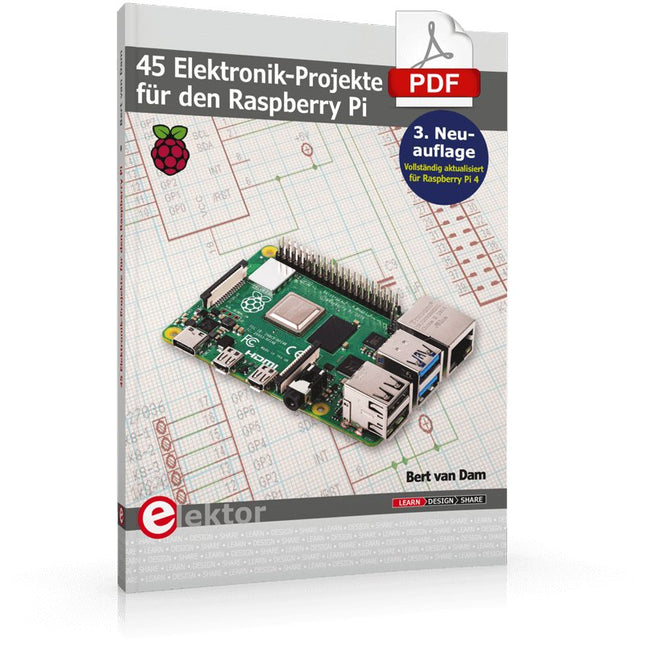
Elektor Digital 45 Elektronik-Projekte für den Raspberry Pi (E-book)
Der Raspberry Pi stellt einen sehr preiswerten, aber doch vollwertigen Computer dar, an den auf einfache Weise verschiedenste Elektronik angeschlossen werden kann. Dieses Buch geht auf eine der Stärken des Raspberry Pi ein: die Kombination von Elektronik und Software. Nach einer kurzen Einführung zum Raspberry Pi wird auf die benötigte Software eingegangen. Im Anschluss wird das Linux-Betriebssystem kurz vorgestellt – gefolgt von einer Einführung in die Programmierung mit Bash, Python und JavaScript. Der Schwerpunkt liegt dabei auf Python. Die Erläuterungen sind in allen Fällen kurz und bündig und trotzdem so ausführlich, dass das Notwendigste besprochen wird, um die folgenden Projekte zu verstehen und individuell anzupassen. Dieses Buch beschreibt 45 spannende und interessante Projekte, wie zum Beispiel ein Wechselblinklicht, eine Motorregelung, Erzeugen und Verarbeiten analoger Signale, ein digitales Thermometer, ein Lichtmesser. Aber auch kompliziertere Projekte wie eine Motor-Geschwindigkeitsregelung, ein Webserver mit CGI (Common Gateway Interface) und Client-Server-Programme werden vorgestellt. Sie können dieses Buch als Projektbuch verwenden und die Projekte nachbauen, um sie dann in der Praxis einzusetzen. Durch die ausführliche Beschreibung mit Schaltplänen und Fotos gestaltet sich der Aufbau auf dem Steckbrett recht einfach. Sie können dieses Buch auch als Lehrbuch verwenden. Bei jedem Projekt wird erklärt, warum es auf diese Art und Weise ausgeführt ist. Sie lernen viel über den Raspberry Pi, Python und die verwendeten Bauteile, so dass Sie selbst die Projekte anpassen, nach eigenen Wünschen erweitern oder mehrere Projekte miteinander kombinieren können. Um Ihnen die Software-Installation zu erleichtern, hat der Autor das Betriebssystem und alle Programmbeispiele auf einer SD-Karte zusammengetragen. Passend zu den Projekten ist neben dieser SD-Karte auch ein Hardware-Starterkit bei Elektor erhältlich.
€ 32,80
Mitglieder: € 29,52
-

Elektor Digital Elektor September/October 2020 (PDF) EN
Elektor Magazine DE September/Oktober 2020 (PDF)
€ 7,50
-

Elektor Digital Raspberry Pi 5 for Radio Amateurs (E-book)
Program and Build Raspberry Pi 5 Based Ham Station Utilities with the RTL-SDR The RTL-SDR devices (V3 and V4) have gained popularity among radio amateurs because of their very low cost and rich features. A basic system may consist of a USB based RTL-SDR device (dongle) with a suitable antenna, a Raspberry Pi 5 computer, a USB based external audio input-output adapter, and software installed on the Raspberry Pi 5 computer. With such a modest setup, it is possible to receive signals from around 24 MHz to over 1.7 GHz. This book is aimed at amateur radio enthusiasts and electronic engineering students, as well as at anyone interested in learning to use the Raspberry Pi 5 to build electronic projects. The book is suitable for both beginners through experienced readers. Some knowledge of the Python programming language is required to understand and eventually modify the projects given in the book. A block diagram, a circuit diagram, and a complete Python program listing is given for each project, alongside a comprehensive description. The following popular RTL-SDR programs are discussed in detail, aided by step-by-step installation guides for practical use on a Raspberry Pi 5: SimpleFM GQRX SDR++ CubicSDR RTL-SDR Server Dump1090 FLDIGI Quick RTL_433 aldo xcwcp GPredict TWCLOCK CQRLOG klog Morse2Ascii PyQSO Welle.io Ham Clock CHIRP xastir qsstv flrig XyGrib FreeDV Qtel (EchoLink) XDX (DX-Cluster) WSJT-X The application of the Python programming language on the latest Raspberry Pi 5 platform precludes the use of the programs in the book from working on older versions of Raspberry Pi computers.
€ 32,95
Mitglieder: € 29,66


