Das FNIRSI TMP-610S ist ein kompaktes 3-in-1-Messgerät, das ein True-RMS-Multimeter, ein 10-MHz-Oszilloskop und einen 50-kHz-DDS-Signalgenerator vereint. Es wurde für die Fehlersuche in der Elektronik, das Testen von Schaltkreisen sowie für Entwicklungsarbeiten im Labor oder im Außeneinsatz konzipiert.
Das Multimeter bietet eine Auflösung von 60.000 Counts und unterstützt Messungen von Spannung, Strom, Widerstand, Kapazität, Frequenz und Temperatur sowie Dioden- und Durchgangsprüfungen. Das integrierte Oszilloskop ermöglicht eine Echtzeit-Signalformanalyse mit bis zu 48 MSa/s, während der Signalgenerator 13 Signalformen mit einstellbarer Frequenz, Amplitude und Tastverhältnis (Duty Cycle) bereitstellt.
Ein 3,5-Zoll-IPS-Touchscreen, eine intelligente Auto-Scan-Funktion, Bluetooth-Konnektivität für die DMM-Funktionen, Signalformspeicherung, USB-Export sowie ein 3.000-mAh-Akku machen das TMP-610S zu einem vielseitigen All-in-One-Werkzeug für Elektronik-Profis und Enthusiasten.
Features
3-in-1-Design: Digitalmultimeter + Oszilloskop + Signalgenerator
Hochpräzise True-RMS-Messung mit 60.000 Counts
10-MHz-Oszilloskop mit 48 MSa/s Abtastrate
Bluetooth-App-Synchronisierung (nur Multimeter-Funktion)
3,5-Zoll-Smart-Touchscreen mit verschiedenen Anzeigemodi
50-kHz-DDS-Signalgenerator mit 13 Signalformen
Integrierte Sicherung für einfachen Austausch
Technische Daten
Multimeter
Funktion
Messbereich
Genauigkeit
DC voltage
600mV/6V/60V/600V/1000V
±(0.03%+5d)
AC voltage
600mV/6V/60V /600V/750V
±(0.3%+15d)
DC current
600uA/6000uA/60mA/600mA
±(0.15%+5d)
6A/10A
±(0.2%+5d)
AC current
600uA/6000uA/60mA/600mA
±(0.5%+15d)
6A/10A
±(0.75%+15d)
Resistance
600Ω/6KΩ/60KΩ/600KΩ/6MΩ
±(0.1%+5d)
60MΩ
±(0.2%+10d)
Capacitance
60nF/600nF/6uF/60uF
±(2.5%+30d)
600uF/6mF/60mF
±(3.5%+30d
Frequency
10 Hz~60 MHz
±(0.01%+5d)
Temperature
-40℃~1000℃
±(1.0%+5℃)
Continuity
0Ω~1KΩ
±(0.2%+5d)
Diode
0V~3.0V, 0Ω~1 Ω
±(1%+5d)
AC frequency response
10KHz
/
Oszilloskop
Real-time Sampling Rate
48 MSa/s
Analog Bandwidth
10 MHz
Input Impedance
1MΩ
Coupling Mode
AC/DC
Test Voltage Range
1:1 Probe - 80Vpp (±40V)
10:1 Probe - 800Vpp (±400V)
Vertical Sensitivity
10mV/div~10V/div
Vertical Displacement
Adjustable with indication
Horizontal Time Base Range
50 ns ~ 20 s
Trigger Mode
Auto, Normal, Single
Trigger Type
Rising, Falling, 50%
Trigger Level
Adjustable with indication
Measurement Parameters
Freq, Period, +Duty, ‒Duty, +Width, ‒Width, Max, Min, P‒P, Amp, RMS, Avg
Persistence
Off / 500ms / 1s / ∞
Cursor Measurement
Yes
Waveform Screenshot Saving
Yes
Signalgenerator
Output Waveform
Supports 13 waveform types
Frequency
0~50kHz
Amplitude
0.0V~3.0V
Duty Cycle
0~100%, adjustable for Square and Sawtooth waves
Lieferumfang
1x FNIRSI TMP-610S Multimeter + Oszilloskop + Signalgenerator
1x P6100 Sonde
1x Adapter
2x Krokodilklemmen
2x Multimeter-Sonden
Sondenzubehör
1x Aufbewahrungstasche
1x USB-C Kabel
1x Manual
Downloads
Manual
Elektor GREEN and GOLD members can download their digital edition here.
Not a member yet? Click here.
The AlertAlfred AI Security SystemPowered by a Raspberry Pi 5 and the Hailo 8L Module
AI in Electronics DevelopmentAn Update After Only One Year
Intro to AI AlgorithmsPrompt: Which Algorithms Implement Each AI Tool?
Single-Board Computers for Artificial Intelligence ProjectsBackground and Overview
From Sensor Data to Machine Learning ModelsGesture Detection with an Accelerometer and Edge Impulse
Build a Leaky Integrate-and-Fire Spiking NeuronArtificial Intelligence Without Software
ChatGPT for Electronic DesignDoes GPT-4o Do It Any Better?
Bringing AI to the Edge with ESP32-P4
Exploring Speech Functions on Raspberry Pi ZeroWhen Overclocking Gives Freedom of Speech
The Growing Role of Edge AIA Trend Shaping the Future
Unlocking the Power of Edge AIA Conversation with François de Rochebouët of STMicroelectronics
A VHDL Clock Made with ChatGPT
AI’s Real ImpactSayash Kapoor on “AI Snake Oil” and More
The Latest Stuff From BeagleBoardBeagleY-AI, BeagleV-Fire, BeagleMod, BeaglePlay and BeagleConnect Freedom
Mosquito Detection Using Open Datasets and Arduino Nicla Vision
AI Today and Tomorrow: Insights from Espressif, Arduino, and SparkFun
Artificial Intelligence Timeline
BeagleY-AIThe Latest SBC for AI Applications
AI in FocusPerspectives from the Elektor Community
Machine Vision with OpenMVCreate a Soda Can Detector
A Conversation with the Digital MindChatGPT vs Gemini
Skilling Me Softly with This Bot?Is the AI Revolution in the Electronic Field Failing Due to a Lack of Social Precision?
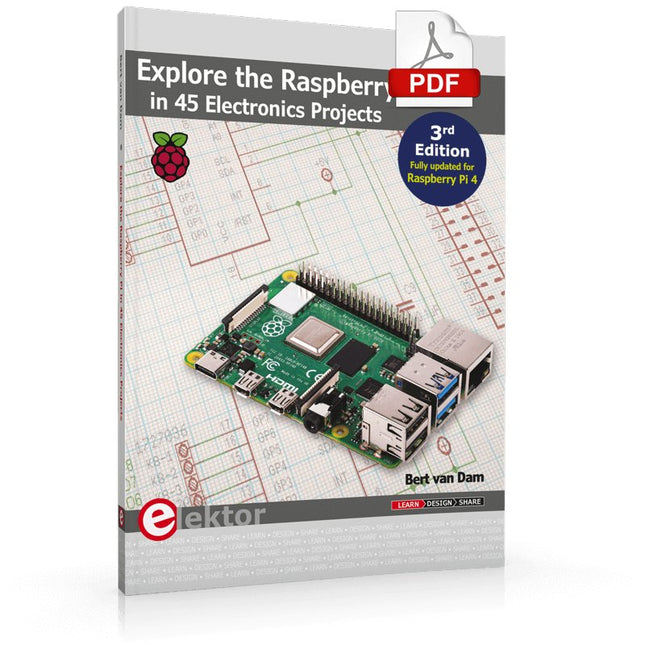
3rd Edition – Fully updated for Raspberry Pi 4
The Raspberry Pi is a very cheap but complete computer system that allows all sorts of electronics parts and extensions to be connected. This book addresses one of the strongest aspects of the Raspberry Pi: the ability to combine hands-on electronics and programming.
Combine hands-on electronics and programming
After a short introduction to the Raspberry Pi you proceed with installing the required software. The SD card that can be purchased in conjunction with this book contains everything to get started with the Raspberry Pi. At the side of the (optional) Windows PC, software is used which is free for downloading. The book continues with a concise introduction to the Linux operating system, after which you start programming in Bash, Python 3 and Javascript. Although the emphasis is on Python, the coverage is brief and to the point in all cases – just enabling you to grasp the essence of all projects and start adapting them to your requirements. All set, you can carry on with fun projects.
The book is ideal for self-study
No fewer than 45 exciting and compelling projects are discussed and elaborated in detail. From a flashing lights to driving an electromotor; from processing and generating analog signals to a lux meter and a temperature control. We also move to more complex projects like a motor speed controller, a web server with CGI, client-server applications and Xwindows programs.
Each project has details of the way it got designed that way
The process of reading, building, and programming not only provides insight into the Raspberry Pi, Python, and the electronic parts used, but also enables you to modify or extend the projects any way you like. Also, feel free to combine several projects into a larger design.
Réalisés par les créateurs du MagPi, le magazine officiel de Raspberry Pi
Démarrez avec le Raspberry Pi 5, le dernier-né et le plus performant de la famille des nano-ordinateurs Raspberry Pi. Apprenez à coder et à réaliser des projets avec cet ordinateur étonnant.
Dans ce manuel dédié au Raspberry Pi 5, nous vous proposons aussi de nombreuses idées de projets également réalisables avec le Raspberry Pi 4, le Raspberry Pi Zero 2 W et le Raspberry Pi Pico W.
Avec des tutoriels, des projets pratiques, des essais techniques, des guides et bien plus encore, il s’agit de la ressource ultime pour le Raspberry Pi !
228 pages sur le Raspberry Pi
Tout ce que vous devez savoir sur le Raspberry Pi 5
Prise en main de tous les Raspberry Pi
Amusez-vous et apprenez l’électronique avec le Pico W
Des projets inspirants pour vous donner des idées de réalisations
Apprenez μPython en construisant une mini-console
Démarrez avec le module caméra Raspberry Pi
Intelligence artificielle, codage de son propre agent ChatGP
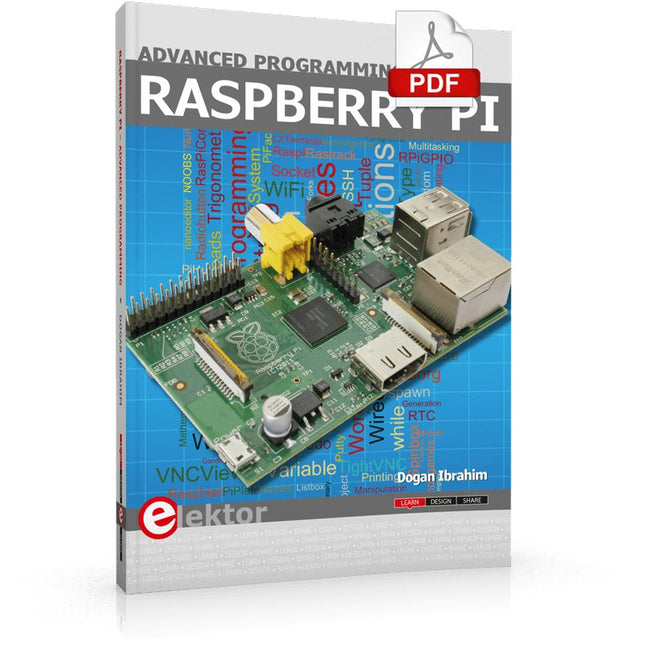
This book is about advanced programming of the Raspberry Pi computer using the Python programming language. The book explains in simple terms and with examples:
How to configure the Raspberry Pi computer;
How to install and use the Linux operating system and the desktop;
How to write advanced programs using the Python programming language;
How to use graphics in our programs;
How to develop hardware based projects using the Raspberry Pi.
The book starts with an introduction to the Raspberry Pi computer and covers the topics of purchasing all the necessary accessories and installing and operating the Linux operating system in command mode. The network interface of the RPi is explained in simple steps, demonstrating how the computer can be accessed remotely from a desktop or a laptop computer.
The remaining parts of the book cover the Python programming language in detail, including advanced topics such as operating system calls, multitasking, interprocess synchronization and interprocess communication techniques. The important topic of network programming using UDP and TCP protocols is described with working examples. The Tkinter graphical user interface module (GUI) is described in detail with example widgets and programs.
The last part of the book includes hardware projects based on using the advanced programming topics such as multitasking and interprocess communication techniques. All the projects given in the book have been fully tested and are working. Complete program listings of all projects are provided with detailed explanations.
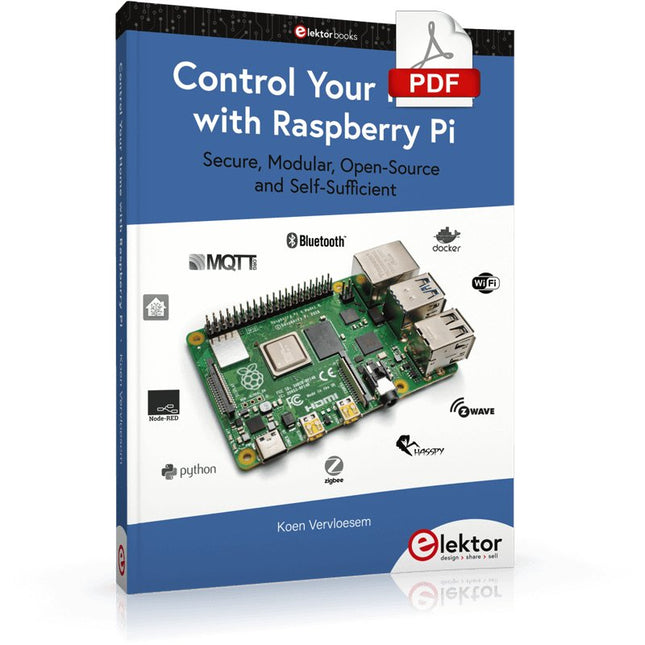
Secure, Modular, Open-Source and Self-Sufficient
Ever since the Raspberry Pi was introduced, it has been used by enthusiasts to automate their homes. The Raspberry Pi is a powerful computer in a small package, with lots of interfacing options to control various devices. This book shows you how you can automate your home with a Raspberry Pi. You’ll learn how to use various wireless protocols for home automation, such as Bluetooth, 433.92 MHz radio waves, Z-Wave, and Zigbee. Soon you’ll automate your home with Python, Node-RED, and Home Assistant, and you’ll even be able to speak to your home automation system. All this is done securely, with a modular system, completely open-source, without relying on third-party services. You’re in control of your home, and no one else.
At the end of this book, you can install and configure your Raspberry Pi as a highly flexible home automation gateway for protocols of your choice, and link various services with MQTT to make it your own system. This DIY (do it yourself) approach is a bit more laborious than just installing an off-the-shelf home automation system, but in the process, you can learn a lot, and in the end, you know exactly what’s running your house and how to tweak it. This is why you were interested in the Raspberry Pi in the first place, right?
Turn your Raspberry Pi into a reliable gateway for various home automation protocols.
Make your home automation setup reproducible with Docker Compose.
Secure all your network communication with TLS.
Create a video surveillance system for your home.
Automate your home with Python, Node-RED, Home Assistant and AppDaemon.
Securely access your home automation dashboard from remote locations.
Use fully offline voice commands in your own language.
Download the software and view the errata for the book on GitHub.
Measuring Does Not Have to be Expensive
Low-Cost Audio TesterUsing PC-Based Software and a USB Audio Interface
AC Grid Frequency MeterMonitor Mains Frequency and Voltage
A Modest Inductance MeterAn Affordable Solution for Your Workbench
Acoustic Wave HoveringA Look at the Makerfabs Acoustic Levitation Kit
Starting Out in ElectronicsRectifiers E-FFWD: Looking Ahead Again!
Get Started With Your OscilloscopeFind Your Way Through the Knobs and Buttons
Raspberry Pi Pico Makes an MSF-SDRDecode a Time Signal with a Pi Pico SDR
Moisture Sensors for Watering SystemsAutomatic Watering
Disruption in Test and Measurement EquipmentInnovation from the Smaller Players Infographics 7-8/2022
Inspiration, That’s What It’s All AboutInterview with Entrepreneur Walter Arkesteijn, InnoFaith Beauty Sciences Minimizing EMC Interference from Storage Chokes
GUIs with Python (Part 5)Tic-Tac-Toe
Reed RelaysPeculiar Parts, the series Simple Analog ESR Meter With Moving-Coil Meter Precision
Sigfox CO2 Traffic LightNo Wi-Fi Network Needed!
Women in Tech“It's All About Merit Until Merit Has Tits”
Low-Budget Tablet Oscilloscope ADS1013DGood Value for Money?
Smart Plug TeardownWhich Ones Are Hacker-Friendly?
Skin Impedance and Skin CapacitanceSmall Experiments
From Life’s ExperienceNo Local Business
Pokit Meter ReviewA Swiss army knife of test gear
HexadokuThe Original Elektorized Sudoku
Elektor GREEN and GOLD members can download their digital edition here.
Not a member yet? Click here.
For Eyes and Ears
Video Output with Microcontrollers (1)Composite Video
electronica 2022News from the world’s leading electronics trade show
ESP32 CameraSo Simple, It Doesn’t Even Have to Use Wi-Fi
ATX Power Supply for Raspberry Pi
32 Ω Headphone AmplifierSimple But High-Quality 3-Chip Solution
SDR Radio-Controlled clocksFive Time Signals, Six Displays
Starting Out in ElectronicsSpecial Diodes
From Life's ExperienceMusings on the Quality of Things
Reverse-Engineering a Bluetooth Low Energy LED BadgeHow to Control a BLE Device with a Python Script
MakePython ESP32 Development KitEverything in a Box
THD Measurement with an Oscilloscope and FFTEasily Calculate the Distortion Factor
All-Seeing MachinesThe Technology Behind Today’s Industrial Vision Systems
Infographics
The Evolution of Voice and Audio Control for Electronic Devices
WEEF 2022 in Review
FFWD electronica 2022 in ReviewInnovators Did Not Fail to Impress
The TubeAn Unusual Tube Amplifier
Biomaterial in Electronics: Ready or Not
Opera Cake Antenna Switch for HackRF OneConnect Up To Eight Antennas To Your SDR
Engineering with Arduino and MoreAn Interview with Author Ashwin Pajankar
LiDAR Precision GaugeMeasure up to 12 Meters
Audio Signals and the ESP32The ESP-ADF Environment in Practice
Elektor Fortissimo-100 Power Amplifier Kit
Using Light for Sound EffectsLDR-Based Voltage-Controlled 24 dB/oct Synthesizer Filter
Elektor High-Power AF AmplifierThe Loudest of Them All!
HomeLab ToursA Volumetric Display Made in Canada
Err-lectronicsCorrections, Updates and Readers’ Letters
Hexadoku
35 Projekte mit Raspberry Pi und Arduino
Das Internet of Things (Internet der Dinge) ist eine unumkehrbare Entwicklung. Wir möchten gerne alles im Haus mit unserem Smartphone oder Tablet erledigen – von Facebook bis Fernsehen, Lampen steuern oder die Heizungstemperatur einstellen.
In diesem Buch stellen wir 35 interessante und nützliche Projekte vor, die demonstrieren, wie Sie selbst ein Internet-of-Things-System anlegen können. Wir gehen auf die Hardware ein, einer perfekten Symbiose von Raspberry Pi und Arduino, und entwickeln die Software, die eine Steuerung über das Internet verwirklicht. Wir setzen dabei WLAN- und Funkverbindungen ein und vermeiden so einen Kabelsalat im Haus.
Wenn Sie die Projekte aufbauen, verfügen Sie über ein vollständiges Internet-of-Things-System, mit dem Sie alles im Haus bedienen, steuern und überwachen können, zum Beispiel ob Post im Briefkasten steckt oder das Auto in der Garage steht. Sie können bequem vom Sofa aus das Licht einschalten oder die Alarmanlage aktivieren/deaktivieren. Durch die ausführlichen Erläuterungen wird es Ihnen ein Leichtes sein, Projekte anzupassen, um zum Beispiel die Kaffeemaschine oder das Fernsehgerät aus der Ferne ein- und auszuschalten. Über den Index finden Sie leicht kreative Projekte, die Ihnen als Ausgangspunkt für eigene Entwicklungen dienen können, mit denen Sie selber alles, was Sie wollen, mit dem Internet verbinden können.
Hochleistungsfähiges LoRa-Kommunikationsgerät
Das Elecrow ThinkNode M5 ist ein kompaktes, tragbares LoRa-Kommunikationsgerät, das für netzunabhängige Nachrichtenübermittlung, Standortfreigabe und den Außeneinsatz konzipiert wurde. Ausgestattet mit einem ESP32-S3-Prozessor und einem SX1262-LoRa-Chip, wird es mit vorinstallierter Meshtastic-Firmware geliefert und lässt sich bequem per Bluetooth über die offizielle Meshtastic-App konfigurieren.
Das integrierte Multi-GNSS-Modul unterstützt GPS, GLONASS, BeiDou und QZSS für eine zuverlässige Positionsbestimmung und Standortfreigabe. Nachrichten und Geräteinformationen werden auf dem energieeffizienten 1,54-Zoll-E-Paper-Display angezeigt, während der integrierte 1.200-mAh-Akku einen langen mobilen Betrieb ermöglicht.
Dank der integrierten LoRa-Antenne, des kompakten Gehäuses, der Echtzeituhr (RTC) und der Unterstützung für Meshtastic- sowie MeshCore-Firmware ist das ThinkNode M5 eine praktische Kommunikationslösung für Wandern, Camping, abgelegene Gebiete und Notfallsituationen, in denen keine herkömmlichen Mobilfunknetze verfügbar sind.
Features
LoRa-Kommunikation
Multi-GNSS-Positionsbestimmung
1.200-mAh-Akku
1,54" E-Paper-Display
Integrierte RTC
Kompatibel mit MeshCore
Kompatibel mit Meshtastic
Technische Daten
Hauptprozessor (ESP32-S3)
CPU/SoC
Xtensa 32-Bit-LX7-Dual-Core-Prozessor, getaktet mit bis zu 240 MHz
Systemspeicher
512 KB SRAM, 8 MB PSRAM
Speicher
4 MB Flash, 384 KB ROM
Firmware
Meshtastic-Firmware ist voll kompatibel; Signalübertragung im LoRa-Modus
EPD (Electronic Paper Display)
Displaygröße
1,54-Zoll-EPD (monochromer E-Ink-Bildschirm)
Displaymaterial
E-Ink (Electronic Ink)
Auflösung
200 x 200
Treiber-Chip
SSD1681 (über SPI- oder I²C-Schnittstelle)
Zeit für vollständige Aktualisierung
2 s
Drahtlose Kommunikation
Bluetooth
Bluetooth Low Energy und Bluetooth 5.0 (Konfiguration per Smartphone)
LoRa
SX1262 LoRa-Modul, EU 868 MHz (externe Antenne)
Hardware
Schnittstellen
USB-C, RP-SMA
Funktionen
GPS-Ortung (GPS, GLONASS, BeiDou, QZSS), EPD-Display, RTC, USB 2.0, PMU-Energiemanagement (integrierter 1200-mAh-Lithium-Akku), Summer usw.
Tasten
Drehschalter, Funktionstaste, Blättertaste, GPS-Schalter, Reset-Taste
LED-Anzeige
Stromversorgung, GPS/LoRa-Anzeige
Sonstiges
Spannungsversorgung
5 V/1 A; unterstützt Stromversorgung über USB oder Lithium-Akku
Stromverbrauch
Maximaler Betriebsstrom ca. 340 mA (CPU + LoRa-Modul); Stromverbrauch im Energiesparmodus ca. 34 µA
Betriebstemperatur
-10 bis 50°C
Lagertemperatur
-20 bis 60°C
Relative Luftfeuchtigkeit
10–95% bei 40°C (nicht kondensierend)
Gehäuse
ABS-Kunststoff
Abmessungen
82 x 51,6 x 26,3 mm
Gewicht
81 g
Lieferumfang
1x Elecrow ThinkNode M5
1x LoRa-Antenne
1x USB-C Kabel
1x Manual
Downloads
Manual
With Examples for Arduino UNO, Raspberry Pi Pico and ESP32
Programming small electronic systems has never been more accessible. Tasks that once demanded expensive tools, specialized hardware, and deep electrical engineering expertise can now be tackled with low-cost development boards and approachable software. At the centre of this shift is the Arduino environment, which provides a unified and familiar way to program a wide range of microcontroller platforms—from classic AVR boards like the Arduino UNO to modern ARM-based boards such as the Raspberry Pi Pico, and powerful Wi-Fi-enabled devices like the ESP32.
This book introduces embedded programming through the core idea that defines all microcontrollers: reading inputs, processing information, and controlling outputs in a predictable loop. The Arduino environment abstracts much of the hardware complexity, allowing you to focus on behaviour rather than implementation details. With just a few lines of code, you can blink LEDs, read sensors, control motors, and communicate with other devices.
While the Arduino UNO, Raspberry Pi Pico, and ESP32 boards differ greatly in performance and features, they share the same fundamental building blocks: digital and analog I/O, timers, serial communication, PWM, interrupts, and power management. Learning these concepts within the Arduino framework builds skills that transfer easily across platforms and scale toward more advanced applications.
By exploring multiple boards while maintaining a consistent programming approach, this book helps you progress from simple experiments to confidently produce well-structured designs—showing that embedded development can be both practical and enjoyable.
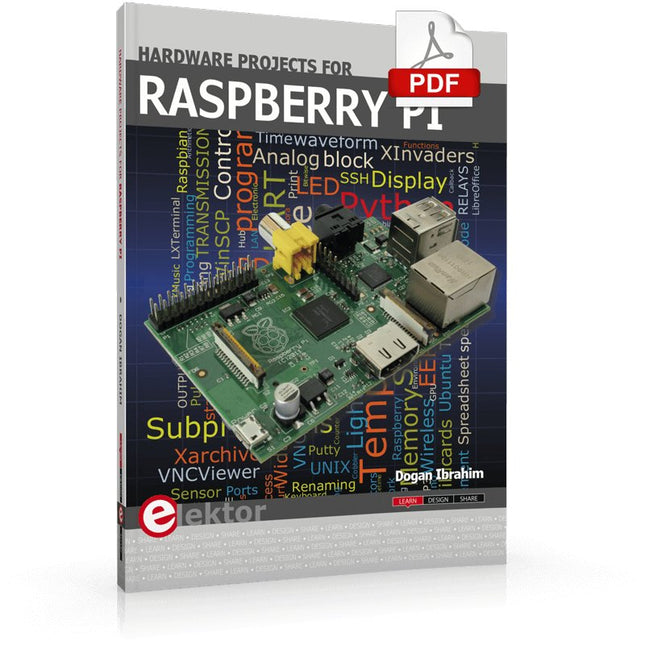
The Raspberry Pi is a $35 credit-card sized computer with many applications, such as in desktop computing, audio and video playback, and as a controller in many industrial, commercial and domestic applications.
This book is about the Raspberry Pi computer and its use in control applications. The book explains in simple terms, with examples, how to configure the RPi, how to install and use the Linux operating system, how to write programs using the Python programming language and how to develop hardware based projects.
The book starts with an introduction to the Raspberry Pi computer and covers the topics of purchasing all the necessary equipment and installing/using the Linux operating system in command mode. Use of the user-friendly graphical desktop operating environment is explained using example applications. The RPi network interface is explained in simple steps and demonstrates how the computer can be accessed remotely from a desktop or a laptop computer.
The remaining parts of the book cover the Python programming language, hardware development tools, hardware interface details, and RPi based hardware projects. All the 23 projects given in the book have been tested and are working.
The following headings are given for each project:
Project title
Project description
Project block diagram
Project circuit diagram
Project program description using the Program Description Language (PDL)
Complete program listing
Description of the program
The book is ideal for self-study, and is intended for electronic/electrical engineering students, practising engineers, research students, and hobbyists.