
Suchergebnisse für "drduino"
-
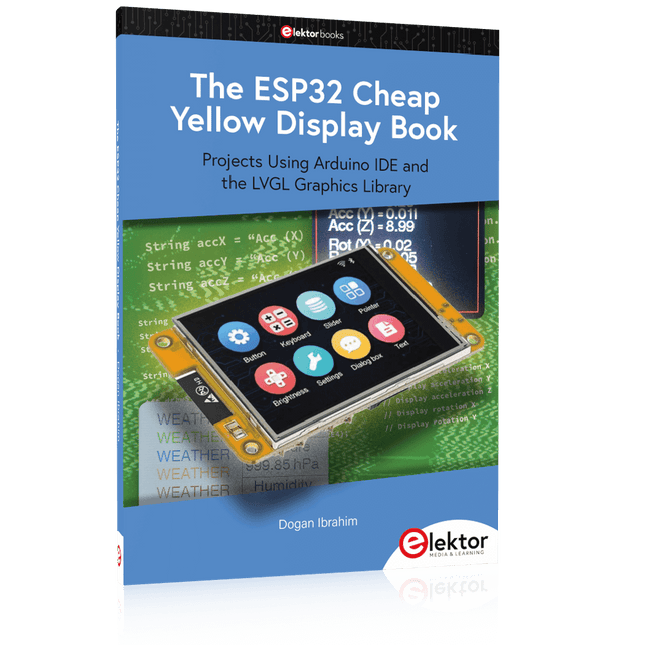
Elektor Publishing The ESP32 Cheap Yellow Display Book
Projects Using Arduino IDE and the LVGL Graphics Library The ESP32 is probably one of the most popular microcontrollers used by many people, including students, hobbyists, and professional engineers. Its low cost, coupled with rich features makes it a popular device to use in many projects. Recently, a board called the ESP32 Cheap Yellow Display (CYD for short) is available from its manufacturers. The board includes a standard ESP32 microcontroller together with a 320x240 pixel TFT display. Additionally, the board provides several connectors for interfaces such as GPIO, serial port (TX/RX), power and Ground. The inclusion of a TFT display is a real advantage as it enables users to design complex graphics-based projects without resorting to an external LCD or graphics displays. The book describes the basic hardware of the ESP32 CYD board and provides details of its on-board connectors. Many basic, simple, and intermediate-level projects are given in the book based on the ESP32 CYD, using the highly popular Arduino IDE 2.0 integrated development environment. The use of both the basic graphics functions and the use of the popular LVGL graphics library are discussed in the book and projects are given that use both types of approaches. All the projects given in the book have been tested and are working. The block diagram, circuit diagram, and the complete program listings and program descriptions of all the projects are given with explanations. Readers can use the LVGL graphics library to design highly popular eye-catching full-color graphics projects using widgets such as buttons, labels, calendars, keypads, keyboards, message boxes, spinboxes, sliders, charts, tables, menus, bars, switches, drop-down lists, animations, and many more widgets.
€ 34,95
Mitglieder: € 31,46
-

iFixit iFixit Pro Tech Toolkit
Das Pro Tech Toolkit ist das Einzige, was jeder Heimwerker, Reparateur, Hacker, Bastler und Profi braucht, um jede Aufgabe zu bewältigen. Jedes Tool im Pro Tech Toolkit wurde überarbeitet, um besser zu sein. Vom 64 Bit-Treiber-Kit bis hin zu den iFixit Opening Picks wurde jedes Werkzeug speziell entwickelt und ausgewählt, um Ihre Reparaturmöglichkeiten zu maximieren. Das Herzstück dieses Kits ist das iFixit 64 Bit-Schraubendreher-Kit, das auf der Grundlage umfangreicher Untersuchungen darüber entwickelt wurde, welche Befestigungstypen derzeit in der Unterhaltungselektronikindustrie verwendet werden und welche älteren Befestigungselemente von Verbrauchern immer noch nachgefragt werden. Von der Apple Watch mit ihren neuen winzigen Tri-Point-Schrauben bis hin zu Vintage-Nintendo-Spielekonsolen mit Gamebit-Befestigungen – das 64-Bit-Kit deckt sie alle mit CNC-gefrästen Bits höchster Qualität ab. Sogar das robuste Gehäuse wurde sorgfältig konstruiert, hat keine Scharniere oder Riegel, die brechen könnten, und verfügt über ein Sortierfach im magnetisch befestigten Deckel. Das umfassende Werkzeug-Set für Elektronikreparaturen aller Art Perfekt geeignet für DIY-Enthusiasten und professionelle Reparaturtechniker. Enthält Werkzeuge zum Schrauben, Öffnen, Greifen, Hebeln und Sondieren - alles was benötigt wird um Geräte aus dem Bereich der Unterhaltungselektronik zu reparieren. Und das ESD-sicher. Komplette Neuentwicklung – kein Werkzeug zu viel oder zu wenig. Inhalt des Sets Erdungsarmband – schützt dich und empfindliche Geräte vor elektrostatischen Entladungen Saugheber – zum sicheren Anheben und Halten griffloser Komponenten 3x iFixit Opening Tool – aus weichem Kunststoff zum kratzerfreien Aufhebeln von Gehäusen 6x iFixit Opening Picks – zum Aufhebeln, Aufschieben, Auftrennen und natürlich zum Luftgitarre spielen Kreuzpinzette – Zum Festhalten kleiner Teile ohne Fingerdruck Gebogene Pinzette – ESD-sicher, mit gezahnter Greiffläche Stumpfe Pinzette – ESD-sicher, mit gezahnter Greiffläche Spudger (Spatel) – robustes ESD-sicheres Allround-Tool Halberd Spudger – spezieller Spudger (Spatel) mit Haken, ESD-sicher Metallspatel – für die härteren Fälle Jimmy – der ultimative Geräteöffner Magnetische Unterlage – hält Schrauben und Kleinteile an ihrem Platz Werkzeugrolle – praktische Aufbewahrung für alle Bestandteile des Kits Mako Precision Bit Set – 64 essentielle Bits für Arbeiten an unterschiedlichsten Elektronikgeräten Inhalt des Mako Precision Bit Sets Magnetischer Aluminiumschraubendreher 4 mm mit kugelgelagerter Drehkappe Flexible Wellenverlängerung Länge 150 mm 64 Bits (4 mm) in folgenden Größen: Kreuzschlitz (Phillips) 000, 00, 0, 1, 2 Schlitz 1, 1.5, 2, 2.5, 3, 4 mm Torx T2, T3, T4, T5 Torx Security TR6, TR7, TR8, TR9, TR10, TR15, TR20, TR25 Pentalobe P2, P5, P6 JIS J000, J00, J0, J1 Sechskant 0.7, 0.9, 1.3, 1.5, 2, 2.5, 3, 3.5, 4, 4.5, 5 mm Tri-point Y000, Y00, Y0, Y1 Innensechskant Nuss 2.5, 3, 3.5, 4, 5, 5.5 mm Quadrat 1, 2 Gamebit 3.8, 4.5 mm Spanner 6, 8 Dreieck 2, 3 mm Standoff Bit für iPhone Oval Bit magnetisches Bit zur Aufnahme von Kleinteilen SIM Eject Bit 1/4 Zoll auf 4 mm Adapter
€ 68,79
-

Elektor Digital Home Automation and Electronics for Starters (E-book)
Projects with Arduino, ESPHome, Home Assistant, and Raspberry Pi & Co. This e-book contains various example projects, beginning with an introduction to electronics. It also explains how to install Home Assistant on a Raspberry Pi, how to use indoor climate sensors for temperature and humidity, how to implement the MQTT protocol and other interfaces, and how to use ESPHome to integrate sensors and actuators into Home Assistant. Numerous video tutorials complement the book. Fundamentals of electrical engineering The book begins with an introduction to electrical engineering. You will learn the basics of voltage, current, resistors, diodes and transistors. Arduino and microcontrollers A complete section is dedicated to the Arduino Uno. You will get to know the structure, write your first programs and work on practical examples. Home Assistant and automation You will learn how to set up Home Assistant on a Raspberry Pi and how to use automations, scenes and devices. In addition, Zigbee, MQTT and ESP-NOW – important technologies for home automation – will be discussed. ESP8266, ESP32 and ESP32-CAM The popular ESP microcontrollers are covered in detail. A theoretical introduction is followed by practical projects that show you how to get the most out of these devices. Sensors and actuators The book explains the functionality and application of numerous sensors such as temperature and humidity sensors, motion detectors and RFID readers. For actuators, stepper motors, e-ink displays, servo motors and much more are covered. There are practical application examples for all devices. ESPHome This chapter shows you how to integrate sensors and actuators into Home Assistant without any programming effort. You will be guided step by step through the setup with ESPHome. LEDs and lighting technology In this chapter, you will learn about different types of LEDs and how they can be used. The basics of lighting technology are also explained. Node-RED A whole chapter is dedicated to Node-RED. You will learn the basics of this powerful tool and be guided step by step through its setup and use. Integrated Circuits (ICs) In electronics, there are numerous ICs that make our lives easier. You will get to know the most important ones and apply your knowledge in practical projects. Professional programming Advanced topics such as the correct use of buttons, the use of interrupts and the use of an NTP server for time synchronisation are covered in detail in this chapter. Downloads GitHub
€ 59,95
Bestpreis
-

Elektor Digital Programming with STM32 Nucleo Boards (E-book)
STM32 Nucleo family of processors are manufactured by STMicroelectronics. These are low-cost ARM microcontroller development boards. This book is about developing projects using the popular Nucleo development board. In the early chapters of the book, the architecture of the Nucleo family is briefly described. Software development tools that can be used with the Nucleo boards such as the Mbed, Keil MDK, TrueSTUDIO, and the System Workbench are described briefly in later Chapters. The book covers many projects using most features of the STM32 Nucleo development boards where the full software listings for Mbed and System Workbench are given for every project. The projects range from simple flashing LEDs to more complex projects using modules and devices such as GPIO, ADC, DAC, I²C, LCD, analog inputs and others. In addition, several projects are given using the Nucleo Expansion Boards, including popular expansion boards such as solid-state relay, MEMS and environmental sensors, DC motor driver, Wi-Fi, and stepper motor driver. These Expansion Boards plug on top of the Nucleo development boards and simplify the task of project development considerably. Features of this book Learn the architecture of the STM32 microcontrollers Learn how to use the Nucleo development board in projects using Mbed and System Workbench Toolchains Learn how to use the Nucleo Expansion Boards with the Nucleo development boards Update The Mbed compiler has been replaced with two software packages: The Mbed Studio and Keil Studio Cloud. Both of these software packages are free of charge and are available on the Internet. If you need assistance using the Keil Studio Cloud, please download the Guide below.
€ 34,95
Mitglieder: € 31,46
-

Elektor Digital Elektor March/April 2022 (PDF)
Build Your Own RISC-V ControllerFirst Steps with the NEORV32 RISC-V Softcore for Low-Cost FPGAs How to Use Arduino’s Serial PlotterPlotting Graphs With Arduino Is Easy CLUE from AdafruitA Smart Solution for IoT Projects Buffer Board for the Raspberry Pi 400Protect the I/Os Raspberry Pi RP2040 Boards Aplenty A Handbook on DIY Electronic Security and EspionageSRAM Heated or Deep-Frozen Component IdentificationTips & Tricks, Best Practices and Other Useful Information DIY Touchless Light Switch Starting out in ElectronicsMatching and Transforming What’s New in Embedded Development?Rust and Keeping IoT Deployments Updated Infographics How the Industrial and Automotive Sectors Will Benefit from 5G Moving Coil RelaysPeculiar Parts, the series HomeLab ToursEverything Revolves Around the Tools... Understanding the Neurons in Neural Networks (Part 4)Embedded Neurons Magnetic Levitation the Very Easy WayThe Third and Most Compact Version PLC Programming with the Raspberry Pi and the OpenPLC ProjectVisualization of PLC Programs with AdvancedHMI From Life's ExperiencePack Up and Leave Under Your RadarMicrocontrollers You Should Know About Monitor and Debug Over the AirA Solution for Arduino, ESP32 and Co. Portable Temperature- and Humidity-Measuring DeviceUsing Ready-Made Modules Lithium Battery Pack RepairSave Money + More Power! GUIs with PythonMeme-Generator Three Questions to Build OnWhy, What, and Who? HexadokuThe Original Elektorized Sudoku
€ 7,50
-

Elektor Digital Explore ATtiny Microcontrollers using C and Assembly Language (E-book)
AVR Architecture and Programming An in-depth look at the 8-bit AVR architecture found in ATtiny and ATmega microcontrollers, mainly from a software and programming point of view. Explore the AVR architecture using C and assembly language in Microchip Studio (formerly Atmel Studio) with ATtiny microcontrollers. Learn the details of how AVR microcontrollers work internally, including the internal registers and memory map of ATtiny devices. Program ATtiny microcontrollers using an Atmel-ICE programmer/debugger, or use a cheap hobby programmer, or even an Arduino Uno as a programmer. Most code examples can be run using the Microchip Studio AVR simulator. Learn to write programs for ATtiny microcontrollers in assembly language. See how assembly language is converted to machine code instructions by the assembler program. Find out how programs written in the C programming language end up as assembly language and finally as machine code instructions. Use the Microchip Studio debugger in combination with a hardware USB programmer/debugger to test assembly and C language programs, or use the Microchip Studio AVR simulator. DIP packaged ATtiny microcontrollers are used in this volume for easy use on electronic breadboards, targeting mainly the ATtiny13(A) and ATtiny25/45/85. Learn about instruction timing and clocks in AVR microcontrollers using ATtiny devices. Be on your way to becoming an AVR expert with advanced debugging and programming skills.
€ 34,95
Mitglieder: € 31,46
-

Elektor Digital The CAN Bus Companion (E-book)
Projects with Arduino Uno & Raspberry Pi with Examples for the MCP2515 CAN Bus Interface Module This book details the use of the Arduino Uno and the Raspberry Pi 4 in practical CAN bus based projects. Using either the Arduino Uno or the Raspberry Pi with off-the-shelf CAN bus interface modules considerably ease developing, debugging, and testing CAN bus based projects. This book is written for students, practicing engineers, enthusiasts, and for everyone else wanting to learn more about the CAN bus and its applications. The book assumes that the reader has some knowledge of basic electronics. Knowledge of the C and Python programming languages and programming the Arduino Uno using its IDE and Raspberry Pi will be useful, especially if the reader intends to develop microcontroller-based projects using the CAN bus. The book should be a useful source of reference material for anyone interested in finding answers to questions such as: What bus systems are available for the automotive industry? What are the principles of the CAN bus? How can I create a physical CAN bus? What types of frames (or data packets) are available in a CAN bus system? How can errors be detected in a CAN bus system and how dependable is a CAN bus system? What types of CAN bus controllers exist? How do I use the MCP2515 CAN bus controller? How do I create 2-node Arduino Uno-based CAN bus projects? How do I create 3-node Arduino Uno-based CAN bus projects? How do I set the acceptance masks and acceptance filters? How do I analyze data on the CAN bus? How do I create 2-node Raspberry Pi-based CAN bus projects? How do I create 3-node Raspberry Pi-based CAN bus projects?
€ 32,95
Mitglieder: € 29,66
-

SDRplay SDRplay RSP1B 14-Bit SDR-Empfänger (1 kHz bis 2 GHz)
Der SDRplay RSP1B ist eine verbesserte Version des beliebten RSP1A – ein leistungsstarker, breitbandiger und voll ausgestatteter 14-Bit-SDR, der das HF-Spektrum von 1 kHz bis 2 GHz abdeckt. Der RSP1B ist in einem robusten, schwarz lackierten Stahlgehäuse untergebracht und bietet eine deutlich verbesserte Rauschleistung. Für die hervorragende Empfangsfunktionalität benötigen Sie lediglich einen Computer und eine Antenne. Im Lieferumfang enthalten sind SDRuno für Windows und die plattformübergreifende Software SDRconnect für Windows, macOS und Linux (kostenlos von SDRplay bereitgestellt). Sie können bis zu 10 MHz Spektrum gleichzeitig überwachen. Eine dokumentierte API ermöglicht es Entwicklern, neue Demodulatoren oder Anwendungen für die Plattform zu erstellen. Features Deckt alle Frequenzen von 1 kHz über VLF, LF, MW, HF, VHF, UHF und L-Band bis 2 GHz lückenlos ab Empfang, Überwachung und Aufzeichnung von bis zu 10 MHz Spektrum auf einmal Kostenlose Nutzung der Windows-basierten SDRuno-Software, die eine ständig wachsende Anzahl von Funktionen bietet. Starkes und wachsendes Software-Support-Netzwerk Kalibrierte S-Meter/HF-Leistungs- und SNR-Messung mit SDRuno (einschließlich Datenprotokollierung in CSV-Dateien) Dokumentierte API für die Entwicklung von Demodulatoren und Anwendungen auf verschiedenen Plattformen Ausgezeichneter Dynamikbereich für schwierige Empfangsbedingungen Funktioniert mit gängiger SDR-Software von Drittanbietern (einschließlich HDSDR, SDR Console und Cubic SDR) ExtIO-basiertes Plugin verfügbar Software upgradefähig für zukünftige Standards Starkes und wachsendes Software-Support-Netzwerk API für die Entwicklung von Demodulatoren und Anwendungen Multiplattform-Treiber und API-Unterstützung, einschließlich Windows, Linux, Mac, Android und Raspberry Pi Bis zu 16 individuelle Empfänger in jedem 10-MHz-Spektrumbereich mit SDRuno Kalibrierte S-Meter und Leistungsmessungen mit SDRuno Eigenständige Windows-basierte Spektrumanalysator-Software verfügbar (mit Sweep-, Sample- und Hold-Funktionen) Ideal für die Überwachung von ISM/ IoT/ Telemetrie-Bändern <2 GHz Ideal für den portablen Betrieb Technische Daten Frequenzbereich 1 kHz – 2 GHz Antennenanschluss SMA Antennenimpedanz 50 Ohm Stromverbrauch (typisch) 185 mA (ohne Bias-T) USB-Anschluss USB Typ B Maximale Eingangsleistung +0 dBm kontinuierlich+10 dBm kurzzeitig ADC Abtastraten 2-10,66 MSPS ADC Anzahl der Bits 14 bit 2-6,048 MSPS12 bit 6,048-8,064 MSPS10 bit 8,064-9,216 MSPS8 bit >9,216 MSPS Bias-T 4,7 V100 mA garantiert Referenz 0,5ppm 24 MHz TCXO.Frequenzfehler auf 0,01ppm im Feld trimmbar. Betriebstemperatur -10˚C bis +60˚C Abmessungen 98 x 88 x 34 mm Gewicht 110 g Downloads Datasheet Software RSP1B vs RSPdx vs RSPduo RSP1B RSPdx RSPduo Kontinuierlicher Bereich von 1 kHz bis 2 GHz ✓ ✓ ✓ Bis zu 10 Mhz sichtbare Bandbreite ✓ ✓ ✓ 14-Bit-ADC-Siliziumtechnologie plus mehrere Hochleistungs-Eingangsfilter ✓ ✓ ✓ Per Software wählbare AM/FM- und DAB-Rundfunkband-Sperrfilter ✓ ✓ ✓ 4,7 V Bias-T für die Versorgung eines externen Antennenverstärkers ✓ ✓ ✓ Stromversorgung über das USB-Kabel mit einer einfachen Typ-B-Buchse ✓ ✓ ✓ 50Ω SMA-Antenneneingang(e) für 1 kHz bis 2 GHz Betrieb (per Software wählbar) 1 2 2 Zusätzlicher per Software wählbarer Hi-Z-Eingang für bis zu 30 Mhz-Betrieb ✓ Zusätzlicher per Software wählbarer 50-Ω-BNC-Eingang für den Betrieb mit bis zu 200 MHz ✓ Zusätzlicher LF/VLF-Filter für unter 500 kHz ✓ 24 MHz Referenztakt-Eingang (+ Ausgang auf RSPduo) ✓ ✓ Duale Tuner ermöglichen den Empfang auf 2 völlig unabhängigen 2-MHz-Bereichen ✓ Zwei Tuner ermöglichen Diversity-Empfang mit SDRuno ✓ Robustes und widerstandsfähiges Kunststoffgehäuse (mit interner RF-Abschirmungsschicht) ✓ Robustes schwarz lackiertes Stahlgehäuse ✓ ✓ Gesamtleistung unter 2 MHz für MW und LF + ++ + Mehrere gleichzeitige Anwendungen + + ++ Leistung unter schwierigen Fading-Bedingungen (*mit Diversity-Abstimmung) + + *++
€ 146,53
-

Elektor Digital KiCad Like A Pro – Advanced Projects and Recipes (E-book)
Mastering PCB design with real-world projects This book builts on KiCad Like a Pro – Fundamentals and Projects and aims to help you practice your new KiCad skills by challenging you in a series of real-world projects. The projects are supported by a comprehensive set of recipes with detailed instructions on how to achieve a variety of simple and complex tasks. Design the PCBs for a solar power supply, an LED matrix array, an Arduino-powered datalogger, and a custom ESP32 board. Understand the finer details of the interactive router, how to manage KiCad project teams with Git, how to use an autorouter on 2 and 4-layer PCBs, and much more. KiCad 8 is a modern, cross-platform application suite built around schematic and design editors. This stable and mature PCB tool is a perfect fit for electronic engineers and makers. With KiCad 8, you can create PCBs of any complexity and size without the constraints associated with the commercial packages. Here are the most significant improvements and features in KiCad 8, both over and under the hood: Modern user interface, completely redesigned from earlier versions Improved and customizable electrical and design rule checkers Theme editor allowing you to fully customize the look of KiCad on your screen Ability to import projects from Eagle, CADSTART, and more An improved and tightly integrated SPICE circuit simulator Autorouting with the Freerouting plugin Filters define which elements of a layout are selectable Enhanced interactive router helps you draw single tracks and differential pairs with precision New or enhanced tools to draw tracks, measure distances, tune track lengths, etc. Enhanced tool for creating filled zones A customizable coordinate system facilitates data exchange with other CAD applications Realistic ray-tracing capable 3D viewer Differential pair routing Rich repositories of symbol, footprint, and 3D shape libraries Python scripting API for programmatic customization and extensions Improved footprint wizard for fast custom footprints
€ 39,95
Mitglieder: € 35,96
-
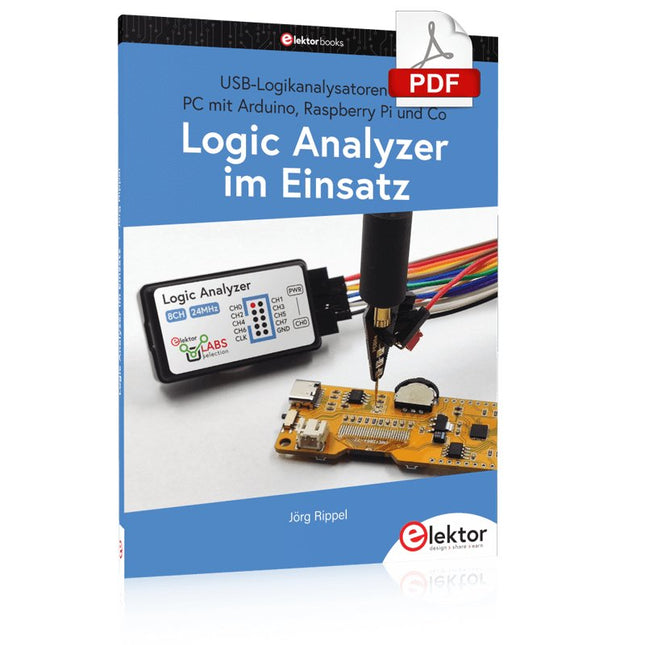
Elektor Digital Logic Analyzer im Einsatz (PDF)
USB-Logikanalysatoren am PC mit Arduino, Raspberry Pi und Co Schritt-für-Schritt-Anleitungen führen Sie in die Analyse moderner Protokolle von I²C, SPI, UART, RS-232, NeoPixel, WS28xx, HD44780 und 1-Wire ein. Anhand zahlreicher Experimentierschaltungen mit dem Raspberry Pi Pico, Arduino Uno und dem Bus Pirate üben Sie die praxisnahe Anwendung gängiger USB-Logikanalysatoren ein. Alle in diesem Buch vorgestellten Experimentierschaltungen wurden gründlich getestet und sind funktionsfähig. Die notwendigen Programmlistings sind enthalten, es sind keine besonderen Programmier- oder Elektronikkenntnisse für diese Schaltungen notwendig. Es werden die Programmiersprachen MicroPython und C mit den Entwicklungsumgebungen Thonny und Arduino IDE eingesetzt. Dieses Buch verwendet mehrere Modelle flexibler und weit verbreiteter USB-Logikanalysatoren und zeigt die Stärken und Schwächen jeder Preisklasse. Sie werden herausfinden, welche Kriterien für Ihre Arbeit wichtig sind und in der Lage sein, das passende Gerät für Sie zu finden. Egal ob Arduino, Raspberry Pi oder Raspberry Pi Pico: Die abgebildeten Beispielschaltungen ermöglichen einen schnellen Einstieg in die Protokollanalyse und können auch als Grundlage für eigene weitere Experimente dienen. Sie werden alle wichtigen Begriffe und Zusammenhänge kennenlernen, eigene Experimente durchführen, selbstständig Protokolle analysieren und nach der Lektüre dieses Buches – im Bereich der digitalen Signale und Protokolle – ein umfassendes Wissen aufgebaut haben.
€ 32,80
Mitglieder: € 29,52
-
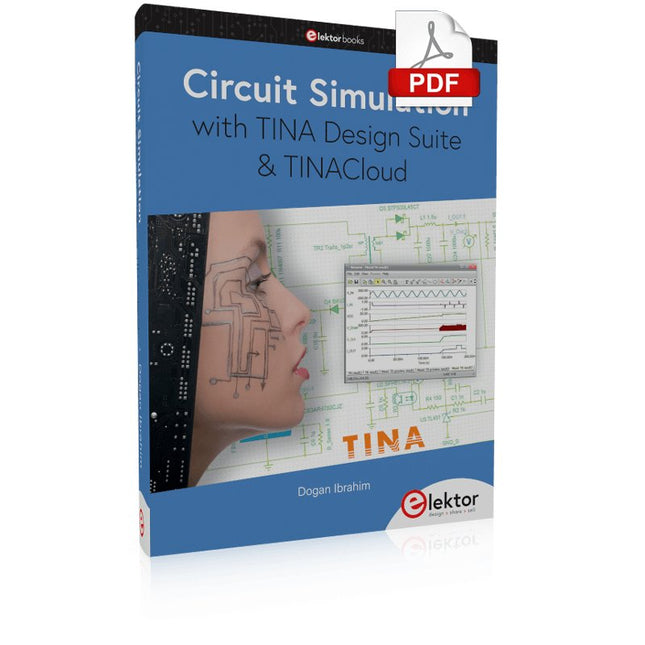
Elektor Digital Circuit Simulation with TINA Design Suite & TINACloud (E-book)
TINA Design Suite is a professional, powerful and affordable circuit simulator. It is a circuit designer and PCB design software package for analysing, designing, and real-time testing of analogue, digital, IBIS, VHDL, Verilog, Verilog AMS, SystemC, MCU, and mixed electronic circuits and their PCB layouts. In this book, top-selling Elektor author, Prof. Dr. Dogan Ibrahim aims to teach the design and analysis of electrical and electronic circuits and develop PCB boards using both TINA and TINACloud. The book is aimed at electrical/electronic engineers, undergraduate electronic/electrical engineering students at technical colleges and universities, postgraduate and research students, teachers, and hobbyists. Many tested and working simulation examples are provided covering most fields of analogue and digital electrical/electronic engineering. These include AC and DC circuits, diodes, zener diodes, transistor circuits, operational amplifiers, ladder diagrams, 3-phase circuits, mutual inductance, rectifier circuits, oscillators, active and passive filter circuits, digital logic, VHDL, MCUs, switch-mode power supplies, PCB design, Fourier series, and spectrum. Readers do not need to have any programming experience unless they wish to simulate complex MCU circuits.
€ 39,95
Mitglieder: € 35,96
-

Andonstar Andonstar AD407 7" HDMI Digital-Mikroskop
Untersuchen Sie Ihre Schaltkreise mit hoher Präzision und löten Sie auch kleinste SMDs und Bauteile problemlos! Features Das multifunktionale digitale HDMI-Mikroskop bietet Full HD, komfortable Kopffreiheit, verbesserte Ergonomie und mehrere Ausgangssignale mit unterschiedlichen Auflösungen. Der Neigungswinkel des breiten LCD-Monitors ist einstellbar. Fernbedienung im Lieferumfang inbegriffen. Kann als eigenständiges Gerät verwendet werden. Technische Daten Bildschirmgröße 7 Zoll (17,8 cm) Bildsensor 4 MP Videoausgang UHD 2880x2160 (24fps)FHD 1920x1080 (60fps/30fps)HD 1280x720 (120fps) Videoformat MP4 Vergrößerung Bis zu 270-fach (27" HDMI-Monitor) Bildauflösung Max. 12 MP (4032x3024) Bildformat JPG Fokusbereich Min. 5 cm Bildrate Max. 120fps (unter 600 Lux Helligkeit & HDP120) Videoschnittstelle HDMI Speichermedium microSD-Karte (bis zu 32 GB) Stromversorgung 5 V DC Beleuchtung 2 LEDs mit Standfuß Abmessungen 20 x 12 x 19 cm Lieferumfang 1x Andonstar AD407 Digital-Mikroskop 1x Metallstativ mit 2 LEDs 1x Optische Halterung 1x UV-Filter 1x IR-Fernbedienung 1x Schalterkabel 1x Netzadapter 1x HDMI-Kabel 2x Schrauben 1x Schraubendreher 1x Handbuch Downloads Manual Modellvergleich AD407 AD407 Pro AD409 AD409 Pro-ES Bildschirmgröße 7 Zoll (17,8 cm) 7 Zoll (17,8 cm) 10,1 Zoll (25,7 cm) 10,1 Zoll (25,7 cm) Bildsensor 4 MP 4 MP 4 MP 4 MP Videoausgang 2160p 2160p 2160p 2160p Schnittstellen HDMI HDMI USB, HDMI, WiFi USB, HDMI, WiFi Videoformat MP4 MP4 MP4 MP4 Vergrößerung Bis zu 270x Bis zu 270x Bis zu 300x Bis zu 300x Bildauflösung Max. 4032x3024 Max. 4032x3024 Max. 4032x3024 Max. 4032x3024 Bildformat JPG JPG JPG JPG Fokusabstand Min. 5 cm Min. 5 cm Min. 5 cm Min. 5 cm Bildrate Max. 120f/s Max. 120f/s Max. 120f/s Max. 120f/s Speichermedium microSD-Karte microSD-Karte microSD-Karte microSD-Karte PC-Unterstützung Nein Nein Windows Windows Mobile Konnektivität Nein Nein WiFi + Messung WiFi + Messung Stromversorgung 5 V DC 5 V DC 5 V DC 5 V DC Beleuchtung 2 LEDs mit Standfuß 2 LEDs mit Standfuß 2 LEDs mit Standfuß 2 LEDs mit Standfuß Endoskop Nein Nein Nein Ja Abmessungen 20 x 12 x 19 cm 20 x 18 x 32 cm 18 x 20 x 30 cm 18 x 20 x 32 cm Gewicht 1,6 kg 2,1 kg 2,2 kg 2,5 kg
€ 182,07


