
Suchergebnisse für "official OR mini OR hdmi OR cable OR for OR raspberry OR pi OR zero"
-

Elektor Digital Elektor January/February 2022 (PDF)
DRIVING MOTORS WITH H-BRIDGESAn Introduction to DC, Stepper, and Brushless Motors THE ELEKTOR LAB TEAMOur Approach, Preferred Tools, and More RASPBERRY PI AS A KVM REMOTE CONTROLPi-KVM Software Test IQAUDIO CODEC ZEROA Sound Card for the Raspberry Pi Family THE PIKVM PROJECT AND LESSONS LEARNEDInterview with Maxim Devaev (Developer, PiKVM) AUTONOMOUS VEHICLE WITH 2D LIDARESP32 Pico Interprets Data from the Lidar Module THE RASPBERRY PI ZERO 2 W GOES QUAD-CORE NOTES FROM THE 2021 WORLD ETHICAL ELECTRONICS FORUM MOTOR CONTROLHow the Complexity of Motor Control Is Simplified LARGE ELECTRIC MOTORSBasic Principles and Useful Information GETTING STARTED WITH THE ESP32-C3 RISC-V MCU PROTECT YOURSELF AND OTHERS!DIY Master Power Switch for the Lab Bench CREATE GUIS WITH PYTHON (PART 2)Spy name chooser PRODUCTRONICA FAST FORWARD 2021 WINNERSExciting Technologies and Creative Engineering Solutions VERSATILE SERVO TESTERCheck Behavior When There’s No Datasheet MODBUS OVER WLAN (PART 2)Software for the Modbus TCP WLAN Module UNDERSTANDING THE NEURONS IN NEURAL NETWORKS (PART 3)Practical Neurons INSIDE AN OPEN-SOURCE PROCESSORSample Chapter: Lattice and Xilinx FPGA Results STARTING OUT IN ELECTRONICSWe Are Not Yet Done with the Coil ERR-LECTRONICSCorrections, Updates and Readers’ Letters COLOR TO SOUNDHow to Read Out a Color Sensor via I2C BATTLAB-ONEMeasure and Optimize the Battery Life of IoT Devices SIMPLE EARTH-LEAKAGE TRACERTesting Isolation of Mains Supply POVERTY AND ELECTRONICSSustainable Development Goal 1 HEXADOKUThe Original Elektorized Sudoku
€ 7,50
-
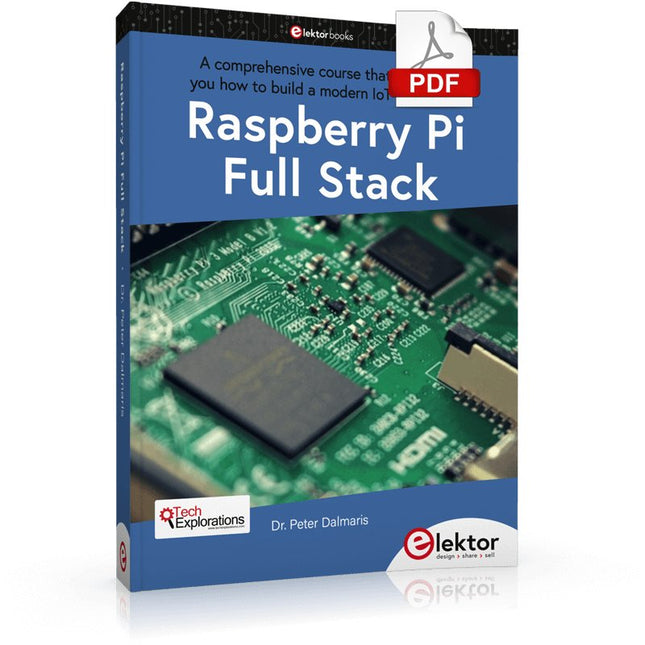
Elektor Digital Raspberry Pi Full Stack (E-book)
Dieses Buch nimmt Sie mit auf eine spannende Tour durch die Entwicklung von Full-Stack-Webanwendungen mit Raspberry Pi. Sie lernen, wie Sie eine Anwendung von Grund auf erstellen. Sie erwerben Erfahrung und Wissen über Technologien, darunter: Das Linux-Betriebssystem und die Befehlszeile. Die Programmiersprache Python. Die GPIOs (General Purpose Input Output Pins) des Raspberry Pi. Der Nginx-Webserver. Flask Python-Mikroframework für Webanwendungen. JQuery und CSS zum Erstellen von Benutzeroberflächen. Umgang mit Zeitzonen. Erstellen von Diagrammen mit Plotly und Google Charts. Datenerfassung mit Google Sheet. Entwickeln von Applets mit IFTTT. Sichern Sie Ihre Anwendung mit SSL. Empfangen Sie mit Twilio Textnachrichten auf Ihrem Telefon. In diesem Buch erfahren Sie außerdem, wie Sie einen drahtlosen Arduino-Sensorknoten aus der Ferne einrichten und Daten von ihm sammeln. Ihre Raspberry Pi-Webanwendung kann Arduino-Knotendaten auf die gleiche Weise verarbeiten, wie sie Daten von ihrem integrierten Sensor verarbeitet. Raspberry Pi Full Stack vermittelt Ihnen viele Fähigkeiten, die für die Erstellung von Web- und Internet-of-Things-Anwendungen unerlässlich sind. Die Anwendung, die Sie in diesem Projekt erstellen, ist eine Plattform, die Sie erweitern können. Dies ist nur der Anfang dessen, was Sie mit einem Raspberry Pi und den Software- und Hardwarekomponenten tun können, die Sie lernen werden. Dieses Buch wird vom Autor durch einen eigenen Diskussionsbereich unterstützt.
€ 34,95
Mitglieder: € 31,46
-

Elektor Bundles Microcontrollers Hands-on Course for Arduino Starters (Bundle)
Realize your own projects with the Elektor Arduino Nano MCCAB Training Board The microcontroller is probably the most fascinating subfield of electronics. Due to the multitude of functions, it combines on its chip, it is a universal multi-tool for developers to realize their projects. Practically every device of daily use today is controlled by a microcontroller. However, for an electronic layman, realizing his own ideas with a microcontroller has so far remained a pipe dream due to its complexity. The Arduino concept has largely simplified the use of microcontrollers, so that now even laymen can realize their own electronics ideas with a microcontroller. Book & Hardware in the Bundle: 'Learning by Doing' This book, which is included in the bundle, shows how you can realize your own projects with a microcontroller even without much experience in electronics and programming languages. It is a microcontrollers hands-on course for starters, because after an overview of the internals of the microcontroller and an introduction to the programming language C, the focus of the course is on the practical exercises. The reader acquires the necessary knowledge by 'learning by doing': in the extensive practical section with 12 projects and 46 exercises, what is learned in the front part of the book is underpinned with many examples. The exercises are structured in such a way that the user is given a task to solve using the knowledge built up in the theoretical part of the book. Each exercise is followed by a sample solution that is explained and commented on in detail, which helps the user to solve problems and compare it with his own solution. Arduino IDE The Arduino IDE is a software development environment that can be downloaded for free to your own PC and that contains the entire software package needed for your own microcontroller projects. You write your programs ('apps') with the IDE’s editor in the C programming language. You translate them into the bits and bytes that the microcontroller understands using the Arduino IDE's built-in compiler, and then load them into the microcontroller's memory on the Elektor Arduino MCCAB Nano Training Board via a USB cable. Query or control external sensors, motors or assemblies In addition to an Arduino Nano microcontroller module, the Elektor Arduino Nano MCCAB Training Board contains all the components required for the exercises, such as light-emitting diodes, switches, pushbuttons, acoustic signal transmitters, etc. External sensors, motors or assemblies can also be queried or controlled with this microcontroller training system. Specifications (Arduino Nano MCCAB Training Board) Power Supply Via the USB connection of the connected PC or an external power supply unit (not included) Operating Voltage +5 Vcc Input Voltage All inputs 0 V to +5 V VX1 and VX2 +8 V to +12 V (only when using an external power supply) Hardware periphery LCD 2x16 characters Potentiometer P1 & P2 JP3: selection of operating voltage of P1 & P2 Distributor SV4: Distributor for the operating voltagesSV5, SV6: Distributor for the inputs/outputs of the microcontroller Switches and buttons RESET button on the Arduino Nano module 6x pushbutton switches K1 ... K6 6x slide switches S1 ... S6 JP2: Connection of the switches with the inputs of the microcontroller Buzzer Piezo buzzer Buzzer1 with jumper on JP6 Indicator lights 11 x LED: Status indicator for the inputs/outputs LED L on the Arduino Nano module, connected to GPIO D13 JP6: Connection of LEDs LD10 ... LD20 with GPIOs D2 ... D12 Serial interfacesSPI & I²C JP4: Selection of the signal at pin X of the SPI connector SV12 SV9 to SV12: SPI interface (3.3 V/5 V) or I²C interface Switching output for external devices SV1, SV7: Switching output (maximum +24 V/160 mA, externally supplied) SV2: 2x13 pins for connection of external modules 3x3 LED matrix(9 red LEDs) SV3: Columns of the 3x3 LED matrix (outputs D6 ... D8) JP1: Connection of the rows with the GPIOs D3 ... D5 Software Library MCCABLib Control of hardware components (switches, buttons, LEDs, 3x3 LED matrix, buzzer) on the MCCAB Training Board Operating Temperature Up to +40 °C Dimensions 100 x 100 x 20 mm Specifications (Arduino Nano) Microcontroller ATmega328P Architecture AVR Operating Voltage 5 V Flash Memory 32 KB, of which 2 KB used by bootloader SRAM 2 KB Clock Speed 16 MHz Analog IN Pins 8 EEPROM 1 KB DC Current per I/O Pins 40 mA on one I/O pin, total maximum 200 mA on all pins together Input Voltage 7-12 V Digital I/O Pins 22 (6 of which are PWM) PWM Output 6 Power Consumption 19 mA Dimensions 18 x 45 mm Weight 7 g Included Elektor Arduino Nano MCCAB Training Board Arduino Nano Book: Microcontrollers Hands-on Course for Arduino Starters
€ 139,95
Mitglieder: € 125,96
-

Elektor Publishing Regelungstechnik mit Fuzzy Logic
Praktische Anwendungen und Projekte mit Arduino, ESP32 und RP2040 Tauchen Sie ein in die faszinierende Welt der Regelungstechnik mit Arduino und ESP32! Dieses Buch bietet Ihnen einen praxisnahen Einstieg in die klassischen und modernen Methoden der Regelung, darunter PID-Regler, Fuzzy-Logik und Sliding-Mode-Regler. Im ersten Teil lernen Sie die Grundlagen der beliebten Arduino-Controller, wie den Arduino Uno und den ESP32, sowie die Integration von Sensoren für Temperatur- und pH-Messung (NTC, PT100, PT1000, pH-Sensor). Sie erfahren, wie diese Sensoren in verschiedenen Projekten eingesetzt werden und wie Sie Daten auf einem Nextion TFT-Display visualisieren. Weiter geht es mit der Einführung in Stellglieder wie MOSFET-Schalter, H-Brücken und Solid-State-Relais, die zur Steuerung von Motoren und Aktoren verwendet werden. Sie lernen, Regelstrecken zu analysieren und zu modellieren, einschließlich PT1- und PT2-Regelungen. Der Schwerpunkt des Buches liegt auf der Implementierung von Fuzzy- und PID-Reglern zur Regelung von Temperatur und DC-Motoren. Dabei werden sowohl der Arduino Uno als auch der ESP32 eingesetzt. Zudem wird der Sliding-Mode-Regler vorgestellt. Im vorletzten Kapitel erkunden Sie die Grundlagen neuronaler Netze und lernen, wie maschinelles Lernen auf einem Arduino eingesetzt werden kann. Im letzten Kapitel gibt es noch ein praktisches Beispiel für einen Fuzzy-Regler zur Stromeinspeisung ins Hausnetz. Dieses Buch ist die perfekte Wahl für Ingenieure, Studierende und Elektroniker, die ihre Projekte mit innovativen Regelungstechniken erweitern möchten.
€ 44,80
Bestpreis
-
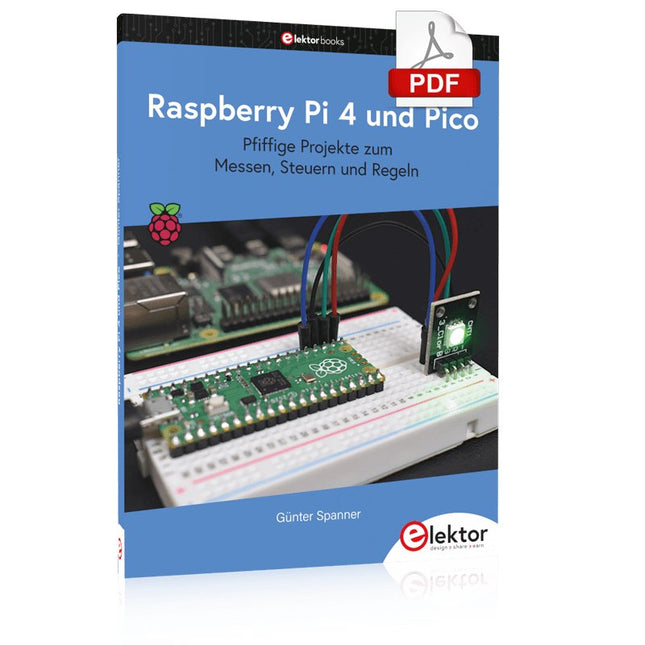
Elektor Digital Raspberry Pi 4 und Pico (PDF)
Pfiffige Projekte zum Messen, Steuern und Regeln Der Raspberry Pi dominiert seit vielen Jahren die Maker-Szene. Frei verfügbare I/O-Pins erfordern ihn aller Zeiten zu einem der beliebtesten Prozessorboards. Allerdings verfügt der klassische Raspberry Pi über keinerlei Analogeingänge. Eine direkte Messung analoger Werte ist damit nicht möglich. So können weder Photodioden noch NTCs oder Hallsensoren etc. unmittelbar ausgelesen werden. Zudem sind die Pins direkt, d. H. ohne Treiber oder Schutzschaltung, mit den freiliegenden Kontakten verbunden. Dadurch kann der zentrale Controller und damit der gesamte Raspberry Pi schnell zerstört werden. Mit dem Pico können diese Probleme elegant gelöst werden. Er kann als sogenanntes „Frontend“ problemlos verschiedene Messaufgaben übernehmen. Zudem ist der Pico deutlich preisgünstiger als ein klassischer Raspberry Pi 4. Falls eine Fehlbeschaltung zur Zerstörung des Pico führt, ist dies vor allem für nicht-professionelle Anwender relativ leicht zu verkraften. Der klassische Raspberry Pi und der Pico werden so zum idealen Duo. Das Buch führt entsprechend in das weite und hochaktuelle Gebiet der modernen Controllertechnik anhand der beiden Boards „Raspberry Pi 4“ und „Raspberry Pi Pico“ ein. Neben einer tiefergehenden Einführung in die Arbeits- und Funktionsweise des Controllerboards selbst wird insbesondere auch auf die Messwerterfassung und -verarbeitung mit digitalen Prozessoren eingegangen. Insbesondere die Kombination beider Systeme bietet vielfältige und hochinteressante Möglichkeiten. Praktische Projekte aus dem Inhalt: USB-Verbindung zwischen Raspberry Pi 4 und Pico I²C-Kommunikation und Pico als I²C-Device Voltmeter und Computerthermometer Pico W als Web-Server und WLAN-Scanner Frequenzmesser und -generatoren OLED-Displays an Pico und Raspberry Pi 4 Energiesparmonitor Welche Astronauten sind im Orbit? Mini-Monitor für den aktuellen Bitcoin-Kurs
€ 32,80
Mitglieder: € 29,52
-

Elektor Digital Elektor January/February 2023 (PDF)
Elektor GREEN and GOLD members can download their digital edition here. Not a member yet? Click here. For Eyes and Ears Video Output with Microcontrollers (1)Composite Video electronica 2022News from the world’s leading electronics trade show ESP32 CameraSo Simple, It Doesn’t Even Have to Use Wi-Fi ATX Power Supply for Raspberry Pi 32 Ω Headphone AmplifierSimple But High-Quality 3-Chip Solution SDR Radio-Controlled clocksFive Time Signals, Six Displays Starting Out in ElectronicsSpecial Diodes From Life's ExperienceMusings on the Quality of Things Reverse-Engineering a Bluetooth Low Energy LED BadgeHow to Control a BLE Device with a Python Script MakePython ESP32 Development KitEverything in a Box THD Measurement with an Oscilloscope and FFTEasily Calculate the Distortion Factor All-Seeing MachinesThe Technology Behind Today’s Industrial Vision Systems Infographics The Evolution of Voice and Audio Control for Electronic Devices WEEF 2022 in Review FFWD electronica 2022 in ReviewInnovators Did Not Fail to Impress The TubeAn Unusual Tube Amplifier Biomaterial in Electronics: Ready or Not Opera Cake Antenna Switch for HackRF OneConnect Up To Eight Antennas To Your SDR Engineering with Arduino and MoreAn Interview with Author Ashwin Pajankar LiDAR Precision GaugeMeasure up to 12 Meters Audio Signals and the ESP32The ESP-ADF Environment in Practice Elektor Fortissimo-100 Power Amplifier Kit Using Light for Sound EffectsLDR-Based Voltage-Controlled 24 dB/oct Synthesizer Filter Elektor High-Power AF AmplifierThe Loudest of Them All! HomeLab ToursA Volumetric Display Made in Canada Err-lectronicsCorrections, Updates and Readers’ Letters Hexadoku
€ 7,50
-
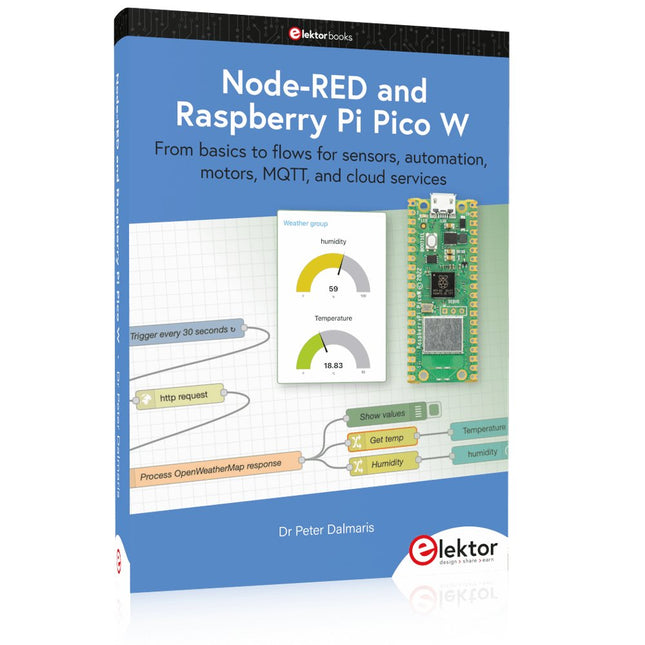
Elektor Publishing Node-RED and Raspberry Pi Pico W
From basics to flows for sensors, automation, motors, MQTT, and cloud services This book is a learning guide and a reference. Use it to learn Node-RED, Raspberry Pi Pico W, and MicroPython, and add these state-of-the-art tools to your technology toolkit. It will introduce you to virtual machines, Docker, and MySQL in support of IoT projects based on Node-RED and the Raspberry Pi Pico W. This book combines several elements into a platform that powers the development of modern Internet of Things applications. These elements are a flow-based server, a WiFi-enabled microcontroller, a high-level programming language, and a deployment technology. Combining these elements gives you the tools you need to create automation systems at any scale. From home automation to industrial automation, this book will help you get started. Node-RED is an open-source flow-based development tool that makes it easy to wire together devices, APIs, and online services. Drag and drop nodes to create a flowchart that turns on your lights at sunset or sends you an email when a sensor detects movement. Raspberry Pi Pico W is a version of the Raspberry Pi Pico with added 802.11n Wi-Fi capability. It is an ideal device for physical computing tasks and an excellent match to the Node-RED. Quick book facts Project-based learning approach. Assumes no prior knowledge of flow-based programming tools. Learn to use essential infrastructure tools in your projects, such as virtual machines, Docker, MySQL and useful web APIs such as Google Sheets and OpenWeatherMap. Dozens of mini-projects supported by photographs, wiring schematics, and source code. Get these from the book GitHub repository. Step-by-step instructions on everything. All experiments are based on the Raspberry Pi Pico W. A Wi-Fi network is required for all projects. Hardware (including the Raspberry Pi Pico W) is available as a kit. Downloads GitHub
€ 49,95
Mitglieder: € 44,96
-

Elektor Digital Elektor September/October 2021 (PDF)
UNDERSTANDING THE NEURONS IN NEURAL NETWORKS (PART 1)Artificial Neurons EMC PRE-COMPLIANCE TEST FOR YOUR DC-POWERED PROJECT (PART 1)Dual DC LISN ELECTRONIC LOAD FOR DC AND ACUp to 400 V and 10 A (Peak) STARTING OUT IN ELECTRONICSEasier Than Imagined! ...Taking on the Choke! IMAGE PROCESSING WITH THE NVIDIA JETSON NANO (PART 1)The Hardware and Software AN IN-DEPTH LOOK AT MAINS TRANSFORMERSHow Do They Behave When They Are Switched On and Off? YES WE CAN WITH PICAN 3A CAN Bus HAT for the Raspberry Pi 4 BALCONY POWER PLANTDIY Solar Balcony = Speedy Payback! IMAGING AND VIDEO-STREAMING WITH A RASPBERRY PI 4The Raspberry Pi High-Quality Camera in Practice USING DISPLAYS IN RASPBERRY PI PROJECTSSample Chapter: Organic Light Emitting Diode Displays (OLED) HANDS ON THE PARALLAX PROPELLER 2 (PART 4)Sending Strings ELEKTOR @ 60A Look Back at Previous Septembers HOMELAB TOURSIn the Friesian Countryside, Where the Tubes Bloom ... HYBRIDSPeculiar Parts, the series A COMPASS ROSE USING THE GY-271Or Why We Move in Figures of Eight to Calibrate a Sensor FINDING YOUR FOOTPRINTCalculate the Carbon Footprint of Your Electronics ESP32-CONNECTED THERMOSTATKeep Your Wine at the Right Temperature! MAGNETIC LEVITATION THE DIGITAL WAYESP32 Pico Replaces the Analog Comparator ULTIMATE ARDUINO UNO HARDWARE MANUALSample Chapter: Main Microcontroller Bootloader MICROPYTHON FOR THE ESP32 AND FRIENDS (PART 2)Control Matrix Displays Easily MADMACHINE SWIFTIO BOARDModern Language Meets Modern Hardware FROM LIFE’S EXPERIENCEOn-Again, Off-Again Relationship HEXADOKUThe Original Elektorized Sudoku
€ 7,50
-
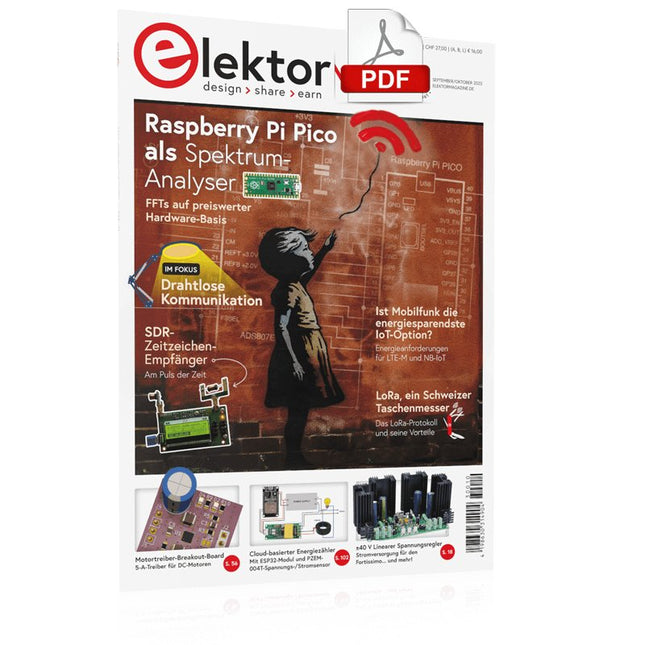
Elektor Digital Elektor 09-10/2023 (PDF)
Diese Ausgabe steht allen GOLD- und GREEN-Mitgliedern auf der ElektorMagazine-Website zum Download bereit! Sind Sie noch kein Mitglied? Hier klicken! Raspberry Pi Pico als Spektrum-Analyser FFTs auf preiswerter Hardware-Basis ±40 V linearer Spannungsregler Eine alternative Stromversorgung für die Fortissimo-100-Endstufe ... und andere! Drahtlose MCU-Kommunikation flexibel gemacht EEPROM eröffnet Netzwerk-Perspektiven für drahtlose MCUs 5.000 € zu gewinnen! Machen Sie mit beim STM32 Wireless Innovation Design Contest! 2023: Odyssee in der KI Loslegen mit dem Code-Interpreter von ChatGPT LoRa, ein Schweizer Taschenmesser Teil 1: Das LoRa-Protokoll und seine Vorteile Einstellbare Stromsenke mit integriertem Taktgeber Zum Testen von Netzteilen, Spannungswandlern und Batterien Zwei neue Arduino UNO R4 Boards: Minima und WiFi Logarithmische Potentiometer Sie sind exponentiell! Motortreiber-Breakout-Board Ein BoB für einen 5-A-Treiber für DC-Motoren mit einer Größe von 3×3 mm Aus dem Leben gegriffen Gefährliche Elektronik Ist Mobilfunk die energiesparendste Option für das IoT? LTE-M und NB-IoT: Energieanforderungen in LPWAN-Implementierungen Kabellose Kommunikation in IoT-Systemen mit MKR Modulen von Arduino Kommunikationsstandards des Arduino-Moduls für IoT AC-Verluste in magnetischen Bauteilen Erhalten Sie heiße Induktivitäten! Messungen für eine optimale Cloud-Implementierung Matter-Implementierung: Was braucht es, um Matter-Geräte einzusetzen? Neue 2,4 GHz-Funkeinheiten von Circuit Design Prädestiniert für Fernsteuerung und Überwachung PIC o'Clock – am Puls der Zeit Design eines SDR-Zeitzeichen-Empfängers Sorgfaltspflichtrichtlinie „Weiter so“ ist nicht genug Aller Anfang... Ist gar nicht schwer: Spannungsverstärkung Infraschall-Rekorder mit dem Arduino Pro Mini Ein Beispielprojekt aus dem Elektor-Buch „Arduino & Co.“ Cloud-basierter Energiezähler Mit ESP32-Modul und PZEM-004T-Spannungs-/Stromsensor Eine Anleitung zur Bare-Metal-Programmierung Teil 2: Exaktes Timing, UART und Debugging
€ 11,90
-

Miniware Miniware MDP-M01 Smart Digital-Monitor
MDP-M01 ist ein Display-Steuermodul, das mit einem 2,8-Zoll-TFT-Display ausgestattet ist. Das Display kann um 90 Grad gedreht werden, was für Benutzer bequem ist, um Daten und Wellenformen anzuzeigen. MDP-M01 kann Online-Anzeige und -Steuerung mit MDP-P906 Mini-Digital-Netzteilmodulen und anderen Modulen des MDP-Systems über drahtlose 2,4-GHz-Kommunikation realisieren und bis zu 6 Sub-Module gleichzeitig steuern. Technische Daten Bildschirmgröße 2,8" TFT Bildschirmauflösung 240 x 320 Leistung Micro-USB-Stromeingang oder Stromversorgung vom Submodul über dediziertes Stromkabel Eingabe DC 5 V/0,3 A Andere Funktionen Kann bis zu 6 Submodule steuernUpgrade der Formware über Micro USB Abmessungen 107 x 66 x 13,6 mm Gewicht 133 g Included 1x MDP-M01 Smart Digital-Monitor 1x Kabel (2,5 mm Klinke auf Micro USB) Downloads User Manual v3.4 Firmware v1.32
€ 77,69
-

Elektor Digital Régulation PID par la pratique avec Raspberry Pi et Arduino Uno (E-book)
Arduino Uno est une plaque de développement de microcontrôleur, avec superposition de code source (matériel, EDI et bibliothèques). Arduino est l'une des plus grandes communautés de programmeurs, d'ingénieurs et d'électroniciens, de passionnés et d'étudiants universitaires. Merci pour vos bibliothèques, le programme devient adapté à votre jeune enfant et la rapidité. Les bibliothèques entièrement testées et fonctionnelles facilitent le test des programmes. Le Raspberry Pi 4, une version récente du système nano-ordonné, est utilisé pour les appareils multimédias, ainsi que pour les applications industrielles, robotiques, domestiques et commerciales. Grâce à la connectivité Wi-Fi et Bluetooth, votre Raspberry Pi 4 est parfait pour la commande et la surveillance à distance via Internet. Ce livre avec une œuvre de Raspberry Pi 4 et de l'Arduino Uno dans des applications de régulation avec l'algorithme PID. Après avoir examiné la théorie des systèmes de régulation et des systèmes intégrés, l'évaluation des fonctions du projet et les tests de pilotage des systèmes de régulation PID en temps réel. Le timing et la structure des paramètres PID et le timing et la structure des systèmes détaillés et détaillés (schémas fonctionnels, schémas de circuits, algorithmes de régulation PID, liste complète des cartes). Ces projets s'appuient constamment sur la théorie et les applications des régulateurs PID. C'est un simple modificateur pour d'autres applications. Les projets pour le Raspberry Pi 4 sont adaptables selon les différents modèles de la famille Raspberry Pi. Le livre couvre les sujets suivants : Systèmes de régulation et systèmes ouverts et fermés Capteurs analogiques et numériques Fonctions de transfert et de système en continu Enregistrements temporels des systèmes du 1er et du 2ème ordre Systèmes discrets (nombres) Les régulateurs PID sont des systèmes à température continue Numéros PID des régulateurs Régulation de température selon Raspberry Pi et Arduino Uno Régulation de température PID à l'aide de Raspberry Pi et Arduino Uno Pilotage continu de moteurs utilisant Raspberry Pi et Arduino Uno Régulation PID pour surveiller le niveau du Raspberry Pi et de l'Arduino Uno Régulation PID pour piloter une LED avec Raspberry Pi et Arduino Uno
€ 32,95
Mitglieder: € 29,66
-

Zhongdi ZD-8962B ESD-Lötstation (70 W)
Die Lötstation ZD-8962B verfügt über einen einstellbaren Temperaturbereich von 160°C bis 480°C und eine Ausgangsleistung von 70 W. Dank des integrierten Heizelements in der Lötspitze erreicht die Station die gewünschte Betriebstemperatur in nur 8 Sekunden. Ein großes Digitaldisplay ermöglicht die Echtzeitüberwachung und zeigt sowohl die voreingestellte Zieltemperatur als auch die tatsächliche Temperatur des Lötkolbens für eine präzise Steuerung an. Darüber hinaus ist die Station ESD-sicher und schützt so empfindliche elektronische Bauteile während des Betriebs vollständig vor elektrostatischer Entladung. Technische Daten Leistung 70 W Eingangsspannung 220–240 V AC/50 Hz Ausgangsspannung 20 V Temperaturbereich 160°C – 480°C Aufheizzeit ~8 s Display Großes, zweizeiliges LED-Display zur Anzeige von Soll- und Ist-Temperatur Besonderheiten ESD-Schutz, Energiesparmodus, Zwischen °C und °F umschalten Lieferumfang ZD-8962B Lötstation Lötkolben Lötspitze N12-1 Lötkolbenständer mit Kupferbürste und Schwamm Lötdrahtständer mit bleifreiem Lötdraht (10 g) Netzkabel (EU) Manual
€ 59,95
Bestpreis


