
Suchergebnisse für "explore or attiny or microcontrollers or using or c or and or assembly or language"
-

Elektor Digital Controller Area Network Projects with ARM and Arduino (E-book)
This book details the use of the ARM Cortex-M family of processors and the Arduino Uno in practical CAN bus based projects. Inside, it gives a detailed introduction to the architecture of the Cortex-M family whilst providing examples of popular hardware and software development kits. Using these kits helps to simplify the embedded design cycle considerably and makes it easier to develop, debug, and test a CAN bus based project. The architecture of the highly popular ARM Cortex-M processor STM32F407VGT6 is described at a high level by considering its various modules. In addition, the use of the mikroC Pro for ARM and Arduino Uno CAN bus library of functions are described in detail. This book is written for students, for practising engineers, for hobbyists, and for everyone else who may need to learn more about the CAN bus and its applications. The book assumes that the reader has some knowledge of basic electronics. Knowledge of the C programming language will be useful in later chapters of the book, and familiarity with at least one microcontroller will be an advantage, especially if the reader intends to develop microcontroller based projects using CAN bus. The book should be useful source of reference to anyone interested in finding an answer to one or more of the following questions: What bus systems are available for the automotive industry? What are the principles of the CAN bus? What types of frames (or data packets) are available in a CAN bus system? How can errors be detected in a CAN bus system and how reliable is a CAN bus system? What types of CAN bus controllers are there? What are the advantages of the ARM Cortex-M microcontrollers? How can one create a CAN bus project using an ARM microcontroller? How can one create a CAN bus project using an Arduino microcontroller? How can one monitor data on the CAN bus?
€ 32,95
Mitglieder: € 29,66
-

Elektor Digital Elektor March/April 2023 (PDF)
Elektor GREEN and GOLD members can download their digital edition here. Not a member yet? Click here. Cloc 2.0The Alarm Clock You've Always Wanted RP2040 PIO in PracticeExperiments Using the RP2040’s Programmable I/O Poor Man's ChipTweakerWe Have (Low-Budget) Ways of Making You Talk USB True Random Number GeneratorTwo PICs for the Price of One AVR Pimp My MicSelf-Designed Level Booster FFT with a MaixduinoFrequency spectrum display From Life’s ExperienceDesign Logic (or Non-Logic) UCN5804 Stepper Motor DriverPeculiar Parts, the Series Circuit Simulation With Micro-CapFirst Steps in a Complicated World PAUL Award 2022Young Technical Talents and Their Creative Solutions My First Software-Defined RadioBuilt in Less Than 15 Minutes Microcontroller Documentation Explained (Part 1)Datasheet structure What’s Next for AI and Embedded Systems?Tools, Platforms, and Writer Replacements Digitizing Vertical Farming Infographics: Embedded and AI Today and Tomorrow An Introduction to TinyML JetCarrier96A Versatile NVIDIA Jetson Development System Case Study: Taking EV Charging Global with a Universal RFID Solution High-Performance in Every ClassComputer-on-Module Standards Starting Out in ElectronicsLet’s Get Active! I²C Communication Using Node.js and a Raspberry PiSee Your Sensor Data in a Browser Video Output with Microcontrollers (2)VGA and DVI Output The Metronom Real-Time Operating SystemAn RTOS for AVR Processors DVI on the RP2040An Interview with Luke Wren, Chip Developer at Raspberry Pi Display HAT MiniShow the Weather Forecast on Raspberry Pi! WEEF 2022 Awards: Celebrate the Good Hexadoku
€ 7,50
-
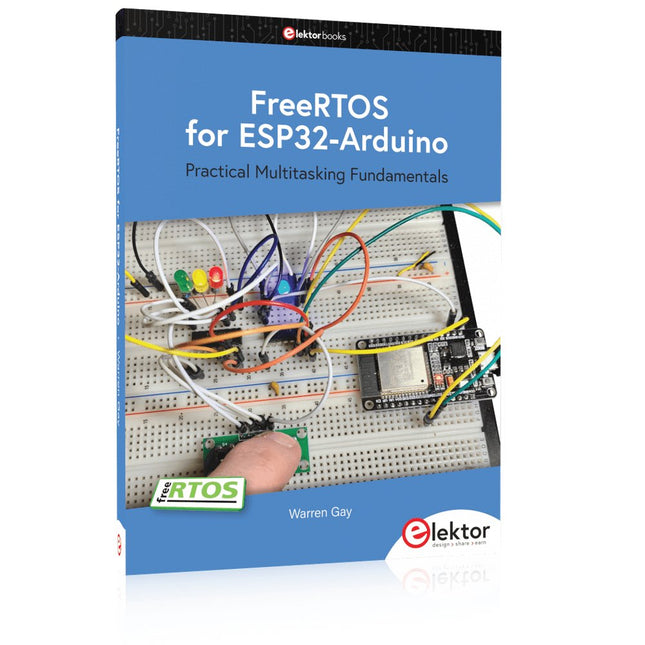
Elektor Publishing FreeRTOS for ESP32-Arduino
Practical Multitasking Fundamentals Programming embedded systems is difficult because of resource constraints and limited debugging facilities. Why develop your own Real-Time Operating System (RTOS) as well as your application when the proven FreeRTOS software is freely available? Why not start with a validated foundation? Every software developer knows that you must divide a difficult problem into smaller ones to conquer it. Using separate preemptive tasks and FreeRTOS communication mechanisms, a clean separation of functions is achieved within the entire application. This results in safe and maintainable designs. Practicing engineers and students alike can use this book and the ESP32 Arduino environment to wade into FreeRTOS concepts at a comfortable pace. The well-organized text enables you to master each concept before starting the next chapter. Practical breadboard experiments and schematics are included to bring the lessons home. Experience is the best teacher. Each chapter includes exercises to test your knowledge. The coverage of the FreeRTOS Application Programming Interface (API) is complete for the ESP32 Arduino environment. You can apply what you learn to other FreeRTOS environments, including Espressif’s ESP-IDF. The source code is available from GitHub. All of these resources put you in the driver’s seat when it is time to develop your next uber-cool ESP32 project. What you will learn: How preemptive scheduling works within FreeRTOS The Arduino startup “loopTask” Message queues FreeRTOS timers and the IDLE task The semaphore, mutex, and their differences The mailbox and its application Real-time task priorities and its effect Interrupt interaction and use with FreeRTOS Queue sets Notifying tasks with events Event groups Critical sections Task local storage The gatekeeper task
€ 49,95
Mitglieder: € 44,96
-

Elektor Digital The CAN Bus Companion (E-book)
Projects with Arduino Uno & Raspberry Pi with Examples for the MCP2515 CAN Bus Interface Module This book details the use of the Arduino Uno and the Raspberry Pi 4 in practical CAN bus based projects. Using either the Arduino Uno or the Raspberry Pi with off-the-shelf CAN bus interface modules considerably ease developing, debugging, and testing CAN bus based projects. This book is written for students, practicing engineers, enthusiasts, and for everyone else wanting to learn more about the CAN bus and its applications. The book assumes that the reader has some knowledge of basic electronics. Knowledge of the C and Python programming languages and programming the Arduino Uno using its IDE and Raspberry Pi will be useful, especially if the reader intends to develop microcontroller-based projects using the CAN bus. The book should be a useful source of reference material for anyone interested in finding answers to questions such as: What bus systems are available for the automotive industry? What are the principles of the CAN bus? How can I create a physical CAN bus? What types of frames (or data packets) are available in a CAN bus system? How can errors be detected in a CAN bus system and how dependable is a CAN bus system? What types of CAN bus controllers exist? How do I use the MCP2515 CAN bus controller? How do I create 2-node Arduino Uno-based CAN bus projects? How do I create 3-node Arduino Uno-based CAN bus projects? How do I set the acceptance masks and acceptance filters? How do I analyze data on the CAN bus? How do I create 2-node Raspberry Pi-based CAN bus projects? How do I create 3-node Raspberry Pi-based CAN bus projects?
€ 32,95
Mitglieder: € 29,66
-

SEQURE SEQURE HT140 (2-in-1) SMD Löt- & Entlötpinzette
Das SEQURE HT140 ist ein äußerst vielseitiges 2-in-1 Lötwerkzeug, das die Funktionalität einer Heißpinzette und eines Lötkolbens vereint. Es wurde speziell für präzise SMD-Löt- und Entlötarbeiten entwickelt. Mit der unabhängigen Steuerung für einseitiges Heizen funktioniert es mit einer Standardspitze wie ein herkömmlicher Lötkolben. Bei beidseitiger Heizfunktion verwandelt es sich in eine Heißpinzette – perfekt für die effiziente und präzise Entnahme von SMD-Bauteilen. Features Betriebstemperatur: 50-500°C Unterstützt mehrere Stromeingänge: PD 3.1/3.0/2.0, QC 3.0/2.0 (5-28 V DC), LiPo-Akkus und Netzteile. Das HT140 kombiniert eine Heißpinzette und einen Lötkolben mit unabhängiger ein- oder beidseitiger Heizung. Verwenden Sie es als Lötkolben mit Spitze oder als Heißpinzette zum einfachen Entlöten von SMD-Bauteilen. Spannung und Stromstärke lassen sich je nach Stromquelle anpassen. Mit dualer Temperaturregelung, Voreinstellungen, schneller Temperaturerhöhung und Feineinstellung. 128 x 32 OLED-Bildschirm mit einstellbarer Helligkeit und Ausrichtung. Umschaltbar zwischen °C und °F. Hochpräzises Heizelement mit einer Genauigkeit von ±1%. Schmelzt Lot in nur 2 Sekunden. Intelligente Standby-, Ruhe- und Aktivierungsfunktionen verlängern die Lebensdauer der Lötspitze und steigern die Effizienz. Unterstützt Temperaturkalibrierung und -kompensation für präzises Arbeiten. Inklusive 1,5 m langem, hitzebeständigem PD 150 W Silikonkabel und robuster HT-Station aus Metall. Austauschbare Lötspitzen und einstellbare Winkel für verschiedene SMD-Lötaufgaben. Technische Daten Betriebsspannung 5-28 V DC Maximale Leistung 140 W Betriebstemperatur 50-500°C Zinnschmelzzeit 2 s Schnittstellentyp USB-C, DC5525 Stromversorgung PD 3.1/3.0/2.0, QC 3.0/2.0, 28 V DC max Display 128 x 32 OLED Firmware-Upgrade Ja Menüsprachen Englisch, Russisch, Chinesisch Abmessungen 160 x 27 x 17,5 mm Gewicht 50 g Lieferumfang 1x SEQURE HT140 Host 2x HT140-IS Konisch gebogene Entlötspitzen 1x HT-Station 1x Zubehörpaket 1x Aufbewahrungstasche 1x 65 W PD-Netzteil (EU, UK & US) 1x 24 W PD-Silikonkabel (1,5 m) 1x GND-Kabel-Zubehörsatz (1,8 m) Downloads Manual Firmware V1.04
€ 119,95€ 99,95Bestpreis
-
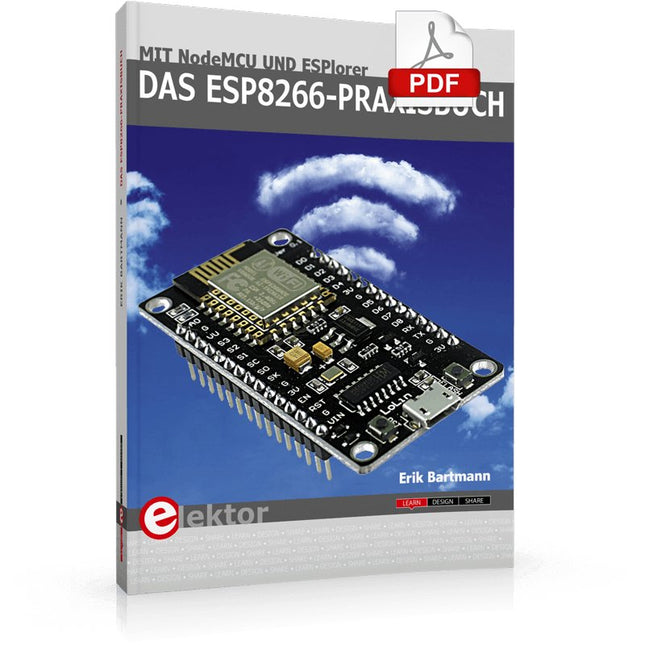
Elektor Digital Das ESP8266-Praxisbuch (E-book)
Der ESP8266 ist ein programmierbares WLAN-Funkmodul mit zahlreichen Schnittstellen wie UART, I²C und SPI. Das Board ist sehr preiswert und bereits für unter 3 Euro verfügbar. Die UART-Schnittstelle sorgt dabei für eine einfache Integration in Mikrocontrollerprojekte. Das ESP8266-Modul kann hervorragend mit dem Arduino zusammenarbeiten und ermöglicht ihm über die serielle Schnittstelle den Zugang zum Netzwerk und Internet. Es existiert eine Implementierung des ESP8266-Moduls in die Arduino-Entwicklungsumgebung. Aber auch als Standalone-Modul kann das ESP8266 eigenständig Programme abarbeiten und mit dem Internet kommunizieren, da es über einen eigenen Mikroprozessor und Speicher auf dem Board verfügt.Mittlerweile existiert auch das Entwickler-Board NodeMCU, auf dem der ESP8266-Chip mit einem USB/Seriell-Adapter versehen wurde. Mit den integrierten Sockelleisten ist ein direkter Einsatz auf üblichen Breadboards möglich. Über den USB-Anschluss wird das Board mit Strom versorgt und kann über eine Software direkt angesprochen werden. Auch das NodeMCU-Board ist sehr preiswert und bereits für unter 5 Euro zu haben.Der Bestseller-Autor Erik Bartmann hat sich ausführlich mit dem ESP8266 und dem NodeMCU beschäftigt. Heraus gekommen ist dabei Das ESP8266-Praxisbuch, in dem er die Leser Schritt für Schritt in die Arbeit mit diesen neuen, preiswerten Bauteilen einführt, mögliche technische Stolpersteine ausführlich behandelt und in zahlreichen Projekten die Praxistauglichkeit – angefangen bei einem selbst gebauten Webserver bis hin zu klugen Relay-Ansteuerung – belegt.
€ 34,80
Mitglieder: € 31,32
-

Elektor Digital Mastering the Arduino Uno R4 (E-book)
Programming and Projects for the Minima and WiFi Based on the low-cost 8-bit ATmega328P processor, the Arduino Uno R3 board is likely to score as the most popular Arduino family member, and this workhorse has been with us for many years. Eleven years later, the long-overdue successor, the Arduino Uno R4, was released. It is built around a 48 MHz, 32-bit Arm Cortex-M4 microcontroller and provides significantly expanded SRAM and Flash memory. Additionally, a higher-precision ADC and a new DAC are added to the design. The Uno R4 board also supports the CAN Bus with an interface. Two versions of the board are available: Uno R4 Minima, and Uno R4 WiFi. This book is about using these new boards to develop many different and interesting projects with just a handful of parts and external modules. All projects described in the book have been fully tested on the Uno R4 Minima or the Uno R4 WiFi board, as appropriate. The project topics include the reading, control, and driving of many components and modules in the kit as well as on the relevant Uno R4 board, including LEDs 7-segment displays (using timer interrupts) LCDs Sensors RFID Reader 4x4 Keypad Real-time clock (RTC) Joystick 8×8 LED matrix Motors DAC (Digital-to-analog converter) LED matrix WiFi connectivity Serial UART CAN bus Infrared controller and receiver Simulators … all in creative and educational ways with the project operation and associated software explained in great detail.
€ 34,95
Mitglieder: € 31,46
-

SunFounder Universal Maker Sensor Kit (für Raspberry Pi, Pico W, Arduino, ESP32)
Entdecken Sie grenzenlose Kreativität mit dem Universal Maker Sensor Kit, das für Raspberry Pi, Pico W, Arduino und ESP32 entwickelt wurde. Dieses vielseitige Kit ist mit gängigen Entwicklungsplattformen kompatibel, darunter Arduino Uno R4 Minima/WiFi, Uno R3, Mega 2560, Raspberry Pi 5, 4, 3B+, 3B, Zero, Pico W und ESP32. Mit über 35 Sensoren, Aktoren und Displays eignet es sich perfekt für Projekte von Umweltüberwachung und Smart-Home-Automatisierung bis hin zu Robotik und interaktivem Gaming. Schritt-für-Schritt-Tutorials in C/C++, Python und MicroPython führen Anfänger und erfahrene Maker gleichermaßen durch 169 spannende Projekte. Features Umfassende Kompatibilität: Vollständige Unterstützung für Arduino (Uno R3, Uno R4 Minima/WiFi, Mega 2560), Raspberry Pi (5, 4, 3B+, 3B, Zero, Pico W) und ESP32. Dies ermöglicht umfassende Flexibilität auf zahlreichen Entwicklungsplattformen. Enthält Anleitungen für 169 Projekte. Umfassende Komponenten: Mehr als 35 Sensoren, Aktoren und Anzeigemodule für vielfältige Projekte wie Umweltüberwachung, Smart Home-Automatisierung, Robotik und interaktive Spielesteuerungen. Ausführliche Tutorials: Klare Schritt-für-Schritt-Anleitungen für Arduino, Raspberry Pi, Pico W, ESP32 und alle enthaltenen Komponenten. Es stehen Tutorials in C/C++, Python und MicroPython zur Verfügung, die sowohl für Anfänger als auch für erfahrene Maker geeignet sind. Für alle Kenntnisstufen geeignet: Bietet strukturierte Projekte, die Benutzer nahtlos vom Anfänger zum Fortgeschrittenen in Elektronik und Programmierung führen und so Kreativität und technisches Know-how fördern. Lieferumfang Breadboard Tastenmodul Kapazitives Bodenfeuchtemodul Flammensensormodul Gas-/Rauchsensormodul (MQ2) Gyroskop & Beschleunigungssensormodul (MPU6050) Hall-Sensormodul Infrarot-Geschwindigkeitssensormodul IR-Hindernisvermeidungssensormodul Joystickmodul PCF8591 ADC/DAC-Wandlermodul Fotowiderstandsmodul PIR-Bewegungssensormodul (HC-SR501) Potentiometermodul Pulsoximeter- und Herzfrequenzsensormodul (MAX30102) Regentropfenerkennungsmodul Echtzeituhrmodul (DS1302) Drehgebermodul Temperatursensormodul (DS18B20) Temperatur- und Feuchtigkeitssensormodul (DHT11) Temperatur, Luftfeuchtigkeit und Drucksensor (BMP280) Time-of-Flight-Mikro-LIDAR-Distanzsensor (VL53L0X) Berührungssensormodul Ultraschallsensormodul (HC-SR04) Vibrationssensormodul (SW-420) Wasserstandssensormodul I²C LCD 1602 OLED-Displaymodul (SSD1306) RGB-LED-Modul Ampelmodul 5-V-Relaismodul Kreiselpumpe L9110-Motortreibermodul Passives Summermodul Servomotor (SG90) TT-Motor ESP8266 Modul JDY-31 Bluetooth-Modul Stromversorgungsmodul Dokumentation Online-Tutorial
€ 69,95
Mitglieder: € 62,96
-

Elektor Digital Kickstart to Arduino Nano (E-book)
Get Cracking with the Arduino Nano V3, Nano Every, and Nano 33 IoT The seven chapters in this book serve as the first step for novices and microcontroller enthusiasts wishing to make a head start in Arduino programming. The first chapter introduces the Arduino platform, ecosystem, and existing varieties of Arduino Nano boards. It also teaches how to install various tools needed to get started with Arduino Programming. The second chapter kicks off with electronic circuit building and programming around your Arduino. The third chapter explores various buses and analog inputs. In the fourth chapter, you get acquainted with the concept of pulse width modulation (PWM) and working with unipolar stepper motors. In the fifth chapter, you are sure to learn about creating beautiful graphics and basic but useful animation with the aid of an external display. The sixth chapter introduces the readers to the concept of I/O devices such as sensors and the piezo buzzer, exploring their methods of interfacing and programming with the Arduino Nano. The last chapter explores another member of Arduino Nano family, Arduino Nano 33 IoT with its highly interesting capabilities. This chapter employs and deepens many concepts learned from previous chapters to create interesting applications for the vast world of the Internet of Things. The entire book follows a step-by-step approach to explain concepts and the operation of things. Each concept is invariably followed by a to-the-point circuit diagram and code examples. Next come detailed explanations of the syntax and the logic used. By closely following the concepts, you will become comfortable with circuit building, Arduino programming, the workings of the code examples, and the circuit diagrams presented. The book also has plenty of references to external resources wherever needed. An archive file (.zip) comprising the software examples and Fritzing-style circuit diagrams discussed in the book may be downloaded free of charge below.
€ 29,95
Mitglieder: € 26,96
-

Elektor Digital Elektor Maart/April 2023 PDF (NL)
Elektor GREEN en GOLD leden kunnen deze uitgave hier downloaden.Nog geen lid? Klik hier om een lidmaatschap af te sluiten. Cloc 2.0de wekker die je altijd al wilde hebben PIO in de praktijkexperimenten met de programmeerbare I/O van de RP2040 Armeluis chiptweakerwe krijgen je wel (goedkoop) aan de praat... Echte USB-toevalsgeneratortwee PIC’s voor de prijs van één AVR Pimp my mike...opvoeren doe je zelf FFT met Maixduinofrequentiespectra vastleggen Uit het leven gegrepenontwerp(on)logica UCN5804 stappenmotordrivervreemde onderdelen Simuleren met Micro-Capeerste stappen in een complexe wereld PAUL Award 2022jonge technische talenten en hun creatieve ontwerpen Mijn eerste Software Defined Radioin minder dan 15 minuten klaar Microcontroller-documentatie verklaarddeel 1: de opzet van een datasheet Hoe verder met AI en embedded systems?tools, platforms – en worden schrijvers obsoleet? Digitalisering van verticale landbouw Elektor Infographicsembedded en AI vandaag – en morgen Een introductie tot TinyML Casestudy KwickPOS High-performance in elke klassecomputer-on-module standaarden Alle begin......wordt eindelijk actief! I²C-communicatie met Node.js en een Raspberry Pibekijk sensordata in een browser Video-output met microcontrollers (2)VGA en DVI Het Metronom real-time besturingssysteemeen RTOS voor AVR-processoren DVI op de RP2040vraaggesprek met Luke Wren, chipontwikkelaar bij Raspberry Pi Display-HAT Minitoont het weer op de Raspberry Pi De WEEF 2022 Awardshet goede vieren Hexadoku
€ 9,95
-

Elektor Digital Supersnel PC Interfacen (E-book)
Wilt u in enkele minuten een programma maken op uw PC, dat communiceert met een microcontroller? Dit boek, samen met de Piccolino en gratis software, maakt dat mogelijk! Als hardware wordt gebruik gemaakt van de Piccolino. Dit is een prototype platform met een moderne PIC16F887 microcontroller, dat gebruikt kan worden om razendsnel microcontroller opstellingen te maken. Alle basisvoorzieningen zijn aanwezig op de Piccolino, en door middel van de headers kunnen extra onderdelen eenvoudig aangesloten worden. De Piccolino wordt geprogrammeerd met de krachtige maar eenvoudig te leren gratis programmeertaal JAL. Deze taal wordt zowel door hobbyisten als professionals gebruikt. Bovendien is een serie projectboeken in deze taal verkrijgbaar, en een lesboek waarmee u JAL kunt leren. Aan de PC kant wordt gebruik gemaakt van de eveneens eenvoudig te leren gratis programmeertaal Small Basic van Microsoft. Deze taal is speciaal ontwikkeld om snel Windows programma's te kunnen ontwikkelen, ook voor mensen die weinig of geen PC programmeer ervaring hebben. U leert verschillende technieken om een PC met een microcontroller te laten communiceren zoals losse communicatie, het versterken en verzwakken van signalen, verwerken van valse metingen, master-slave communicatie en synchronisatie met geforceerde reset. Behalve theorie staan in het boek ook 15 leuke en praktische projecten. Door de duidelijke uitleg en instructies kunt u deze projecten zelf uitbreiden en helemaal aan uw eigen wensen aanpassen. Een paar voorbeelden uit het boek: Meet signalen en toon ze op de PC Maak een eigen muis of keyboard besturing. Meet en analyseer componenten (Spoel / Condensator / Transistor / OPAMP) met automatische grafieken op uw PC. Bestuur een servomotor vanaf de PC. Verzamel metingen in de Piccolino en zet ze later over naar uw PC. De combinatie van theorie en praktijkvoorbeelden in dit boek zorgt er voor dat u voor elk interface-probleem een oplossing bij de hand hebt, of weet hoe u er een moet maken.
€ 29,95
Mitglieder: € 26,96
-
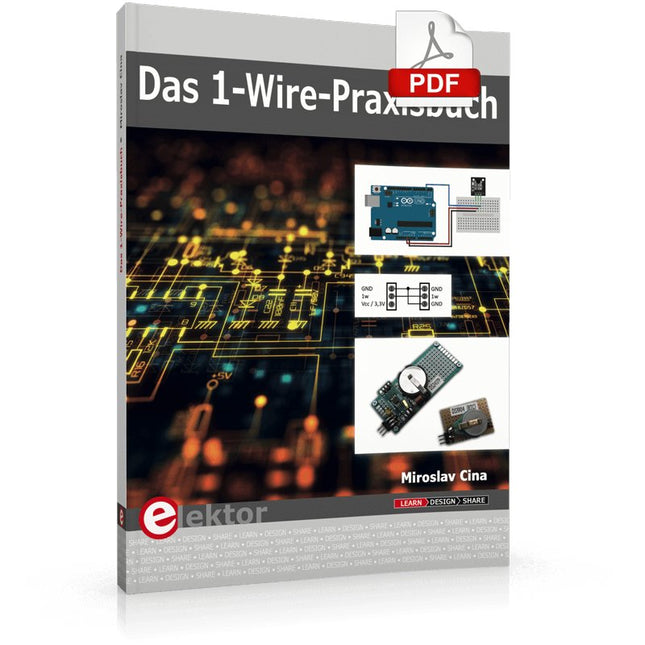
Elektor Digital Das 1-Wire-Praxisbuch (PDF)
1-Wire ist die Bezeichnung für eine serielle Schnittstelle, die mit nur einer Datenader auskommt. Es ist ein Master-Multi-Slave-Kommunikationsprotokoll. Verfügbar sind integrierte Bausteine zur Temperaturmessung, Akkuüberwachung, Echtzeituhr und beispielsweise Hotelschließanlagen. Eine Besonderheit von 1-Wire-Geräten ist die Spannungsversorgung aus der Gegenstation, hierbei erfolgt die Versorgung der Slaves über die Datenleitung. Der Leser erhält mit „Das 1-Wire-Praxisbuch“ eine umfassende Einführung in die 1-Wire-Technologie. Das Buch zeigt anhand praktischer Projekte zum Nachbauen, wie man verschiedene verfügbare 1-Wire-Chips in eigene Mikrocontroller-gesteuerte Anwendungen integrieren kann, und zwar mit Assembler-Software-Implementierungen für PIC-Mikrocontroller und mit Sketches für den Arduino. Die 1-Wire-Technik kommt in dem Buch praxisnah bei einem elektronischen Schloss zum Einsatz, das von einem PIC-Mikrocontroller gesteuert wird. Ein weiteres Praxisprojekt erläutert Schritt für Schritt, wie beispielsweise eine ständige Temperaturmessung mit 1-Wire-Bausteinen möglich ist.
€ 32,80
Mitglieder: € 29,52


