
Suchergebnisse für "basic OR kit OR for OR raspberry OR pi OR pico OR incl OR pico"
-
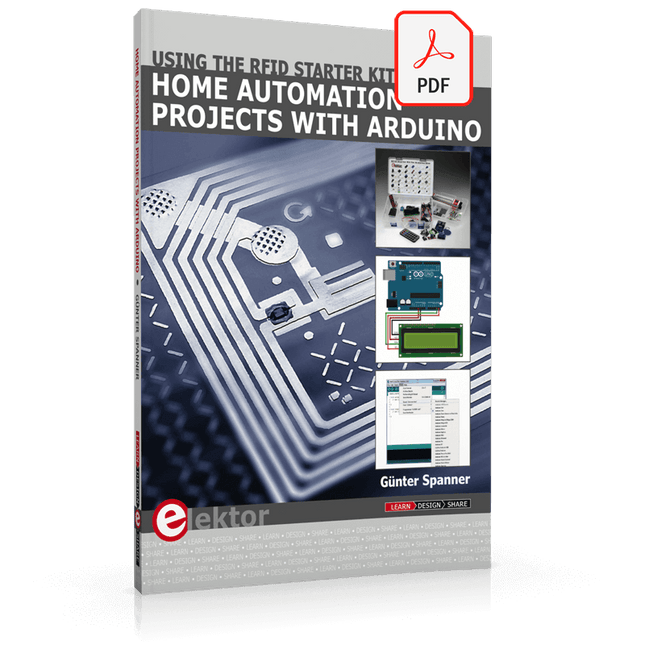
Elektor Digital Home Automation Projects with Arduino (E-book)
Using the RFID Starter Kit An Arduino board has now become ‘the’ basic component in the maker community. No longer is an introduction to the world of microcontrollers the preserve of the expert. When it comes to expanding the capabilities of the basic Arduino board however, the developer is still largely on his own. If you really want to build some innovative projects it’s often necessary to get down to component level. This can present many beginners with major problems. That is exactly where this book begins. This book explains how a wide variety of practical projects can be built using items supplied in a single kit together with the Arduino board. This kit, called the 'RFID Starter Kit for Arduino' (SKU 17240) is not just limited to RFID applications but contains more than 30 components, devices and modules covering all areas of modern electronics. In addition to more simple components such as LEDs and resistors there are also complex and sophisticated modules that employ the latest technology such as: A humidity sensor A multicolor LED A large LED matrix with 64 points of light A 4-character 7-segment LED display An infra red remote-controller unit A complete LC-display module A servo A stepper motor and controller module A complete RFID reader module and security tag On top of that you will get to build precise digital thermometers, hygrometers, exposure meters and various alarm systems. There are also practical devices and applications such as a fully automatic rain sensor, a sound-controlled remote control system, a multifunctional weather station and so much more. All of the projects described can be built using the components supplied in the Elektor kit.
€ 29,95
Mitglieder: € 26,96
-

Elektor Zenerdioden-Tester
Der Elektor Zenerdioden-Tester ist im Wesentlichen eine Konstantstromquelle, die in Stufen von 1 bis 50 mA geschaltet werden kann. Er kann verwendet werden, um Z-Dioden bis zu maximal 54 V zu testen. Dank eines 60-V-Step-up-Wandlers kann das Gerät mit den üblichen 5 bis 12 V versorgt werden. Das Prinzip dieses Testers ist einfach. Eine Z-Diode oder ein anderes DUT (device under test, also ein Prüfling, wie z. B. eine LED) wird über eine einstellbare Stromquelle vorgespannt. Die Spannung über dem DUT kann mit einem Multimeter gemessen werden. Die Spannung der meisten (kleinen) Z-Dioden ist bei einem Strom von 5 mA spezifiziert. Je nach Anwendung kann auch die Spannung bei anderen Strömen interessant sein. Deshalb stehen sechs Stromeinstellungen zur Verfügung: 1, 2, 5, 10, 20 und 50 mA. LEDs sind häufig bei einem Strom von 20 mA spezifiziert. Getestet werden kann: Ob eine Z-Diode defekt ist (Kurzschluss oder hochohmig). Ob eine Z-Diode die korrekte Z-Spannung aufweist. Wie sich eine Z-Spannung bei unterschiedlichen Strömen verändert. Welche exakte Spannung an einer integrierten Spannungsreferenz anliegt. Ob sich LEDs in einer Reihenschaltung in ihrer Helligkeit unterscheiden (daher der Strom von 20 mA). Wie hoch die Stromverstärkung bei unterschiedlichen Basisströmen in (Leistungs-)Transistoren ist. Das Kit enthält alle in der Stückliste aufgeführten Teile, einschließlich Platine und Gehäuse. Technische Daten Versorgungsspannung 5…12 V/2 A (USB-C) Versorgungsstrom (Itest = 50 mA) 1,1 A bei 5 V / 412 mA bei 12 V Wählbare Ströme 1, 2, 5, 10, 20 und 50 mA Max. Prüfspannung >54 V bei Itest ≥1 mA Max. Ausgangsspannung 60 V bei Itest = 0 mA Spannungsbegrenzung bei 5 V 4,5 V bei Itest = 1 mA / 5,18 V bei Itest = 50 mA Gehäuseabmessungen 110 x 82 x 44 mm Platinengröße 105,4 x 67,3 mm Anschlüsse 4-mm-Bananenbuchsen für Multimeter 2-mm-Bananenbuchsen für Prüfklemmen USB-C-Buchse für die Spannungsversorgung Lieferumfang Widerstände R1 = 3.3 kΩ, 600 mW, 1% R2 = 0.15 Ω, 1 W, 5%, LS 12.7 mm, ø 3.5 mm R3, R8 = 180 Ω, 600 mW, 1% R4, R6, R16 = 1 kΩ, 600 mW, 1% R5, R19 = 47 kΩ, 600 mW, 1% R7 = 3.9 kΩ, 1 W, 5%, LS 12.7 mm, ø 3.5 mm R9, R10, R12 = 10 kΩ, 600 mW, 1% R11, R13 = 100 Ω, 600 mW 1% R14 = 249 Ω, 600 mW, 1% R15 = 499 Ω, 600 mW, 1% R17 = 2.49 kΩ, 250 mW, 1% R18 = 4.99 kΩ, 250 mW, 1% Kondensatoren C1 = 470 uF / 35 V, 20%, Ir = 1.86 A, ø 12.5 mm, LS 5 mm, ESR = 0.038 Ω (Panasonic EEUTP1V471) C2 = 1 uF / 100 V, 10%, X7R, LS 5 mm C3 = 2.2 nF / 50 V, 10%, X7R, LS 5 mm C4, C7 = 100 nF / 100 V, 10%, X7R, LS 5 mm C5 = 100 uF / 100 V, 20%, ø 14 mm max., LS 5 mm C6 = 1 nF / 100 V, 10%, X7R, LS 5 mm Induktor L1 = 100 uH, Irms = 2.4 A, Isat = 3.5 A, 0.09 Ω, radial, pitch 2.5/5/10 mm, ø 14 mm max. (Kemet SBC8-101-242) Halbleiter D1 = MUR120G, DO-41 D2, D4 = STPS3150RL, DO-201AD D3 = Z-diode, 18 V, 1.3 W (BZX85C18) D5 = Z-diode, 5.1 V, 0.5 W (1N5231B) LED1 = LED in pushbutton S1 LED2 = LED, green, 3 mm IC1 = MC34063, DIP-8 IC2 = LM4040BIZ-5.0/NOPB, TO-92 (TO-226AA-3) IC3 = TL051CP, DIP-8 T1 = BC327.25, TO-92 T2 = STP40NF10L, TO-220 T3 = IRF9510PBF, TO-220 T4 = 2N7000, TO-92 Sonstiges K1, K2, S1, S3 = 2-way screw terminal block, LS 3.5 mm, max. 1.5 mm² connected to K1 = USB-C socket, 30 V/3 A, chassis mounted, wired, 9 x 16 mm connected to K2 = Banana Connector, 2 mm, Socket, 60 VDC, Panel Mount, red (Multicomp 24.102.1) connected to K2 = Banana Connector, 2 mm, Socket, 60 VDC, Panel Mount, black (Multicomp 24.102.2) Test clip, red, 30 VAC/60 VDC (Hirschmann 931467101) Test clip, black, 30 VAC/60 VDC (Hirschmann 931467100) S1 = Pushbutton, panel mount, SPST-NO, 30 DC/100 mA, with red LED S2 = Rotary Switch, 6 position, 2 pole, 30°, 250 V/150 mA S3 = Toggle switch, panel mount, SPDT, solder lugs, 28 VDC T2, T3 = Heat sink, 15°C/W, FK 214 SA-CB Enclosure Hammond 1591XXSSBK, ABS, 110 x 82 x 44 mm Knob for S2, round shaft 6 mm, ø 21 mm, with indicator line (Multicomp CP-LB21-6-6D) 4 x Self-tapping screw #4-1/4", carbon steel, pan head Banana plug, red, 2 mm, 60 VDC (Multicomp 25.205.1) Banana plug, black, 2 mm, 60 VDC (Multicomp 25.205.2) Banana socket, black 4 mm, panel mount Banana socket, red 4 mm, panel mount for LED1, LED2 = Pin header, 1 x 2, vertical, pitch 2.54 mm for LED1, LED2 = Pin socket, 1 x 2, vertical, pitch 2.54 mm for T2, T3 = M3 screw, 10 mm, steel, pan head 2 x M3 washer, plain, steel 4 x M3 nut for IC1, IC3 = DIP-8 socket Wire, black, 0.25 mm² (24 AWG), stranded 14 x 0.15 mm, 1 m Wire, red, 0.25 mm² (24 AWG), stranded 14 x 0.15 mm, 1 m PCB 250772-1 v1.1 Links Artikel Elektor Labs
€ 99,95€ 79,95Bestpreis
-

Elektor Digital Raspberry Pi Select (PDF) NL
61 pagina's met de beste Raspberry Pi artikelen en projecten uit Elektor Magazine: Windows op de Raspberry Pi (1) Windows op de Raspberry Pi (2) Windows op de Raspberry Pi (3) Raspberry Pi wobbulator Raspberry-Pi-emulator Raspberry-Pi-voltmeter Raspberry Pi prototyping-board Visual Basic op de Raspberry Pi RPi meet energieverbruik Voor Linux-board en Raspberry Pi Maak uw eigen I2C-device voor de Raspberry Pi SD-kaart-upgrade voor RPi model 2 Mini-workshop GestIC & 3D-touchpad (2) Surfen op de golven van de RPi ATmega op het web (1) ATmega op het web (2)
€ 9,50
Mitglieder: € 8,55
-
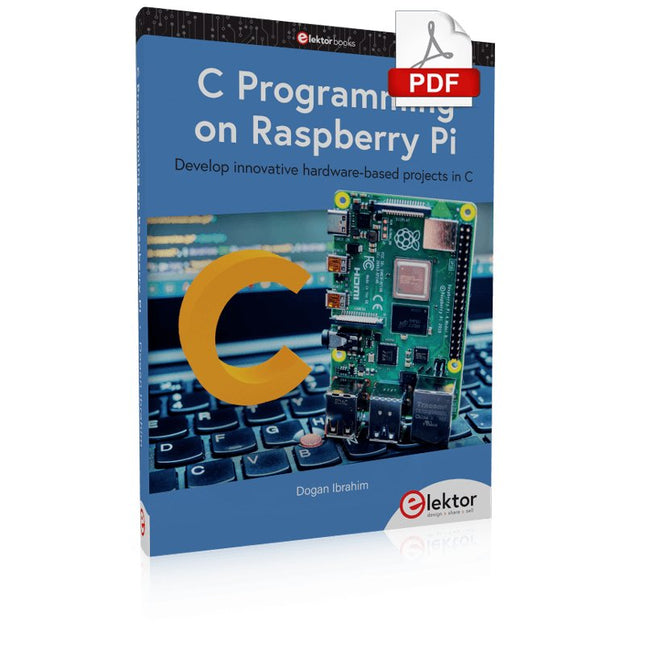
Elektor Digital C Programming on Raspberry Pi (E-book)
Develop innovative hardware-based projects in C The Raspberry Pi has traditionally been programmed using Python. Although this is a very powerful language, many programmers may not be familiar with it. C on the other hand is perhaps the most commonly used programming language and all embedded microcontrollers can be programmed using it. The C language is taught in most technical colleges and universities and almost all engineering students are familiar with using it with their projects. This book is about using the Raspberry Pi with C to develop a range of hardware-based projects. Two of the most popular C libraries, wiringPi and pigpio are used. The book starts with an introduction to C and most students and newcomers will find this chapter invaluable. Many projects are provided in the book, including using Wi-Fi and Bluetooth to establish communication with smartphones. Many sensor and hardware-based projects are included. Both wiringPi and pigpio libraries are used in all projects. Complete program listings are given with full explanations. All projects have been fully tested and work. The following hardware-based projects are provided in the book: Using sensors Using LCDs I²C and SPI buses Serial communication Multitasking External and timer interrupts Using Wi-Fi Webservers Communicating with smartphones Using Bluetooth Sending data to the cloud Program listings of all Raspberry Pi projects developed in this book are available on the Elektor website. Readers can download and use these programs in their projects. Alternatively, they can customize them to suit their applications.
€ 32,95
Mitglieder: € 29,66
-
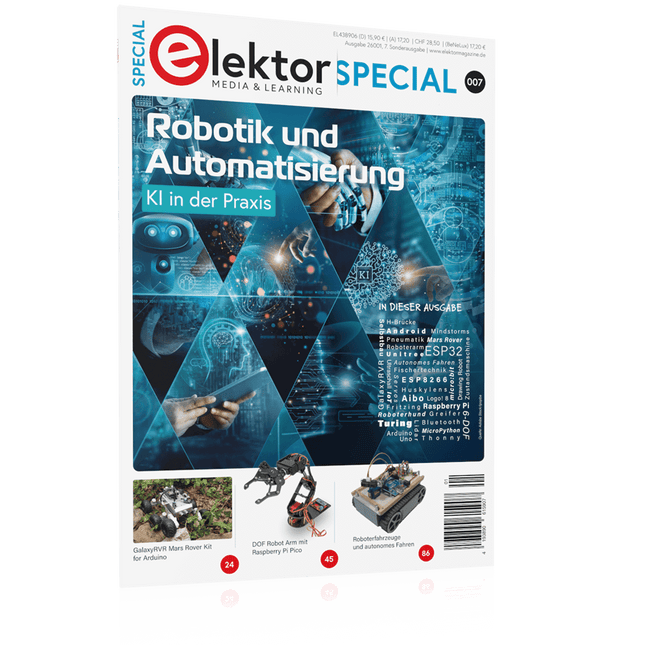
Elektor Special: Robotik und Automatisierung
KI in der Praxis Tauchen Sie ein in die faszinierende Welt der Robotik und Automatisierung! Dieses Elektor Special zeigt, wie Sie mit Kreativität, etwas Know-how und günstiger Technik eigene Roboter bauen können. Vom ersten DIY-Projekt mit Arduino oder Raspberry Pi bis hin zu intelligenten Systemen mit KI – dieses Heft macht moderne Robotik verständlich und greifbar. Entdecken Sie praxisnahe Anleitungen, inspirierende Projekte und spannende Einblicke in die Maker-Szene. Lernen Sie, wie aus Experimentierfreude, Gemeinschaft und Offenheit echte Innovation entsteht – und warum Robotik weit mehr ist als nur ein technisches Hobby. Inhalt Phantasie wird Realität Arduino-controlled Drawing Robot GalaxyRVR Mars Rover Kit for Arduino YDLIDAR X4Pro Lidar xHuskyLens AI Camera DOF Robot Arm mit Raspberry Pi Pico Fertigungsroboter mit Fischertechnik Pneumatischer Industrieroboter Warum bauen wir immer wieder Roboterhunde? Elektor Mini-Wheelie Roboterfahrzeuge und autonomes Fahren
€ 15,90
Mitglieder: € 14,31
-
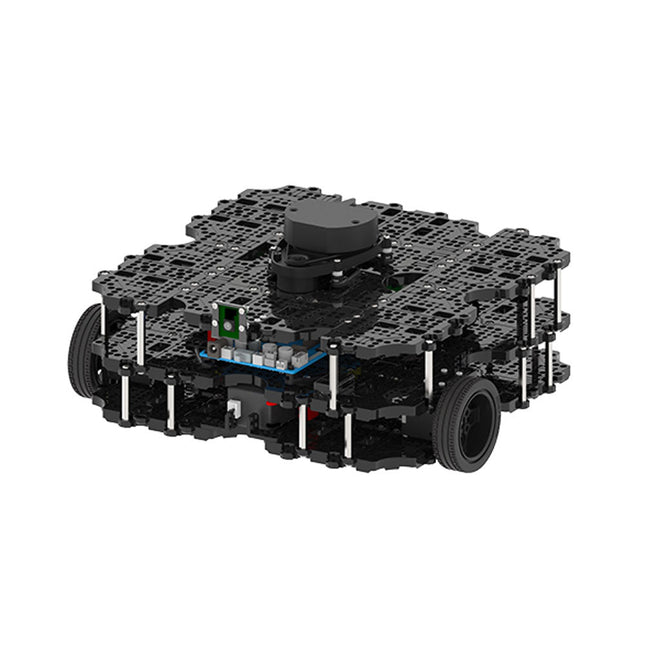
Robotis Robotis TurtleBot3 Waffle Pi (inkl. Raspberry Pi 4)
Weltweit beliebteste ROS-Plattform TurtleBot ist der beliebteste Open-Source-Roboter für Bildung und Forschung. Die neue Generation TurtleBot3 ist ein kleiner, kostengünstiger, voll programmierbarer, ROS-basierter mobiler Roboter. Er ist für Bildung, Forschung, Hobby und Produktprototyping gedacht. Erschwingliche Kosten TurtleBot wurde entwickelt, um die kostenbewussten Bedürfnisse von Schulen, Laboren und Unternehmen zu erfüllen. TurtleBot3 ist der erschwinglichste Roboter unter den SLAM-fähigen mobilen Robotern, die mit einem 360°-Laser-Distanzsensor LDS-01 ausgestattet sind. ROS Standard Die Marke TurtleBot wird von Open Robotics verwaltet, das ROS entwickelt und pflegt. Heutzutage ist ROS die bevorzugte Plattform für alle Robotiker auf der ganzen Welt geworden. TurtleBot kann mit bestehenden ROS-basierten Roboterkomponenten integriert werden, aber TurtleBot3 kann eine erschwingliche Plattform für diejenigen sein, die mit dem Erlernen von ROS beginnen möchten. Erweiterbarkeit TurtleBot3 ermutigt Benutzer, seine mechanische Struktur mit einigen alternativen Optionen anzupassen: Open Source Embedded Board (als Steuerplatine), Computer und Sensoren. Der TurtleBot3 Waffle Pi ist eine zweirädrige Plattform mit Differentialantrieb, kann aber strukturell und mechanisch in vielerlei Hinsicht angepasst werden: Autos, Fahrräder, Anhänger und so weiter. Erweitern Sie Ihre Ideen jenseits der Vorstellungskraft mit verschiedenen SBC, Sensoren und Motoren auf einer skalierbaren Struktur. Modularer Aktuator für mobilen Roboter TurtleBot3 ist in der Lage, durch den Einsatz von 2 DYNAMIXEL's in den Radgelenken präzise räumliche Daten zu erhalten. Die DYNAMIXEL der XM-Serie können in einem von 6 Betriebsmodi betrieben werden (XL-Serie: 4 Betriebsmodi): Geschwindigkeitsregelung für die Räder, Drehmomentregelung oder Positionsregelung für die Gelenke, usw. DYNAMIXEL kann auch für die Herstellung eines mobilen Manipulators verwendet werden, der leicht ist, aber mit Geschwindigkeits-, Drehmoment- und Positionssteuerung präzise gesteuert werden kann. DYNAMIXEL ist eine Kernkomponente, die den TurtleBot3 perfekt macht. Er ist einfach zu montieren, zu warten, zu ersetzen und neu zu konfigurieren. Offene Steuerplatine für ROS Die Steuerplatine ist sowohl hardware- als auch softwareseitig für die ROS-Kommunikation offengelegt. Die Open-Source-Steuerungsplatine OpenCR1.0 ist leistungsfähig genug, um nicht nur DYNAMIXELs, sondern auch ROBOTIS-Sensoren zu steuern, die häufig für grundlegende Erkennungsaufgaben auf kostengünstige Weise verwendet werden. Verschiedene Sensoren wie z. B. Berührungssensor, Infrarotsensor, Farbsensor und eine Handvoll weiterer sind verfügbar. Das OpenCR1.0 verfügt über einen IMU-Sensor im Inneren des Boards, so dass es die präzise Steuerung für unzählige Anwendungen verbessern kann. Das Board verfügt über 3,3 V, 5 V und 12 V Stromversorgungen, um die verfügbaren Computergeräte zu verstärken. Open Source Die Hardware, Firmware und Software von TurtleBot3 sind Open Source, was bedeutet, dass die Benutzer willkommen sind, die Quellcodes herunterzuladen, zu ändern und zu teilen. Alle Komponenten des TurtleBot3 werden aus kostengünstigem Kunststoff im Spritzgussverfahren hergestellt, die 3D-CAD-Daten sind jedoch auch für den 3D-Druck verfügbar. Technische Daten Maximale Translationsgeschwindigkeit 0,26 m/s Maximale Rotationsgeschwindigkeit 1,82 rad/s (104.27 deg/s) Maximale Nutzlast 30 kg Abmessungen (L x B x H) 281 x 306 x 141 mm Gewicht (+ SBC + Batterie + Sensoren) 1,8 kg Schwelle des Kletterns 10 mm oder niedriger Voraussichtliche Betriebsdauer 2h Voraussichtliche Ladezeit 2h 30m SBC (Single Board Computer) Raspberry Pi 4 (2 GB RAM) MCU 32-bit ARM Cortex-M7 mit FPU (216 MHz, 462 DMIPS) Fernbedienung RC-100B + BT-410 Set (Bluetooth 4, BLE) Aktuator XL430-W210 LDS (Laser-Abstandssensor) 360 Laser-Abstandssensor LDS-01 or LDS-02 Kamera Raspberry Pi Camera Module v2.1 IMU Gyroskop 3 AchsenBeschleunigungsmesser 3 Achsen Stromanschlüsse 3,3 V/800 mA5 V/4 A12 V/1 A Erweiterungspins GPIO 18 PinsArduino 32 Pin Peripherie 3x UART, 1x CAN, 1x SPI, 1x I²C, 5x ADC, 4x 5-pin OLLO DYNAMIXEL Ports 3x RS485, 3x TTL Audio Several programmable beep sequences Programmierbare LEDs 4x User LED Status-LEDs 1x Board Status LED1x Arduino-LED1x Power-LED Tasten und Schalter 2x Drucktasten, 1x Reset-Taste, 2x Dip-Schalter Akku Lithium Polymer 11,1 V 1800 mAh / 19,98 Wh 5C PC-Verbindung USB Firmware-Upgrade via USB / via JTAG Netzadapter (SMPS) Eingang: 100-240 VAC 50/60 Hz, 1,5 A @maxAusgang: 12 VDC, 5 A Downloads ROS Robot Programming GitHub E-Manual Community
€ 1.879,00
Bestpreis
-
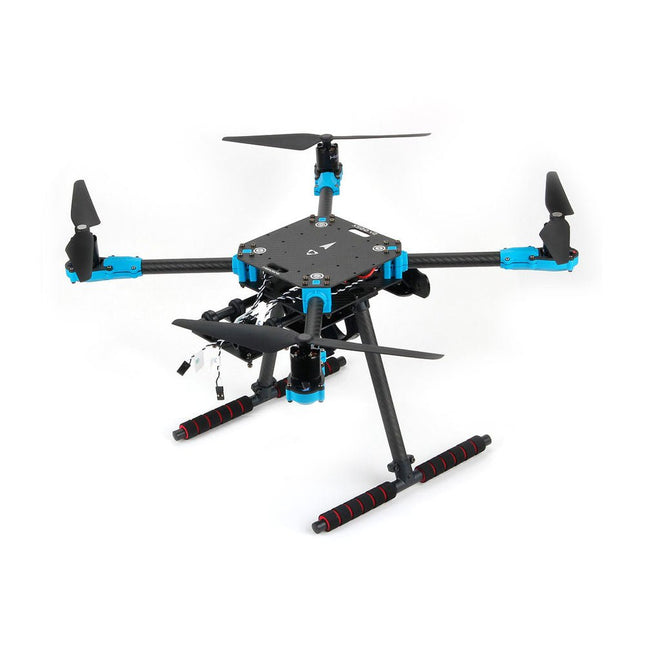
Holybro Holybro X500 V2 ARF Drohnen-Kit
Das X500 V2 ARF-Kit ist ein erschwingliches, leichtes und robustes professionelles Drohnen-Kit aus Kohlefaser, das einfach zusammenzubauen ist (weniger als 15 Minuten). Es wird mit dem X500 V2-Rahmenkit und vorinstallierten Motoren, Reglern, Stromverteilerplatinen und Propellern geliefert. Es ist perfekt kompatibel mit verschiedenen Flugsteuerungen wie der Holybro Pixhawk-Serie, Durandal, Pix32 V5 usw. Im Vergleich zum Vorgängermodell gibt es zahlreiche Verbesserungen. Technische Daten Radstand: 500 mm Motormontagemuster: 16x16 mm Rahmenkörper: 144x144 mm, 2 mm dick Fahrwerkshöhe: 215 mm Abstand zwischen Ober- und Unterplatte: 28 mm Gewicht: 610 g Flugzeit: ca. 18 Minuten im Schwebeflug ohne zusätzliche Nutzlast. Getestet mit 5000 mAh-Akku. Nutzlast: 1500 g (ohne Akku) Batterieempfehlung: 4S 3000-5000 mAh 20C+ mit XT60 Lipo-Batterie (nicht im Lieferumfang enthalten) Lieferumfang X500 V2 Rahmenkit Mit vorinstallierten Elementen: 4x Motoren: Holybro 2216 KV920 Motor (4 Stück) mit XT30-Stecker 4x Regler (BLHeli S ESC 20A) 6x 1045 Propeller Stromverteilungsplatine – XT60-Stecker für Batterie & XT30-Stecker für ESCs & Peripheriegeräte Hinweis: Die Tiefenkamerahalterung ist separat erhältlich.
€ 379,95
Bestpreis
-

Elektor Publishing MIT App Inventor for AI and IoT
Build Smart Applications with Raspberry Pi, Arduino, and ESP32 Discover how easy and exciting mobile app development can be with MIT App Inventor. This hands-on guide takes you from basic concepts to building real-world mobile applications using a simple visual programming approach—no prior coding experience required. You will create IoT and AI-powered apps for Android devices and explore how App Inventor can also be used with iPhones and iPads. Connect your applications to platforms such as Arduino UNO R4 WiFi, ESP32, Raspberry Pi Pico (2)W and Raspberry Pi 5, enabling you to build smart, connected systems. Inside the book, you will learn how to: Build interactive apps using buttons, images, sound, and multimedia Create text-to-speech and speech-recognition applications Develop camera-based and location-aware (GPS) apps Design useful tools such as calculators and educational apps Work with smartphone sensors like accelerometers and light sensors Build AI-powered applications, including voice assistants and image-generation features Send and receive messages, and create communication-based apps Connect mobile apps to hardware using Wi-Fi and Bluetooth Control real devices such as LEDs, motors, and sensors Designed for beginners, students, and hobbyists, this book focuses on learning by doing. By the end, you will have the skills and confidence to create your own innovative applications that interact with both the digital and physical worlds. Start building and turning your ideas into reality.
€ 44,95
Mitglieder: € 40,46
-

Elektor Digital KiCad Like A Pro (E-book Bundle)
Dieses Bundle enthält beide Bände von "KiCad Like a Pro" (4. Ausgabe 2024). In Fundamentals and Projects (Einzelpreis: 39,95 €) lernen Sie den praktischen Umgang mit KiCad kennen, sodass Sie schnell produktiv werden und mit dem Entwurf Ihrer eigenen Boards beginnen können. Mit Advanced Projects and Recipes (Einzelpreis: 34,95 €) können Sie Ihre neuen KiCad-Kenntnisse üben, indem Sie sich selbst mit einer Reihe realer Projekte herausfordern. Die neueste Version von KiCad, dem weltweit besten kostenlosen PCB-Tool, ist vollgepackt mit Funktionen, die normalerweise nur in teuren kommerziellen CAD-Tools zu finden sind. Diese moderne, plattformübergreifende Anwendungssuite, die auf Schaltplan- und Designeditoren mit Zusatzanwendungen basiert, ist ein stabiles und ausgereiftes PCB-Tool. KiCad 8 ist perfekt für Elektronikingenieure und -hersteller geeignet. Hier sind die wichtigsten Verbesserungen und Funktionen in KiCad 8, sowohl über als auch unter der Haube: Moderne Benutzeroberfläche, im Vergleich zu früheren Versionen komplett neu gestaltet Verbesserte und anpassbare Prüffunktionen für elektrische und Designregeln Designeditor, mit dem Sie KiCad auf Ihrem Bildschirm anpassen können Möglichkeit zum Importieren von Projekten aus Eagle, CADSTART und mehr Python-Skripting-API Verbesserter integrierter SPICE-Schaltkreissimulator Mehrblatt-Schaltpläne Filter definieren auswählbare Elemente Verbesserter interaktiver Router hilft Ihnen, einzelne Spuren und Differenzialpaare präzise zu zeichnen Neue oder verbesserte Tools zum Zeichnen von Spuren, Messen von Entfernungen, Anpassen von Spurlängen usw. Erweiterte interaktive Router Integrierter Stücklistengenerator Realistischer Raytracing-fähiger 3D-Viewer Anpassbare Teardrops Plug-in-Manager für die schnelle Installation von Designs, Bibliotheken und Funktionen wie Autoroutern und Stücklistengeneratoren Das erste Buch KiCad Like A Pro – Fundamentals and Projects bringt Ihnen den Umgang mit KiCad durch einen praktischen Ansatz bei. Es wird Ihnen helfen, schnell produktiv zu werden und mit dem Entwurf Ihrer eigenen Platinen zu beginnen. Beispielprojekte veranschaulichen die grundlegenden Funktionen von KiCad, auch wenn Sie keine Vorkenntnisse im PCB-Design haben. Der Autor beschreibt den gesamten Arbeitsablauf von der Schaltplaneingabe bis zu den Feinheiten der Fertigstellung der Dateien für die PCB-Produktion und bietet fundierte Anleitungen für den Prozess. Das zweite Buch KiCad Like A Pro – Advanced Projects and Recipes hilft Ihnen, Ihre neuen KiCad-Kenntnisse zu üben, indem es Sie in einer Reihe realer Projekte herausfordert. Die Projekte werden durch einen umfassenden Satz von Rezepten mit detaillierten Anweisungen zur Erledigung einer Vielzahl einfacher und komplexer Aufgaben unterstützt. Entwerfen Sie die Platine für eine Solarstromversorgung, ein LED-Matrix-Array, einen Arduino-betriebenen Datenlogger und eine benutzerdefinierte ESP32-Platine. Lernen Sie die Feinheiten des interaktiven Routers kennen, erfahren Sie, wie Sie KiCad-Projektteams mit Git verwalten, wie Sie einen Autorouter auf 2- und 4-lagigen Platinen verwenden und vieles mehr.
€ 84,95€ 69,95Bestpreis
-

Elektor Digital Elektor May/June 2021 (PDF) EN
Elektor Magazine DE Mai/Juni 2021 (PDF)
€ 7,50
-

Elektor Digital The CAN Bus Companion (E-book)
Projects with Arduino Uno & Raspberry Pi with Examples for the MCP2515 CAN Bus Interface Module This book details the use of the Arduino Uno and the Raspberry Pi 4 in practical CAN bus based projects. Using either the Arduino Uno or the Raspberry Pi with off-the-shelf CAN bus interface modules considerably ease developing, debugging, and testing CAN bus based projects. This book is written for students, practicing engineers, enthusiasts, and for everyone else wanting to learn more about the CAN bus and its applications. The book assumes that the reader has some knowledge of basic electronics. Knowledge of the C and Python programming languages and programming the Arduino Uno using its IDE and Raspberry Pi will be useful, especially if the reader intends to develop microcontroller-based projects using the CAN bus. The book should be a useful source of reference material for anyone interested in finding answers to questions such as: What bus systems are available for the automotive industry? What are the principles of the CAN bus? How can I create a physical CAN bus? What types of frames (or data packets) are available in a CAN bus system? How can errors be detected in a CAN bus system and how dependable is a CAN bus system? What types of CAN bus controllers exist? How do I use the MCP2515 CAN bus controller? How do I create 2-node Arduino Uno-based CAN bus projects? How do I create 3-node Arduino Uno-based CAN bus projects? How do I set the acceptance masks and acceptance filters? How do I analyze data on the CAN bus? How do I create 2-node Raspberry Pi-based CAN bus projects? How do I create 3-node Raspberry Pi-based CAN bus projects?
€ 32,95
Mitglieder: € 29,66
-
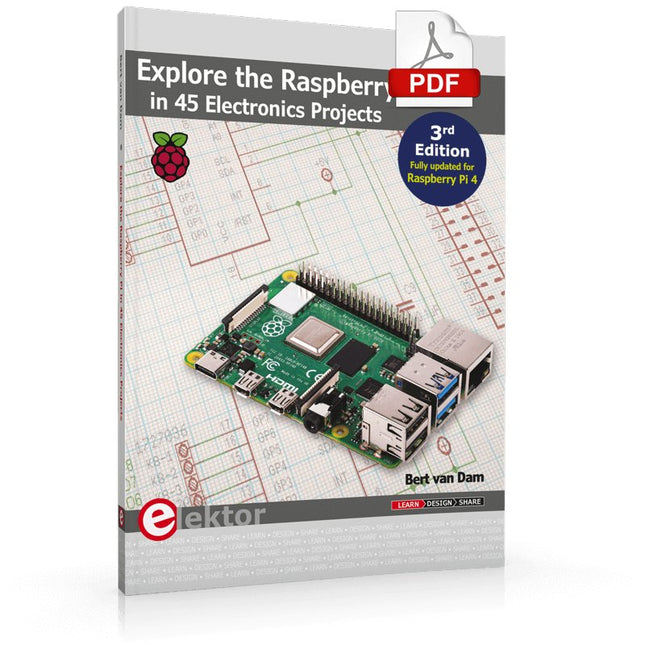
Elektor Digital Explore the Raspberry Pi in 45 Electronics Projects (3rd Edition | E-book)
3rd Edition – Fully updated for Raspberry Pi 4 The Raspberry Pi is a very cheap but complete computer system that allows all sorts of electronics parts and extensions to be connected. This book addresses one of the strongest aspects of the Raspberry Pi: the ability to combine hands-on electronics and programming. Combine hands-on electronics and programming After a short introduction to the Raspberry Pi you proceed with installing the required software. The SD card that can be purchased in conjunction with this book contains everything to get started with the Raspberry Pi. At the side of the (optional) Windows PC, software is used which is free for downloading. The book continues with a concise introduction to the Linux operating system, after which you start programming in Bash, Python 3 and Javascript. Although the emphasis is on Python, the coverage is brief and to the point in all cases – just enabling you to grasp the essence of all projects and start adapting them to your requirements. All set, you can carry on with fun projects. The book is ideal for self-study No fewer than 45 exciting and compelling projects are discussed and elaborated in detail. From a flashing lights to driving an electromotor; from processing and generating analog signals to a lux meter and a temperature control. We also move to more complex projects like a motor speed controller, a web server with CGI, client-server applications and Xwindows programs. Each project has details of the way it got designed that way The process of reading, building, and programming not only provides insight into the Raspberry Pi, Python, and the electronic parts used, but also enables you to modify or extend the projects any way you like. Also, feel free to combine several projects into a larger design.
€ 32,95
Mitglieder: € 29,66


