
Suchergebnisse für "raspberry OR pi OR high OR quality OR camera OR module OR m12 OR mount"
-

FNIRSI FNIRSI DPOS350P (4-in-1) 2-Kanal Tablet-Oszilloskop (350 MHz) + Signalgenerator + Frequenzganganalyzer + Spektrum Analyzer
2 Kanäle • 350 MHz • 1 GSa/s • 50.000 wfm/s • 7 Zoll Touchscreen Das FNIRSI DPOS350P ist ein elegantes 4-in-1-Kraftpaket im Tablet-Format! Dieses kompakte und tragbare Gerät bietet umfangreiche Funktionen: Es vereint ein 2-Kanal Oszilloskop (350 MHz), einen Signalgenerator (50 MHz), einen Frequenzganganalyzer (50 MHz) und einen Spektrum-Analyzer (200 kHz–350 MHz) in einem Gerät. Ob in Forschung und Entwicklung, Fehlersuche oder Feldtests – das DPOS350P bietet Ihnen die Werkzeuge, die Sie zum präzisen und klaren Messen, Generieren, Analysieren und Visualisieren elektronischer Signale benötigen. Der reaktionsschnelle, hochauflösende Touchscreen und die intuitiven Bedienelemente machen die Signalanalyse schnell, flexibel und effizient. Features Leistungsstarke Multifunktionsintegration 350 MHz 2-Kanal-Oszilloskop mit 1 GSa/s Echtzeit-Abtastung 50 MHz Signalgenerator mit 14 Standard- und benutzerdefinierten Wellenformen Spektrumanalysator (200 kHz–350 MHz): Ideal für EMI, HF und HF-Tests Frequenzganganalysator (FRA) bis 50 MHz Hochleistungs-Wellenformerfassung 50.000 wfm/s Bildwiederholrate für klare Signale in Echtzeit 350 MHz Bandbreite (Einzelkanalmodus) Erkennt seltene und unwahrscheinliche Anomalien Scharfes Display & Reibungsloser Betrieb 7-Zoll-IPS-Touchscreen (Auflösung 1024 x 600 Pixel) Umschalten zwischen Graustufen- und Farbtemperaturanzeige Einfache Bedienung in verschiedenen Testumgebungen Zuverlässig, geschützt und schnell ladend Hochspannungsschutz bis 400 V Schnellladen mit QC 18 W (vollständige Ladung in 2 Stunden) Für stabilen Langzeitbetrieb konzipiert Datenspeicherung und -export Speichern Sie bis zu 500 Wellenformaufzeichnungen + 90 Screenshots USB-Export für einfache Berichterstellung und Offline-Analyse Technische Daten Allgemein Display 7 Zoll (IPS, voller Betrachtungswinkel) Auflösung 1024 x 600 Pixel Interaktionsmodus Kapazitiver Touchscreen Gesamtstromverbrauch 10 W Einschaltkonfiguration 5 Voreinstellungen Laden QC 18 W, 12 V/1,5 A (USB-C) Akku 3,7 V, 8000 mAh Lithium-Akku Akkulaufzeit ca. 3 Stunden Betrieb, 5 Stunden Standby Wärmeableitung Luftkühlung Erweiterungsschnittstelle USB-Datenanschluss Automatische Abschaltung 15-60 Minuten / Aus Firmware-Upgrade Unterstützung für ISO-Image-Upgrades Sprachen Englisch / Portugiesisch / Russisch / Chinesisch Abmessungen 190 x 128 x 37 mm Oszilloskop Analogkanäle 2 Analogbandbreite 350 MHz Anstiegszeit 1 ns Echtzeit-Abtastrate 1 GSa/s Speichertiefe 60 Kpts Eingangsimpedanz 1 MΩ / 14 pF Zeitbasis Bereich 5 ns ~ 50 s Rollzeitbasis 50 ms ~ 50 s Vertikale Empfindlichkeit 2 mV ~ 20 V (1X) Vertikaler Bereich 16 mV ~ 160 V (1X) DC-Genauigkeit ±2% Zeitgenauigkeit ±0,01% Eingangskopplung DC / AC Sondendämpfung 1x / 10x / 100x Hardware-Bandbreitenlimit 150 M / 20 M Hochauflösender Modus 8-16 Bit Parametermessungen 12 Typen Cursormessung Zeit, Periode, Frequenz, Pegel, Spannung Triggererkennung Digitaler Trigger Triggerkanal CH1 / CH2 Triggermodus Auto / Einzeln / Normal Triggerflanke Rising edge / Falling edge Triggerunterdrückung L1 ~ L3 Triggerpegel Manuell / Automatisch 10% ~ 90% Screenshot-Speicher 90 Bilder Wellenform-Speicher 500 Gruppen Hintergrundraster Ein-/Ausblenden Wellenform-Bewegung Grobeinstellung/Feineinstellung Überspannungsschutz Spannungsfestigkeit 400 V Wellenform-Helligkeit Einstellbar Einfache FFT-Anzeige Ja Digitale Fluoreszenz Ja Farbtemperaturanzeige Ja X-Y-Modus Ja ZOOM-Zeitbasis Ja Automatische Justierung per Tastendruck Ja Nullrückstellung per Tastendruck Ja Daten Browser Ja Signalgenerator Wellenformtypen 14 Standardfunktionen + erfasste Wellenform Frequenz 0-50 MHz (nur Sinuswelle, andere Wellenformen bis 10M/5M/3M) Amplitude 0–5 VPP Offset -2,5 V ~ +2,5 V Tastverhältnis 0,1-99,9% Frequenz Auflösung 1 Hz Amplitudenauflösung 1 mV Offsetauflösung 1 mV Tastverhältnisauflösung 0,1% Anpassbare erfasste Wellenform 500 Gruppen Frequenzganganalyzer (FRA) Frequenz des Anregungssignals 100 Hz ~ 50 MHz Amplitude des Anregungssignals 0~5 VPP Offset des Anregungssignals -2,5 V ~ +2,5 V Anzahl der Anregungsfrequenzen 20~500 Cursormessung Frequenz / Verstärkung / Phase Betrieb Modus Einzeln / Zyklisch Systemkalibrierung Ja Spektrum Analyzer Konvertierungsmethode FFT FFT-Länge 4K ~ 32K Frequenzbereich 200 KHz ~ 350 MHz Pegelbereich -60 dBmV ~ +260 dBmV Cursormessung Frequenz / Amplitude Markierungsparameter Maximale Energie-Oberschwingungen Wasserfalldiagramm Ja 3D-Wasserfalldiagramm Ja Automatische Anpassung Ja Systemkalibrierung Ja Lieferumfang 1x FNIRSI DPOS350P (4-in-1) 2x 350 MHz Tastköpfe 1x QC 18 W Schnellladegerät (EU) 1x USB-Datenkabel 1x Krokodilklemme 1x Aufbewahrungstasche 1x Manual Downloads Manual Firmware
€ 309,00€ 259,00Bestpreis
-

Elektor Digital Elektor AI Guest Edition 2024 (PDF) FR
Le téléchargement intégral de ce numéro est disponible pour nos membres GOLD et GREEN sur le site Elektor Magazine ! Pas encore membre ? Cliquez ici. le système de sécurité IA AlertAlfredBasé sur un Raspberry Pi 5 et le module Hailo 8L l'IA en développement électroniqueune mise à jour après seulement un an intro aux algorithmes de l'IAPrompt: Quels algorithmes implémentent chaque outil d'IA ? ordinateurs monocartes pour les projets d'IAAperçu et contexte des données de capteurs aux modèles d'apprentissage automatiqueDétection de gestes avec Edge Impulse et un accéléromètre créez un neurone d’intégrationet-tir avec fuiteIntelligence artificielle sans logiciel ChatGPT pour la conception électroniqueGPT-4o fait-il mieux ? intégrer l'IA périphérique avec l'ESP32-P4 fonctions vocales sur le Raspberry Pi ZeroWhen Overclocking Gives Freedom of Speech le rôle croissant de l'IA périphériqueUne tendance qui structure l'avenir exploiter la puissance de l'IA en périphérieUn entretien avec François de Rochebouët de STMicroelectronics horloge en VHDL réalisée avec ChatGPT l'impact réel de l'IASayash Kapoor à propos des "faux miracles de l'IA" et plus encore les dernières nouveautés de BeagleBoardBeagleY-AI, BeagleV-Fire, BeagleMod, BeaglePlay et BeagleConnect Freedom détection des moustiques : avec Arduino Nicla Vision et des données open source l'IA d’aujourd'hui et de demain : les idées d'Espressif, d'Arduino et de SparkFun chronologie de l'intelligence artificielle BeagleY-AIThe Latest SBC for AI Applications lumière sur l’IALes perspectives de la communauté Elektor vision artificielle avec OpenMVCréer un détecteur de canettes de soda conversation avec l'esprit numériqueChatGPT vs Gemini "Skilling Me Softley with This Bot?"L'essor de l'IA dans le secteur électronique freiné par une absence de précision sociale ?
€ 10,95
-

Elektor Zenerdioden-Tester
Der Elektor Zenerdioden-Tester ist im Wesentlichen eine Konstantstromquelle, die in Stufen von 1 bis 50 mA geschaltet werden kann. Er kann verwendet werden, um Z-Dioden bis zu maximal 54 V zu testen. Dank eines 60-V-Step-up-Wandlers kann das Gerät mit den üblichen 5 bis 12 V versorgt werden. Das Prinzip dieses Testers ist einfach. Eine Z-Diode oder ein anderes DUT (device under test, also ein Prüfling, wie z. B. eine LED) wird über eine einstellbare Stromquelle vorgespannt. Die Spannung über dem DUT kann mit einem Multimeter gemessen werden. Die Spannung der meisten (kleinen) Z-Dioden ist bei einem Strom von 5 mA spezifiziert. Je nach Anwendung kann auch die Spannung bei anderen Strömen interessant sein. Deshalb stehen sechs Stromeinstellungen zur Verfügung: 1, 2, 5, 10, 20 und 50 mA. LEDs sind häufig bei einem Strom von 20 mA spezifiziert. Getestet werden kann: Ob eine Z-Diode defekt ist (Kurzschluss oder hochohmig). Ob eine Z-Diode die korrekte Z-Spannung aufweist. Wie sich eine Z-Spannung bei unterschiedlichen Strömen verändert. Welche exakte Spannung an einer integrierten Spannungsreferenz anliegt. Ob sich LEDs in einer Reihenschaltung in ihrer Helligkeit unterscheiden (daher der Strom von 20 mA). Wie hoch die Stromverstärkung bei unterschiedlichen Basisströmen in (Leistungs-)Transistoren ist. Das Kit enthält alle in der Stückliste aufgeführten Teile, einschließlich Platine und Gehäuse. Technische Daten Versorgungsspannung 5…12 V/2 A (USB-C) Versorgungsstrom (Itest = 50 mA) 1,1 A bei 5 V / 412 mA bei 12 V Wählbare Ströme 1, 2, 5, 10, 20 und 50 mA Max. Prüfspannung >54 V bei Itest ≥1 mA Max. Ausgangsspannung 60 V bei Itest = 0 mA Spannungsbegrenzung bei 5 V 4,5 V bei Itest = 1 mA / 5,18 V bei Itest = 50 mA Gehäuseabmessungen 110 x 82 x 44 mm Platinengröße 105,4 x 67,3 mm Anschlüsse 4-mm-Bananenbuchsen für Multimeter 2-mm-Bananenbuchsen für Prüfklemmen USB-C-Buchse für die Spannungsversorgung Lieferumfang Widerstände R1 = 3.3 kΩ, 600 mW, 1% R2 = 0.15 Ω, 1 W, 5%, LS 12.7 mm, ø 3.5 mm R3, R8 = 180 Ω, 600 mW, 1% R4, R6, R16 = 1 kΩ, 600 mW, 1% R5, R19 = 47 kΩ, 600 mW, 1% R7 = 3.9 kΩ, 1 W, 5%, LS 12.7 mm, ø 3.5 mm R9, R10, R12 = 10 kΩ, 600 mW, 1% R11, R13 = 100 Ω, 600 mW 1% R14 = 249 Ω, 600 mW, 1% R15 = 499 Ω, 600 mW, 1% R17 = 2.49 kΩ, 250 mW, 1% R18 = 4.99 kΩ, 250 mW, 1% Kondensatoren C1 = 470 uF / 35 V, 20%, Ir = 1.86 A, ø 12.5 mm, LS 5 mm, ESR = 0.038 Ω (Panasonic EEUTP1V471) C2 = 1 uF / 100 V, 10%, X7R, LS 5 mm C3 = 2.2 nF / 50 V, 10%, X7R, LS 5 mm C4, C7 = 100 nF / 100 V, 10%, X7R, LS 5 mm C5 = 100 uF / 100 V, 20%, ø 14 mm max., LS 5 mm C6 = 1 nF / 100 V, 10%, X7R, LS 5 mm Induktor L1 = 100 uH, Irms = 2.4 A, Isat = 3.5 A, 0.09 Ω, radial, pitch 2.5/5/10 mm, ø 14 mm max. (Kemet SBC8-101-242) Halbleiter D1 = MUR120G, DO-41 D2, D4 = STPS3150RL, DO-201AD D3 = Z-diode, 18 V, 1.3 W (BZX85C18) D5 = Z-diode, 5.1 V, 0.5 W (1N5231B) LED1 = LED in pushbutton S1 LED2 = LED, green, 3 mm IC1 = MC34063, DIP-8 IC2 = LM4040BIZ-5.0/NOPB, TO-92 (TO-226AA-3) IC3 = TL051CP, DIP-8 T1 = BC327.25, TO-92 T2 = STP40NF10L, TO-220 T3 = IRF9510PBF, TO-220 T4 = 2N7000, TO-92 Sonstiges K1, K2, S1, S3 = 2-way screw terminal block, LS 3.5 mm, max. 1.5 mm² connected to K1 = USB-C socket, 30 V/3 A, chassis mounted, wired, 9 x 16 mm connected to K2 = Banana Connector, 2 mm, Socket, 60 VDC, Panel Mount, red (Multicomp 24.102.1) connected to K2 = Banana Connector, 2 mm, Socket, 60 VDC, Panel Mount, black (Multicomp 24.102.2) Test clip, red, 30 VAC/60 VDC (Hirschmann 931467101) Test clip, black, 30 VAC/60 VDC (Hirschmann 931467100) S1 = Pushbutton, panel mount, SPST-NO, 30 DC/100 mA, with red LED S2 = Rotary Switch, 6 position, 2 pole, 30°, 250 V/150 mA S3 = Toggle switch, panel mount, SPDT, solder lugs, 28 VDC T2, T3 = Heat sink, 15°C/W, FK 214 SA-CB Enclosure Hammond 1591XXSSBK, ABS, 110 x 82 x 44 mm Knob for S2, round shaft 6 mm, ø 21 mm, with indicator line (Multicomp CP-LB21-6-6D) 4 x Self-tapping screw #4-1/4", carbon steel, pan head Banana plug, red, 2 mm, 60 VDC (Multicomp 25.205.1) Banana plug, black, 2 mm, 60 VDC (Multicomp 25.205.2) Banana socket, black 4 mm, panel mount Banana socket, red 4 mm, panel mount for LED1, LED2 = Pin header, 1 x 2, vertical, pitch 2.54 mm for LED1, LED2 = Pin socket, 1 x 2, vertical, pitch 2.54 mm for T2, T3 = M3 screw, 10 mm, steel, pan head 2 x M3 washer, plain, steel 4 x M3 nut for IC1, IC3 = DIP-8 socket Wire, black, 0.25 mm² (24 AWG), stranded 14 x 0.15 mm, 1 m Wire, red, 0.25 mm² (24 AWG), stranded 14 x 0.15 mm, 1 m PCB 250772-1 v1.1 Links Artikel Elektor Labs
€ 99,95€ 79,95Bestpreis
-

Elektor Digital Raspberry Pi 4 OR 5 AND Pico (E-book)
Cool Projects for Test, Measurement, and Control The Raspberry Pi has dominated the maker scene for many years. Freely accessible I/O pins have made it one of the most popular processor boards of all time. However, the classic Raspberry Pi has no analog inputs. Direct measurement of analog values is therefore not possible. Consequently, photodiodes, NTCs, Hall sensors, etc. cannot be read directly. In addition, the pins are connected directly to the exposed contacts, i.e. without a driver or protection circuit. This can quickly destroy the central controller and thus the entire Raspberry Pi. These problems can be elegantly solved with the Pico. As a front-end, it can easily handle a wide range of measurement tasks. In addition, the Pico is much cheaper than a classic Raspberry Pi 4 or 5. If a faulty circuit leads to the destruction of the Pico, this is relatively easy to handle. This makes the combination of a classic Raspberry Pi 4 or 5 and the Pico an ideal pair. The book introduces the broad and highly topical field of modern controller technology using the combined force of a Raspberry Pi 4 or 5 and a Raspberry Pi Pico. In addition to a detailed introduction to the operation and functionality of the controller boards themselves, the book also focuses on data acquisition and processing with digital processors. Especially the combination of both systems offers a wide range of interesting possibilities. Some practical projects from the contents: USB between Raspberry Pi 4 or 5 and Pico I²C Communication and Pico as an I²C device Voltmeter and Computer Thermometer Pico W as a Web Server and WLAN Scanner Frequency Meters and Generators OLED Displays on Raspberry Pi 4 or 5 and Pico Energy Saving Monitor Which Astronauts are in Orbit? Mini Monitor for Current Bitcoin Exchange Rate
€ 32,95
Mitglieder: € 29,66
-

Elektor Digital Raspberry Pi Pico W en un tournemain (PDF)
Maîtrise de la puce RP2040 avec plus de 60 projets à réaliser et à programmer Les cartes Raspberry Pi Pico et Pico W sont animées par un microcontrôleur ARM Cortex M0+ RP2040 à double coeur, rapide, efficace et peu coûteux, qui fonctionne jusqu'à 133 MHz et dispose de 264 Ko de SRAM et de 2 Mo de mémoire Flash. Outre une vaste mémoire, le Pico et le Pico W disposent de nombreuses broches GPIO et d'interfaces telles que CA/N, SPI, I²C, UART, MLI, de fonctions de temporisation, d'une interface de débogage matériel et d'un capteur de température interne. La carte Raspberry Pi Pico W comporte en plus une puce CYW43439 Bluetooth et Wi-Fi d'Infineon. Au moment de la rédaction de ce livre, le micrologiciel Bluetooth pour le Pico W n'était pas encore disponible. Le Wi-Fi à 2,4 GHz est toutefois entièrement pris en charge avec les protocoles 802.11b/g/n. Ce livre est une introduction à l'utilisation du Raspberry Pi Pico W avec le langage de programmation MicroPython. Les quelque soixante projets testés et opérationnels sont présentés à l'aide de l'environnement de développement intégré (EDI) Thonny. Les sujets abordés sont nombreux : Installation de MicroPython sur le Raspberry Pi Pico depuis un PC Interruptions de l'horloge et interruptions externes Convertisseur analogique-numérique (CA/N) Capteurs de température interne et externe Capteurs externes (pression, humidité, pouls, à ultrasons) Enregistrement de données MLI, UART, I²C et SPI Bluetooth, Wi-Fi et applis sur smarphone Convertisseur numérique-analogique (CN/A) Tous les projets ont été testés et éprouvés. Ils peuvent être mis en oeuvre sur le Raspberry Pi Pico ainsi que sur le Raspberry Pi Pico W. Toutefois les projets avec une liaison Wi-Fi ne fonctionnent que sur le Pico W. Une petite expérience en programmation et en électronique est nécessaire pour suivre les projets. De brèves descriptions, des schémas fonctionnels, des schémas détaillés du câblage des montages et des listings MicroPython complets sont fournis pour tous les projets.
€ 34,95
Mitglieder: € 31,46
-

Elektor Digital Elektor Mai/Juni 2022 (PDF)
Vos premiers pas avec l'ESP32-C3 et l'IdOBouton Wi-Fi + relais Wi-FiCloud IdO à la sauce ArduinoDétecteur Geiger-Müller à double tube (extension pour Arduino)Capteur très sensible pour très faible rayonnementDétecteur de CO2 : CO2 GuardUne solution « maison » pour surveiller la qualité de l'airKit de mesure de la qualité de l'air pour Raspberry Pi de MonkMakesMesure de température et de CO2eDémarrer en électronique... (13)Entrée en scène de la diodeTrucs et astuces pour tester les composantsSans appareils de test coûteuxRéduction de la consommation d'énergie de votre repousse-taupesGrâce au remplacement du 555 par un ATtiny13Interrupteur crépusculaire DeLuxUne solution pour une commutation de haute précision, commandée par la lumièreLes défis de la commercialisation des solutions IdOProblématiques de sécurité, d'évolutivité et de concurrenceElektor infographieIoT : le nouveau Graal ?« Je préfère quand même être en filaire »Conseils pour développer une interface 1 Gbit/s dans un environnement industrielLa détection d'objets en temps réel pour les microcontrôleurs grâce à Edge Impulse FOMOTubes à ondes progressivesPeculiar Parts, the SeriesNB-IoTNormes, couvertures, conventions et modulesPasserelle intérieure Dragino LPS8Configuration rapide de la passerelle LoRaWANExplorer les microcontrôleurs ATtiny en utilisant le langage C et le langage assembleurExtrait : Ports d'E/S d'ATtinyÉlectronique interactive : projet 2.0Corrections, mises à jour et courriers des lecteursMise à jour de la balise GPS LoRaRecevoir et afficher la localisation à l'aide d'un Raspberry PiSimulation de circuits avec TINA Design Suite & TINACloudExtrait : oscillateurs sinusoïdauxSur le vifFaçon de pincerInfrastructure graphique WinUI pour les applications WindowsApplication de démonstrationCréation d'interfaces graphiques en Python avec guizeroLa pire des interfacesSystèmes solaires autonomesProduction d'électricité indépendante du réseau10 ans avec le même smartphone ?Et si c'était possible !Hexadoku
€ 10,95
-
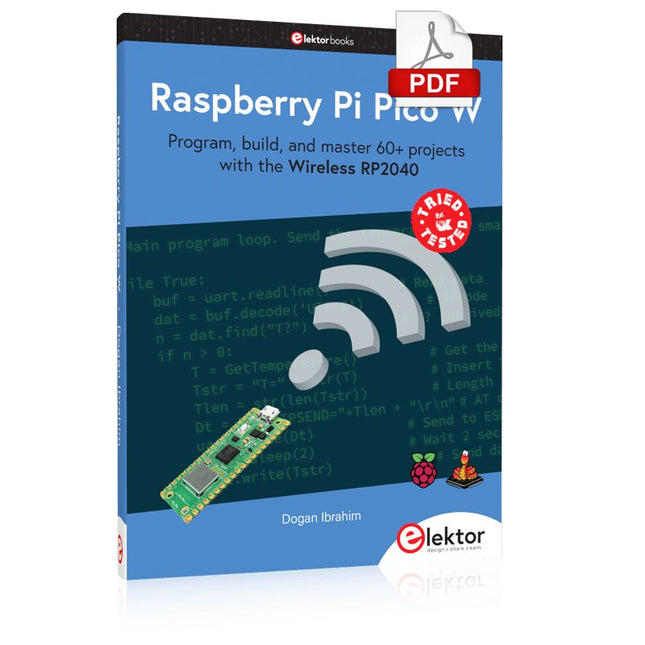
Elektor Digital Raspberry Pi Pico W (E-book)
Program, build, and master 60+ projects with the Wireless RP2040 The Raspberry Pi Pico and Pico W are based on the fast, efficient, and low-cost dual-core ARM Cortex M0+ RP2040 microcontroller chip running at up to 133 MHz and sporting 264 KB of SRAM and 2 MB of Flash memory. Besides spacious memory, the Pico and Pico W offer many GPIO pins, and popular peripheral interface modules like ADC, SPI, I²C, UART, PWM, timing modules, a hardware debug interface, and an internal temperature sensor. The Raspberry Pi Pico W additionally includes an on-board Infineon CYW43439 Bluetooth and Wi-Fi chipset. At the time of writing this book, the Bluetooth firmware was not yet available. Wi-Fi is however fully supported at 2.4 GHz using the 802.11b/g/n protocols. This book is an introduction to using the Raspberry Pi Pico W in conjunction with the MicroPython programming language. The Thonny development environment (IDE) is used in all of the 60+ working and tested projects covering the following topics: Installing the MicroPython on Raspberry Pi Pico using a Raspberry Pi or a PC Timer interrupts and external interrupts Analogue-to-digital converter (ADC) projects Using the internal temperature sensor and external sensor chips Using the internal temperature sensor and external temperature sensor chips Datalogging projects PWM, UART, I²C, and SPI projects Using Bluetooth, WiFi, and apps to communicate with smartphones Digital-to-analogue converter (DAC) projects All projects are tried & tested. They can be implemented on both the Raspberry Pi Pico and Raspberry Pi Pico W, although the Wi-Fi-based subjects will run on the Pico W only. Basic programming and electronics experience are required to follow the projects. Brief descriptions, block diagrams, detailed circuit diagrams, and full MicroPython program listings are given for all projects.
€ 34,95
Mitglieder: € 31,46
-

Elektor Labs Elektor Arduino Nano MCCAB Trainingsboard
Das Elektor Arduino Nano MCCAB Trainingsboard enthält alle Bauteile (inkl. Arduino Nano), die für die Übungen des "Mikrocontroller-Praxiskurs für Arduino-Einsteiger" benötigt werden wie Leuchtdioden, Schalter, Taster, akustische Signalgeber usw. Auch externe Sensoren, Motoren oder Baugruppen können mit diesem Mikrocontroller-Übungssystem abgefragt oder gesteuert werden. Technische Daten (Arduino Nano Trainingsboard MCCAB) Stromversorgung Über die USB-Verbindung des zur Erstellung der Programme sowieso angeschlossenen PCs oder ein externes Netzteil (nicht im Lieferumfang enthalten) Betriebsspannung +5 Vcc Eingangsspannung Alle Eingänge 0 V bis +5 V VX1 und VX2 +8 V bis +12 V (nur bei Verwendung eines externen Netzteils) Mikrocontrollermodul Arduino Nano Hardwareperipherie LCD 2x16 Zeichen Potenziometer P1 & P2 JP3: Auswahl der Betriebsspannung von P1 & P2 Verteiler SV4: Verteiler für die BetriebsspannungenSV5, SV6: Verteiler für die Ein-/Ausgänge des Mikrocontrollers Schalter und Taster RESET-Taster auf dem Arduino Nano-Modul6x Tastschalter K1 … K66x Schiebeschalter S1 … S6JP2: Verbindung der Schalter mit den Eingängen des Mikrocontrollers Summer Piezo-Summer Buzzer1 mit Steckbrücke auf JP6 Leuchtanzeigen LED L auf dem Arduino Nano-Modul, verbunden mit GPIO D1311x LED: Zustandsanzeige für die Ein-/AusgängeJP6: Verbindung der LEDs LD10 … LD20 mit den GPIOs D2 … D12 Serielle SchnittstellenSPI & I²C JP4: Auswahl des Signals an Pin X der SPI-Steckerleiste SV12SV9 bis SV12: SPI-Interface (3,3 V/5 V) bzw. I²C-Interface Schaltausgang für externe Geräte SV1, SV7: Schaltausgang (maximal +24 V/160 mA, extern zugeführt)SV2: 2x13 Pins zum Anschluss externer Module 3x3 LED-Matrix (9 rote LEDs) SV3: Spalten der 3x3 LED-Matrix (Ausgänge D6 … D8)JP1: Verbindung der Reihen mit den GPIOs D3 … D5 Software Library MCCABLib Steuerung der Hardware-Komponenten (Schalter, Taster, Leuchtdioden, 3x3 LED-Matrix, Summer) auf dem MCCAB Trainingsboard Betriebstemperatur bis +40 °C Abmessungen 100 x 100 x 20 mm Technische Daten (Arduino Nano) Mikrocontroller ATmega328P Architektur AVR Betriebsspannung 5 V Flashspeicher 32 KB, davon 2 KB vom Bootloader belegt SRAM 2 KB Taktfrequenz 16 MHz Analoge IN-Pins 8 EEPROM 1 KB DC-Strom pro I/O-Pin 40 mA an einem I/O-Pin, insgesamt maximal 200 mA an allen Pins gemeinsam Eingangsspannung 7-12 V Digitale I/O-Pins 22 (6 davon sind PWM-fähig) PWM-Ausgänge 6 Stromverbrauch 19 mA Abmessungen 18 x 45 mm Gewicht 7 g Lieferumfang 1x Elektor Arduino Nano Trainingsboard (MCCAB) 1x Arduino Nano
€ 79,95€ 69,95Bestpreis
-

Elektor Special: Robotik und Automatisierung
KI in der Praxis Tauchen Sie ein in die faszinierende Welt der Robotik und Automatisierung! Dieses Elektor Special zeigt, wie Sie mit Kreativität, etwas Know-how und günstiger Technik eigene Roboter bauen können. Vom ersten DIY-Projekt mit Arduino oder Raspberry Pi bis hin zu intelligenten Systemen mit KI – dieses Heft macht moderne Robotik verständlich und greifbar. Entdecken Sie praxisnahe Anleitungen, inspirierende Projekte und spannende Einblicke in die Maker-Szene. Lernen Sie, wie aus Experimentierfreude, Gemeinschaft und Offenheit echte Innovation entsteht – und warum Robotik weit mehr ist als nur ein technisches Hobby. Inhalt Phantasie wird Realität Arduino-controlled Drawing Robot GalaxyRVR Mars Rover Kit for Arduino YDLIDAR X4Pro Lidar xHuskyLens AI Camera DOF Robot Arm mit Raspberry Pi Pico Fertigungsroboter mit Fischertechnik Pneumatischer Industrieroboter Warum bauen wir immer wieder Roboterhunde? Elektor Mini-Wheelie Roboterfahrzeuge und autonomes Fahren
€ 15,90
Mitglieder: € 14,31
-

Raspberry Pi Foundation Le guide officiel du débutant Raspberry Pi (5ème édition)
Entièrement mise à jour pour le Raspberry Pi 5 Raspberry Pi 5 est un petit ordinateur intelligent, de construction britannique qui regorge de potentiel. Fabriqué à l'aide d'un processeur économe en énergie, le Raspberry Pi est conçu pour vous aider à apprendre le codage, découvrir comment fonctionne un ordinateur et construire vos propres projets uniques et incroyables. Ce guide est conçu pour vous montrer à quel point il est facile de démarrer. Apprendre à : Configurez votre Raspberry Pi, installez son système d'exploitation, et commencez à utiliser cet ordinateur entièrement fonctionnel. Commencez à coder des projets, avec des guides étape par étape utilisant les langages de programmation Scratch 3, Python et MicroPython. Expérimentez en connectant des composants électroniques, et amusez-vous à créer des projets incroyables. Nouveauté de la 5ème édition : Mise à jour pour les derniers ordinateurs Raspberry Pi : Raspberry Pi 5 et Raspberry Pi Zèro 2 W. Couvre le dernier système d'exploitation Raspberry Pi. Comprend un nouveau chapitre sur le Raspberry Pi Pico ! Téléchargements GitHub
€ 24,95€ 9,95Bestpreis
-

Elektor Digital Elektor Maart/April 2023 PDF (NL)
Elektor GREEN en GOLD leden kunnen deze uitgave hier downloaden.Nog geen lid? Klik hier om een lidmaatschap af te sluiten. Cloc 2.0de wekker die je altijd al wilde hebben PIO in de praktijkexperimenten met de programmeerbare I/O van de RP2040 Armeluis chiptweakerwe krijgen je wel (goedkoop) aan de praat... Echte USB-toevalsgeneratortwee PIC’s voor de prijs van één AVR Pimp my mike...opvoeren doe je zelf FFT met Maixduinofrequentiespectra vastleggen Uit het leven gegrepenontwerp(on)logica UCN5804 stappenmotordrivervreemde onderdelen Simuleren met Micro-Capeerste stappen in een complexe wereld PAUL Award 2022jonge technische talenten en hun creatieve ontwerpen Mijn eerste Software Defined Radioin minder dan 15 minuten klaar Microcontroller-documentatie verklaarddeel 1: de opzet van een datasheet Hoe verder met AI en embedded systems?tools, platforms – en worden schrijvers obsoleet? Digitalisering van verticale landbouw Elektor Infographicsembedded en AI vandaag – en morgen Een introductie tot TinyML Casestudy KwickPOS High-performance in elke klassecomputer-on-module standaarden Alle begin......wordt eindelijk actief! I²C-communicatie met Node.js en een Raspberry Pibekijk sensordata in een browser Video-output met microcontrollers (2)VGA en DVI Het Metronom real-time besturingssysteemeen RTOS voor AVR-processoren DVI op de RP2040vraaggesprek met Luke Wren, chipontwikkelaar bij Raspberry Pi Display-HAT Minitoont het weer op de Raspberry Pi De WEEF 2022 Awardshet goede vieren Hexadoku
€ 9,95
-

Elektor Digital PID-based Practical Digital Control with Raspberry Pi and Arduino Uno (E-book)
The Arduino Uno is an open-source microcontroller development system encompassing hardware, an Integrated Development Environment (IDE), and a vast number of libraries. It is supported by an enormous community of programmers, electronic engineers, enthusiasts, and academics. The libraries in particular really smooth Arduino programming and reduce programming time. What’s more, the libraries greatly facilitate testing your programs since most come fully tested and working. The Raspberry Pi 4 can be used in many applications such as audio and video media devices. It also works in industrial controllers, robotics, games, and in many domestic and commercial applications. The Raspberry Pi 4 also offers Wi-Fi and Bluetooth capability which makes it great for remote and Internet-based control and monitoring applications. This book is about using both the Raspberry Pi 4 and the Arduino Uno in PID-based automatic control applications. The book starts with basic theory of the control systems and feedback control. Working and tested projects are given for controlling real-life systems using PID controllers. The open-loop step time response, tuning the PID parameters, and the closed-loop time response of the developed systems are discussed together with the block diagrams, circuit diagrams, PID controller algorithms, and the full program listings for both the Raspberry Pi and the Arduino Uno. The projects given in the book aim to teach the theory and applications of PID controllers and can be modified easily as desired for other applications. The projects given for the Raspberry Pi 4 should work with all other models of Raspberry Pi family. The book covers the following topics: Open-loop and closed-loop control systems Analog and digital sensors Transfer functions and continuous-time systems First-order and second-order system time responses Discrete-time digital systems Continuous-time PID controllers Discrete-time PID controllers ON-OFF temperature control with Raspberry Pi and Arduino Uno PID-based temperature control with Raspberry Pi and Arduino Uno PID-based DC motor control with Raspberry Pi and Arduino Uno PID-based water level control with Raspberry Pi and Arduino Uno PID-based LED-LDR brightness control with Raspberry Pi and Arduino Uno
€ 32,95
Mitglieder: € 29,66


