
Suchergebnisse für "avr OR max OR chess OR computer OR pcb"
-

Elektor Digital ESP32 steuert Roboterauto (PDF)
Open-Source-Code mit Arduino IDE und PlatformIO Autonomes Fahren: GPS, Accelerometer, Gyroskop PS3-Controller Mikrocontroller wie der Arduino und Einplatinenrechner wie der Raspberry Pi haben sich zu beliebten Komponenten entwickelt. Dritter im Bunde ist der ESP32 der Firma Espressif. Mikrocontroller dieser Baureihe zeichnen sich durch eine Vielzahl implementierter Funktionen aus, die bei einem Arduino konventioneller Prägung mit einem Atmel-AVR-Mikrocontroller erst mit weiterer Hardware möglich sind. Prominentes Beispiel sind hier die WiFi- und Bluetooth-Funktionalitäten. Gegenüber einem Raspberry Pi zeichnen sie sich durch einen deutlich geringeren Preis aus. Allgemeine Informationen für die Realisierung eines Roboterauto-Projekts mit dem ESP32 sind leicht zu finden. Dabei handelt es sich aber oft nur um Ausführungen zu einem Teilaspekt, ohne inhaltliche oder funktionale Abstimmung. So ist nicht nur die Beschaffung der benötigten Informationen mühselig und zeitaufwändig, sie kann auch außerordentlich fehlerträchtig sein. Ansatzpunkt dieses Buches ist, diese Lücke zu schließen. Es geht auf verschiedene Möglichkeiten eines Chassis ein, vermittelt nötige Kenntnisse und führt schrittweise von einer einfachen Motorsteuerung zu einem komplexen sensor- und sprachgesteuerten Roboterauto. Hacks rund um GPS und eine PlayStation 3 runden die Sache ab. Inhalt Bei der Reihenfolge der Kapitel wurde versucht – beginnend bei der Darstellung von grundlegenden Informationen – über die Lösung einfacher Aufgaben zu etwas anspruchsvolleren Techniken zu führen. Der Mikrocontroller ESP32 Die Software erstellen Die Stromversorgung Rund um die Hardware Das Chassis Der Gleichstrommotor Kabellose Steuerung über WiFi Mit Sensoren Hindernisse erkennen Eine eigene Roboterauto-App Servo und Lichtsensor GPS Accelerometer / Gyroskop PS3-Controller Roboterauto-App Hinweis zur Software Die Dateien haben das Suffix (.cpp). Grund ist die Entwicklung mit PlatformIO. Mit Copy & Paste sollten sie auch in der Arduino-IDE verwendet werden können.
€ 32,80
Mitglieder: € 29,52
-

Sensepeek Sensepeek 6023 SQ350 (350 MHz Freihand-Oszilloskopsonde)
Die Freihandsonden der SQ-Serie von Sensepeek haben einen niedrigeren Schwerpunkt, was sie im Vergleich zur ursprünglichen Freihandsonde der SP-Serie noch stabiler macht. Alle Sonden der SQ-Serie sind außerdem isoliert und können wie jede herkömmliche Sonde in der Hand verwendet werden, ihr volles Potenzial wird jedoch bei freihändigen Messungen genutzt. Die Oszilloskopsonden der SQ-Serie umfassen außerdem mehr Erdungsoptionen, verfügen über einen Sondenspitzenschutz, ein längeres Kabel und unterstützen Oszilloskope mit automatischer Skalierung (10:1). Alle beliebten Funktionen der freihändigen Messung, der austauschbaren Prüfnadel mit feiner Gewindespitze und der farbcodierten Kabelhalter sowie des minimalistischen Designs bleiben erhalten und machen herkömmliche Handsonden überflüssig. Sowohl Länge als auch Gewicht der SQ-Sonden sind perfekt ausbalanciert für die Verwendung mit PCBite-PCB-Haltern und Grundplatten, die für die Freisprechfunktion unerlässlich sind. Features Passiver 10:1-Tastkopf mit Unterstützung für Oszilloskope mit automatischer Skalierung Gefederte Prüfnadel für Feinabstandsmessungen Mehrere Bodenoptionen Farbcodierte Kabelhalter Schutz der Sondenspitze Isoliert, kann in der Hand verwendet werden Verbesserter Sondenhalter für freihändige Messungen bei Verwendung mit PCBite-Leiterplattenhaltern Lieferumfang 1x SQ350 350 MHz Sonde mit federnder Prüfnadel 1x SQ-Sondenhalter für freihändige Messungen 1x Prüfhaken mit abnehmbaren Kabeln (5 cm und 10 cm) für bequemen Erdungsanschluss 1x Krokodilkabel für bequemen Erdungsanschluss 1x Standard-Erdungsfeder für Handmessungen bei Nennbandbreite 1x Einzigartige Erdungsfeder für völlig freihändige Messungen bei Nennbandbreite 1x Set farbcodierte Kabelhalter (4 Farben) 1x Tastspitzenschutz 1x Zusätzliche Prüfnadel Downloads Benutzerhandbuch SQXX0 Rev1.1
€ 105,91
-
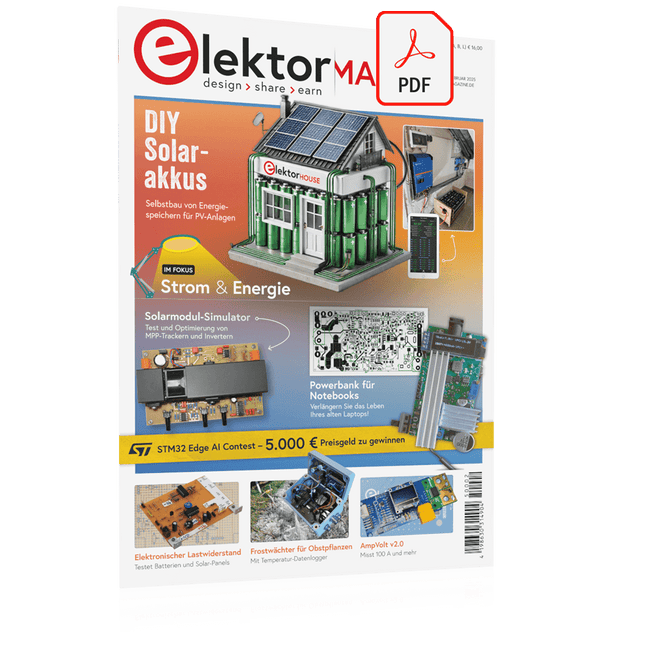
Elektor Digital Elektor 01-02/2025 (PDF) DE
Diese Ausgabe steht allen GOLD- und GREEN-Mitgliedern auf der ElektorMagazine-Website zum Download bereit! Sie sind noch kein Mitglied? Hier klicken! DIY-SolarakkusÜber den Selbstbau von Energiespeichern für Solaranlagen Solarmodul-SimulatorFür Test und Optimierung von MPP-Trackern und Invertern Der STM32-Edge-KI-WettbewerbEntdecken Sie den neuen STM32N6 und nehmen Sie am Wettbewerb um 5.000 € teil! Erweiterung der BandlückeWarum gibt es so viel Interesse an SiC und GaN? Power-Bank für NotebooksVerlängern Sie das Leben Ihres alten Laptops! Medizinische RoboterÜberwindung technischer und regulatorischer Hürden Frostwächter für ObstpflanzenMit Temperatur-Datenlogger Das analoge DingDer Arduino des Analog-Computings? Sparsames NetzrelaisMit über 90% Leistungsreduzierung Verbesserung der DC-Last ET5410A+Keep cool and be quiet! electronica 2024 im Rückblick Elektromagnetische VerträglichkeitEMV kurz und bündig! Aller Anfang......muss nicht schwer sein: Aktive Filter Verlustleistung reduzieren mit AbleitkondensatorenEin cleverer Einsatz von kapazitiver Reaktanz Preiswerter 12-Bit-Digital-Analog-Wandler MCP4725Mit EEPROM-Feature für sicheres Einschaltverhalten Fnirsi LCR-ST1, die intelligente LCR-SMD-Pinzette Test- und Messlabor mit Raspberry PiDas Wichtigste zuerst: Der ADC Elektronischer LastwiderstandEin Projekt aus der Kiste 2025: Eine Odyssee in die KIEinige Projekte für das neue Jahr Projekt-Update: Modulares DC-Leistungsmessgerät AmpVolt v2.0100 Ampere und mehr! Projekt 2.0 Ethische Transparenz sichtbar gemachtErgebnisse der Umfrage 2024 von Ethics in Electronics Elektor Audio-DSP FX-Prozessor-BoardTeil 2: Anwendungen erstellen
€ 11,90
-

Elektor Digital Raspberry Pi 3 – Basic to Advanced Projects (E-book)
This book is about the Raspberry Pi 3 computer and its use in various control and monitoring applications. The book explains in simple terms and with tested and working example projects, how to configure the Raspberry Pi 3 computer, how to install and use the Linux operating system, and how to write hardware based applications programs using the Python programming language. The nice feature of this book is that it covers many Raspberry Pi 3 based hardware projects using the latest hardware modules such as the Sense HAT, Swiss Pi, MotoPi, Camera module, and many other state of the art analog and digital sensors. An important feature of the Raspberry Pi 3 is that it contains on-board Bluetooth and Wi-Fi modules. Example projects are given in the book on using the Wi-Fi and the Bluetooth modules to show how real-data can be sent to the Cloud using the Wi-Fi module, and also how to communicate with an Android based mobile phone using the Bluetooth module. The book is ideal for self-study, and is intended for electronic/electrical engineering students, practising engineers, research students, and for hobbyists. It is recommended that the book should be followed in the given Chapter order. Over 30 projects are given in the book. All the projects in the book are based on the Python programming language and they have been fully tested. Full program listings of every project are given in the book with comments and full descriptions. Experienced programmers should find it easy to modify and update the programs to suit their needs. The following sub-headings are given for each project to make it as easy as possible for the readers to follow the projects: Project title Description Aim of the project Raspberry Pi type Block diagram Circuit diagram Program listing
€ 29,95
Mitglieder: € 26,96
-

Elektor Digital Programmeerbare Logica (E-book)
Het boek Programmeerbare Logica neemt je mee op een ontdekkingstocht door de wereld van de digitale elektronica. Na het leggen van een grondige basis is er uitgebreid aandacht voor het maken van logische circuits. Auteur Vincent Himpe toont o.a. hoe je met bestaande bouwstenen logische elektronica systemen maakt. Hij laat verder zien hoe je om gaat met de interfacing met de buitenwereld. Hierbij komen stroomvoorziening, bord layout en beveiliging uitvoerig aan bod. Moderne logische systemen zijn zo complex dat het ontwerpen met kleine bouwstenen zoals losse poortjes, flipflops en tellers een haast onbegonnen zaak geworden is. Daarom gaat Himpe in de tweede helft van het boek in op de programmeerbare logica zoals CPLD en FPGA. Hij belicht een ontwerpmethode waarmee je snel de brug slaat tussen het klassieke ontwerp en het ontwerp in FPGA. Naast schematisch ontwerp komt ook het ontwerpen met synthesetalen zoals Verilog en VHDL aan de orde. Ter afsluiting wordt een project (een klok met alarmfunctie) geïmplementeerd in Verilog en VHDL. Ook het fysieke ontwerp met deze logische componenten komt aan bod. Hoe programmeer je deze en wat zijn de randvoorwaarden zoals stroomvoorziening en signaalconditionering. De inhoud van het boek is 'state of the art'. En alles wat besproken wordt is direct implementeerbaar met de gratis ontwikkelomgeving Quartus van Altera. Over de auteur Vincent Himpe (B) leeft sinds 2005 in San Jose – hartje Silicon Valley – en werkt aan de ontwikkeling van nieuwe harddisktechnologie en de chips.Himpe heeft meerdere patenten en over de jaren verschillende artikelen gepubliceerd in onder andere IMeko / TSCC, The Journal of Computer Standards AND Interfaces, Elektor en EDN. Hij is ook auteur van de bestseller 'Visual Basic for electronic engineering applications' uitgegeven door Elektor.
€ 39,95
Mitglieder: € 35,96
-
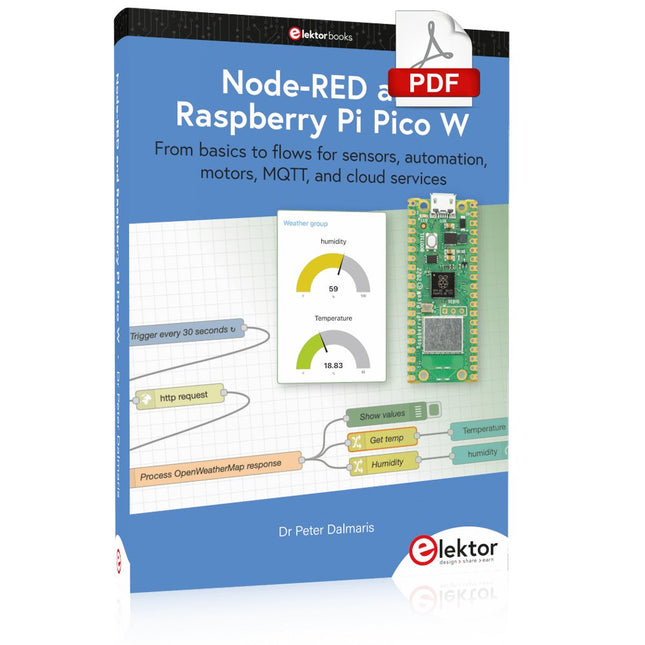
Elektor Digital Node-RED and Raspberry Pi Pico W (E-book)
From basics to flows for sensors, automation, motors, MQTT, and cloud services This book is a learning guide and a reference. Use it to learn Node-RED, Raspberry Pi Pico W, and MicroPython, and add these state-of-the-art tools to your technology toolkit. It will introduce you to virtual machines, Docker, and MySQL in support of IoT projects based on Node-RED and the Raspberry Pi Pico W. This book combines several elements into a platform that powers the development of modern Internet of Things applications. These elements are a flow-based server, a WiFi-enabled microcontroller, a high-level programming language, and a deployment technology. Combining these elements gives you the tools you need to create automation systems at any scale. From home automation to industrial automation, this book will help you get started. Node-RED is an open-source flow-based development tool that makes it easy to wire together devices, APIs, and online services. Drag and drop nodes to create a flowchart that turns on your lights at sunset or sends you an email when a sensor detects movement. Raspberry Pi Pico W is a version of the Raspberry Pi Pico with added 802.11n Wi-Fi capability. It is an ideal device for physical computing tasks and an excellent match to the Node-RED. Quick book facts Project-based learning approach. Assumes no prior knowledge of flow-based programming tools. Learn to use essential infrastructure tools in your projects, such as virtual machines, Docker, MySQL and useful web APIs such as Google Sheets and OpenWeatherMap. Dozens of mini-projects supported by photographs, wiring schematics, and source code. Get these from the book GitHub repository. Step-by-step instructions on everything. All experiments are based on the Raspberry Pi Pico W. A Wi-Fi network is required for all projects. Hardware (including the Raspberry Pi Pico W) is available as a kit. Downloads GitHub
€ 39,95
Mitglieder: € 35,96
-

Elektor Digital Raspberry Pi Pico Essentials (E-book)
Program, build, and master over 50 projects with MicroPython and the RP2040 microprocessor The Raspberry Pi Pico is a high-performance microcontroller module designed especially for physical computing. Microcontrollers differ from single-board computers, like the Raspberry Pi 4, in not having an operating system. The Raspberry Pi Pico can be programmed to run a single task very efficiently within real-time control and monitoring applications requiring speed. The ‘Pico’ as we call it, is based on the fast, efficient, and low-cost dual-core ARM Cortex-M0+ RP2040 microcontroller chip running at up to 133 MHz and sporting 264 KB of SRAM, and 2 MB of Flash memory. Besides its large memory, the Pico has even more attractive features including a vast number of GPIO pins, and popular interface modules like ADC, SPI, I²C, UART, and PWM. To cap it all, the chip offers fast and accurate timing modules, a hardware debug interface, and an internal temperature sensor. The Raspberry Pi Pico is easily programmed using popular high-level languages such as MicroPython and or C/C++. This book is an introduction to using the Raspberry Pi Pico microcontroller in conjunction with the MicroPython programming language. The Thonny development environment (IDE) is used in all the projects described. There are over 50 working and tested projects in the book, covering the following topics: Installing the MicroPython on Raspberry Pi Pico using a Raspberry Pi or a PC Timer interrupts and external interrupts Analogue-to-digital converter (ADC) projects Using the internal temperature sensor and external temperature sensor chips Datalogging projects PWM, UART, I²C, and SPI projects Using Wi-Fi and apps to communicate with smartphones Using Bluetooth and apps to communicate with smartphones Digital-to-analogue converter (DAC) projects All projects given in the book have been fully tested and are working. Only basic programming and electronics experience is required to follow the projects. Brief descriptions, block diagrams, detailed circuit diagrams, and full MicroPython program listings are given for all projects described. Readers can find the program listings on the Elektor web page created to support the book.
€ 32,95
Mitglieder: € 29,66
-

Elektor Digital Elektor Circuit Special 2025 (PDF) EN
Elektor GREEN and GOLD members can download their digital edition here. Not a member yet? Click here. USB Measurement AdapterTesting Current and Signal Quality of USB Ports 4...20 mA Current Output for Arduino UnoA Reliable, EMI-Insensitive Current Loop Interface Vacuum Cleaner Automatic ControlKeep Your Tools’ Work Area Clean DDS Generator with ATtiny Opamp-Tester V2New PCB – Now Also Suitable for SMDs 550-mW “Lamp” Audio AmplifierGet the Warm Sound of Vacuum Tubes With Ease Fuse GuardMonitoring a Fuse with a Flashing LED HQ RIAA PreamplifierGet the Most Out of Your Vinyl Records! Turntable Speed CalibratorAn Arduino-Based 100–120 Hz Strobe Light Generator Elektor Classics: video buffer/repeater Infrared Remote-Controlled DimmerControl Your Halogen or LED Floor Lamp Effortlessly and With Style How to Use switch…case on Strings in C++/Arduino IDE Magnet FinderWith a Simple Hall-Effect Sensor Raspberry Pi Smart Power ButtonA Solution for Raspberry Pi Up to Model 4 Essential Maker TipsProfessional Insights for Everyday Making Practical Projects with the 555 TimerDC Motor Control and Fast Reaction Challenges Basic AC-Load-On MonitorSave Energy with a Simple Device Power Banks in ParallelA Three-Day Continuous Power Solution VFO Up to 15 MHzAn Implementation With Raspberry Pi Pico Violin Tuner with ATtiny202 Elektor Classics: video amplifier for B/W television sets Capacitance Meter20 pF to 600 nF Quasi-Analog Clockwork Mk IITwo LED Rings for Hours and Minutes You Can Do Anything You Want(with the Arduino Ecosystem at Your Side) Neon Lamp Dice Elektor Classics: RTTY calibrator indicator Inspiring Hardware Designs for Your ESPs Elektor Classics: variable 3 A power supply RGB LEDs with Integrated Control CircuitLight with Precision: ICLEDs Set Standards Experiment: Towards a Mixed-Signal Theremin?Blending Modern Time-of-Flight Sensors With the Timeless XR2206 Analog Generator ESP32 Audio Transceiver Board (Part 1)SD Card WAV File Player Demo Infographics: Circuits and Circuit Design 2025 Small Audio MixerA Simple and Versatile Scalable Design Smart Staircase Light TimerSave More Money on the Energy Bill! Smarten Up Your ShuttersControlling Velux Hardware With an ESP32 and MQTT Solid-State Foot WarmerEnergy-Efficient Comfort Is the M5Stamp Fly Quadcopter the Next Tello? Boosting Wi-Fi Range of the ESP32-C3 SuperMiniA Simple and Effective Antenna Mod ZD-8968 Hot-Air Soldering StationA Budget-Friendly Workhorse or Just Hot Air? Parking Sensor TesterFinding Defects in the PDC System of a Car
€ 9,50
-

Elektor Digital Visual Basic for Electronics Engineering Applications (E-book)
The PC has long-time outgrown its function as a pure computer and has become an all-purpose machine. This book is targeted towards those people that want to control existing or self-built hardware from their computer. Using Visual Basic as Rapid Application Development tool we will take you on a journey to unlock the world beyond the connectors of the PC. After familiarising yourself with Visual Basic, its development environment and the toolset it offers, items such as serial communications, printer ports, bit-banging, protocol emulation, ISA, USB and Ethernet interfacing and the remote control of test-equipment over the GPIB bus, are covered in extent. Each topic is accompanied by clear, ready to run code, and where necessary, schematics are provided that will get your projects up to speed in no time. This book will show you advanced things like: using tools like Debug to find hardware addresses, setting up remote communication using TCP/IP and UDP sockets and even writing your own internet servers. Or how about connecting your own block of hardware over USB or Ethernet and controlling it from Visual Basic. Other things like internet-program communication, DDE and the new graphics interface of Windows XP are covered as well. All examples are ready to compile using Visual Basic 5.0, 6.0, NET or 2005. Extensive coverage is given on the differences between what could be called Visual Basic Classic and Visual basic .NET / 2005.
€ 39,95
Mitglieder: € 35,96
-

Elektor Publishing Apple Macintosh
20+ Macintosh Models, from 1984 to Today (History, Engineering, and Restoration) Apple is not like any other company. More than anyone else, it transformed technology into something people could desire, love, and even identify with—much like a luxury brand. Users were not only buying a tool; they were buying a vision, a way of life. At the center of this transformation stands the Macintosh. First introduced in 1984, it was radically different from everything before. With its graphical interface and mouse, it made computing approachable, even friendly. What now feels obvious—clicking on icons, dragging files, pointing instead of typing commands—was revolutionary at the time. The Macintosh not only changed the way people related to technology. The Macintosh forced the entire industry to rethink the way we use computers. This book tells that story through some of the most significant Macintosh models. Each one is presented not only in words but also in images, because these computers are more than technology—they are design icons, symbols of a unique vision. History, technical detail, and photography come together here, aiming to show each Macintosh as it truly deserves to be seen.
€ 79,95€ 64,95Bestpreis
-

Paggen Werkzeugtechnik SMD Starter I – Fertigungslinie für Prototypen
Die Prototypen-Fertigungslinie SMD Starter I besteht aus dem Schablonendrucker TSD240, dem SMD-Bestückungsgerät PlaceMAN und dem Reflow-Ofen 3LHR10. Schablonendrucker SD240 (+ Metallrakel 155 mm) Schablonengröße: max. 175 x 255 mm Platinengröße: max. 180 x 240 mm Gerätegröße: 410 x 270 x 110 mm Gewicht: 6,7 kg inkl. Metallrakel 155 mm inkl. 8 Magnete zum Halten der Leiterplatte, 6 davon mit M3-Madenschraube inkl. transparente Platzierhilfe und Faserschreiber Manuelles SMD-Bestückungsgerät PlaceMAN für Standardbauteile inkl. Vakuumpumpe (ohne Zuführungen, Kamera, Monitor und Dispenser) Ausgestattet mit leichtgängigem Bestückungsarm, Bestückungskopf mit Einhandbedienung, Rotation der Z-Achse und automatischer Vakuumabschaltung, inkl. Leiterplattenhalterung, Vakuumeinheit und 2 Bestückungsnadeln mit Gummisaugern. Kapazität an Feeder (nicht im Lieferumfang enthalten) 2x Feederkassette für 10 x 8 mm Rollen links 4x Feederkassette für Stangenfeeder für jeweils 5 Stangen weiter Zuführsysteme sind innerhalb des Bestückungsbereiches möglich, z. B. Strip-Feeder Stecksystem Abmessungen Grundgerät (LxBxH): 765 x 390 x 210 mm Mit Feederkassette für 10 x 8 mm Rollen (LxBxH): 765 x 390 x 210 mm Mit Feederkassette für 10 x 8 mm Rollen und Feederkassette für Stangenfeeder (LxBxH): 765 x 430 x 210 mm (Höhe kann durch die Stangenlänge variieren) Mit Feederkassette für 10 x 8 mm Rollen inkl. Halter für 10 Rollen und Feederkassette für Stangenfeeder (LxBxH): 765 x 430 x 210 mm (Höhe kann durch die Stangenlänge variieren) Technische Daten Gewicht Grundgerät: ca. 6 kg Verfahrweg der Achsen (x,y,z): 470 x 230 x 15 mm Max. Arbeitsbereich: 380 x 240 mm Max. PCB-Größe: 230 x 360 mm Stromversorgung Netzteil: 230/12 V, 800 mA Stromversorgung Vakuumpumpe: 230 V, 6 W 3LHR10 Reflow-Ofen (programmierbar für bleifreie Lötungen mit manueller Schublade und Tablet-Steuerung) Reflow-Ofen mit IR und Konvektionsheizung. Die erzwungene Heißluftkonvektion sorgt für ein gleichmäßiges Temperaturprofil in der gesamten Kammer. Nach dem manuellen Öffnen der Tür werden die Lüfter eingeschaltet und die gelötete Leiterplatte schnell abgekühlt. Kleiner Reflow-Ofen mit manueller Türöffnung Industrie 4.0 bereit, Bluetooth-Kommunikation + Tablet IR + Konvektionsheizung. Android-Anwendung zur Verbindung mit Tablet oder Smartphone 100 verschiedene Benutzerprogramme Lieferumfang: 3LHR10, Tablet mit App, Schutzhülle für Tablet, 4 Leiterplattenhalter, externes Thermoelement, Handbuch im Tablet Anwendung Schließen Sie den Ofen an die Stromversorgung an und schließen Sie die optional erhältliche Absaugung (3LFE10S) an den Abluftstutzen an. Nach dem ersten Einschalten sucht der Ofen nach einem Tablet oder Smartphone. Wenn beide in der Android-App verbunden sind, wählen Sie die Programmierung des Ofens. Hier sind programmierbare Temperatur und Vorheizzeit sowie Temperatur und andere Daten einzustellen. Registrieren Sie sich mit dem Tablet, um den vollen Umfang der Software nutzen zu können. Wenn der Ofen bereits programmiert ist, kann der Benutzer den Vorgang mit Tasten und Anzeige auf der Vorderseite steuern. Nach Abschluss des Reflow-Vorgangs ertönt ein akustisches Signal. Ein Signal wird auch auf dem Tablet/Smartphone angezeigt. Die Schublade muss nun manuell geöffnet werden. Die Android-Anwendung zeigt Prozessstatus, Zeit und Temperatur oder andere Informationen an. Technische Daten Netzanschluss: 230 V, 50 Hz Maximale Leistung: 3100 W Temperaturen: 50-260°C Abmessungen: 510 x 370 x 340 mm Maximales Gewicht: 16 kg Gitterabmessungen: 350 x 220 mm Maximale Abmessungen der Leiterplatte: 300 x 200 mm Maximale Komponentenhöhe auf der Leiterplatte: 50 mm oben, 30 mm unten Lieferumfang Schablonendrucker TSD240 SMD-Bestückungsgerät PlaceMAN Reflow-Ofen 3LHR10
€ 6.549,00
Bestpreis
-

Elektor Digital Elektor Special: Solar Power Systems and Photovoltaics (PDF)
As demand for solar panel installation has risen sharply, especially for installations larger than balcony power plants, the order books of solar companies are full. If you ask for a quote today, you may have to wait a while, if your request isn't simply postponed indefinitely. Another consequence of the solar boom is that some companies are charging very high prices for installations. Yet there is an obvious and radical solution to the problem of excessive prices: Do it yourself, as the English say. The price of materials is currently affordable, and it's the ideal time for those who do the work themselves. They couldn't save more. Add to this the satisfaction of doing something useful, both economically and ecologically, and the pleasure of building yourself. In this special issue, you'll find a wide selection of Elektor assemblies, from solar panel controllers to solar water heaters and solar panel orientation systems. The issue also contains practical information on solar panel installation and the technology behind them. Finally, there are a number of articles on the subject of balcony power plants, from how to install them to how to connect them to the Internet... Contents BASICS Dimensioning Photovoltaic Panel ArraysAn introduction to photovoltaic energy and the commonest techniques,followed by simplified calculation models and setup guidelines. Light Sensor TechnologyMeasuring daylight using LEDs. Solar Power Made SimpleSolar charging with and without a controller. Cable Cross-sections and Energy Losses in Solar SystemsKey considerations on the minimum values to respect for electricalcurrent in solar panel cabling. Solar ModulesEverything you always wanted to know about solar panels... Ideal Diode ControllerDiode Circuits with Low Power Dissipation. TIPS Tracking for Solar Modules zBot Solar/Battery Power Supply Solar Cell Array Charger with Regulator Solar Cell Voltage Regulator Solar-Powered Night Light Alternative Solar Battery Charger PROJECTS Energy LoggerMeasuring and Recording Power Consumption. Tiny Solar SupplySunlight In, 3.3 V Out. A Do-It-Yourself DTURead Data from Small Inverters by μC. Solar ChargerPortable energy for people on the move. Solar Thermal Energy RegulatorMaximum power point tracking explored. 2-amp Maximum Power Tracking ChargerSolar Power To The Max. Computer-driven HeliostatFollow the sun or the stars. Garden LightingUsing solar cells. Solar Panel Voltage Converter for IoT DevicesYes we CAN exploit indoor lighting. Travel ChargerFree power in the mountains. Solar Cell Battery Charger/MonitorWith protection against deep discharge. Solar-powered Battery ChargerPIC12C671 avoids overcharging and deep charging. Converters for Photovoltaic PanelsContributed by TME (Transfer MultisortElektronik). Solar Charging RegulatorFor panels up to 53 watts. Solar-Powered ChargerFor lead-acid batteries. CAN Bus + Arduino for Solar PV Cell MonitoringDetect and locate serviceable panels in large arrays. Balcony Power Plant 2.0The latest: solar panels, installation and inverters
€ 14,95
Mitglieder: € 13,46


