
Suchergebnisse für "ifixit OR manta OR precision OR bit OR set"
-
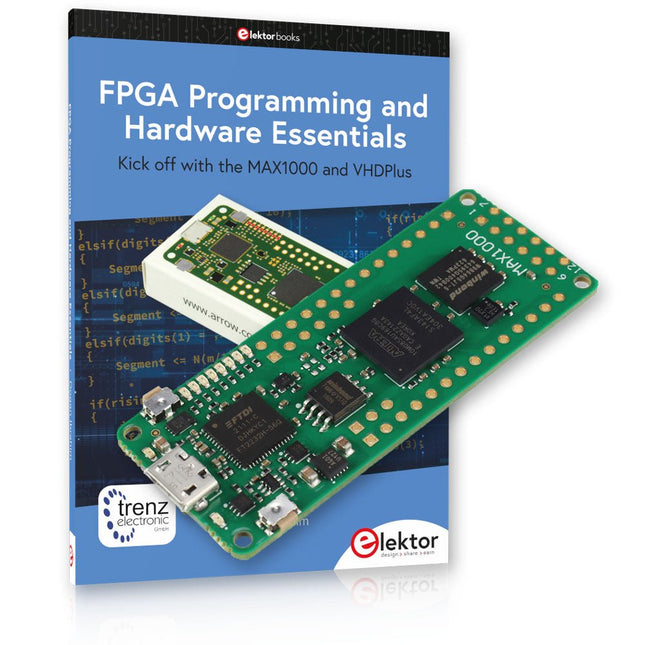
Elektor Bundles MAX1000 FPGA Programming Bundle
Einstieg in die FPGA-Programmierung mit dem MAX1000-Board und VHDPlus Sind Sie bereit, die FPGA-Programmierung zu meistern? Mit diesem Bundle tauchen Sie ein in die Welt der Field-Programmable Gate Arrays (FPGAs) – einer konfigurierbaren integrierten Schaltung, die nach der Herstellung programmiert werden kann. Verwirklichen Sie jetzt Ihre Ideen, von einfachen Projekten bis hin zu kompletten Mikrocontrollersystemen! Das MAX1000 ist ein kompaktes und leistungsstarkes FPGA-Entwicklungsboard mit zahlreichen Funktionen wie Speicher, Benutzer-LEDs, Drucktasten und flexiblen I/O-Ports. Es ist der ideale Ausgangspunkt für alle, die mehr über FPGAs und Hardwarebeschreibungssprachen (HDLs) erfahren möchten. Mit dem beiliegenden Buch "FPGA Programming and Hardware Essentials" erhalten Sie einen praktischen Einblick in die Programmiersprache VHDPlus – eine einfachere Version von VHDL. Sie arbeiten mit dem MAX1000 an praktischen Projekten und erwerben so die Fähigkeiten und das Selbstvertrauen, um Ihrer Kreativität freien Lauf zu lassen. Enthaltene Projekte im Buch Arduino-gesteuerter BCD-zu-7-Segment-Display-Decoder Verwenden Sie einen Arduino Uno R4, um BCD-Daten an den Decoder zu liefern, wobei von 0 bis 9 mit einer Verzögerung von einer Sekunde gezählt wird. Multiplexierter 4-stelliger Ereigniszähler Erstellen Sie einen Ereigniszähler, der die Gesamtzahl auf einem 4-stelligen Display anzeigt und sich mit jedem Tastendruck erhöht PWM-Wellenform mit festem Arbeitszyklus Erzeugen Sie eine PWM-Wellenform mit 1 kHz und einem festen Arbeitszyklus von 50 % Ultraschall-Abstandsmessung Messen Sie Entfernungen mit einem Ultraschallsensor und zeigen Sie die Ergebnisse auf einer 4-stelligen 7-Segment-LED an Elektronisches Schloss Bauen Sie ein einfaches elektronisches Schloss mit kombinatorischen Logikgattern mit Druckknöpfen und einem LED-Ausgang Temperatursensor Überwachen Sie die Umgebungstemperatur mit einem TMP36-Sensor und zeigen Sie die Messwerte auf einer 7-Segment-LED an MAX1000 FPGA Development Board Das MAX1000 ist ein anpassbares IoT/Maker-Board, das zur Evaluierung, Entwicklung und/oder Verwendung in einem Produkt bereit ist. Es basiert auf dem Intel MAX10 FPGA, dem branchenweit ersten nichtflüchtigen programmierbaren Logikgerät (PLDs) mit einem Chip, das den optimalen Satz an Systemkomponenten integriert. Benutzer können jetzt die Vorteile einer enormen Rekonfigurierbarkeit gepaart mit einem leistungsstarken FPGA-System mit geringem Stromverbrauch nutzen. MAX10-Geräte bieten intern gespeicherte Dual-Images mit Selbstkonfiguration, umfassende Designschutzfunktionen, integrierte ADCs und Hardware zur Implementierung des Nios II 32-Bit-Mikrocontroller-IP und sind ideale Lösungen für Systemmanagement, Protokollüberbrückung, Kommunikationssteuerungsebenen, Industrie, Automobil- und Verbraucheranwendungen. Der MAX1000 ist mit einem Arrow USB-Programmierer2, SDRAM, Flash-Speicher, Beschleunigungssensor und PMOD/Arduino-MKR-Anschlüssen ausgestattet, was ihn zu einer voll ausgestatteten Plug-and-Play-Lösung ohne zusätzliche Kosten macht. Technische Daten MAX 10 8 kLE - Flash Dual innen - ADC 8x 12 Bit - Temperaturbereich 0~85°C - Versorgung USB/Pins SDRAM 8 MB 3-Achsen-MEMS LIS3DH USB-Programmer an Bord MEMS-Oszillator 12 MHz Schalter/LED 2x / 8x Inhalt des Bundles Buch: FPGA Programming and Hardware Essentials (Einzelpreis: 40 €) MAX1000 FPGA Development Board (Einzelpreis: 45 €) Downloads Software
-

Elektor Publishing KiCad Like A Pro – Fundamentals and Projects
Getting started with the world’s best open-source PCB tool The latest iteration of KiCad, the world’s best free-to-use Printed Circuit Board tool, is packed with features usually found only in expensive commercial CAD tools. This modern, cross-platform application suite built around schematic and design editors, with auxiliary applications is a stable and mature PCB tool. KiCad 8 is a perfect fit for electronic engineers and makers. Here are the most significant improvements and features in KiCad 8, both over and under the hood: Modern user interface, completely redesigned from earlier versions Improved and customizable electrical and design rule checkers Theme editor allowing you to customize KiCad on your screen Ability to import projects from Eagle, CADSTART, and more Python scripting API Improved integrated SPICE circuit simulator Multi-sheet schematics Filters define selectable elements Enhanced interactive router helps you draw single tracks and differential pairs with precision New or enhanced tools to draw tracks, measure distances, tune track lengths, etc. Advanced interactive router Built-in bill of materials generator Realistic ray-tracing capable 3D viewer Customizable teardrops Plug-in manager for quick installation of themes, libraries and functionalities such as autorouters and BOM generators This book will teach you to use KiCad through a practical approach. It will help you become productive quickly and start designing your own boards. Example projects illustrate the basic features of KiCad, even if you have no prior knowledge of PCB design. The author describes the entire workflow from schematic entry to the intricacies of finalizing the files for PCB production and offers sound guidance on the process. Further full-fledged projects, of incremental difficulty, will be presented in a second book, together with a variety of advanced recipes.
-
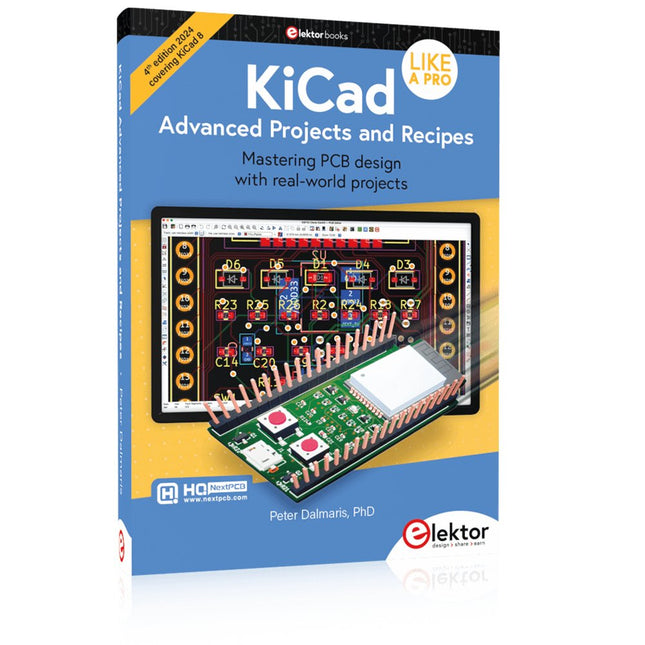
Elektor Publishing KiCad Like A Pro – Advanced Projects and Recipes
Mastering PCB design with real-world projects This book builts on KiCad Like a Pro – Fundamentals and Projects and aims to help you practice your new KiCad skills by challenging you in a series of real-world projects. The projects are supported by a comprehensive set of recipes with detailed instructions on how to achieve a variety of simple and complex tasks. Design the PCBs for a solar power supply, an LED matrix array, an Arduino-powered datalogger, and a custom ESP32 board. Understand the finer details of the interactive router, how to manage KiCad project teams with Git, how to use an autorouter on 2 and 4-layer PCBs, and much more. KiCad 8 is a modern, cross-platform application suite built around schematic and design editors. This stable and mature PCB tool is a perfect fit for electronic engineers and makers. With KiCad 8, you can create PCBs of any complexity and size without the constraints associated with the commercial packages. Here are the most significant improvements and features in KiCad 8, both over and under the hood: Modern user interface, completely redesigned from earlier versions Improved and customizable electrical and design rule checkers Theme editor allowing you to fully customize the look of KiCad on your screen Ability to import projects from Eagle, CADSTART, and more An improved and tightly integrated SPICE circuit simulator Autorouting with the Freerouting plugin Filters define which elements of a layout are selectable Enhanced interactive router helps you draw single tracks and differential pairs with precision New or enhanced tools to draw tracks, measure distances, tune track lengths, etc. Enhanced tool for creating filled zones A customizable coordinate system facilitates data exchange with other CAD applications Realistic ray-tracing capable 3D viewer Differential pair routing Rich repositories of symbol, footprint, and 3D shape libraries Python scripting API for programmatic customization and extensions Improved footprint wizard for fast custom footprints

