
Suchergebnisse für "grove OR starter OR kit OR for OR arduino"
-

Elektor Publishing Basic Electronics for Beginners
Analogue Electronics and Microcontrollers Projects Hobbyist electronics can be a fun way to learn new skills that can be helpful to your career. Those who understand the basics of electronics can design their own circuits and projects. However, before you run, you need to learn to walk. It all starts with analogue electronics. You should be familiar with the simple components and circuits and understand their basic behaviors and the issues you may encounter. The best way to do this is through real experiments. Theory alone is not enough. This book offers a large number of practical entry-level circuits, with which everyone can gain the basic experience. Through the widespread introduction of microcontrollers, a new chapter in electronics has begun. Microcontrollers are now performing more and more tasks that were originally solved using discrete components and conventional ICs. Starting out has become easier and easier thanks to platforms including Bascom, Arduino, micro:bit. The book introduces numerous manageable microcontroller applications. It’s now a case of less soldering and more programming.
€ 39,95
Mitglieder: € 35,96
-

Elektor Publishing MIT App Inventor for AI and IoT
Build Smart Applications with Raspberry Pi, Arduino, and ESP32 Discover how easy and exciting mobile app development can be with MIT App Inventor. This hands-on guide takes you from basic concepts to building real-world mobile applications using a simple visual programming approach—no prior coding experience required. You will create IoT and AI-powered apps for Android devices and explore how App Inventor can also be used with iPhones and iPads. Connect your applications to platforms such as Arduino UNO R4 WiFi, ESP32, Raspberry Pi Pico (2)W and Raspberry Pi 5, enabling you to build smart, connected systems. Inside the book, you will learn how to: Build interactive apps using buttons, images, sound, and multimedia Create text-to-speech and speech-recognition applications Develop camera-based and location-aware (GPS) apps Design useful tools such as calculators and educational apps Work with smartphone sensors like accelerometers and light sensors Build AI-powered applications, including voice assistants and image-generation features Send and receive messages, and create communication-based apps Connect mobile apps to hardware using Wi-Fi and Bluetooth Control real devices such as LEDs, motors, and sensors Designed for beginners, students, and hobbyists, this book focuses on learning by doing. By the end, you will have the skills and confidence to create your own innovative applications that interact with both the digital and physical worlds. Start building and turning your ideas into reality.
€ 44,95
Mitglieder: € 40,46
-

Elektor Digital ESP32 programmeren voor beginners (E-book)
In ESP32 programmeren voor beginners bekijken we de ESP32 en zijn voorganger, de ESP8266. Deze kleine, maar zeer krachtige Chinese chips bestaan uit een processor, geheugen, input- en outputaansluitingen en hebben draadloze netwerktoegang via WiFi. Met dit boek tonen we hoe de programmeeromgeving Arduino werkt en hoe die kan gebruikt worden met ESP-hardware. Aan de hand van voorbeelden en projecten verduidelijken we hoe de ESP-hardware kan worden toegepast. In vogelvlucht: We beschrijven de opbouw van ESP-experimenten. We tonen hoe displays worden aangesloten. Eeprom_24c16 demonstreert hoe een externe geheugenchip wordt gebruikt om getallen en tekst op te slaan en weer uit te lezen. Project Klok is de eenvoudige implementatie van een digitale klok. We geven een handleiding voor het gebruik van temperatuur- en luchtvochtigheidsensoren. Webclient laat zien hoe de ESP32 gegevens van het internet kan halen. Met Webserver kunnen we op afstand met een pc of smartphone gegevens halen uit een ESP32, sensoren uitlezen en toestellen aan- en uitschakelen. Een NTP-klok haalt tijdinformatie van Tijdserver. Die geeft zowel de tijd als het aantal seconden sinds 1 januari 1900. Het boek beschrijft hoe hieruit de tijd kan worden berekend. In het laatste hoofdstuk gebruiken we het internet om nauwkeurige weerinformatie en voorspellingen op te vragen.
€ 24,95
Mitglieder: € 22,46
-

Elektor Digital Mastering Microcontrollers Helped by Arduino (3rd Edition) | E-book
Third, extended and revised edition with AVR Playground and Elektor Uno R4 Arduino boards have become hugely successful. They are simple to use and inexpensive. This book will not only familiarize you with the world of Arduino but it will also teach you how to program microcontrollers in general. In this book theory is put into practice on an Arduino board using the Arduino programming environment. Some hardware is developed too: a multi-purpose shield to build some of the experiments from the first 10 chapters on; the AVR Playground, a real Arduino-based microcontroller development board for comfortable application development, and the Elektor Uno R4, an Arduino Uno R3 on steroids. The author, an Elektor Expert, provides the reader with the basic theoretical knowledge necessary to program any microcontroller: inputs and outputs (analog and digital), interrupts, communication busses (RS-232, SPI, I²C, 1-wire, SMBus, etc.), timers, and much more. The programs and sketches presented in the book show how to use various common electronic components: matrix keyboards, displays (LED, alphanumeric and graphic color LCD), motors, sensors (temperature, pressure, humidity, sound, light, and infrared), rotary encoders, piezo buzzers, pushbuttons, relays, etc. This book will be your first book about microcontrollers with a happy ending! This book is for you if you are a beginner in microcontrollers, an Arduino user (hobbyist, tinkerer, artist, etc.) wishing to deepen your knowledge,an Electronics Graduate under Undergraduate student or a teacher looking for ideas. Thanks to Arduino the implementation of the presented concepts is simple and fun. Some of the proposed projects are very original: Money Game Misophone (a musical fork) Car GPS Scrambler Weather Station DCF77 Decoder Illegal Time Transmitter Infrared Remote Manipulator Annoying Sound Generator Italian Horn Alarm Overheating Detector PID Controller Data Logger SVG File Oscilloscope 6-Channel Voltmeter All projects and code examples in this book have been tried and tested on an Arduino Uno board. They should also work with the Arduino Mega and every other compatible board that exposes the Arduino shield extension connectors. Please note For this book, the author has designed a versatile printed circuit board that can be stacked on an Arduino board. The assembly can be used not only to try out many of the projects presented in this book but also allows for new exercises that in turn provide the opportunity to discover new techniques. Also available is a kit of parts including the PCB and all components. With this kit you can build most of the circuits described in the book and more. Datasheets Active Components Used (.PDF file): ATmega328 (Arduino Uno) ATmega2560 (Arduino Mega 2560) BC547 (bipolar transistor, chapters 7, 8, 9) BD139 (bipolar power transistor, chapter 10) BS170 (N-MOS transistor, chapter 8) DCF77 (receiver module, chapter 9) DS18B20 (temperature sensor, chapter 10) DS18S20 (temperature sensor, chapter 10) HP03S (pressure sensor, chapter 8) IRF630 (N-MOS power transistor, chapter 7) IRF9630 (P-MOS power transistor, chapter 7) LMC6464 (quad op-amp, chapter 7) MLX90614 (infrared sensor, chapter 10) SHT11 (humidity sensor, chapter 8) TS922 (dual op-amp, chapter 9) TSOP34836 (infrared receiver, chapter 9) TSOP1736 (infrared receiver, chapter 9) MPX4115 (analogue pressure sensor, chapter 11) MCCOG21605B6W-SPTLYI (I²C LCD, chapter 12) SST25VF016B (SPI EEPROM, chapter 13) About the author Clemens Valens, born in the Netherlands, lives in France since 1997. Manager at Elektor Labs and Webmaster of ElektorLabs, in love with electronics, he develops microcontroller systems for fun, and sometimes for his employer too. Polyglot—he is fluent in C, C++, PASCAL, BASIC and several assembler dialects—Clemens spends most of his time on his computer while his wife, their two children and two cats try to attract his attention (only the cats succeed). Visit the author’s website: www.polyvalens.com.Authentic testimony of Hervé M., one of the first readers of the book:'I almost cried with joy when this book made me understand things in only three sentences that seemed previously completely impenetrable.'
€ 34,95
Mitglieder: € 31,46
-

Elektor Digital Sonderausgabe: Shields für Arduino (PDF)
Machen Sie Ihre Träume wahr und verwirklichen Sie die schwierigsten Projekte: einen Kilometerzähler für die Lauffläche Ihres Hamsters, eine vollständig automatisierte Überwachung Ihres Mediums mithilfe einer Webschnittstelle oder dem Sandwich-O-Mat? eine Maschine, die die Sandwiches Ihrer Wahl grillt. Mit Arduino-Karten und der DIY-Bewegung („mach es selbst“) oder MakerBot wird das Programmieren von Mikrocontrollern zum Kinderspiel. An dieser Stelle findet eine zweite Revolution in der EU statt: Werden die Ingenieure auf dem Markt für Kleinkarten fündig? Angerufene „Shields“ oder Module? Dies vereinfacht die Nutzung anderer Geräte erheblich. Diese kleinen Module enthalten alle für die Verbindung zum Mikrocontroller erforderlichen elektronischen Komponenten. Einige Filamente mit ausreichenden Datenblättern reichen für die Zuordnung aus. Dies muss verkabelt werden und die Zeit wird knapp. Darüber hinaus ist es auch möglich, winzige Komponenten mithilfe von Verbindungsmustern (z. B. vom Typ CMS) zu manipulieren. Projekte Arduino und die Außenwelt Capteur BMP180, Einführung in Bibliotheken und zu l?I²C Einführung in Ein- und Ausgänge mit einem polyvalenten Schild I²C-Adapter für LCD und Punktmatrixanzeigen Schild Tastatur & LCD Niveauumrechner W5100: Internetverbindung Schilde zur Verlängerung von Ein- und Ausgängen Relais und Relais-Statistiken Multifunktionsschild: universelle Befehlseinheit Verbindung eines SD-Kartenlesers über SPI herstellen Berührungen und Anzeigen mit 7 Segmenten Analog-/Numerischer Konverter zu 16 Bit Numerischer/analoger Konverter MCP4725 16-Wege-PWM-Servomotorsteuerung MP3-Lesegerät GPS-Datenspeicherung mit SD-Kartenspeicher Taktiler Sensor Joystick SHT31: Temperatur und Luftfeuchtigkeit UV-A-Sensor VEML6070 Flugzeit VL53L0X Ultraschall-Abstandsmessung LED-Matrizenanzeige mit MAX7219-Sockel Echte Zeituhr DS3231 Anschlusserweiterungsschaltung MCP23017 Kommunikationsfunk à 433 MHz Gyroskop MPU-6050 Beschleunigungsmesser ADXL345 LED RVB WS2812 Ernährungskarten Gassensoren MQ-xx Kohlendioxid-Abscheider (CO2) Stromsensor ACS712 Stromsensor INA219 Motorsteuerung L298 RFID-Kit MFRC522 Nicht passender Motor 28BYJ-48 Karte mit ultra-leiser Motorsteuerung TMC2209 Numerisches Potentiometer X9C10x TFT-Farbbildschirm mit Controller/Steuerung ST7735 Elektronischer Scharfschreiber Modul Bluetooth Compteur Geiger Modul GSM SIM800L I²C-Multiplexer Modul CAN (Controller Area Network)
€ 10,95
Mitglieder: € 9,86
-

Elektor Digital Coding Modbus TCP/IP for Arduino (E-book)
Example projects with Node-RED, MQTT, WinCC SCADA, Blynk, and ThingSpeak This comprehensive guide unlocks the power of Modbus TCP/IP communication with Arduino. From the basics of the Modbus protocol right up to full implementation in Arduino projects, the book walks you through the complete process with lucid explanations and practical examples. Learn how to set up Modbus TCP/IP communication with Arduino for seamless data exchange between devices over a network. Explore different Modbus functions and master reading and writing registers to control your devices remotely. Create Modbus client and server applications to integrate into your Arduino projects, boosting their connectivity and automation level. With detailed code snippets and illustrations, this guide is perfect for beginners and experienced Arduino enthusiasts alike. Whether you‘re a hobbyist looking to expand your skills or a professional seeking to implement Modbus TCP/IP communication in your projects, this book provides all the knowledge you need to harness the full potential of Modbus with Arduino. Projects covered in the book: TCP/IP communication between two Arduino Uno boards Modbus TCP/IP communication within the Node-RED environment Combining Arduino, Node-RED, and Blynk IoT cloud Interfacing Modbus TCP/IP with WinCC SCADA to control sensors Using MQTT protocol with Ethernet/ESP8266 Connecting to ThingSpeak IoT cloud using Ethernet/ESP8266
€ 32,95
Mitglieder: € 29,66
-

Elektor Digital Elektor September/Oktober 2023 (PDF)
Der vollständige Download dieser Nummer ist für unsere GOLD- und GREEN-Mitglieder auf der Elektor Magazine- Site verfügbar! Nicht noch einmal Mitglied? Klicken Sie hier . Raspberry Pi Pico als Spektrumanalysator der FFT mit gut handelbarem Material linearer Spannungsregler ±40 V eine hochwertige Stromversorgung für den Leistungsverstärker Fortissimo-100 … und andere! Die Kommunikation ohne Mikrocontroller wird flexibel Das EEPROM bietet Möglichkeiten zur Netzwerkinstallation für Mikrocontroller ohne Kabel 5000 ? zu gewinnen! Nehmen Sie am STM32 Wireless Innovation Design Contest teil 2023: Die Odyssee der IA Starten Sie mit dem ChatGPT-Codeinterpreter LoRa, ein Schweizer Messer (1) das LoRa-Protokoll und seine Vorteile einstellbare Stromstärke mit integriertem Uhrengenerator Testen Sie Ihre Stromversorgung, Spannungswandler und Batterien die neuen Arduino UNO R4 Minima- und WiFi-Karten von logarithmischen Potentiometern das sind Exponentiale! Schnittstellenkarte für Motorsteuerung Ein BoB für einen 5 A Dauerläufermotor mit einer Größe von 3×3 mm über die Lebensgefahr der Elektronik Bietet eine Mobilfunkarchitektur ihnen den geringsten Nutzen für das Objekt-Internet (IdO)? Energieeffizienzmerkmale der LTE-M- und NB-IoT-Technologien für den Einsatz von Niedrigenergienetzen (LPWAN) Drahtlose Kommunikation in IoT-Systemen mithilfe von Arduino MKR-Modulen Kommunikationsnormen für Arduino-Module für IoT bereit für alternativen Strom in den magnetischen Komponenten Vermeiden Sie die Überhitzung der Induktivitäten! Optimieren Sie die Cloud-Bereitstellung mit maßgefertigten Geräten Matter-Implementierung: Was muss ich tun, um Matter-Geräte bereitzustellen? der YARD Stick One ein drahtloses Testwerkzeug für Frequenzen bis zu 1 GHz verriegeltes Relais Drôle de Composant, die Serie Bild Uhr? nimm die Pouls der Zeit Konzeption eines SDR-Sendezeitempfängers Sorgfaltspflichtrichtlinie „Weiter so“ ist nicht genug Starten mit elektronischem Spannungsverstärker Infrarot-Sensoren mit Arduino Pro Mini ein Projektauszug aus dem Buch „Arduino & Co.“ von Elektor Cloudbasierter Energierechner mit einem ESP32-Modul und einem Spannungs-/Stromsensor PZEM-004T Anleitung zur Bare-Metal-Programmierung (2) Präzisions-Timer, UART und Debugging Hexadoku
€ 10,95
-

SEQURE SEQURE HT140 (2-in-1) SMD Löt- & Entlötpinzette
Das SEQURE HT140 ist ein äußerst vielseitiges 2-in-1 Lötwerkzeug, das die Funktionalität einer Heißpinzette und eines Lötkolbens vereint. Es wurde speziell für präzise SMD-Löt- und Entlötarbeiten entwickelt. Mit der unabhängigen Steuerung für einseitiges Heizen funktioniert es mit einer Standardspitze wie ein herkömmlicher Lötkolben. Bei beidseitiger Heizfunktion verwandelt es sich in eine Heißpinzette – perfekt für die effiziente und präzise Entnahme von SMD-Bauteilen. Features Betriebstemperatur: 50-500°C Unterstützt mehrere Stromeingänge: PD 3.1/3.0/2.0, QC 3.0/2.0 (5-28 V DC), LiPo-Akkus und Netzteile. Das HT140 kombiniert eine Heißpinzette und einen Lötkolben mit unabhängiger ein- oder beidseitiger Heizung. Verwenden Sie es als Lötkolben mit Spitze oder als Heißpinzette zum einfachen Entlöten von SMD-Bauteilen. Spannung und Stromstärke lassen sich je nach Stromquelle anpassen. Mit dualer Temperaturregelung, Voreinstellungen, schneller Temperaturerhöhung und Feineinstellung. 128 x 32 OLED-Bildschirm mit einstellbarer Helligkeit und Ausrichtung. Umschaltbar zwischen °C und °F. Hochpräzises Heizelement mit einer Genauigkeit von ±1%. Schmelzt Lot in nur 2 Sekunden. Intelligente Standby-, Ruhe- und Aktivierungsfunktionen verlängern die Lebensdauer der Lötspitze und steigern die Effizienz. Unterstützt Temperaturkalibrierung und -kompensation für präzises Arbeiten. Inklusive 1,5 m langem, hitzebeständigem PD 150 W Silikonkabel und robuster HT-Station aus Metall. Austauschbare Lötspitzen und einstellbare Winkel für verschiedene SMD-Lötaufgaben. Technische Daten Betriebsspannung 5-28 V DC Maximale Leistung 140 W Betriebstemperatur 50-500°C Zinnschmelzzeit 2 s Schnittstellentyp USB-C, DC5525 Stromversorgung PD 3.1/3.0/2.0, QC 3.0/2.0, 28 V DC max Display 128 x 32 OLED Firmware-Upgrade Ja Menüsprachen Englisch, Russisch, Chinesisch Abmessungen 160 x 27 x 17,5 mm Gewicht 50 g Lieferumfang 1x SEQURE HT140 Host 2x HT140-IS Konisch gebogene Entlötspitzen 1x HT-Station 1x Zubehörpaket 1x Aufbewahrungstasche 1x 65 W PD-Netzteil (EU, UK & US) 1x 24 W PD-Silikonkabel (1,5 m) 1x GND-Kabel-Zubehörsatz (1,8 m) Downloads Manual Firmware V1.04
€ 119,95€ 99,95Bestpreis
-
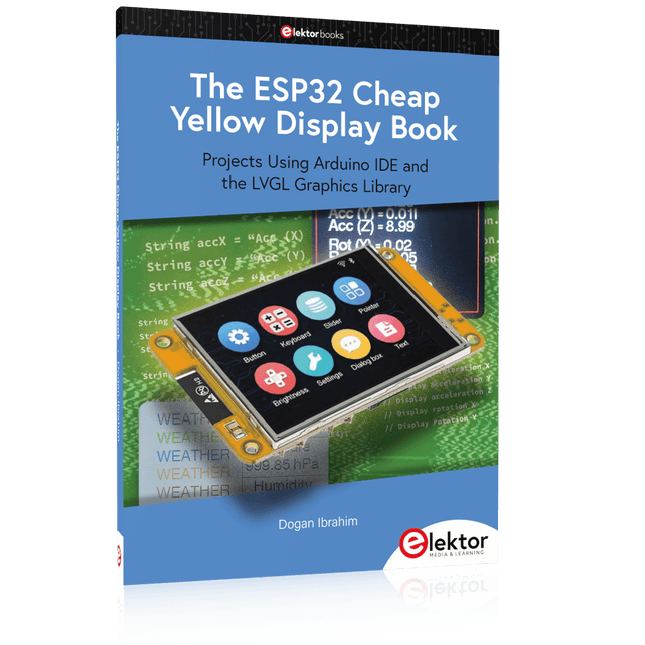
Elektor Publishing The ESP32 Cheap Yellow Display Book
Projects Using Arduino IDE and the LVGL Graphics Library The ESP32 is probably one of the most popular microcontrollers used by many people, including students, hobbyists, and professional engineers. Its low cost, coupled with rich features makes it a popular device to use in many projects. Recently, a board called the ESP32 Cheap Yellow Display (CYD for short) is available from its manufacturers. The board includes a standard ESP32 microcontroller together with a 320x240 pixel TFT display. Additionally, the board provides several connectors for interfaces such as GPIO, serial port (TX/RX), power and Ground. The inclusion of a TFT display is a real advantage as it enables users to design complex graphics-based projects without resorting to an external LCD or graphics displays. The book describes the basic hardware of the ESP32 CYD board and provides details of its on-board connectors. Many basic, simple, and intermediate-level projects are given in the book based on the ESP32 CYD, using the highly popular Arduino IDE 2.0 integrated development environment. The use of both the basic graphics functions and the use of the popular LVGL graphics library are discussed in the book and projects are given that use both types of approaches. All the projects given in the book have been tested and are working. The block diagram, circuit diagram, and the complete program listings and program descriptions of all the projects are given with explanations. Readers can use the LVGL graphics library to design highly popular eye-catching full-color graphics projects using widgets such as buttons, labels, calendars, keypads, keyboards, message boxes, spinboxes, sliders, charts, tables, menus, bars, switches, drop-down lists, animations, and many more widgets.
€ 34,95
Mitglieder: € 31,46
-
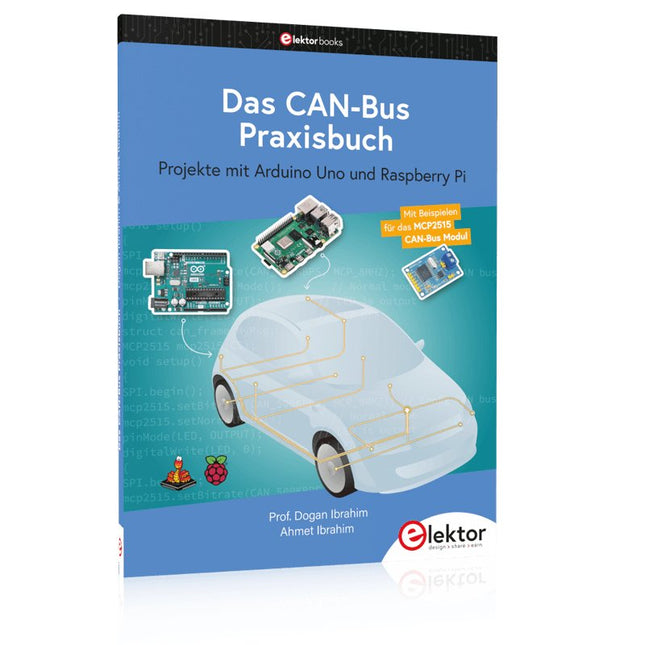
Elektor Publishing Das CAN-Bus Praxisbuch
Projekte mit Arduino Uno und Raspberry Pi In diesem Buch werden Anwendungen von Arduino Uno und Raspberry Pi 4 in praxisnahen Projekten auf Basis von CAN-Bus detailliert beschrieben. Durch den Einsatz von entweder Arduino Uno oder Raspberry Pi in Verbindung mit handelsüblichen CAN-Bus-Schnittstellenmodulen werden die Entwicklung, Fehlersuche und Fehlerbeseitigung sowie die Überprüfung von Projekten auf CAN-Bus-Basis erheblich erleichtert. Dieses Buch richtet sich an jeden, der mehr über den CAN-Bus lernen möchte und mit den Grundlagen der Elektronik vertraut ist. Hilfreich ist auch Erfahrung mit den Programmiersprachen C und Python sowie mit der Programmierung von Arduino Uno unter Verwendung seiner IDE und von Raspberry Pi zu haben. Das Buch ist eine nützliche Informationsquelle und ein Nachschlagewerk für jeden, der Antworten auf eine oder mehrere der folgenden Fragen sucht: Welche Bussysteme stehen für die Automobilindustrie zur Verfügung? Was sind die Grundprinzipien des CAN-Bus? Welche Arten von Frames (oder Datenpaketen) stehen in einem CAN-Bussystem zur Verfügung? Wie können Fehler in einem CAN-Bussystem erkannt werden, und wie zuverlässig ist ein CAN-Bussystem? Welche Arten von CAN-Bus-Controllern gibt es? Welches sind die Funktionsprinzipien des MCP2515 CAN-Bus-Controllers? Wie kann ich ein CAN-Bus-Projekt mit Arduino Uno realisieren? Wie kann ich Arduino oder Raspberry Pi CAN-Bus-Projekte mit 2 und 3 Knoten erstellen? Wie kann ich die Daten auf dem CAN-Bus analysieren? Wie kann ich ein CAN-Bus-Projekt mit Raspberry Pi ausführen?
€ 34,80
Bestpreis
-
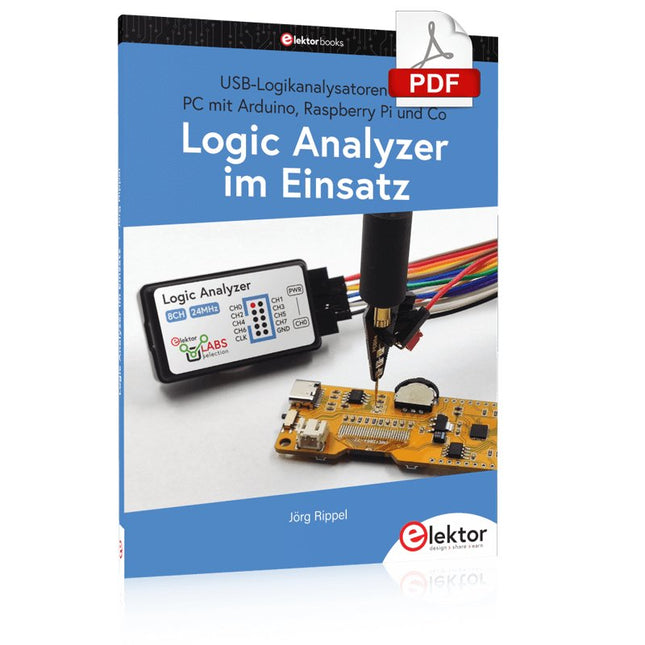
Elektor Digital Logic Analyzer im Einsatz (PDF)
USB-Logikanalysatoren am PC mit Arduino, Raspberry Pi und Co Schritt-für-Schritt-Anleitungen führen Sie in die Analyse moderner Protokolle von I²C, SPI, UART, RS-232, NeoPixel, WS28xx, HD44780 und 1-Wire ein. Anhand zahlreicher Experimentierschaltungen mit dem Raspberry Pi Pico, Arduino Uno und dem Bus Pirate üben Sie die praxisnahe Anwendung gängiger USB-Logikanalysatoren ein. Alle in diesem Buch vorgestellten Experimentierschaltungen wurden gründlich getestet und sind funktionsfähig. Die notwendigen Programmlistings sind enthalten, es sind keine besonderen Programmier- oder Elektronikkenntnisse für diese Schaltungen notwendig. Es werden die Programmiersprachen MicroPython und C mit den Entwicklungsumgebungen Thonny und Arduino IDE eingesetzt. Dieses Buch verwendet mehrere Modelle flexibler und weit verbreiteter USB-Logikanalysatoren und zeigt die Stärken und Schwächen jeder Preisklasse. Sie werden herausfinden, welche Kriterien für Ihre Arbeit wichtig sind und in der Lage sein, das passende Gerät für Sie zu finden. Egal ob Arduino, Raspberry Pi oder Raspberry Pi Pico: Die abgebildeten Beispielschaltungen ermöglichen einen schnellen Einstieg in die Protokollanalyse und können auch als Grundlage für eigene weitere Experimente dienen. Sie werden alle wichtigen Begriffe und Zusammenhänge kennenlernen, eigene Experimente durchführen, selbstständig Protokolle analysieren und nach der Lektüre dieses Buches – im Bereich der digitalen Signale und Protokolle – ein umfassendes Wissen aufgebaut haben.
€ 32,80
Mitglieder: € 29,52
-

Elektor Digital Programming with Node-RED (E-book)
Design IoT Projects with Raspberry Pi, Arduino and ESP32 The Internet of Things (IoT) is becoming a major application area for embedded systems. As a result, more and more people are becoming interested in learning about embedded design and programming. Technical colleges and universities are moving away from legacy 8 and 16-bit microcontrollers and are introducing 32-bit embedded microcontrollers to their curriculums. Many IoT applications demand precision, high processing power, and low power consumption. Produced by IBM, Node-RED is an open-source visual editor for wiring the Internet of Things. Node-RED comes with a large number of nodes to handle a multitude of tasks. The required nodes are selected and joined together to perform a particular task. Node-RED is based on flow type programming where nodes are configured and joined together to form an application program. There are nodes for performing complex tasks, including web access, Twitter, E-mail, HTTP, Bluetooth, MQTT, controlling GPIO ports, etc. One particularly nice aspect of Node-RED is that the programmer does not need to learn how to write complex programs. For example, an email can be sent by simply joining nodes together and writing only a few lines of code. The aim of this book is to teach how Node-RED can be used in projects. The main hardware platform used with most of the projects in this book is Raspberry Pi 4. Chapters are included to show how Node-RED can be also be used with Arduino Uno, ESP32 DevKitC, and the ESP8266 NodeMCU microcontroller development boards.
€ 34,95
Mitglieder: € 31,46


