
Suchergebnisse für "elektor OR embedded OR systems OR design OR and OR programming OR course"
-

Elektor Digital Elektor March/April 2021 (PDF) EN
The Vision and Engineering Behind SparkFun Getting Started with MicroMod Leveling Up Your SparkFun JetBotHow I Expanded the Functionality of My JetBot, Powered by the NVIDIA Jetson Nano Programming an FPGA How to Build a DIY GNSS Reference Station The ClockClock Project Under the Hood: SparkFun Inventor's Kit SparkFun’s Glenn Samala on Product Development and New Ventures Creating Custom Circuit Boards with SparkFun À La Carte Designing with the SparkFun Artemis Getting Started with the Qwiic Ecosystem for Rapid Prototyping Poster - Qwiic Under the Hood: The GreatScott! / Elektor DIY LiPo Supercharger Kit Memorable Electronics from SparkFun Past Perfect Parking with LiDAR Buried Pad PCB Fixing Design to Sale: the SparkFun RTK Surveyor Hello World from the Raspberry Pi Pico and RP2040A Look at Raspberry Pi’s First Microcontroller and Microcontroller Chip DIY Quadrupedal Robots Poster - Micromod RISC-V IoT Development in AWS Using FreeRTOS Libraries Yep, Electronics = Fun!A Conversation Among Electronics Enthusiasts Sparkfun Product Catalog HexadokuThe Original Elektorized Sudoku
€ 7,50
-

Elektor Digital Raspberry Pi Pico Essentials (E-book)
Program, build, and master over 50 projects with MicroPython and the RP2040 microprocessor The Raspberry Pi Pico is a high-performance microcontroller module designed especially for physical computing. Microcontrollers differ from single-board computers, like the Raspberry Pi 4, in not having an operating system. The Raspberry Pi Pico can be programmed to run a single task very efficiently within real-time control and monitoring applications requiring speed. The ‘Pico’ as we call it, is based on the fast, efficient, and low-cost dual-core ARM Cortex-M0+ RP2040 microcontroller chip running at up to 133 MHz and sporting 264 KB of SRAM, and 2 MB of Flash memory. Besides its large memory, the Pico has even more attractive features including a vast number of GPIO pins, and popular interface modules like ADC, SPI, I²C, UART, and PWM. To cap it all, the chip offers fast and accurate timing modules, a hardware debug interface, and an internal temperature sensor. The Raspberry Pi Pico is easily programmed using popular high-level languages such as MicroPython and or C/C++. This book is an introduction to using the Raspberry Pi Pico microcontroller in conjunction with the MicroPython programming language. The Thonny development environment (IDE) is used in all the projects described. There are over 50 working and tested projects in the book, covering the following topics: Installing the MicroPython on Raspberry Pi Pico using a Raspberry Pi or a PC Timer interrupts and external interrupts Analogue-to-digital converter (ADC) projects Using the internal temperature sensor and external temperature sensor chips Datalogging projects PWM, UART, I²C, and SPI projects Using Wi-Fi and apps to communicate with smartphones Using Bluetooth and apps to communicate with smartphones Digital-to-analogue converter (DAC) projects All projects given in the book have been fully tested and are working. Only basic programming and electronics experience is required to follow the projects. Brief descriptions, block diagrams, detailed circuit diagrams, and full MicroPython program listings are given for all projects described. Readers can find the program listings on the Elektor web page created to support the book.
€ 32,95
Mitglieder: € 29,66
-

Elektor Digital PIO-Programmierung mit dem Raspberry Pi Pico (PDF)
Praxisnahe Projekte, Profi-Tricks und eigene Anwendungen Dieses Buch führt Sie Schritt für Schritt in die faszinierende Welt der State Machines ein und zeigt, wie Sie Hardware direkt und effizient ansteuern können – jenseits klassischer CPU-gesteuerter Ansätze. In diesem Buch lernen Sie: LEDs und NeoPixel kreativ steuern: Blinken, Dimmen, Farbwechsel und komplexe Animationen Taster und Encoder zuverlässig auslesen und in Echtzeit in Ihre Projekte integrieren Analoge Eingänge (ADC) nutzen und Signale digital steuern Servos präzise ansteuern und Bewegungsabläufe automatisieren SPI mit PIO umsetzen, um Displays, Sensoren und Module anzusteuern Menüsysteme und Submenüs auf SPI-Displays realisieren, inklusive Navigation über mehrere Taster PWM, Signalgenerierung und Frequenzsteuerung für akustische oder visuelle Effekte Debugging-Strategien und Tipps, um Ihre PIO-Programme effizient zu entwickeln Alle Beispiele sind praxisnah, sofort umsetzbar und zuverlässig. Mit klaren Anleitungen, Hintergrundwissen und fertigen Codebeispielen lernen Sie, die PIO-Fähigkeiten des Pico maximal zu nutzen – egal ob für Maker-Projekte, Prototypen oder professionelle Anwendungen. Erleben Sie, wie Sie komplexe Hardwaresteuerung elegant mit dem Pico realisieren können – schneller, flexibler und leistungsfähiger als je zuvor.
€ 29,80
Mitglieder: € 26,82
-

Elektor Digital Systemprogrammierung für AVR-Mikrocontroller (E-book)
Das Buch ist im Wesentlichen zweigeteilt: Im ersten Teil werden Techniken vorgestellt, mit denen parallele Programmabläufe realisiert werden können. Diese reichen von der einfachen automatischen Ablaufsteuerung eines Hintergrundprozesses durch Interrupts bis zur Implementierung eines an die beschränkten Möglichkeiten von AVR-Mikrocontrollern angepassten RTOS. Die Realisierung von Hintergrundprozessen lässt sich auf bequeme Weise mit Interrupts durchführen. Auf die Probleme der Synchronisierung mit Hintergrundprozessen wird ausführlich eingegangen. Interrupts werden zwar auch in ihrer „natürlichen“ Umgebung vorgestellt, aber es werden auch „exotische“ Einsätze von Interrupts beschrieben, z. B. der Einsatz eines Timer-Interrupts als Programmschleifenzähler. Dass sinnvolles Multitasking auch für die kleineren Mikrocontroller der AVR-Serie möglich ist, wird mit Kleinsystemen demonstriert, die auch auf einem ATtiny2313 ablaufen können. Für Controller mit besserer Ausstattung ist das System SLIMOS gedacht – in dem Prozesse dynamische Objekte sind – in dem Prozesse mit Semaphoren und Ereignissen synchronisiert werden können – welches Interrupts als Ereignisse integriert und eine Zeitablaufsteuerung für inaktive Prozesse besitzt.Der zweite Teil des Buches ist der Numerik gewidmet. Höhepunkt ist die Implementierung einer AVR-freundlichen Fließkommaarithmetik, die dennoch den Standard IEEE 754 soweit umsetzt, wie das bei den kleinen AVR-Prozessoren sinnvoll erscheint. Der Vorstellung und Erläuterung dieses Standards ist ein eigenes Kapitel gewidmet. Zusätzlich gibt es noch ein vorbereitendes Kapitel, in dem die Grundbegriffe der Fließkommaarithmetik erklärt werden, das aber auch esoterische Aspekte erläutert, wie etwa das vom Standard geforderte Rechnen mit Unendlichkeiten. Ein weiteres Kapitel beschreibt die Erzeugung von Zufallszahlen. Es wird gezeigt, wie Zufallszahlen mit diskreter Verteilung, Gleichverteilung, Exponentialverteilung und Normalverteilung berechnet werden können. Sie werden als sehr schnelle Versionen in Fixkommaarithmetik bereit gestellt, woraus dann Fließkommaversionen entwickelt werden. Ein Beispiel für ihren Einsatz ist im Simulationsabschnitt des SLIMOS-Kapitels zu finden.Der Anhang bietet u. a. eine sehr AVR-freundliche Realisierung der Methode von Fletcher und die Implementierung von Funktoren, die elegante Problemlösungen gestatten.Alle Programme sind so ausführlich erläutert und kommentiert, dass der Leser keine Schwierigkeiten damit haben dürfte, sie an eigene Bedürfnisse anzupassen. Der für alle Programme verwendete Assembler wird vom Hersteller der AVR-Mikrocontroller kostenlos zur Verfügung gestellt.Band 2 ist als gedrucktes Buch erhältlich: Systemprogrammierung II für AVR-Mikrocontroller
€ 39,80
Mitglieder: € 35,82
-
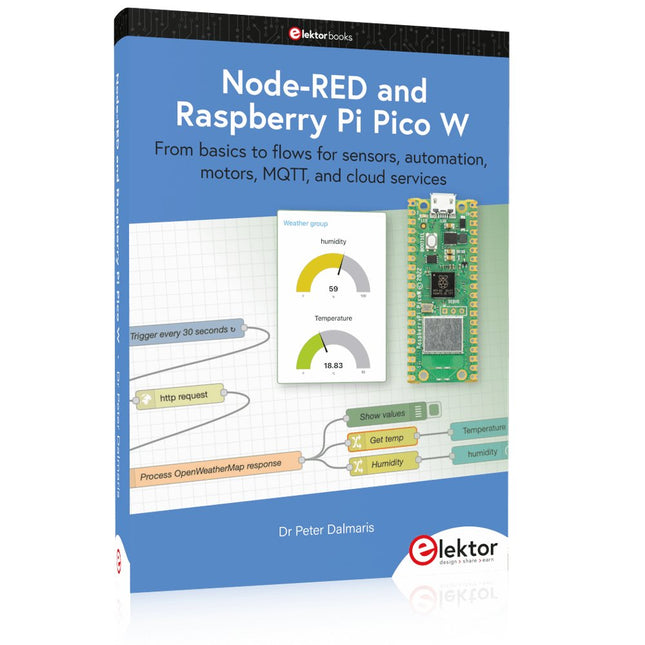
Elektor Publishing Node-RED and Raspberry Pi Pico W
From basics to flows for sensors, automation, motors, MQTT, and cloud services This book is a learning guide and a reference. Use it to learn Node-RED, Raspberry Pi Pico W, and MicroPython, and add these state-of-the-art tools to your technology toolkit. It will introduce you to virtual machines, Docker, and MySQL in support of IoT projects based on Node-RED and the Raspberry Pi Pico W. This book combines several elements into a platform that powers the development of modern Internet of Things applications. These elements are a flow-based server, a WiFi-enabled microcontroller, a high-level programming language, and a deployment technology. Combining these elements gives you the tools you need to create automation systems at any scale. From home automation to industrial automation, this book will help you get started. Node-RED is an open-source flow-based development tool that makes it easy to wire together devices, APIs, and online services. Drag and drop nodes to create a flowchart that turns on your lights at sunset or sends you an email when a sensor detects movement. Raspberry Pi Pico W is a version of the Raspberry Pi Pico with added 802.11n Wi-Fi capability. It is an ideal device for physical computing tasks and an excellent match to the Node-RED. Quick book facts Project-based learning approach. Assumes no prior knowledge of flow-based programming tools. Learn to use essential infrastructure tools in your projects, such as virtual machines, Docker, MySQL and useful web APIs such as Google Sheets and OpenWeatherMap. Dozens of mini-projects supported by photographs, wiring schematics, and source code. Get these from the book GitHub repository. Step-by-step instructions on everything. All experiments are based on the Raspberry Pi Pico W. A Wi-Fi network is required for all projects. Hardware (including the Raspberry Pi Pico W) is available as a kit. Downloads GitHub
€ 49,95
Mitglieder: € 44,96
-

Elektor Publishing PIO-Programmierung mit dem Raspberry Pi Pico
Praxisnahe Projekte, Profi-Tricks und eigene Anwendungen Dieses Buch führt Sie Schritt für Schritt in die faszinierende Welt der State Machines ein und zeigt, wie Sie Hardware direkt und effizient ansteuern können – jenseits klassischer CPU-gesteuerter Ansätze. In diesem Buch lernen Sie: LEDs und NeoPixel kreativ steuern: Blinken, Dimmen, Farbwechsel und komplexe Animationen Taster und Encoder zuverlässig auslesen und in Echtzeit in Ihre Projekte integrieren Analoge Eingänge (ADC) nutzen und Signale digital steuern Servos präzise ansteuern und Bewegungsabläufe automatisieren SPI mit PIO umsetzen, um Displays, Sensoren und Module anzusteuern Menüsysteme und Submenüs auf SPI-Displays realisieren, inklusive Navigation über mehrere Taster PWM, Signalgenerierung und Frequenzsteuerung für akustische oder visuelle Effekte Debugging-Strategien und Tipps, um Ihre PIO-Programme effizient zu entwickeln Alle Beispiele sind praxisnah, sofort umsetzbar und zuverlässig. Mit klaren Anleitungen, Hintergrundwissen und fertigen Codebeispielen lernen Sie, die PIO-Fähigkeiten des Pico maximal zu nutzen – egal ob für Maker-Projekte, Prototypen oder professionelle Anwendungen. Erleben Sie, wie Sie komplexe Hardwaresteuerung elegant mit dem Pico realisieren können – schneller, flexibler und leistungsfähiger als je zuvor.
€ 34,80
Bestpreis
-
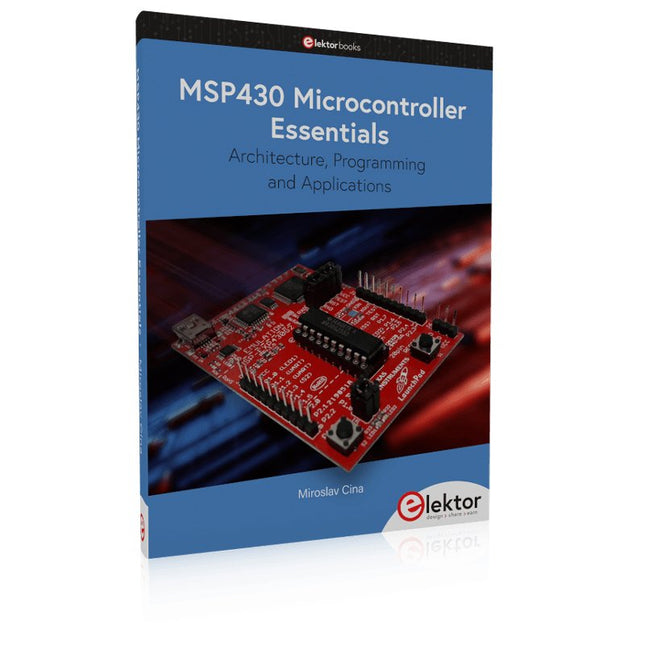
Elektor Publishing MSP430 Microcontroller Essentials
Architecture, Programming and Applications The MSP430 is a popular family of microcontrollers from Texas Instruments. In this book we will work with the smallest type, which is the powerful MSP430G2553. We will look at the capabilities of this microcontroller in detail, as it is well-suited for self-made projects because it is available in a P-DIP20 package. We will take a closer look at the microcontroller and then build, step by step, some interesting applications, including a 'Hello World' blinking LED and a nice clock application, which can calculate the day of the week based on the date. You also will learn how to create code for the MSP microcontroller in assembler. In addition to that, we will work with the MSP-Arduino IDE, which makes it quite easy to create fast applications without special in-depth knowledge of the microcontrollers. All the code used in the book is available for download from the Elektor website.
€ 39,95
Mitglieder: € 35,96
-

Elektor Labs Elektor Arduino Nano MCCAB Trainingsboard
Das Elektor Arduino Nano MCCAB Trainingsboard enthält alle Bauteile (inkl. Arduino Nano), die für die Übungen des "Mikrocontroller-Praxiskurs für Arduino-Einsteiger" benötigt werden wie Leuchtdioden, Schalter, Taster, akustische Signalgeber usw. Auch externe Sensoren, Motoren oder Baugruppen können mit diesem Mikrocontroller-Übungssystem abgefragt oder gesteuert werden. Technische Daten (Arduino Nano Trainingsboard MCCAB) Stromversorgung Über die USB-Verbindung des zur Erstellung der Programme sowieso angeschlossenen PCs oder ein externes Netzteil (nicht im Lieferumfang enthalten) Betriebsspannung +5 Vcc Eingangsspannung Alle Eingänge 0 V bis +5 V VX1 und VX2 +8 V bis +12 V (nur bei Verwendung eines externen Netzteils) Mikrocontrollermodul Arduino Nano Hardwareperipherie LCD 2x16 Zeichen Potenziometer P1 & P2 JP3: Auswahl der Betriebsspannung von P1 & P2 Verteiler SV4: Verteiler für die BetriebsspannungenSV5, SV6: Verteiler für die Ein-/Ausgänge des Mikrocontrollers Schalter und Taster RESET-Taster auf dem Arduino Nano-Modul6x Tastschalter K1 … K66x Schiebeschalter S1 … S6JP2: Verbindung der Schalter mit den Eingängen des Mikrocontrollers Summer Piezo-Summer Buzzer1 mit Steckbrücke auf JP6 Leuchtanzeigen LED L auf dem Arduino Nano-Modul, verbunden mit GPIO D1311x LED: Zustandsanzeige für die Ein-/AusgängeJP6: Verbindung der LEDs LD10 … LD20 mit den GPIOs D2 … D12 Serielle SchnittstellenSPI & I²C JP4: Auswahl des Signals an Pin X der SPI-Steckerleiste SV12SV9 bis SV12: SPI-Interface (3,3 V/5 V) bzw. I²C-Interface Schaltausgang für externe Geräte SV1, SV7: Schaltausgang (maximal +24 V/160 mA, extern zugeführt)SV2: 2x13 Pins zum Anschluss externer Module 3x3 LED-Matrix (9 rote LEDs) SV3: Spalten der 3x3 LED-Matrix (Ausgänge D6 … D8)JP1: Verbindung der Reihen mit den GPIOs D3 … D5 Software Library MCCABLib Steuerung der Hardware-Komponenten (Schalter, Taster, Leuchtdioden, 3x3 LED-Matrix, Summer) auf dem MCCAB Trainingsboard Betriebstemperatur bis +40 °C Abmessungen 100 x 100 x 20 mm Technische Daten (Arduino Nano) Mikrocontroller ATmega328P Architektur AVR Betriebsspannung 5 V Flashspeicher 32 KB, davon 2 KB vom Bootloader belegt SRAM 2 KB Taktfrequenz 16 MHz Analoge IN-Pins 8 EEPROM 1 KB DC-Strom pro I/O-Pin 40 mA an einem I/O-Pin, insgesamt maximal 200 mA an allen Pins gemeinsam Eingangsspannung 7-12 V Digitale I/O-Pins 22 (6 davon sind PWM-fähig) PWM-Ausgänge 6 Stromverbrauch 19 mA Abmessungen 18 x 45 mm Gewicht 7 g Lieferumfang 1x Elektor Arduino Nano Trainingsboard (MCCAB) 1x Arduino Nano
€ 79,95€ 69,95Bestpreis
-

Elektor Digital Programming with STM32 Nucleo Boards (E-book)
STM32 Nucleo family of processors are manufactured by STMicroelectronics. These are low-cost ARM microcontroller development boards. This book is about developing projects using the popular Nucleo development board. In the early chapters of the book, the architecture of the Nucleo family is briefly described. Software development tools that can be used with the Nucleo boards such as the Mbed, Keil MDK, TrueSTUDIO, and the System Workbench are described briefly in later Chapters. The book covers many projects using most features of the STM32 Nucleo development boards where the full software listings for Mbed and System Workbench are given for every project. The projects range from simple flashing LEDs to more complex projects using modules and devices such as GPIO, ADC, DAC, I²C, LCD, analog inputs and others. In addition, several projects are given using the Nucleo Expansion Boards, including popular expansion boards such as solid-state relay, MEMS and environmental sensors, DC motor driver, Wi-Fi, and stepper motor driver. These Expansion Boards plug on top of the Nucleo development boards and simplify the task of project development considerably. Features of this book Learn the architecture of the STM32 microcontrollers Learn how to use the Nucleo development board in projects using Mbed and System Workbench Toolchains Learn how to use the Nucleo Expansion Boards with the Nucleo development boards Update The Mbed compiler has been replaced with two software packages: The Mbed Studio and Keil Studio Cloud. Both of these software packages are free of charge and are available on the Internet. If you need assistance using the Keil Studio Cloud, please download the Guide below.
€ 34,95
Mitglieder: € 31,46
-

Elektor Digital Elektor März/April 2022 (PDF)
Bauen Sie Ihren RISC-V-Controller Debütieren Sie auf dem RISC-V-Softwareknoten NEORV32 für FPGA mit einfacher Berechnung Grafiktracker mit Arduino Dies ist mit dem Arduino-Serien-Traceur ganz einfach. CLUE-Karte von Adafruit Eine intelligente Lösung für IoT-Projekte Kartenleser für Raspberry Pi 400 Schutz der Ein- und Ausgänge Raspberry Pi RP2040-Karten auf Gogo DIY-Ansatz zur Sicherheit und elektronischen Spionage Heizen oder kühlen Sie die SRAM Identifizierung der Bestandteile Tricks und Kniffe, gute Praktiken und andere nützliche Informationen Kontaktloser Schalter zum Selbermachen Elektronisch starten? (12) Anpassung von Impedanz und Transformatoren Was ist neu in der Entwicklung der Blockade? Rost und Aktualisierung von IoT-Implementierungen Infografik Die Vorteile von 5G für Industrie und Automobil Relais für mobile Spulen Besuch vor Ort Chacun Sohn Tour Reise durch das neuronale Netzwerk (4. Teil) Die verstörten Neuronen Magnetische Schwebebahn: noch einfacher Dritte Version: die kompaktere Automatisierte Programmierung mit Raspberry Pi und dem OpenPLC-Projekt Visualisierung von SPS-Programmen mit AdvancedHMI Über das Leben Eingewickelt, das ist pesé Unter Ihrem Radar Die Mikrocontroller, die Sie kennen müssen Überwachung und Entsendung ohne Draht Eine Lösung für Arduino, ESP32 und Co. Station zur Messung von Temperatur und Luftfeuchtigkeit im Beutelformat Nutzung der vorinstallierten Module Reparatur von Lithiumbatterien Sparen Sie Geld und steigern Sie die Leistung! Erstellen grafischer Schnittstellen in Python Meme-Generator Drei grundlegende Fragen Warum, mit wem, mit wem? Hexadoku
€ 10,95
-
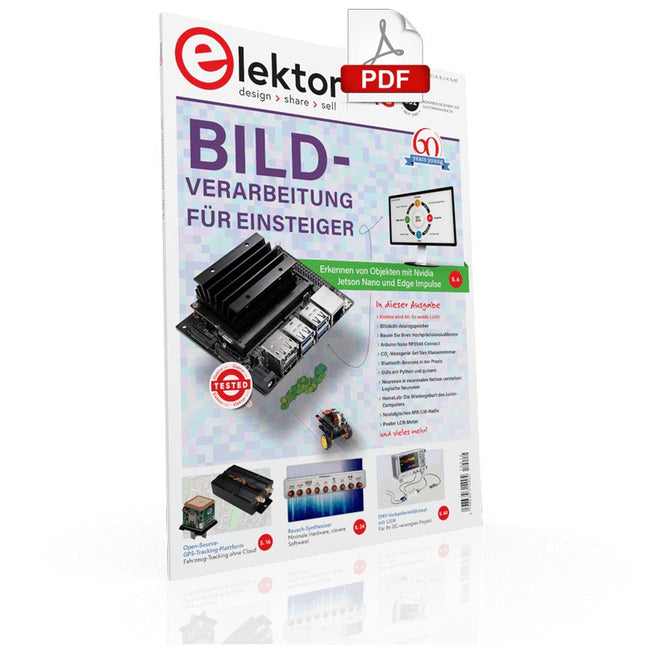
Elektor Digital Elektor 11-12/2021 (PDF)
NVIDIA JETSON NANO - BILDVERARBEITUNG FÜR EINSTEIGER (TEIL 2) Erkennen von Objekten mit Edge-Impulsen ELEKTOR JUMPSTARTER-NEWS Kommende Kampagnen OPEN-SOURCE-GPS-TRACKING-PLATTFORM Fahrzeug-Tracking ohne fremde Cloud mit Traccar MULTIFUNKTIONS-KOMPONENTENTESTER LCR-T7 VON JOY-IT Tests von passiven Bauteilen, diskreten Halbleitern und IR-Fernbedienungen RAUSCH-SYNTHESIZER Vom Rauschen zur Musik mit dem PRBSynth1 ALLER ANFANG … ist gar nicht schwer! Weiter geht's mit der Spule... DIE NEURONEN IN NEURONALEN NETZEN VERSTEHEN Teil 2: Logische Neuronen BLITZLICHT-GESCHÜTZTER ANALOGSPEICHER-ZUSATZ FÜR DAS MANIPULATIONSSICHERER DATENPAKET Probleme mit der Sicherheit? Bekämpfen Sie Feuer mit Feuer! LCR-METER-PLAKAT BLUETOOTH-BEACONS IN DER PRAXIS Ortsbestimmung in Innenräumen C-PROGRAMMIERUNG AUF RASPBERRY PI Ein Beispielkapitel: Kommunizieren über WLAN EMV-VORKONFORMITÄTSTEST FÜR IHR DC-VERSORGTES PROJEKT Teil 2: Die Hardware und wie man sie benutzt PARALLAX-PROPELLER 2 Teil 5: Das Innenleben des Smart Pins MODBUS ÜBER WLAN Teil 1: Hardware und Programmierung ZUTRITT FÜR UNBEFUGTE VERBOTEN Wie der Junior-Computer wieder zum Leben erweckt wurde BAUEN SIE IHREN EIGENEN HOCHPRÄZISIONSKALIBRATOR -10 V bis +10 V, 0 bis 40 mA, 0,001% ARDUINO NANO RP2040 VERBINDEN Raspberry Pi RP2040 + WLAN + Bluetooth DER PHYSISCHE KÖRPER DER KÜNSTLICHEN INTELLIGENZ PROJEKT 2.0 Korrekturen, Updates und Leserbriefe GRAFISCHE BENUTZEROBERFLÄCHEN MIT PYTHON UND GUIZERO CO2-MESSGERÄT-SET FÜRS KLASSENZIMMER Ein ESP8266-basiertes Gerät, entwickelt von der FH Aachen NOSTALGISCHES MW/LW-RADIO MIT MK484 ...macht immer Spaß beim Bauen! 60 JAHRE ELEKTOR Es werde Licht! HEXADOKUS Das Original von Elektorized Sudoku
€ 11,90
-

Elektor Publishing PLC Programming with the Raspberry Pi and the OpenPLC Project
ModbusRTU and ModbusTCP examples with the Arduino Uno and ESP8266 Introduction to PLC programming with OpenPLC, the first fully open source Programmable Logic Controller on the Raspberry Pi, and Modbus examples with Arduino Uno and ESP8266 PLC programming is very common in industry and home automation. This book describes how the Raspberry Pi 4 can be used as a Programmable Logic Controller. Before taking you into the programming, the author starts with the software installation on the Raspberry Pi and the PLC editor on the PC, followed by a description of the hardware. You'll then find interesting examples in the different programming languages complying with the IEC 61131-3 standard. This manual also explains in detail how to use the PLC editor and how to load and execute the programs on the Raspberry Pi. All IEC languages are explained with examples, starting with LD (Ladder Diagram) over ST (Structured Control Language) to SFC (Special Function Chart). All examples can be downloaded from the author's website. Networking gets thorough attention too. The Arduino Uno and the ESP8266 are programmed as ModbusRTU or ModbusTCP modules to get access to external peripherals, reading sensors and switching electrical loads. I/O circuits complying with the 24 V industry standard may also be of interest for the reader. The book ends with an overview of commands for ST and LD. After reading the book, the reader will be able to create his own controllers with the Raspberry Pi.
€ 39,95
Mitglieder: € 35,96


