
Suchergebnisse für "official OR raspberry OR pi OR 7 OR inch OR touch OR display"
-

Elektor Bundles Physical AI with Raspberry Pi (Bundle)
Dieses Bundle enthält das AI Fusion Lab Kit mit über 450 Komponenten sowie das Buch Physical AI mit Raspberry Pi und bietet einen umfassenden, praxisnahen Einstieg in KI, Elektronik und Python-Programmierung. Realisieren Sie praxisnahe Projekte, die Computer Vision, Sprachinteraktion, Sensoren, Motoren und Large Language Models miteinander verknüpfen. Das beiliegende Buch führt Sie Schritt für Schritt von der Einrichtung des Raspberry Pi und der Hardware-Steuerung bis hin zu fortgeschrittenen Anwendungen unter Einsatz von OpenCV, MediaPipe, YOLO, OpenAI-Diensten und lokalen Ollama-Modellen. SunFounder AI Fusion Lab Kit für Raspberry Pi (450+ Teile) Das AI Fusion Lab Kit verwandelt einen Raspberry Pi in eine umfassende Plattform zum Erlernen von künstlicher Intelligenz, Elektronik und Python-Programmierung. Es unterstützt die Modelle Raspberry Pi 5, 4B, 3B+, 3B und Zero 2 W sowie gängige KI-Modelle und -Dienste, darunter ChatGPT, Gemini, Grok, DeepSeek, Qwen, Doubao und Ollama. Dank Kamera, Pan-Tilt-HAT, 10-Achsen-Sensormodul, Mikrofon, Lautsprecher und elektronischen Komponenten ermöglicht das Kit den Bau interaktiver KI-Projekte, die Sprache, Bilderkennung, Bewegung und Sensordaten kombinieren. Es eignet sich für Anfänger, Schüler und Studierende, Maker sowie alle, die praktische KI-Anwendungen erkunden möchten. Multimodale KI-Projekte entwickeln Kombinieren Sie große Sprachmodelle (LLMs) mit Spracherkennung, Text-zu-Sprache-Ausgabe, Kamera-Bilderkennung, Sensoren und Breadboard-Schaltungen. Erstellen Sie Projekte, die hören, sprechen, sehen, reagieren und mit ihrer Umgebung interagieren können, während Sie gleichzeitig die Funktionsweise moderner KI-Systeme kennenlernen. KI-Bilderkennung und Objektverfolgung erkunden Nutzen Sie YOLO, OpenCV und MediaPipe, um Objekte, Farben, Gesichter und menschliche Bewegungen zu erkennen und zu verfolgen. Der motorisierte Pan-Tilt-HAT ermöglicht es der Kamera, Zielen automatisch zu folgen, und demonstriert so das Zusammenspiel von Computer Vision und Bewegungssteuerung. Sprach-KI mit dem Fusion HAT+ Das Fusion HAT+ vereinfacht die Hardware-Steuerung durch eine einheitliche Python-Bibliothek und unterstützt das sichere Herunterfahren des Raspberry Pi. Dank des integrierten Mikrofons und Lautsprechers lassen sich problemlos sprachgesteuerte Assistenten und andere KI-Anwendungen für die Mensch-Maschine-Interaktion entwickeln. Kompatibel mit Raspberry Pi 5, 4B, 3B+, 3B und Zero 2 W Unterstützt verschiedene cloudbasierte und lokale KI-Modelle Umfasst Kamera, Pan-Tilt-HAT, 10-DOF-Modul, Mikrofon und Lautsprecher Projekte zu den Themen Sprach-KI, Computer Vision, Sensorik und Elektronik Video-Tutorials, Dokumentation und Beispielcode Buch: Physical AI with Raspberry Pi Anhand des Raspberry Pi und des AI Fusion Lab Kits führt Sie dieses Buch Schritt für Schritt von den Grundlagen der Hardware-Anbindung bis hin zur Entwicklung intelligenter Systeme, die sehen, hören, sprechen und Entscheidungen treffen können. Ob Schüler, Lehrkraft, Maker oder Ingenieur – Sie sammeln wertvolle Erfahrungen durch Projekte, die darauf ausgelegt sind, sowohl Ihr Wissen als auch Ihr Selbstvertrauen zu stärken. Ausgehend von der Systemeinrichtung, der GPIO-Programmierung sowie dem Einsatz von Sensoren, Displays, Motoren und Automatisierungstechniken führt das Buch schrittweise in fortgeschrittene Themen ein, darunter Spracherkennung, Text-zu-Sprache-Synthese, dialogorientierte KI (Conversational AI), Objekterkennung und maschinelles Lernen. Dabei lernen Sie, sprachgesteuerte Geräte, intelligente Assistenten, Kamera-Tracking-Systeme, Lösungen zur Umweltüberwachung sowie KI-gestützte Embedded-Anwendungen zu entwickeln. Entdecken Sie moderne Technologien wie OpenAI-Dienste, lokale Large Language Models (via Ollama), OpenCV, MediaPipe und die Objekterkennung mit YOLO, während Sie praktische Erfahrungen mit realen Anwendungen aus den Bereichen Robotik, Industrieautomatisierung, Smart Devices und autonome Systeme sammeln. Sie erfahren, wie intelligente Software mit Sensoren, Kameras, Motoren und Displays interagieren kann, um Systeme zu schaffen, die auf natürliche Weise auf ihre Umgebung reagieren. Anstatt lediglich Code-Beispiele nachzuahmen, werden Sie dazu ermutigt, zu experimentieren sowie jedes Projekt individuell anzupassen und zu erweitern. Die in diesem Buch vermittelten Techniken und Fähigkeiten bilden eine solide Grundlage für zukünftige Innovationen, Rapid Prototyping, Forschung und Produktentwicklung. Wenn Sie bereit sind, über die klassische Elektronik hinauszugehen und die Zukunft intelligenter Embedded-Systeme zu erkunden, begleitet Sie dieses Buch auf jedem Schritt des Weges. Dieses Bundle enthält: SunFounder AI Fusion Lab Kit for Raspberry Pi (Einzelpreis: 100 €) Buch: Physical AI with Raspberry Pi (Einzelpreis: 45 €) Nicht enthalten Raspberry Pi
€ 144,95€ 129,95Bestpreis
-

JOY-iT Joy-Pi Advanced Entwicklungsplattform (inkl. Raspberry Pi 4, 8 GB)
Nur für kurze Zeit gibt es das Joy-Pi Advanced im vorteilhaften Bundle mit einem Raspberry Pi 4 (8 GB)! Der Joy-Pi Advanced ist ein kompaktes und leistungsstarkes Gerät, welches Ihnen ermöglicht, Ihre Projekte schnell und einfach zu realisieren. Egal, ob Sie bereits viel Erfahrung haben, oder noch so gut wie gar keine – mit dem Joy-Pi Advanced können Sie Ihrer Kreativität freien Lauf lassen. Dank der Kompatibilität mit einer Vielzahl von Plattformen, einschließlich Raspberry Pi, Raspberry Pi Pico, Arduino Nano, BBC micro:bit und NodeMCU ESP32, können Sie einfach und schnell auf Ihre bevorzugte Plattform zugreifen. Darüber hinaus bietet der Joy-Pi Advanced mehr als 30 Stationen, Lektionen und Module, die Ihnen eine unbegrenzte Vielzahl an Möglichkeiten bieten, um Ihre Projekte zu realisieren. Mit der eigenentwickelten Lernzentrale, können Sie nicht nur Ihre Fähigkeiten verbessern, sondern auch neue Projekte erstellen. Die Lernzentrale bietet eine Fülle an Informationen und Tutorials, die Sie Schritt für Schritt durch Ihre Projekte führen. Joy-Pi Advanced zeichnet sich insbesondere durch seine intelligenten Schaltereinheiten aus, die eine erweiterte Nutzung der verfügbaren Pins erlauben. Dabei sind insgesamt drei Schaltereinheiten integriert, jede mit 12 einzelnen Schaltern ausgestattet, die für eine präzise Steuerung der verbundenen Sensoren und Module sorgen. Dieses System löst das bekannte Problem der begrenzten Pin-Anzahl, das bei herkömmlichen Mikrocontrollern auftritt. Die Schaltereinheiten ermöglichen es Ihnen, eine Vielzahl von Sensoren und Modulen parallel zu betreiben, indem sie einzeln ein- und ausgeschaltet werden können. Dadurch wird eine Mehrfachbelegung der Pins simuliert, die es Ihnen ermöglicht, die volle Leistungsfähigkeit Ihrer Projekte auszuschöpfen, ohne Kompromisse bei der Funktionalität eingehen zu müssen. Durch der Kombination von innovativen Adapterplatinen und dem micro:bit-Slot erreicht man eine nahtlose Kompatibilität mit einer Vielzahl von Mikrocontrollern wie Raspberry Pi Pico, NodeMCU ESP32, micro:bit und Arduino Nano. Die speziell entwickelten Adapterplatinen sind so konzipiert, dass sie perfekt auf den jeweiligen Mikrocontroller abgestimmt sind. Durch das Aufstecken des Mikrocontrollers auf die passende Adapterplatine und das anschließende Einstecken in den micro:bit-Slot wird der Joy-Pi Advanced schnell und unkompliziert mit den unterschiedlichen Mikrocontrollern kompatibel. Dies ermöglicht eine nahtlose Integration Ihrer bevorzugten Plattform und die Möglichkeit, die Stärken der verschiedenen Mikrocontroller in Ihren Projekten zu kombinieren. Auf diese Weise können Sie sich voll und ganz auf Ihre kreativen Projekte konzentrieren, ohne sich Gedanken über die Kompatibilität verschiedener Mikrocontroller machen zu müssen. Der Joy-Pi Advanced vereinfacht den Entwicklungsprozess und gibt Ihnen die Möglichkeit, Ihre Projekte flexibel und individuell zu gestalten. Features Hochintegrierte Entwicklungsplattform & Lernzentrale Schnelles, einfaches & kabelloses Kombinieren von verschiedensten Sensoren & Aktoren Einbaumöglichkeit für Raspberry Pi 4 Kompatibel mit verschiedensten Mikrocontrollern Eigenentwickelte, didaktische Lernplattform für Raspberry Pi & Windows Technische Daten Kompatibel mit Raspberry Pi 4, Arduino Nano, NodeMCU ESP32, BBC micro:bit, Raspberry Pi Pico Verbaute Sensoren, Aktoren & Komponenten 39 Lernplattform Über 40 Einträge in der Wissensdatenbank, 10 Projekte, 10 Lernaufgaben, 14 Visionen Displays 7-Segment Display, 16x2 Display, 1,8“ TFT Display, 0,96“ OLED Display, 8x8 RGB Matrix Sensoren DS18B20, Schock-Sensor, Hall-Sensor, Barometer, Sound-Sensor, Gyroskop, PIR-Sensor, Lichtschranke, NTC, Lichtsensor, 6x Touchsensor, Farb-Sensor, Ultraschall-Abstandssensor, DHT11 Temperatur- & Feuchtigkeitssensor Steuerung Joystick, 5x Schalter, Potentiometer, Drehencoder, 4x4 Button-Matrix, Relais, PWM-Lüfter Motoren Servo-Schnittstelle, Schrittmotor-Schnittstelle, Vibrationsmotor Mess- und Wandelmodule Analog-Digital Converter, Pegelwandler, Voltmeter, Variable Spannungsversorgung Sonstige Komponenten RTC Echtzeituhr, Buzzer, EEPROM-Speicher, Infrarot-Empfänger, Breadboard, RFID-Lesegerät Adapterboards Adapter für NodeMCU ESP32, Arduino Nano & Raspberry Pi Pico, Boardconnectoren für Raspberry Pi & Externe Boards Elektronische Komponenten Infrarot-Fernbedienung, RFID-Chip, RFID-Karte, 6x Krokodilklemmen, microSD-Karten-Lesegerät, Servomotor, Schrittmotor, 32 GB microSD-Karte Bauteile 40x Widerstände, 3x grüne LEDs, 3x gelbe LEDs, 3x rote LEDs, 1x Transistor, 5x Buttons, 1x Potentiometer, 2x Kondensatoren Weiteres Zubehör Schraubensortiment, Schraubendreher, Zubehör-Aufbewahrungstasche, Netzgerät & Netzkabel, Servohalterung Stromversorgung Verbautes Netzgerät: 36 W, 12 V, 3 A Gehäuseanschluss: Kleingeräte-Stecker C8 Spannungsausgänge 12 V, 5 V, 3,3 V, Variabler Spannungsausgang (2-11 V) Ausgeführte Datenbusse & Signalausgänge I²C, SPI, Analog-Digital-Wandler Batterie (RTC) CR2032 Abmessungen 327 x 200 x 52 mm Inbegriffen Raspberry Pi 4 (8 GB RAM) Downloads Joy-Pi Website Datenblatt Anleitung
€ 519,00€ 419,00Bestpreis
-
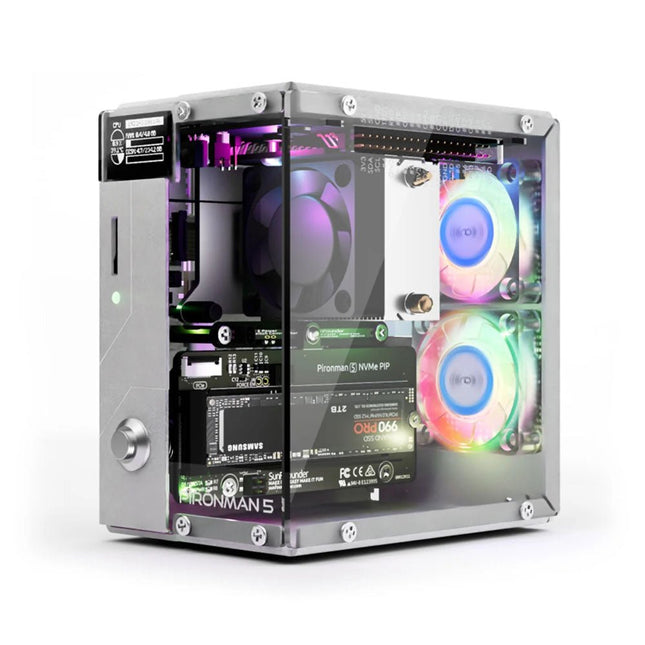
SunFounder Pironman 5 NVMe M.2 SSD PCIe Mini-PC-Gehäuse für Raspberry Pi 5
Verbessern Sie Ihren Raspberry Pi 5 mit dem Pironman 5, der aus robustem Aluminium, hervorragender Kühlung, NVMe M.2 SSD-Unterstützung, OLED-Display, RGB-Beleuchtung, Standard-HDMI-Anschlüssen x2 und einem sicheren Netzschalter besteht. Es ist perfekt für NAS, Home Assistant, Medien- und Game Center. Der Pironman 5 ist nicht nur ein Gehäuse, sondern ein Upgrade, das Ihren Raspberry Pi 5 in ein leistungsstarkes, effizientes und elegantes Gerät verwandelt. Der Pironman 5 enthält das Pi 5 NVMe PIP (PCIe Peripheral Board), eine PCIe-Adapterplatine, die speziell für NVMe-Solid-State-Laufwerke entwickelt wurde. Dieses Board unterstützt vier Größen von NVMe-SSDs: 2230, 2242, 2260 und 2280, die alle in einem M.2-M Key-Steckplatz installiert werden können. Die Verbindung ist für Gen 2.0-Geschwindigkeiten (5 GT/Sek.) zertifiziert, kann jedoch für eine schnellere Leistung auf Gen 3.0 (10 GT/Sek.) erzwungen werden. Erweiterbarer NVMe M.2 SSD-Steckplatz Steigern Sie die Leistung Ihres Raspberry Pi 5 mit dem NVMe M.2 SSD-Steckplatz des Pironman 5, der mehrere Größen (2230, 2242, 2260, 2280) für mehr Speicher und schnellere Systemreaktionen unterstützt. Erweitertes Kühlsystem Halten Sie Ihren Raspberry Pi 5 kühl und stilvoll mit dem Tower-Kühler und den zwei RGB-Lüftern des Pironman 5, der mit Staubfiltern für einen langlebigen, wartungsarmen Betrieb ausgestattet ist. OLED-Display für sofortige Einblicke Der Pironman 5 verfügt über ein 0,96" OLED-Display, das sofortige Updates zu CPU- und RAM-Auslastung, Temperatur, IP-Adresse und mehr bietet. Verbesserte Funktionalität und Sicherheit Der Pironman 5 sichert Ihren Raspberry Pi 5 mit Funktionen wie sicherem Herunterfahren, anpassbaren RGB-LEDs, HDMI-Anschlüssen, einem IR-Empfänger und einem externen GPIO-Extender und verbessert so die Funktionalität und Konnektivität. Features Raspberry Pi 5 Mini-PC 0,96-Zoll-OLED-Display, das CPU-Auslastung, Temperatur, Festplattennutzung, IP-Adresse, RAM-Auslastung usw. des Raspberry Pi anzeigt. Der Tower-Kühler kann einen Pi mit 100% CPU-Last auf 39°C bei 25°C Raumtemperatur kühlen. 2 RGB-Lüfter mit GPIO-Steuerung 1 PWM-Lüfter am Tower Cooler wird vom Raspberry Pi-System gesteuert. Unterstützt vier (PCIe Gen 2.0 / PCIe Gen 3.0) NVMe M.2 SSD-Größen: 2230, 2242, 2260 und 2280. 4 adressierbare WS2812 RGB-LEDs beleuchten das gesamte Gehäuse mit einem coolen Lichteffekt IR-Empfänger für Multimedia-Center wie Kodi oder Volumio Retro-Einschaltknopf aus Metall für sicheres Ausschalten Externer GPIO-Extender mit Pin-Namensschild für einfachen Zugriff Ausgestattet mit einem federbelasteten Sockel zum einfachen Entfernen der Karte Aluminium-Hauptgehäuse mit durchsichtiger Acryl-Seitenwand Verfügt über zwei Standard-HDMI-Anschlüsse Downloads Dokumentation
€ 79,95
Mitglieder: € 71,96
-
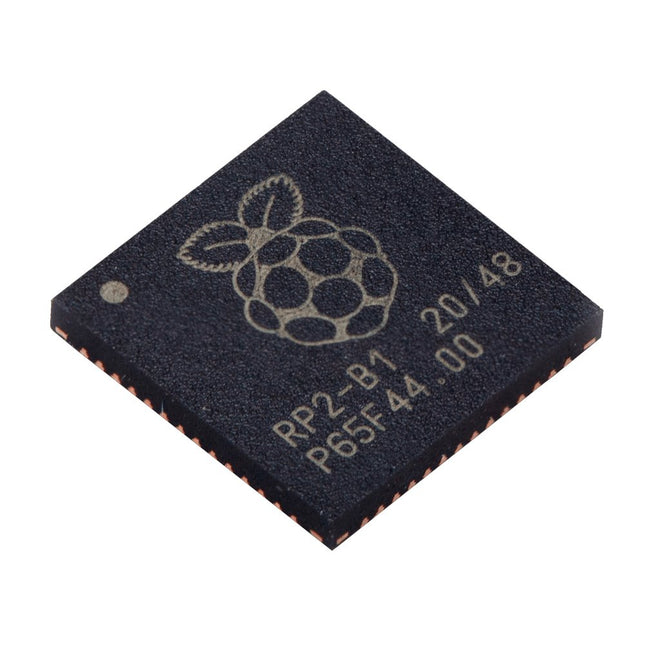
Raspberry Pi Foundation Raspberry Pi RP2040 Microcontroller (10 pcs)
Technische Spezifikationen Zwei ARM Cortex-M0+ mit 133 MHz 264 kB On-Chip-SRAM in sechs unabhängigen Bänken Unterstützung für bis zu 16 MB Off-Chip-Flash-Speicher über dedizierten QSPI-Bus DMA-Steuerung Vollständig angeschlossene AHB-Crossbar Interpolator- und Integer-Teiler-Peripherie On-Chip programmierbarer LDO zur Erzeugung der Kernspannung 2x On-Chip-PLLs zur Erzeugung von USB- und Kerntakten 30x GPIO-Pins, von denen 4 als Analogeingänge verwendet werden können Peripheriegeräte 2x UARTs 2x SPI-Steuerungen 2x I²C-Steuerungen 16x PWM-Kanäle USB 1.1-Controller und PHY, mit Host- und Geräteunterstützung 8x PIO-Zustandsmaschinen Was Sie erhalten 10x nackte RP2040-Chips
€ 7,95€ 3,18Bestpreis
-
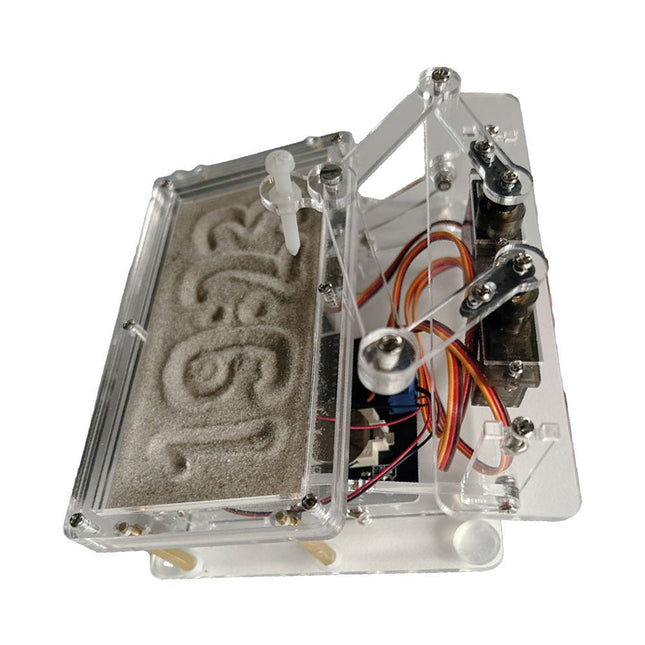
Elektor Labs Elektor Sanduhr für Raspberry Pi Pico
Raspberry Pi-basierter Eyecatcher Eine handelsübliche Sanduhr zeigt nur, wie die Zeit verrinnt. Dagegen zeigt diese Raspberry Pi Pico-gesteuerte Sanduhr die genaue Uhrzeit an, indem die vier Ziffern für Stunde und Minute in die Sandschicht „eingraviert“ werden. Nach einer einstellbaren Verzögerung wird der Sand durch zwei Vibrationsmotoren flachgedrückt und der Zyklus beginnt von vorne. Das Herzstück der Sanduhr sind zwei Servomotoren, die über einen Pantographenmechanismus einen Schreibstift antreiben. Ein dritter Servomotor hebt den Stift auf und ab. Der Sandbehälter ist mit zwei Vibrationsmotoren ausgestattet, um den Sand zu glätten. Der elektronische Teil der Sanduhr besteht aus einem Raspberry Pi Pico und einer RTC/Treiberplatine mit Echtzeituhr, plus Treiberschaltungen für die Servomotoren. Eine ausführliche Bauanleitung steht zum Download bereit. Features Abmessungen: 135 x 110 x 80 mm Bauzeit: ca. 1,5 bis 2 Stunden Lieferumfang 3x vorgeschnittene Acrylplatten mit allen mechanischen Teilen 3x Mini-Servomotoren 2x Vibrationsmotoren 1x Raspberry Pi Pico 1x RTC/Treiberplatine mit montierten Teilen Muttern, Bolzen, Abstandshalter und Drähte für die Baugruppe Feinkörniger weißer Sand
€ 49,95€ 39,95Bestpreis
-
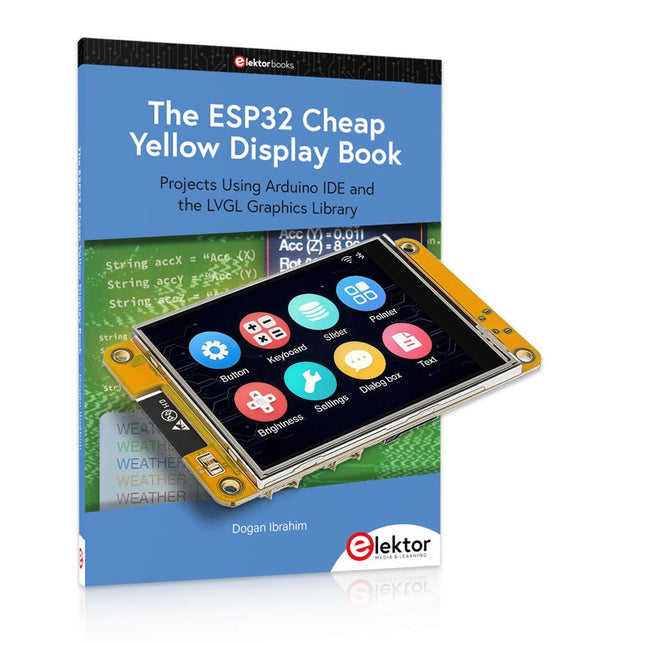
Elektor Bundles The ESP32 Cheap Yellow Display Bundle
Über 40 vollständig getestete ESP32-Projekte mit Arduino IDE und der LVGL-Grafikbibliothek Dieses Bundle enthält das ESP32 Cheap Yellow Display (CYD) – ein kompaktes Entwicklungsboard, das einen Standard-ESP32-Mikrocontroller mit einem 320 x 240 Pixel großen TFT-Farbdisplay kombiniert. Das Board verfügt außerdem über mehrere Anschlüsse für GPIO, serielle Kommunikation (TX/RX), Strom und Masse. Das integrierte Display ist ein großer Vorteil und ermöglicht die Erstellung komplexer, grafikbasierter Projekte ohne externe LCDs oder Displays. Das Begleitbuch stellt die Hardware und die integrierten Anschlüsse des CYD-Boards detailliert vor. Es bietet eine Reihe von Projekten für Anfänger und Fortgeschrittene, die mit der beliebten Arduino IDE 2.0 entwickelt wurden. Sowohl grundlegende Grafikfunktionen als auch die leistungsstarke LVGL-Grafikbibliothek werden behandelt, und praktische Projekte veranschaulichen jeden Ansatz. Alle enthaltenen Projekte wurden vollständig getestet und sind sofort einsatzbereit. Das Buch enthält Blockdiagramme, Schaltpläne, vollständige Codelisten und Schritt-für-Schritt-Erklärungen. Mit der LVGL-Bibliothek können Leser moderne, vollfarbige grafische Benutzeroberflächen mit Widgets wie Schaltflächen, Beschriftungen, Schiebereglern, Kalendern, Tastaturen, Diagrammen, Tabellen, Menüs, Animationen und mehr erstellen. ESP32 Cheap Yellow Display Board Dieses Entwicklungsboard (auch bekannt als "Cheap Yellow Display") wird vom ESP-WROOM-32 angetrieben, einem Dual-Core-MCU mit integrierten Wi-Fi- und Bluetooth-Funktionen. Es arbeitet mit einer Hauptfrequenz von bis zu 240 MHz, mit 520 KB SRAM, 448 KB ROM und einem 4 MB Flash-Speicher. Das Board verfügt über ein 2,8" Display mit einer Auflösung von 240x320 und Resistive Touch. Darüber hinaus enthält die Platine einen Steuerkreis für die Hintergrundbeleuchtung, einen Schaltkreis für die Berührungssteuerung, einen Schaltkreis für die Lautsprecheransteuerung, einen lichtempfindlichen Schaltkreis und einen RGB-LED-Steuerschaltkreis. Es bietet außerdem einen TF-Kartensteckplatz, eine serielle Schnittstelle, eine DHT11-Schnittstelle für Temperatur- und Feuchtigkeitssensoren und zusätzliche E/A-Anschlüsse. Das Modul unterstützt die Entwicklung in Arduino IDE, ESP-IDE, MicroPython und Mixly. Anwendungen Bildübertragung für Smart Home-Gerät Drahtlose Überwachung Intelligente Landwirtschaft QR-Funkerkennung Signal des drahtlosen Positionierungssystems Und andere IoT-Anwendungen Technische Daten Mikrocontroller ESP-WROOM-32 (Dual-Core-MCU mit integriertem WLAN und Bluetooth) Frequenz Bis zu 240 MHz (Rechenleistung bis zu 600 DMIPS) SRAM 520 KB ROM 448 KB Flash 4 MB Betriebsspannung 5 V Stromverbrauch ca. 115 mA Display 2,8" TFT-Farbbildschirm (240 x 320) Touch Resistive Touch Treiberchip ILI9341 Abmessungen 50 x 86 mm Gewicht 50 g Downloads GitHub Dieses Bundle enthält: The ESP32 Cheap Yellow Display Book (Einzelpreis: 35 €) ESP32 Cheap Yellow Display Board (Einzelpreis: 25 €) 1x ESP32 Dev-Board mit 2,8" Display und Acrylgehäuse 1x Touch-Stift 1x Verbindungskabel 1x USB-Kabel
€ 59,95€ 49,95Bestpreis
-
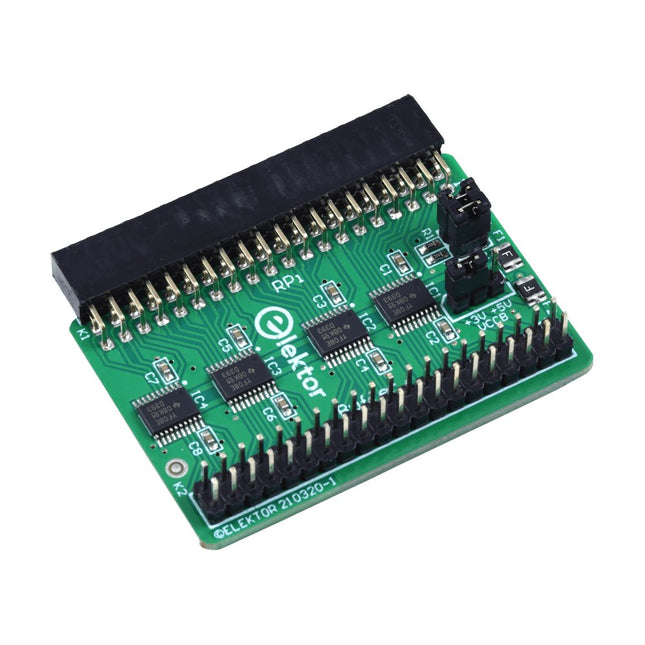
Elektor Labs Elektor Raspberry Pi Buffer Board
Wenn Sie regelmäßig mit dem Raspberry Pi experimentieren und eine Vielzahl von externer Hardware über die Stiftleiste an den GPIO-Port anschließen, haben Sie in der Vergangenheit vielleicht schon einige Schäden verursacht. Das Elektor Raspberry Pi Buffer Board ist dazu da, dies zu verhindern! Das Board ist kompatibel mit Raspberry Pi Zero, Zero 2 (W), 3, 4, 5, 400 und 500. Alle 26 GPIOs sind mit bidirektionalen Spannungswandlern gepuffert, um den Raspberry Pi beim Experimentieren mit neuen Schaltungen zu schützen. Die Platine ist dafür vorgesehen, auf der Rückseite des Raspberry Pi 400/500 eingesetzt zu werden. Der Stecker zum Anschluss an den Raspberry Pi ist eine rechtwinklige 40-polige Buchse (2x20). Die Platine ist nur ein wenig breiter. An die Pufferausgangsbuchse kann ein 40-poliges Flachbandkabel mit entsprechenden 2x20-Steckern angeschlossen werden, um z. B. mit einer Schaltung auf einem Breadboard oder einer Platine zu experimentieren. Die Schaltung verwendet 4x TXS0108E ICs von Texas Instruments. Die Platine lässt sich auch auf einem Raspberry Pi aufstellen. Downloads Schematics Layout
€ 34,95
Mitglieder: € 31,46
-

Elektor Bundles Elektor Raspberry Pi Pico Advanced Kit (Bundle)
Comprehensive Book-Hardware Bundle for the RP2040 Microcontroller with over 80 Projects Unlock the potential of modern controller technology with the Raspberry Pi Pico in this bundle. Perfect for both beginners and experienced users, the easy-to-follow guide takes you from the basics of electronics to the complexities of digital signal processing. With the Raspberry Pi Pico, the dedicated hardware kit and MicroPython programming, you will learn the key principles of circuit design, data collection, and processing. Get hands-on with over 80 projects like a stopwatch with an OLED display, a laser distance meter, and a servo-controlled fan. These projects are designed to help you apply what you've learned in real-world scenarios. The book also covers advanced topics like wireless RFID technology, object detection, and sensor integration for robotics. Whether you're looking to build your skills in electronics or dive deeper into embedded systems, this bundle is the perfect resource to help you explore the full potential of the Raspberry Pi Pico. Contents of the Bundle 1x Project Book (273 pages) 1x Smart Car Kit Electronic Parts 2x Solderless breadboard (400 holes) 1x Solderless breadboard (170 holes) 5x Colorful 5 mm LEDs (green, red, blue, yellow and white) 1x Laser transmitter 1x Passive buzzer 1x Micro USB cable (30 cm) 1x 65 Jumper wires 1x 20 cm male to female Dupont wire 1x Clear case 1x Magnet (diameter: 8 mm, thickness: 5 mm) 1x Rotary potentiometer 10x 2 KΩ resistors 2x M2.5x30 mm copper pillars 10x Phillips pan head screws 10x M2.5 nickel hex nuts 1x 2-inch dual-purpose screwdriver Modules 1x RGB module 1x 9G servo 1x Dual-axis XY joystick module 1x RC522 RFID module 1x 4 Bits digital LED display module 1x Traffic light display module 1x Rotary Encoder module 1x 1602 LCD Display module (Blue) 1x Photoresistor module 1x DC motor with male Dupont wire 1x Fan blade 1x Raindrops module 1x OLED module 1x Membrane switch keyboard 1x Mini magnetic spring module 1x Infrared remote control 1x Infrared receiver module 1x DC stepper motor driver board 1x Button Sensors 1x Vibration sensor 1x Soil moisture sensor 1x Sound sensor 1x Mini PIR motion sensor 1x Temperature & Humidity sensor 1x Flame sensor 2x Crash sensor 2x Tracking sensor 1x Ultrasonic sensor
€ 99,95€ 79,95Bestpreis
-

Elektor Bundles Elektor Raspberry Pi Pico Kit für Fortgeschrittene (Bundle)
Umfassendes Buch-Hardware-Bundle für den RP2040-Mikrocontroller mit über 80 Projekten Entdecken Sie in diesem Bundle das Potenzial der modernen Controller-Technologie mit dem Raspberry Pi Pico. Das leicht verständliche Handbuch eignet sich sowohl für Anfänger als auch für erfahrene Benutzer und führt Sie von den Grundlagen der Elektronik bis hin zu den komplexen Aspekten der digitalen Signalverarbeitung. Mit dem Raspberry Pi Pico, dem speziellen Hardware-Kit und der MicroPython-Programmierung lernen Sie die wichtigsten Prinzipien des Schaltungsdesigns, der Datenerfassung und -verarbeitung. Machen Sie praktische Erfahrungen mit über 80 Projekten wie einer Stoppuhr mit OLED-Display, einem Laser-Entfernungsmesser und einem servogesteuerten Lüfter. Diese Projekte sollen Ihnen helfen, das Gelernte in realen Szenarien anzuwenden. Das Buch behandelt auch fortgeschrittene Themen wie drahtlose RFID-Technologie, Objekterkennung und Sensorintegration für die Robotik. Ganz gleich, ob Sie Ihre Kenntnisse in der Elektronik erweitern oder tiefer in eingebettete Systeme eintauchen möchten, dieses Bundle ist die perfekte Ressource, um das volle Potenzial des Raspberry Pi Pico zu erkunden. Inhalt des Bundles 1x Projektbuch (287 Seiten) 1x Smart Car Kit Bauteile 2x Lötfreies Steckbrett (400 Löcher) 1x Lötfreies Steckbrett (170 Löcher) 5x bunte 5-mm-LEDs (Grün, Rot, Blau, Gelb und Weiß) 1x Lasersender 1x Passiver Summer 1x Micro-USB-Kabel (30 cm) 1x 65 Überbrückungskabel 1x 20 cm männlicher auf weiblicher Dupont-Draht 1x Transparentes Gehäuse 1x Magnet (Durchmesser: 8 mm, Dicke: 5 mm) 1x Drehpotentiometer 10x 2 KΩ Widerstände 2x M2, 5x30 mm Kupfersäulen 10x Kreuzschlitz-Flachkopfschrauben 10x M2,5 Sechskantmuttern aus Nickel 1x 2-Zoll-Mehrzweckschraubendreher Module 1x RGB-Modul 1x 9G-Servo 1x Dual-Achsen-XY-Joystick-Modul 1x RC522 RFID-Modul 1x 4-Bit-Digital-LED-Display-Modul 1x Ampel-Anzeigemodul 1x Drehgebermodul 1x 1602 LCD-Anzeigemodul (blau) 1x Fotowiderstandsmodul 1x Gleichstrommotor mit männlichem Dupont-Kabel 1x Lüfterflügel 1x Regentropfen-Modul 1x OLED-Modul 1x Membranschalter-Tastatur 1x Mini-Magnetfedermodul 1x Infrarot-Fernbedienung 1x Infrarot-Empfängermodul 1x DC-Schrittmotor-Treiberplatine 1x Button Sensoren 1x Vibrationssensor 1x Bodenfeuchtesensor 1x Schallsensor 1x Mini-PIR-Bewegungssensor 1x Temperatur & Feuchtigkeitssensor 1x Flammensensor 2x Crash-Sensor 2x Tracking-Sensor 1x Ultraschallsensor
€ 99,95€ 59,95Bestpreis
-
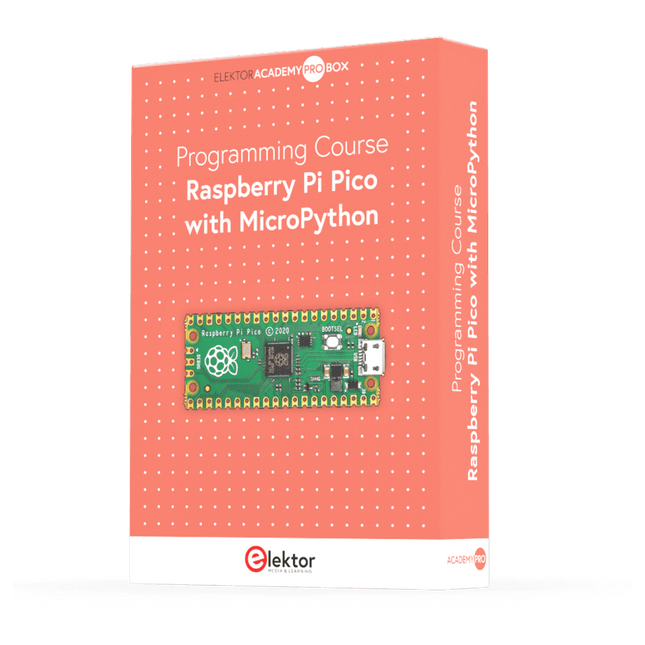
Elektor Academy Pro Raspberry Pi Pico with MicroPython (Programmierkurs)
Dieser komplette Mikrocontroller-Programmierkurs auf Basis des Raspberry Pi Pico umfasst ein Lehrbuch, ein Komponenten-Kit, praxisnahe Projekte sowie einen umfassenden Online-Kurs mit Simulationen. Er eignet sich ideal für das schrittweise Erlernen der Embedded-Programmierung mit Arduino anhand eines praktischen, hands-on Ansatzes. Eine praxisnahe Einführung in Embedded Systems mit dem Raspberry Pi Pico Dieser Kurs richtet sich an Personen ohne Vorkenntnisse im Bereich Embedded Systems, die einen strukturierten und beispielbasierten Einstieg suchen. Ein Kit bestehend aus LEDs und Widerständen, Schaltern, Sensoren und Aktoren, Displays, einem Breadboard und Kabeln sowie weiteren Komponenten ist enthalten. Diese werden im Kurs verwendet, um Beispielanwendungen zu veranschaulichen. Vorkenntnisse mit Arduino oder Embedded-Entwicklung sind nicht erforderlich. Jeder Abschnitt enthält praktische Beispiele und Mini-Projekte, die wichtige Konzepte festigen und zur weiteren Vertiefung anregen. Am Ende des Kurses werden Sie nicht nur in der Lage sein, die Beispiele nachzuvollziehen, sondern auch eigene Ideen und Anwendungen umzusetzen. Was werden Sie lernen? Programmierung von Mikrocontrollern in MicroPython mit dem Raspberry Pi Pico unter Verwendung der Thonny IDE Arbeiten mit digitalen Ein- und Ausgängen, Auslesen von Tastern und Encodern, Steuern von LEDs und Relais Auslesen analoger Eingänge, Spannungen und analoger Sensoren Erzeugung analoger Ausgangssignale und PWM Verwendung serieller Kommunikation wie UART, I²C und SPI zur Steuerung von Displays und zum Auslesen digitaler Sensoren und SD-Karten Zeitmanagement Arbeiten mit Interrupts Echtzeit-Sensordatenerfassung und Steuerung über Taster, LEDs und Displays Steuerung von Aktoren wie Relais und Servomotoren Für wen ist dieser Kurs geeignet? Studierende und Selbstlerner im Bereich Embedded Systems Makers und IoT-Enthusiasten, die ihre Hardware-Kenntnisse verbessern möchten Lehrkräfte und Trainer, die sofort einsetzbares Unterrichtsmaterial suchen Was ist im Lieferumfang enthalten? Zugang zum vollständigen Kurs auf der Elektor Academy Pro-Lernplattform Raspberry Pi Pico Mikrocontroller-Board (+ USB-Kabel) Buch: Programming Microcontrollers in MicroPython Downloadbare Projektdateien für jedes Modul Komponenten-Set: 2× LED, rot, 5 mm LED, grün, 5 mm 3× Widerstand, 470 Ω, 0,25 W LDR Potentiometer, 10 kΩ, linear Taster Drehencoder-Modul Relaismodul DHT22 Feuchtigkeits- und Temperatursensor TM1637-kompatibles 4-stelliges 7-Segment-Display MPU-6050 IMU mit Stiftleisten SSD1306-kompatibles I²C OLED-Display Micro-SD-Kartenadapter mit Stiftleiste Buzzer SG90 Mikro-Servo ILI9341-kompatibles SPI 240×320 TFT-Display 20× Jumperkabel Breadboard Alle Programmierkurse (und Unterschiede im Inhalt) Kurs Arduino Raspberry Pi Pico with Arduino C/C++ ESP32 with Arduino C/C++ Raspberry Pi Pico with MicroPython ESP32 with MicroPython Online-Kurs Access to Arduino Course Access to Pico with Arduino C/C++ Course Access to ESP32 with Arduino C/C++ Course Access to Pico with MicroPython Course Access to ESP32 with MicroPython Course Board Uno R3 Raspberry Pi Pico ESP32 Raspberry Pi Pico ESP32 Buch Programming Microcontrollers in C/C++ Using Arduino Programming Microcontrollers in C/C++ Using Arduino Programming Microcontrollers in C/C++ Using Arduino Programming Microcontrollers in MicroPython Programming Microcontrollers in MicroPython Kit 40-teiliges Komponenten-Set 40-teiliges Komponenten-Set 40-teiliges Komponenten-Set 40-teiliges Komponenten-Set 40-teiliges Komponenten-Set
€ 69,95
Mitglieder: € 62,96










-
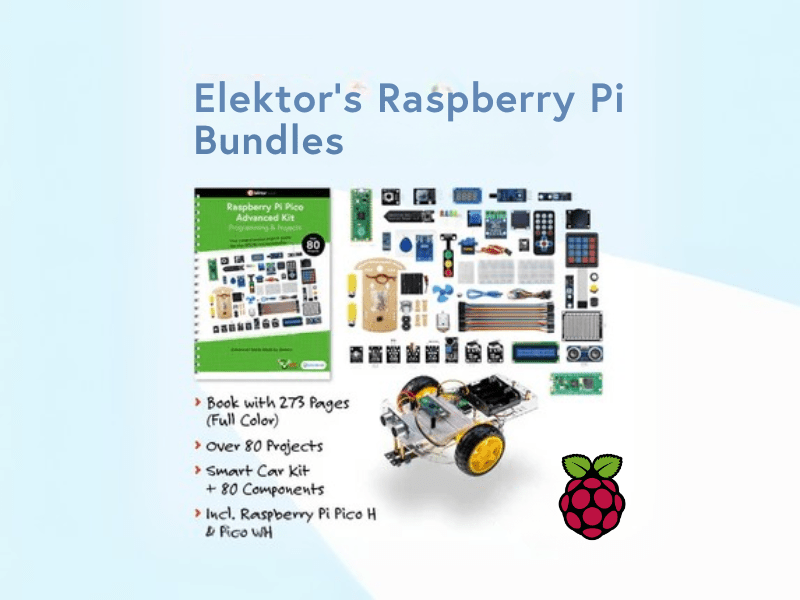
, von Lobna Belarbi Elektors Raspberry Pi Bundles: Von Einsteiger-Sets bis zu fortgeschrittenen Kits
Finde das perfekte Raspberry Pi Bundle für dein Erfahrungsniveau Egal, ob du gerade erst in die Welt des Raspberry Pi eintauchst oder bereits anspruchsvolle Projekte...
-

, von Udo Bormann Ist das Pironman 5 Gehäuse das beste Raspberry Pi 5 Gehäuse für Kühlung und Leistung?
Der Raspberry Pi 5 ist ein wahres Kraftpaket im Mini-Format. Doch wie bei jeder leistungsstarken Platine sind Kühlung und Erweiterbarkeit entscheidende Faktoren, um sein volles...

